Even with the rise of AI, Google still has the majority market share for online searches. As of August 2025, over 66% of searchers prefer Google for their informational queries. So, business’ online rankings still matter, which is where tracking software comes in.
![Download Now: Keyword Research Template [Free Resource]](https://no-cache.hubspot.com/cta/default/53/447dd5f8-1426-4fb6-af75-b6e55bb759a2.png)
Rank tracking software helps marketers monitor websites’ keyword positions on search engines over time. The best tools offer accurate data, daily or weekly updates, local and mobile tracking, and integrations with platforms like Google Search Console. Start with a free trial or use HubSpot’s SEO tools to see how rank tracking fits into the team’s broader marketing strategy.
Now, let’s dive into the best rank tracking software on the market.
Table of Contents
- What is rank tracking software?
- What makes a great rank tracker tool?
- Key Features to Look For in Rank Tracking Software
- Free vs. Paid Rank Tracking Software
- 11 Best Rank Trackers
- Frequently Asked Questions About Rank Tracking Software
.png)
Keyword Research Template
Build your SEO strategy with this free template.
- Search Volume
- CPC
- Ranking
- Keyword Difficulty
Download Free
All fields are required.
What is rank tracking software?
Rank tracking software monitors where websites appear in search engine results for specific keywords. Think of it as an SEO performance dashboard — instead of manually searching keywords, these tools automate the process across thousands of terms. HubSpot's SEO tools provide detailed reports showing what people search for and how content ranks for those queries.
How Rank Tracking Tools Work
Modern keyword rank tracking software use algorithms to check search rankings without triggering Google's anti-bot measures. They simulate searches from different locations, devices, and search engines, then compile this data into actionable reports. The best rank tracking tools update daily (or in some cases hourly), giving teams visibility into any fluctuations.
Great rank tracking tools can distinguish between content and technical SEO issues. The SEO recommendations in HubSpot are organized by technical difficulty and suggested role. That helps teams identify which fixes marketing teams can handle and which require developer support.
Pro tip: Rank tracking is one very important part of a business’s SEO strategy — and our Ultimate Guide to SEO covers the rest, outlining everything a team needs to get a website and blog ranking.
Types of Rank Trackers: Cloud vs. Desktop
- Cloud-based rank trackers dominate the market today. They run on remote servers, meaning teams can access data anywhere and don't need to keep a computer running. Examples include SEMrush, HubSpot SEO tools, Ahrefs, and most modern solutions.
- Desktop rank tracking software is installed as software on a specific computer and can be accessed offline. These tools can be helpful for agencies needing unlimited keyword tracking without monthly fees. Rank Tracker by SEO PowerSuite is one example.
Who needs rank tracking software?
- SEO Agencies use rank tracking tools to monitor client campaigns, create white-label reports, and prove ROI.
- In-house SEO teams need daily rank tracking to spot algorithm updates, monitor competitors, and justify budget increases..
- Local businesses require rank trackers that can monitor location-specific results, especially for “near me” searches and Google Maps rankings.
What makes a great rank tracker tool?
Great rank tracking software accurately assess how a business ranks for target keywords. These tools should provide competitor comparison, actionable steps for optimizing content, and SEO guidance. With HubSpot's SEO software, teams can plan content around topics that matter to their audience while monitoring rankings as site authority grows.
Accuracy and Reliability
The best rank tracking software delivers consistent, accurate results that match incognito searches. Search engines personalize results based on location, search history, device type, and browsing behavior, so different users see different rankings for the same keyword. Quality rank tracking tools, like HubSpot’s SEO tools, account for these variables.
Update Frequency Options
Daily rank tracking has become the standard, but the best tools offer flexibility. Teams might want hourly updates during a campaign launch or weekly tracking for stable keywords to save credits. Premium rank tracking tools even offer on-demand updates when teams need fresh data immediately.
Local and Mobile Tracking
With mobile searches dominating and local SEO more competitive than ever, a rank tracker must handle both. Look for granular location tracking (down to ZIP code level) and separate mobile/desktop rankings.
API and Integration Capabilities
For agencies and enterprises, API access transforms rank tracking from a reporting tool to a business intelligence platform. The best rank tracking tools integrate with Google Data Studio, Google Sheets, and popular reporting platforms. Some even offer white-label APIs for building custom dashboards.
Pro tip: HubSpot's SEO software integrates directly with Google Search Console, pulling in real data on impressions and click-through rates to inform teams’ strategies.
Competitor Tracking
Professional rank tracking software monitors competitors' positions for the same keywords, revealing opportunities when they drop and threats when they climb. Look for tools that track unlimited competitors without extra charges.
Pro tip: SEO and tracking metrics can be tricky, so beginners should look into HubSpot’s Complete SEO Starter Pack. It features some helpful guides and templates to take the guesswork out of SEO. From there, marketers can take the HubSpot SEO Certification Course to give their knowledge extra cred.
Key Features to Look For in Rank Tracking Software
- Accuracy and reliability are factors in location, device type, and personalization
- Competitor analysis to understand a business’ position in the market
- Local SEO capabilities for physical locations and specific geographic areas
- Integration options that streamline workflows by connecting with the existing marketing stack
- Ease of use and reporting functionality that make unlocking insights simple
Free vs. Paid Rank Tracking Software
Free rank tracking tools offer a practical entry point for small businesses, solopreneurs, or teams just starting their SEO journey. However, free tools typically restrict the number of keywords teams can track. That number may be as small as 10 terms.
Paid rank tracking software unlocks comprehensive features that support serious SEO efforts. Paid software can track hundreds or thousands of keywords, provide daily updates, and include competitor monitoring.
The deciding factor is SEO maturity and business needs. If a business is tracking 10-20 keywords for a single local business, free tools may suffice. But if a company is monitoring multiple locations, analyzing competitors, or managing client campaigns, paid software becomes essential.

11 Best Rank Trackers
- HubSpot SEO Marketing Software
- SEMRush
- Ahrefs
- Moz
- Google Search Console
- SERPWatcher by Mangools
- SE Ranking
- Nightwatch
- SEO Powersuite (Rank Tracker)
- Keyword.com
- Sitechecker
11 Best Rank Trackers
1. HubSpot SEO Marketing Software
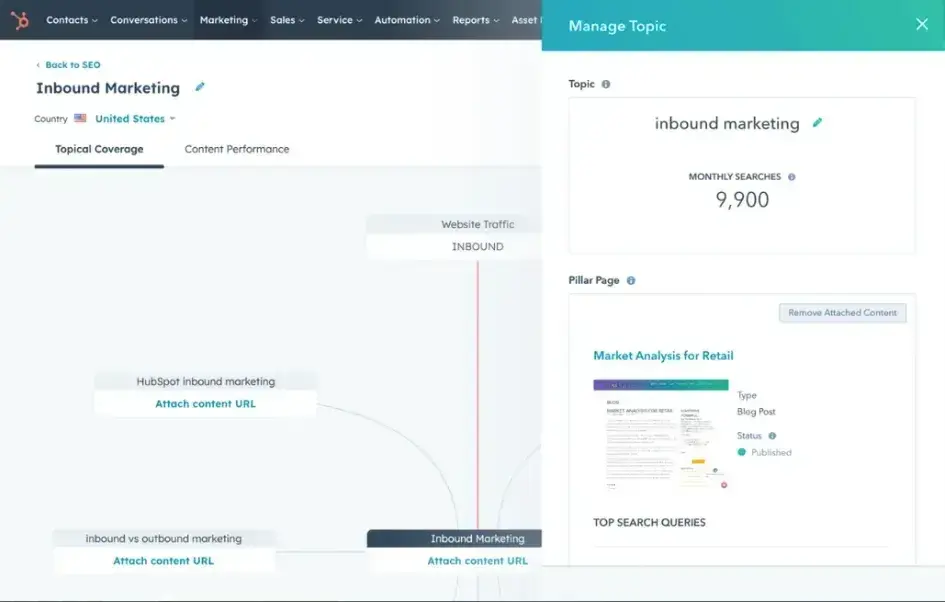
To kick off the list is HubSpot’s SEO Marketing Software. This is an intuitive SEO management platform that HubSpot includes in its robust Marketing Hub package. Marketers can use this software to plan SEO strategy, monitor its progress, and determine ROI.
HubSpot‘s SEO tools scan entire websites and prioritize recommendations by impact. That lets marketers focus on the optimizations that will move the needle most for their search rankings. Beyond that, HubSpot’s SEO software includes content readability metrics for blog posts, displaying reading ease and time to improve the user experience.
SEO tools integrate with the business’ CRM so teams can share with key figures through reports.
Features
HubSpot SEO’s rank tracking data, including Monthly Search Volume and Difficulty, is sourced from SEMRush, a well-known platform in SEO.
- Integration with Google Search Console for more accurate metrics and reports. This also means marketers won’t have to tab back and forth between the two platforms.
- Integration with HubSpot’s native Content Management platform.
What I Like
HubSpot SEO tools’ recommendations tab lets marketers know what changes could be made to improve website optimization.
But what I thought stood out was that you can see how high the SEO impact of the issue is, the difficulty of fixing, and which role can implement the change.
Pros
- Seamlessly integrate the platform with existing HubSpot platforms.
- Like other HubSpot products, the SEO Marketing Software features an easy-to-use interface.
Cons
- The platform’s rank tracker tools are rather limited, and may not be enough for someone who is looking to really get into the weeds of their site’s SEO.
- Users can’t buy the SEO Marketing Software on its own; you need to buy the entire HubSpot Marketing Hub to gain access to the software, which may not work for someone who already has an established Marketing tech stack.
Keyword Research Template
Build your SEO strategy with this free template.
- Search Volume
- CPC
- Ranking
- Keyword Difficulty
Download Free
All fields are required.
Pricing
- Free tools via trial
- Marketing Hub Starter — $15/mo/seat
- Starter Customer Platform – $15/mo/seat
- Marketing Hub Professional – $800/mo (3 seats), additional seats $45/seat
- Marketing Hub Enterprise – $3,600/mo (5 seats), additional seats $75/mo
2. SEMRush
SEMRush is one of the bi,ggest names in SEO, and with good reason. The platform’s robust features, like its backlink checker, competitor analysis, and organic keyword research, make it a popular go-to platform for marketers.
In SEO, marketers are usually at the mercy of search engine algorithms and their constant changes and updates. Luckily, SEMRush’s rank tracker tool can keep teams updated on any changes in Google’s algorithm, so they never fall behind.
Features
- SEMRush’s rank tracking tool allows marketers to track organic keywords and pay-per-click (PPC) keywords.
- The platform recently integrated ContentShakeAI, a generative AI browser extension.
- Compare domains to see which have the most organic visibility and traffic.
What I Like
The “intent” feature can tell you the intention users had when searching specific keywords, giving you a deeper insight into where in the customer journey they are.
Pros
- SEMRush features a user-friendly interface for easy navigation.
- The tool can integrate with Zapier to create fast and efficient workflows.
- SEMRush’s data updates on a daily basis for the most accurate information.
Cons
- Those on SEMRush’s first tier have to choose either desktop or mobile tracking.
- Multi-location tracking is not available.
- This can be pricy for smaller businesses that aren’t experts in SEO.
Pricing
- Pro – $129.95/mo
- Guru – $249.95/mo
- Business – Contact for pricing
3. Ahrefs
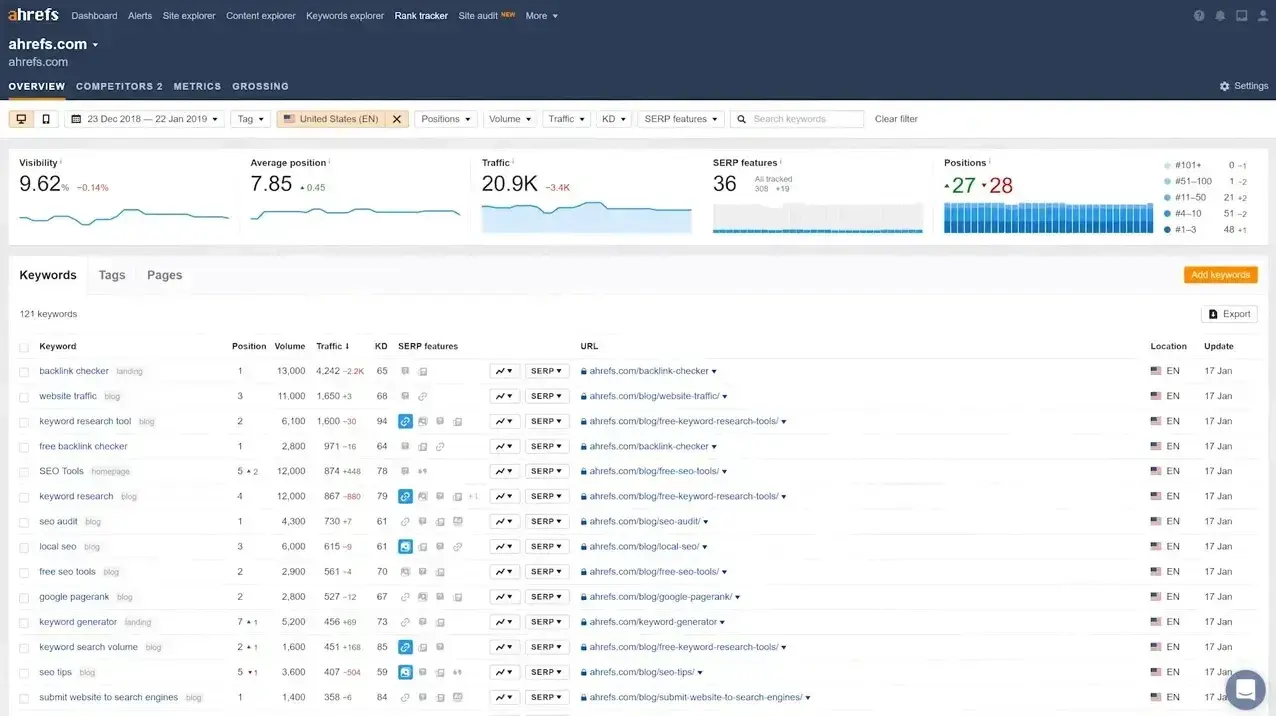
Ahrefs is another big player in the SEO game, and it comes with a full suite of SEO tools to increase website visibility. The rank tracker tool is feature-rich and allows users to check search metrics across various search engines.
The platform comes equipped with keyword analysis, the ability to earn SERP features, and a backlink checker for a comprehensive SEO experience. It’s my personal favorite because of how easy they make it.
Features
- The rank tracker can measure metrics in over 190 countries, making it perfect for companies with international operations.
- Ahrefs features a competitor analysis tool.
- The platform’s Share of Voice feature lets users see what percentage of clicks from organic search traffic take users to the website.
What I Like
I discovered that Ahrefs has a feature that allows you to schedule reports to be sent by email so you can stay up to date on your rank tracking without having to manually create the reports every time.
I find this to be useful for quickly checking your keywords’ status frequently in between generating full reports.
Pros
- Ahrefs has an extensive library of educational materials called Ahrefs Academy that can help beginner SEOs get started on their strategy or help longtime optimizers learn a new trick or two.
- The platform has built its own search engine, Yep (currently in Beta), which could give users a more accurate reading of keyword metrics.
- Because they’ve been operating for more than 10 years, Ahrefs is known for its keyword research.
Cons
- Ahrefs is packed with useful features, but it doesn’t have a very user-friendly interface, potentially making it overwhelming to navigate.
- Their enterprise package starts at $14,000, making it the highest price point on the list when broken down per month.
Pricing
There is a free webmaster tool that includes some rank tracking. It’s a great place to start for those dipping their toes in the water.
I’ve found the free version is quite helpful, even though it’s not as robust as the paid plan.
For paid plans:
- Lite – $129/mo
- Standard – $249/mo
- Advanced – $449/mo
- Enterprise – $1499/yr (no monthly plan available)
4. Moz
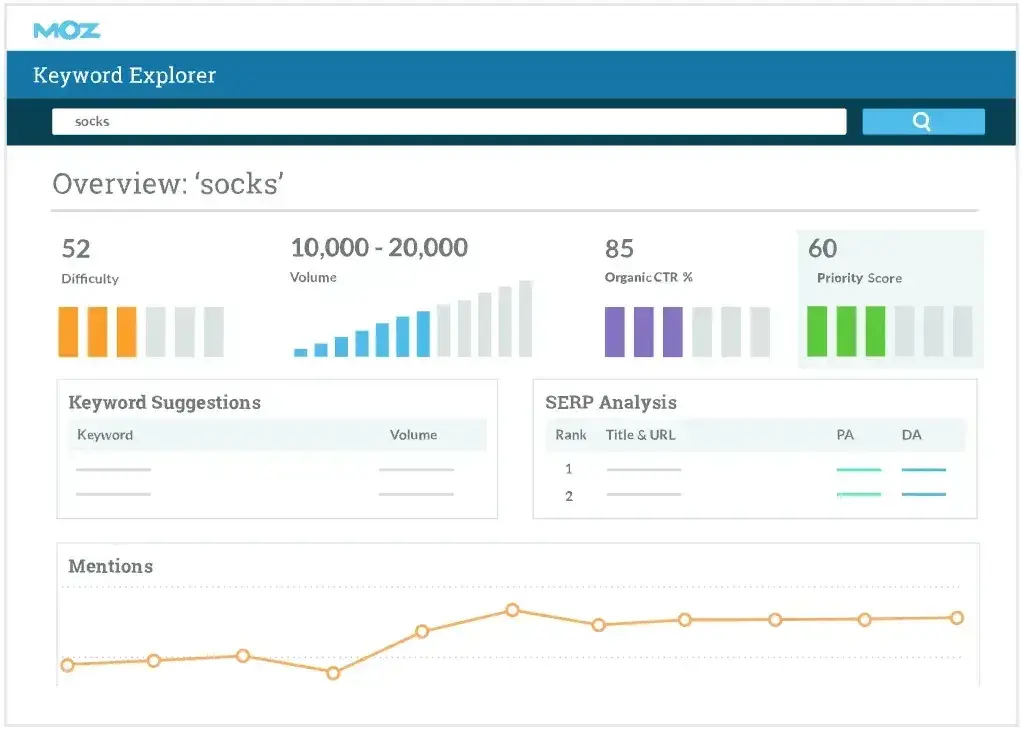
With over 20 years of experience in SEO, Moz definitely earned its spot on this list. Moz is an all-in-one SEO solution with a fantastic rank tracker tool. Similar to Ahrefs, they host an extensive library of learning resources and community.
Moz’s rank tracking tool makes it easy to determine which keywords are working and which are not. Marketers can compare keyword rank between desktop and mobile to understand user behavior.
Features
- Moz’s platform gives teams keyword and content optimization recommendations.
- Marketers can also see which keyword fixes take priority, so they can work accordingly.
- The rank tracking tool lets marketers compare metrics to competitors for a holistic view of their strategy.
What I Like
I love that Moz has the largest catalog of third-party integrations. No matter what programs you are currently using, it’s highly likely that you can integrate Moz, but if that’s not the case, you can also use their API to do it manually.
Pros
- With Moz’s competitor analysis, marketers can see which gaps in their strategy they can fill.
- Users can create custom segments within Moz to get a thorough understanding of all audience groups.
- Moz has SEO solutions for all business sizes; small businesses to large enterprises can benefit from Moz’s packages.
Cons
- Moz’s user interface looks outdated and isn’t as user-friendly as it could be.
Pricing
- Standard – $99/mo
- Pro Medium – $179/mo
5. Google Search Console
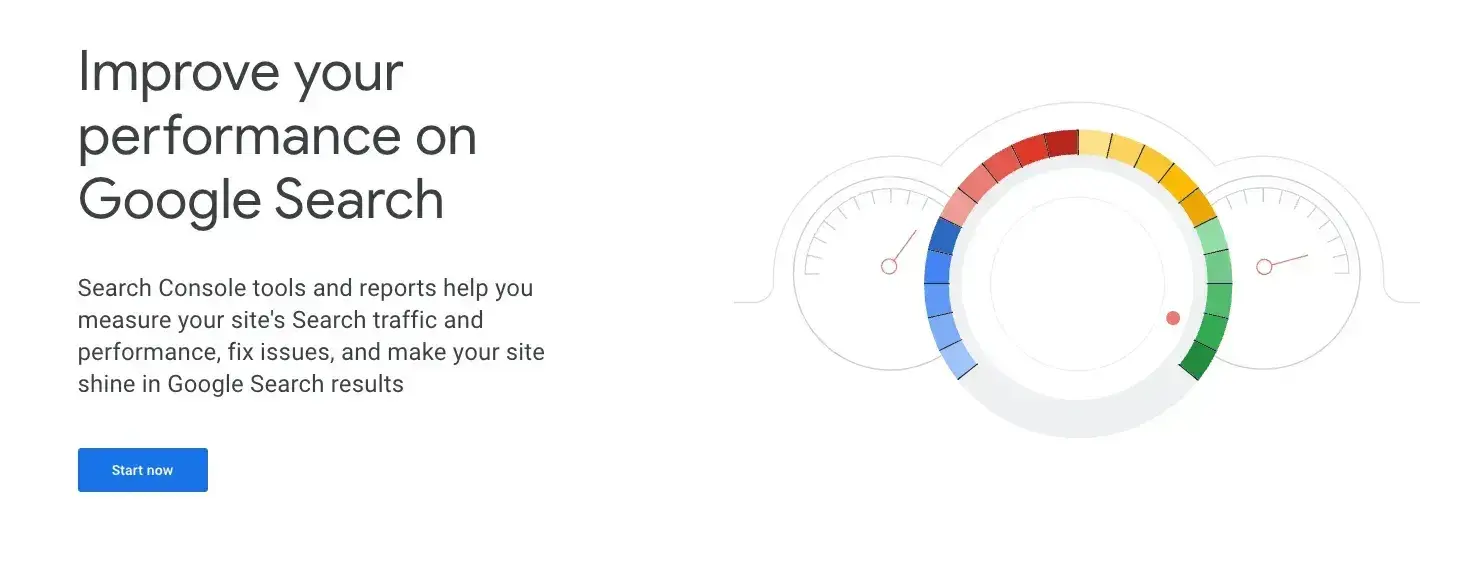
Google Search Console allows users to see keyword ranks, clicks, and other data to improve website visibility in SERPS. It features analysis tools that can monitor internal links, backlinking domains, and top-linked pages.
Though the rank tracking on Google Search Console is not a thorough one, I wanted to include it on this list because it is 100% free, and if you’re already using Google Analytics and other marketing tools, it’s easy to get up and running.
All marketers start somewhere, and even small business owners may see themselves strapped for funds at the beginning, so whatever free tool they can get will help them immensely.
Features
- Google’s search analytics lets users see which searches are bringing users to a website.
- Google will send email alerts if it detects a site has an issue that needs to be fixed.
- Ability to integrate with third-party rank tracker tools.
What I Like
For those new to SEO and rank tracking, Google Search Console has a 29-video training series on using the Search Console.
Pros
- Google Search Console is free and doesn’t have any paid tiers.
- The platform is easy to use, especially for teams already familiar with Google platforms.
Cons
- Google Search Console has limited keyword tracking capabilities.
- The platform only runs metrics on Google, leaving out other search engines like Yahoo! and Bing.
Pricing
Free.
6. SERPWatcher by Mangools
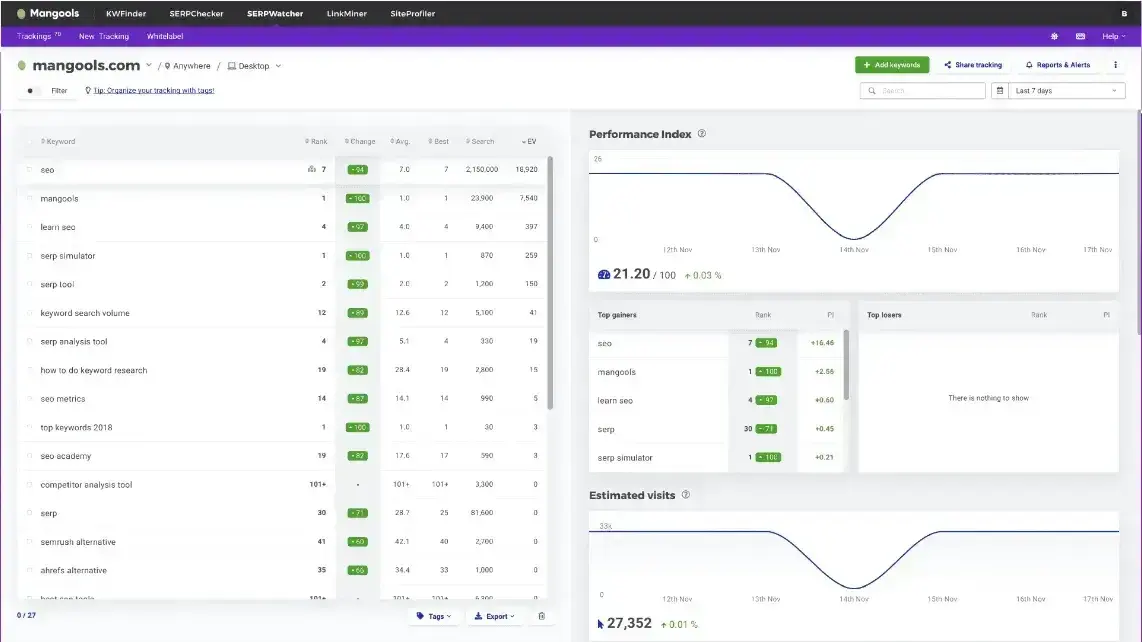
Although Mangools originally began as a keyword research tool, their offerings expanded to include backlink research, SERP competitor analysis, webpage analysis, and keyword rank tracking.
Like other platforms, users can track keyword metrics, make any necessary fixes, and create reports to share with teams.
Features
- Email alerts that inform users if their website optimization needs any fixing.
- Sends daily rank tracking updates so teams stay on top of their site’s SEO.
- Currently has 52,000 supported locations, including countries, districts, and even cities.
What I Like
SERPWatcher has a simple and clean user interface, making it a great choice for those who are just getting into SEO. And since SEO can be so intense, I love it as an entry-level ranking tool for people who want to get a great impact.
Pros
- The platform has an interactive report feature that allows users to share key metrics with their team using a single link and can send custom event-based reports, too.
- All they need to start tracking keyword rank is a valid domain, location, which platform they want to track, and desired keywords.
- Users can keep tracking organized using tags that they can name and add custom colors to.
Cons
- Users can track both desktop and mobile, but during the initial setup, they’ll only be able to choose one, which means they have to go back and add the other later.
- SERPWatcher’s rank tracker tool will only look through Google’s index, leaving out other search engines.
Pricing
- Entry – $29/mo
- Basic – $49/mo
- Premium – $69/mo
- Agency – $129/mo
7. SE Ranking
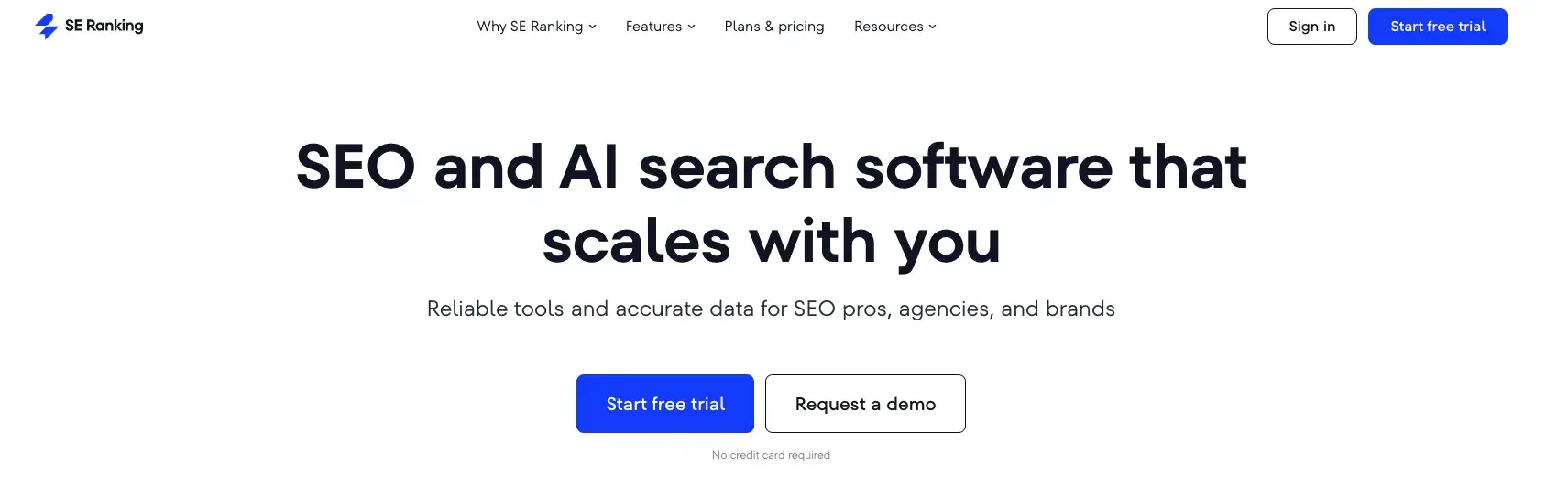
SE Ranking is an SEO software platform with various tools to monitor a site’s visibility and keyword rankings. SE Ranking is ideal for agencies and in-house marketing/SEO teams. The platform is comprehensive and allows useres to track keywords on multiple search engines including Google, Yahoo!, Bing, and even YouTube.
Features
- SE Ranking’s Rank Tracker gathers keyword performance metrics.
- The AI-powered On-Page SEO Tracker lets users keep tabs on site ranking and make any fixes that could improve its visibility.
- Crawl a website through the platform’s website audits and find out how the website is performing.
What I Like
I love that this platform makes it easier to prevent the cannibalization of keywords. In other words, it identifies which pages might be competing for the same keywords so the appropriate fix can be made.
Pros
- Create unlimited projects with the Pro and Business plans, which give each tier extra value.
- Users can grant clients access to the platform to keep them informed.
- Track competitors’ keywords to see how hard it would be to compete for the same keywords.
Cons
- The platform’s interface can become overwhelming and isn’t very user-friendly.
- The base tier only allows users to track five projects, while the next one up allows them 30.
Keyword Research Template
Build your SEO strategy with this free template.
- Search Volume
- CPC
- Ranking
- Keyword Difficulty
Download Free
All fields are required.
Pricing
- Essential – $65/mo
- Pro – $119/mo
- Business – $259/mo
8. Nightwatch
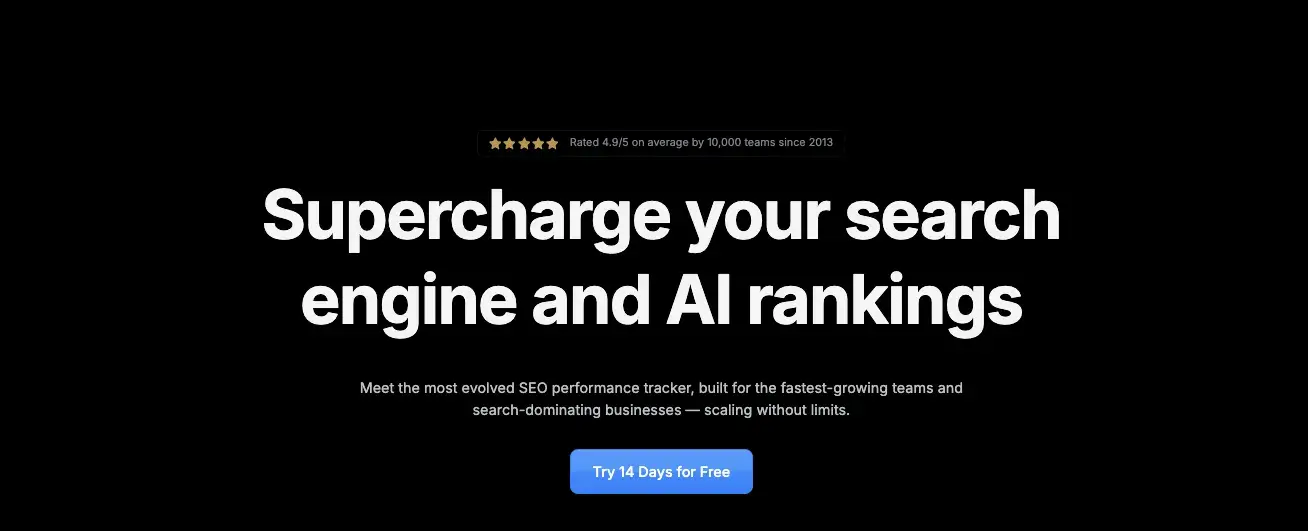
The next platform on my short list of the best rank tracking is Nightwatch, an SEO platform with a clean and colorful user interface.
Nightwatch is easy to navigate and looks different than other tools since its default background color is black, adding to the platform's night theme.
Features
- Nightwatch can pinpoint keyword rank down to the ZIP code.
- Users can audit websites and check for broken links, missing tags, and other issues that can hinder ranking.
- Users can create “segments” in Nightwatch and compare how their keywords perform in each one.
- Track keyword ranking across multiple search engines, even DuckDuckGo.
What I Like
I’m obsessed with finding new ways to incorporate AI to make SEO analysis easier and more accessible to more businesses.
I’ve seen a lot of advancements around AI in the marketing field, so Nightwatch’s AI capabilities make it super interesting to me.
While the Nightwatch AI Tracker is currently in beta, once fully released it will allow the user to see if their tracked keywords appear in ChatGPT or other LLM results.
Users will know exactly which phrases are being used and which questions are being asked.
Pros
- Nightwatch has a drag-and-drop feature to build out custom reports.
- The rank tracker can alert users to opportunities regarding potential global and local SERP placements they could take over.
- Users can build out white-labeled reports for clients.
Cons
- Teams can only track up to five competitors.
Pricing
- Tiers start at $39/mo for 250 keywords and increase based on the number of keywords.
- At $99 (1,000 keywords), users get API Access, Google Data Studio Connector, unlimited white label reports, and unlimited user seats.
- After this tier, the only difference in price is the number of keywords and site audit pages.
9. SEO Powersuite (Rank Tracker)
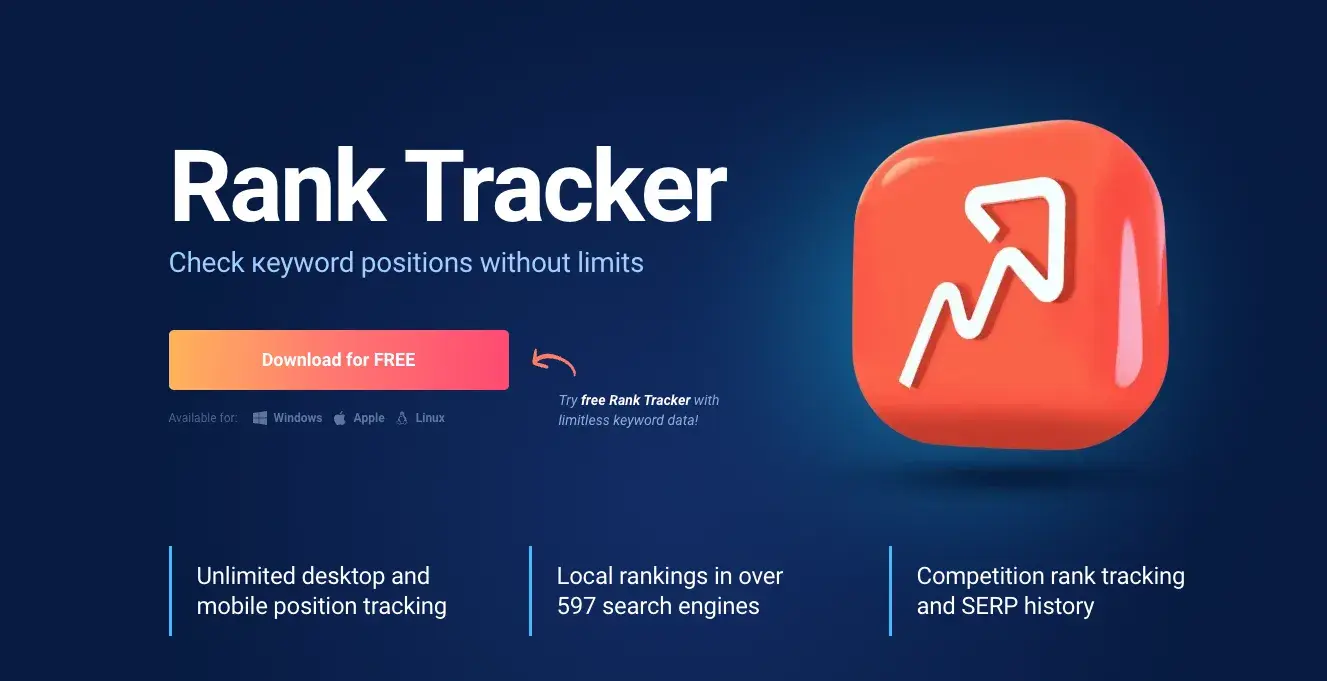
SEO Powersuite is another all-in-one platform that features a rank tracker tool as part of its package.
What makes SEO Powersuite different from all the other tools on this list is that it doesn’t operate through a browser — it’s actually a desktop application. Useres have to download the software onto a computer to use it. Despite this difference in operation, SEO Powersuite is still a great option to fulfill SEO and rank-tracking needs.
Features
- Rank Tracker can search local rankings through almost 600 search engines.
- Users can create fully customizable rank tracking dashboards to suit their needs.
- Able to search desktop and mobile SERPs to get a comprehensive view of keyword metrics.
What I Like
Hands down, my favorite thing about this platform is no matter which tier you choose, you get unlimited keyword tracking! It’s the only platform on this entire list that offers such a generous feature.
That means that even if you choose to stick with a free plan, you can still benefit from the unlimited tracking. This could make a world of difference for any company.
Pros
- Users can choose to buy the entire SEO Powersuite or its features individually if they don’t need the entire suite.
- The desktop application is available for Windows, Mac, and even Linux, so it’s widely accessible.
- Unlimited keywords!!!
Cons
- Users can’t save projects if they’re on the free tier.
- Data exporting is only available for the Enterprise tier.
Pricing
SEO Powersuite (1-year plan; multi-year plans are available at a reduced price per year):
- Free Forever – Free
- Professional – $299/yr
- Enterprise – $499/yr
Rank Tracker (a la carte):
Free Forever – Free
Professional – $149/yr
Enterprise – $349/yr
10. Keyword.com
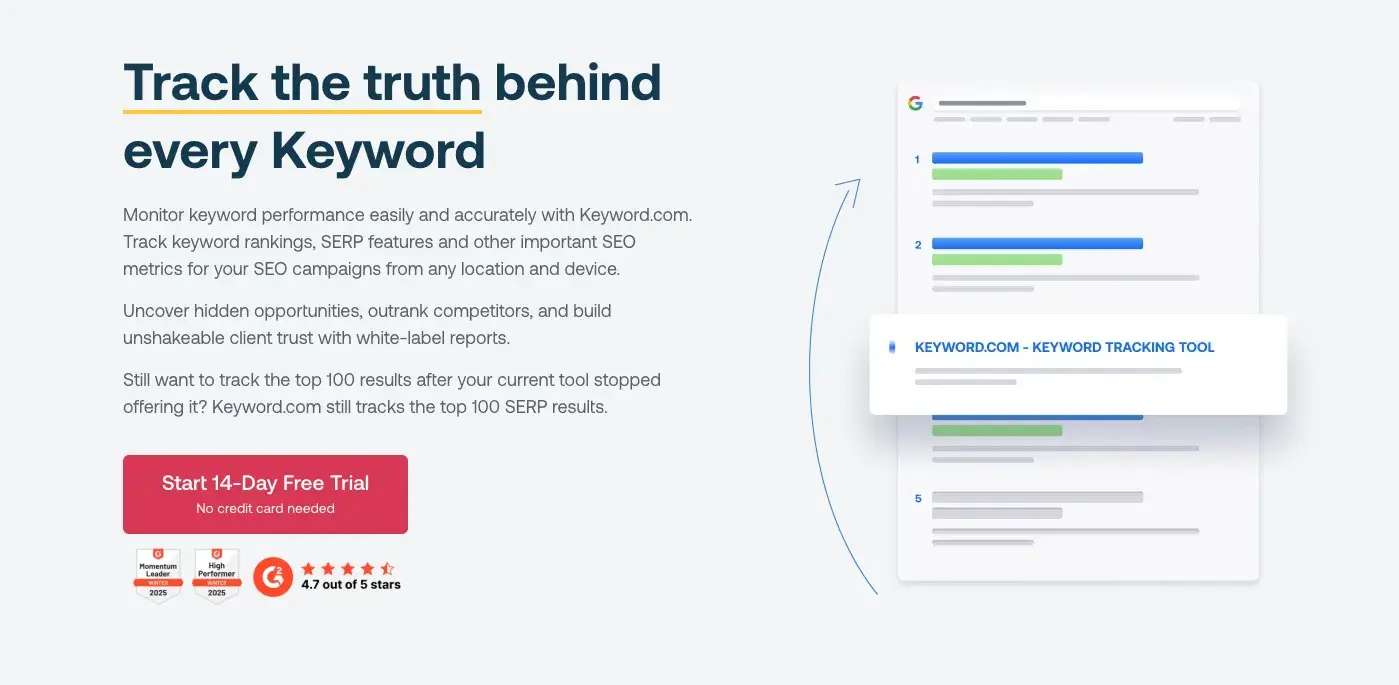
The next platform on my list is the aptly named Keyword.com. This platform is best for agencies, in-house teams, and companies that need enterprise solutions. Keyword.com allows users to track keywords for any location and from any device, giving the user a lot of control over their tracking.
Compared to many of the platforms on this list, I didn’t feel like Keyword.com is as feature-rich, but it does make up for that by having a free tier.
As I’ve mentioned, not everyone who is using these platforms has years of experience or needs a highly technical solution.
Features
- Keyword.com can track keyword metrics down to a city and ZIP code level.
- The platform offers users on paid tiers unlimited seats.
- Branded reporting for all tiers, even Free Forever.
What I Like
We all know that metrics fluctuate on a daily basis, and sometimes even I can get caught up in these fluctuations and miss the overall trends.
Keyword.com has a way to break through that noise and deliver the metrics that you should be focusing on.
I particularly like their Share of Voice feature, which shows the percentage of clicks that land on your webpage to get a clear picture of your keyword performance.
Pros
- Keyword.com can track keyword metrics on Google Maps results.
- Users can create one-click shareable dashboards.
- The keyword position tracker allows users to organize keywords by topic or intent.
- Paid tiers start at only $4/mo.
Cons
- The free tier is limited and only includes 10 keywords (but getting more keywords is relatively inexpensive).
Pricing
- Free Forever – free
- Business (50 keywords) – $4
The price then increases based on two things: number of keywords and desired ranking update frequency (daily, weekly, and monthly).
For enterprise pricing, contact a representative.
11. Sitechecker
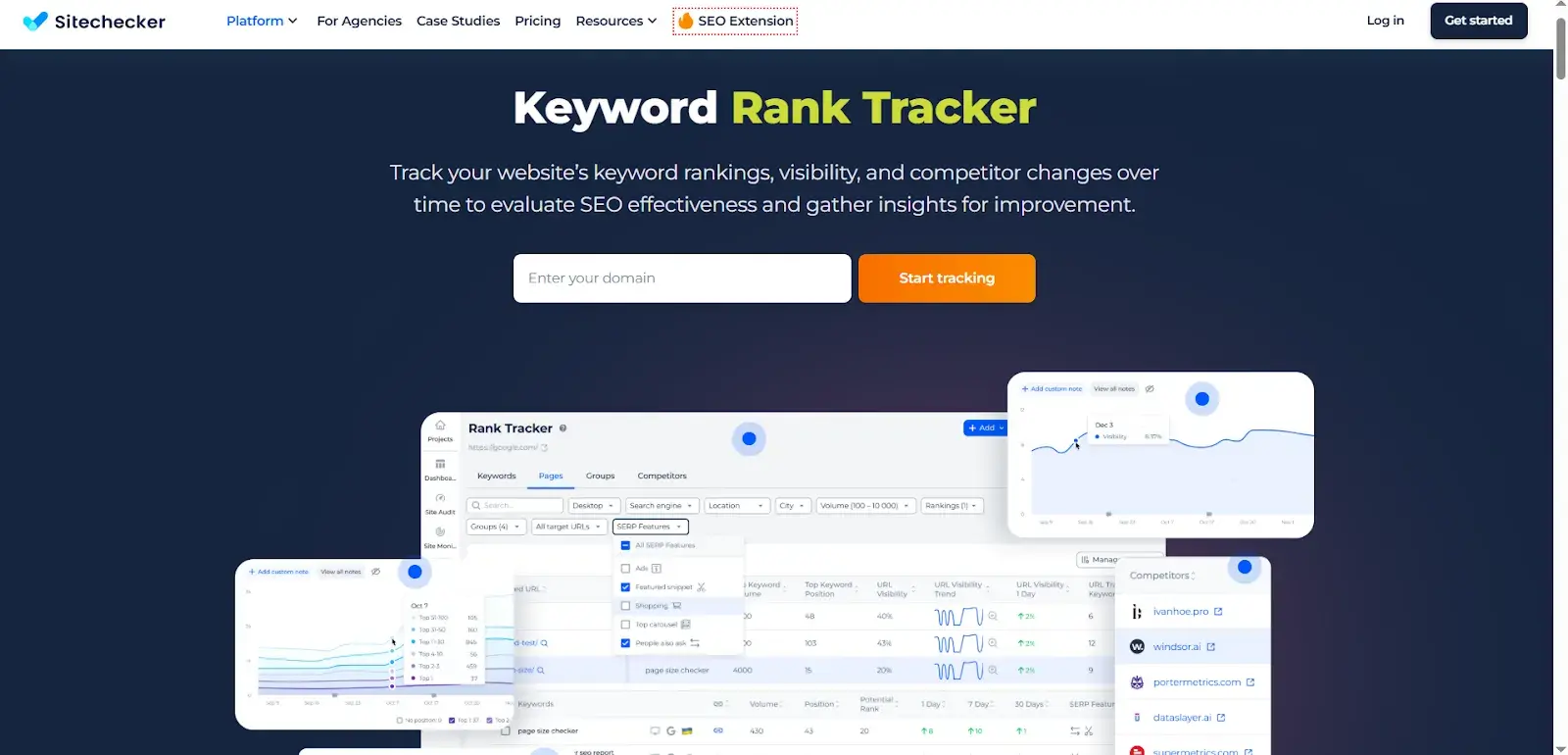
Sitechecker is a website analyzer tool that helps evaluate website performance. Marketers can get a detailed SEO audit report along with a personalized checklist with actionable tasks to help improve a site's performance.
Users can track keywords‘ performance in the SERPs with its rank tracking tool. This tool provides tracking reports about keywords’ ranking, visibility, and competitors' performance change.
Features
- Easy and Quick GSC integration setup
- Get rank-tracking insights with comprehensive filters
- Acquire important ranking data for each keyword
- Monitor SERP changes for each keyword
What I Like
The platform offers seamless integration with Google Search Console for quick, reliable setup and enhanced data accuracy. With robust filtering options, users can drill down into specific ranking data and monitor SERP fluctuations for each tracked keyword, equipping marketing teams with the insights necessary to respond proactively to changes in the search landscape.
Pros
- Easily integrate with Google Search Console
- Analyze individual pages and provide a comprehensive SEO report
Cons
- It offers a limited free plan
- No Built-In PPC Data
Pricing
- Basic - $69 / month
- Standard - $149 / month
- Premium - $349 / month
- Enterprise - $1000 / month
|
Tool |
Best For |
Starting Price |
Free Option |
|
HubSpot SEO Tools |
HubSpot users |
$15/mo |
Free trial |
|
SEMrush |
Agencies |
$129.95/mo |
No |
|
Ahrefs |
Keyword research |
$129/mo |
Free webmaster |
|
Moz |
Beginners |
$99/mo |
No |
|
Google Search Console |
Basic tracking |
Free |
Yes |
|
SERPWatcher |
Small businesses |
$29.90/mo |
No |
|
SE Ranking |
Budget-conscious |
$23.52/mo |
14-day trial |
|
Nightwatch |
Local SEO |
$32/mo |
14-day trial |
|
Rank Tracker |
Unlimited keywords |
$149/year |
Free version |
|
Keyword.com |
Agencies |
$4/mo |
Free tier |
|
Sitechecker |
Quick audits |
$69/mo |
Limited free |
Frequently Asked Questions About Rank Tracking Software
How accurate is rank tracking software?
Rank tracking software is generally accurate. Look for tools that use multiple data sources to assess rankings. Tools should factor for location, search history, type of device, and browsing behavior. HubSpot’s SEO tools already account for these variables.
Should I track my rankings daily or weekly?
Weekly tracking is sufficient for most businesses. Search rankings naturally fluctuate day-to-day due to algorithm updates, competitor activity, and other factors, so daily tracking can create unnecessary noise in the data. Weekly checks give a clearer view of meaningful trends.
Are free rank tracking tools worth using?
Free rank tracking tools are useful but come with limitations. Most free tools restrict the number of keywords users can track and offer basic features. Free rank tracking software is a good starting point. However, as the team’s SEO strategy grows, they will likely need a paid solution that offers more comprehensive tracking.
Can rank tracking software handle local SEO and Google Maps results?
Yes, many rank tracking tools support local SEO tracking, including Google Maps rankings. These tools allow users to track how a business appears in local search results for specific cities, neighborhoods, or zip codes.
What's the difference between desktop and cloud-based rank tracking tools?
Desktop rank tracking tools are installed on a computer and store data locally, while cloud-based tools operate through web browsers with data stored on remote servers. Cloud-based tools offer accessibility from any device but require an internet connection. Desktop tools work offline and give users more control over data storage.
Do I need API access for rank tracking?
API access isn‘t necessary for most users, but it’s valuable if teams want to integrate rank tracking data with other tools or build custom reporting dashboards. With API access, marketers can pull ranking data directly into analytics platforms or a CRM. HubSpot's SEO software offers these capabilities, allowing users to optimize their sites without switching between platforms.
Can rank tracking software track competitors automatically?
Yes, most rank tracking software includes competitor tracking features. Tools track their positions, making it easy to identify gaps in a team’s strategy or opportunities where competitors are outranking. Advanced tools also provide insights into which keywords drive the most traffic to competitor sites.
Build an SEO strategy backed by rank tracking data.
Before making a buying decision and settling on one rank tracking software, take time to map out the kinds of features the company needs and the team’s available budget. From there:
- Start with a free trial to test top contenders.
- Import the business’ top 20-50 keywords.
- Set up competitor tracking and monitor three to five direct competitors.
- Configure alerts so the team is notified of significant ranking changes.
- And create a first report.
Looking for a free ranking tracking software to start? HubSpot's SEO tools are a free way to identify optimization opportunities, track keyword performance, and measure the impact of search strategies — all in one platform.
Editor's note: This post was originally published in July 2024 and has been updated for comprehensiveness.
Keyword Research Template
Build your SEO strategy with this free template.
- Search Volume
- CPC
- Ranking
- Keyword Difficulty
Download Free
All fields are required.
SEO Resources



![How to search an entire website in Google in 3 steps [example]](https://53.fs1.hubspotusercontent-na1.net/hubfs/53/how-to-do-a-google-site-search-1-20251029-5740198.webp)