
Remember — when people search for a product or service near them, they're usually very close to making a purchase. One in two people who conduct a local search (think “watch repair near me”) visit a store that day.
So it's important the information about your business that shows up when people search Google is as accurate, complete, and optimized as possible.
In this article, I’ll show you how to create your Google My Business account, verify your business, make your listing as strong as possible, and more — with some expert guidance along the way.
Table of Contents

What is Google My Business?
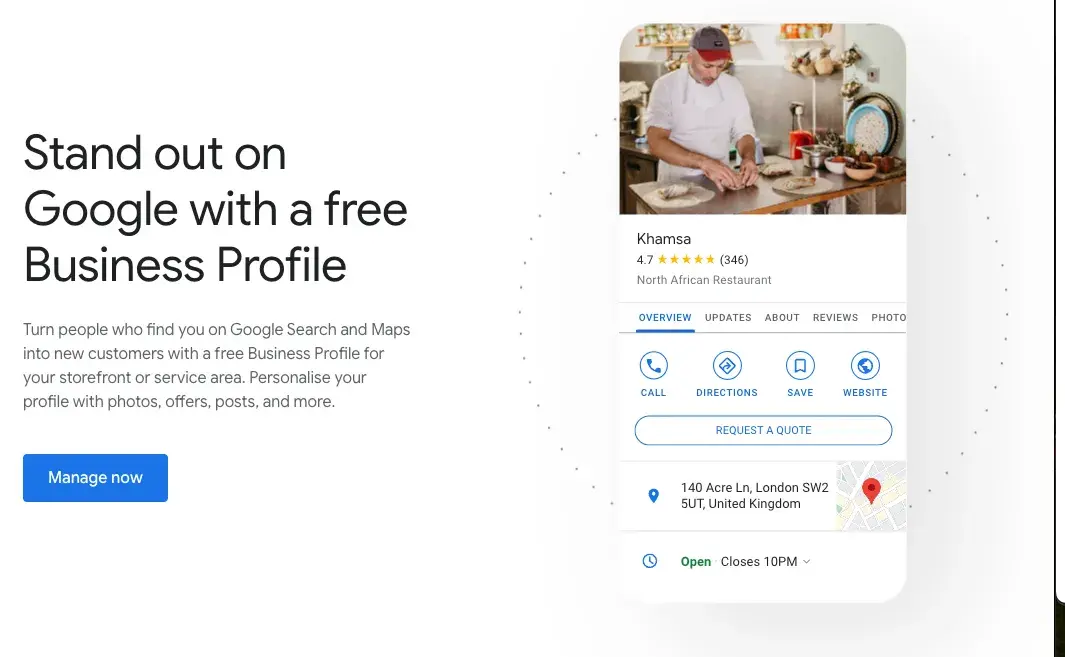
GMB is a free tool that lets you manage how your business appears on Google Search and Maps. That includes adding your business name, location, and hours; monitoring and replying to customer reviews; adding photos; learning where and how people are searching for you, and more.
But wait … do I need Google My Business or Google Business Profile? 🧐
They're the same thing. It used to be called Google My Business, and a lot of people still call it that, even though it’s now Google Business Profile. To keep things simple, in this piece, we’ll stick with the old name most folks are familiar with.
Is Google My Business free?
GMB is completely free to use. The only requirement for using it is to interact face-to-face with your customers — in other words, you can’t operate 100% online.
Google My Business Benefits
Let’s explore the key six benefits of Google Business Profile and how it can help you get noticed online and bring in more local customers by putting all the important info right where people can see it.
Free Business Startup Kit
9 templates to help you brainstorm a business name, develop your business plan, and pitch your idea to investors.
- Business Name Brainstorming Workbook
- Business Plan Template
- Business Startup Cost Calculator
- And more!
Download Free
All fields are required.
1. Increased Visibility and Better Rankings
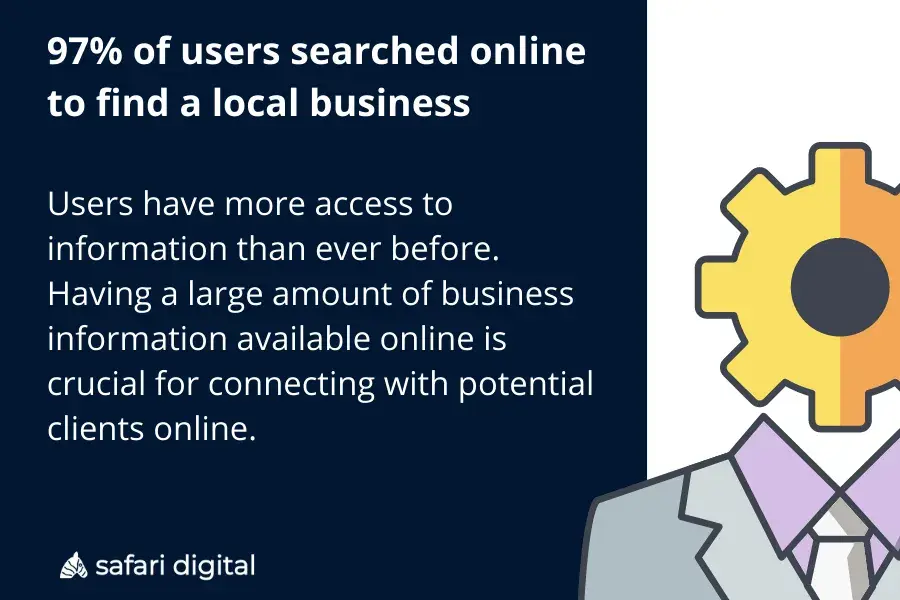
According to Safari Digital, 46% of all Google searches are driven by local intent. Plus, 97% of people search online to find nearby stores, and in 2023, 28% of those local searches ended in a purchase.
So, what does Google My Business do for you?
It boosts your business’s presence in Google Search and Maps, especially in local searches. When someone searches for “near me" services, GMB ensures your business shows up in the top results — if relevant.
Google looks at various factors, including relevance, distance, and the prominence of the business in the local area. A complete and optimized GMB listing gives Google the data it needs to rank you higher.
- Example: A local pizza place sets up its GMB profile with updated info, like opening hours, pictures of its dishes, and customer reviews. Now, when someone in the neighborhood searches for “pizza delivery,” this restaurant appears in the local 3-pack — the top 3 results on Google Maps — which gets it more foot traffic and delivery orders.
2. Enhanced Customer Engagement
You can directly interact with your customers through Q&A sections and reviews.
Pissed Consumer reports that 75.5% of consumers trust online reviews, so responding to both positive and negative feedback is important for building trust and keeping people engaged.
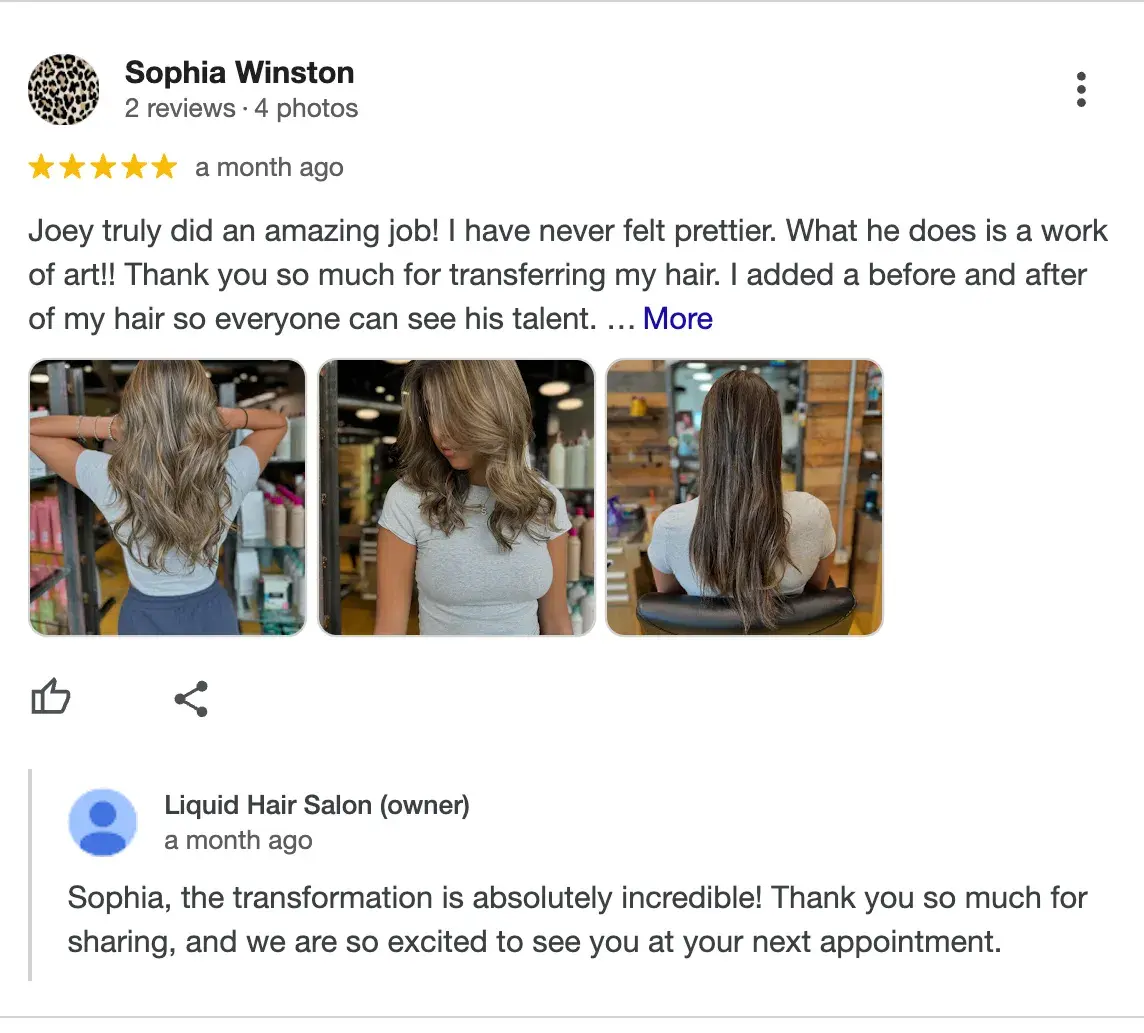
- Example: A hair salon actively responds to reviews — thanking those who leave positive comments and resolving issues for those who leave negative feedback. This shows they care about customer satisfaction and, at the same time, encourage others to leave reviews.
Expert tip: “We use a tool called BrightLocal to manage all our client reviews in one place. It‘s super helpful for staying organized. Respond to every single review, whether it’s positive or negative. When you respond, try to naturally weave in keywords related to your business and location,” advises Marshal Davis, president of Ascendly Marketing
3. Valuable Insights and Analytics
One of the best things about GMB is its valuable insights into customer behavior.
You can see how customers find your listing (search terms, location), what actions they take (such as calling your business or visiting your website), how many people check out your business via Maps, and how many users interact with you overall.
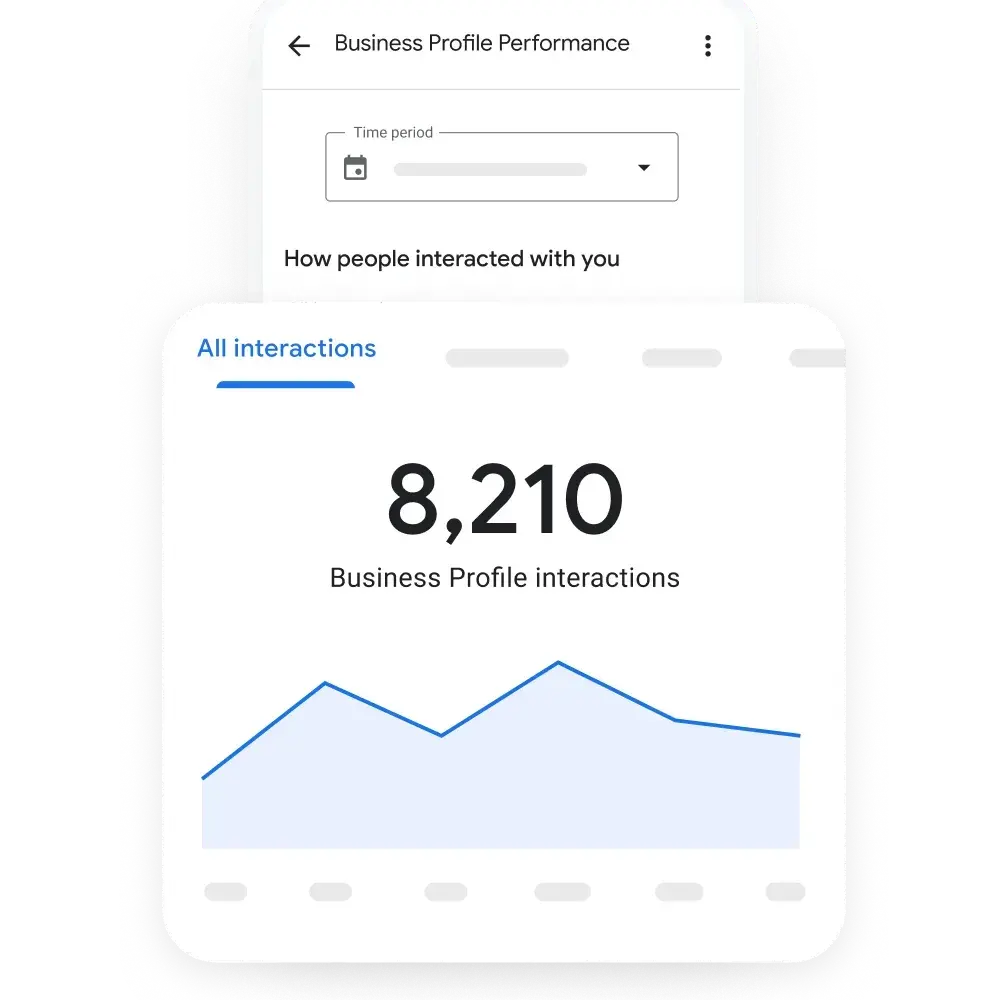
- Example: A local café notices through GMB insights that many customers find them using the term “breakfast near me.” Seeing this trend, they decide to promote their breakfast menu more heavily in posts and in-store promotions, leading to an increase in morning visitors.
4. Free Marketing and Advertising
GMB offers free exposure by letting you showcase photos, product or service descriptions, and key updates. This helps potential customers get a solid sense of your business before they even click on your website or step into your store.
The better your profile is optimized, the higher the chances you’ll appear in search results without spending money on PPC ads.
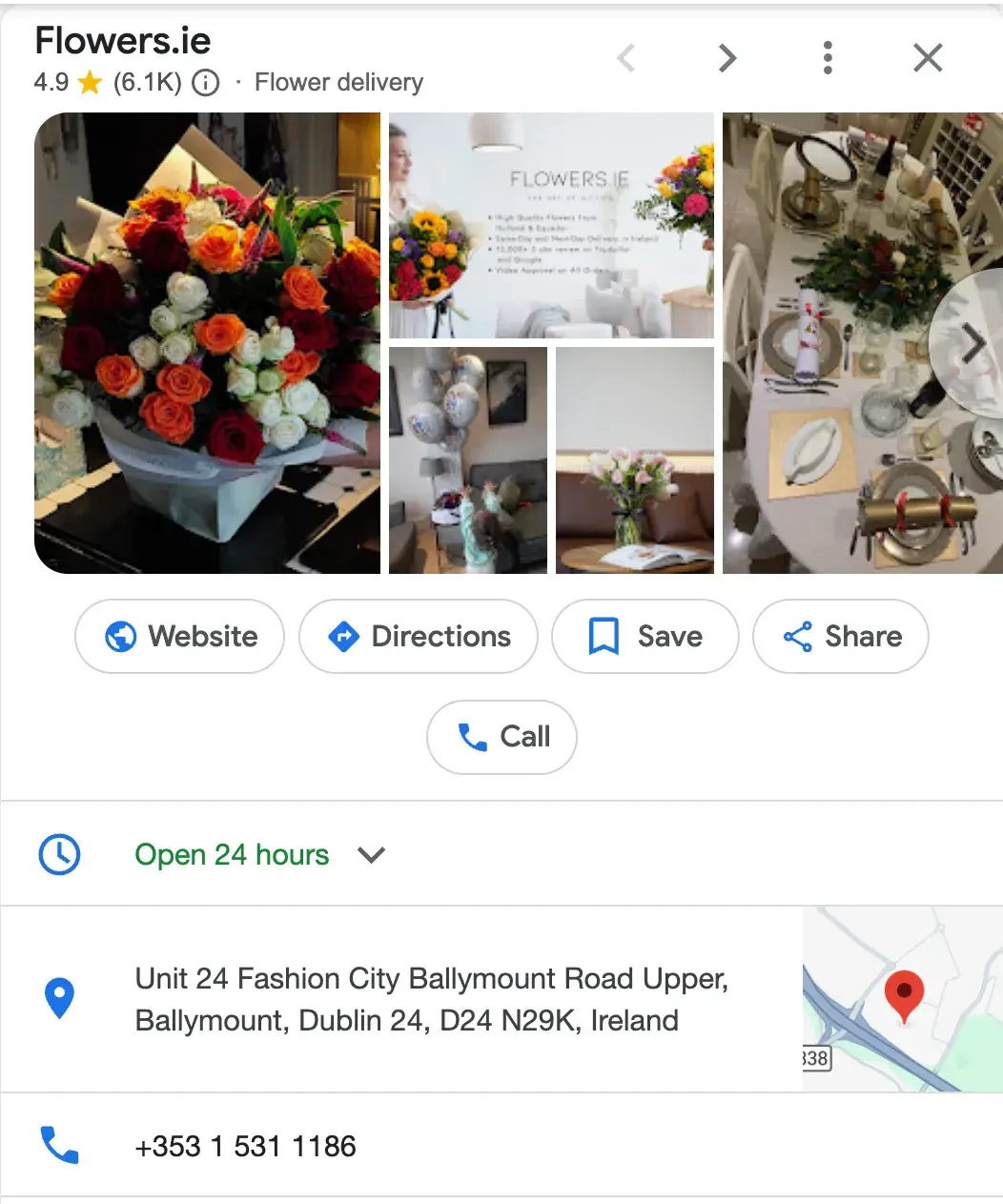
- Example: A florist uses GMB to showcase bouquets and seasonal offers. When people search for “flower delivery,” they can see fresh photos of the latest arrangements, which leads to more calls for orders, especially during holidays like Valentine’s Day or Mother’s Day. Without any ad budget, they start appearing in local searches.
5. Mobile Access
All GMB listings are optimized for mobile, so when users search for businesses on their phones, they can quickly get all the info they need — directions, hours, reviews, etc.
This is crucial since 80% of Gen Z, 62% of millennials, 66% of Gen X, 35% of Boomers, and 52% of the general population primarily use mobile search.
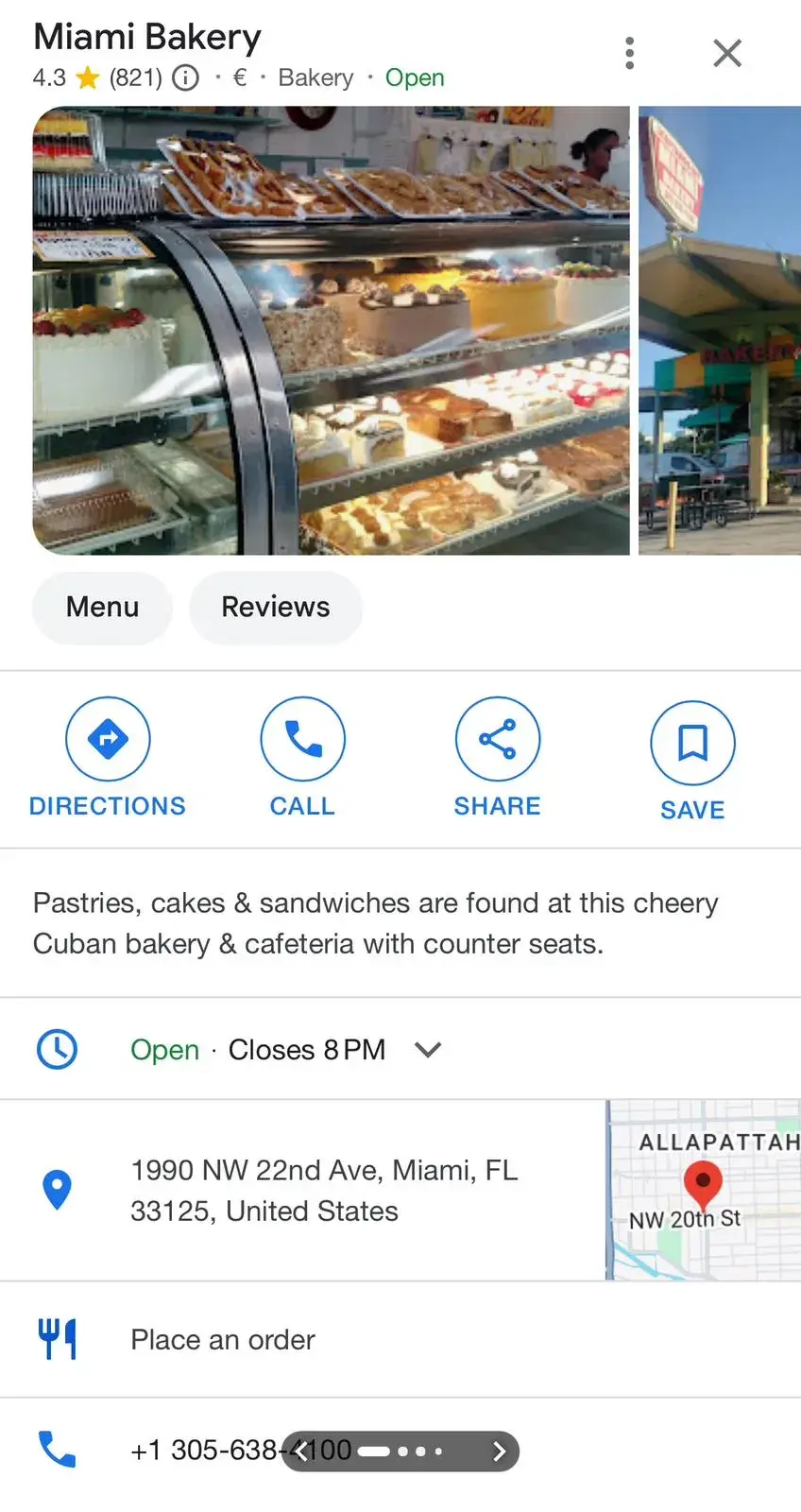
- Example: A bakery ensures their GMB listing is complete with an address, contact number, and hours of operation. When someone’s out shopping and searches for “bakery near me,” the listing pops up with a one-click option to call or get directions, driving foot traffic to the store.
6. Simplified Appointment Booking
Service-based businesses can use GMB’s appointment booking feature to let customers schedule appointments directly from the listing. Actually, Publer states that 95% of companies receive appointment requests via Google My Business.
This reduces friction and improves the customer experience by making the process easy and seamless. And that’s exactly what users prefer.
- Example: A beauty spa adds an appointment link to their GMB listing. Clients searching for “facials” or “massage therapy near me” can now book their services directly from the search result, increasing bookings without requiring customers to visit the website first.

How to Create a Google My Business Listing
- Step 1: Log into the Google Account you want to be associated with your business (or create a Google Account if you don’t already have one).
- Step 2: Go to www.google.com/intl/en_us/business/ and select “Manage now.”
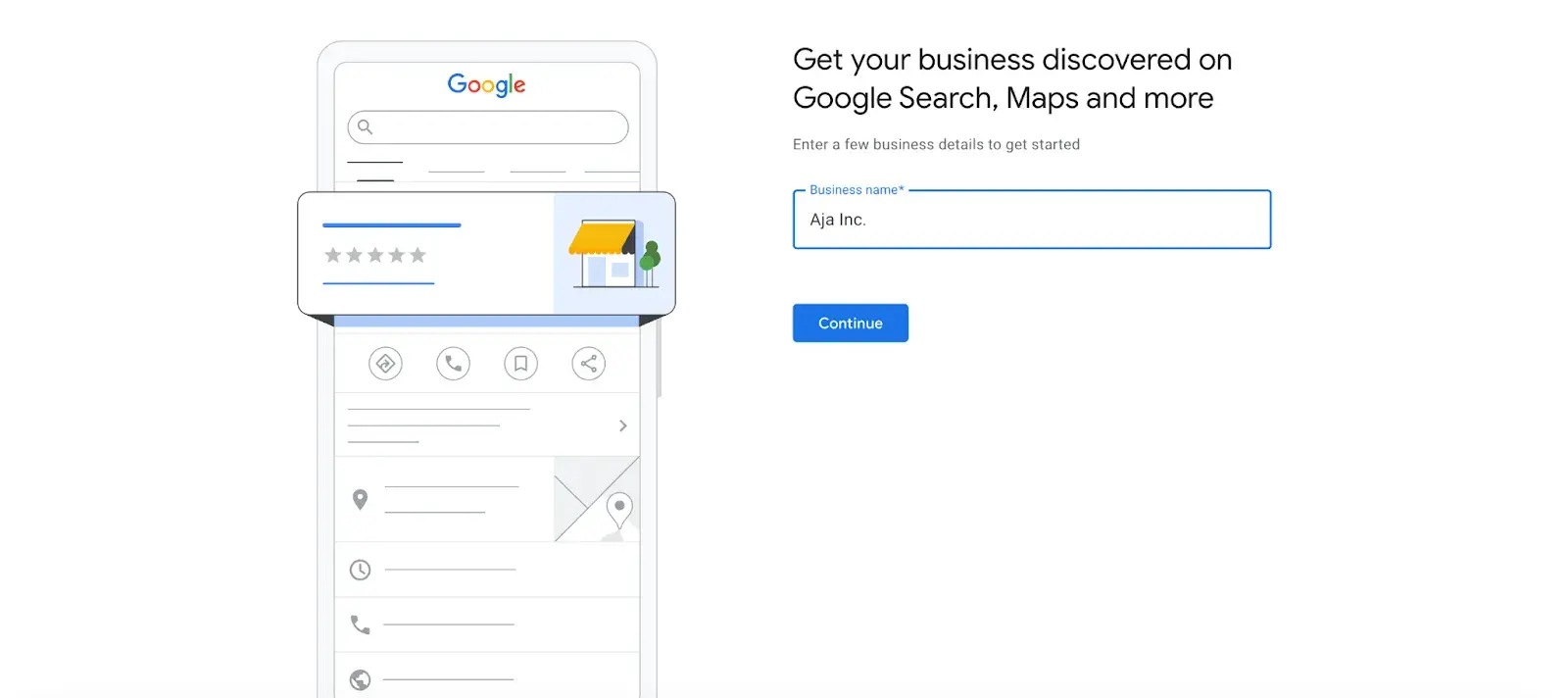
- Step 3: Enter your business name.
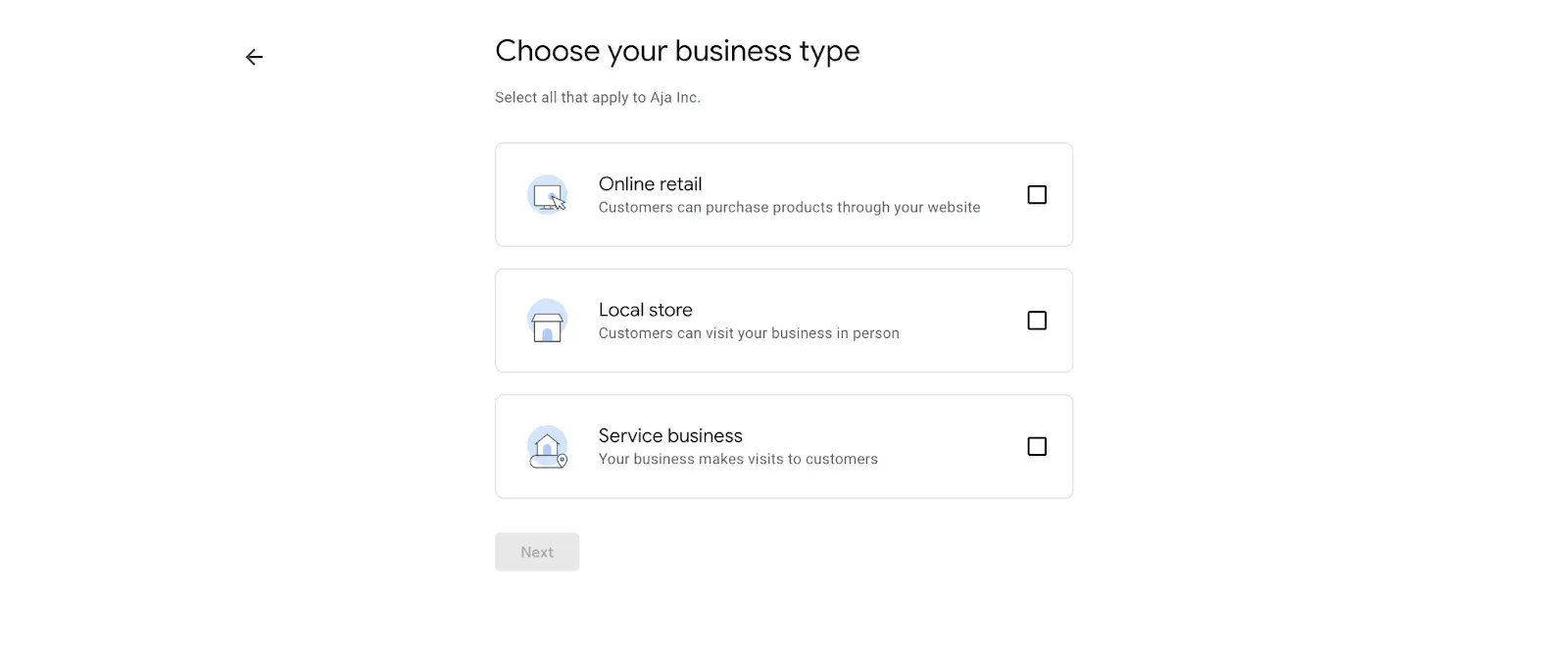
- Step 4: Choose your business type — online retail, local store, or service business.
- Step 5: Time to choose the category. Select the most accurate category possible — you’re essentially telling Google which type of customers should see your business listing.
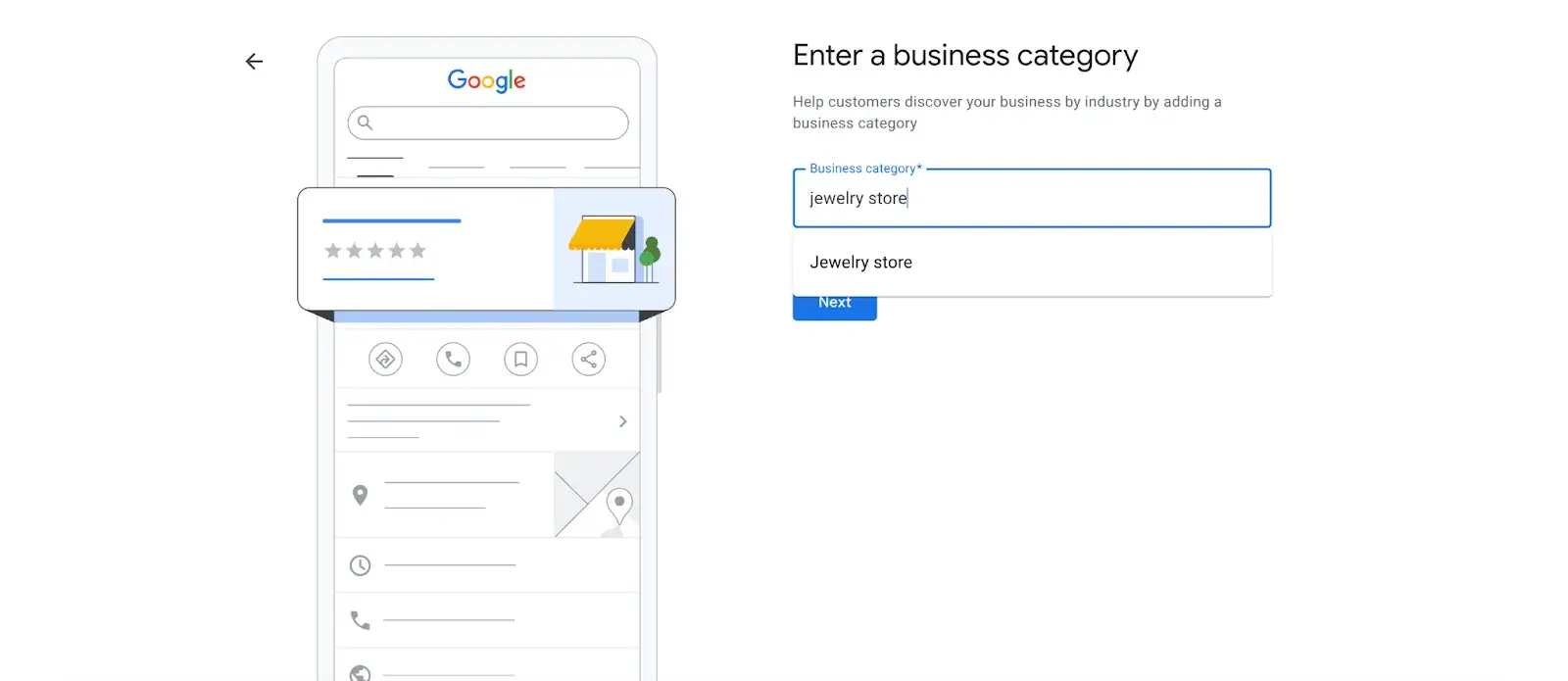
Expert tip: “Fill out your profile fully, and don’t limit your brand to one category. GBP lets you add up to 10 different sub-categories to your business beyond your primary option, which can help Google better understand everything you do. Your business isn’t one-dimensional, so add different categories for the full spectrum of your products and services. The more categories you add, the more keywords you’re likely to rank for,” Elisa Daniela Montanari, head of SEO at Wrike.
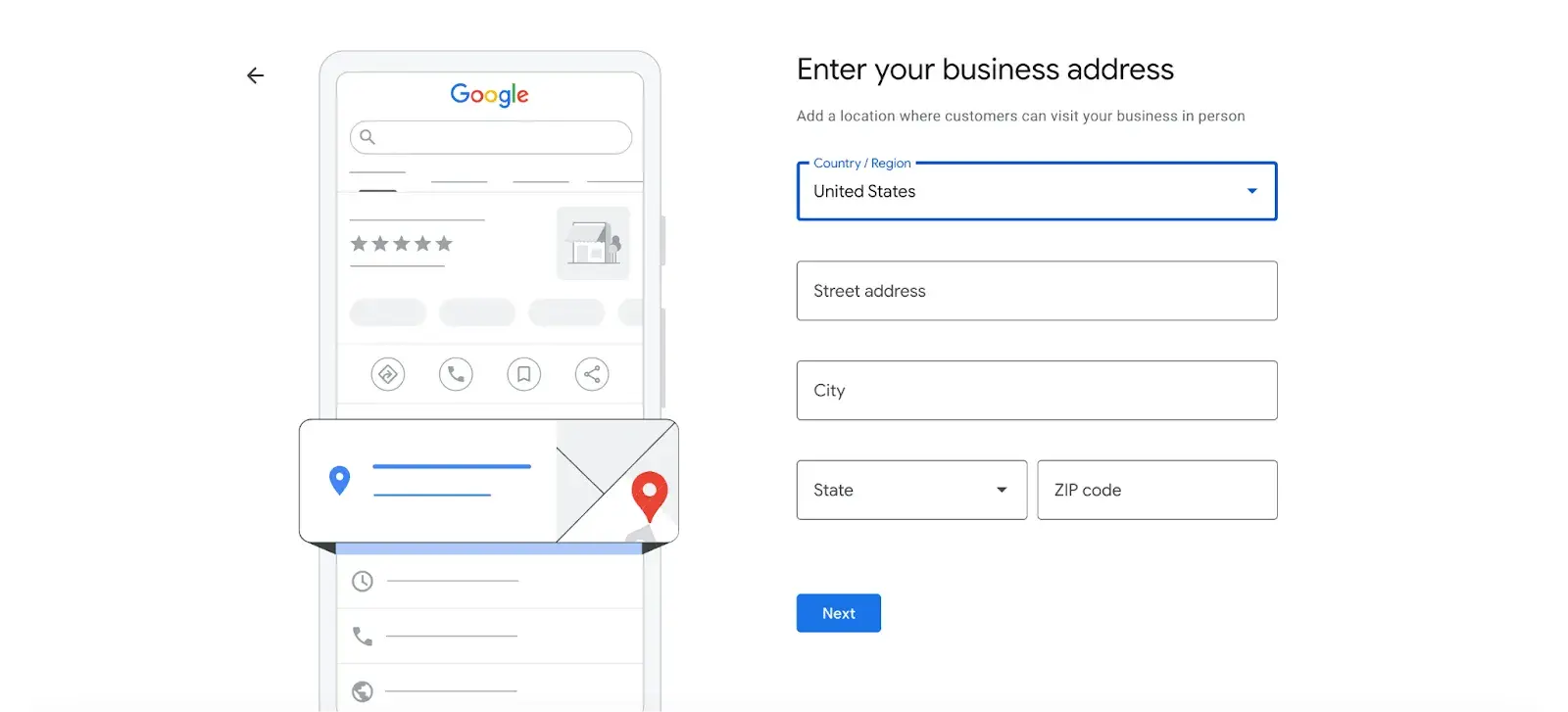
- Step 6: Enter your business address.
- Step 7: Add your business phone number (optional).
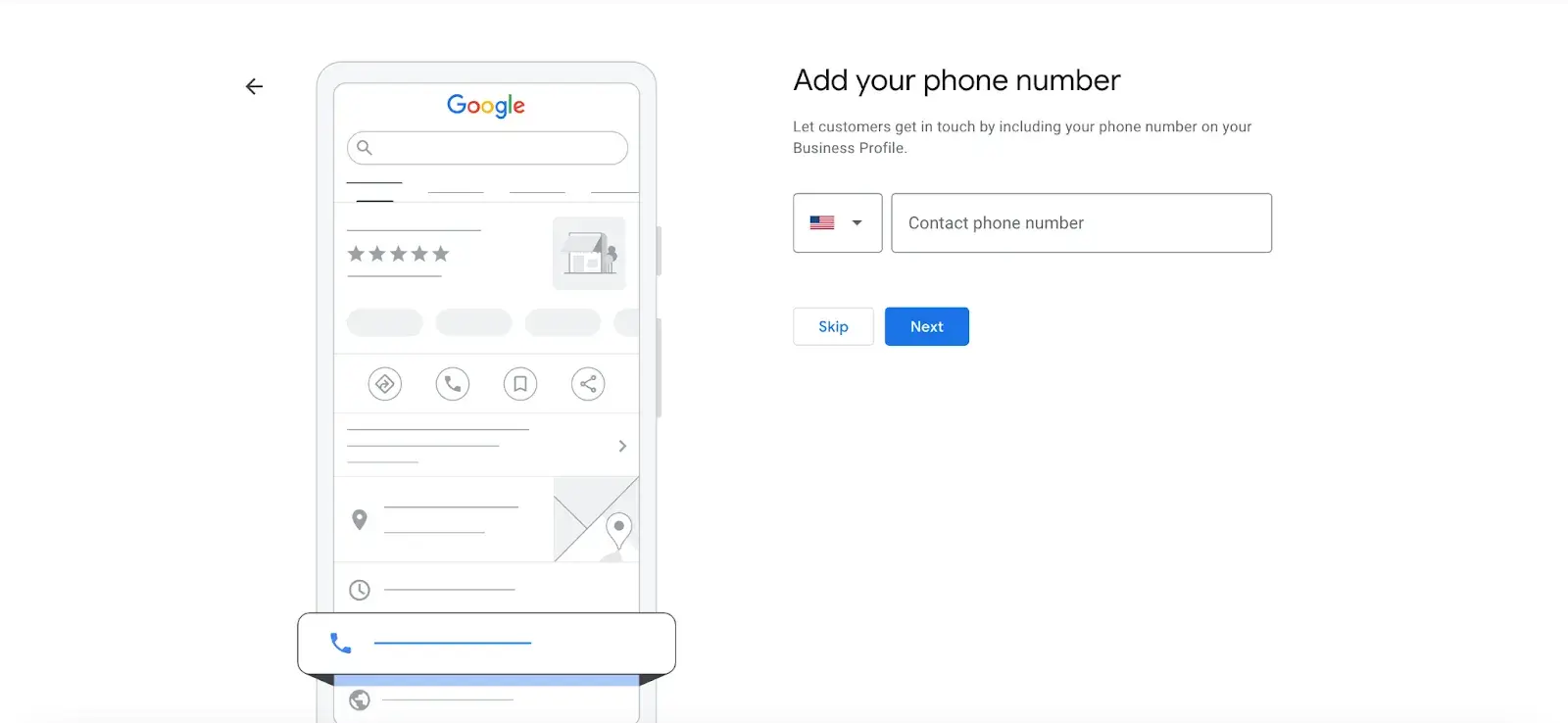
- Step 8: Choose a verification option. If you’re not ready to verify your business yet, click “Try a different method” → “Verify Later.”
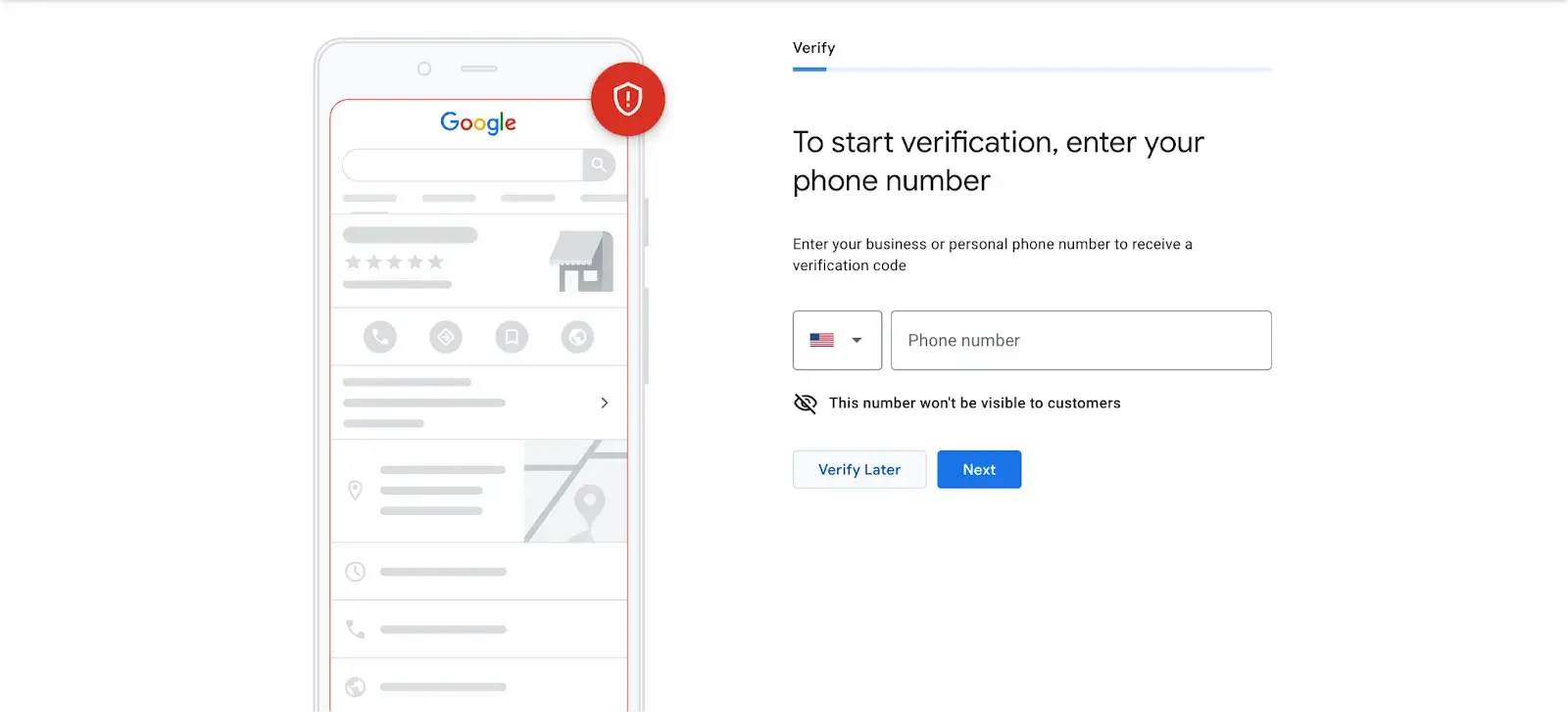
How to Verify Your Business on Google
There are several ways to verify your GMB listing:
- By postcard
- By phone
- By email
- Instant verification
- Bulk verification
Free Business Startup Kit
9 templates to help you brainstorm a business name, develop your business plan, and pitch your idea to investors.
- Business Name Brainstorming Workbook
- Business Plan Template
- Business Startup Cost Calculator
- And more!
Download Free
All fields are required.
Postcard Verification
- Step 1: If you aren‘t already logged into Google My Business, sign in now and choose the business you want to verify. (If you’re already logged in, you'll be at the verification step.)
- Step 2: Make sure your business address is correct. Optional: Add a contact name — that's who the postcard will be addressed to.
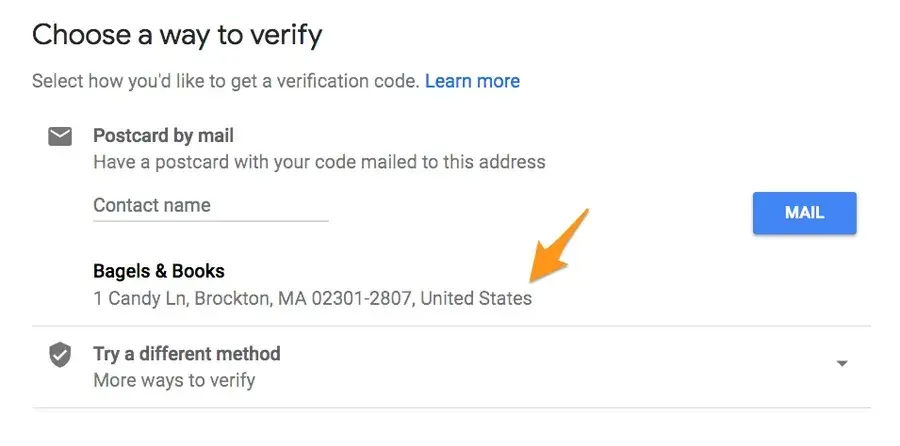
- Step 3: Click “Mail.” The postcard should reach you in five days — make sure you don't edit your business name, address, or category (or request a new code) before it comes, because this could delay the process.
- Step 4: Once you've gotten the postcard, log into Google My Business. If you have more than one business location, select the location you want to verify. If you only have one, select “Verify now.”
- Step 5: In the Code field, enter the five-digit verification code on your postcard. Click “Submit.”
If your postcard never shows up or you lose it, you can request a new code by signing into Google My Business and clicking the “Request another code” blue banner at the top of the screen.
Phone Verification
Google lets some businesses verify their location by phone. If you‘re eligible, you’ll see the “Verify by phone” option when you start the verification process.
- Step 1: If you aren‘t already logged into Google My Business, sign in now and choose the business you want to verify. (If you’re already logged in, you'll be at the verification step.)
- Step 2: Make sure your phone number is correct, then choose “Verify by phone.”
- Step 3: Enter the verification code from the text you receive.
Email Verification
Google lets some businesses verify their location by phone. If you‘re eligible, you’ll see the “Verify by email” option when you start the verification process.
- Step 1: If you aren‘t already logged into Google My Business, sign in now and choose the business you want to verify. (If you’re already logged in, you'll be at the verification step.)
- Step 2: Make sure your email address is correct, then choose “Verify by email.”
- Step 3: Go to your inbox, open the email from Google My Business, and click the verification button in the email.
Instant Verification
If you‘ve already verified your business with Google Search Console (a free tool that lets you manage your website’s search performance and health), you might be able to instantly verify your email.
- Step 1: Sign into Google My Business with the same account you used to verify your business with Google Search Console. (Some business categories aren‘t eligible for instant verification, so if you don’t get a notification asking you to verify the listing, you'll have to use a different verification method.)
Bulk Verification
If you operate more than 10 locations for the same business — and you're not a service business or an agency managing locations for multiple businesses — you might be eligible for bulk verification.
- Step 1: If you aren't already logged into Google My Business, sign in now and choose a location. Click “Get verified” next to its name.
- Step 2: Click “Chain.”
- Step 3: Fill out the verification form with your business name (as well as the parent company, if applicable), country or countries where you operate, all contact names (i.e., everyone who will be using the Google My Business account), contact phone number, business manager email (someone at the business who can verify you're a representative of that business), and the email address of your Google Account Manager.
- Step 4: Submit the verification form. It can take up to a week for Google to review and process your claim.
How to Optimize Your GMB Listing
Once you‘ve verified your business, it’s time to finish fleshing out your profile.
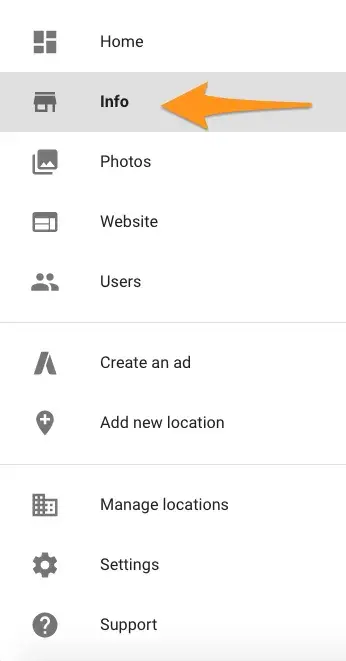
Go to the Google My Business dashboard, click the listing you'd like to work on, select “Info,” and then choose a section to fill out or update.
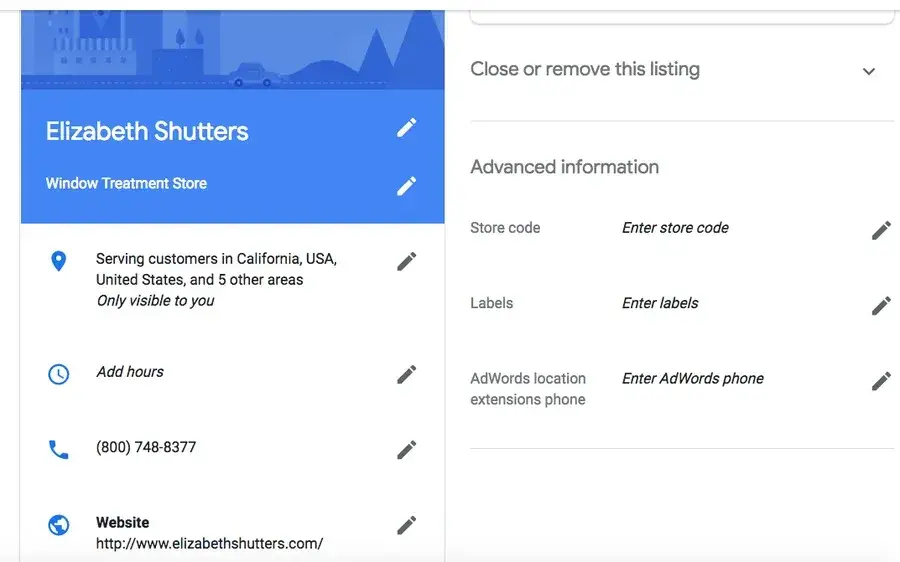
Add as much information and media as you can, including a business profile photo, the area you serve, your hours, attributes (e.g., “wheelchair accessible,” “free wifi”), the day and year you opened, and a public phone number and website URL.
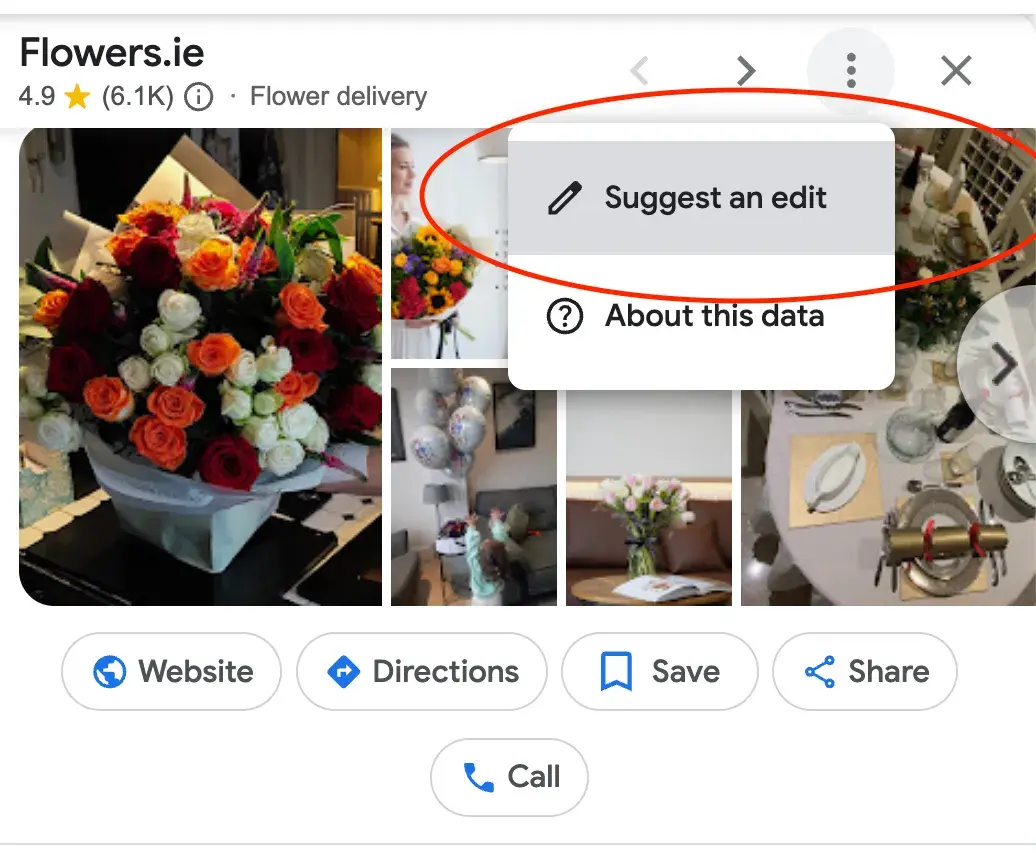
Anyone can “suggest an edit” to your listing by clicking on the three dots in the right corner, so it‘s important to A) get everything right the first time (so you don’t encourage random people to make their own changes) and B) periodically log into your GMB dashboard and make sure all the details look right.
At any point in time, you can edit your business profile by logging into your GMB dashboard, clicking on “Info,” clicking the pencil next to the field you'd like to edit, making your change, and then choosing “Apply.”
Expert tip: “Create a listing for each location and skip the copy-and-paste. Each description should be unique so Google can tell these are two different businesses operating under the same umbrella. If each profile is a carbon copy, it could look suspicious to Google, and your ranking may suffer. That said, you shouldn’t need to manage everything manually, so use a tool to manage multiple profiles from a centralized location,” says Brooke Webber, head of marketing at Ninja Patches
Regarding optimizing your listing, I also spoke with Sergey Galanin, the SEO director at Phonexa, who pointed out that one common mistake is not keeping the details on your website in sync with your GMB.
If there’s inconsistency between your site and GMB, it can confuse potential customers. They might come across conflicting information and get skeptical about your business and what you offer.
This can lead to lost customers, a negative online reputation, and even bad reviews. Worst case, Google could even penalize your business for having mismatched information.
Google My Business Photos
According to Google, businesses with photos see 35% more clicks to their website and 42% higher requests for driving directions in Google Maps.
Ditch the generic stock photos and showcase what makes your business unique.
Think photos of your team in action, happy customers enjoying your products, or behind-the-scenes peeks at your process, says Marshal Davis.
Photos should be at least 720 pixels wide by 720 pixels high and JPG or PNG files.
Not sure how many pictures to add — or what they should be of?
Cover photo
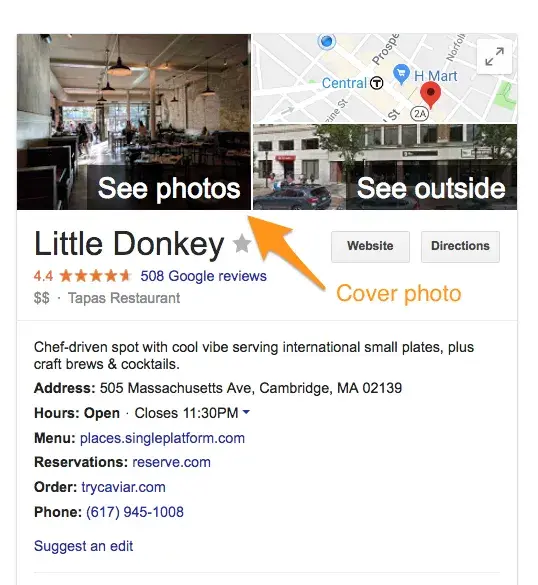
Your Google My Business cover photo is one of the most important, as it shows up front and center on your listing.
Profile photo
Your profile photo is what appears when you upload new photos, videos, or review responses.
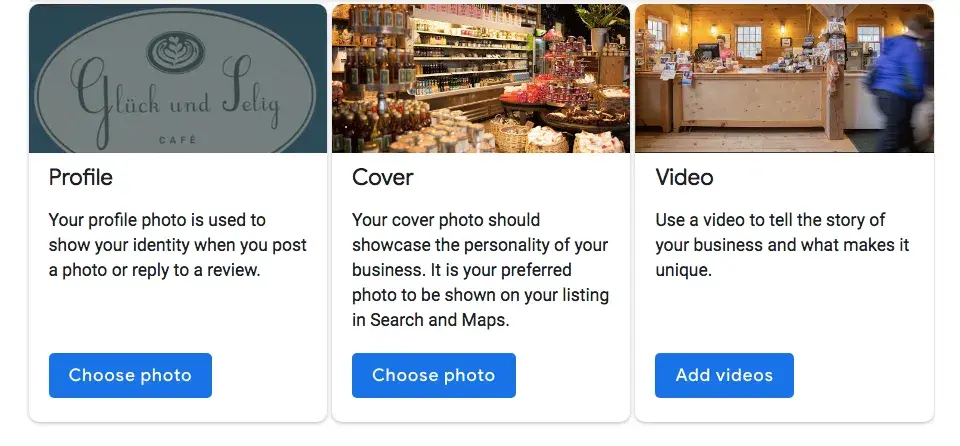
Along with your profile and cover photos, you can and should upload other pictures to make your listing more informative and engaging.
|
Type |
Description |
Google-recommended minimum |
Suggestions |
|
Exterior |
The outside of your business from different directions. |
Three photos |
Use pictures from different times of day (morning, afternoon, evening) so customers always recognize your business. |
|
Interior |
The inside of your business, with a focus on decor and ambiance. |
Three photos |
Give customers an accurate idea of what it will look like to stand or sit inside your business. |
|
Product |
A representation of the types of products or services you offer. |
One photo per product type or service |
Show the products you're known for and make sure the photos are lit well. |
|
Employees at work |
“Action” shots of your employees delivering the types of services you offer. |
Three |
Try to capture your employees with satisfied customers. |
|
Food and drink |
Pictures that represent your most popular menu items. |
Three |
Consider hiring a food photographer — these are tricky to get right! If that's not in the budget, use bright, even lighting (i.e. no shadows or dimness). |
|
Common areas |
Photos of where your customers will spend time (think a lobby or lounge). |
One photo per common area |
Represent the variety of amenities you offer. |
|
Rooms |
Pictures of your different room and suite options (if applicable). |
Three |
Don't try to mislead guests — show your wallet-friendly and high-end options. |
|
Team |
A shot of your management team and staff. |
Three |
Use pictures that show your unique culture and team personality. |
Google My Business Videos
You can also add videos. Videos must be:
- 30 seconds or shorter
- 100 MB or smaller
- 720p resolution or higher
Videos can add some variety to your profile and make you stand out among other businesses in your category; however, don‘t worry if you don’t have any. Unlike photos, they're not a “must-have.”
Google My Business Reviews
One of the best ways to encourage future customers to leave positive reviews? Respond to current ones. Not only does leaving an appreciative response show the original reviewer you're thankful for their support, but it also makes that positive review stand out on your listing and influences people to leave their own reviews.
Here's a sample reply to a satisfied customer:
Thank you for your business, [name]! We‘re so glad you enjoyed [product, e.g., "the blueberry pie"] — it’s one of our favorites, as well. Hope to see you back at [business name] soon.
You should also respond to negative reviews to show you take them seriously and placate the unhappy buyer. But make sure you're extremely courteous — attacking them back will only make you look unprofessional and their review more credible.
Thank you for the feedback, [name], and I‘m incredibly sorry [product/experience] did not meet your expectations. [If you’ve made a change, mention it here — e.g., “We're now double-checking orders to make sure everyone gets exactly what they asked for.”] If you‘d like to come back in, we’d be happy to give you [product] on the house. In any case, thanks for your business, and I hope we can do better next time.
Google My Business App — Does It Exist?
The Google My Business app is gone. To keep your Business Profile fresh and connect with customers, use the Google Maps app and Google Search instead.
Simply open the Google Maps app on your phone and go to the “Business” tab to manage your profile easily. Use the same Google Account linked to your Business Profile.
The Google Maps app offers most features of the old Google My Business app. You can:
- Add or claim your business to show up on Google.
- Edit your business info, like address, hours, or photos.
- Respond to customer messages or calls.
- Set up notifications for your mobile device.
- Manage your reviews.
- Check your performance metrics.
- Advertise your business.
Download the Google Maps app on both iOS and Android.
Do I need a Google My Business account?
As my final piece of advice: If you run a local business and don’t have Google My Business, it’s like shooting yourself in the foot.
I dare to say it’s your best chance to get noticed by customers nearby and show them exactly what you offer. Plus, it lets you connect with them through reviews and posts, which helps build trust in your community.
And thanks to all the insights you get from GMB analytics, it’s easier than ever to fine-tune your marketing and find what works.
Bottom line? Google My Business is a free, powerful tool that drives local traffic right to your door. Don't sleep on it. :)
P.S. Speaking of getting noticed, if you're ready to launch your own business, check out our free Business Startup Kit. It includes nine easy templates to help you come up with a catchy name, create a solid business plan, and pitch your idea to investors. Figuring out startup costs or planning your marketing strategy? This guide has everything you need to get started.
Editor's note: This post was originally published in April 2018 and has been updated for comprehensiveness.
Free Business Startup Kit
9 templates to help you brainstorm a business name, develop your business plan, and pitch your idea to investors.
- Business Name Brainstorming Workbook
- Business Plan Template
- Business Startup Cost Calculator
- And more!
Download Free
All fields are required.




![Here‘s Everything I’ve Learned About Internet Marketing [Data + Expert Tips]](https://53.fs1.hubspotusercontent-na1.net/hubfs/53/internet-marketing-1-20250128-2273831.webp)
![24 Digital Marketing Tips That HubSpot Swears By [Research]](https://53.fs1.hubspotusercontent-na1.net/hubfs/53/digital-marketing-tips_0.webp)
.png)
![How Performance Marketing Works [+ 6 Tools You Can Use]](https://53.fs1.hubspotusercontent-na1.net/hubfs/53/performance%20marketing.webp)