

Client management software helps businesses store client data in one place, log every interaction, and track follow-up activity. Anyone picking up an account has the full context. Most teams looking for client management software use a CRM.
This guide covers 14 client management tools for teams of every size, the features that matter most, and how to choose between them.
Table of Contents
- Client management software vs. CRMs: What’s the difference?
- Client Management App Benefits
- Essential Features of Great Client Management Software
- Best Client Management Apps
- How to Choose the Right Client Management App
- Frequently Asked Questions About Client Management Software
- Client management is better with a CRM.
Client management software vs. CRMs: What’s the difference?
Client management software and CRM software overlap heavily. In practice, most teams find that having one solves most of their challenges. The distinction is scope. A client management system focuses on the relationship with existing clients, including contact records, communication history, project status, and renewals.
A CRM covers that same ground but extends further up the funnel into lead capture, deal pipelines, and revenue forecasting. Teams managing a fixed book of clients often need customer management software, while teams actively acquiring new business usually want a CRM.
CCM, or customer communications management, is a narrower category that gets confused with CRMs. Where a CRM stores the relationship, a CCM system generates the correspondence — statements, notices, contracts, and service updates. Most client-facing teams only encounter CCM in regulated industries, like insurance, banking, or healthcare.
Category labels matter less than coverage. According to HubSpot’s 2026 data, 88% of sales leaders say their sales process would benefit from a single integrated platform. The tool that consolidates the most work usually wins, whatever it’s called.
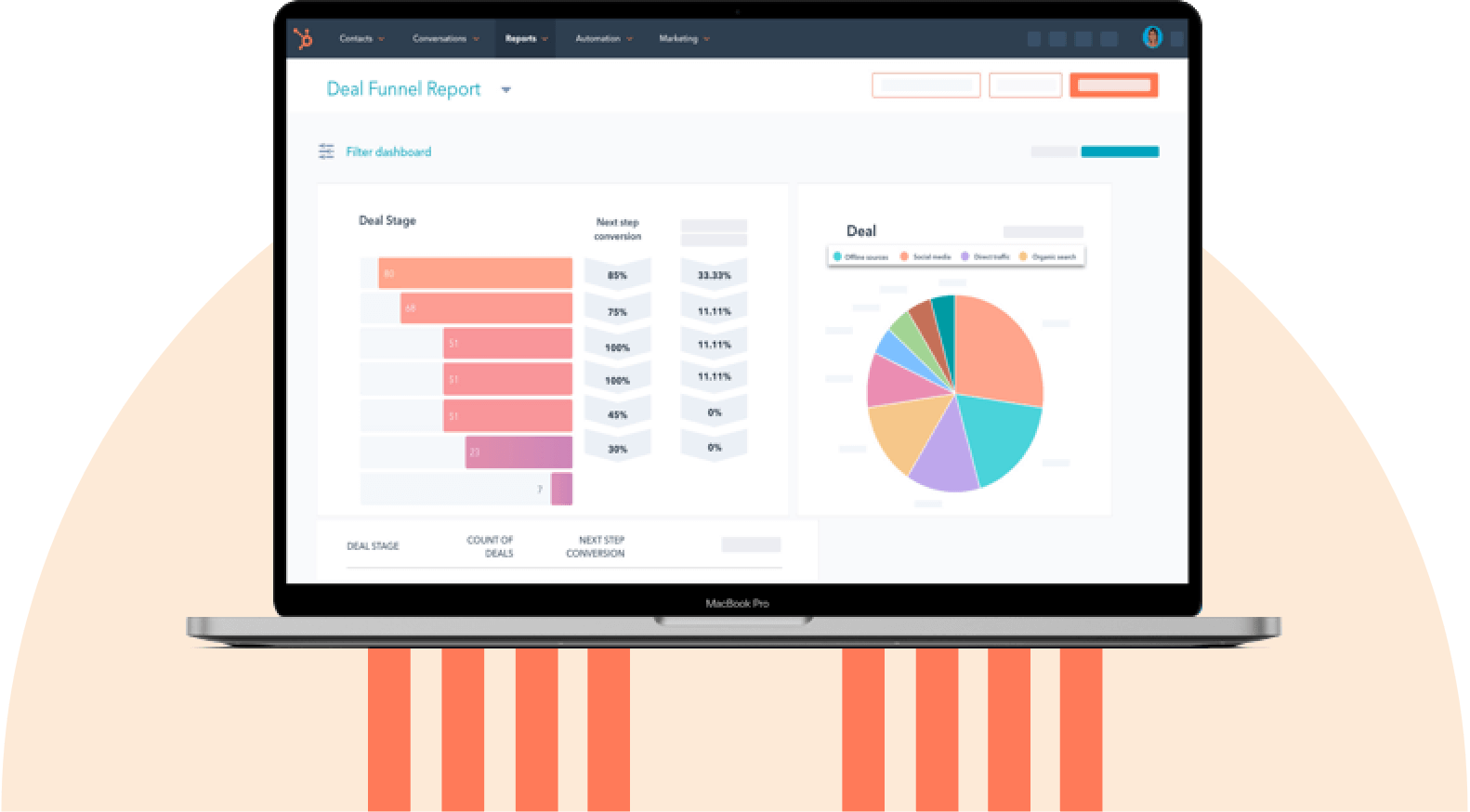
HubSpot's Free CRM Software
Free CRM Software & Tools for Your Whole Team
- Sales
- Marketing
- Operations
- Customer Service
Client Management App Benefits
Client management apps provide a central location for client data, enabling businesses to build better experiences. The result is smoother sales, marketing, and service work that converts more consistently. The main benefits primarily fall under improved visibility into customers and prospects, including:
- A centralized customer database.
- Higher customer satisfaction and retention.
- Automated admin work.
- Stronger internal and external communication.
- Better data security and compliance.
- More conversions and revenue.

1. A Centralized Customer Database
A CRM stores client information in one location instead of scattering it across files and folders. Anyone who works with that data can find it quickly, without having to chase down the last person who touched the account. Client management software improves team visibility into client history.
Client management software provided a complete view of the customer through a unified client data management system, where detailed records in a single platform give teams a holistic view of each contact regardless of interaction channel. Having a complete view of each contact rather than fragments makes personalization possible.
2. Higher Customer Satisfaction and Retention
Client management software helps teams respond to inquiries faster and resolve complaints before they escalate. That responsiveness is what most clients actually mean when they describe good service.
Purchase history and behavioral data help teams anticipate needs and tailor offers accordingly. A customer management software also tracks commitments made to clients, so promised follow-ups happen on schedule. Consistent follow-through is what turns satisfied clients into repeat ones.
3. Automated Everyday Tasks
Client management software reduces manual administrative work. Logging calls, emails, and meetings happens without manual entry. Automation extends beyond data capture to include lead qualification, list segmentation, deal tracking, follow-up reminders, and forecasting. The time saved goes back into client-facing work.
4. Stronger Internal and External Communication
Reps can communicate with prospects and clients directly from customer management software and CRMs, with every exchange saved to the record. That history stays available to whoever needs it later. The same system keeps colleagues aligned on account status, which cuts the back-and-forth that slows deals down.
5. Better Data Security and Compliance
Both CRMs and customer management software keep client data in one secure location, rather than spread across personal drives and inboxes. Centralization also makes regulatory compliance far more manageable. Businesses with clients in the European Union must comply with GDPR. A compliant CRM handles the requirements structurally.
Pro tip: HubSpot is GDPR and CCPA compliant. HubSpot Enterprise also offers HIPAA-compliant features.
6. More Conversions and Revenue
Client management software gives teams faster access to complete client data, which shortens the sales cycle and improves close rates. Better context produces better conversations. The impact builds across the business: clearer insights, less duplicated effort, and more revenue from the same client base.
Essential Features of Great Client Management Software
Great client management software combines a reliable system of record with automation that reduces manual work. The best tools go beyond storage — surfacing what needs attention and updating records automatically.
The features below are worth evaluating when comparing platforms.
1. Contact Management
Client management software should include contact management. Tools should store every client record centrally, with custom fields for the details that matter to a specific business.
Interaction history is one of the most important features of client management software. A complete record of every email, call, meeting, and note means anyone can pick up an account without having to reconstruct its history from scratch.
2. AI-Powered Insights And Automation
AI has moved from a differentiator to a baseline expectation in client management software. Eighty percent of sales leaders surveyed for the 2026 HubSpot State of Sales Report say their CRM is already fully AI-integrated. Sixty-nine percent report that adopting AI creates competitive advantage and market differentiation.
Capabilities worth evaluating include predictive insights that flag at-risk accounts, suggested next actions based on deal stage, automated summaries of long interaction threads, and workflow recommendations. These features reduce the judgment calls reps make from incomplete information and free up time for higher-value work.
Nearly every vendor now advertises AI. The more useful question is whether those features operate on the full client record or only a narrow slice of it.
3. Data Analytics and Reporting
Client management software should analyze client data, surface trends, and report on the metrics a team actually manages against. Dashboards turn scattered activity into a prioritized view of where attention belongs, which is the difference between having data and acting on it.
Reporting serves managers as much as reps. Managers need visibility into pipeline health, team performance, and deal velocity to spot bottlenecks. The most useful reports answer a specific question rather than displaying everything the system can measure.
4. Automated Workflows
Client management software should include task and activity tracking. Automated workflows handle recurring tasks that consume reps’ time without delivering client value. The essentials are follow-up reminders, task assignment, automatic record updates, and nurture sequences that run without manual triggering.
The test of good automation is whether it holds up under exceptions. Systems that break the moment a deal moves out of sequence create more work.
5. Third-Party Integrations
Client management software should connect to the tools a team already uses, including email, calendar, and communication platforms. Every disconnected system is a place where client data goes stale.
Integration count is less important than integration quality. A two-way sync that writes data back into the CRM is worth more than a dozen one-directional connections.
6. Mobile Access
Mobile access matters for anyone working away from a desk. Client-facing teams need full record access, not a stripped-down companion app. The practical standard is whether a rep can prep for a meeting in the parking lot and log the outcome before driving away.
Pro tip: HubSpot’s mobile app gives teams full CRM access on iOS and Android.
7. Sales, Marketing, and Service Features
Broader functionality turns a client database into a growth platform. The tools different teams use should all operate on the same client records. The advantage is continuity. When sales, marketing, and service work from one system, clients stop repeating themselves, and teams stop working from different versions of the truth.
Pro tip: HubSpot’s CRM integrates natively with all other Hubs, so every team gets the same view of the customer.

Best Client Management Apps
- HubSpot Smart CRM
- Keap
- ClickUp
- Bloom
- Nimble
- Agency Handy
- Monday CRM
- Copper
- Pipedrive
- Zoho CRM
- Ravetree
- Insightly
- Salesforce Sales Cloud
- Freshsales
1. HubSpot Smart CRM

Remember, CRMs include client management software capabilities. HubSpot Smart CRM is an all-in-one platform covering client management for teams from small businesses through enterprise teams. The platform includes email tracking and notifications, prospect tracking, and live chat, with client records that stay unified across departments.
Integrations with Gmail, Google Workspace, Office 365, and Outlook mean interaction logging happens automatically rather than through manual note-taking.
Pricing: Free plan available (up to 2 users); paid plans start at $20 per user each month.
What we like: The free tier is genuinely functional rather than a demo — sales, marketing, service, content, operations, and commerce tools at no cost, with real-time activity tracking, free forms, and live chat. Over 1,500 integrations available.
Best for: Any team wanting an all-in-one CRM platform.
2. Keap

Keap combines client management with sales and marketing automation, built around capturing leads and converting them. Custom forms embed directly onto landing pages and trigger automated follow-up on submission.
Email and SMS marketing tools segment prospects by attribute, and automated sales follow-ups run without rep intervention. For small teams without dedicated marketing support, automation covers work that would otherwise go undone.
Pricing: No free plan; paid plans start at $299 monthly (2 users, 1,500 contacts).
What we like: Automation spans the full client lifecycle — lead capture, appointment reminders, nurture sequences, and purchase follow-ups. Customers get a dedicated success manager, 24/7 chat, U.S.-based phone support, and coaching with a small business growth expert.
Best for: Small businesses and startups that want automation without assembling it from separate tools.
HubSpot's Free CRM Software
Free CRM Software & Tools for Your Whole Team
- Sales
- Marketing
- Operations
- Customer Service
3. ClickUp

ClickUp is a productivity platform with client management built on top of its project management core. Its customizable structure supports over 15 ways to visualize client and sales data. Dashboards deliver real-time reporting and high-level views of client lifetime value. The platform integrates with over 1,000 work tools, including email, which keeps client outreach connected to the rest of the team’s work.
Pricing: Free Forever plan available; paid plans start at $7 per user each month.
What we like: Teams can build a CRM from scratch to match their exact process, or start from a prebuilt CRM template and customize from there. The flexibility is real, though it comes with more setup than a purpose-built CRM.
Best for: Teams that want client management and project management in one platform.
4. Bloom

Bloom is a client management platform built for freelancers and small service businesses. This platform works well for teams that need more than a basic CRM but less overhead than traditional sales software. Bloom captures leads, sends proposals, collects signatures, and helps businesses get paid.
The platform covers everything from lead capture to project delivery and payment in one place. Its client portal keeps everything organized on the client’s side, reducing the back-and-forth that slows projects.
Pricing: No free plan; paid plans start at $7 monthly.
What we like: Bloom is built for visual thinkers, and the interface is clean enough that clients navigate it without instruction. That matters more than it sounds for freelancers whose clients aren’t software people. Also, their client portal is a fantastic option for small agencies.
Best for: Freelancers, creatives, small agencies, and professional services.
5. Nimble

Nimble is a social CRM that pulls prospect and client data from the platforms where those relationships often start. Its Prospector browser extension captures contact information from LinkedIn and Instagram profiles on hover, cutting manual data entry.
With more than 160 app integrations, Nimble unifies client contact data across the systems teams already use. Built-in calendar, activity tracking, and pipeline management keep prospect and client outreach on schedule.
Pricing: No free plan; paid plans start at $24.90 per user each month.
What we like: Nimble works with both Microsoft 365 and Google Workspace. Support includes weekly training webinars, daily live Q&A, and a deep library of articles and videos.
Best for: Solopreneurs and small teams that build client relationships through social channels.
6. Agency Handy

Agency Handy focuses on post-signature client work, covering projects, orders, collaboration, invoices, and payments. Intake and order forms collect client requirements upfront, and a self-checkout option lets clients pay through multiple methods. The platform supports full customization, including logo, colors, sign-in portal, custom domain, and branded emails.
Pricing: No free plan; paid plans start at $29 monthly.
What we like: Order management is the standout. Incoming orders break into smaller tasks with assigned owners. Automated invoicing runs on a sensible schedule, with reminders at three and seven days after invoicing and one to three days before subscription renewals.
Best for: Agencies and digital businesses that need client portal software alongside client management.
7. Monday CRM

Monday CRM applies the platform’s work management structure to client relationships. Teams start from a template and customize boards to match how they track clients. Kanban pipeline views show prospect volume and stage at a glance.
The platform’s AI agents handle the administrative layer around client work. Leads get sourced, enriched, and scored automatically. Calls, emails, and meetings populate the right CRM fields without manual logging. Agents also handle call prep, meeting notes, and follow-up. Agents are customizable to a team’s workflow and can be tested in simulation mode before going live.
Forecasting runs on pipeline coverage analysis and velocity signals rather than rep estimates. Forms built in Monday and embedded on a website sync submissions directly to the board, capturing contact data and activity as it comes in.
Pricing: Free plan available; paid plans start at $12 per user a month (three-user minimum).
What we like: Monday has great AI governance. Permissions define what each agent can access or create. AI credit limits are set by the team, and a real-time log records every agent action. For teams nervous about turning AI loose on client data, that visibility matters.
Best for: Sales teams and client-facing groups that want a highly visual, configurable system with AI handling the admin.
8. Copper

Copper is a client management app built specifically for teams running on Google Workspace. Rather than integrating with Gmail and Calendar as an add-on, Copper operates inside them, logging email, meetings, and files against client records automatically.
Pipeline management, task automation, and reporting work from the same records. Relationship history stays complete without rep discipline.
Pricing: No free plan; paid plans start at $23 per user a month, billed annually.
What we like: For Google Workspace teams, the setup cost is close to zero, and reps keep working in the interface they already live in.
Best for: Google Workspace teams and relationship-driven businesses, like agencies and consultancies.
9. Pipedrive

Pipedrive is a sales-focused CRM built around pipeline visibility. The software offers client management features, including web forms, a chatbot, and AI sales assistance. The interface prioritizes deal movement over data storage, which suits teams whose client work is primarily transactional.
Pipedrive’s AI sales assistant analyzes past performance, flags risk on stalled deals, and recommends where automation would save time. For reps without formal sales training, those prompts function as lightweight coaching built into daily work.
Pricing: No free plan; paid plans start at $14 per user a month.
What we like: Setup is fast, and the learning curve is short. Support spans phone, email, chat, knowledge base, community, and an academy.
Best for: Teams wanting a beginner-friendly CRM with strong pipeline visibility.
10. Zoho CRM

Zoho CRM covers sales automation, predictive insights, and multichannel client communication in one platform. Its multichannel capability is the standout — reps can reach clients across every major channel, all logged against the same record. The platform also measures channel effectiveness, surfacing the best time and method to reach specific clients.
Pricing: Free plan available (up to 3 users); paid plans start at $14 per user a month.
What we like: Industry-specific configurations mean less customization work upfront. Zia, Zoho’s AI assistant, handles prediction and recommendation across the client lifecycle. Over 1,000 integrations are available.
Best for: Existing Zoho users and teams needing industry-specific client management software.
11. Ravetree

Ravetree is a unified work management platform with client management features that go deeper than most all-in-one tools. Native time tracking and billing generate invoices directly from approved time logs. A native Stripe integration processes payments in-platform.
Ravetree’s client portals are the differentiator. Clients track projects in real time, submit requests, approve files, and collaborate through comments. With Ravetree, status update emails are reduced considerably.
Pricing: No free plan; paid plans start at $29 per user a month, billed yearly.
What we like: Feature depth holds up where many all-in-one platforms go shallow. The CRM, project management, and billing tools are genuinely connected rather than bolted together, and every plan includes the full feature set regardless of price tier.
Best for: Client-facing teams managing high client volume alongside project delivery.
12. Insightly

Insightly is a sales CRM and marketing automation platform with relationship linking, lead routing, and workflow automation. Leads route to reps in real time based on activity. Relationship linking is feature-worthy. Client contacts rarely operate alone, and Insightly maps how people within an account connect to each other, which clarifies who actually influences a decision.
Pricing: No free plan; paid plans start at $29 per user a month.
What we like: The platform is approachable enough for teams adopting a CRM for the first time, and the mobile app handles full record management rather than a reduced feature set.
Best for: Growing teams that need relationship mapping across complex client accounts.
13. Salesforce Sales Cloud

Salesforce Sales Cloud is among the most established CRM platforms available. Forecasting is where the platform’s depth shows. Managers see real-time forecasts across every rep. Pipeline views organized by rep make performance patterns visible early enough to act on.
Pricing: No free plan; Starter Suite from $25 per user a month; up to $550per user a month for Agentforce 1 Sales.
What we like: Customization depth is close to unmatched, with built-in AI, automated activity capture, and a full mobile app. The tradeoff is cost and complexity. The price range here spans 22x from entry to top tier, and reaching the platform’s ceiling generally requires admin resources that smaller teams don’t have.
Best for: Large sales teams, complex client operations, and existing Salesforce users.
HubSpot's Free CRM Software
Free CRM Software & Tools for Your Whole Team
- Sales
- Marketing
- Operations
- Customer Service
14. Freshsales (formerly Freshworks CRM)

Freshsales offers pipeline management, lead scoring, AI-powered insights, and built-in phone and email. Communication happens inside the CRM rather than through integrations, so calls and emails log automatically without manual entry.
Teams purchase local and toll-free numbers within Freshsales and assign them to individual reps. Each rep gets a dedicated line without a separate phone system.
Pricing: Free plan available (up to 3 users); paid plans start at $9 per user a month.
What we like: Freddy AI handles contact scoring, surfaces the strongest leads and deals, and generates predictions across the pipeline. Global teams get 150+ currencies and 10+ email languages, which is unusual at this price point.
Best for: Small businesses and startups wanting communication-focused client management software.
How to Choose the Right Client Management App
The right client management app for a solo freelancer looks nothing like what an enterprise sales team needs. Four factors do most of the work in narrowing the field:
- Budget:Free tiers from HubSpot, Zoho, and Freshsales handle real client work, not just trials. Paid platforms buy depth in automation, reporting, and customization.
- Team size and growth: Choose a platform that scales past current headcount. Outgrowing a CRM after months of setup is expensive in ways a comparison chart won’t show.
- Industry requirements: Regulated sectors need specific compliance features. Zoho’s industry-specific configurations exist for exactly this reason.
- Technical comfort: Twenty-six percent of sales professionals cite difficulty adopting new tools as a top operational challenge. Ease of use is a feature, not a nice-to-have.
A Note on Software Adoption
The tool that wins the evaluation isn’t always the one the team ends up using. Having overseen change management on a variety of scales, I’ve seen teams fail to adopt for reasons that don’t show up in a feature comparison.
It’s usually less about the tool than about creating a clear process, setting expectations, and providing adequate training. Some resistance is expected, but teams given the right support tend to find adoption less difficult than anticipated.
Category Winners
Best Client Management App for Small Businesses
Small businesses need client management software that installs without IT support and stays affordable as the client list grows. HubSpot Smart CRM leads here with its free tier and short learning curve. Zoho CRM offers strong value with industry-specific versions starting at $14 per user monthly, and Freshsales starts lower still at $9 per user monthly with a free plan for up to three users.
Best Client Management App for Agencies and Freelancers
Agencies and freelancers run multiple clients and projects at once, which makes project visibility as important as pipeline visibility. Monday CRM handles this well with visual boards and configurable client views. ClickUp supports building a custom CRM inside its project management platform for teams that want everything in one system. Bloom and Agency Handy serve the service-delivery side specifically.
HubSpot Smart CRM offers agencies unlimited users and contacts on its free plan, which keeps costs flat as teams grow. Paid tiers across Sales Hub and Marketing Hub add the client reporting and campaign management tools agencies need to demonstrate ROI.
Best Client Management App for Enterprise Teams
Enterprise teams need advanced security, deep customization, and integration across a large existing stack. Salesforce Sales Cloud offers the most configurability, with cost and administrative overhead to match. HubSpot’s Enterprise tier spans Sales Hub, Marketing Hub, and Service Hub, giving large teams a unified platform for complex client journeys.
Frequently Asked Questions About Client Management Software
What is the best app to keep track of clients?
HubSpot Smart CRM is the best app to keep track of clients for most teams. Its free plan covers up to two users with contact management, email tracking, and pipeline visualization included. HubSpot scales into paid tiers without a migration. For teams built on Google Workspace, Copper is a strong alternative; for service businesses managing delivery alongside relationships, Bloom and Ravetree handle both.
Is a CMS the same as a CRM?
A client management system focuses on maintaining relationships with existing clients, covering contact records, communication history, and account status. A CRM includes that functionality but extends into lead capture, deal pipelines, and revenue forecasting. In practice, most tools sold as client management software are CRMs with a narrower emphasis.
What’s the difference between CCM and CRM?
CCM stands for customer communications management and handles the documents and messages a business sends to clients. CRM stands for customer relationship management and stores the relationship itself: contacts, interactions, and deal history. A CRM tracks the client; a CCM system generates the correspondence.
What are the four types of CRM?
The four types of CRM are operational, analytical, collaborative, and strategic. Most modern platforms combine several of these rather than fitting one category.
- Operational CRM automates sales, marketing, and service processes.
- Analytical CRM examines client data to surface patterns and inform decisions.
- Collaborative CRM shares client information across departments so teams work from the same record.
- Strategic CRM organizes long-term business planning around client relationships and retention.
How much do client management apps cost?
Client management app pricing ranges from free to over $500 per user monthly. Free plans from HubSpot, Zoho, and Freshsales support small teams with core functionality. Entry-level paid plans generally run $9 to $30 per user monthly. Mid-tier plans with automation and reporting depth land between $30 and $100. Enterprise platforms with advanced customization and AI reach several hundred per user monthly. Flat-rate pricing is common among tools built for freelancers and agencies, where per-seat pricing makes less sense.
How do I choose the right client management app?
Choosing the right client management app starts with identifying must-have capabilities. Set a realistic budget that accounts for implementation time. Confirm the platform integrates with tools the team already uses. Test ease of use through free trials before committing, since adoption failure is the most common reason CRM investments underperform.
Can I integrate a client management app with my existing tools?
Most client management apps offer extensive integration options. Common integrations include:
- Email platforms like Gmail and Outlook.
- Calendar applications.
- Accounting software such as QuickBooks and Xero.
- Communication tools like Slack and Microsoft Teams.
- Project management platforms.
- Marketing automation software.
Client management is better with a CRM.
Client management gets chaotic when the information lives in ten places. Reps can’t out-discipline a system that loses things by design. The right client management software closes that gap with one place to keep client records and log activity. Whoever touches the account next gets the full history.
HubSpot Smart CRM does that on a free plan for up to two users, and it scales when the client list does.
Editor’s note: This post was originally published in November 2019 and has been updated for comprehensiveness.
HubSpot's Free CRM Software
Free CRM Software & Tools for Your Whole Team
- Sales
- Marketing
- Operations
- Customer Service


%20(6).png)
.webp)


