In the world of marketing, it seems like there are always new tools, tips, tricks, and trends to discover and incorporate into your marketing strategy. How is it possible to keep up with them all?
As a marketer myself, I often wish I had a better sense of all of the tools available to me -- and what sets each of them apart -- so I can make more informed decisions on how to create and optimize content.
Luckily, I have the privilege of working on a team of 150+ other marketers who specialize in different functions than I do. And because of that, I was able to curate this list of the top tools every marketer should know about and use.
Download Now: Free Marketing Plan Template [Get Your Copy]
The list of recommended tools below is sorted into different sections so you can get a better sense of what tools are available for different functions of the job.

Types of Marketing Tools
- Customer Relationship Management (CRM)
- Online Advertising
- Social Media
- Search Engine Optimization (SEO)
- Content Creation and Design
- Video Marketing
- Event Marketing
- Lead Capture and Conversion
- Lead Generation
- Website Optimization and CRO
- Lead Nurturing and Email Marketing
- Marketing Automation
- Data Reporting and Analytics
- Digital Asset Management
- Team Communication and Collaboration
- Project Management
Access all of HubSpot's free tools and training to grow your business, and your career.
Above lists the different types of tools for every part of your job. Below is our roundup of the best marketing tools in each category.
Pro-tip: You can also find our collection of essential apps for marketers in HubSpot's App Marketplace.
Marketing Tools |
| Customer Relationship Management (CRM) Tools |
|
1. HubSpot CRM |
| 2. Zoho CRM |
|
3. Moosend |
| 4. Zendesk |
| 5. Pipedrive |
| Online Advertising Tools |
| 6. AdStage |
| 7. HubSpot Ads Tracking Software |
| 8. Perfect Audience |
| 9. Google Keyword Planner |
| 10. AdRoll |
| 11. WordStream |
| Social Media Tools |
| 12. NapoleonCat |
| 13. Buffer |
| 14. Hootsuite |
| 15. BuzzSumo |
| 16. HubSpot Social Inbox |
| 17. Iconosquare |
| Search Engine Optimization (SEO) Tools |
| 18. Ryte |
| 19. Ahrefs |
| 20. SEMrush |
| 21. Moz |
| 22. Keywords Everywhere Chrome Extension |
| 23. HubSpot Content Strategy Tool |
| Content Creation and Design Tools |
| 24. Adobe Spark |
| 25. Venngage |
| 26. Piktochart |
| 27. Canva |
| 28. Recordit |
| 29. Kap |
| 30. Adobe Color CC |
| Video Marketing Tools |
| 31. Wistia |
| 32. Vidyard |
| 33. Vimeo |
| 34. Loom |
| 35. Movavi |
| 36. Wave Video |
| Event Marketing Tools |
| 37. Eventbrite |
| 38. Facebook Events |
| 39. AddEvent |
| Lead Capture and Conversion Tools |
| 40. HubSpot's Free Marketing Tools |
| 41. HubSpot's Free Pop-up Forms Tool |
| 42. Typeform |
| 43. OptinMonster |
| 44. Sumo |
| 45. Convertflow |
| Lead Generation Tools |
| 46. Unbounce |
| 47. Leadpages |
| 48. Instapage |
| 49. HubSpot's Landing Page Builder |
| Website Optimization and CRO Tools |
| 50. Hotjar |
| 51. Optimizely |
| 52. Lucky Orange |
| 53. Google Optimize |
| 54. Clicky |
| Lead Nurturing and Email Marketing Tools |
| 55. HubSpot's Email Marketing Software |
|
56. Smartlead |
| 57. Constant Contact |
| 58. Campaign Monitor |
| 59. MailChimp |
| 60. AWeber |
| 61. ActiveCampaign |
| Marketing Automation Tools |
| 62. HubSpot Marketing Automation |
| 63. Drip |
| 64. Marketo |
| 65. Omnisend |
| Data Reporting and Analytics Tools |
| 66. Digital Marketing Tuner |
| 67. Google Analytics |
| 68. Google Search Console |
| 69. Databox |
| 70. RavenTools |
| Digital Asset Management Tools |
| 71. Dropbox |
| 72. Google Drive |
| 73. Box |
| 74. Shift |
| 75. Brandfolder |
| Team Communication and Collaboration Tools |
| 76. Slack |
| 77. Join.Me |
| 78. Zoom |
|
79. Skype 80. Fellow |
| Project Management Tools |
| 81. Trello |
| 82. Brafton |
| 83. HubSpot Projects |
| 84. TrueNorth |
| 85. Workamajig |
| 86. Asana |
| 87. Airtable |
| 88. Wrike |
| 89. ProofHub |

Customer Relationship Management (CRM) Tools
You and your sales team want to sell your product or service – not fight with messy spreadsheets, cluttered inboxes, or clunky tools that slow you down. That's why using a Customer Relationship Management System, also known as a CRM, is essential.
Not only will it help your sales team manage relationships, but a CRM will also give you a place to deliver those leads you generated to your sales team.
CRMs are such an essential part of any good marketing and sales team that we think everyone should have one. That's why the HubSpot CRM is completely free.
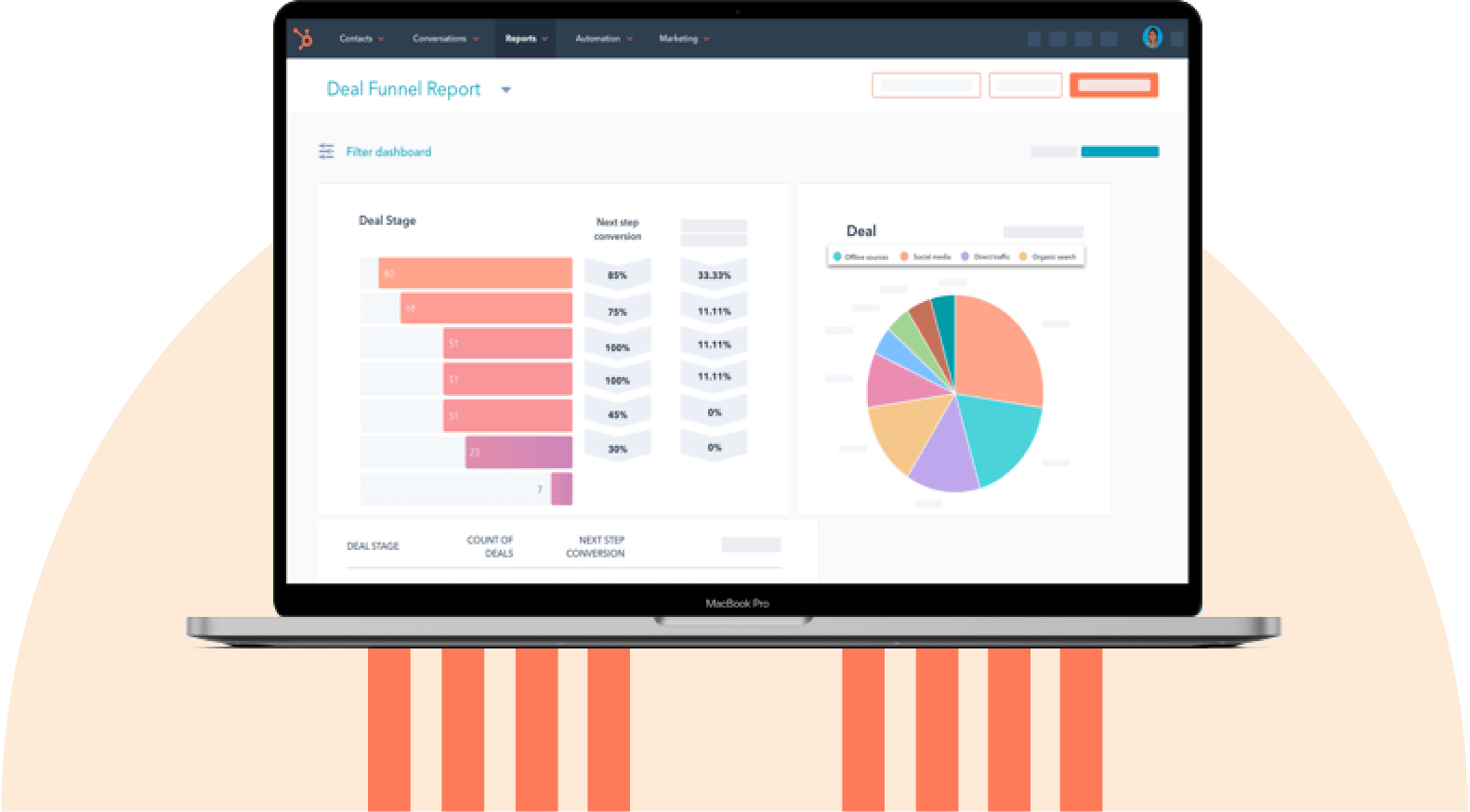
HubSpot's Free CRM Software
Free CRM Software & Tools for Your Whole Team
- Sales
- Marketing
- Operations
- Customer Service
Featured CRM Tool:
1. HubSpot CRM
HubSpot CRM automates the tasks salespeople hate and takes minutes to learn -- not months. That means doing more deals and less data entry.
.webp?width=540&height=442&name=Crm-free-hero-asset-fall-24@2x%20(1).webp) Get HubSpot's Free CRM Software
Get HubSpot's Free CRM Software
Other CRM Tools:
2. Zoho CRM
3. Moosend
4. Zendesk
5. Pipedrive

Online Advertising Tools
If your team is making investments into PPC ad campaigns on platforms like Google, Bing, Facebook, Twitter, or LinkedIn, it's probably a bit of a hassle to manage all the different ad campaigns you're running across each different network.
Besides just managing them, you then have to try and report on the results of all of them. What a struggle. Luckily, there are tools for that.
Featured Online Advertising Tool:
6. AdStage
AdStage takes the hassle out reporting on all of the PPC campaigns you're running and puts it all in one place. AdStage helps you automate, create, and manage your campaigns across all of the major PPC platforms, then allows you to report on your results.
With visual features and powerful automation tools, AdStage is a must for PPC experts and newbies alike.
Other Online Advertising Tools:
7. HubSpot Ads Tracking Software
10. AdRoll
11. WordStream

Social Media Tools
Social media managers know the pain of posting that perfect social media post only to have a follower find a typo a minute later and call you out.
For marketers, using a social media tool to schedule all of your posts (so you catch those typos beforehand) is a must. But it also helps to get the right analytics from your social posts, especially on channels where it can be hard to get that information.
Featured Social Media Tool:
12. NapoleonCat
NapoleonCat is way more than just a scheduling tool; the platform offers a whole stack of features for social media managers. Thanks to the unified Inbox, you will release lots of time that your team normally dedicates to switching between accounts to answer questions on social media.
Thanks to many collaboration-focused features, NapoleonCat untangles workflows for even the busiest teams. Its other features include automated moderation, reporting, and social media analytics.
Other Social Media Tools:
13. Buffer
14. Hootsuite
15. BuzzSumo
17. Iconosquare
Try HubSpot's Social Media Tools for Free

Search Engine Optimization (SEO) Tools
Whether it's keyword research, content optimization, or checking your current page rankings, every marketer needs a go-to tool for planning what content to create and how to optimize it for SEO.
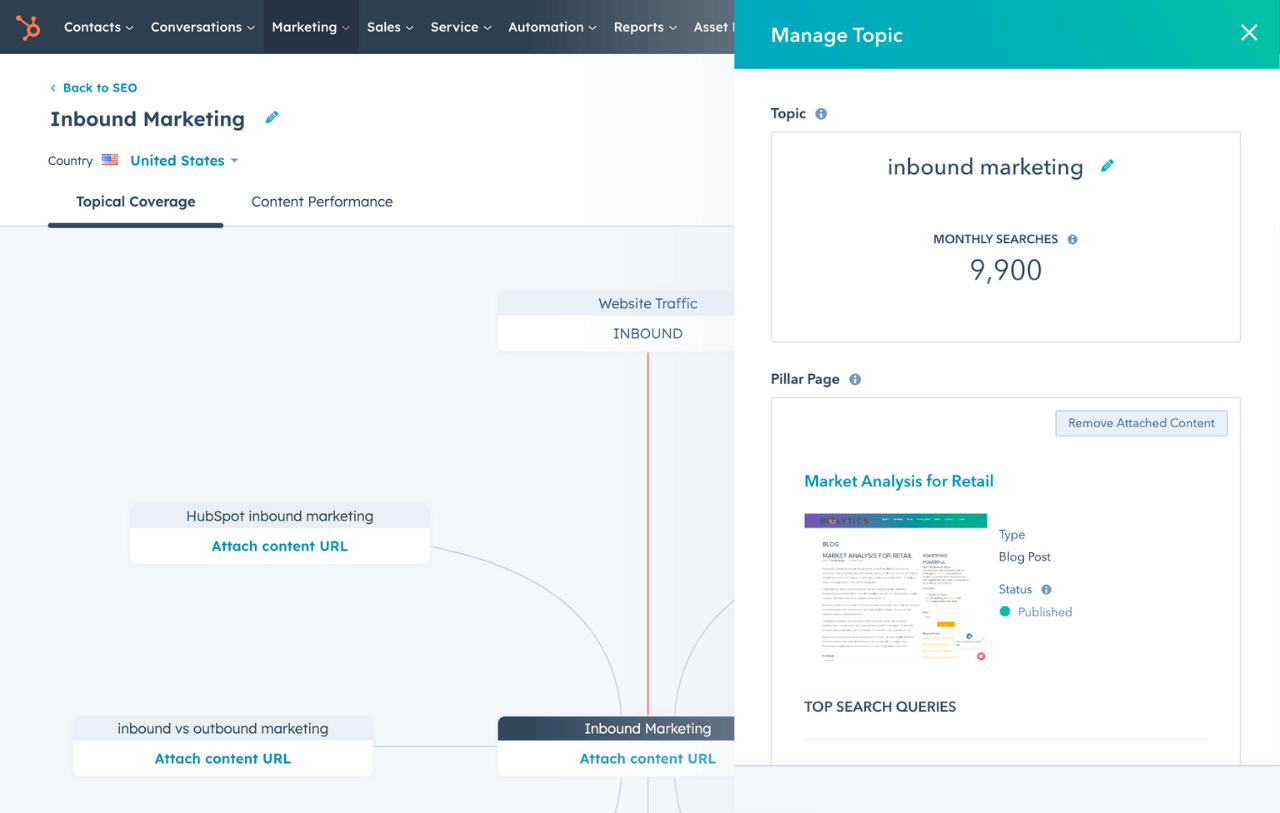
HubSpot SEO Marketing Software
Build your authority in search with tools that help you plan your SEO strategy, optimize your content, and measure ROI.
- Get SEO recommendations.
- Create an optimized content strategy.
- Build search authority.
- And more!
Featured SEO Tool:
18. Ryte
Marketers need tools to plan which keywords to rank for and make sure the content they create actually meets their goal once created.
Ryte is the ideal tool marketers can use to make sure their SEO efforts are having a real impact on their marketing strategy.
Other SEO Tools:
19. Ahrefs
20. SEMrush
21. Moz
22. Keywords Everywhere Chrome Extension
23. HubSpot Content Strategy Tool

Content Creation and Design Tools
In the world of content creation, there are admittedly tons of different tools you could use to create various types of content. Whether it's social images, logos, blog posts, or ebooks – the options and tools are endless.
That said, a newcomer among the Adobe Suite of tools is winning the hearts of many marketers, including this one, for its ease of use to create stunning webpages, awesome videos, and eye-catching graphics. The best part? It's completely free and impossibly easy.
Featured Content Creation Resource:
24. Adobe Spark
Adobe Spark is a suite of three web or mobile apps – Spark Page, Spark Post, and Spark Video – that allows marketers to easily create graphics, webpages, and videos in a variety of themes in minutes.
You can completely avoid the hassle of page layout, video editing knowledge, or a CMS and start creating content that looks remarkable immediately. For example, we use Spark Page at HubSpot to create some of our online guides and promote them with Spark Videos and Posts. You can too!
25. Visme
Visme is a cloud-based powerful content creation & design platform that leverages AI to create irresistible visual content. It is a no-code, user-friendly platform for non-designers, beginners, and expert-level design professionals!
Visme enhances team collaboration with its seamless workflows and intuitive tools. Whether you're creating sales or marketing materials or scaling your business branding, Visme has you covered.
Design logos, graphics, AI presentations, and infographics effortlessly within its user-friendly dashboard. Share your creations with your team for live feedback and save your branded assets in Visme’s Brand Kit for easy access anytime, anywhere.
Other Content Creation and Design Tools:
26. Venngage
27. Piktochart
28. Canva
29. Recordit
30. Kap
31. Adobe Color CC

Video Marketing Tools
Haven't you heard? Video is the thing everyone is talking about. But how do you actually implement it into your marketing?
Maybe your strategy is just to put a YouTube video embed on one of your blog posts or landing pages. But then what happens? Someone else's ad plays on your landing page before your video even begins.
That's bad for your conversion rates, brand, and your user. Luckily, there's a solution.
Featured Video Marketing Resource:
32. Wistia
Wistia is a powerful video hosting platform that allows you to host your videos on your website (ad-free) with a guaranteed smooth playback and responsive player.
Wistia also helps you prove the ROI of your video efforts by offering you video analytics and key metrics to fine-tune your video marketing efforts over time. Ready to take your video marketing to the next level?
Other Video Marketing Tools:
33. Vidyard
34. Vimeo
35. Loom
36. Movavi
37. Wave.video with streaming video software

Event Marketing Tools
Whether your team holds monthly customer and prospect events, yearly conferences, or just occasional community outreach parties and events, it's important to have the best event marketing tool up your sleeve when the time comes to use it.
After all, in-person events are some of the best ways to interact with potential customers and create a brand experience that prospects, customers, and your community will remember.
Featured Event Marketing Resource:
38. Eventbrite
Eventbrite is an efficient, easy-to-use tool that marketers rely on to manage the logistics (like ticketing) of events and promote their events.
Eventbrite lets you create an event landing page and allows you to set up your ticketing and payment for the event all within the same platform. The best part? Eventbrite is always free if you're hosting a free event!
Other Event Marketing Tools:
39. Facebook Events
40. AddEvent

Lead Capture and Conversion Tools
When it comes to your bottom-line goals, you probably want a few tools for not only attracting prospects to dedicated marketing campaigns, but just as importantly, converting those visitors into leads and customers.
Featured Lead Capture and Conversion Resource:
41. HubSpot's Free Marketing Tools
HubSpot's free marketing tools can help do just that. The moment a lead shares their email, you’ll know who they are, where they work, and what pages they visited — all in real time. When they view an offer or check your pricing, you’ll be ready to follow up right away.
And with simple but powerful analytics, you’ll learn more about what’s working and what’s not — like which traffic sources or pieces of content are driving the most conversions.
It's a risk-free way to find out what inbound marketing can do for you. No budget necessary.

Get HubSpot's Free Marketing Software
Other Lead Capture and Conversion Tools:
42. HubSpot's Free Pop-up Forms Tool
43. Typeform
44. OptinMonster
45. Sumo
46. Convertflow

Lead Generation Tools
If you're in the mood for demand generation, you probably have your eyes on the prize: converting anonymous website visitors into contacts with email addresses that you can successfully nurture.
Landing pages are a must for capturing lead information on important offers and opt-ins.
Featured Lead Generation Resource:
47. Unbounce
Thanks to a drag-and-drop interface, Unbounce lets you quickly build mobile responsive landing pages without developer assistance. The tool also integrates with a number of different CMS platforms and software.
With Unbounce Convertables, you can also launch targeted overlays on top of any web page, each with a dedicated call to action. Customizable triggers and targeting rules give you control over who sees your offers and when so you can serve the most relevant offers to the right audience.
Other Lead Generation Tools:
48. Leadpages
49. Instapage
50. HubSpot's Landing Page Builder

Website Optimization and CRO Tools
As marketers, sometimes it feels like we're constantly making educated guesses about how our site visitors are going to interact with our content. While we might design a page to draw our user's eye to a spot on a page, how do we ever really know where their focus is so that we can improve that experience?
Featured CRO Resource:
51. Hotjar
Hotjar is a new and easy way to truly understand what your web and mobile site visitors are looking at when they interact with your site. With its visual heatmap tools, you can understand what users want, care about, and interact with on your site.
Hotjar visually represents visitors' clicks, taps, and scrolling behavior, giving you the ability to find hot areas for growth and conversion rate optimization.
Other CRO Tools:
52. Optimizely
53. Lucky Orange
54. Google Optimize
55. Clicky

Lead Nurturing and Email Marketing Tools
It's not enough to drive traffic to your website and then convert them. Many of your website visitors may not be ready to buy, and that's where lead nurturing comes in. Email marketing is a great way to nurture contacts toward a purchasing decision.
Featured Lead Nurturing Resource:
56. HubSpot's Email Marketing Software
HubSpot offers robust email marketing software from free to enterprise. You'll be able to create emails in a simple drag-and-drop interface, personalize emails for better experience and performance, and see email activity in your free CRM. HubSpot also offers automation solutions in their paid plans.
 Get HubSpot's Free Email Software
Other Lead Nurturing and Email Marketing Tools:
57. Smartlead
58. Constant Contact
59. Campaign Monitor
60. MailChimp
61. AWeber
62. ActiveCampaign

Marketing Automation Tools
Automation is nothing new to marketers. Whether you want to save time doing marketing tasks or simply cut time wasted doing those daily tasks like saving emails and files to spreadsheets, having a tool that makes your life easier and saves you time is ideal.
Featured Marketing Automation Resource:
63. HubSpot Marketing Automation
As previously mentioned, HubSpot has a powerful automation tool included in its paid marketing tiers. It doesn't just send drip sequences. You can also use it to trigger specific actions such as updating a contact record or adding a contact to a list when certain criteria are met.
 Get HubSpot's Free Marketing Automation Software
Other Marketing Automation Tools:
64. Drip
65. Marketo
66. Omnisend

Data Reporting and Analytics Tools
Most tools that automate some of your marketing strategy will also provide reports that allow you to see and present your campaigns' performance to other employees in your company. What if you want a more holistic look at the health of your marketing?
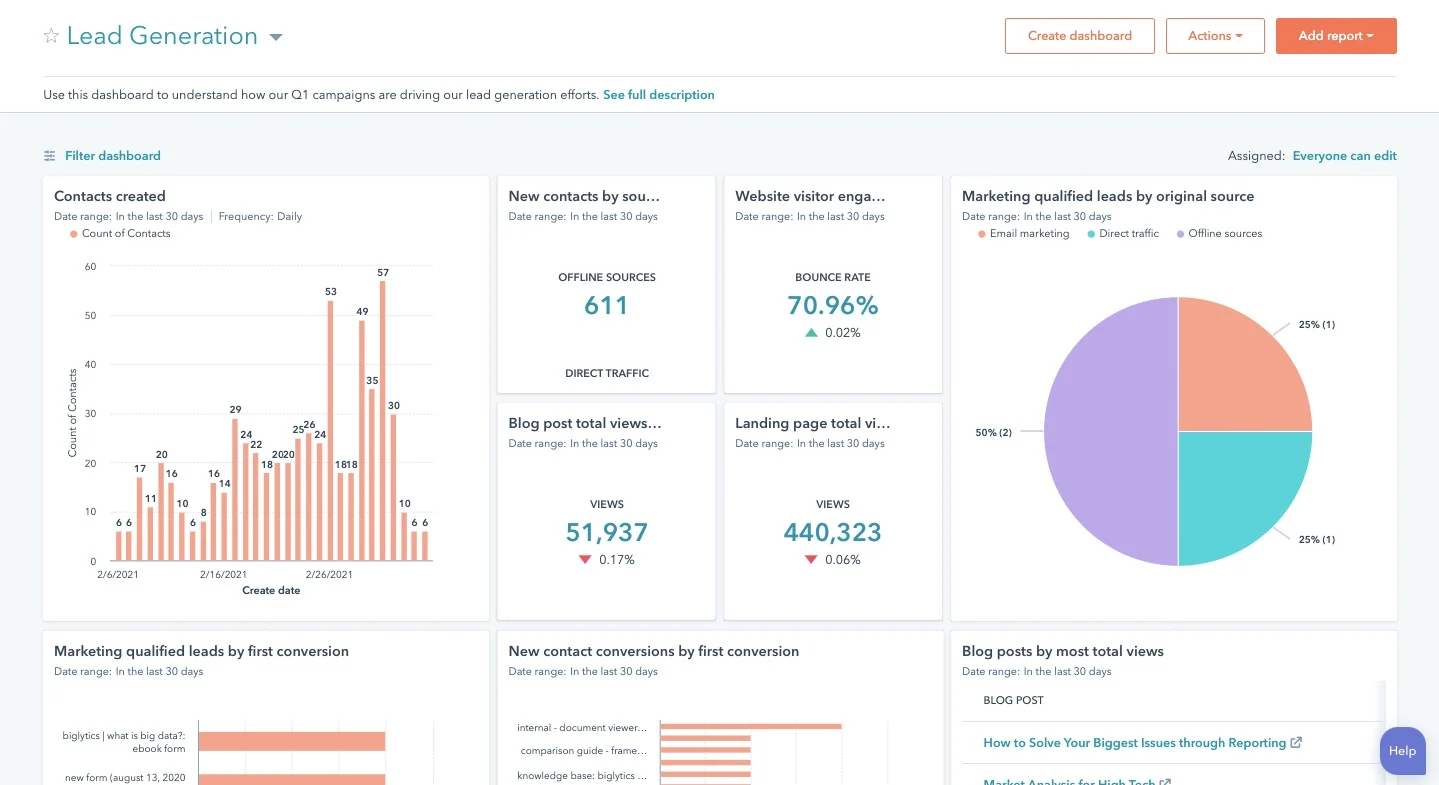
HubSpot Marketing Analytics Software
Measure the performance of all your marketing campaigns in one place with built-in analytics, reports, and dashboards.
- Marketing Analytics
- Dashboard Software
- Website KPIs
- And More!
Featured Data Reporting and Analytics Resource:
From the efficiency of your content calendar to the effectiveness of your lead-generation methods, Digital Marketing Tuner offers a helpful overview of all of your latest marketing activities.
Developed by OverGo Studio, an inbound marketing agency and HubSpot Agency Partner, Digital Marketing Tuner guides you through a brief survey where you can submit basic information about your company's content volume, email open rates, website traffic, and more.
The tool then sends you a detailed report in which you can better visualize your team's strengths and weaknesses so you can make even better decisions for your company moving forward.
Other Data Reporting and Analytics Tools:
68. Google Analytics
70. Databox
71. RavenTools

Digital Asset Management Tools
In any marketing team, the inevitable happens: there's a million files and pieces of content between everyone on your team without one place to keep it all.
Organization on any team — let alone a marketing team — is essential. That's why it's important to have a collaborative organization tool to keep you sane.
Featured Digital Asset Management Tool:
72. Dropbox
Dropbox is the perfect tool to keep your team organized and your files under control. With cloud-based software to keep your files accessible anywhere at anytime, Dropbox helps your team store all of its files in a central location. Dropbox makes it easy to collaborate, too.
With tools like Dropbox Paper, which allows you to write and collaborate in real time on the same doc -- and sharing tools for shared folders and files, you'll be organized and ready for any project that comes your way.
Other Digital Asset Management Tools:
73. Google Drive
74. Box
75. Shift
76. Brandfolder

Team Communication and Collaboration Tools
Where would your work day be without accessibility and communication between you and your colleagues? Probably pretty frustrating.
Marketers can't shy away from communication when it comes to aligning with team members and across the company, so having the best internal communication tools is necessary every single day.
Featured Communication and Collaboration Resource:
77. Slack
I wouldn't be given any slack if I didn't make the world aware of this tool.
Slack is a powerful messaging app that allows you and your teammates to quickly message back and forth without the hassle of email. But it's not just AOL instant messenger 2.0.
Slack has powerful features and integrations that make it possible for you to integrate all of your other daily tools — like Trello, Gmail, Giphy, and so many more — right where you're already communicating.
You can start channels between different teams or just chat with specific colleagues. Slack makes remote and in-person work possible and easier than ever.
Other Communication and Collaboration Tools:
78. Join.Me
79. Zoom
80. Skype
81. Fellow

Project Management Tools
File management and organization is one thing, but how do you manage all of the moving pieces of a marketing campaign or project?
There are many different tools you can use for project management, but only one sticks out when it comes to the number of integrations and features at the price of free.99.
Featured Project Management Resource:
82. Fellow.app
Fellow.app makes meetings productive and delightful for managers and teams worldwide. Fellow does this by connecting to your calendar and adding a collaborative agenda to every meeting, allowing organizations to have more meaningful 1on1s and team meetings.
Fellow replaces your notebook and stickies with a central hub for meeting notes, action items, decisions, feedback and so much more. You can try Fellow for free for 14-days to start running more productive meetings with your team.
82. Trello
Trello is a great project management tool for small teams and individuals. With its Kanban-style setup and fun user interface, Trello lets you set up to-do lists and tag individual cards with due dates, members, labels, and more.
You can attach files, links, images, and more to your cards and easily get a full view of any project that you're working on.
At HubSpot, we use Trello daily to manage our team campaigns and individual to-do lists. Want an example of how we do this? Check out our guide to managing marketing campaigns in Trello.
83. Brafton
The Brafton Platform is a project management system purpose-built for content marketers. It comes with preloaded templates for specific workflows but still makes it easy to customize and build your own workflows. It stands out from other project management tools, as it’s ready to be used for content marketing on day 1.
A content calendar, project tracking, intuitive approval processes, digital asset management, and performance tracking make this as robust as it is specialized. Content marketers and digital marketers won’t find another product on the market that caters so fully to their specific needs.
Other Project Management Tools:
84. HubSpot Projects
85. TrueNorth
86. Workamajig
87. Asana
88. Airtable
89. Wrike
90. ProofHub
You've got all the tools you need, but are you looking for a place to start putting them all together? Check out our free marketing plan. It'll walk you through creating your own marketing plan and teach you how to use all of these tools together.
Free Marketing Plan Template
Outline your company's marketing strategy in one simple, coherent plan.
- Pre-Sectioned Template
- Completely Customizable
- Example Prompts
- Professionally Designed
Download Free
All fields are required.
Editor's note: This post was originally published in February 2019 and has been updated for comprehensiveness.
![The 12 Best Free Flowchart Templates [+ Examples]](https://www.hubspot.com/hubfs/free-flowchart-template-1-20240716-6679104-1.webp)
![What Is a Risk Assessment? My Tips and Best Practices [+ Free Template]](https://www.hubspot.com/hubfs/image5-Nov-15-2024-05-33-59-7062-PM.png)




![7 Gantt Chart Examples You'll Want to Copy [+ 5 Steps to Make One]](https://www.hubspot.com/hubfs/gantt-chart-1-20240625-3861486-1.webp)
![How to Write an Executive Summary Execs Can't Ignore [+ 5 Top Examples]](https://www.hubspot.com/hubfs/executive-summary-example_5.webp)