
When I first started learning SEO, Rand Fishkin was still CEO of Moz, exact match domains were hot, and Ahrefs hadn't even launched yet. So, suffice it to say, I’ve had a long enough blogging career to have tried many website SEO software tools.
And I’ve seen a lot of changes. Now, we‘re not just optimizing for Google clicks. We're thinking about AI Overviews, and how platforms like ChatGPT, Perplexity, and Gemini pull from our content when buyers ask questions. That shift means marketers and SEOs everywhere need a fresh list of tools that are actually keeping up with the changes.

I went on a hunt for the best website SEO tools, including website optimization tools, content optimization software, and keyword research options. Below, you'll find a detailed 10-point evaluation of seven website SEO software tools I recommend for every use case — from budget-friendly options for solo bloggers to enterprise-grade platforms for marketing teams that need to tie SEO directly to revenue.
Table of Contents
- What is website SEO software?
- How I Evaluated the Best Website SEO Tools
- The Best Website SEO Software
- How to Choose the Right Website SEO Software
- When Website SEO Software Should Live Inside Your CRM
- Frequently Asked Questions About Website SEO Software
What is website SEO software?
Website SEO software helps website owners, marketers, and content strategists conduct keyword research, track search engine rankings, estimate keyword volume and competitiveness, and even track AI/LLM citations for individual URLs and entire website content.
Content strategists often use website SEO software to determine which topics and keywords to go after as they build their content calendar, while SEO consultants use it to assess progress on their SEO strategy.
Examples of website SEO software include Ahrefs, Semrush, HubSpot, and KeySearch.
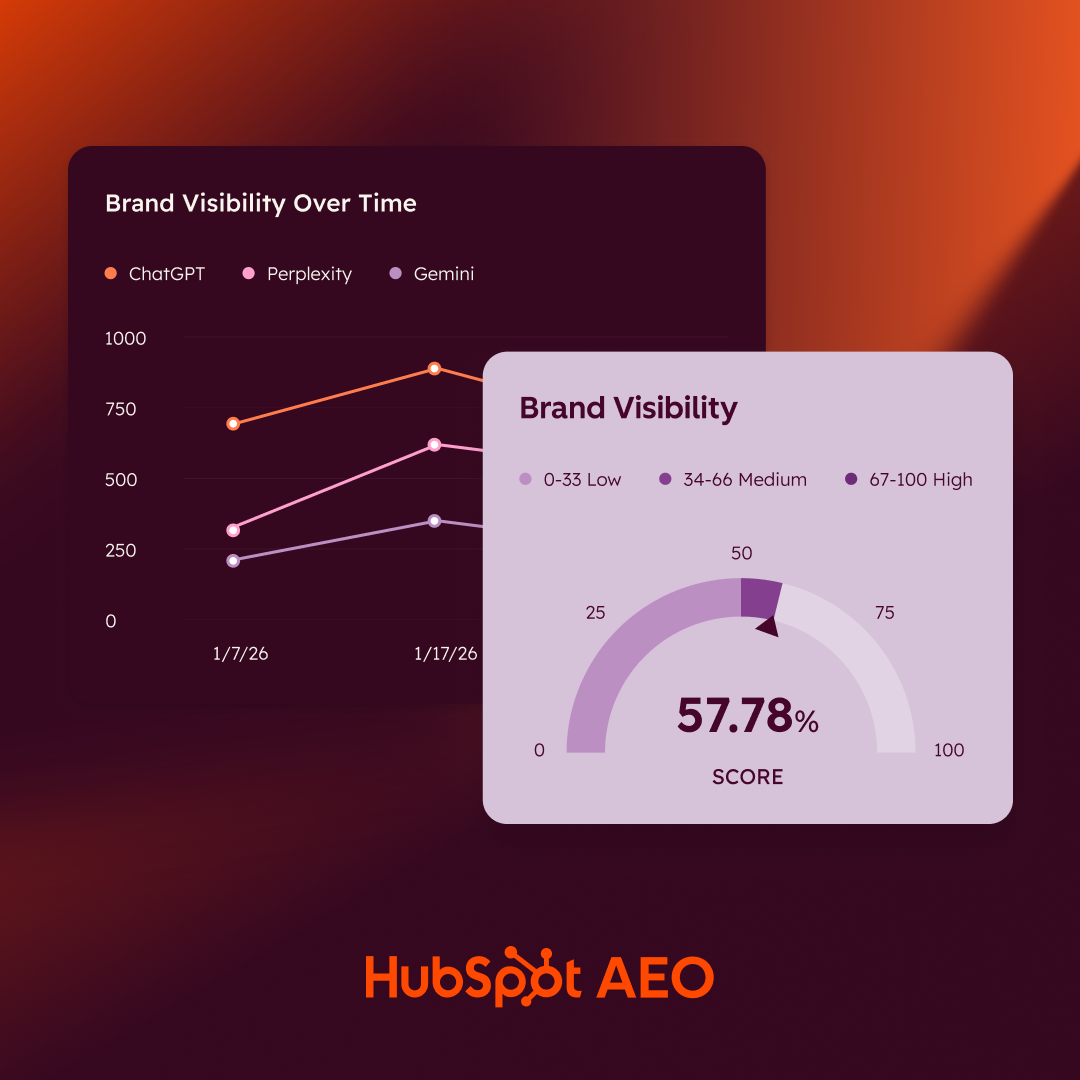
HubSpot AEO Tool
See exactly where your brand shows up in answer engines and take action to close AI visibility gaps.
- Track AI mentions.
- Analyze citations
- Monitor prompts
- Benchmark competitors
How I Evaluated the Best Website SEO Tools
Keyword Research
A good keyword research tool will let users submit a keyword and get data about the keyword’s volume, difficulty (how hard it is to rank for it), and related keywords.
Keyword and Rank Tracking
Rank tracking is probably one of my top use cases for website SEO software. I love a tool that lets me submit keywords and page URLs to track their positions in the SERPs over time. This helps me see if my SEO optimizations are working on my posts.
Site Audit
Site audits are crucial to identifying technical SEO issues. Technical SEO focuses on the ways you can optimize your site’s architecture and performance so that search engines can better crawl your pages.
Backlinks
Does the tool show how many backlinks a site has? Does it show the exact backlink URLs? What about a score so I can see the quality of those backlinks?
Historical Data
When you’re doing competitor analysis, or even if you just want to see how your site has done over time, historical data is super important. Not all website SEO tools go very far back in time, so if you didn’t track the data back then, it could be lost. I looked at how far back in time each of the website SEO software options went.
Competitor Research
Can the tool analyze domains other than your own? I looked at whether you can see a competitor‘s top keywords, traffic sources, rankings, site structure, and content gaps — or whether you’re limited to your own website data only.
AI Search and LLM Visibility
With AI Overviews and LLMs reshaping how people find information, I wanted to know: Does this tool track where your brand is being mentioned across ChatGPT, Perplexity, Gemini, Google AI, and other AI-powered search experiences?
Content Optimization
Does the tool help you write better content, not just research it? I looked for features like a built-in editor, real-time SEO recommendations, AI-assisted drafting, and the ability to grade your content against competitors.
Integrations
SEO data is more useful when it connects to your other tools. I checked whether each platform integrates with Google Search Console, Google Analytics, WordPress, CRMs, or project management tools — and whether it offers an API for custom setups.
Pricing
I compared starting prices and whether there's a free plan, free trial, or limited free version available.
The Best Website SEO Software
Below are my top seven website SEO software tools, along with detailed information on the 10 evaluation criteria I considered for each one. But if you just want a quick glance, check out the comparison table below first, then dive into the details below.
|
Tool Name |
Best For |
Standout Feature |
Pricing |
Free Trial |
|
HubSpot |
Marketing teams wanting all-in-one software with built-in SEO tools. |
Natively connects SEO performance to revenue by tying content to customers and deals closed. |
Starts at $10/month/seat. |
Yes (Free tools available). |
|
Google Search Console |
Getting the most accurate (and free) Google Search data of your own sites. |
Provides data directly from Google regarding clicks, impressions, and manual actions. |
Free. |
N/A (Free tool). |
|
Ahrefs |
Backlink analysis and keyword research. |
Claims the “world's largest index of live backlinks,” updated every 15–30 minutes. |
Starts at $129/mo (Hidden starter plan available for $29/mo). |
No. |
|
Semrush |
Deep historical data comparisons and keyword research. |
Historical data goes back to January 2012, the farthest back on this list. |
Starts at $139.95/mo (SEO Classic). |
Yes. |
|
Screaming Frog SEO Spider |
SEO professionals needing an advanced website crawler for technical deep-dives. |
A desktop application that crawls for technical issues and can render JavaScript. |
Free version available; paid version is $279/year. |
Yes (Free version limited to 500 URLs). |
|
KeySearch |
Independent bloggers looking for the most affordable keyword research tool. |
Suggests keywords for platforms other than Google, including Etsy, Pinterest, and eBay. |
Starts at $24/month. |
Yes (7 days). |
|
Frase |
Content marketing teams looking for a dedicated SEO content optimization tool. |
Provides real-time SEO and AEO scores as well as insights as you write within its editor. |
Starts at $45/month. |
Yes. |
|
Ranktracker |
Marketing teams wanting to develop international SEO strategies. |
Tracks rankings on Google, Bing, Yahoo, Yandex with over 100,000 trackable locations + all search engine-supported languages. |
Starts at $39/mo. |
No. |
1. HubSpot
Best for: Marketing teams wanting all-in-one software with built-in SEO tools
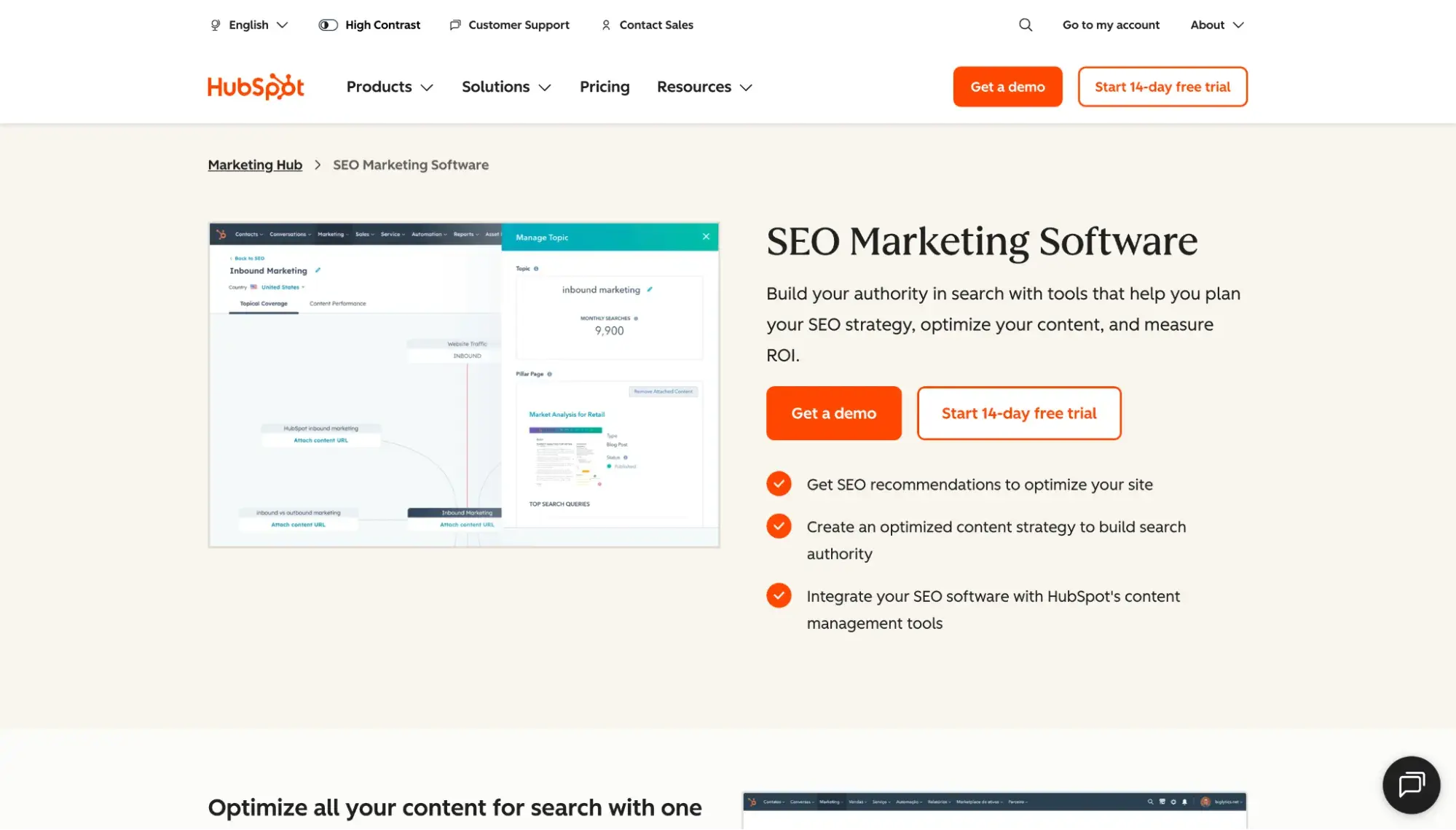
HubSpot is much more than SEO software; it’s an all-in-one customer platform with several distinct hubs, helping to unify your teams and personalize experiences for every customer. HubSpot is the only tool on this list that natively connects your SEO performance to revenue. Because HubSpot is a CRM, it can tie content to customers and deals closed (not just traffic).
Note: For the built-in SEO tools, you’ll want to buy either HubSpot’s Marketing Hub or Content Hub.
The advantage of using HubSpot’s built-in SEO tools is that you can centralize your content and marketing efforts, avoiding tool fragmentation. In reality, though, I find it useful to use multiple tools in conjunction with each other. For instance, I like to check HubSpot’s analytics to see how individual posts are performing, and with Marketing Hub Enterprise’s revenue attribution, I can see which deals they’re connected to (tying content to actual revenue). But then I might hop into Ahrefs (which I’ll review below) to cross-check the data and get even more insights, including how many AI overviews or featured snippets my content has grabbed.
HubSpot AEO Tool
See exactly where your brand shows up in answer engines and take action to close AI visibility gaps.
- Track AI mentions.
- Analyze citations
- Monitor prompts
- Benchmark competitors
HubSpot’s 10-Point Evaluation
- Keyword Research: No.
- Competitor Research: No. HubSpot’s analytics only show data for your own sites. However, HubSpot does offer a free AI Search Grader where you can submit competitor URLs to see how they score in AI visibility.
- Keyword and Rank Tracking: Yes. HubSpot shows which keywords your own site is appearing for, but not competitors. To see your site’s rankings, you’ll need to use the Google Search Console integration.
- Site Audit: Yes. With HubSpot, marketers can scan site pages for SEO recommendations.
- Backlinks: No.
- Historical Data: Yes. See your own site’s SEO performance going back several years.
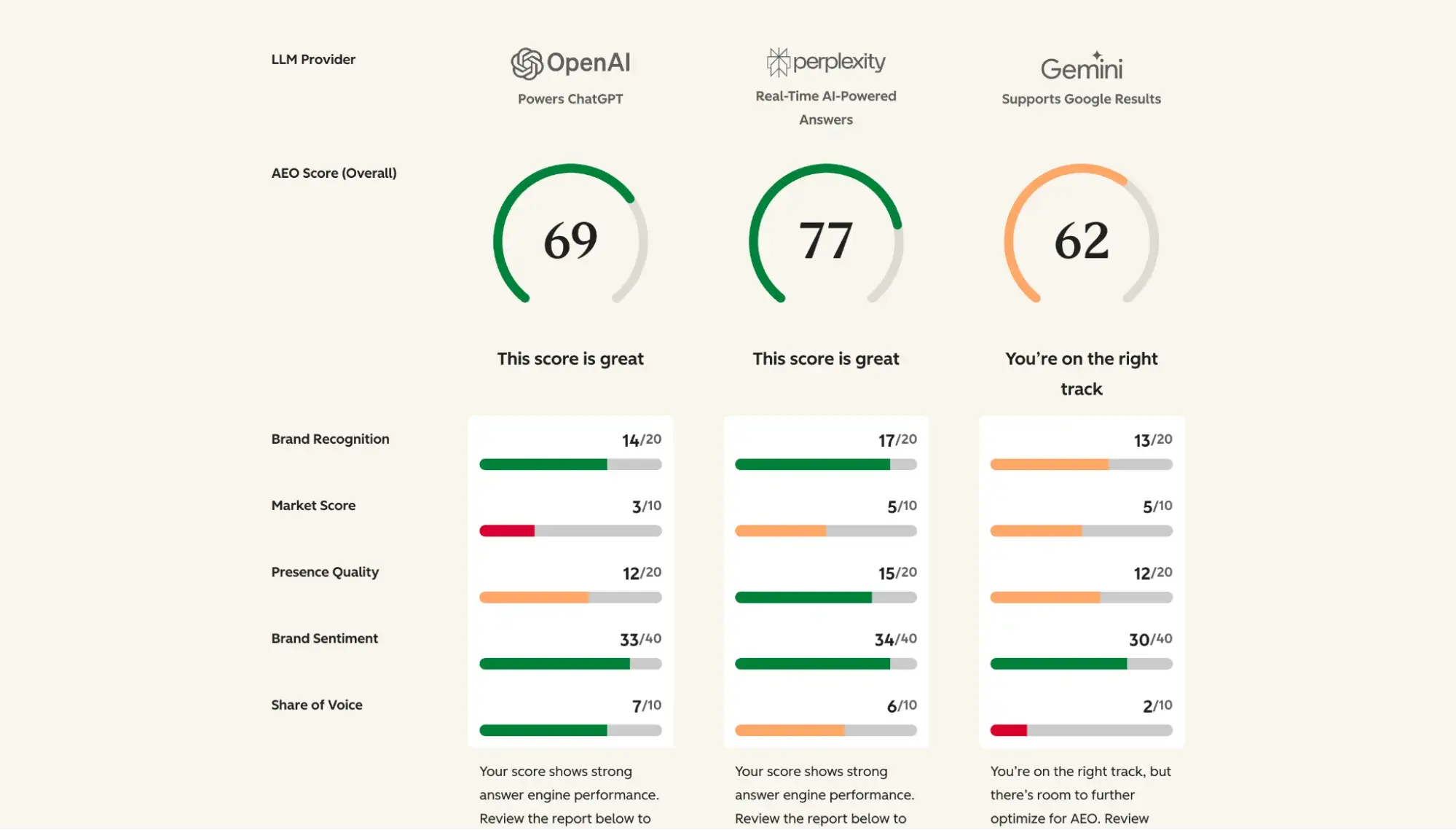
- AI Search and LLM Visibility: Yes. HubSpot shows LLM referrals. Additionally, HubSpot’s free AI Search Grader shows metrics like AEO score, brand recognition, and share of voice across ChatGPT, Perplexity, and Gemini.
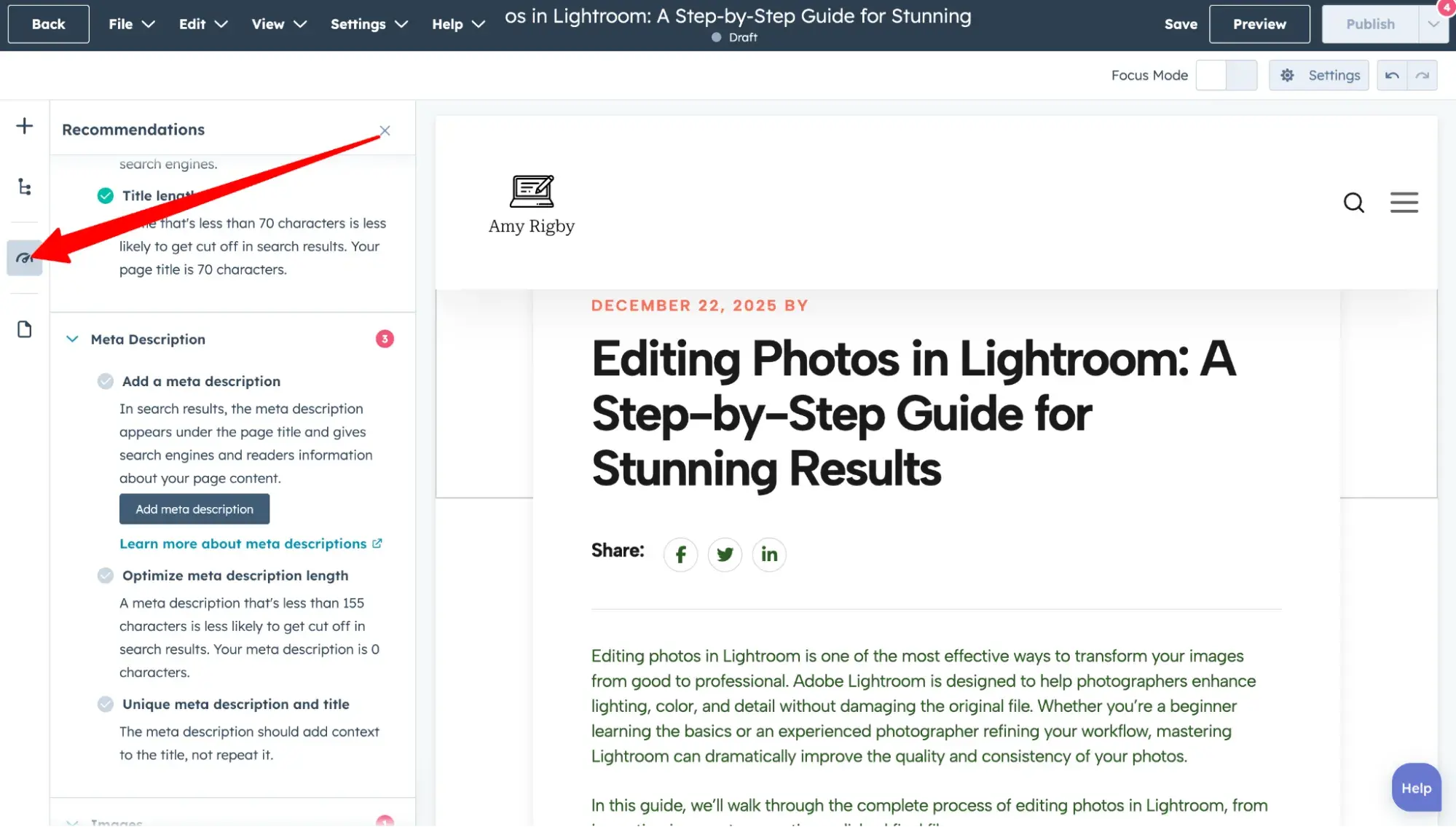
- Content Optimization: Yes. HubSpot Agent Hub is always available to help you refine and generate text. Content Hub offers content suggestions under the “Optimize” tab on the left side of your screen as you type in the editor.
- Integrations: Natively integrated CRM, plus sales, marketing, and customer service tools
- Pricing: SEO tools are accessible via HubSpot’s Content Hub and Marketing Hub products. Both products start at $10/month/seat on monthly billing.
Pro tip: For ongoing AI visibility tracking, HubSpot AEO monitors your brand across ChatGPT, Perplexity, and Gemini and delivers prioritized recommendations for improving it. The tool is available with Marketing Hub Pro and Enterprise, or standalone for $50/month with a free 28-day trial.
2. Google Search Console
Best for: Getting the most accurate (and free) Google Search data of your own sites
Google Search Console (GSC) is the OG. It predates all of the website SEO software tools on this list. And it’s free.
I still use GSC for all of my websites. It’s simple, accurate (data is directly from Google), and it sends me a monthly summary of clicks, impressions, and top growing pages.
Google Search Console’s 10-Point Evaluation
- Keyword Research: Yes. Google Search Console (GSC) shows you the keywords your site ranks for in Google, including impressions and clicks for individual URLs.
- Competitor Research: No. GSC shows only the data for your own websites (you must verify ownership), not competitors’.
- Keyword and Rank Tracking: Yes. GSC shows you the positions of your site’s URLs in the Google SERPs and how they fluctuate over time.
- Site Audit: Yes. GSC has limited site audit capabilities. It shows crawl errors, manual actions, and security issues.
- Backlinks: Yes. The GSC “Links” report shows external sites linking to yours, including which specific URLs are linking to which specific pages on your site. However, GSC does not create a score to show the quality of those backlinks.
- Historical Data: Yes. GSC will show your website data going back as far as 16 months.
- AI Search and LLM Visibility: No.
- Content Optimization: No.
- Integrations: Direct integration with Google Analytics. There is also a Google Search Console integration with HubSpot.
- Pricing: Free.
3. Ahrefs
Best for: Backlink analysis and keyword research
Ahrefs is the keyword research tool I currently use most often. In the SEO world, it’s well-respected and extremely popular, going head-to-head with another popular tool (Semrush, which we’ll go over below).
If you’re stuck on which one to choose (Ahrefs versus Semrush), I can offer you two guidelines:
- Based on my reading of Reddit forums and G2 reviews, the commonly held belief is that Ahrefs is better for backlink analysis while Semrush is better for keyword research — but they’re both extremely similar and incredibly robust SEO software tools.
- If teams need a tool to research historical rankings, Semrush’s data goes back farther than Ahrefs’ (January 2012 versus June 2015), so Semrush might win there.
When I was using Ahrefs years ago, it offered a seven-day free trial for $7, but Ahrefs has since gotten rid of this option.
Ahrefs’ 10-Point Evaluation
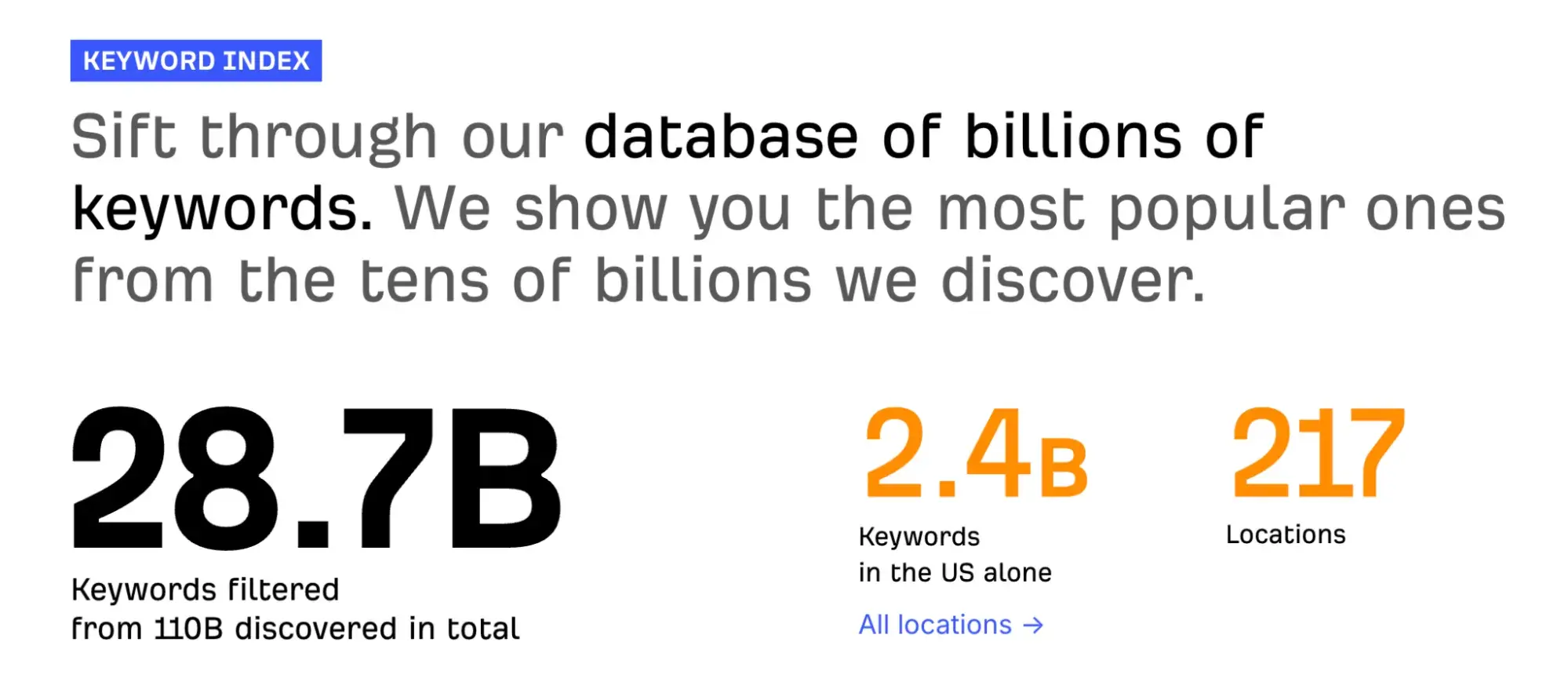
- Keyword Research: Yes. Keywords Explorer shows keyword volume, difficulty, and traffic potential. Ahrefs claims to have a database of 28.7 billion keywords.
- Competitor Research: Yes. Site Explorer lets users analyze competitors' top organic keywords, traffic sources, and paid ads. The Portfolios feature lets you group and track up to 10 competitor domains.
- Keyword and Rank Tracking: Yes. Rank Tracker monitors keyword rankings across 190+ locations, down to the zip code level.
- Site Audit: Yes. Site Audit crawls pages to check for 170+ technical and on-page issues on websites (your own or your competitors’) and groups them by severity (errors, warnings, and notices). Get insights into crawlability and internal linking. Ahrefs offers a free site audit tool, but you must verify ownership of the site you submit and sign up for a free Ahrefs account.
- Backlinks: Yes. Site Explorer shows you how many backlinks you have, where they come from, and their quality. It does this for competitors as well. Content Explorer lets you find unlinked brand mentions and broken links. Ahrefs claims "the world's largest index of live backlinks, updated with fresh data every 15–30 minutes."
- Historical Data: Yes. Ahrefs shows historical keyword ranking data as far back as June 2015 in Site Explorer (though you must have the Enterprise plan to go back that far). Note: Ahrefs’ official website states that its historical keyword data goes back to May 2015, but when I tested it myself in the tool, the farthest I can go back is June 1, 2015.
- AI Search and LLM Visibility: Yes. Ahrefs Brand Radar lets users monitor any brand‘s AI search visibility across Google’s AI Overviews and AI Mode, ChatGPT, Copilot, Gemini, and Perplexity. You can purchase Brand Radar as a standalone tool or an add-on to your Ahrefs subscription.
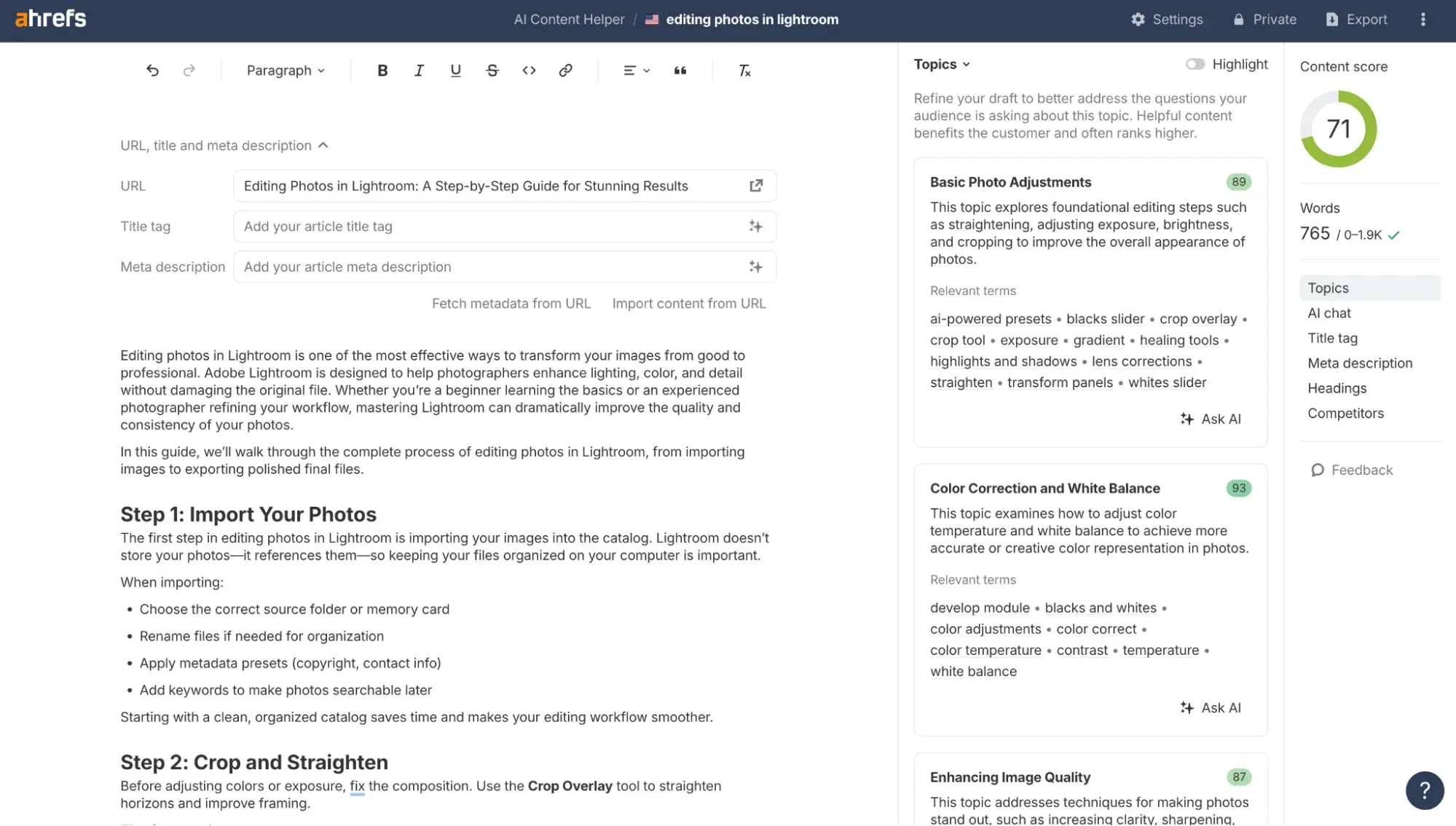
- Content Optimization: Yes. Ahrefs offers AI Content Helper, which provides real-time insights as you write. It grades your content against competitors', identifies coverage gaps, and helps you optimize for multiple search intents.
- Integrations: Google Search Console, Pagespeed Insights, Screaming Frog SEO Spider, WordPress, and more. Ahrefs also offers an API for developers wanting to create custom integrations.
- Pricing: Ahrefs plans start at $129/mo on monthly billing. The Brand Radar add-on (for tracking AI search visibility) starts at $199/month.
Pro tip: Ahrefs has a hidden Starter plan for only $29/month. It’s not advertised on the pricing page, and its features are very limited, but I’ve bought it before for some one-off keyword ranking research, and it was useful for me!
HubSpot AEO Tool
See exactly where your brand shows up in answer engines and take action to close AI visibility gaps.
- Track AI mentions.
- Analyze citations
- Monitor prompts
- Benchmark competitors
4. Semrush
Best for: Deep historical data comparisons and keyword research
Semrush is a big name in the SEO space that has always been too premium a price for a freelancer like me to afford on a regular basis. But the good news is that, unlike Ahrefs, Semrush offers a free trial. So, you can test Semrush before committing to a paid plan.
Semrush’s 10-Point Evaluation
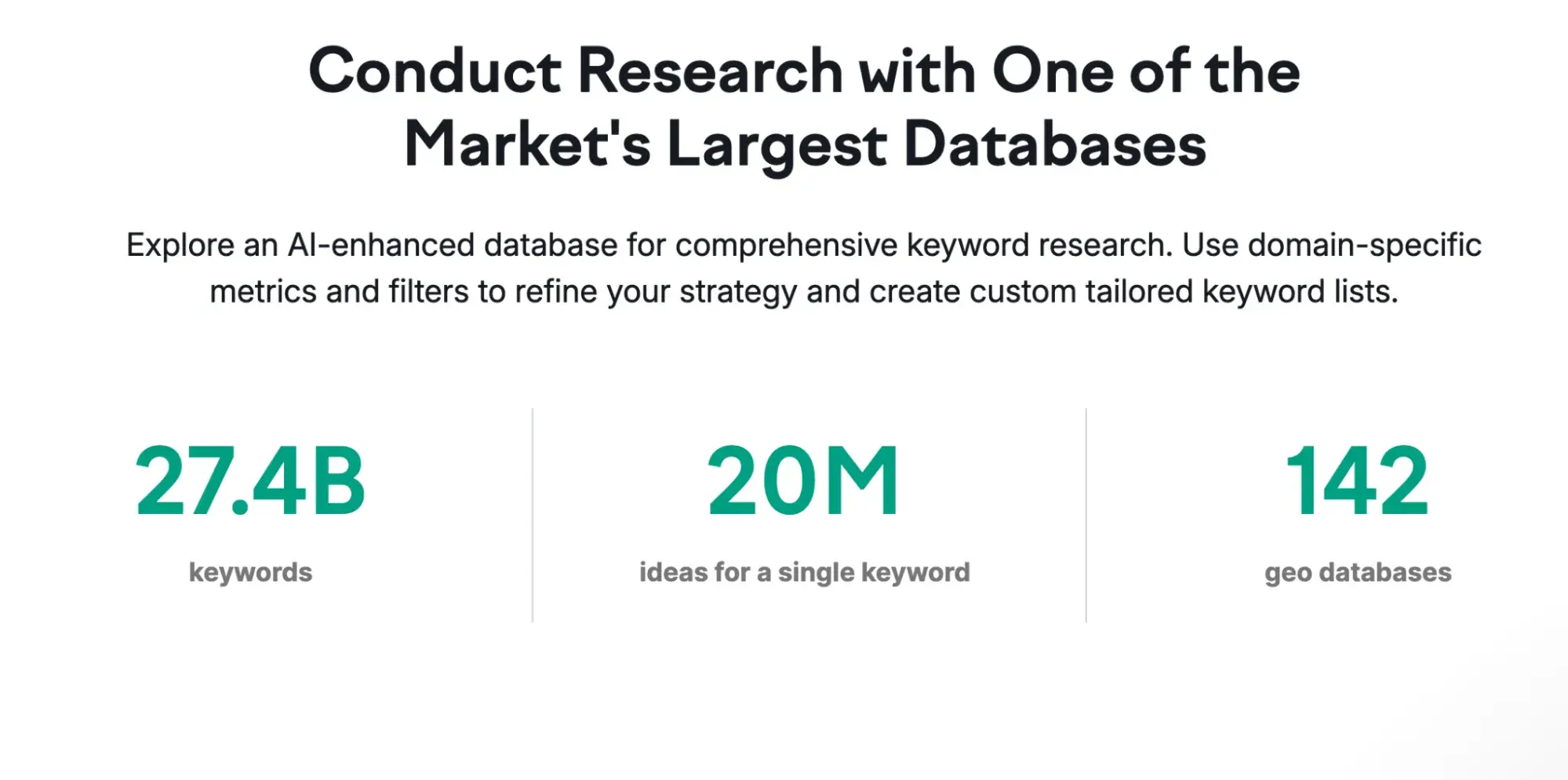
- Keyword Research: Yes. The Keyword Magic tool shows keyword difficulty, volume, intent, trends, and more. Semrush claims to have a database of 27.4 billion keywords across 142 geo databases.
- Competitor Research: Organic Research helps teams analyze competitors' rankings in Google’s top 100, discover the keywords driving their traffic, and track ranking changes over time.
- Keyword and Rank Tracking: Yes. Semrush has rank tracking capabilities across locations, down to the zip code level.
- Site Audit: Yes. Semrush's Site Audit tool scans for 140+ technical and SEO issues, categorized by severity (errors, warnings, and notices). It also gives technical SEO audit reports on crawlability, site performance, and internal linking. You can audit your own websites or your competitors’. Semrush offers a free site audit tool that doesn’t require website ownership verification or account signup, but it is limited compared to the paid tool.
- Backlinks: Yes. Semrush claims to have a database of 43 trillion backlinks. Semrush lets users see a domain's total number of backlinks as well as the quality of those backlinks (through a proprietary measure called “authority score”) and helps you find high-authority sites you can reach out to for link building.
- Historical Data: Yes. Semrush's historical data goes all the way back to January 2012, the farthest back on this list, which makes it great for those needing deep historical data. To access historical data in Semrush, you need the mid-tier plan: Guru.
- AI Search and LLM Visibility: Yes. Semrush‘s AI Visibility Toolkit helps businesses monitor how they’re showing up in AI search, with AI visibility reports, tracking of up to 25 custom prompts, and tracking of mentions in ChatGPT, Google AI, Gemini, and Perplexity. You can purchase the AI Visibility Toolkit as a standalone subscription, or access it in any of the Semrush One plans.
- Content Optimization: Yes. Semrush offers the SEO Writing Assistant (SWA), which provides real-time insights and suggestions to help with SEO performance and readability, among other things.
- Integrations: Google Search Console, Google Analytics, Trello, WordPress, and more. Semrush also offers an API for custom integrations.
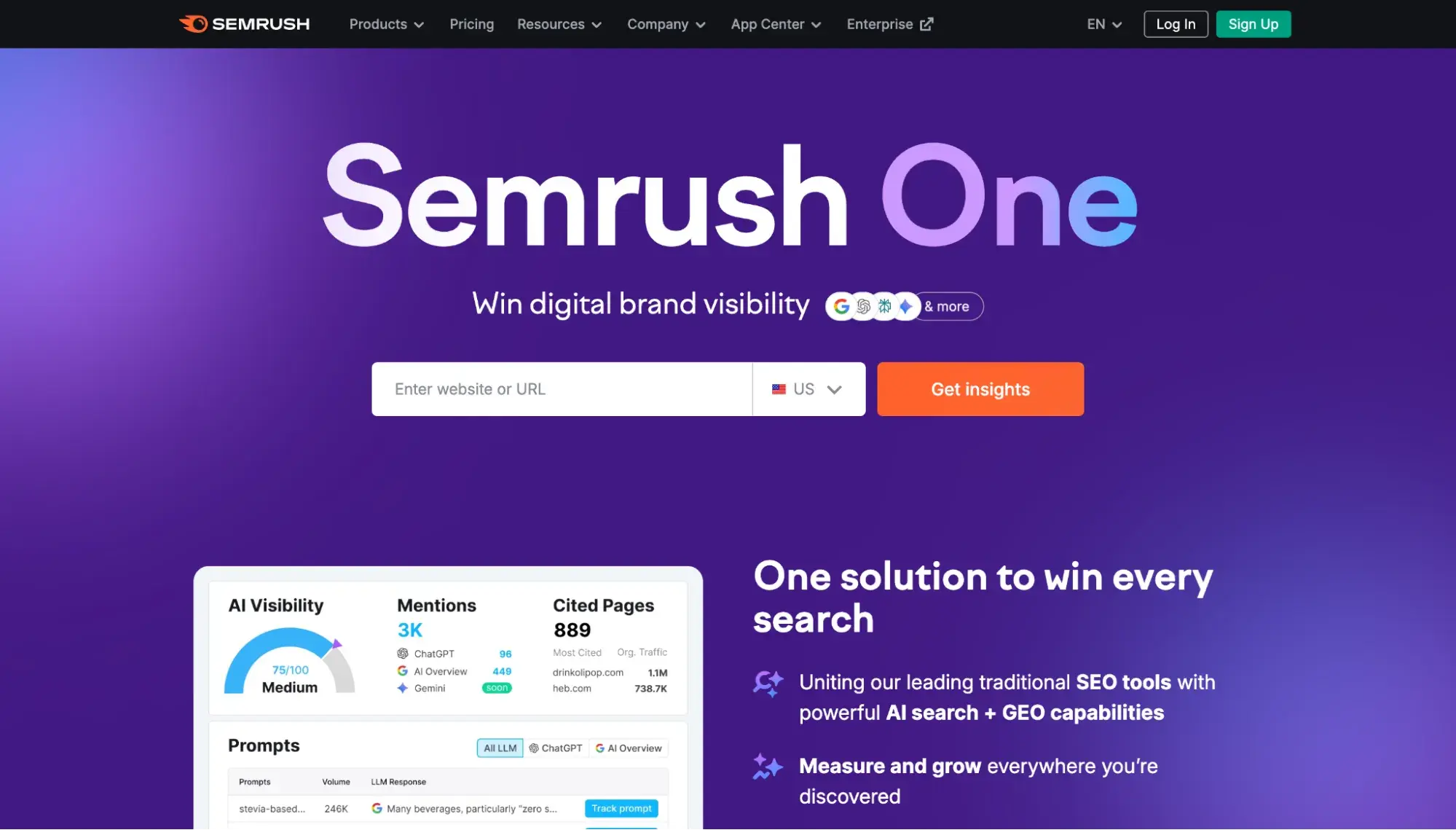
- Pricing: Semrush offers a free seven-day trial. Semrush plans depend on which toolkit you need. The SEO Classic toolkit covers keyword research, site audits, and historical data, starting at $139.95/mo on a monthly billing plan. The AI Visibility toolkit for AI search monitoring starts at $99/mo on a monthly billing plan. Or, there's the new (as of October 2025) all-in-one flagship product, Semrush One, which includes SEO Classic, AI Visibility, and more, starting at $199/month.
5. Screaming Frog SEO Spider
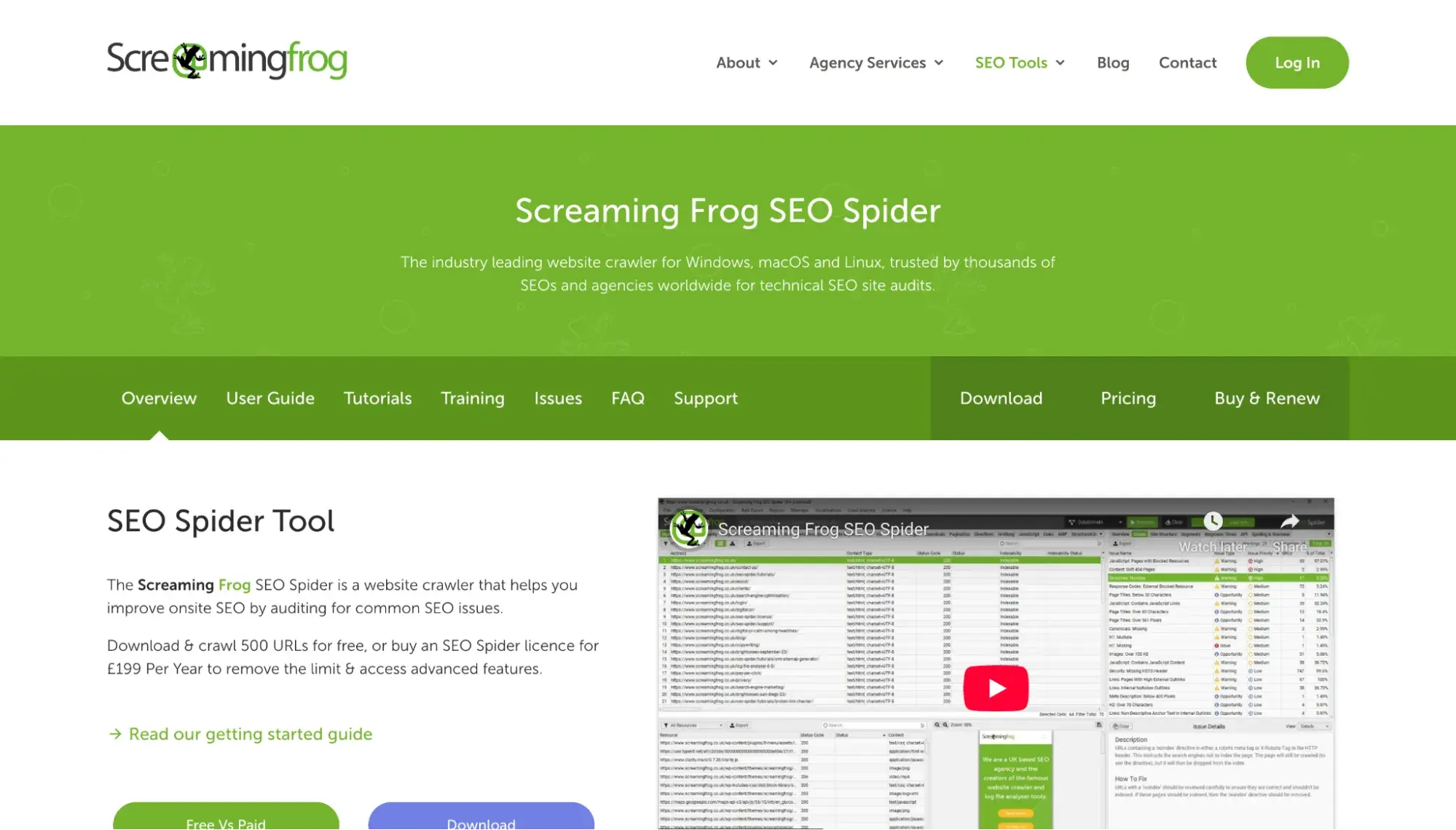
Best for: SEO professionals needing an advanced website crawler for technical deep-dives into even the largest websites
Website SEO software goes way beyond keywords. Screaming Frog SEO Spider focuses on technical SEO by diagnosing technical issues on your site that might be hurting your rankings. Unlike the SaaS tools on this list, SEO Spider is a desktop application.
Screaming Frog SEO Spider 10-Point Evaluation
- Keyword Research: No. Screaming Frog is not a traditional keyword research tool in that it doesn’t show you keyword volume, competition, etc. However, you can use the “custom search” feature to crawl a website for keyword mentions as a way to find internal linking opportunities.
- Competitor Research: Yes. While Screaming Frog does not provide traffic estimates or keyword search volumes, you can use it to analyze a competitor's site structure, scrape pricing, find broken links, or view page titles and metadata.
- Keyword and Rank Tracking: No.
- Site Audit: Yes. This is what Screaming Frog SEO Spider is built for. It's an advanced website crawler designed to find technical SEO issues, like broken links, errors, redirects, and duplicate content. Its paid plan can even render JavaScript.
- Backlinks: No. Screaming Frog doesn’t maintain a database of live backlinks. However, it does let you pull external link metrics via API for Majestic, Ahrefs, or Moz.
- Historical Data: No.
- AI Search and LLM Visibility: No.
- Content Optimization: No. Screaming Frog SEO Spider crawls for technical issues. However, it can indirectly help with content optimization by providing information on duplicate content, readability scores, and more.
- Integrations: Users can integrate via API for Google Analytics, Google Search Console, PageSpeed Insights, Ahrefs, Moz, Majestic, and more.
- Pricing: Screaming Frog SEO Spider offers a free version (limited to 500 URLs). For access to unlimited URLs and more advanced features, upgrade to the paid version for $279 per year (license for one user).
6. KeySearch
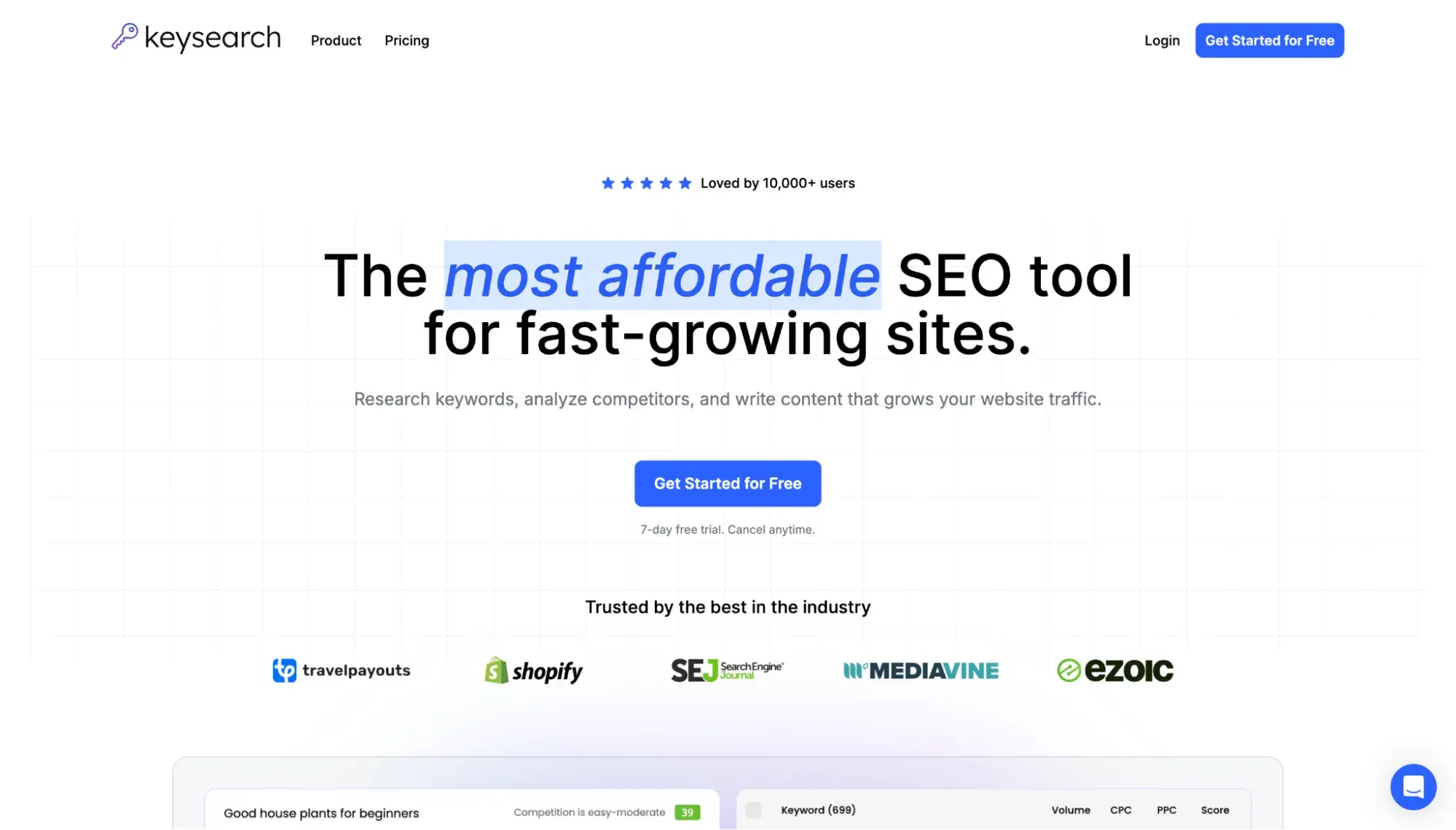
Best for: Independent bloggers looking for the most affordable keyword research tool
If you’re looking for a Semrush and Ahrefs alternative that doesn’t break the bank, you’ll probably like KeySearch. I used KeySearch extensively around 2017 when I ran a profitable travel blog whose main source of traffic was Google Search, and I needed a keyword research tool but wanted to keep my costs super low. Honestly, it was perfectly sufficient for my use case. I feel like it’s SEO’s best-kept secret in terms of keyword research tools.
However, notably, KeySearch does not provide any data on how a site is performing in AI search.
HubSpot AEO Tool
See exactly where your brand shows up in answer engines and take action to close AI visibility gaps.
- Track AI mentions.
- Analyze citations
- Monitor prompts
- Benchmark competitors
KeySearch’s 10-Point Evaluation
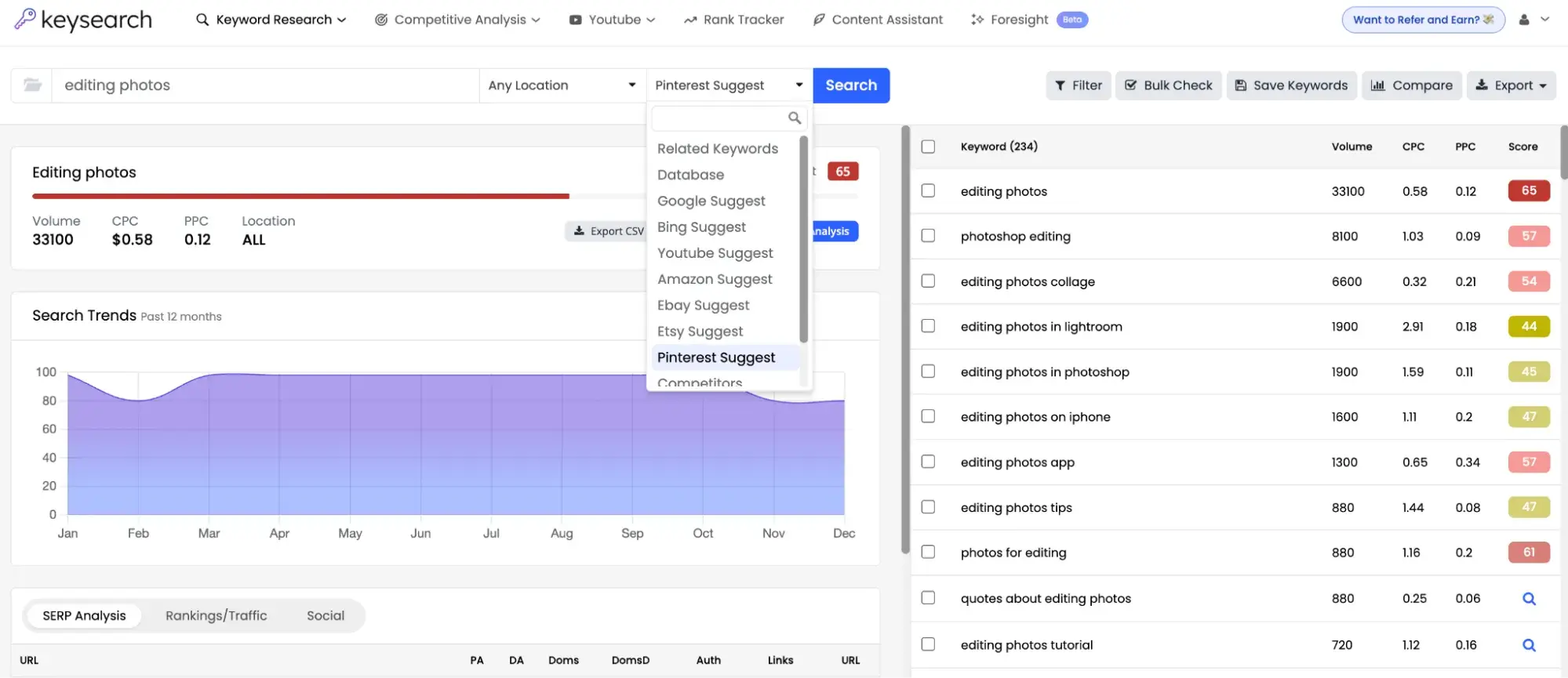
- Keyword Research: Yes. KeySearch shows you keyword difficulty, volume, CPC, and PPC. One unique feature is that KeySearch actually suggests keywords for other places, too, including Etsy, Pinterest, and eBay.
- Competitor Research: Yes. KeySearch lets you type in a URL and shows you domain strength, competition level, number of backlinks and referring domains, and number of organic keywords. It also lets you do a deep dive into the backlinks.
- Keyword and Rank Tracking: Yes. KeySearch has Rank Tracker, which lets you monitor keyword positions over time.
- Site Audit: Yes. KeySearch offers site audits to uncover technical issues.
- Backlinks: Yes. KeySearch lets you submit a URL to uncover the backlink profile of your own site or your competitors' sites.
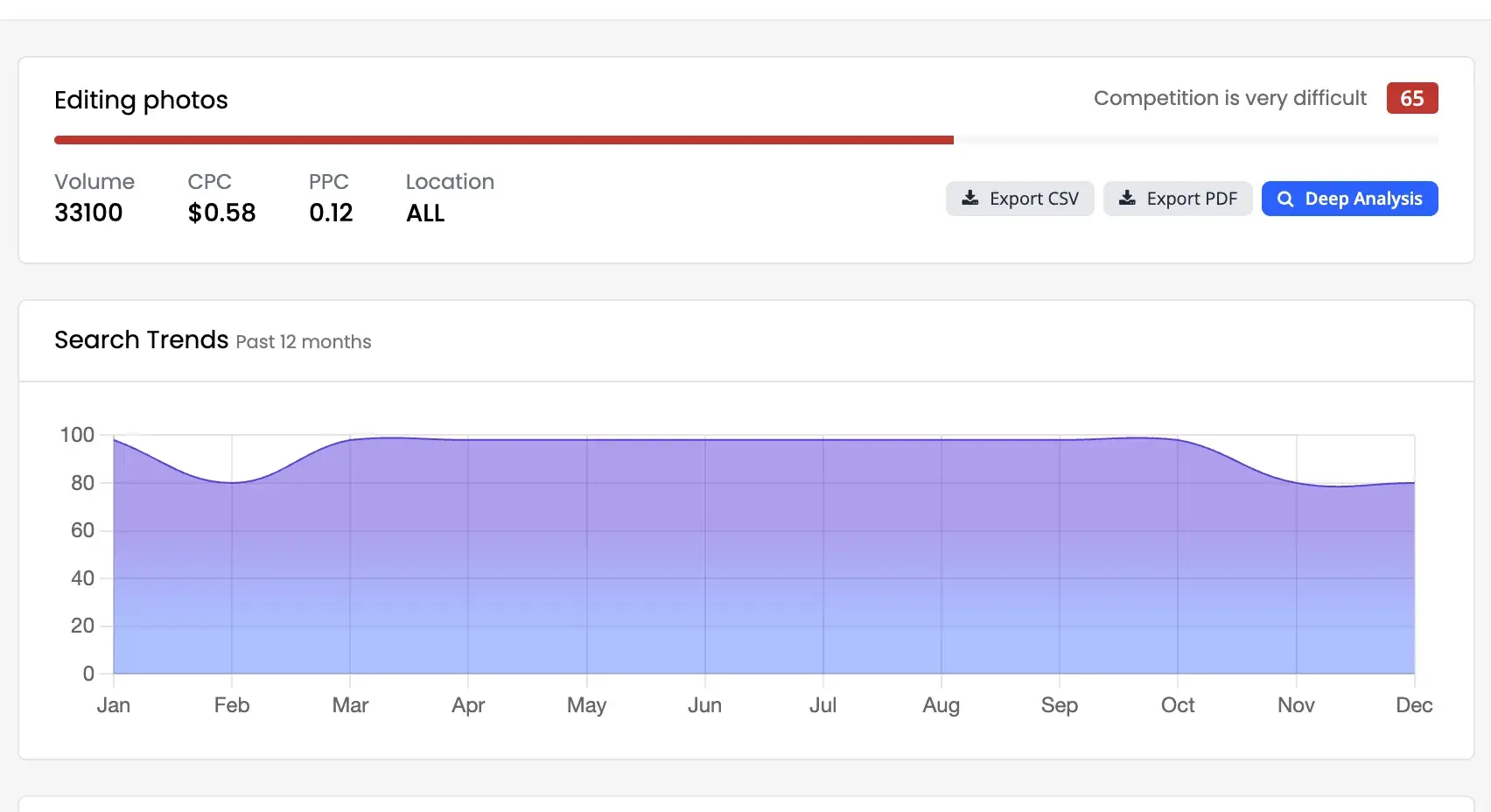
- Historical Data: Unclear. I couldn’t find any official KeySearch statements about how far back its data goes. However, from my own testing, I can say that KeySearch shows search trends data going back 12 months.
- AI Search and LLM Visibility: No.
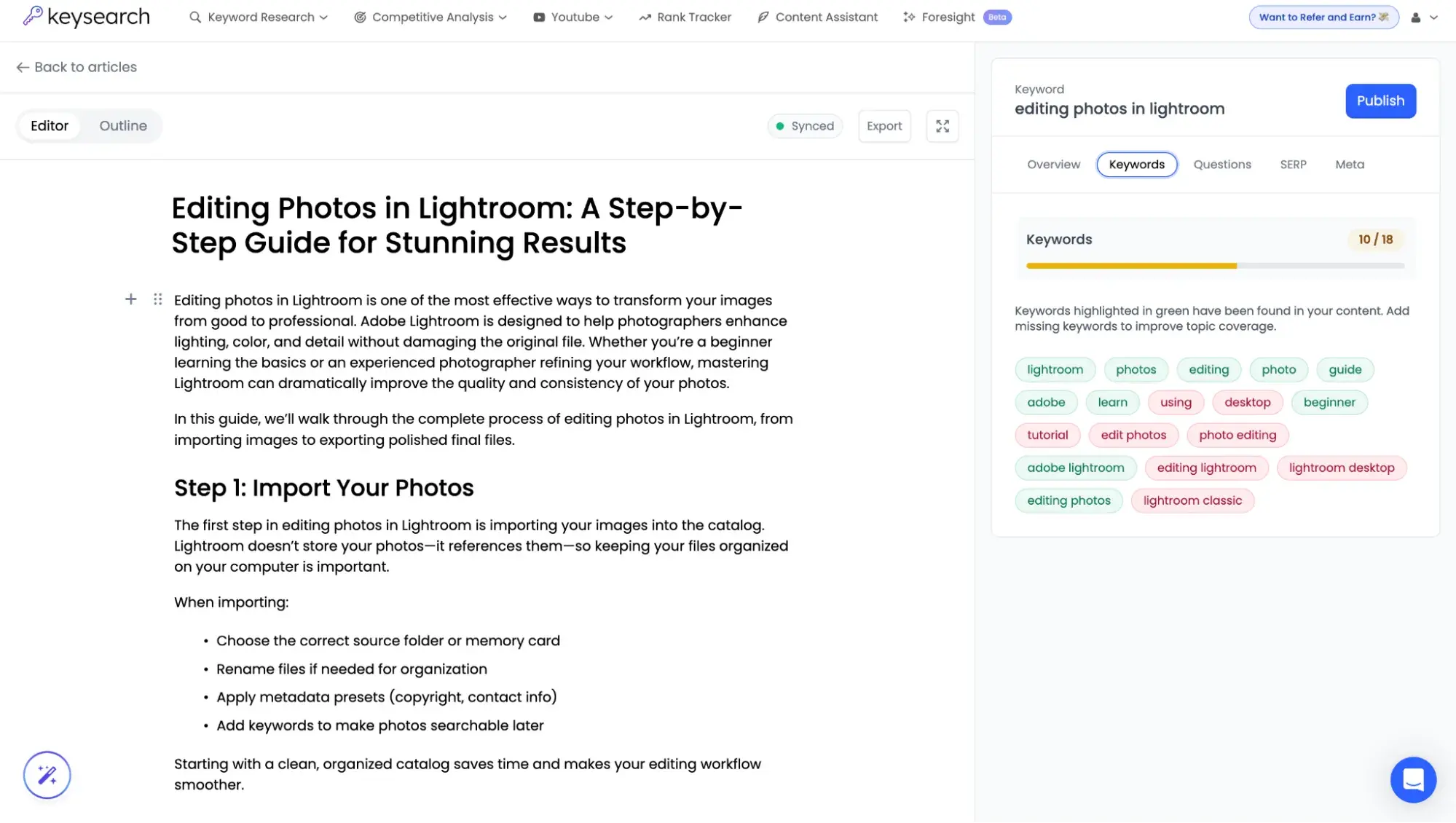
- Content Optimization: KeySearch now has Content Assistant, which can use AI to generate a draft, or you can paste your own draft. In the editor, it provides information on keywords, questions searchers might ask, and SERP overview, but it’s not as robust as Ahrefs, Semrush, or Frase.
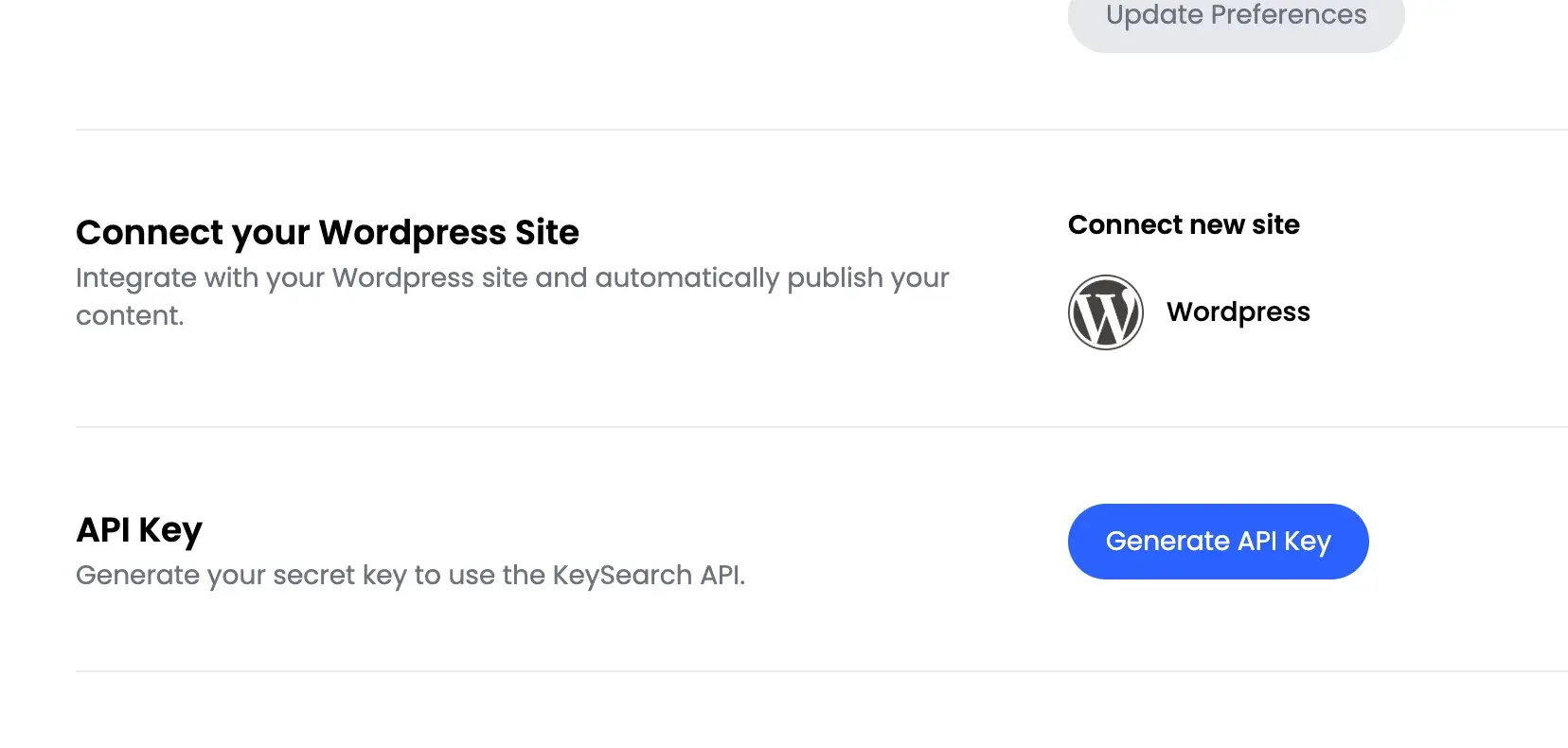
- Integrations: KeySearch lets you connect your WordPress site. KeySearch also offers a GET API for developers to retrieve lists and keyword difficulty scores.
- Pricing: KeySearch plans start at $24/month on monthly billing, making it the most budget-friendly keyword research tool on this list.
Pro tip: When signing up for the seven-day free trial, the checkout screen for me showed “1-day free trial,” but then the confirmation page showed seven days.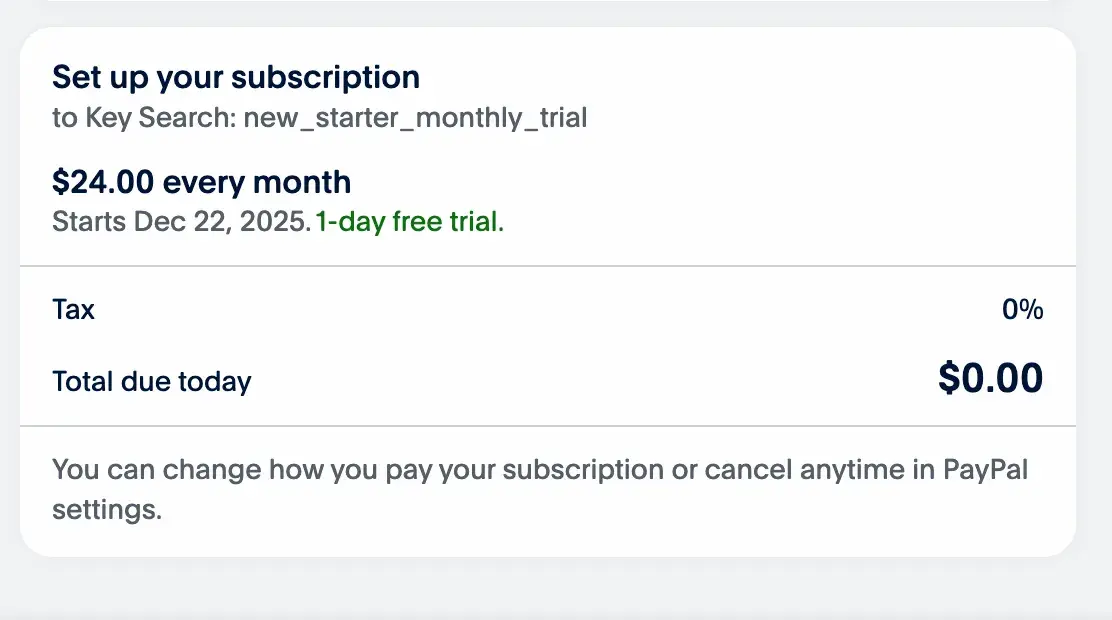
7. Frase
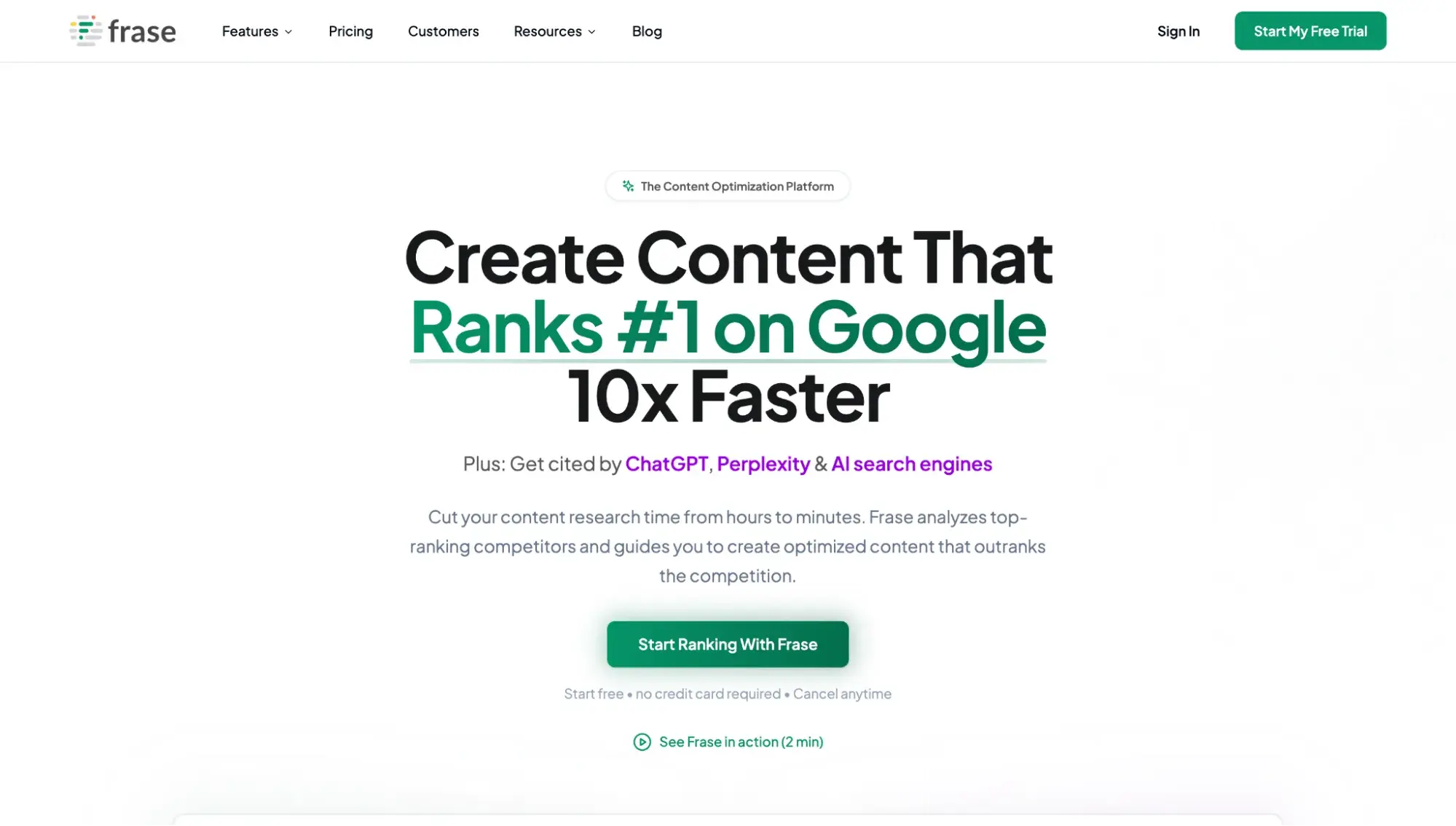
Best for: Content marketing teams looking for a dedicated SEO content optimization tool
I am going to be really honest with you: As a writer, I did not enjoy using Frase when a client of mine requested I use it. But as a content marketer? It works. My client saw huge organic traffic improvements after using this tool.
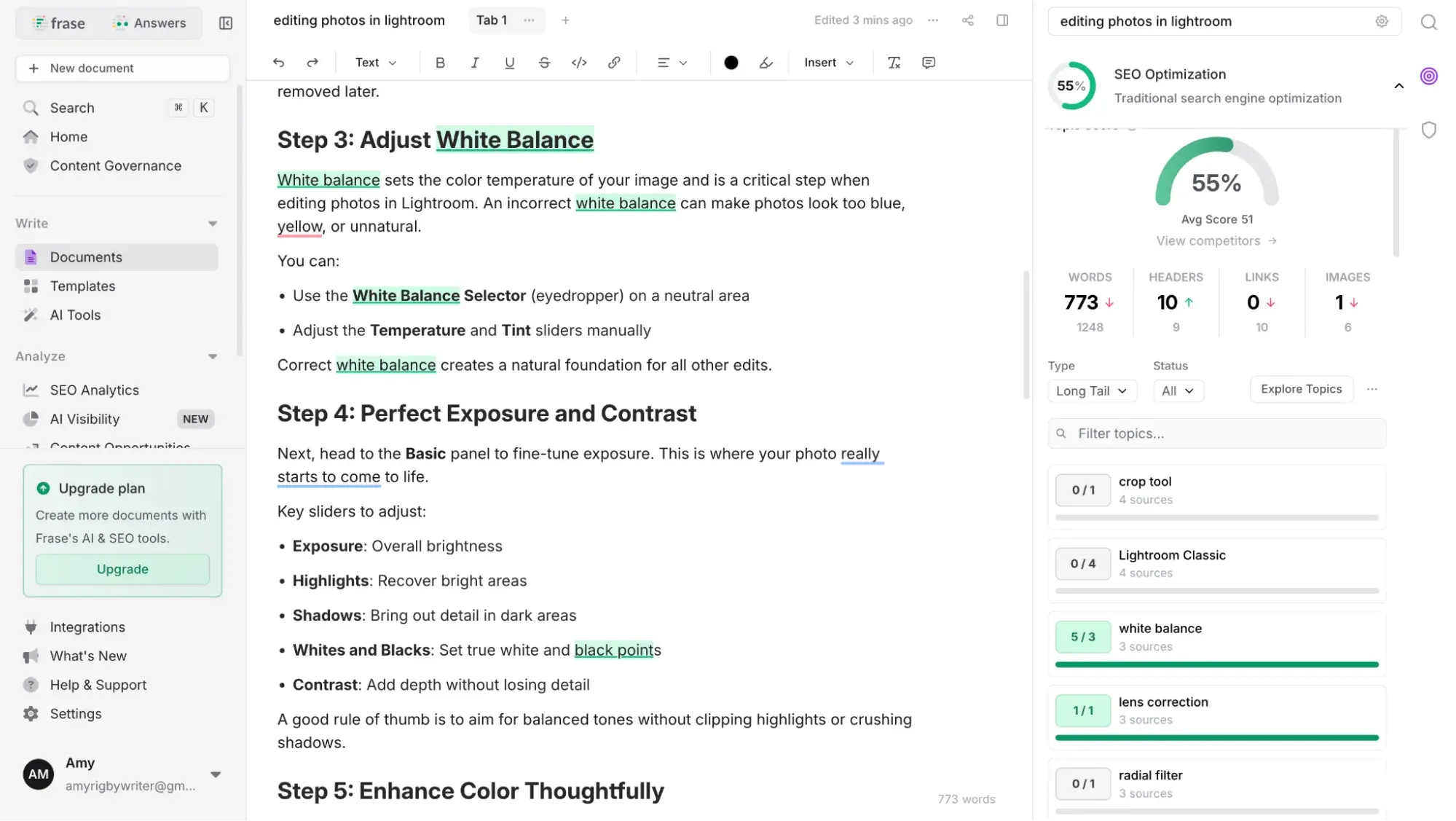
Here’s why I didn’t enjoy it as a writer: It can feel very restrictive because it tells you what you should write, such as which topics, headings, and keywords to include. And it can feel like you’re just checking off boxes (within the editor, you have to turn as many lights green as possible). But if your goal is to optimize content to rank better in search? Frase can help.
Frase’s 10-Point Evaluation
- Keyword Research: Yes. Frase has SERP analysis to show you your top 10 ranking articles and Query Research to help you find People Also Ask questions and related search terms.
- Competitor Research: Yes. Frase offers competitive insights, including finding content gaps and unique angles to help you outrank competitors.
- Keyword and Rank Tracking: Yes. Frase connects with Google Search Console to show you "content opportunities," which tracks your webpages and helps you rescue pages that are declining in ranking.
- Site Audit: No, Frase isn’t a technical crawler like Screaming Frog, so it doesn’t do site audits that find technical issues. However, it does conduct content audits to quickly show you your greatest opportunities to rank, alerts you to rising/falling rankings, and shows you keyword-level insights.
- Backlinks: No.
- Historical Data: Yes. Frase's paid plans do offer historical data: six months on the Scale plan and 24 months on the Advanced plan.
- AI Search and LLM Visibility: Yes. Frase helps marketers monitor AI visibility, share of voice, and sentiment score across ChatGPT, Claude, Gemini, Perplexity, and Google AI.
- Content Optimization: Yes, Frase excels at content optimization, as that is what the tool focuses on. Content teams can ensure the best content by uploading samples and training the AI on your brand voice.
Frase provides real-time SEO scores and AI insights as you write in its editor.
- Integrations: Frase offers a WordPress plugin, Chrome extension, and Google Docs add-on.
- Pricing: Frase starts at $45/month and offers a free trial.
8. Ranktracker
Best for: Multi-search engine, location, and language rank tracking
Ranktracker is a unified SEO software with rank tracking features particularly useful for teams who want to focus on international SEO strategies. The platform measures ranking performance across Google, Bing, Yahoo, and Yandex across multiple languages and 100,000 + trackable locations. Ranktrakcer also covers site audits, backlink monitoring, and more.
Ranktracker’s 10-Point Evaluation
- Keyword Research: Yes. Ranktracker’s keyword research tool lets you measure ranking difficulty, find long-tail variations, view historical search volumes and performance, and save target search terms into lists.
- Competitor Research: Yes. The rank tracking tool offers side-by-side ranking performance comparisons between you and your competitors. You can also view competitor backlinks with the Backlink Checker.
- Keyword and Rank Tracking: Yes. Rank tracking is one of the platform’s hallmarks. It measures metrics like average SERP positions and ranked SERP features, estimated traffic, and more.
- Site Audit: Yes. Ranktracker’s site auditing tool evaluates your website for on-page SEO factors.
- Backlinks: Yes. Ranktracker includes both a backlink checker (for competitive analysis) and a backlink monitoring tool (for your own backlink performance).
- Historical Data: Yes.
- AI Search and LLM Visibility: Yes. Only covers Google AI Overview support.
- Content Optimization: Yes. Features an AI article writer that generates readily optimized blog posts.
- Integrations: Available via API.
- Pricing: Ranktracker starts at $39/month.
How to Choose the Right Website SEO Software
Step 1: Define your SEO goals.
Sit down with your team and determine the deeper reasons behind investing in website SEO software. Is it to:
- Optimize existing content?
- Come up with ideas for articles that will rank in Google?
- Get more customers into your brick-and-mortar business?
- Outrank your competitors in Google?
- Increase brand mentions and citations in AI search and LLMs?
- Fix technical issues that are impacting SEO?
- Report to leadership on exactly how SEO impacts revenue?
Step 2: Map those goals to SEO software features.
Once the goals are defined, map them to the features your website SEO software requires. Some examples:
- Optimize existing content → Content editor with SEO recommendations
- Come up with ideas for articles that will rank in Google? → Keyword research
- Get more customers into your brick-and-mortar business? → Local SEO features
- Outrank your competitors in Google? → Competitor analysis
- Increase brand mentions and citations in AI search and LLMs? → AI search features
- Fix technical issues that are impacting SEO? → Technical SEO audit
- Report to leadership on exactly how SEO impacts revenue → Attribution reporting
HubSpot AEO Tool
See exactly where your brand shows up in answer engines and take action to close AI visibility gaps.
- Track AI mentions.
- Analyze citations
- Monitor prompts
- Benchmark competitors
Step 3: Establish a baseline.
Before you start testing new SEO tools, measure your baseline.
- What’s your current monthly traffic, bounce rate, and number of keywords ranked for?
- How long does it currently take you to do keyword research, SEO-optimize briefs/articles, and pull relevant SEO data?
Step 4: Sign up for free trials and demo the tools.
Every website SEO software option I included in this article has a free trial, free plan, or demo available. Take each tool for a test drive and see which one feels more intuitive and best meets your established goals.
Step 5: After a trial period, compare your latest SEO metrics against your baseline.
After 30, 60, and 90 days (or whatever time period works best for your team), revisit your baseline metrics and compare them to current metrics. Have you seen an improvement in search rankings, AI citations, or workflow efficiency?
A caveat: It’s easy to think that upgrading to advanced website SEO software will cure your ranking woes, but that’s not always the case. Sometimes, a decline in SEO metrics might mean you’re simply in a highly competitive niche, Google updated its algorithm, or your content itself is lacking.
That’s why you might need to look at other metrics that are less direct, such as the amount of time it takes your team to evaluate SEO/AEO efforts, or more qualitative metrics, such as how good your content is after using these website SEO software tools.
When Website SEO Software Should Live Inside Your CRM
A CRM houses all of your contacts and vital information about them that helps you build and nurture relationships, and, ultimately, drive more sales. Website SEO software should live inside your CRM when your marketing team needs to connect SEO performance to business revenue.
For example, HubSpot’s SEO tools are natively connected to its CRM, so you can see which pages are ranking well and how much revenue is attributed to them.
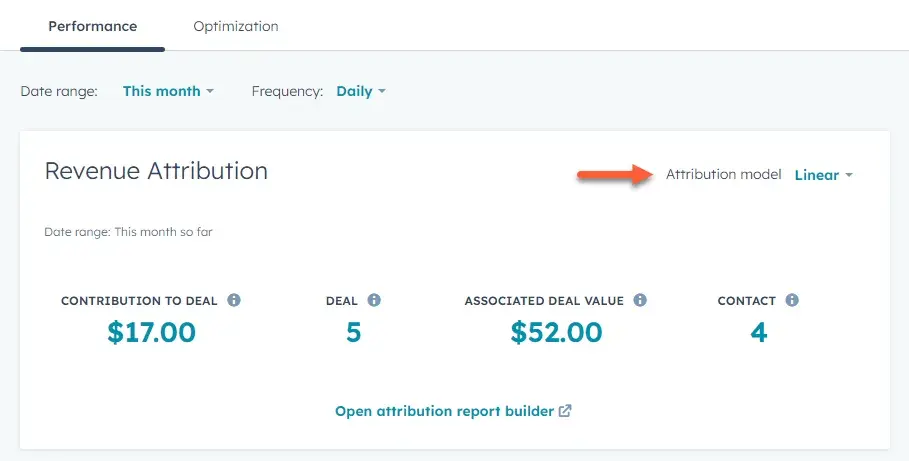
If you don’t use a CRM, or you don’t need to prove your SEO ROI, then having a standalone tool is fine. In fact, many businesses decide to use a standalone dedicated tool alongside HubSpot for deeper SEO analytics, such as diving into backlink profiles or doing extensive keyword research.
Frequently Asked Questions About Website SEO Software
How do I connect SEO software to my CRM and CMS?
Developers can connect SEO software to a CRM, CMS, or other software by utilizing APIs. For example, HubSpot, Semrush, and Ahrefs offer APIs with extensive documentation for technical teams wanting to set up custom integrations.
However, by far, the simplest way is to use a tool with a built-in CRM and CMS. HubSpot has a CMS that is built upon a native CRM, so your content and customer data are connected on one platform, offering opportunities for much deeper personalization and ROI analysis.
What changes with AI overviews and LLMs for SEO?
There’s no doubt that AI has impacted SEO. AI overviews and LLMs have made answer engine optimization (AEO) an essential companion to traditional search.
Now, instead of merely optimizing to rank in Google, marketers are optimizing to get cited in AI overviews and in LLM outputs, including those from ChatGPT, Perplexity, and Gemini. This doesn’t mean SEO is dead; it means marketing teams have extra work to do on top of SEO, as many users are now turning to answer engines, not just Google.
How fast will I see results after switching tools?
First, a word of caution: Having the best website SEO software isn’t a magic fix for a poor SEO/AEO strategy or low-quality content. Second, it depends. I’d do 30-, 60-, then 90-day check-ins on your metrics post-implementation of your SEO tools. If you don’t see any improvements after 90 days, I’d say it’s time to rethink whether that tool is meeting your needs and reassess your strategy.
Do I need plugins if my CMS has built‑in SEO features?
You might. For example, WordPress’ Jetpack plugin shows you basic site analytics, but it’s still a good idea to connect Google Analytics to get detailed stats. And HubSpot has built-in SEO features, but the Google Search Console integration is still recommended so you can see your site’s impressions, clicks, and average position.
This article was written by a human, but our team uses AI in our editorial process. Check out our full disclosure to learn more about how we use AI.
HubSpot AEO Tool
See exactly where your brand shows up in answer engines and take action to close AI visibility gaps.
- Track AI mentions.
- Analyze citations
- Monitor prompts
- Benchmark competitors
Website Design