All inbound marketers will agree: more 'Likes' for your Facebook business page are quite nice. But when has 'nice' ever been enough? In and of itself, Likes are ultimately useless unless you're successfully converting them into leads for your business.
At the end of the day, the effectiveness of your marketing team is likely evaluated by metrics like traffic and leads. If your Facebook page has 500 fans but is generating no traffic or leads for your website, you really don't have much to brag about. And if all that "engagement" you're creating on your page isn't contributing to your team's goals, it's essentially worthless.
The good news is, Facebook fans offer a great opportunity for lead generation if you know how to leverage them. As they say, it's not size that matters -- it's how you use it. To get you well on your way to use Facebook effectively for lead generation, here are 6 guaranteed tactics for turning likes into leads.
6 Great Ways to Turn Likes Into Leads
1. Implement a Like Gate: Like gates are popping up all over Facebook these days, and it's not difficult to understand why. They're a great way to convert new likes into leads right off the bat. Use your like gate to initially turn new page visitors into fans. Once they like you, present them with a valuable content offer that they can obtain directly from a form on your page. (Top for HubSpot Customers: The HubSpot Welcome App makes doing this extremely easy.)
.webp?width=579&height=552&name=jenny-craig-like-gate%20(1).webp)
2. Share Links to Landing Pages on Your Wall: Amongst the updates and content you share with your fans on your wall, be sure to include a hearty mix of landing page links for lead generating, premium content like ebooks, webinars, and other educational downloads. In addition, make sure any blog posts you share include CTAs within the post.
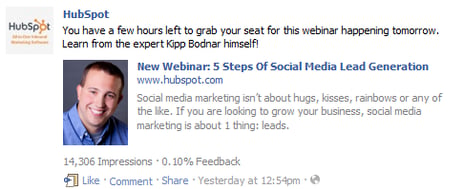
3. Offer Exclusive Content to Facebook Fans: According to research from ExactTarget, 58% of Facebook users expect exclusive content from business pages. Take advantage of this insight by offering downloadable content that is exclusive only to your Facebook fans. Set up a targeted landing page for this content, and share the link exclusively on your Facebook page. Require that page visitors must like you in order to view your offer to make it even more exclusive. You'll be generating leads and leveraging the power of exclusivity all at the same time. How's that for killing two birds with one stone?
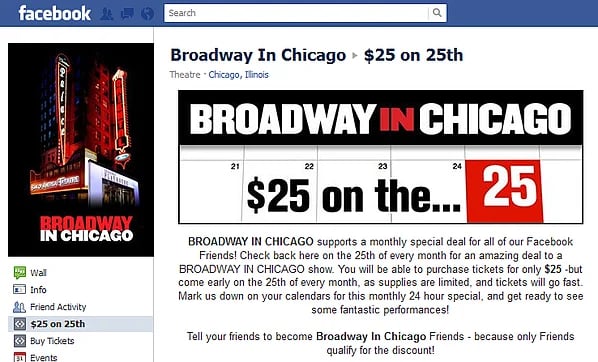
4. Use Overlooked Page Real Estate to Promote Offers: There are quite a few places on your Facebook page you're likely overlooking to promote your offers. What about highlighting your latest offer in your page's profile picture? Have you added links to offers in your page's 'Info' section? Don't miss out on these juicy pieces of low-hanging lead gen fruit!
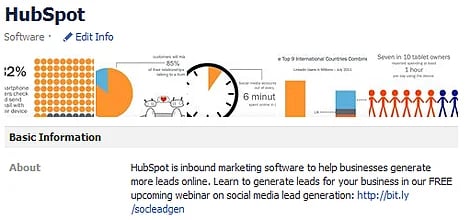
5. Create Custom Page Tabs to Promote Offers: Customization of Facebook pages is tough...but not impossible. Creating custom page tabs are a great way to expand the possibilities of your Facebook page. Consider creating a tab just to highlight your offers. You can use it one to aggregate some of your best-performing offers, or maybe just promote your newest offer or promotion on a rotating basis.
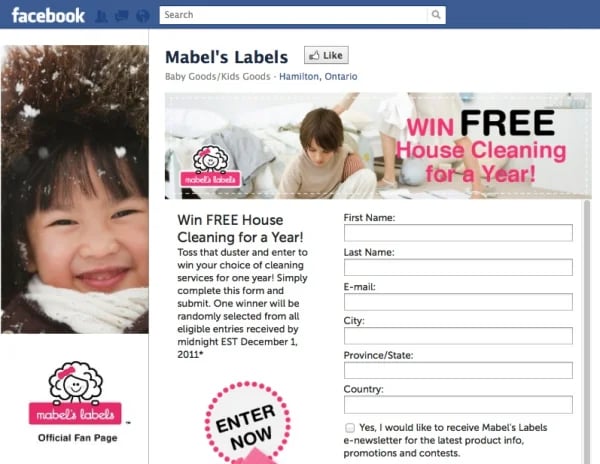
6. Create Product/Service Awareness: While it's always a bad idea to be overly self-promotional in your social media efforts, you also want to make sure that your fans are aware of your products/services. Sure, they might keep coming back to you again and again because you offer engaging conversation and valuable content, but if they don't even know what you sell, you're not doing your job. Make sure your page clearly communicates what your business sells, and use your lead gen offers to support that with content that aligns with your product/service offerings. This will help spark a connection between your content and your product.
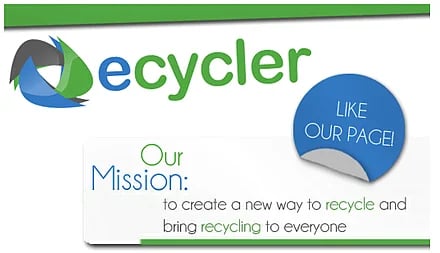
What other tactics have you used to effectively turn Facebook likes into leads? Share them below!
Image Credit: Johannes Fuchs

![Lead Generation Content: Top Types to Use in 2023 [Data + Expert Tips]](https://blog.hubspot.com/hubfs/lead%20generation%20content.webp)
![Why You Still Need SMS Marketing & How to Get Started [+Data]](https://blog.hubspot.com/hubfs/Why-you-need-sms-marketing.webp)
![Gated Content: What Marketers Need to Know [+Examples]](https://blog.hubspot.com/hubfs/UNGated%20Content.png)

![What Is Demand Generation? [FAQs]](https://blog.hubspot.com/hubfs/what-is-demand-generation.jpeg)