
.webp)
Advertisers now have access to a wealth of granular ad tracking data for every single campaign they run. Ad tracking helps marketing teams measure ad performance, test campaign changes, and improve conversions based on how users interact with their ads. HubSpot’s Ads Software in Marketing Hub helps marketers bring those ad interactions, campaign metrics, and conversion outcomes into one place for clearer reporting.
Table of Contents
- What is ad tracking?
- Tracking Methods
- Search and Social Ad Tracking Solutions
- Frequently Asked Questions About Ad Tracking
- It All Adds Up: Improving Impact with Ad Tracking
TL;DR: Ad tracking improves targeting and reporting.
Ad tracking is the process of measuring how people interact with a company’s ads and website so marketers can understand which campaigns drive clicks, conversions, and revenue. It typically works through tools like tracking URLs, pixels, cookies, and platform-specific solutions from Google and Meta, helping marketers improve targeting, reporting, and return on ad spend.
What is ad tracking?
Ad tracking is the process of collecting data and user insights on the performance of online advertising campaigns. There are numerous methods advertisers can employ to collect this information, including tracking URLs, tracking pixels, and cookies.
For marketers new to running online ads, it’s important to spend some time thinking about the specific metrics that will determine the success of their campaigns. Ad tracking today exists across a number of different tools and platforms. Advertisers can collect data on:
- Views and clicks.
- Impressions.
- User behavior across multiple sessions.
- User behavior across different websites.
The sheer amount of data available can be overwhelming (not to mention distracting from marketing goals), so deciding on one or two key performance indicators (KPIs) will help marketers focus their efforts and make reporting more straightforward and effective.
Tools like HubSpot’s Marketing Hub help teams centralize campaign data, define meaningful KPIs, and tie ad performance directly to broader marketing and sales goals.
“Good key performance indicators are simple, timely, critical to the success of a project, and not financial in nature,” syas William Stentz, director of marketing analytics at Carmichael Lynch. “But you also need to add in one thing if you want it to be a successful marketing metric — it must represent a key behavior you wanted to see. Look at your campaign and ask yourself: What’s the behavior I want to influence, not just something I can measure?”
This guide to advertising metrics that can help marketing teams determine the right metrics to track based on the goals of their ad campaign.
Tracking Methods
Once a team has determined the metrics they want to track for their ad, it’s time to find the best ad tracking method for their purposes. It’s important to note that the following ad tracking methods aren’t mutually exclusive — in fact, when used together they can provide even more powerful insights.
When it comes to ad tracking, technical methods are a good place to start. Common options include:
- Tracking URLs on the website.
- Ads placed in emails.
- Ads shown in sidebar displays or webpages.
- Cookie-based tracking to understand user behavior and improve the marketing plan.
Tools like HubSpot’s Ads Software bring these tracking methods together, allowing marketers to manage campaigns, track engagement, and report on results across channels in one place.
Let’s explore each in more detail.
Tracking URLs
A tracking URL is a normal page URL from a website with a tracking token added to the end of it. Here’s an example landing page URL by itself, and with a tracking token (in bold).
Regular old landing page URL:
http://www.yourwebsite.com/your-landing-page/
Landing page URL with a tracking token:
http://www.yourwebsite.com/your-landing-page/?utm_campaign=test-campaign&utm_source=email
As illustrated, the page URL is the same in both cases, but in the second case, there’s some extra stuff added to the end. This extra stuff is the tracking token, also called a UTM parameter.
So how does this “extra stuff” help marketers track things, exactly?
When a user clicks a URL with UTM parameters, the tracking tool records the click and attributes it to a specific source, campaign, or channel. Marketers use that attribution data to compare ad performance across campaigns. The “source=_____” bit of the tracking token can provide information about where the user clicked the link. Similarly, the “campaign=_____” bit can be used to signal to the tracking tool that the link should be bucketed as part of a campaign.
For example, if marketers were running the same ad on multiple websites and wanted to know which one generated the most clicks, they could define the two different websites as sources in the UTM parameters of their links.
Featured Resource: Learn more about tracking parameters and how they work in this guide to UTM tracking URLs.
When to Use Tracking URLs
If a team is running a PPC campaign, sending an email, or putting an advertisement on another website, tracking URLs are ideal for calculating the number of visits, leads, and conversions they’ve generated.
Tracking Pixels
A tracking pixel is a tiny, often transparent, 1px by 1px image that can be placed in an email, display ad, or simply on a web page. When it loads, it sends a signal back to the tracking tool that a user has viewed the page.
Tracking pixels are also capable of collecting pretty comprehensive data about a user’s activity and browser configuration, but you should only ever track information that is directly useful to the buyer’s journey and will provide a better, more personalized experience for target users.
When used correctly, tracking pixels can help optimize ads and get them in front of a receptive audience. For example, using banner ad tracking with a pixel lets marketers gather information about how many people just view versus actually click on their ad, which will help them determine whether or not an ad was actually successful (and worth running again).
When to Use Tracking Pixels
Tracking pixels are incredibly useful for tracking the success of online campaigns through every step of the conversion path. They can give marketing teams insight into how users are interacting with their ads, and help them optimize each stage of the user journey from initial touch through final purchase.
Cookies
Cookies can help marketers gain insight into user behavior on their website across multiple sessions of activity. Marketers need to gain explicit consent from users before using cookies to track their activity. When explicit consent is given, cookies can be used to customize a user’s experience.
From an ad tracking perspective, cookies are the driving force behind most ad retargeting campaigns. Cookies can help advertisers build a user profile based on web activity and browsing habits, which supports more relevant ad targeting. They can also capture details such as:
- Browser configuration.
- Location.
- Preferred language.
When to Use Cookies
Cookies are ideal when advertisers want to serve a user ads aligned with their web browsing activity, or retarget them with ads for products they’ve demonstrated an interest in. Cookies can also be used to create a personalized experience for users on a website based on their previous interactions with it. For example, brands could create an abandoned cart email when users put items in their cart and then leave the website.
Now that we’ve gone over a few core solutions related to ad targeting, let’s take a deeper look at how ad targeting functions on a few of the biggest ad tracking platforms. Plus, we’ll see how teams can use it to make their own ad campaigns stronger and more effective.
Search and Social Ad Tracking Solutions
Brands can strengthen ad tracking by using tools that integrate with search engines like Google and social platforms like Facebook and Instagram. These platforms provide deeper insight into user behavior and campaign performance, helping marketers refine targeting, creative, and spend.
Google Ad Tracking
Google’s advertising ecosystem — primarily Google Ads and the broader Google Marketing Platform — enables advertisers to run, manage, and measure campaigns across search, display, video, and apps. It uses a combination of first-party data, contextual signals, and machine learning to understand ad performance and optimize delivery.
Historically, ad tracking relied heavily on cookies, especially third-party cookies that could follow users across websites. Today, that model is changing significantly.
Google uses several types of signals to measure and optimize advertising:
- First-party data – Information collected directly from a business’s own website or app (e.g., purchases, sign-ups), typically via tools like the Google tag or Google Tag Manager.
- Conversion tracking – Events such as purchases or form submissions are tracked using tags and APIs (like enhanced conversions or server-side tagging).
- Aggregated and modeled data – When direct tracking isn’t possible (due to privacy settings or browser restrictions), Google uses machine learning to estimate conversions and user behavior.
- Signed-in Google data – When users are logged into a Google account and have appropriate settings enabled, Google may use activity (e.g., Search, YouTube) to personalize ads and measure effectiveness.
The Decline of Third-Party Cookies
Third-party cookies — once the backbone of cross-site ad tracking — are being phased out or restricted by most browsers.
- First-party data: Collected directly by the website a user visits. This remains the most reliable and privacy-compliant signal for advertisers.
- Third-party data: Previously collected across multiple sites via embedded trackers. Its role is rapidly diminishing due to browser restrictions and privacy regulations.
Google Chrome is in the process of replacing them with privacy-focused alternatives under its Privacy Sandbox initiative.
As a result:
- Cross-site tracking is more limited.
- Measurement is increasingly aggregated or modeled.
- User consent and privacy controls play a larger role.
Google now encourages advertisers to build strategies around first-party data and consented user interactions rather than relying on third-party tracking.
What Data Is Used
Modern Google ad tracking may include:
- Ad interactions (e.g., clicks, impressions).
- Conversion events (e.g., purchases).
- Device and browser information.
- Approximate location (derived from IP address).
- Contextual signals (e.g., webpage content).
Importantly, much of this data is:
- Aggregated or pseudonymized.
- Subject to user privacy controls.
- Processed using modeling when direct observation isn’t possible.
Google states that it does not sell users’ personal information to advertisers, and advertisers typically do not receive personally identifiable information about individual users.
Ad Networks and Measurements
Publishers can monetize their websites through Google’s ad network (such as AdSense), which matches ads to available inventory. Advertisers bid to show ads to relevant audiences based on targeting signals like interests, demographics, and intent.
However, unlike in the past, this system is no longer powered by a massive shared pool of third-party cookie data across millions of sites. Instead, it relies more on:
- Contextual targeting (what the page is about).
- First-party audience data.
- Google’s aggregated insights and modeling.
To get started, advertisers typically use Google Ads with tools like the Google tag or Google Tag Manager, along with conversion tracking and optional integrations such as Google Analytics.
Meta Ad Tracking
Meta’s advertising platform (across Facebook and Instagram) gives advertisers tools to measure user behavior and optimize campaigns across devices using tools like the Meta Pixel and Conversions API.
1. Meta Pixel
The Meta Pixel is a small piece of code installed on a website that tracks user actions after they interact with an ad. When a user visits a site and performs an action — such as viewing a page, adding a product to cart, or making a purchase — the pixel sends that event data back to Meta via Events Manager.
This allows advertisers to:
- Measure conversions (e.g., purchases, sign-ups).
- Optimize ad delivery toward users likely to take action.
- Build custom audiences (e.g., people who visited a pricing page).
- Create lookalike audiences based on existing customers.
2. Conversions API
Relying solely on browser-based pixels is no longer sufficient. Meta now strongly encourages use of the Conversions API (CAPI), which sends event data directly from a server (or CRM) to Meta.
This shift matters because:
- Browser tracking can be blocked by ad blockers or privacy settings.
- Apple’s App Tracking Transparency (ATT) framework limits tracking on iOS devices.
- Cookies are less reliable than before.
Using both the Meta Pixel (browser-side) and CAPI (server-side) improves data accuracy and resilience.
Data Collection and Privacy
Meta tracking can include:
- Page views and on-site behavior.
- Conversion events (purchases, leads, etc.).
- Device and browser data.
- Approximate location (from IP).
- Ad engagement (clicks, impressions).
This data is generally:
- Pseudonymized and aggregated.
- Controlled by user privacy settings and consent mechanisms.
- Not shared with advertisers as personally identifiable individual profiles.
Due to privacy changes (especially on iOS), Meta:
- Cannot always track users across apps and websites deterministically.
- Uses Aggregated Event Measurement to report on prioritized events.
- Applies attribution windows (e.g., 7-day click, 1-day view by default).
- Relies more on modeled conversions when data is incomplete.
As a result, reported conversions may be estimated rather than exact, and attribution is less granular than it used to be.
Pro tip: The Meta Pixel isn’t the only way to track performance on social ads. To help improve ad management, many advertisers also use UTM parameters in ad URLs to track traffic sources and campaign performance more precisely within analytics tools.
Frequently Asked Questions About Ad Tracking
What is another name for ad tracking?
Another name for ad tracking is ad effectiveness tracking or, in some contexts, campaign tracking. These terms all refer to measuring how ads perform across views, clicks, conversions, and user actions.
What is the difference between ad serving and ad tracking?
Ad serving is the process of delivering an ad to a user, while ad tracking is the process of measuring what happens after that ad is shown, such as impressions, clicks, and conversions. In short, ad serving shows the ad, and ad tracking measures performance.
What metrics should I prioritize when tracking ads?
The most useful ad tracking metrics depend on the marketing goal, but most teams start with click-through rate, conversions, cost per conversion, and return on ad spend. If the goal is revenue growth, prioritize metrics that connect ad engagement to leads, pipeline, or sales.
How has ad tracking changed with privacy updates like iOS 14?
Privacy updates like iOS 14 have made ad tracking less dependent on third-party data and reduced visibility into some user actions across apps and devices. As a result, marketers now rely more on first-party data, consent-based tracking, and CRM-connected reporting.
Can I track ads effectively without third-party cookies?
Yes, marketers can still track ads effectively without third-party cookies by using UTM parameters, first-party data, platform conversion tools, pixels where permitted, and CRM attribution. The key is to connect campaign data to on-site actions and customer records a company owns.
HubSpot’s Ads Software enables teams to connect campaign performance with CRM data, making it easier to see which ads are actually driving leads, deals, and revenue.
It All Adds Up: Improving Impact with Ad Tracking
Competitive ad tracking can help a business see how its marketing efforts and campaigns are performing at scale. This starts with URL, pixel, and cookie tracking to explore how users are interacting with their brand. It’s bolstered by search-focused and social-focused tools that help a brand discover where ads are working, where they come up short, and where they need to improve to increase user engagement and drive sales conversions.
Marketing Hub’s Ads Software helps unify this data by connecting ad interactions with CRM insights, giving teams a clearer picture of which campaigns are driving measurable business outcomes.
Editor’s note: This post was originally published in July 2019 and has been updated for comprehensiveness.
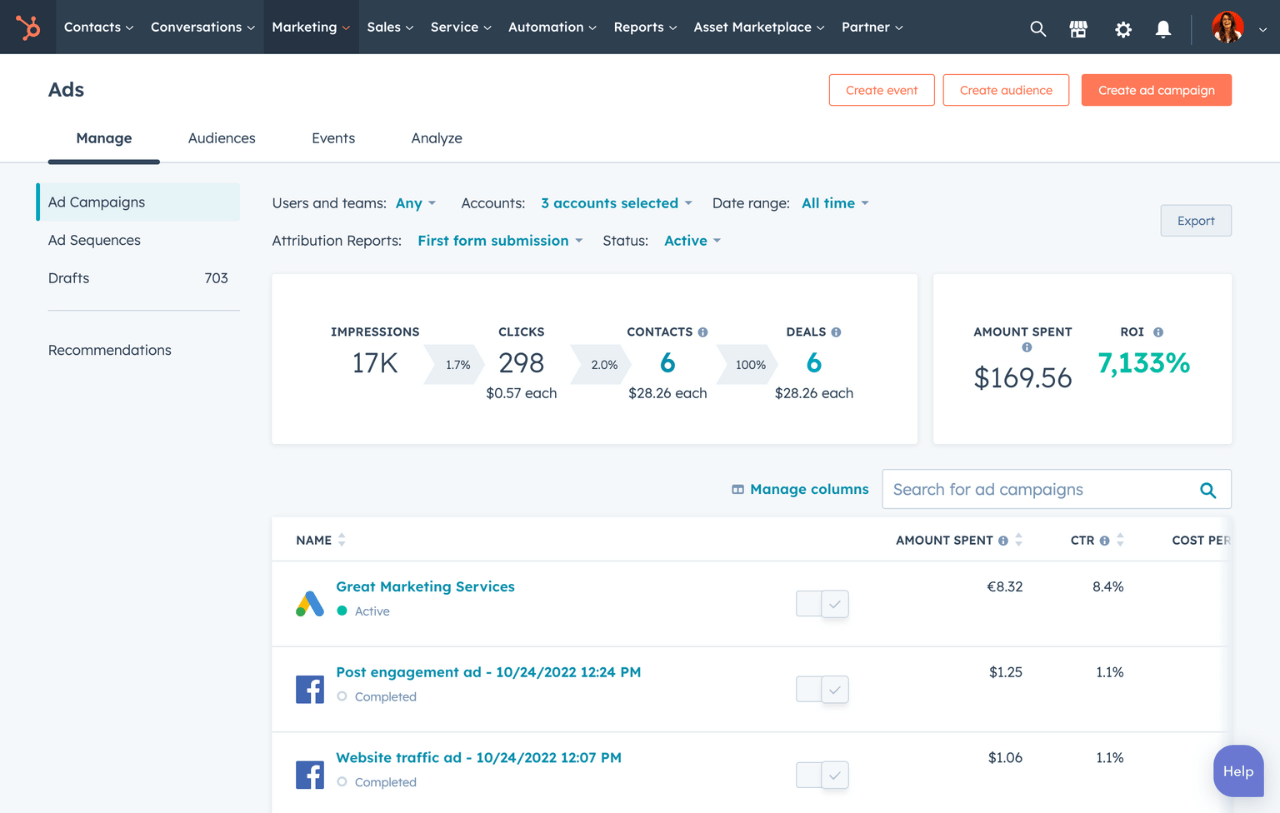
Free Ad Management Software
Create personalized and targeted ad campaigns, and see which ads are turning prospects into customers.
- Create targeted ad campaigns
- Report ROI on social ads
- Follow up with new leads
- And more!
Behavioral Targeting



![What is Comparative Advertising? [+ Examples]](https://53.fs1.hubspotusercontent-na1.net/hubfs/53/Untitled%20design-Aug-17-2022-02-39-51-39-PM.png)
![How to Prepare an Advertising Plan [Free Template]](https://53.fs1.hubspotusercontent-na1.net/hubfs/53/advertising%20plan%20example.jpg)


![How to Create an Advertising Proposal [Free Template]](https://53.fs1.hubspotusercontent-na1.net/hubfs/53/advertising-proposal-Feb-22-2021-03-00-15-18-PM.jpg)