If you’re still on Drupal 7 or are just frustrated with Drupal’s complexity, it’s time to find Drupal alternatives. This article will cover nine solid content management system (CMS) options for every type of organization looking to make the switch.
Even if your site is “working fine” for now, staying on an outdated CMS has real risks. Drupal 7 reached its end of life in January 2025, and without active support and frequent updates, a D7 site is at risk of getting hacked. And even if you’re on an updated Drupal version, if your non-technical teams are confused about how to use the complex CMS, you’re wasting valuable time and energy when staff struggle to figure it out.

I understand how tough it is to choose the right one for your organization. You’re facing potentially hundreds of hours and thousands of dollars — all of which could go to waste if you make the wrong choice. Read on to get a detailed review, comparison table, and decision framework to help you make the best decision for your business.
Table of Contents
- Drupal Alternatives
- Why consider Drupal alternatives?
- Quick Comparison Overview of Drupal Alternatives
- Making Your Migration Decision
- Drupal Alternatives Frequently Asked Questions
Why consider Drupal alternatives?
Drupal Benefits
- Developer-centric. Drupal is an open-source content management system designed by developers for developers.
- Free. Free to download
- Highly customizable. Over 50,000 modules for extending the platform’s functionality
- Secure. A dedicated security team that monitors and maintains the software, plus over a million open-source community members contributing to the platform
Drupal Limitations
- Drupal 7 end of life. Drupal stopped supporting or making updates to Drupal 7 in January 2025. And sadly, it’s not as simple as updating to a new Drupal version. Starting with Drupal 8, the CMS made substantial changes to its framework, so an upgrade from D7 to D8 is basically a reworking of the entire site. For this reason, D7 users might consider leaving the Drupal ecosystem entirely.
- Steep learning curve. This flexibility sets it apart from other CMS platforms, but Drupal does have a steeper learning curve. In fact, users will need to be familiar with HTML, CSS, and PHP to fully leverage the power of Drupal. While these advanced users will appreciate Drupal’s extensive functionality, users with less technical knowledge should look into alternatives.

HubSpot's Free Website Builder
Create and customize your own business website with an easy drag-and-drop website builder.
- Build a website without any coding skills.
- Pre-built themes and templates.
- Built-in marketing tools and features.
- And more!
When Drupal Alternatives Make Sense
WordPress, for example, is an open-source CMS that offers a more intuitive dashboard, advanced blogging features, and even more plugins for extending the platform’s functionality. A WordPress alternative is Joomla, an open-source CMS with more advanced features for managing content and users.
Content Hub, on the other hand, offers a very different experience to running and managing a site than WordPress, Joomla, and Drupal. As a proprietary CMS, it offers everything needed to create and grow a site in one place, from hosting to a drag-and-drop builder to a built-in CRM.
Below, we’ll take a look at these and more alternatives to Drupal, so you can find the CMS that’s right for your site.
Quick Comparison Overview of Drupal Alternatives
You need to understand CMS architecture type and what that means for your website. Drupal is a self-hosted, traditional CMS that is also open source and free. Switching to a different CMS means you might have a different type and delivery model. Here’s a clarification:
- Self-Hosted/On-Premises CMS vs. Hosted/SaaS CMS. A self-hosted CMS is one where you download the software, acquire your own web hosting, and install the CMS software onto your server. This provides you with the most control, as you are responsible for infrastructure management and updates.
A hosted or SaaS CMS is one that is cloud-based and packaged with hosting — so your CMS and web host are the same vendor and account. The CMS vendor also handles all updates and infrastructure for you. - Traditional/Monolithic CMS vs. Headless CMS. A traditional or monolithic CMS is one where the backend (where you handle admin tasks and manage content) is connected to the frontend (what website visitors see). A headless CMS is one where the backend is detached from the frontend, which provides you with the most control, especially if you are delivering the content to multiple channels (a marketing website, smartwatch, and smart TV, for example). Headless CMSs tend to be favored by developers and highly technical teams due to the architectural flexibility. A hybrid CMS fully supports both use cases: traditional and headless.
Before we dive into the details of the best Drupal Alternatives, check out the comparison chart below.
|
Drupal Alternative |
Best For |
Ease of Use for Marketers |
Pricing Model |
Architecture |
|
Content Hub |
Marketing and content teams that want built-in tools for business growth |
High |
Subscription |
Traditional (but can be headless with APIs) |
|
WordPress.org |
Businesses that want to balance developer flexibility with marketer friendliness on an open-source platform |
Medium-High |
Free (with free and paid plugins and themes available) |
Hybrid |
|
Backdrop CMS |
Drupal 7 users who want the easiest upgrade path and active support |
Low |
Free |
Traditional |
|
Shopify |
Ecommerce businesses looking for an all-in-one solution |
High |
Subscription |
Traditional (with headless capabilities) |
|
Magento |
Large ecommerce businesses with significant developer resources |
Low |
Free open-source version; paid SaaS version (Adobe Commerce) |
Hybrid |
|
Joomla |
Multilingual sites that need advanced user permissions |
Medium |
Free |
Traditional |
|
TYPO3 |
Universities, governmental agencies, and enterprises wanting complex functionality and superior security |
Low |
Free |
Traditional (can be headless with an extension) |
|
Webflow |
Web designers who want pixel-perfect control |
Medium |
Subscription |
Hybrid |
|
Wix |
Non-technical professionals wanting a beginner-friendly website builder |
Very high |
Subscription |
Traditional (Wix Headless is available) |

Drupal Alternatives
- Content Hub
- WordPress.org
- Backdrop CMS
- Shopify
- Magento
- Joomla
- TYPO3
- Webflow
- Wix
Below, we’ll compare the ideal use cases, pros and cons, and pricing of each CMS. Let’s get started.
1. Content Hub
Best For: Marketing and content teams that want built-in tools for business growth
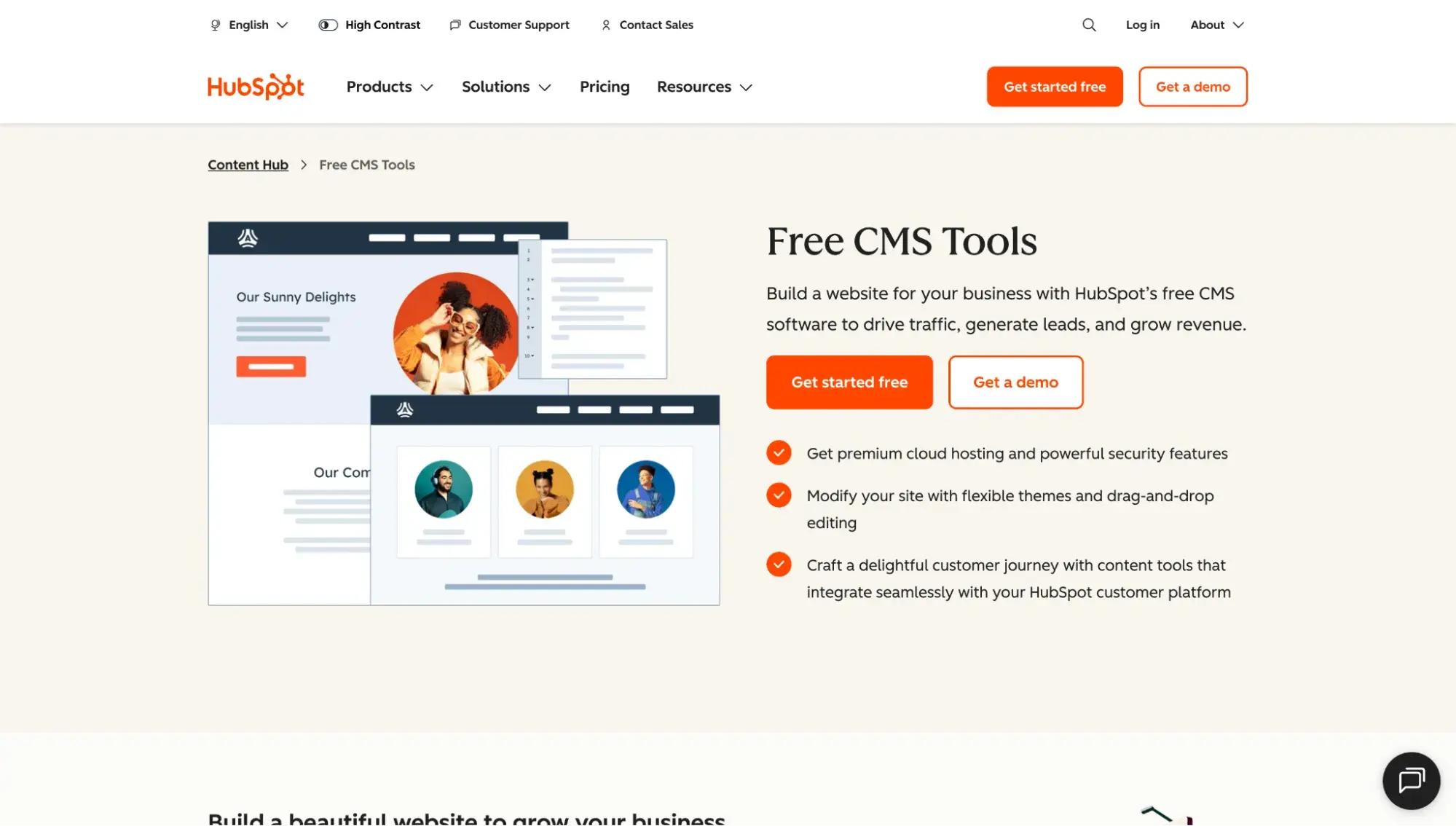
Content Hub is a hosted CMS and all-in-one website platform. It is a great Drupal alternative for businesses that need one tool for their developers, marketers, and IT professionals. Offering smart content, SEO recommendations, and support for multi-language content variations, Content Hub is designed to help businesses build and grow a website that's personalized for every visitor.
Key Features
- Website builder and AI website generator
- Breeze, a suite of AI tools for content creation and business growth
- 2,000+ apps in the HubSpot Marketplace
- 500+ website themes in the HubSpot Template Marketplace
Pros
- Includes hosting and customer support
- Built-in CRM
- Natively integrated with HubSpot’s marketing, sales, and service tools
- Visual drag-and-drop editor and AI-powered website-building tools
- Global CDN, Web Application Firewall (WAF), and SSL certificate
Cons
- Fewer extensions than Drupal
- Pay a monthly or annual subscription to use proprietary software
Migration Considerations
Moving from an open source CMS to HubSpot (a “closed,” proprietary system) means you can’t simply switch your design and content over. The site must be manually rebuilt on HubSpot to look and act the same way it did on Drupal. Even then, you might not get an exact replica. Thankfully, HubSpot offers Website Migration services that can handle your Drupal migration for you.
Pricing
Here’s HubSpot Content Hub pricing based on annual billing:
- Free plan: $0 per month with limited features
- Starter: $9/month/seat
- Professional: $450/month (includes three Core Seats)
- Enterprise: $1,500/month (includes five Core Seats)
HubSpot's Free Website Builder
Create and customize your own business website with an easy drag-and-drop website builder.
- Build a website without any coding skills.
- Pre-built themes and templates.
- Built-in marketing tools and features.
- And more!
HubSpot Website Example
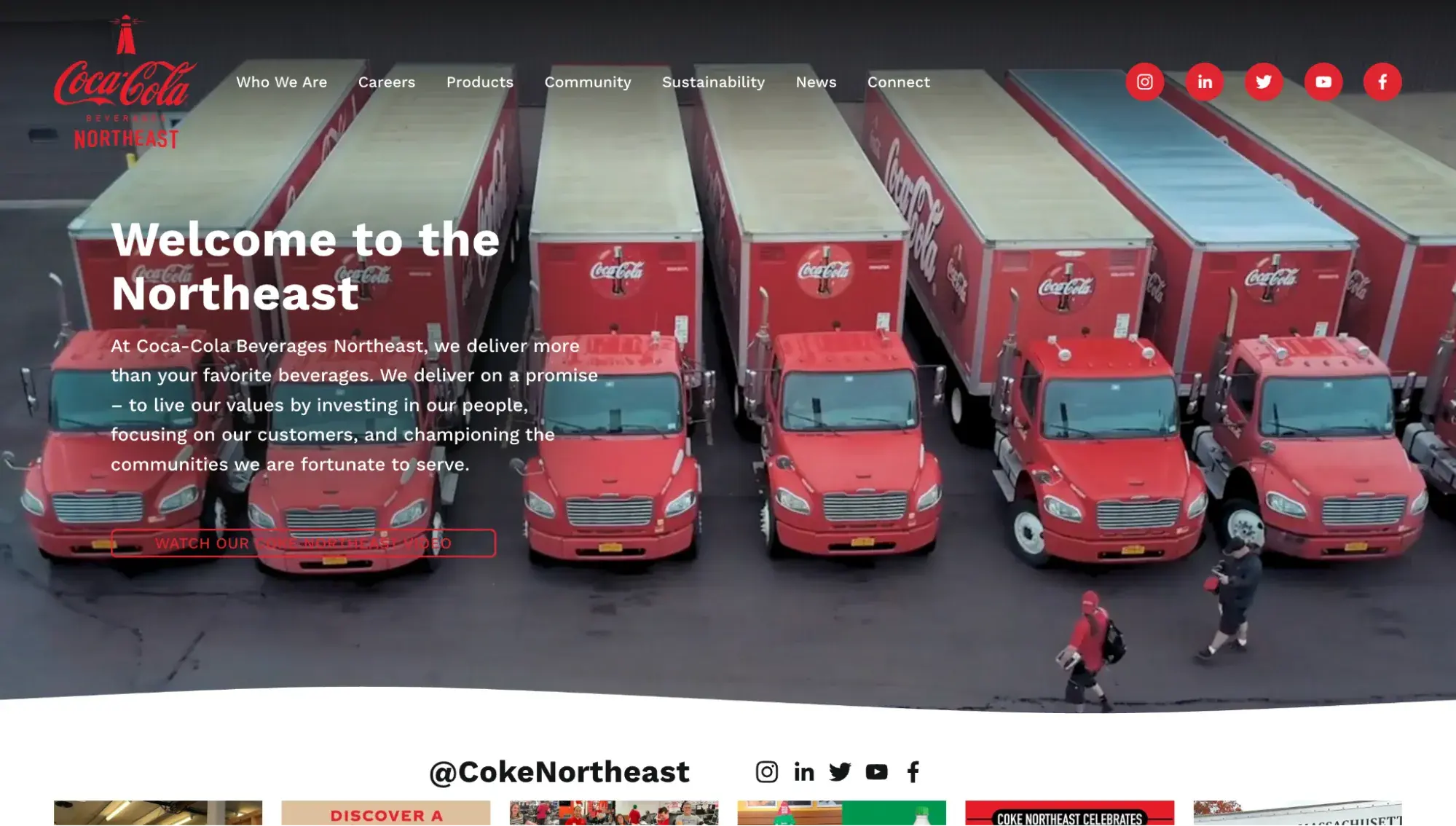
Coca-Cola Beverages Northeast chose HubSpot as a CMS.
2. WordPress.org
Best for: Businesses that want to balance developer flexibility with marketer friendliness on an open-source platform
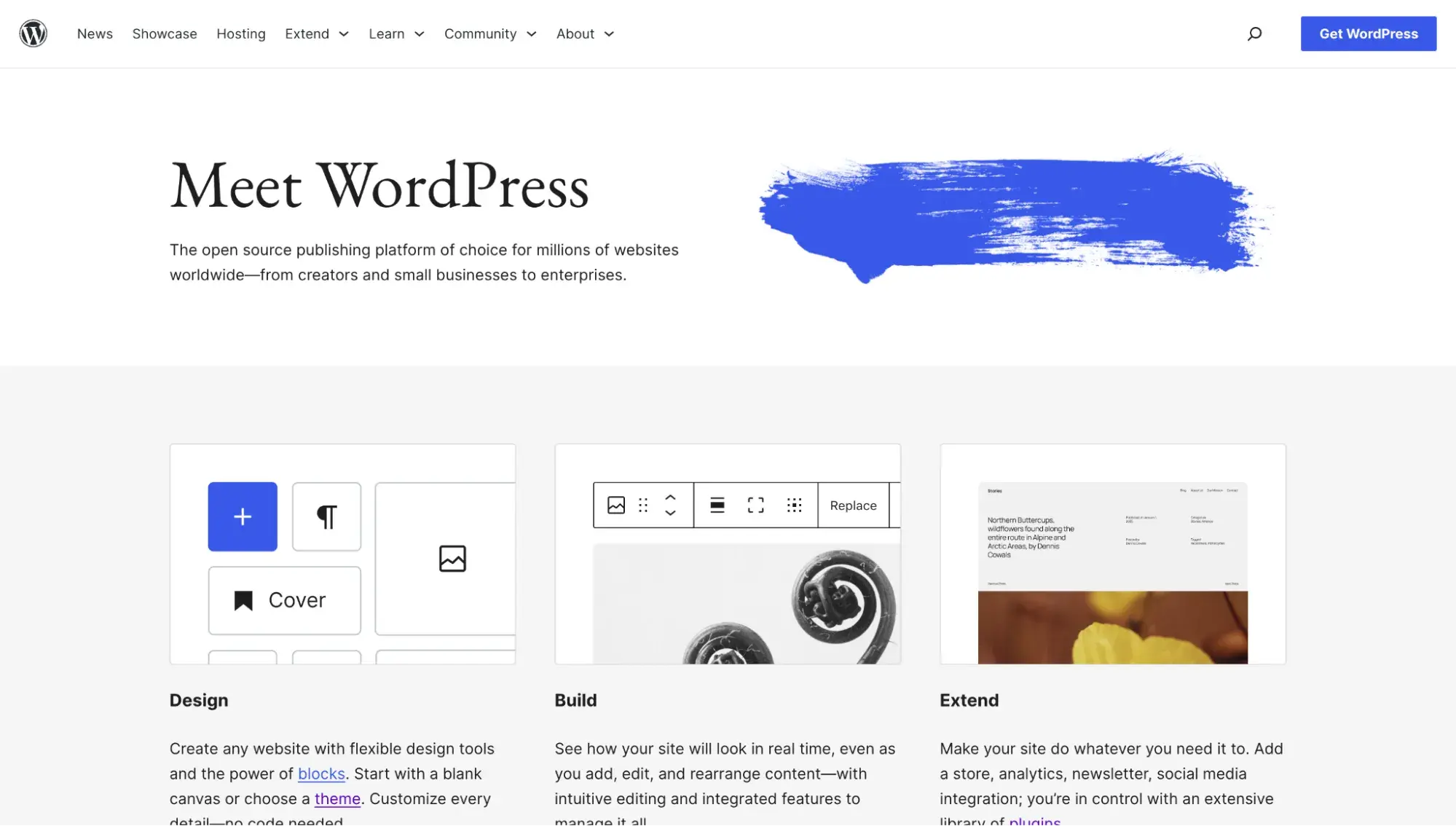
WordPress.org (not to be confused with WordPress.com) is a self-hosted, open-source CMS that is an excellent Drupal alternative for users with little to no coding experience. Leveraging WordPress’ ecosystem of resources — including thousands of plugins, themes, and how-to articles — users can build all types of sites, from ecommerce stores to online magazines.
For current Drupal users, WordPress offers a good compromise between the flexibility required by developers and the ease of use needed by marketers.
Pros
- Drag-and-drop block editor
- 60,000+ free plugins to extend the platform’s functionality (more exist from third parties)
- 14,000+ free themes to customize your site’s design (more exist from third parties)
- Largest open-source community across the globe
Cons
- Plugin maintenance can require a significant amount of time and money
- Popular target for hackers
Pricing
- Free to download, but costs associated with domain registration, hosting, and premium plugins and themes
WordPress Website Example
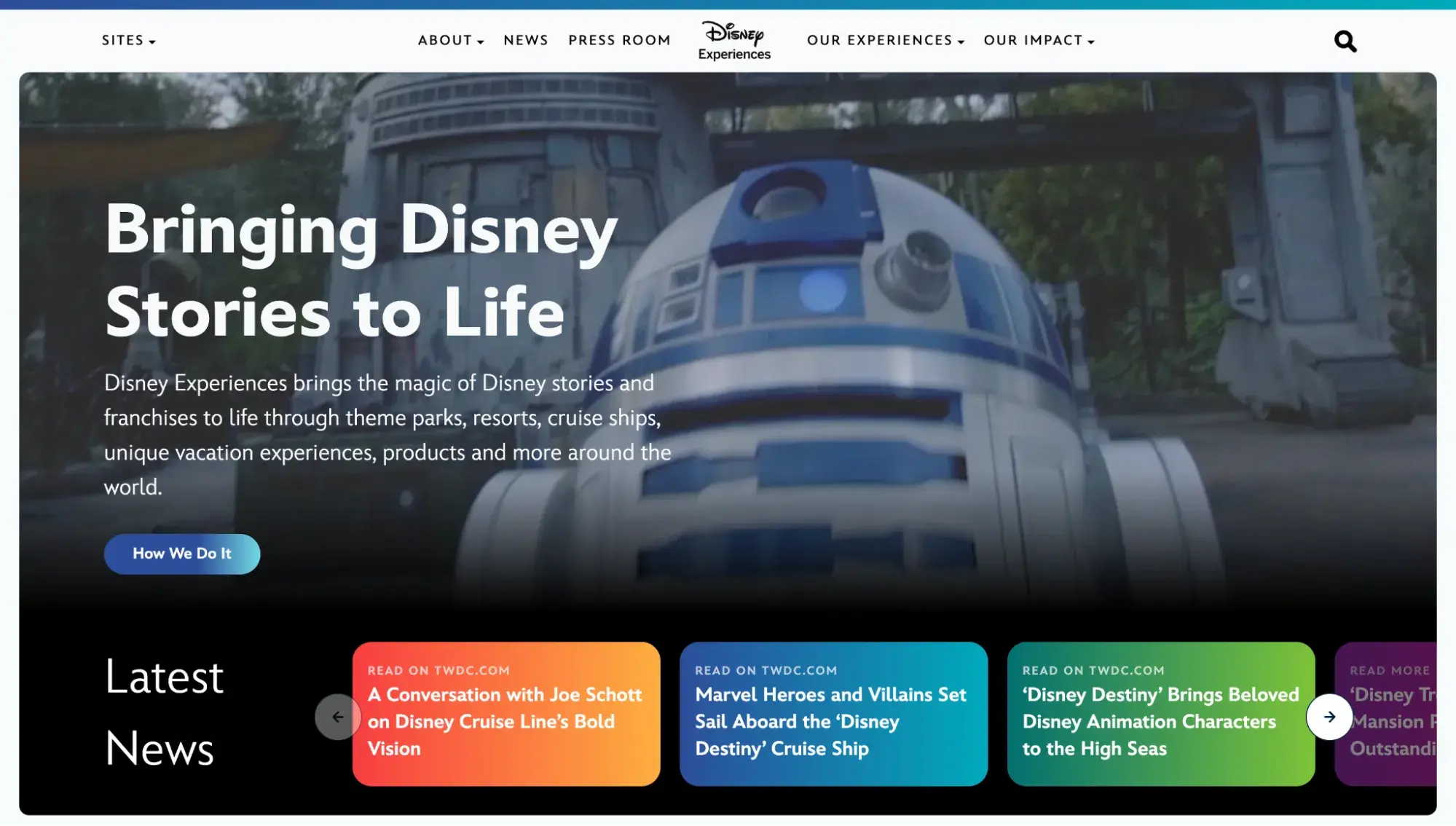
Disney Connect is built on WordPress.
3. Backdrop CMS
Best for: Drupal 7 users who want the easiest upgrade path and active support
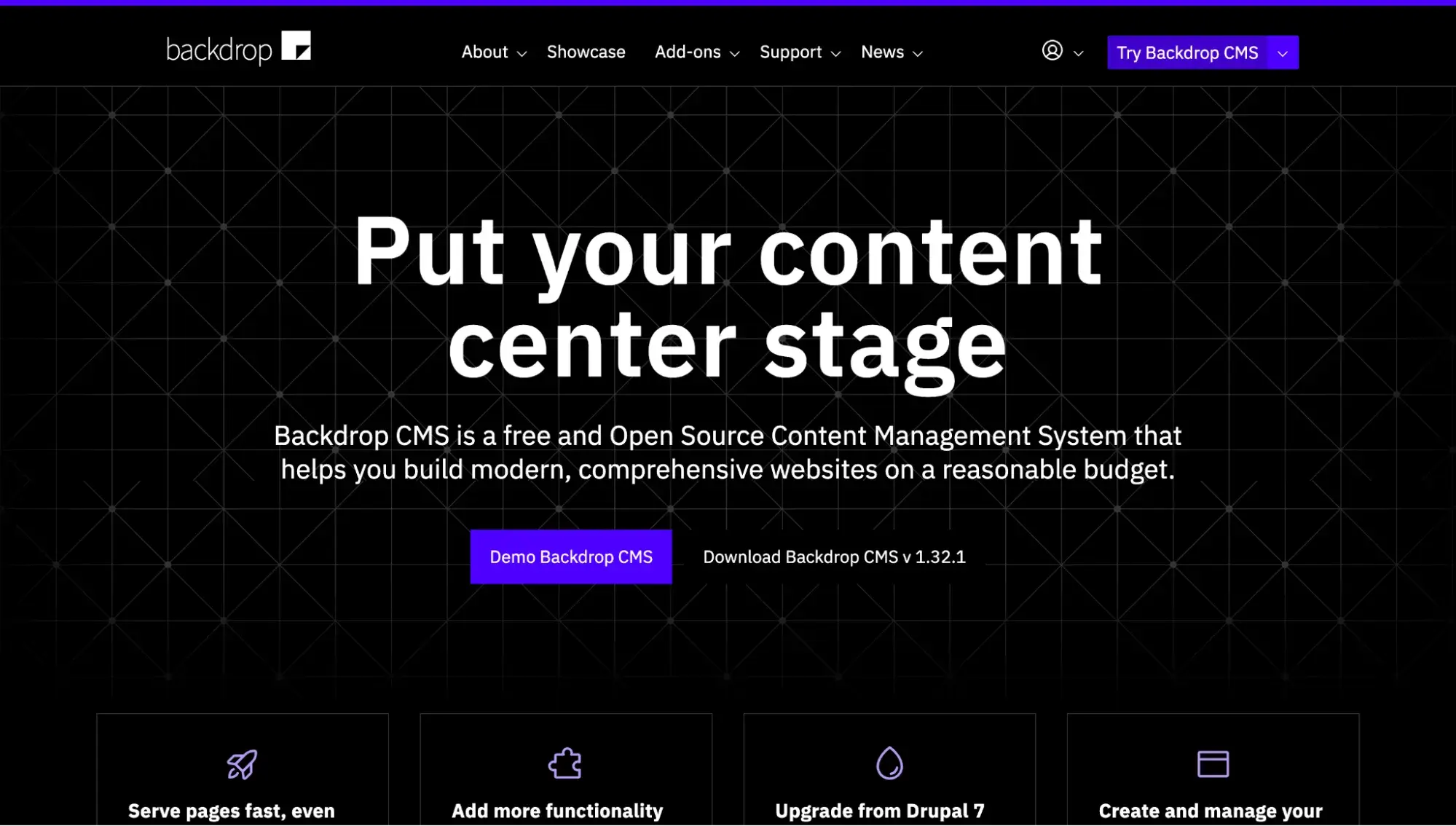
Backdrop CMS is definitely one of the strongest options for Drupal 7 alternatives. If you love using Drupal 7 and wish you could keep it despite its end of life, you should strongly consider migrating to Backdrop. It is a fork (duplicated codebase) of Drupal 7 and was designed specifically for users looking for a simple upgrade path from D7.
Backdrop has extensive documentation on how to upgrade from Drupal 7, which involves researching, preparing your site, and then running an update script.
Backdrop is a traditional, self-hosted CMS that is also open source.
Pros
- Fork of Drupal 7, so it offers the most familiar experience for current D7 users
- Offers the simplest upgrade path from Drupal 7
- Free and open-source CMS
- 1,300+ modules and add-ons
Cons
- Even though it’s the simplest upgrade path, upgrading from D7 to Backdrop still requires technical prowess (including knowing how to run an update script).
- According to W3Techs, Backdrop CMS has a market share of less than 0.1%, making it the least popular CMS on this list. Users might be concerned about not having as many community members and resources.
Pricing
Backdrop CMS is free, but you’ll need to pay for separate web hosting, a custom domain, and other costs associated with running a website.
Backdrop CMS Website Example
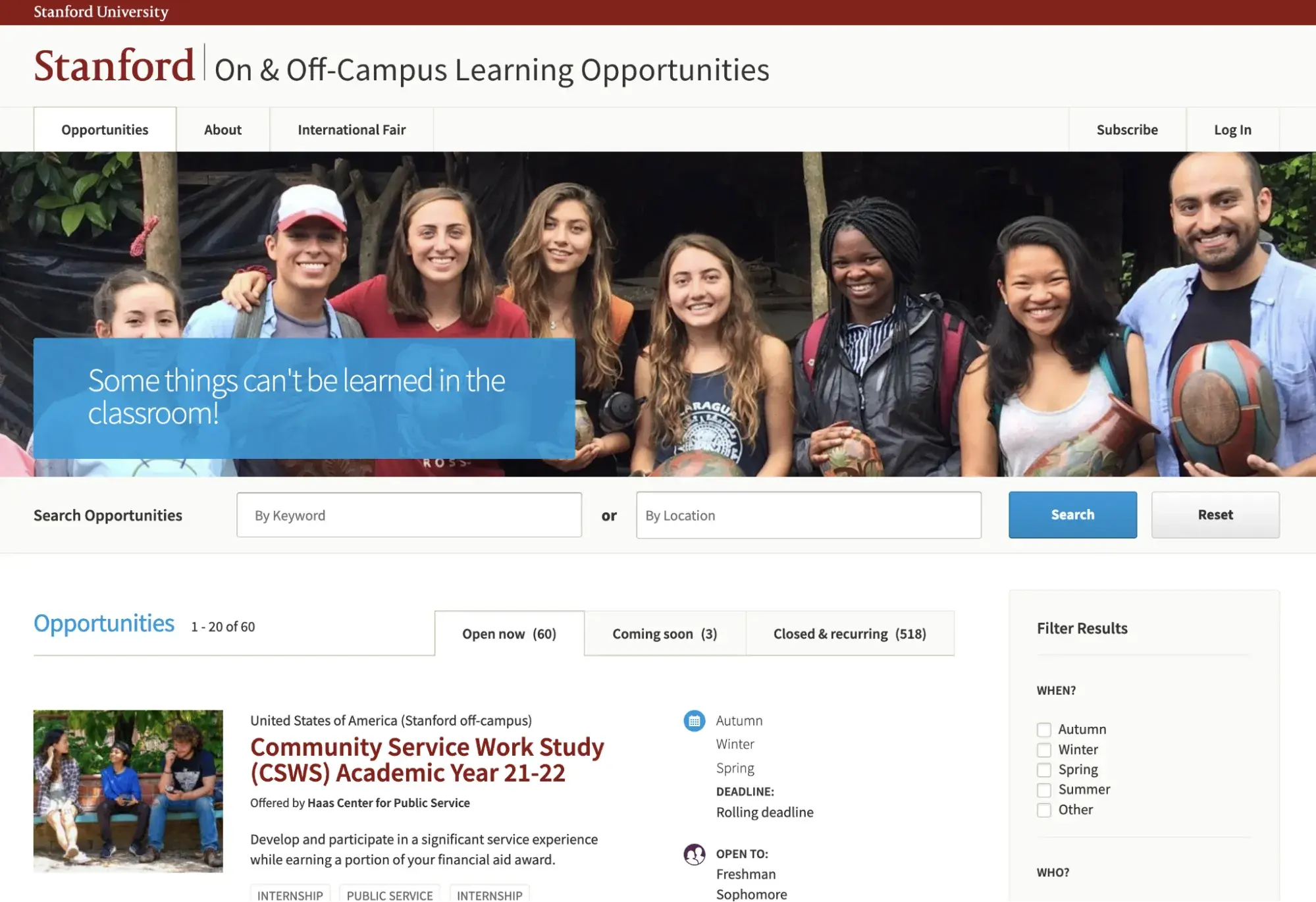
Stanford On and Off-Campus Learning Opportunities moved its site from Drupal 7 to Backdrop CMS.
4. Shopify
Best for: Ecommerce businesses looking for an all-in-one solution
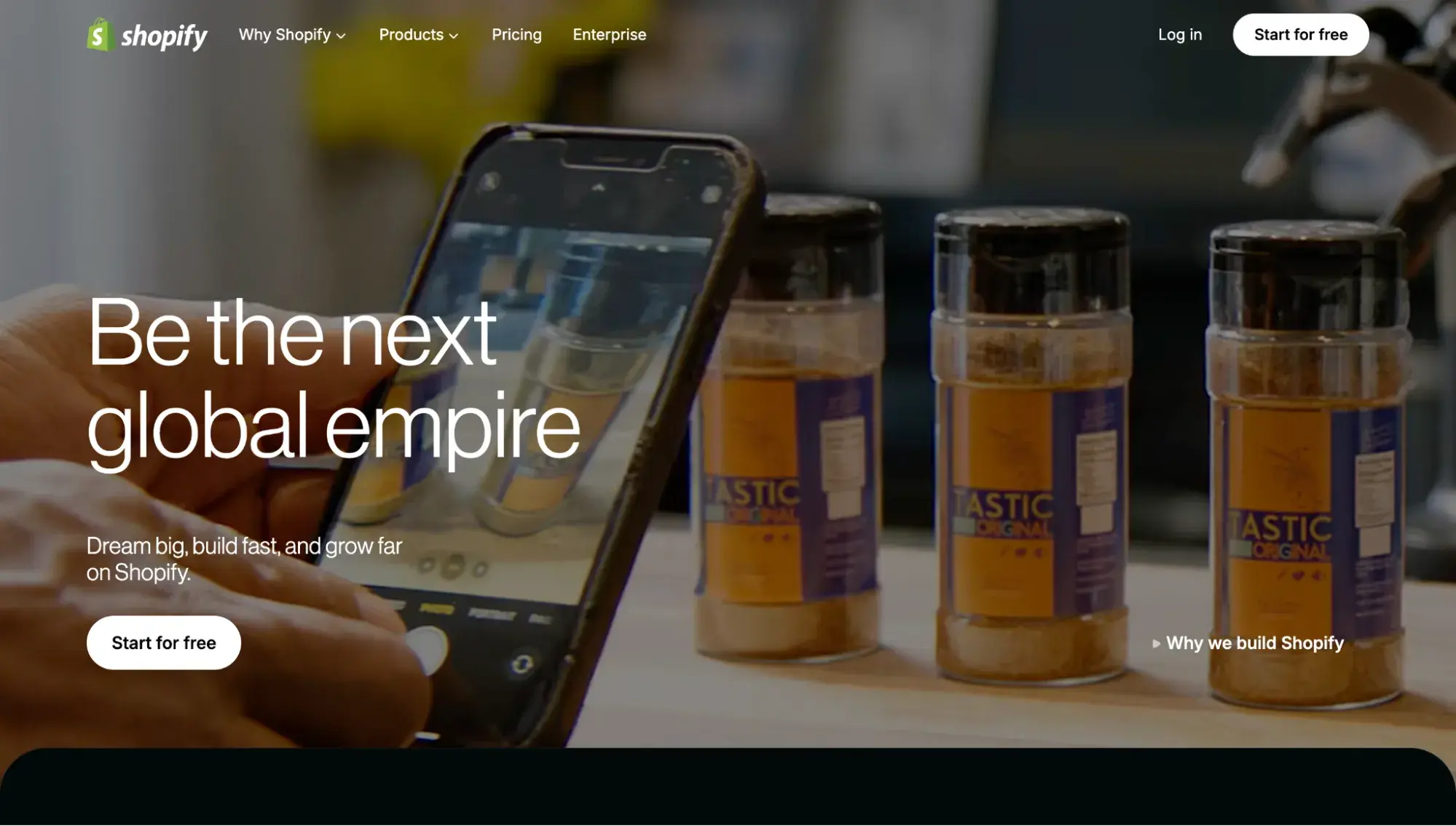
Shopify is an alternative to Drupal that’s ideal for ecommerce businesses looking to grow. Shopify Payments, POS, and currency conversion are just a few of the innovative core features this ecommerce platform offers to help you provide a seamless customer experience on your site.
Pros
- Market share leader among ecommerce platforms
- Tons of built-in functionality
- All plans include hosting and SSL
- 8,000+ apps in the Shopify App Store
- 800+ free and paid themes in the Shopify Theme Store
Cons
- Monthly packages can be too pricey for first-time shop owners
- To modify the Shopify codebase, you need to know Liquid — Shopify's template language
Pricing
Here’s Shopify’s pricing based on annual billing:
- Basic: $29 per month
- Grow: $79 per month
- Advanced: $299 per month
- Plus: $2,300 per month on a 3-year term
Shopify Website Example

5. Magento
Best for: Large ecommerce businesses with significant developer resources
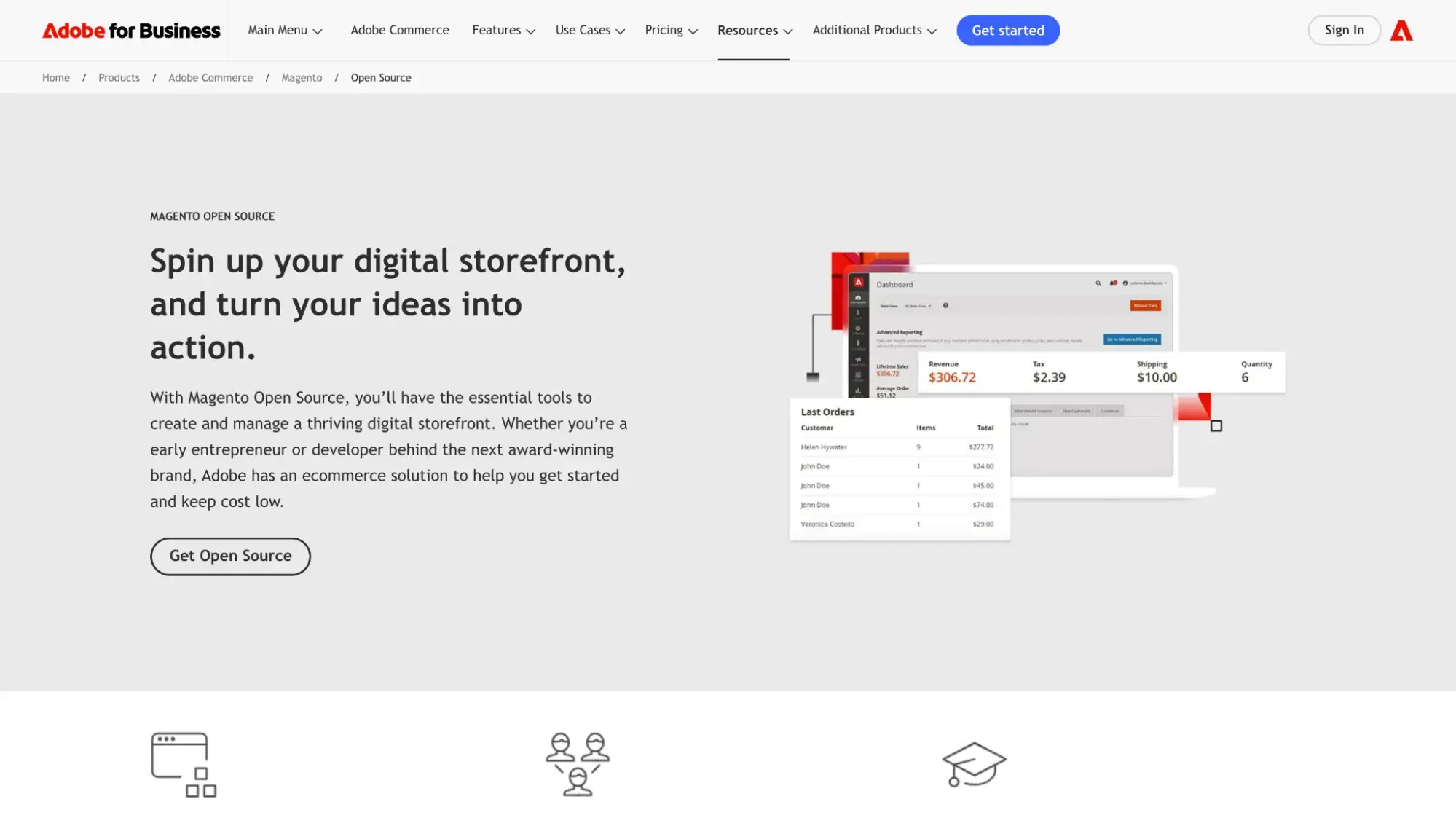
Magento is a Drupal alternative designed for growing ecommerce businesses or existing ones with global reach. It was acquired by Adobe in 2018. Whether you’re using the free Magento Open Source ecommerce software or the paid, cloud-based Adobe Commerce, you’ll get all the features you need to build and run a store online, including product comparisons, product tiers, discounts, coupons, and multi-store management.
Pros
- Can manage multiple stores
- Transact in multiple countries, languages, and currencies
Cons
- Difficult and time-consuming to learn the platform
- Extensions can be expensive
Pricing
- Magento Open Source: Free to download, but costs associated with domain registration, hosting, and premium extensions and templates
Adobe Commerce Website Example
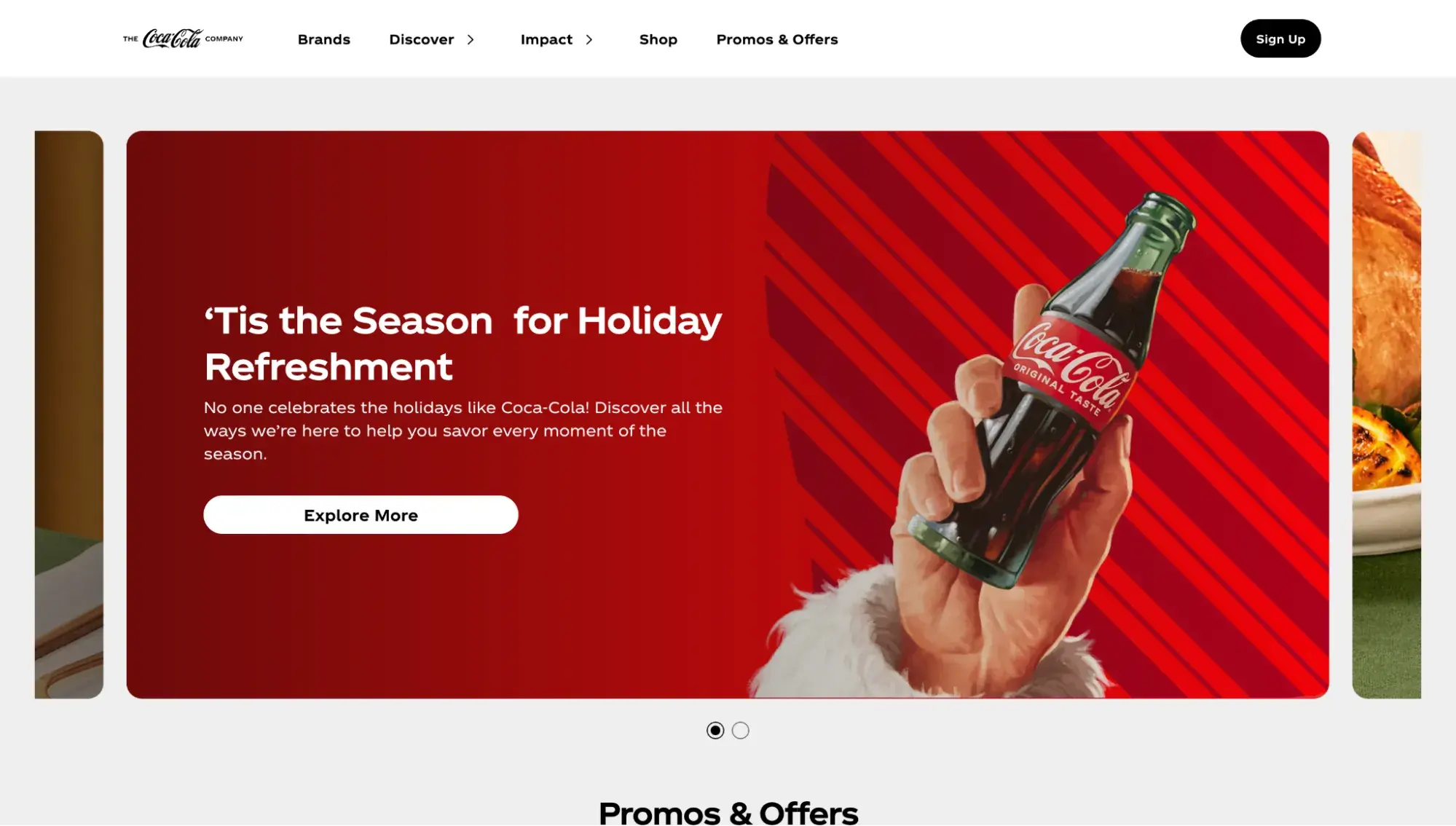
According to the Adobe website, Coca-Cola uses Adobe Commerce.
6. Joomla
Best for: Multilingual sites that need advanced user permissions
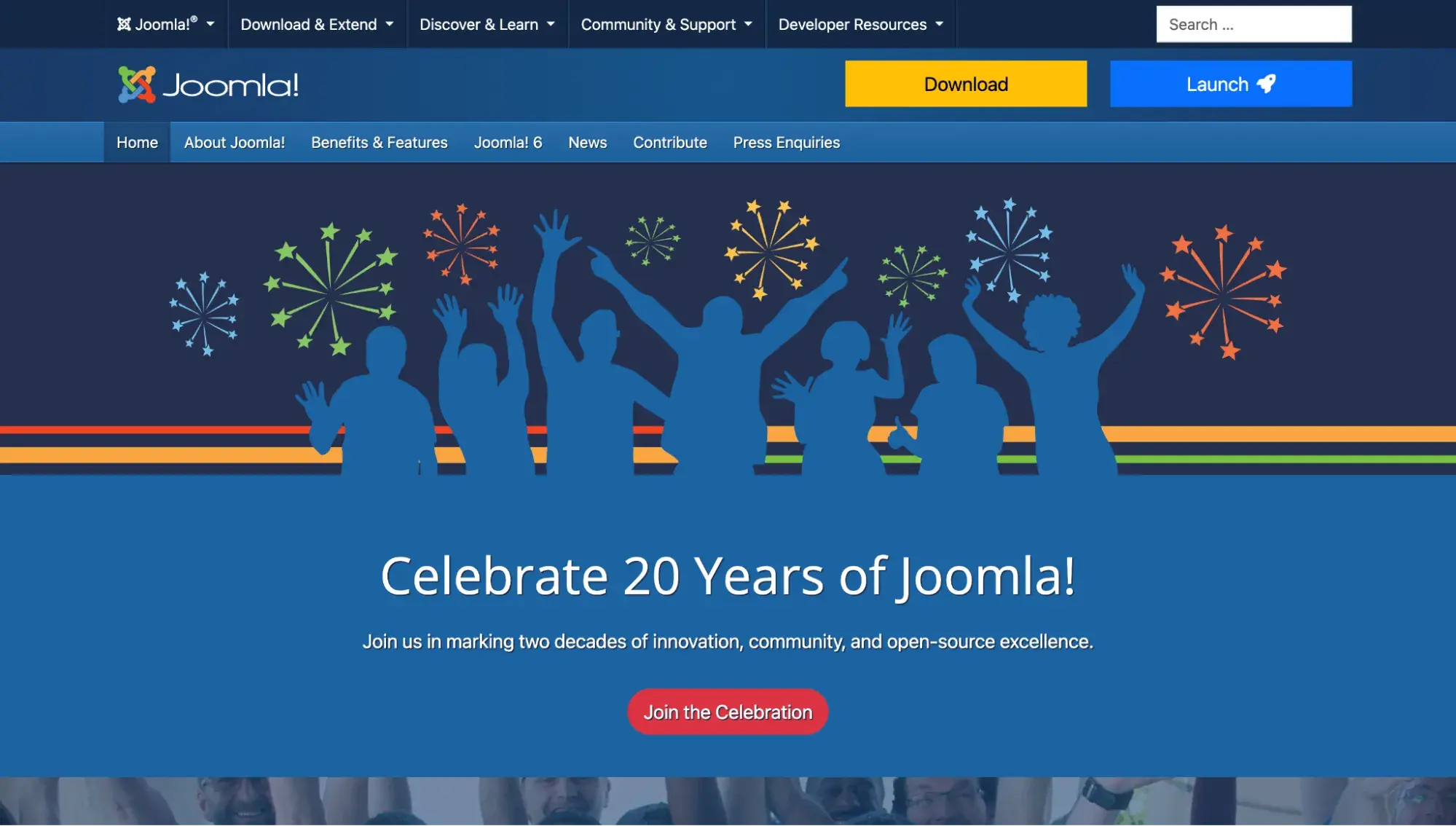
Joomla is another open-source, self-hosted CMS that’s a great Drupal alternative for creating membership sites, social networking sites, portals, and other web projects with lots of users. While site owners don’t need to have coding skills to use Joomla, it would help shorten the learning curve.
Pros
- Built-in multilingual support
- Advanced user and content management options
- Can create custom fields
Cons
- No official theme directory
- Extensions need to be installed via the backend via a multi-click process that can be more difficult for non-technical users than the WordPress process of adding plugins.
HubSpot's Free Website Builder
Create and customize your own business website with an easy drag-and-drop website builder.
- Build a website without any coding skills.
- Pre-built themes and templates.
- Built-in marketing tools and features.
- And more!
Pricing
- Free to download, but there are costs associated with domain registration, hosting, and premium plugins and themes
Joomla Website Example

7. TYPO3
Best for: Universities, governmental agencies, and enterprises wanting complex functionality and superior security
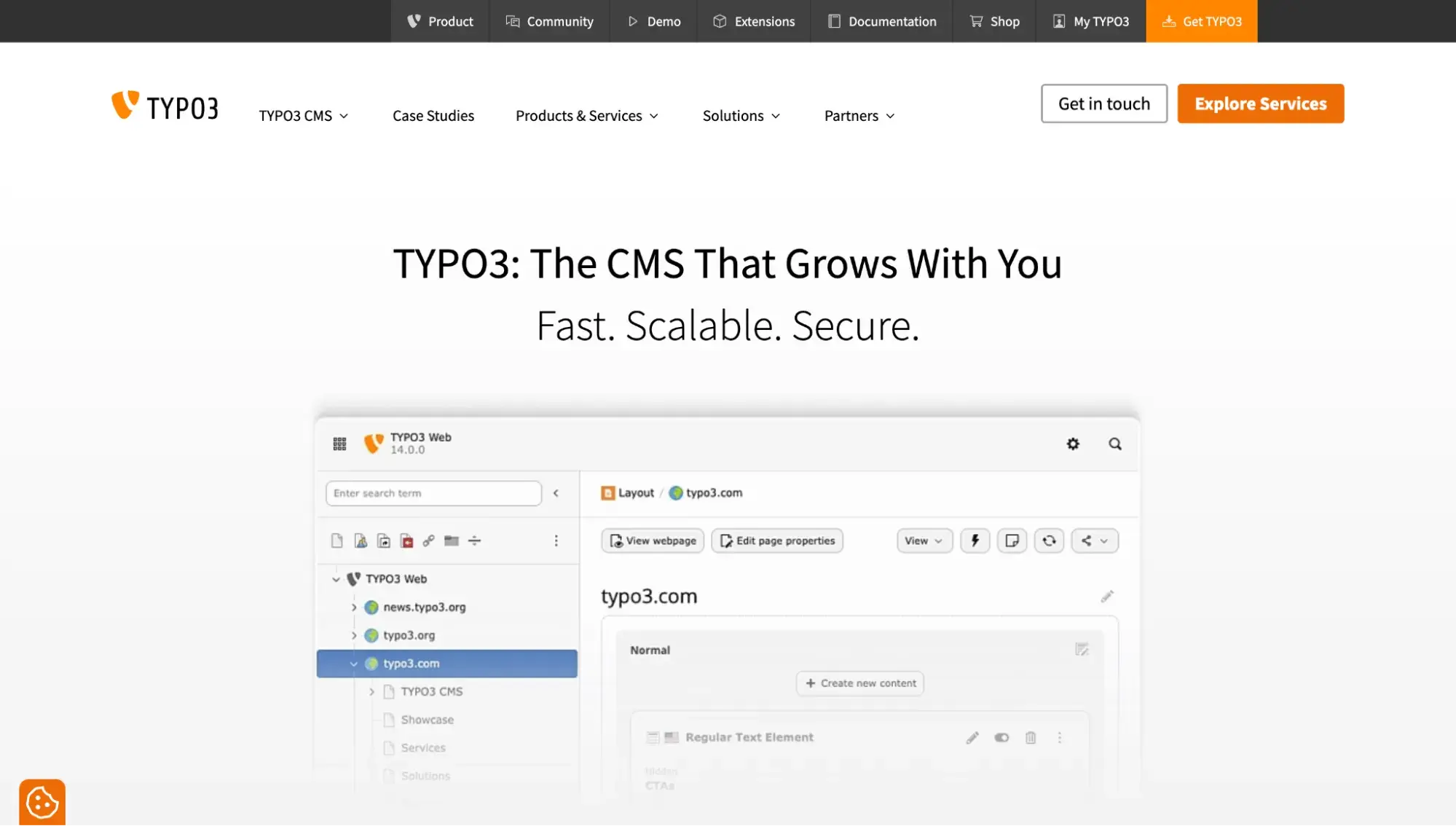
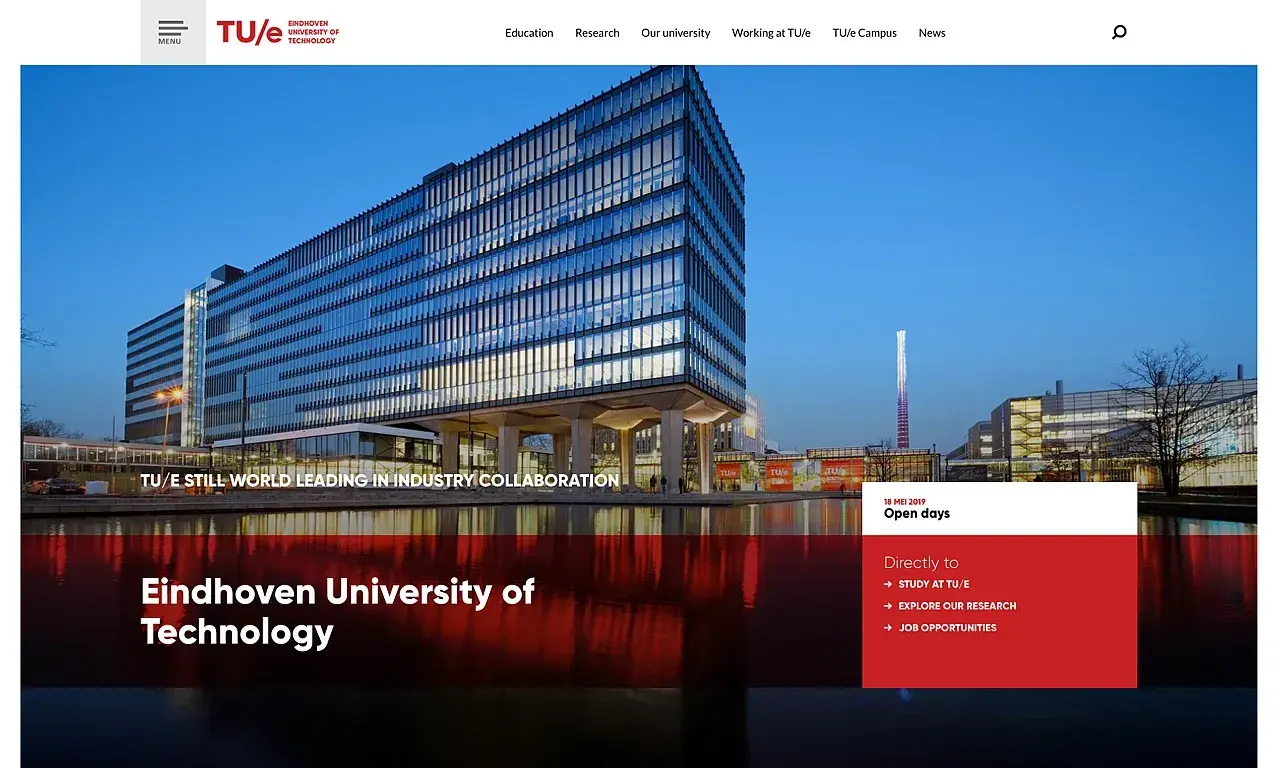
TYPO3 is yet another self-hosted, open-source CMS. It is an ideal Drupal alternative for advanced programmers at enterprise companies. Supporting multi-language and site management and plenty of integrations, TYPO3 is a powerful platform for building complex web projects like university sites. In return, it does require a significant investment of time and resources to learn and be able to fully leverage the platform’s capabilities.
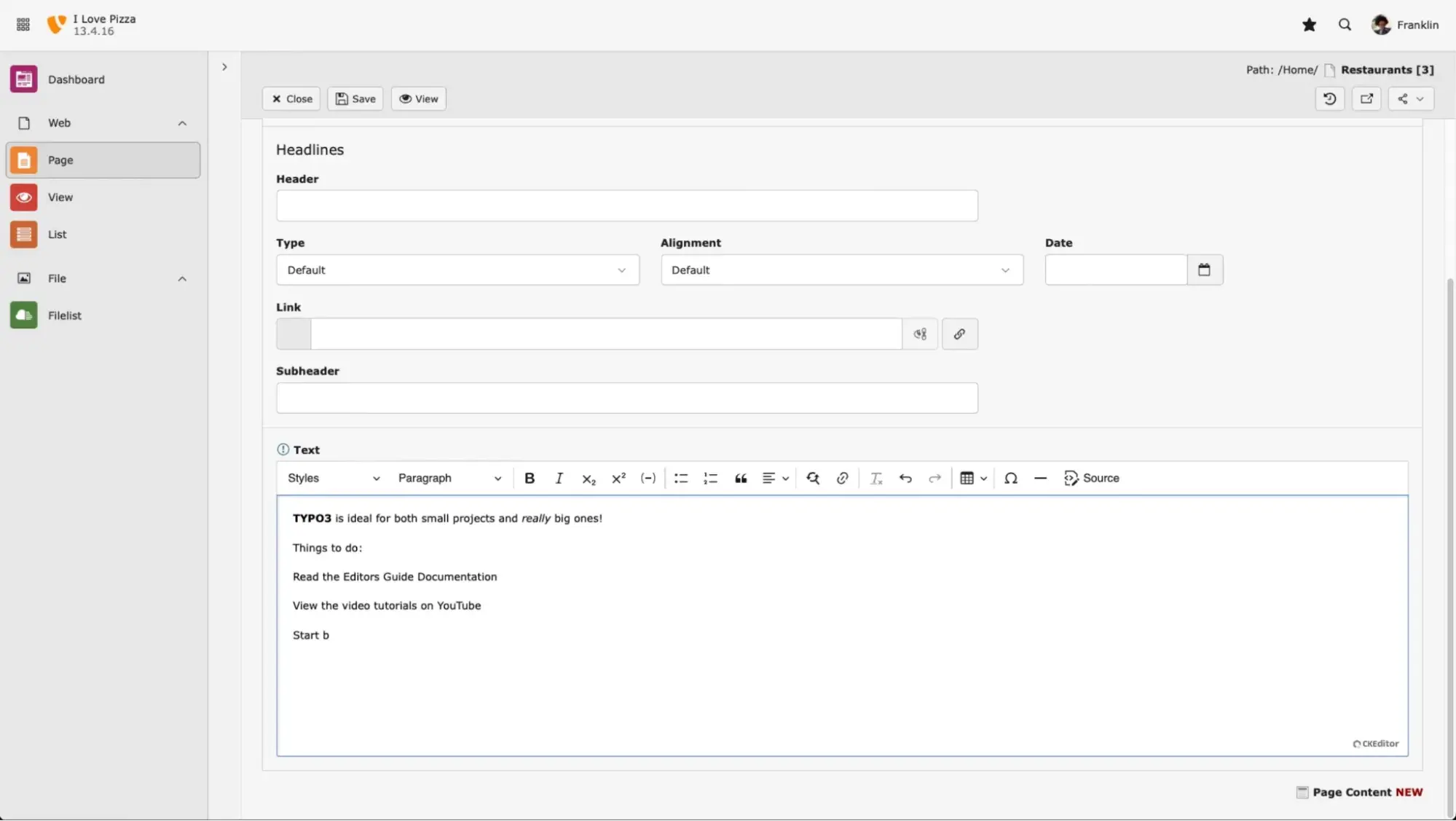
Pros
- Free and open-source CMS
- Can create and manage multi-site installations in different languages
- Configure advanced user roles and permissions
Cons
- Interface looks outdated
- Even advanced users have to dedicate a lot of time to learning the platform.
- Smaller community compared to options like WordPress, which makes it challenging to find as many resources
Pricing
- Free to download, but costs associated with domain registration, hosting, premium plugins and themes, and hiring a development partner
- TYPO3 sells a Higher Education Package for institutions wanting long-term support, continuous software updates, and detailed documentation. The price for one institution starts at €4,800.
TYPO3 Website Example
8. Webflow
Best for: Web designers who want pixel-perfect control
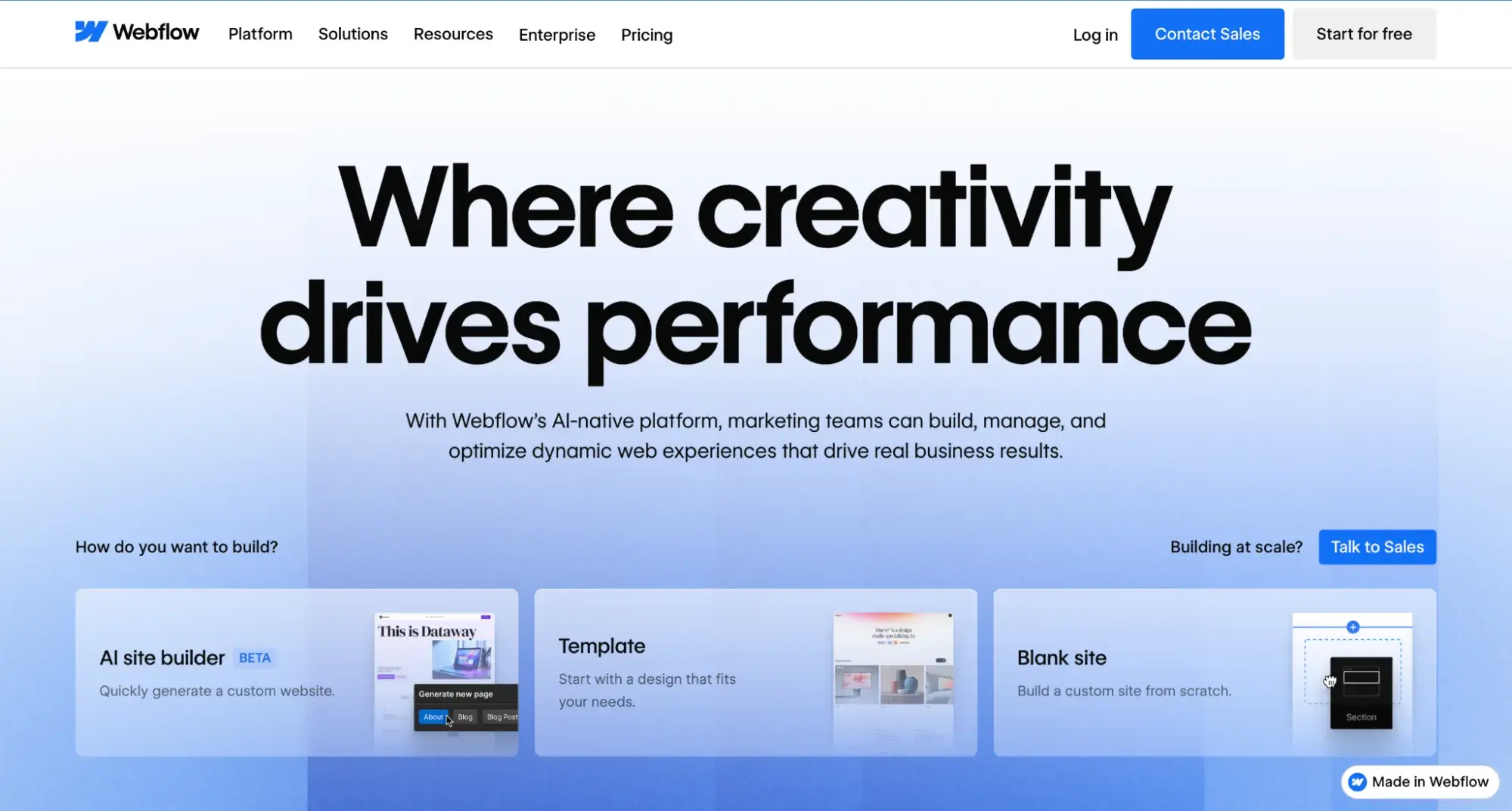
Webflow is a SaaS CMS alternative to Drupal that will appeal to web designers. Designed as the first “visual” content management system, Webflow takes care of hosting, security, and performance so site owners can focus on fully customizing their sites.
Pros
- Use a template or start from scratch.
- Download extensions or add custom code to extend the functionality of the site.
- Build a site for free and pay when you’re ready to go live.
Cons
- Requires basic knowledge of CSS, HTML, and web design
- Only online portal support available — no phone support unless you’re on an Enterprise plan
Pricing
Here are the Webflow site plans based on annual billing:
- Starter: Free
- Basic: $14/month
- CMS: $23/month
- Business $39/month
Webflow Website Example
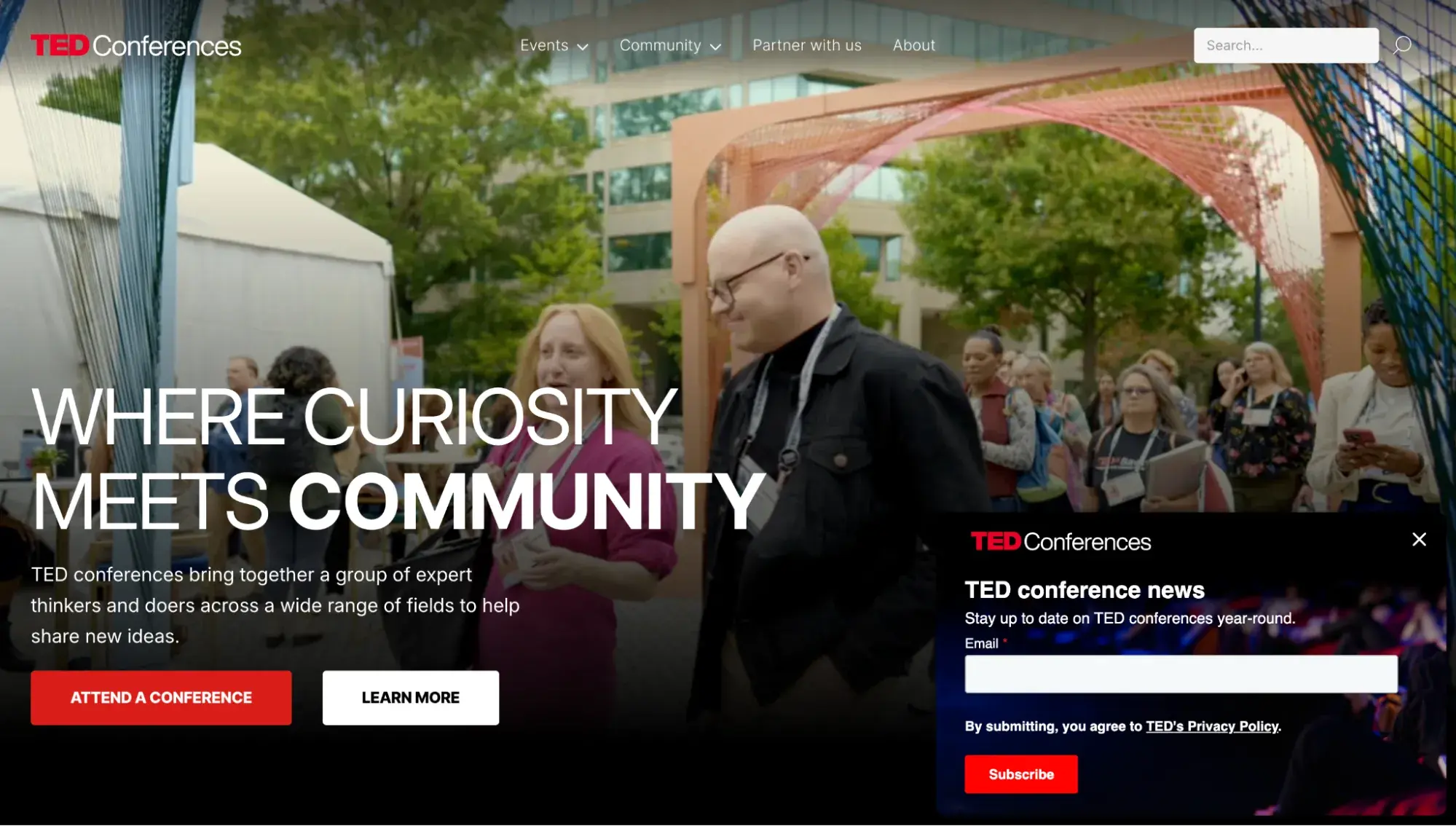
The TED Conferences site is built on Webflow.
9. Wix
Best for: Non-technical professionals wanting a beginner-friendly website builder
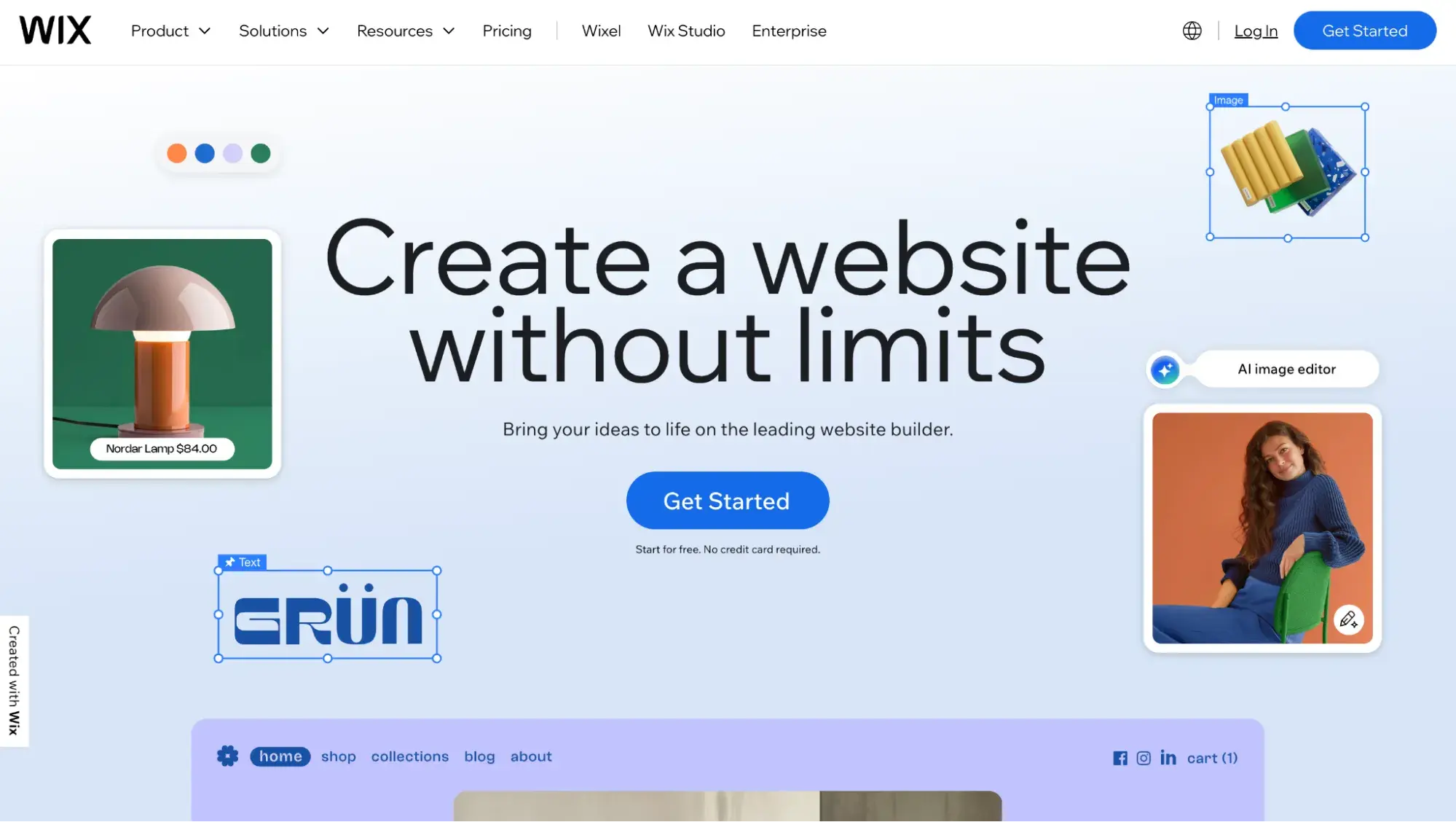
If you’re looking for a SaaS CMS alternative to Drupal, Wix is a cloud-based website builder that allows users to create websites without coding experience. With over 200 million users, Wix offers a user-friendly platform with various templates, an AI website builder, and customization options to create stunning websites for any type of business or personal project. If you’re interested, check out our list of Wix alternatives.
Pros
- Easy to use right out of the box (no coding or technical skills required)
- 2,000+ free website themes
- Nearly 500 web apps in the Wix App Market
- Drag-and-drop builder
Cons
- Limited customization compared to Drupal
- Smaller selection of extensions/themes relative to Drupal (which has 50,000+)
Pricing
Here’s the Wix pricing based on annual billing:
- Free plan: $0/month
- Light: $17/month
- Core: $29/month
- Business: $39/month
- Business Elite: $159/month
Wix Website Example
UK catering company Cleverchefs is built on Wix.

Making Your Migration Decision
The TL;DR
- HubSpot Content Hub: Marketing teams wanting a fully hosted experience with a built-in CRM and marketing tools to grow their business
- WordPress.org: Website owners who want to leave the Drupal ecosystem entirely but still want a self-hosted, open-source CMS for full flexibility
- Backdrop CMS: Easiest migration path. Keep the Drupal 7 experience, but have continued support.
- Shopify: Small to large ecommerce businesses wanting an all-in-one platform
- Magento (Adobe Commerce): Enterprise ecommerce businesses wanting the ultimate in complexity and flexibility
- Joomla: Small to large businesses needing built-in multilingual support and advanced user permissions
- TYPO3: Universities and governmental orgs wanting top-level security
- Webflow: Web designers wanting pixel-perfect control over design
- Wix: Non-technical teams needing to quickly rebuild a site using templates and a drag-and-drop editor.
If you still need help deciding which Drupal alternative to choose for your business, here are two major clarifying questions:
How complex is your site?
The more pages, content, and complexity your site has, the more crucial it will be for you to work with developers during the migration process.
A marketer could pretty easily rebuild a five-page Drupal 7 portfolio site in an all-in-one website builder like Content Hub. It would be a manual process, but due to the small number of pages and low complexity, it’s doable.
However, a marketer cannot rebuild a 2,000-page Drupal 7 ecommerce site. That’s going to require significant developer resources.
The guidelines:
- If you have a simple portfolio site with a handful of pages, a hosted, all-in-one website builder is a simple path. Content Hub or Wix are great choices here.
- If you have a more complex site with hundreds of pages or ecommerce capabilities, consider WordPress or Adobe Commerce and hire a developer.
HubSpot's Free Website Builder
Create and customize your own business website with an easy drag-and-drop website builder.
- Build a website without any coding skills.
- Pre-built themes and templates.
- Built-in marketing tools and features.
- And more!
Are you 100% set on keeping the exact same design and functionality, or are you open to a redesign?
This is a crucial question to answer when choosing which CMS to migrate to, because not all Drupal alternatives make it easy to keep your design and all of your functionality. Here’s why:
- “Closed” systems, like Wix, are proprietary. That means they typically are template-driven, and they usually don’t grant you access to the full codebase. Therefore, your customization options are limited compared to open-source CMSs. You can choose a template that’s pretty similar to your existing D7 site and then edit it in the visual editor and maybe inject some code snippets — but it’s probably not going to be an exact replica of your D7 site.
- Open-source CMSs like WordPress will give you full access to the codebase and, therefore, more control over your code, but getting an exact replica of your existing D7 site takes significant time and the help of developers.
So, here are your guidelines:
- If you must keep the exact same design and functionality, choose an open-source, self-hosted CMS like WordPress and hire skilled developers to do the migration. Alternatively, HubSpot offers Website Migration services where specialists will rebuild your site for you on Content Hub, getting it as close to your original site as possible. Additionally, with Content Hub, you’ll have a built-in CRM and marketing tools to help your business grow.
- If you’re open to a redesign and want to eliminate or minimize the need for developer help, choose a hosted CMS like HubSpot Content Hub. Marketers can choose from a Content Hub template and easily customize it in the drag-and-drop editor — no coding required. Yet Content Hub still grants developers the flexibility to code a template from scratch.
Any of the CMS platforms is a great option for various business types. The key to selecting the right one for you is ensuring its capabilities align with what you’re trying to achieve.
Drupal Alternatives Frequently Asked Questions
Is Drupal still a good choice in 2025?
It really depends on your needs. There are definitely developers who love Drupal’s developer-centric framework and customizability. But to give you a fuller picture, Drupal’s market share (the percentage of all websites with a CMS that use Drupal as their CMS) has been steadily declining every year for a decade — from 5.5% in January 2014 to 1.1% in December 2025. Drupal 7 reaching its end of life in January 2025 dealt a significant blow to many loyal users.
Which CMS is most similar to Drupal for large organizations?
Objectively, Backdrop CMS is the most similar to Drupal 7 because it is a direct fork of Drupal 7. A fork is a copy of a codebase that is then maintained independently. Backdrop states on its website that it “is specifically intended for use by non-profit organizations, educational institutions, and small to medium sized businesses. This doesn‘t mean that Backdrop won’t also be a great product for others, but as Backdrop changes and improves, features intended for this audience will be prioritized.”
So, if you really want to keep the functionality of Drupal 7 but still want active support from a community that maintains it, Backdrop CMS is your best bet. Just keep in mind that large organizations are not the CMS makers’ priority.
Can I migrate from Drupal without losing my SEO rankings?
SEO rankings after a migration have less to do with the CMS (like Drupal or any other CMS) and way more to do with how you handle the migration, including:
- Proper redirects - Failing to set up proper redirects during a website migration will hurt SEO.
- Image optimization - If you have large images and videos on your website, it can slow it down because it takes longer to load larger files. This is why image compression is crucial. A faster site is better for SEO.
- Web hosting package - This is less of a concern with SaaS CMSs like Content Hub and Wix (which manage infrastructure for you) and more of a concern with self-hosted CMSs like WordPress, where you must manage your own infrastructure. If you choose a cheap shared hosting package, for example, you’re sharing resources with lots of other sites, which could slow down your site.
One SEO aspect that does matter for CMS choice, however, is whether the CMS comes with built-in SEO tools. For example, HubSpot’s CMS, Content Hub, comes with SEO recommendations to help optimize your site. Read more about the best CMSs for SEO.
What's the easiest Drupal alternative for non-technical teams?
If you want something powerful and open-source like Drupal but less technical, choose WordPress, of which there are two types:
- WordPress.org, which is self-hosted: Choose this if you want complete flexibility and control over modifying your codebase. Although this might require some developer resources for setup and infrastructure management, it’s manageable for marketers and non-technical teams and is far less technical than Drupal.
- WordPress.com, which is hosted: Choose this if you want your CMS, website builder, and web hosting all rolled into one platform.
If you’re a marketing-focused team that wants something easy-to-use with built-in tools for business growth, try Content Hub. It’s a Drupal alternative that’s a hosted SaaS solution, so your CMS, web hosting, and other website tools are in one place.
How much does it cost to migrate from Drupal to another CMS?
The cost of a Drupal migration varies widely depending on the size and complexity of your site, the number and types of Drupal modules you use, and other factors. Additionally, it’s uncommon for web development agencies to publish their pricing transparently. That’s why it’s crucial you contact a few development firms and request quotes as you shop around. But, to give you some idea, Hornet Dynamics is a software development company offering Drupal migration services. Its website states that the average Drupal migration costs $2,500 to $15,000.
How long does a typical Drupal migration take?
The length of a Drupal migration depends on the CMS you’re moving to and the size and complexity of your site. To give you a general idea, though, software development company Hornet Dynamics states on its website that most Drupal migrations take 2-6 weeks.
What support does HubSpot offer for Drupal migrations?
HubSpot offers a Website Migration service where our team will handle transferring your site from Drupal to Content Hub (HubSpot’s CMS). Most website migrations take two to four weeks, but larger projects take longer. You'll be told ahead of time what your estimated timeline is.
Editor's note: This post was originally published in April 2020 and has been updated for comprehensiveness.
HubSpot's Free Website Builder
Create and customize your own business website with an easy drag-and-drop website builder.
- Build a website without any coding skills.
- Pre-built themes and templates.
- Built-in marketing tools and features.
- And more!
Content Management System





![20 Best Membership Website Builders and Platforms [+My Favorite Examples]](https://53.fs1.hubspotusercontent-na1.net/hubfs/53/14%20Best%20Membership%20Website%20Builders%20and%20Platforms%20in%202022%20%5B+%20Website%20Examples%5D.png)