

Table of Contents
- What is the average open rate for email marketing?
- What is a good email open rate?
- Why Email Marketing Still Matters + B2B Email Marketing Benchmarks
- Email Marketing Benchmarks
- Average Email Open Rates by Industry (2025 Benchmarks)
- How to Improve Open Rates: 6 Methods That Work
- Average Email Click-Through Rates by Industry (2025 Benchmarks)
- How to Improve Click-Through Rates: 6 Methods That Work
- Email Click-Through Rates: Stats and Best Practices
- Frequently Asked Questions About Email Marketing
- Final Thoughts (And What I Wish I Knew Sooner)
What is the average open rate for email marketing?
As of 2025, the average email open rate across industries is 42.35%. That’s higher than it’s been in years, but take it with a grain of salt. I’ve worked with clients in SaaS and B2B where 25% was a win, and others in community spaces hitting 55% consistently.
So ask yourself this: Are your opens growing over time? Are the right people opening your emails? Because that’s what actually moves the needle.
I use tools like HubSpot’s email health tool and A/B testing to get real clarity. When open rates dipped on a campaign last year, it wasn’t because people didn’t care — it was because our subject lines weren’t specific enough. One small tweak (“Get your seat before Frida”) brought our open rate up by 11%.
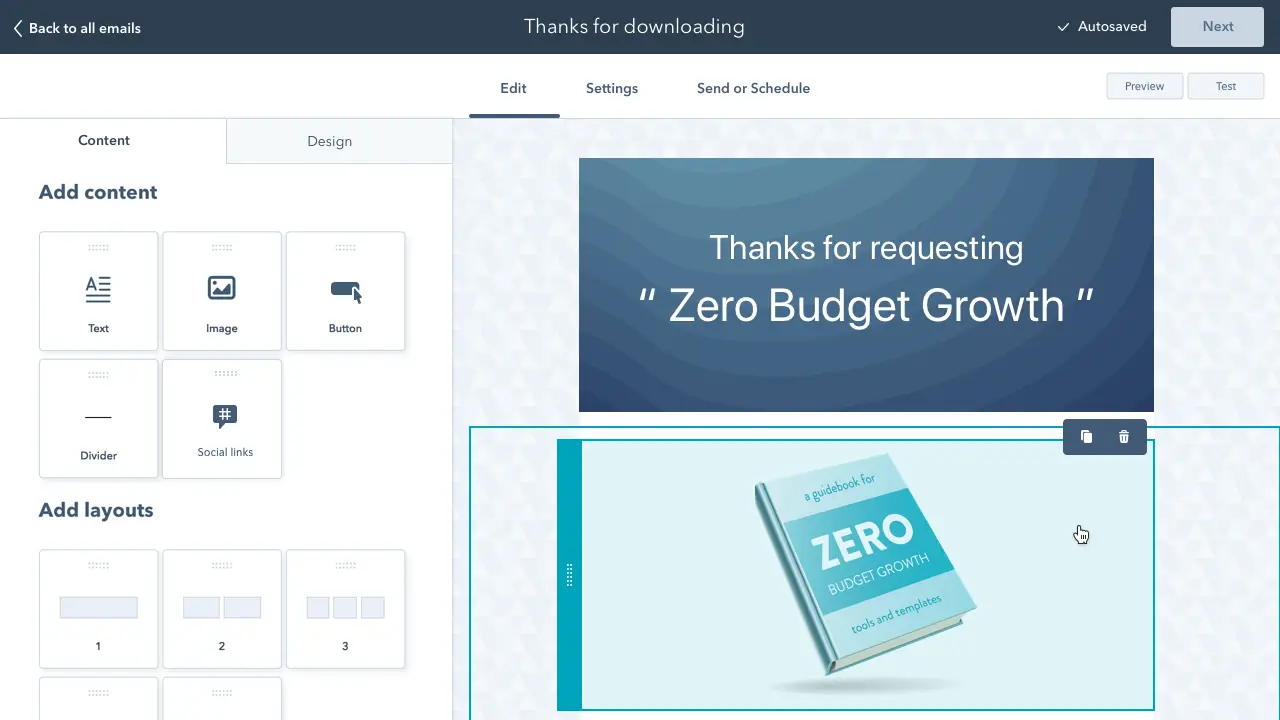
Free Email Marketing Tools
Create, personalize, and optimize your marketing emails without waiting on designers or IT.
- Boost email opens.
- Design stunning emails.
- Automate follow ups.
- And more!
What is a good email open rate?
Here’s what I’ve found in my work and what recent benchmarks confirm:
- Above 30% = Solid
- 45-50% = Strong
- 50%+ = Exceptional, usually due to a deeply loyal or niche audience.
But numbers alone don’t tell the full story.
I once ran an educational campaign with a 52% open rate — an incredible number on paper. We had a beautiful design, clear copy, and even some solid engagement in replies. But here’s the thing: It didn’t convert.
Not one sign-up; not one click-through. I remember feeling confused and honestly a little embarrassed. It took me a few days (and a couple honest conversations with teammates) to realize the problem.
The email gave people information but didn’t ask them to do anything. No clear CTA, no next step. It was a classic case of marketing that educated… and ended there.
That lesson stuck with me.
Now, every email I write starts with the question: What do I want the reader to feel, think, or do next?
Why Email Marketing Still Matters + B2B Email Marketing Benchmarks
According to HubSpot’s 2025 Global Social Media Report — and based on what I’ve seen working across sectors — email isn’t just keeping pace with social; it’s becoming one of the most trusted bridges between brand and audience.
While I’ve run ad campaigns that went viral for a day, the lasting connection always came through our email list. That’s where we had room to talk like real people.
And HubSpot’s data backs this up:
- 76% of marketers say authentic content performs better than polished material.
- 72% report AI-assisted content leads to higher performance.
- 85% are doubling down on community building.
What works here is relevance and rhythm. I’ve seen campaigns built around deal stages (using HubSpot Deal Pipelines) perform significantly better than blast-style outreach.
As Amy Mario, global head of brand marketing at HubSpot, puts it, “The brands that win the algorithm in 2025 aren’t just getting likes — they’re getting mental bookmarks.”
So what does this mean for email — especially in B2B email marketing where the average open rate is 41.7%?
It means speak like a human. Deliver value. Build a rhythm. Let people know there’s someone on the other side of that inbox.
Email Marketing Benchmarks
Your industry’s average email open rate is only one of several email marketing benchmarks. I also track click-through, bounce, unsubscribe, and click-to-open rates (CTOR) for a complete picture of my campaign’s performance.
Top email marketing platforms release email marketing benchmarks every year or two. So, I audit my email campaign efforts based on these standards. This year, I looked at benchmarks from five industry leaders that used substantial email marketing data to prepare their reports:
- Mailchimp used over a billion emails sent from their servers.
- Constant Contact analyzed over 200 million emails.
- Mailerlite analyzed data from 3,345,140 campaigns.
- Omnisend collected data from 24 billion emails, 230 million SMS, and 413 million push notifications.
Let’s get right into the details.
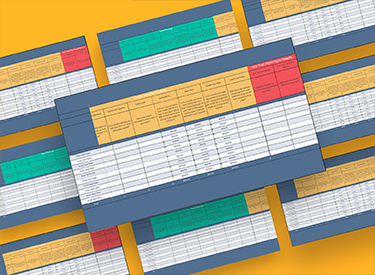
Email Marketing Planning Template
Organize your email marketing strategy and metrics with this free template.
- Gather data
- Summarize results
- Manage A/B tests
- And More!
Download Free
All fields are required.
Average Email Open Rates by Industry (2025 Benchmarks)
Here’s where things get practical. Below are 2025 averages by industry, along with a few lessons I’ve learned firsthand and tools I trust.
Retail
Average open rate: 38.58% (Klaviyo)
What’s worked for me: Urgency + scarcity. One subject line that read “Only 3 left in stock” gave us a 7% boost overnight. Timing matters too. Sunday evenings outperformed weekday mornings in most campaigns for me.
How to improve: Use recipient time zones and behavior-based segmentation.
B2B Services
Average open rate: 39.48% (Klaviyo)
What’s worked for me: Using titles directly in subject lines (“For HR leaders”) made our messaging feel less generic. Also, emails sent by an actual person — rather than a company alias — felt more personal and consistently earned higher opens.
How to improve:
- Segment your lists with HubSpot Lists or similar through your preferred mailing service.
- Tailor messaging using dynamic content.
- Sequences help you automate this without losing warmth.
Nonprofit
Average open rate: 46.49% (Brevo)
What’s worked for me: Storytelling. An email I wrote for a clean water org started with “This is Maria’s story,” and open rates went through the roof. People connect with people — not stats.
How to improve:
- Use personalization tokens and send-as options.
- Questions in subject lines can increase opens by up to 50% and numbers by 17%.
SaaS
Average open rate: 38.14% (Active Campaign)
What’s worked for me: Using data and insights as lead-ins. Subject lines like “How much churn is too much?” did far better than product updates.
How to improve:
- Leverage behavioral triggers.
- Embed short video clips or charts. (Visuals really work.)
Hospitality & Travel
Average open rate: 45.21% (MailerLite)
What’s worked for me: Localized recommendations. One hotel client swapped “Get away this weekend” for “Escape to Tepoztlán this Friday.” 18% more opens, just like that.
How to improve: Use geo-segmentation and CRM data to personalize based on seasons, holidays, or location-specific trends.
How to Improve Open Rates: 6 Methods That Work
1. Write for curiosity.
I’ve had subject lines with questions like “Did you see this yet?” outperform feature-heavy ones by double. People click when they’re intrigued.
2. Use the recipient’s name in the subject line.
Personalization often feels gimmicky, but when it’s natural, it adds trust. “Alejandro, here’s something for you” almost always beats “Quick Update.”
3. Test short vs. long.
Don’t assume long is bad. In B2B campaigns, my longer subject lines (“What 2,400 CMOs are doing differently in 2025”) beat short ones every time.
4. Avoid spammy words.
Words like “Free!!!” or “Urgent” can send your email straight to promotions or junk folders. Test tone instead of hype.
5. Optimize send time manually.
Some tools have this as an automatic feature — if not, start tracking engagement manually and then batch-send at that time. You’d be surprised how consistent your audience can be.
6. Create consistency.
When your audience expects to hear from you weekly at 10 AM on Friday, you’re training their attention. Consistency builds familiarity — and open rates rise.
50 Free Sales Email Templates
Save time, find new ways to reach out to prospects, and send emails that actually convert.
- First-Touch Emails
- Follow-Up Emails
- Break-Up Emails
- ChatGPT Email Prompts
Download Free
All fields are required.
Average Email Click-Through Rates by Industry (2025 Benchmarks)
Open rates tell you who’s paying attention. Click-through rates (CTR) tell you who’s engaging. And if you’re in this game to convert, CTRs deserve just as much love.
Here’s a look at average CTRs by industry based on 2025 data:
|
Industry |
Average CTR (%) |
Source |
|
Retail |
1.34% |
|
|
B2B Services |
2.21% |
|
|
Nonprofit |
2.66% |
|
|
SaaS |
1.91% |
|
|
Hospitality/Travel |
2.43% |
These numbers aren’t just data points — they’re conversation starters.
When I look at this chart, I don’t just see percentages: I see signals. For example, I’ve worked with nonprofits where storytelling drove CTRs above 5% because the emotional connection was real.
In B2B, the wins came from helpful content — things like benchmarks, guides, or tools — that were something people could act on.
CTR is ultimately about trust and timing. You’re not just hoping people will click — you’re showing them why they should. That’s why it’s one of the most honest metrics we’ve got in digital marketing.
How to Improve Click-Through Rates: 6 Methods That Work
1. Keep one clear CTA per email.
The more choices people have, the less they act. I’ve seen engagement double just by trimming from three links down to one.
2. Use buttons, not plain links.
Especially on mobile, clarity wins. Test colors, but make sure it looks like something they can tap.
3. Make it about them, not you.
“See your growth report” works better than “Check out our latest update.”
4. Lead with value.
The best CTAs answer the reader’s unspoken question: “What’s in it for me?”
5. Place the CTA high, but repeat it smartly.
One near the top for scanners and one at the bottom for readers. Same CTA, just accessible.
6. Add social proof nearby.
A quick testimonial or stat below the CTA boosts confidence and click rates.
Email Click-Through Rates: Stats and Best Practices
When I first launched my own digital agency, we used to celebrate open rates like they were the final goal. But over time, especially when I moved into product marketing and then tourism campaigns, I realized that opens without clicks are just window shoppers. The actual click-through signals someone’s ready to walk through the door.
What’s wild is how much small tweaks can change the game. I remember testing two nearly identical emails for a retreat we were running. One had a big, clear button that said “Reserve Your Spot.” The other just had a hyperlink in the text. The button email got 3x more clicks. Same audience. Same content. Just clearer direction.
So don’t underestimate structure. Think of your email like a guided path. From the subject line to the preview text, down to the CTA, every part should lead the reader to one simple next step.
In my work with both tech companies and tourism brands, I’ve seen CTRs vary wildly. Here’s what the data backs up:
- Emails with a single CTA can increase clicks by up to 371%.
- Buttons outperform links (especially on mobile).
- Personalized CTAs convert 202% better than generic ones.
The takeaway? CTR is where structure meets story. If you’ve built trust in the subject line and body, the CTA should feel like the obvious next step — not a sales pitch.
Frequently Asked Questions About Email Marketing
What’s the difference between open rate and click-through rate?
Open rate tracks who opened your email. CTR tracks who clicked something inside it. Both matter, but CTR usually signals deeper engagement.
What’s a good CTR in 2025?
Anything above 2% is strong across most industries. Nonprofits and B2B tend to see higher rates.
How often should I email my list?
Depends on your audience. I’ve seen weekly emails thrive and others burn out fast. Start small, stay consistent, and listen to unsubscribe signals.
Does time of day matter?
Yes. But there’s no one-size-fits-all. Use send time optimization or test mornings versus evenings to find your sweet spot.
How do I keep my list healthy?
Clean it quarterly. Remove inactive subscribers. Focus on quality over size.
Final Thoughts (And What I Wish I Knew Sooner)
When I started writing emails, I obsessed over subject lines. And yes, they matter.
But what really made a difference over time? Building trust with the people I was writing to.
What I wish I’d known earlier is this: Email is less about writing and more about relating.
Whether I was promoting a new eco-tourism experience or driving traffic to a tech webinar, the
emails that worked were the ones that sounded like they were written by a real person who cared. And usually, they were.
You don’t need fancy graphics. You need clarity. You don’t need perfect copy. You need honest communication. That’s how you build campaigns that don’t just perform — they connect.
So here’s my last piece of advice: Treat every email like it’s the start of a conversation, not the end of the funnel.
Editor's note: This post was originally published in June 2023 and has been updated for comprehensiveness.
50 Free Sales Email Templates
Save time, find new ways to reach out to prospects, and send emails that actually convert.
- First-Touch Emails
- Follow-Up Emails
- Break-Up Emails
- ChatGPT Email Prompts
Download Free
All fields are required.
Email Marketing Metrics