
There’s no middle ground with PPC ads: They either work as intended to capture the target market or get left in the dust. PPC tools are software solutions that help marketers manage, automate, and optimize pay-per-click advertising campaigns across platforms like Google Ads and Facebook. The best PPC tools save marketers time, reduce wasted spend, and boost ROI by offering features like bulk editing, automated bidding, advanced reporting, and seamless integration with the team’s marketing stack.
When choosing a PPC tool, compare pricing, automation capabilities, reporting features, and integration options. For a unified approach, consider platforms like HubSpot Marketing Hub that connect PPC with your CRM and analytics.
Below are 17 of the best PPC tools in the business.
Table of Contents
- Best PPC Tools
- Essential Free PPC Tools Every Marketer Should Use
- Best All-in-One PPC Management Platforms
- PPC Management Tools
- PPC Reporting Tools
- Landing Page and Conversion Tools
- Frequently Asked Questions About PPC Tools

Best PPC Tools
- HubSpot's Ad Management Software
- WordStream Grader
- Google Keyword Planner
- Google Ads Editor
- SpyFu
- HubSpot's PPC Management Template
- MarinOne Search
- Skai
- Acquisio
- Optmyzr
- Semrush PPC ToolKit
- Microsoft Advertising Editor
- Reporting Ninja
- Octoboard
- DashThis
- MetricsWatch
- Landingi
|
Tool |
Price |
Integrations |
Standout Features |
Best for |
|
HubSpot’s Ad Management Software |
Free |
Meta (Facebook/Instagram), LinkedIn, Google |
Multi-channel ad tracking, attribution, contact sync, and ROI reporting |
Teams using HubSpot who want ads and CRM data in one place |
|
WordStream Grader |
Free |
Google Ads |
Campaign grading, negative keywords, and industry benchmarks |
Marketers who need to quickly gauge, tweak, and improve Google Ads performance |
|
Google Keyword Planner |
Free with a Google Ads account |
Google Ads |
Keyword research, bid estimates, search volume forecasting, and keyword grouping |
Building strategic campaigns without paying for advanced keyword platforms |
|
Google Ads Editor |
Free to Google Ads advertisers |
Google Ads |
Bulk editing, offline management, draft previews, and large-scale updates |
Marketers managing high-volume Google Ads campaigns |
|
SpyFu |
Free version available; paid plans start at $39/month |
Google Ads (via competitive research data/exports) |
Competitor PPC insights, keyword history, ad copy archives, and estimated spend data |
Understanding competitor PPC strategy before launching campaigns |
|
HubSpot’s PPC Management Template |
Free |
N/A (downloadable spreadsheet) |
Ad planning worksheets, keyword grouping, budget planning, AdGroup organization |
Marketers planning PPC structure before building campaigns |
|
MarinOne Search |
Custom pricing |
Google Ads, Microsoft Advertising, Meta Ads (Facebook/Instagram), Amazon Ads, Apple Search Ads, LinkedIn, TikTok, Pinterest, Snapchat, Yahoo |
Available integrations, cross-platform management, automated bidding, budget modeling, unified dashboards |
Enterprise teams managing large multi-channel PPC programs |
|
Skai |
Enterprise pricing that starts at $95K/year |
Google Ads, Microsoft Advertising (Bing), Meta Ads (Facebook/Instagram), Amazon Ads, Apple Search Ads, Pinterest, TikTok, LinkedIn, Snap |
AI-driven optimization, budget forecasting, cross-channel ads |
Enterprise advertisers wanting advanced automation and forecasting |
|
Acquisio |
Based on ad spend and the number of accounts |
Google Ads, Microsoft Advertising (Bing), Meta Ads (Facebook/Instagram) |
Machine-learning bidding, automated budget adjustments, cross-platform support |
Agencies managing many accounts or campaigns at scale |
|
Optmyzr |
Starts at $209/month |
Google Ads, Microsoft Advertising, Amazon Ads, Meta Ads (Facebook/Instagram), LinkedIn Ads |
Bulk PPC management, automation workflows, scripts, and reporting |
Marketers wanting full-suite PPC optimization without enterprise complexity |
|
Semrush PPC ToolKit |
Included in Semrush plans starting at $99/month |
Google Ads, Meta Ads (Facebook/Instagram) |
Keyword research, competitor PPC data, ad-building workflows, performance insights |
Agencies or enterprise teams wanting white-labeled reports and advanced API integrations |
|
Microsoft Advertising Editor |
Free to Bing advertisers |
Microsoft Advertising |
Bulk editing, offline workflow, keyword, and bid adjustments |
Marketers running Microsoft Ads campaigns at scale |
|
Reporting Ninja |
Starts at $20/month |
Google Ads, Microsoft Advertising (Bing), Amazon Ads, Meta Ads (Facebook/Instagram), LinkedIn Ads, X (Twitter), TikTok, Pinterest, YouTube |
Whitelabel dashboards, automated email reports, cross-channel analytics |
Agencies needing client-ready PPC reporting |
|
Octoboard |
Starts at $20/month |
Google Ads, Microsoft Advertising (Bing), Meta Ads (Facebook/Instagram), LinkedIn Ads, TikTok, Quora, Snapchat, Criteo |
Prebuilt report templates, dashboard embeds, automated scheduling |
Marketers needing customizable PPC dashboards |
|
DashThis |
Starts at $42/month |
Google Ads, Microsoft Advertising (Bing Ads), Meta Ads (Facebook/Instagram, Insights), LinkedIn Ads, X Ads (Twitter), Google Analytics, YouTube |
Pre-built KPI widgets, customizable dashboards, automated reporting, cross-platform data pulls |
Marketers who want visual PPC performance snapshots |
|
MetricsWatch |
Starts at $29/month |
Google Ads, Microsoft Advertising, Meta Ads (Facebook/Instagram), LinkedIn Ads, Google Analytics |
Email-based PPC reports, in-inbox metrics, simple automation |
Teams who prefer streamlined, inbox-first reporting |
|
Landingi |
Free plan + paid plans start at $29/month |
Google Ads, Facebook Ads, LinkedIn Ads, Google Analytics, HubSpot (via Zapier or webhook integrations), and more |
Drag-and-drop landing page builder, A/B testing, templates, lead management |
Marketers A/B testing copywriting, product photos, or offer pricing |
.png)
The Ultimate Google Ads PPC Kit
A free guide and template to help run Google Ads campaigns.
- Set your budget.
- Research your keywords.
- Plan your ROI.
- Grow your business.
Download Free
All fields are required.
Form not available
Essential Free PPC Tools Every Marketer Should Use
Pay-per-click software help marketers manage and optimize pay-per-click campaigns. These six PPC marketing tools are all free to use, supporting different parts of the PPC process.
1. HubSpot’s Ad Management Software
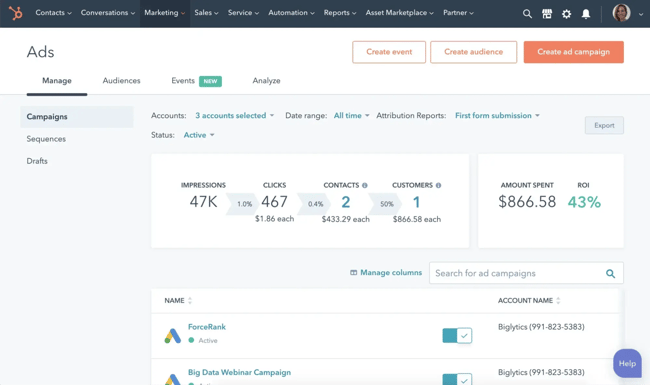
HubSpot’s Ads Management Software lets users connect their Google, Facebook, Instagram, and LinkedIn ad accounts to HubSpot so they can create, track, and optimize ads in one place. Once campaigns are connected, HubSpot automatically pulls in performance data and ties each interaction back to contacts in the CRM.
The tool shows which ads are generating leads, customers, and revenue, making it easier to see which campaigns are worth scaling. Marketers can also track conversions, monitor spend, and compare performance across networks without switching between ad platforms.
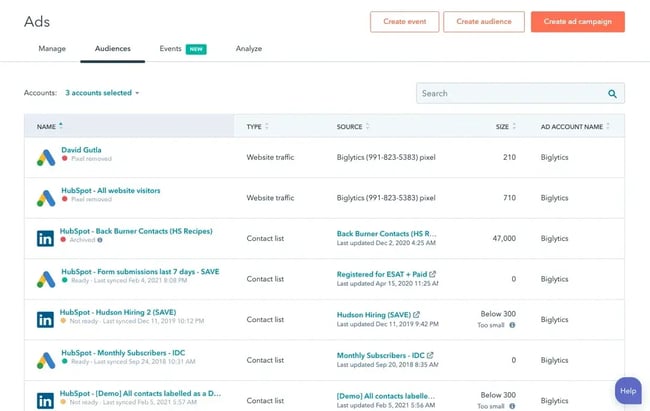
For teams already using HubSpot, this creates a streamlined view of PPC performance and how it contributes to their broader marketing and sales goals.
Pro tip: Use HubSpot’s Ads software to create personalized and targeted campaigns.
What I like: Conveniently keeping the best PPC tools under one roof. HubSpot Marketing Hub integrates with PPC management and CRM for unified reporting, and AI automates PPC campaign workflows.
2. WordStream Grader (formerly AdWords Performance Grader)
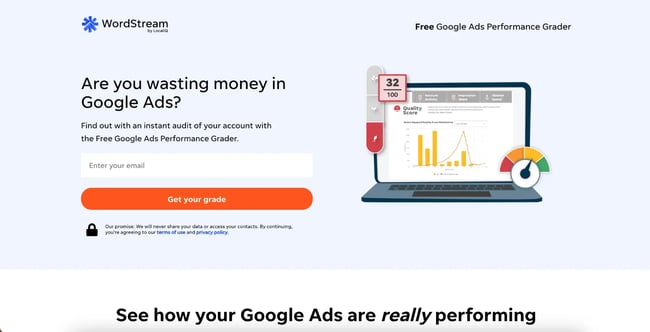
This WordStream tool, formerly called the AdWords Performance Grader, is a Google Ads campaign scoring tool. It evaluates ads and assigns a percentage score based on key performance criteria, such as:
- Text and keyword optimization.
- Keyword quality.
- Click-through rate.
- Impressions.
- Landing page relevance.
The report breaks each factor into its own sub-score, making it easy to understand where campaigns are strong and where they need improvement. For quick benchmarking, the tool also shows how current performance compares to the previous month.
Here’s an example of what a WordStream Grader report can look like:
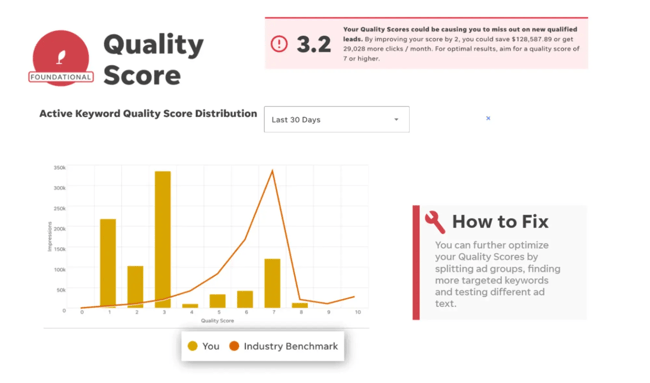
After registering and giving a small amount of company information, users can link this tool to a Gmail account and automatically receive the grades for ads associated with the email address. The crystal-clear nature of the WordStream Grader makes it a great PPC optimization tool for marketing teams.
What I like: Industry benchmarking and prioritization. No one likes a bad grade, but when it comes to Google PPC ads, it’s better to know if you’re coming up short — otherwise, you’re spending on ads that aren’t having the desired impact.
3. Google Keyword Planner
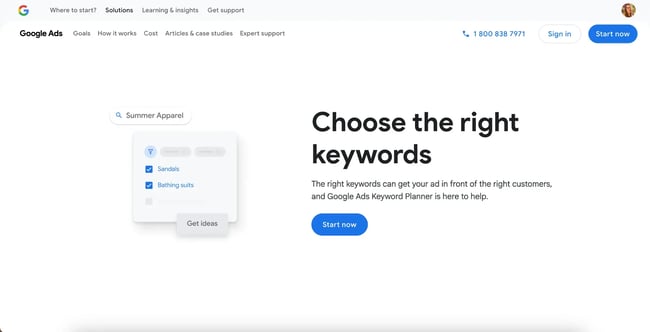
Google Keyword Planner helps marketers discover new keywords, analyze search volume trends, and estimate bid ranges so they can budget more accurately. Because it’s directly connected to Google Ads, users can move keyword lists straight into campaigns and ad groups with one click.
Advertisers can search for new keyword ideas, view historical metrics, forecast future performance, and compare keywords based on competitiveness and suggested bids. It gives marketers highly reliable keyword and bid estimates from Google. The tool also allows users to group keywords automatically, which speeds up campaign setup.
What I like: This is the perfect starting point for new advertisers, small businesses, or anyone with a limited budget. It’s one of the most widely used free tools for building and refining PPC campaigns. It’s the easiest way to uncover new PPC opportunities and plan ad budgets confidently.
4. Google Ads Editor (formerly AdWords Editor)
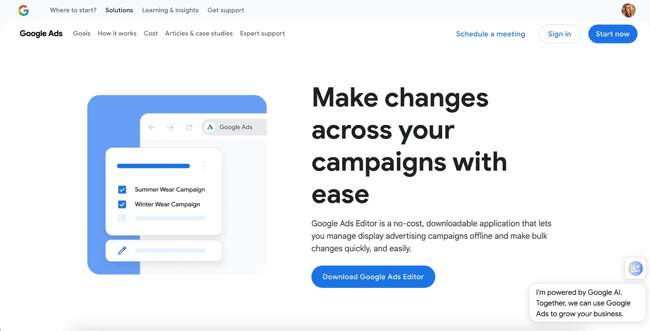
Google Ads Editor can create, track, and edit Google ads. It’s known for its free bulk editing tool for Google Ads, but it also includes monitoring tools. The app allows marketers to make bulk changes to multiple ads, preview edits in draft mode before they go live, and build or revise ads offline.
The editor works alongside Google Ads, which allows users to create and assign a bid strategy to campaigns specific to the Google bid strategy. Users must first create a Google Ads campaign to manage it through the Ads Editor. Here’s a quick demo:

If you are just trying to master one PPC strategy at a time and want to focus on Google first, this tool is an accessible and straightforward option. However, Google Ads Editor does not give you similar automation options or improvement suggestions like paid advertising platforms will (suggestions below). Because of this, more manual adjustments and monitoring might be required.
What I like: While Google Ads Editor may not offer the same quality-of-life features that come with for-pay products, it has the distinct advantage of being connected to the world’s largest search engine. Sure, it might require more manual effort, but it also gives campaigns the best chance to reach the most significant market.
5. SpyFu
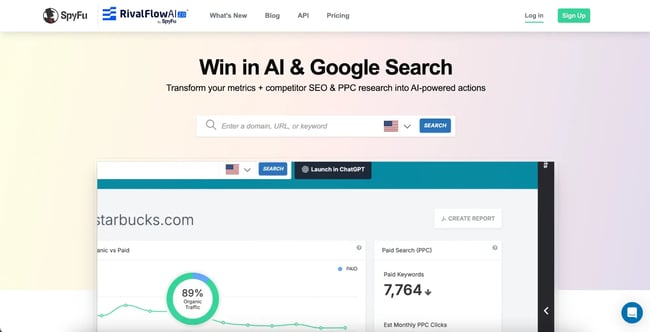
SpyFu is a PPC competitor analysis tool that helps marketers see which paid keywords their competitors are bidding for. With SpyFu, users can enter any domain and instantly see the keywords they’ve purchased in Google Ads, how much they are estimated to have spent historically, and which ad variations they’ve run.
The platform also highlights profitable keyword opportunities, estimated CPCs, and overlapping competitor lists, making it easier to identify gaps in your own campaigns. Advertisers can export keyword lists and competitor insights into Google Ads or incorporate them into the broader PPC planning process.
What I like: SpyFu offers a high-value level of competitive visibility, especially for a free tool. While it doesn’t create or manage campaigns directly, it provides valuable data to inform smarter bidding decisions and helps marketers avoid costly trial-and-error in the ad auction. It’s great for bootstrapped teams in competitive markets.
6. HubSpot’s PPC Management Template

HubSpot’s PPC Management Template bundle includes a PPC tracking spreadsheet, a guide to using Google Ads, and a PPC checklist. These materials cover the entire PPC advertising process:
- Paid search campaigns for beginners.
- How to use search campaigns.
- How search campaigns work.
- Developing a Google Ads strategy.
- Measuring success.
The guide and checklist set advertisers up for success and clarity around campaign management, while the spreadsheet guides advertisers through creating strong PPC ads for each customer journey level.
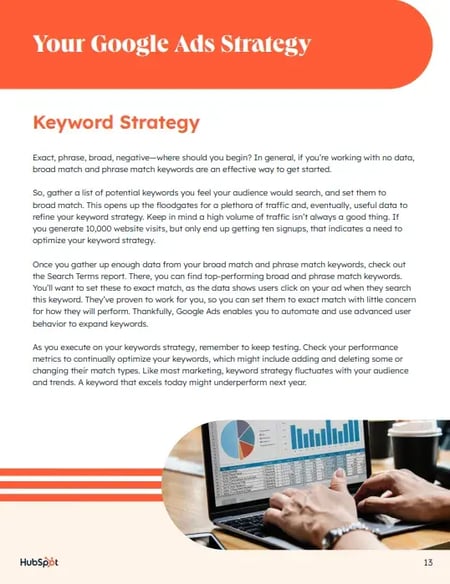
Download this Template for Free
While this template can help advertisers plan their campaigns, it can also be a great document to share with clients or other decision-makers before launching ads. Find the link to download and detailed instructions on how to use the tool in this blog post.
What I like: It’s our template, but that’s not the only reason we think it’s worth your time. Along with the template itself, our experts offer in-depth instructions on how to make the most of this resource for your current and next PPC campaigns.
Best All-in-One PPC Management Platforms
While some PPC tools focus on a single platform (like Google Keyword Planner), other tools unify campaign creation, optimization, and reporting into one clean workspace. Here are the best PPC tools for the job.
7. MarinOne Search
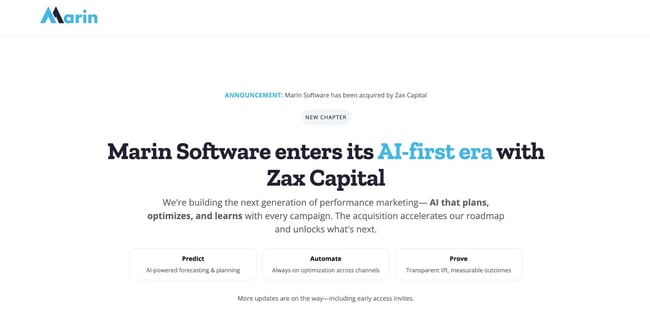
MarinOne Search offers bid management features for all major ad networks. According to Marin, the software uses a large pool of data and patented machine-learning algorithms to “allocate budgets and calculate bids.”
Users can adjust the budget algorithm by taking actions like assigning a dollar value to different types of conversion events. Or, review insights and implement the recommendations with one click:

The breadth of integrations makes MarinOne Search a convenient choice for enterprise-level users who need digital advertising support across diverse platforms and campaigns.
What I like: Bid too much, and a team is spending more than they make. Bid too little, and their ads may end up unseen. MarinOne helps pinpoint the sweet spot for ad spend to help marketers make the most of PPC budgets.
8. Skai (formerly Kenshoo)
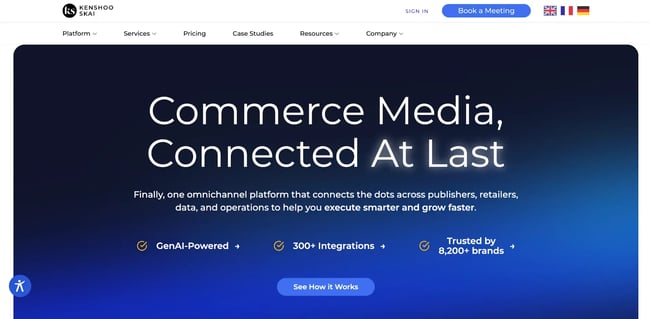
Skai (formerly Kenshoo) offers a variety of advertising tools related to budget management, search, social media, ecommerce, and app-based ads. The software’s bid management features allow users to make and adjust various bids, including rules-based and model-based bids.
Skai uses algorithms to give users bid suggestions and budget and ad performance forecasts in its dashboard interface. Advertisers can integrate data from Google Ads and other online ad programs with Skai’s platform. The data can be displayed on multiple dashboards, including one that shows spend, revenue, ROI, and conversion head-to-head.
What I like: Skai lets marketers import data straight from significant search engines and lets them visualize bids that work best for their team. This makes it easier to understand how PPC ads are performing and where spend will have the biggest impact.
9. Acquisio
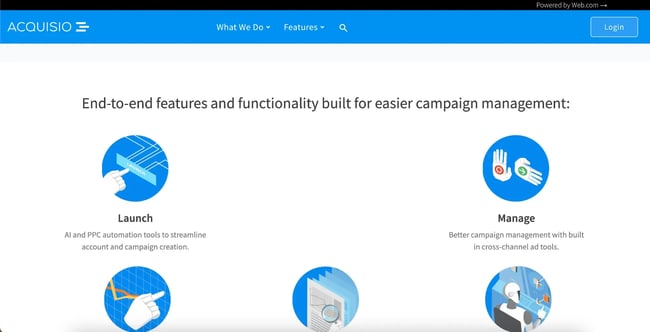
Acquisio is a cross-channel PPC automation tool that uses machine learning to manage bids, optimize budgets, and improve campaign performance across channels.
Acquisio’s bid and budget management tool uses machine learning algorithms to analyze and adjust bids and budget distribution on a 24/7 basis. According to Acquisio, the algorithms are trained to adjust budgets automatically based on seasonality, day of week, time of day, and ad platform.
What I like: The biggest draw of Acquisio is the tool’s ability to auto-adjust budgets based on relevant ad factors. This can help teams save money and ensure that the suitable ads are in the right place at the right time.
10. Optmyzr
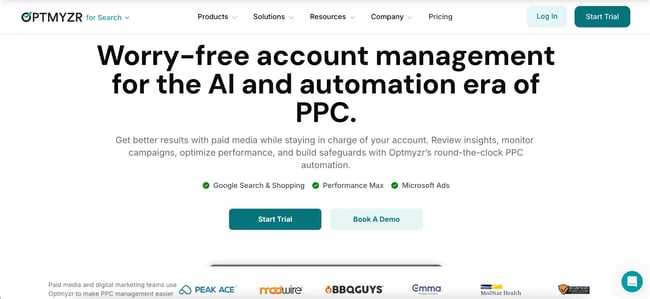
Optmyzr offers slightly more advanced tools for creating and managing campaigns in bulk. According to Optmyzr’s website, all software versions enable users to automate scripts, alerts, and reports.
One of Optmyzr’s tools, Automyzr, allows users to upload and generate campaigns and pull from data sources like spreadsheets or integrations. Once the data is uploaded, a user can use specific criteria such as “brand” or “product” to generate names and other ad elements automatically.
The automation features are diverse, as this Amazon tutorial demonstrates:
This software is highly recommended by Joe Martinez, who was named one of PPC Hero’s top 25 PPC experts. He says the PPC manager is helpful to both lead-gen and ecommerce accounts. “Optmyzr allows marketers to easily see performance data in their accounts and adjust quickly. I can also use their list of scripts to automate certain tasks I must do consistently,” Martinez says.
He adds that the software has saved him much time over the years. “I can rely on the tool to do many tedious, high-level tasks, which gives me more time to focus on strategy or deeper analysis in the important areas of the account.”
What I like: Optmyzr lives up to its name by helping businesses optimize their PPC ad data. Access to more information makes Optmyzr an excellent choice for companies of any size.
11. Semrush PPC ToolKit
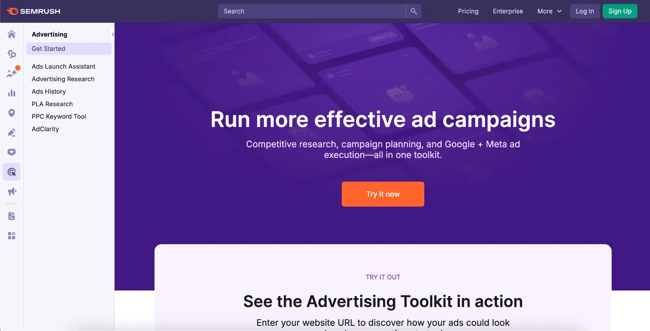
Semrush’s PPC management software focuses on competitive research, keyword research, and campaign planning. When researching competitors on Semrush, users can search their domain to see a list of domains they compete with organically and those they compete with in paid search.
Marketers can also find out which keywords competitors have bid on in the past to see if they should take a similar bidding strategy. The ToolKit's “Charts” tool can also display visual graphs of multiple competitors’ performance.
Here’s a demo that shows how to use Semrush to start a PPC campaign:

Another noteworthy feature is the Keyword Magic Tool, which assists with keyword research. Type in a keyword or phrase and get a list of stronger keywords and data about them, such as search volume. Advertisers can then export this information into a document to share with their team.
To test out Semrush, you can try features (including the Keyword Magic Tool) here. To access these free tools, you must register for a free account with an email and a password.
What I like: Semrush doesn't just tell advertisers how they’re doing — it offers insights about competitors’ PPC ad performance. This is powerful data for companies looking to stand out in an increasingly crowded ad market.
PPC Management Tools
PPC management tools centralize campaign editing, structure updates, and bulk changes to help marketers manage ads at scale.
12. Microsoft Advertising Editor (formerly Bing Ads Editor)
%20screenshot.webp?width=650&height=331&name=ppc%20tools%2c%20Microsoft%20Advertising%20Editor%20(Previously%20Bing%20Ads%20Editor)%20screenshot.webp)
While many marketers might think of Google as their primary PPC option, Bing has gained steam as the search engine has over 100 million daily users.
Microsoft Advertising Editor (formerly Bing Ads Editor) allows advertisers to find keywords, adjust bids, bulk edit campaigns (even offline), and monitor campaign performances.
Get a walk-through below to learn how to find account data, make changes within Microsoft Advertising Editor, and post changes:

What I like: While it’s still a David v. Goliath situation against Google, given that Bing’s PPC tools are accessible, companies can’t go wrong by expanding their ad impact.
PPC Reporting Tools
PPC reporting tools gather detailed analytics, track ad performance, and offer easy information exchange between teams. Here are some top options.
13. Reporting Ninja
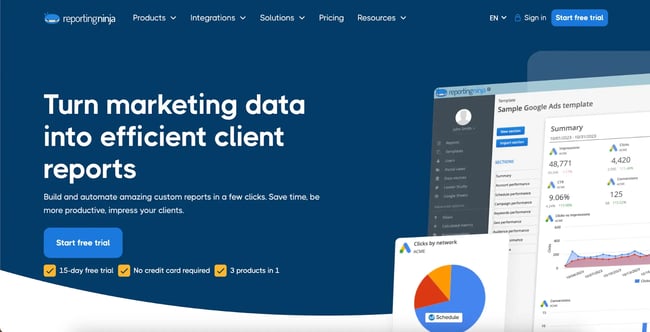
Reporting Ninja is a good option for marketers or agencies who wish to build white-label analytics dashboards that their clients can access. Aside from the portal, Reporting Ninja can also be used to schedule and send automated reports to marketers or clients via email.
When integrating with Google Ads and/or Bing Ads, a marketer or client with access to the white label portal can see a dashboard that pulls in all the information from these third-party platforms. With this integration feature, users can see all the need-to-know data in one place.
What I like: Teams don’t have time to chase down data from multiple sources. By combining ad data into a single, simple, accessible portal, marketers can access campaign data anywhere, anytime, to see how ads are performing and make necessary changes.
14. Octoboard
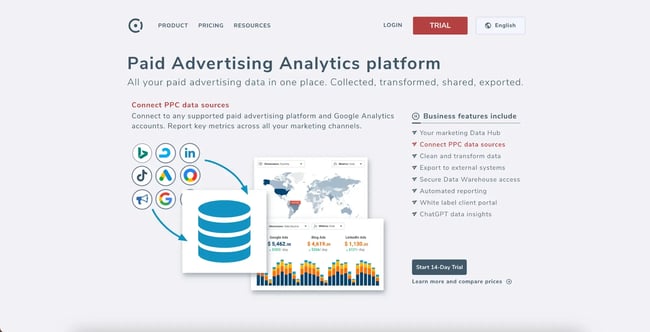
Octoboard provides a number of customizable and white-label reporting templates for marketers and their clients. With the software, marketers can create reporting documents as well as dashboards that can be sent to an unlimited number of recipients. The software also offers report templates that can be embedded into a website.
For those who need to report to their team or clients but don’t have time to create a nice visual, Octoboard already offers templates that specifically report on Google, Bing, Facebook, and LinkedIn PPC. Here’s an example of a few of the templates available to users:
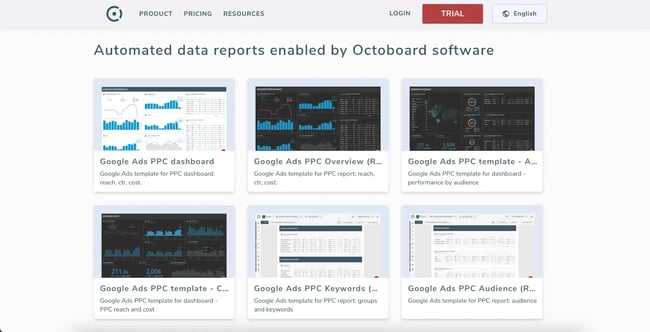
Similar to Reporting Ninja, the software also offers automation tools that can create and send templated reports on a schedule. Users can register and preview certain reports with data in them for free on the Octoboard site. However, to receive more access, users need to subscribe to one of the monthly or annual plans.
What I like: The no-code component of Octoboard. Teams can easily create and customize reports that align with marketing goals and provide need-to-know data.
15. DashThis
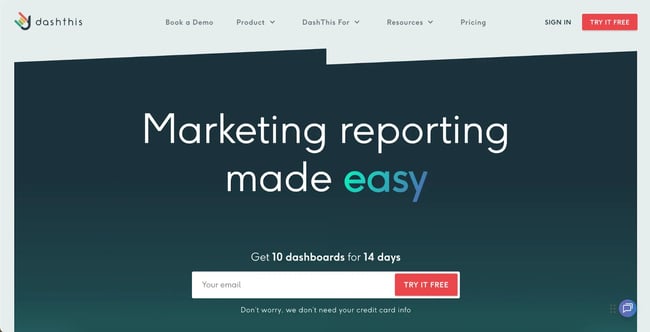
Like Reporting Ninja and Octoboard, DashThis allows users to connect PPC and SEM tools to the platform so that all performance data appears on one dashboard. This feature could be helpful for marketers who need to use two or more tools to monitor PPC ads, traffic, and other data related to campaigns.
The platform allows users to build and customize these overarching dashboards. When building a dashboard, DashThis allows them to build off of three templates:
- Periodic
- Rolling
- Campaign
While the Campaign pulls in data about a specific campaign, the Rolling dashboard shows live data, and the Periodic shows data for a certain time period.
DashThis also offers a list of pre-made KPI widgets that measure and report on factors like cost-per-click, cost-per-acquisition, conversion rate, impressions, ROI, and return on ad spend. Users can also create custom widgets of their own.
This software would be a good choice for agencies looking to save time on the reporting processes related to search engine marketing (SEM). After creating a dashboard, they can use it to share and report back on live data to their clients or colleagues.
What I like: Users can build their own PPC dashboard from scratch or use pre-made KPI widgets to streamline the process. The ball is in the user’s court with DashThis.
16. MetricsWatch
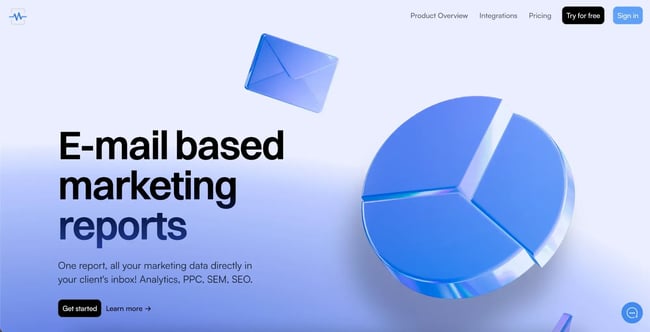
Like many of the others on the list, MetricsWatch allows users to connect many PPC and SEM tools and allows them to create reports with elements from each, so that all performance data appears on one dashboard. If a marketer is running campaigns on multiple platforms, consolidating them in one place to monitor performance can save a lot of time.
MetricsWatch is centered around automatic reports: daily, weekly, and monthly reports can be easily set up with a couple of clicks. MetricsWatch comes with pre-defined templates for the most common KPIs on each platform, but marketers can also create custom widgets that target any metric available from each provider.
This software would be a great choice for agencies or individuals looking to save time on the reporting processes related to PPC or SEM marketing. After creating a dashboard, they can use it to share and report back on live data to their clients or colleagues.
What I like: MetricsWatch reports work directly in email, no links or PDFs are required (but these are available too). It also includes unique features that let marketers preview reports before they go to clients and build a news feed that can be pulled into their reports automatically.
Landing Page and Conversion Tools
PPC campaigns drive clicks, but the landing page is where an ad really succeeds or fails. Landing page and conversion tools help marketers turn ad clicks into results by creating pages that load quickly, match user intent, and drive higher conversion rates.
17. Landingi
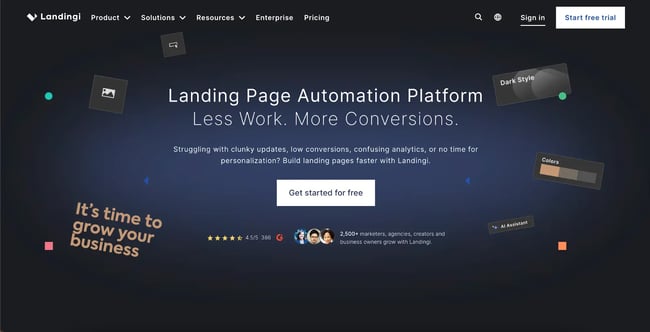
Landingi is a versatile platform designed for creating, publishing, and optimizing landing pages that elevate PPC campaign performance. With a straightforward drag-and-drop landing page builder, it helps businesses design responsive, conversion-focused pages for their PPC campaigns.
More than 400 templates are included for landing pages, pop-ups, and sections. Here’s an example of a Black Friday landing page template:
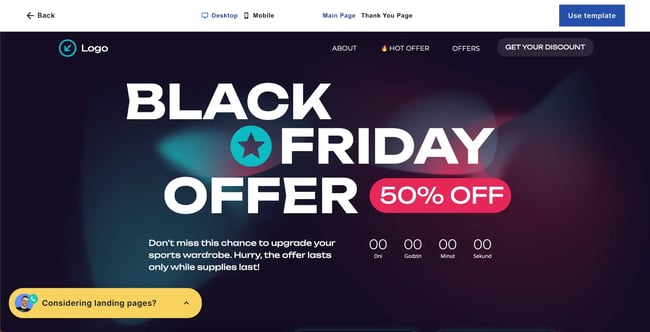
A/B testing allows users to refine designs and messaging for data-driven PPC improvements.
What I like: Landingi’s intuitive design and extensive customization options make it a no-brainer for advertisers who are failing to convert on their landing pages.
Frequently Asked Questions About PPC Tools
What is PPC software?
PPC software is specialized technology that helps businesses manage, optimize, and analyze their pay-per-click advertising campaigns. These tools automate bidding, provide keyword research, track performance, and generate reports across platforms like Google Ads, Microsoft Advertising, and social media networks.
Is PPC harder than SEO?
PPC and SEO present different challenges. PPC requires immediate budget management, constant bid optimization, and ongoing ad creative testing — but you see results within hours. SEO demands technical expertise, consistent content creation, and time, with results sometimes taking months to materialize. Both SEO and PPC are demanding in unique ways, which is why most successful businesses use both strategies together.
How much should I budget for PPC tools?
Your tool budget should align with your ad spend. A general rule: Invest 5–10% of your monthly ad budget in tools and management. If you’re spending $5,000/month on ads, a $250–500/month tool that improves performance by 10% delivers immediate ROI. Start with free tools, then upgrade as your campaigns grow.
Start optimizing your PPC campaigns today.
The right PPC tools transform overwhelming campaign management into systematic growth. Whether the team is drowning in keyword research or struggling with bid optimization, there’s a tool designed to solve each specific challenge.
Here’s how to get started:
- Start with free tools like Google Ads Editor and Keyword Planner.
- Identify your biggest PPC pain point (research, optimization, or reporting).
- Test 2–3 tools with free trials before committing.
- Measure performance improvements after 30 days.
Remember, these tools work best when integrated with a comprehensive marketing platform. HubSpot’s Ads Management tool, for example, connects your PPC campaigns directly to your CRM, showing exactly which keywords and ads generate actual customers — not just clicks.
Ready to level up your PPC game? Pick one tool from this list and start your free trial today. Your future self (and your ROI) will thank you.
The Ultimate Google Ads PPC Kit
A free guide and template to help run Google Ads campaigns.
- Set your budget.
- Research your keywords.
- Plan your ROI.
- Grow your business.
Download Free
All fields are required.
Form not available
PPC

![How to Perfectly Manage a PPC Campaign [Template]](https://53.fs1.hubspotusercontent-na1.net/hubfs/53/120_Manage-a-PPC-Campaign.jpg)
![How to Build Pay-per-Click Marketing Campaigns [+ Best PPC Platforms, Tools, and Software]](https://53.fs1.hubspotusercontent-na1.net/hubfs/53/ppc%20blog.png)



![When and How to Build International PPC Campaigns [+ Best Tools, Examples, and Best Practices]](https://53.fs1.hubspotusercontent-na1.net/hubfs/53/international%20ppc.png)