
For businesses and users who need reliable, real-time alerts on changing web content, dedicated website monitoring tools are the single best solution. These apps and extensions automate the entire process, ensuring you're instantly notified the moment a key change occurs.
In this list, we’ll look at some of the best website monitoring tools on the market, including how they work, their unique features, and their pricing structures.
.png)
Free Website Optimization Checklist
This website optimization checklist will help you perfect your website's:
- Performance
- SEO
- Security
- Mobile Performance
Download Free
All fields are required.
Form not available
Best Website Monitoring Tools
1. Visualping: An AI-powered website monitoring solution
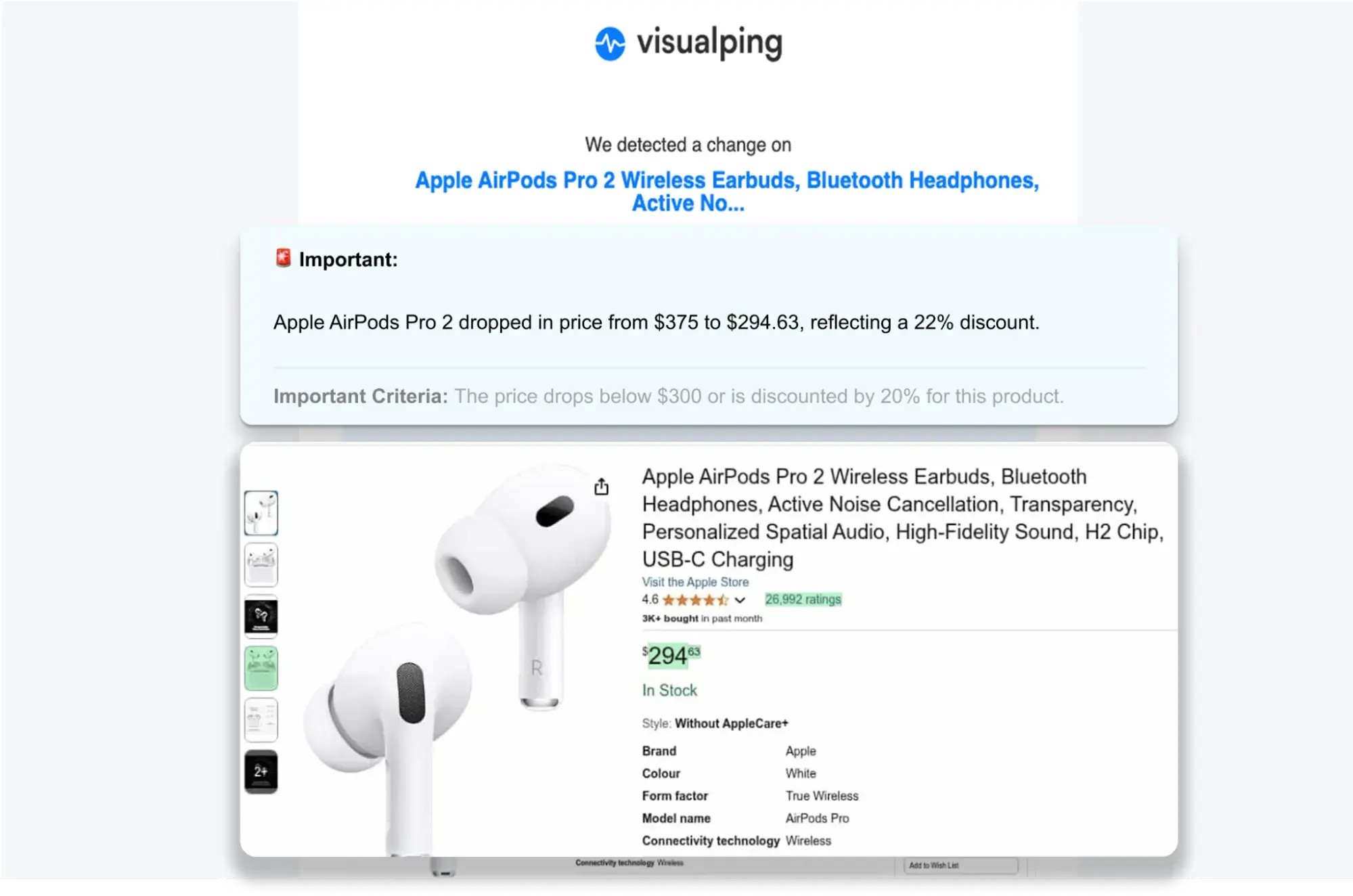
What makes Visualping unique it’s the use of AI to let users set a condition for what they want to be alerted for. In the example above, the condition is either the price of the AirPods dropping below $300 or more than 20% since the last check.
The benefit of this feature is that you will not be alerted to changes that don’t meet the criteria. If the price drops to $310, you won’t be alerted.
The condition is actually a simplified AI prompt. Other examples could be “Alert me if an appointment on Tuesday between 5 to 6 PM becomes available ” or “Alert me when my competitor launches a new product”.
When a change that fits that criteria is detected, users receive a concise, AI-based summary that describes in 2 to 3 lines what has actually changed on the page, so they don’t have to manually check the changes.
The notification (sent via email, Slack, MS Teams, text message, etc.) also includes a screenshot of the page with a highlight of the change, so users can visually confirm the details of the change.
Visualping tags changes as “Important” based on the user's AI prompt, helping filter out minor, unimportant changes like visual image shifts, cookie popups, or typo fixes.
Visualping is simple to set up from the home page: Users enter any URL they want to monitor, select a part of the page they want to track, enter a plain language prompt to tell the AI what’s important, specify how often they want Visualping to check the page, and choose how they want to be notified (email, SMS, or more integrations).
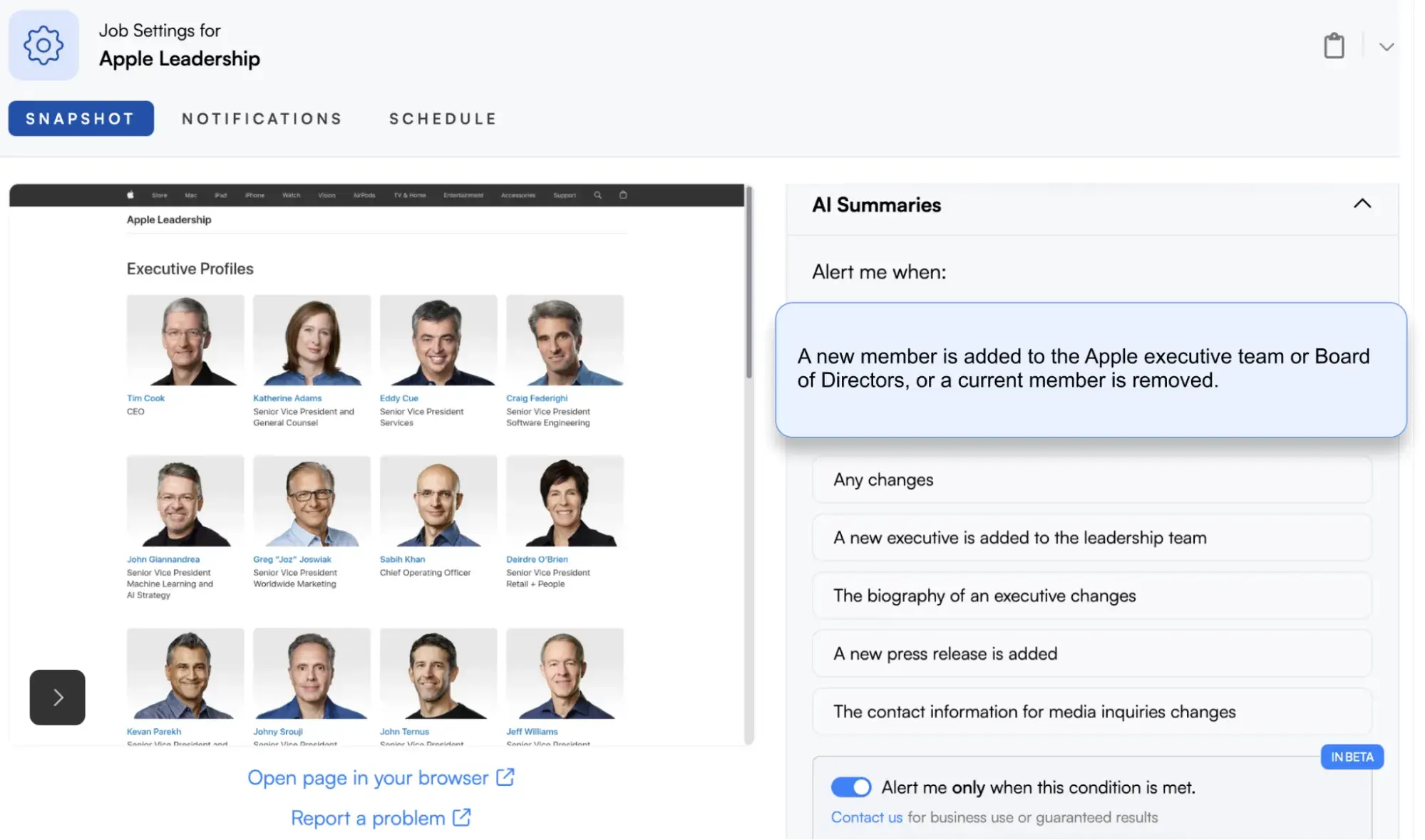
Here’s a look at their alert setup dashboard below. In the example below, a journalist wants to be notified whether the Apple executive team or board of directors changes, and the AI-based prompt (“Alert me when”) describes exactly that.
The free plan lets you monitor up to 5 pages with hourly checks, and the company offers a range of scalable pricing plans to fit businesses of all sizes.
The Business plans include features such as team collaboration, workspaces, bulk import, reports, and custom data extraction, where the AI can be prompted to extract specific data (like stock tickers and prices) into a structured format, such as JSON.
Visualping also provides an official n8n node to all users, enabling a detected web change to trigger complex automated workflows.
There is also a Visualping Google Chrome extension that allows users to monitor pages more frequently (up to every minute) from their browser or through Visualping’s servers.
2. PageCrawl: A Straightforward Change Detector
PageCrawl is a feature-rich tool to track changes on a website. Even the free version offers some interesting features. Namely, there are:
- Unlimited daily alerts via email, Slack, Discord, Telegram, and MS Teams
- Sync with Google Sheets
- Zapier connection
- Server location selection
- Change actions
- JavaScript-enabled crawling
However, it doesn’t offer the same AI prompting and summary features as Visualping.
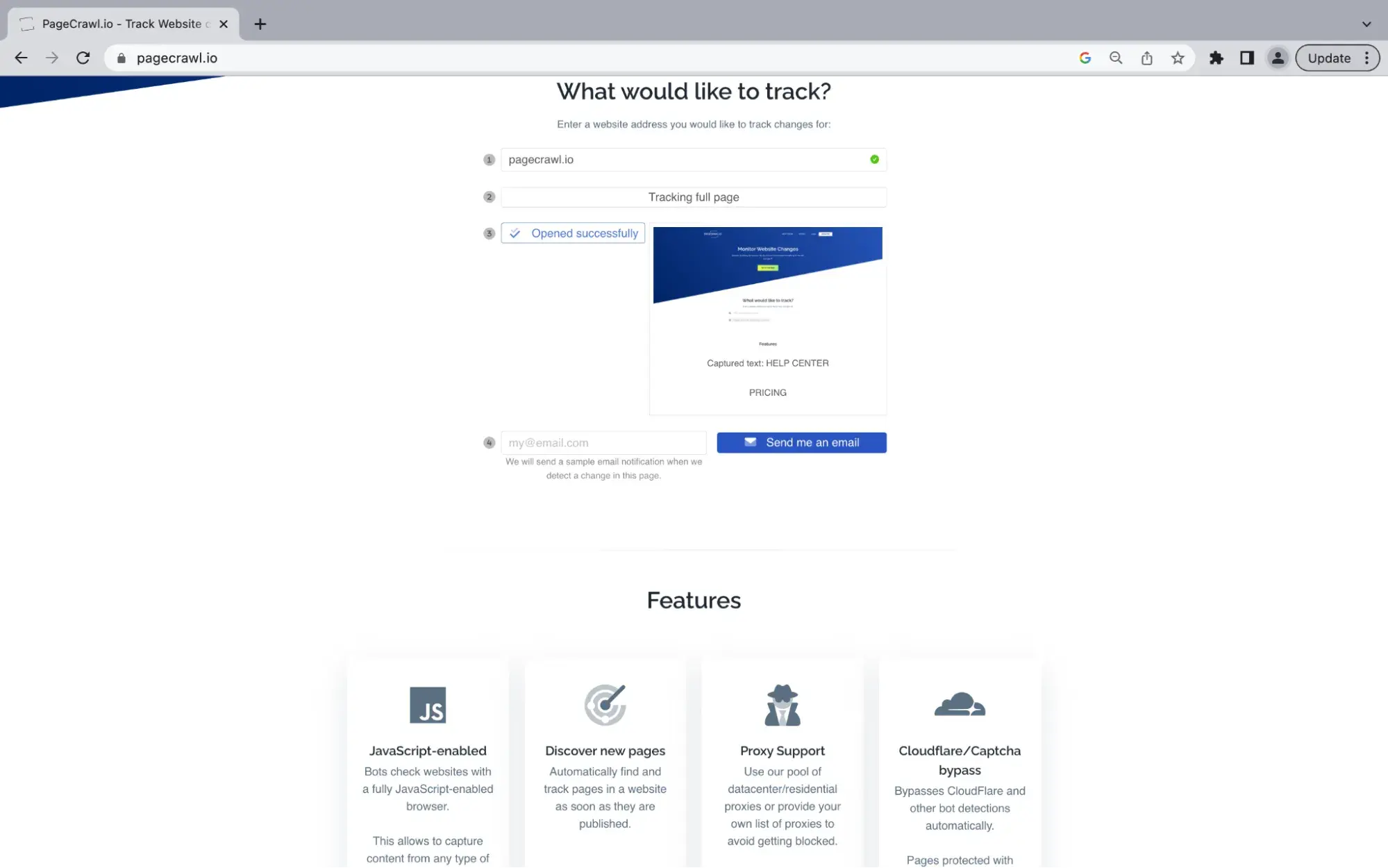
With the free plan, you will get limited features, such as page screenshot storage, view history, a maximum monthly check count, and check frequency. Review the website for details.
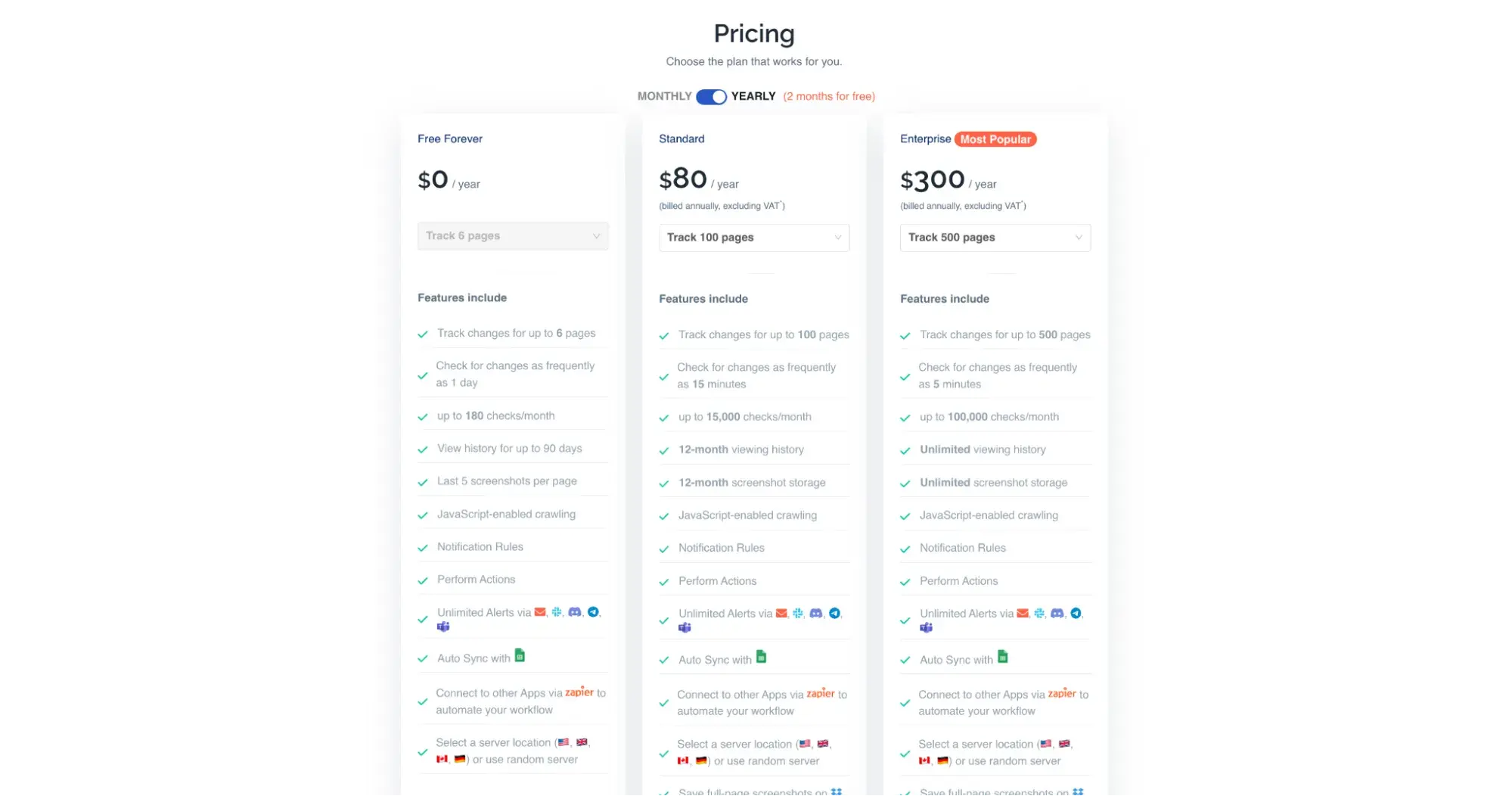
You can partially or fully avoid these limitations with higher-tier plans.
With a more advanced plan, a user also receives a ton of new features:
- Track changes in web files such as .odt, .doc, .xls, .pdf, and others.
- Cloudflare protection & captcha bypass.
- API & Webhooks.
- Logic-protected page tracking, etc.
3. Hexowatch: Enterprise-Ready Website Change Detection
Regarding the diverse ways to track changes on a website, Hexowatch is a solid website change monitor. Besides tracking content updates on a website, there are many more options. Some of them are monitoring backlinks, sitemaps, tech stack usage, keywords, uptime, HTTP posts, and API response changes.
As a downside, the tool may seem overly complex. For each type of tracking mentioned before, there are additional settings. Therefore, users can be on a steep learning curve when first using Hexowatch.
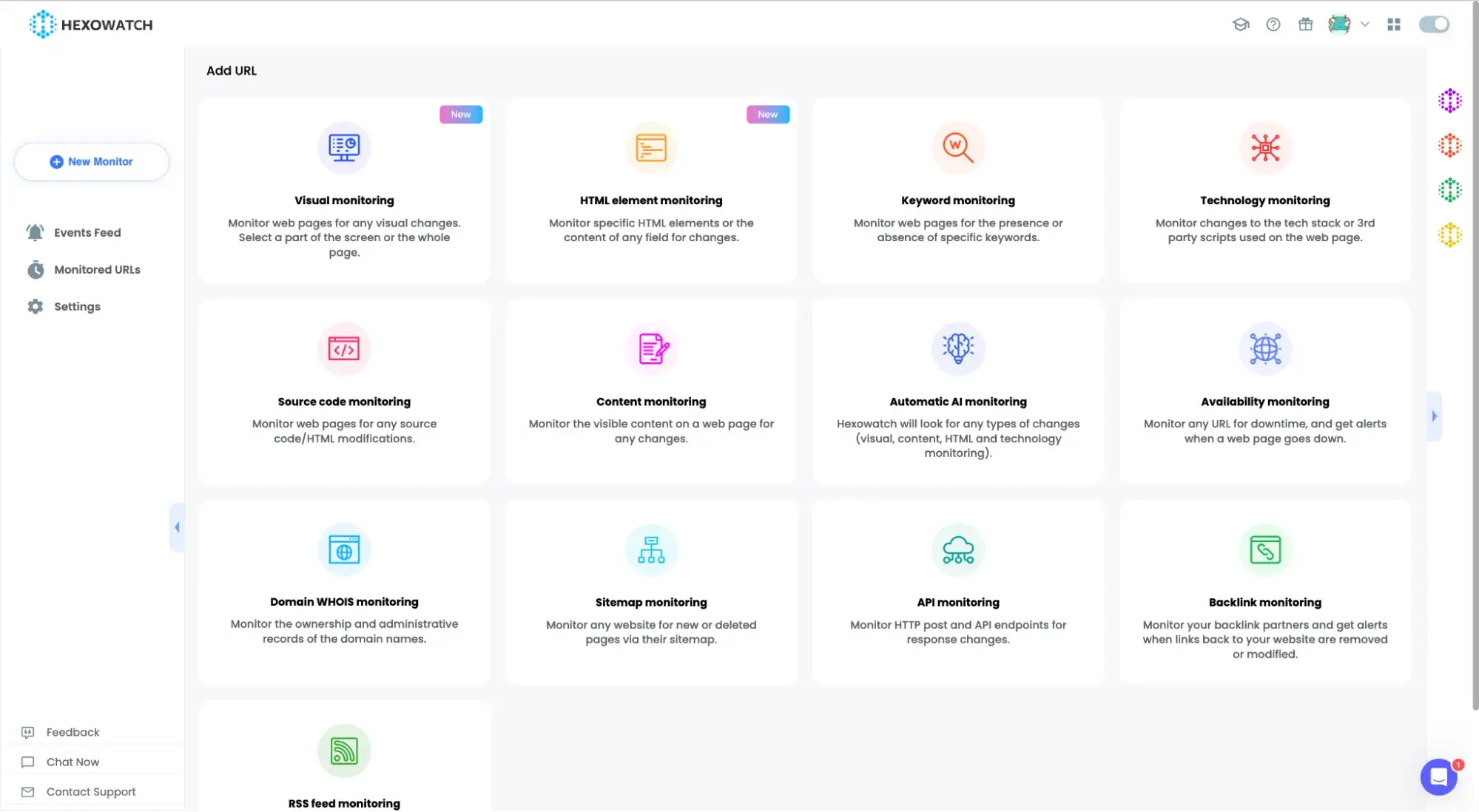
Nonetheless, the team behind it does an excellent job of explaining most of its use cases and educating users through its Academy. Furthermore, with the help of Hexowatch tutorials, a user can learn, without coding, how to monitor a website for changes from scratch. They’ve also released a “Monitoring Strategy Playbook” with practical applications and illustrations.
The sheer variety of page elements available for tracking comes at a price. Unfortunately, Hexowatch has no free version, and you must choose a paid plan after a 7-day trial.
4. Sken.io: A User-Friendly Platform
Sken.io offers a unique combination of features that make it a strong website monitoring tool. Among them are visual change detection, support for single-page applications, customizable monitoring intervals, and the ability to archive change history.
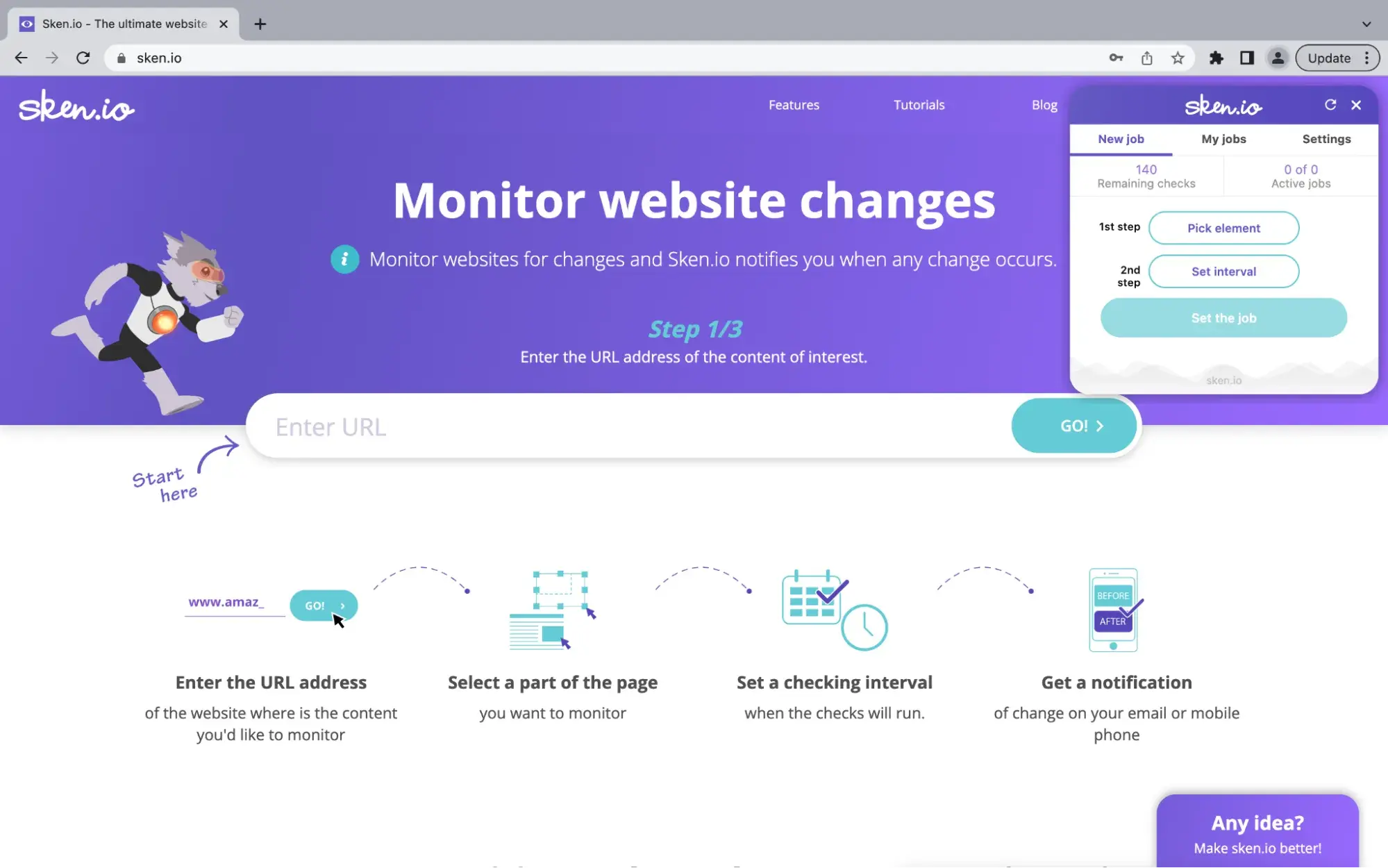
How do you see when a web page is updated? With Sken.io, one can easily select a particular element to track and any rectangular area on a page. And if a pop-up window gets in the way, it can be easily removed.
If you track numerical data, the app can build a chart that reflects the changes over time.
With the Sken.io trial plan, you can monitor website changes for free, but the number of daily checks is limited to 140.
The subscription options offer affordable pricing and gradually increase the monthly limit of website checks.
Custom plans are available as well, where you can add as many checks as you need. In addition, you can set the exact days and hours when the app checks your pages for changes.
5. Trackly: Simple Visual Tracker for Businesses of All Sizes
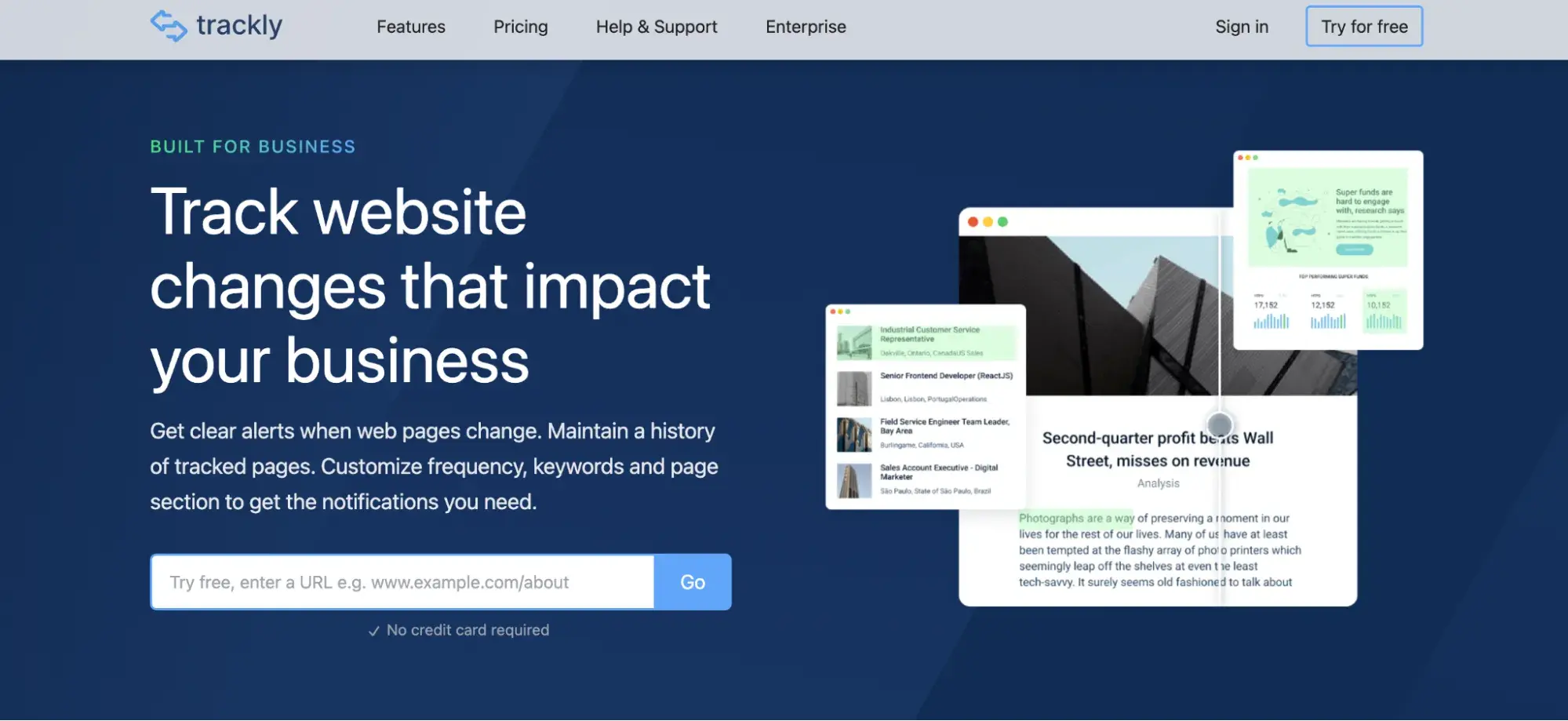
Trackly is another handy option for businesses to track website changes.
Similar to other tools on the list, Trackly compares visual versions of a webpage, providing a clear view with green highlighting to show exactly what has been added or changed.
It can also monitor specific parts of a page, track PDFs, and handle most cookie popups and ads to prevent false alerts.
Trackly offers a free plan that lets you track up to 3 pages. Paid plans start at $9 per month for 20 pages, which includes hourly, daily, and weekly checks.
For larger needs, enterprise plans are available for monitoring 1,000 pages or more. A free 30-day trial is offered on paid plans.
6. Google Alerts: A Free, Search-Based Solution
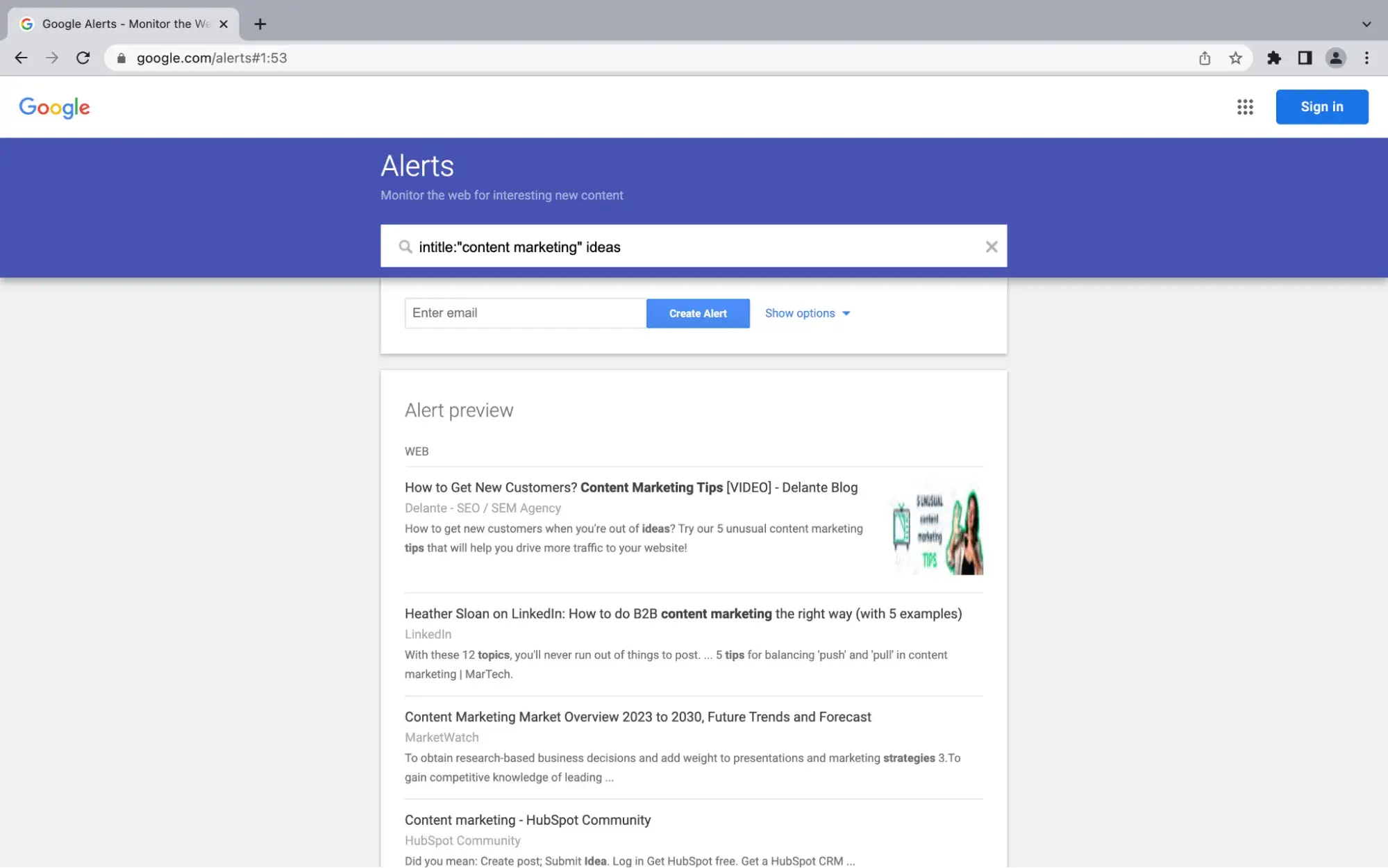
Google Alerts is a free tool primarily designed to track keyword mentions across the entire web (news, blogs, etc.). However, it can be used as a free method for website change detection with a specific search query.
To use Google Alerts for monitoring a specific website, try using the “site:” query modifier.
How to set up site-specific monitoring:
- Go to the Google Alerts link.
- In the search box, type a query that combines a keyword with the target website, such as: [keyword] site:”competitorwebsite.com”
- For general site changes, you can use the site modifier with the company's name or a prominent phrase like: “Competitor Company Name” site:”competitorwebsite.com”
- Then, set your custom alert criteria: the frequency of email notifications (e.g., as it happens or once a day) and the content source.
When Google indexes new content or a significant update with your specified keyword on that specific domain, you will receive an email alert. This makes it a convenient, no-cost tool for tracking major brand mentions or content additions on a single target website.
However, a big limitation with Google Alerts is that it only notifies you when new content is indexed, and it can’t track visual changes, specific text modifications, or changes within non-indexed elements like pricing tables.
Which is the best website monitoring tool?
While the “best” tool ultimately depends on your specific needs, Visualping stands out for its powerful and user-friendly AI features.
Visualping's ability to understand natural language AI prompts and distinguish between important and unimportant changes helps reduce notification “noise”. Its AI-powered summaries clearly highlight what changed, saving users time from manual checking.
For users who need deep technical tracking, Hexowatch is a comprehensive, though complex, solution. For those on a strict budget, Google Alerts can be used as a handy change-detection tool.
However, for most businesses and individuals looking for a reliable, easy-to-use tool that can be scaled and automated (with tools like Zapier or n8n), Visualping’s AI features and flexible subscription plans make it the most effective all-around choice.
Free Website Optimization Checklist
This website optimization checklist will help you perfect your website's:
- Performance
- SEO
- Security
- Mobile Performance
Download Free
All fields are required.
Form not available
Website Development Tools


![7 Effective Ways to Track Changes on a Website [+ Best Tracking Tools]](https://53.fs1.hubspotusercontent-na1.net/hubfs/53/track-changes-website.webp)
.jpg)