

What is Facebook engagement?
How to Increase Facebook Engagement
1. Post interesting, entertaining, and valuable content.
2. Post when your audience is most active.
3. Post consistently.
4. Ask questions.
5. Respond to followers.
6. Use Facebook Reels.
7. Go live.
8. Focus on User Generated Content (UGC).
9. Create engaging Facebook Stories.
10. Add a Call-to-Action button.

What is Facebook engagement?
Facebook engagement is any action someone takes on your Facebook post, page, group, or ads. These actions include likes, shares, comments, and link clicks. Facebook tracks engagement at the individual post level and through pages and groups as a whole.
If you're a page admin, you can track Facebook engagement by viewing engagement metrics under Page Insights. According to Meta, Page Insights is a tool for brands, businesses, and public figures to:
- Learn what posts their audiences engage with
- Track total likes and other metrics to see what audiences like and why
- See the page's total reach and analyze how many people saw/engaged with the post
However, you can also measure engagement by using a simple formula. Just take the number of engaged users, divide it by the total page reach, and multiply the result by 100.
So, let's say your Facebook post received 10 likes, 5 comments, and 5 shares. If that post reached 1,000 people, your engagement rate would be 2%. According to recent research, the median engagement rate on Facebook is 0.07%.
Marketers should aim for at least a 5% engagement rate to build an authentic community on the platform and remain competitive in their market.
How to Increase Facebook Engagement
Now you know how to track and measure engagement. Now, let's explore the ways you can boost your Facebook engagement.
1. Post interesting, entertaining, and valuable content.
Your audience will not want to interact with your content if it always reads like a sales pitch. Instead, opt to create educational, helpful, and entertaining content. For example, outdoor clothing and equipment company L.L. Bean often posts fun educational videos such as "Skiing Tips for Beginners" to delight users. The video below shows viewers how to get comfortable on cross-country skis quickly.
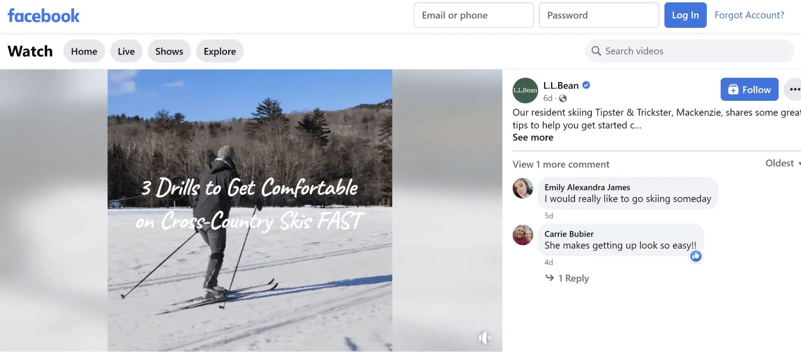
This video may inspire consumers to start skiing and turn to L.L. Bean for the necessary equipment.
What We Like: Educational videos like this help brands to be seen as an authoritative, expert voice in their market. Even better, it allows brands to show their products in use without coming across as an ad.
2. Post when your audience is most active.
Page Insights has a tab called "When Your Fans are Online." The tab shows when your followers are most active on your page. Once you find out when they're most active, you can start scheduling your posts to upload when they're likely to get the most engagement.
What We Like: The feature takes some guesswork out of finding the most optimal time to post, and you can be sure your best posts won't go to waste by uploading them too soon or too late.
3. Post consistently.
No one wants to engage with a dead account. To show your account is active, post consistently to boost your engagement — but how often should you post content to Facebook? We recommend posting two to five times per week and no more than once a day.
Facebook prioritizes fresh content and doesn't want to overload someone's feed with just one company. When you post too often, especially more than once a day, you'll diminish your ROI — and your posts will get less engagement.
Pro Tip: If your posts are consistently bringing in high engagement, then you can test out posting more frequently. As long as your audience shows a great deal of interest in your content, Facebook will prioritize your page in its News Feed.
4. Ask questions.
Questions encourage users to comment, and more comments lead to high engagement. You can ask users to leave a comment about their favorite product from your brand. You can also ask them why they started following you or why they like your company. You can even ask users what kind of content they'd like to see from you, and then give them what they want.
On its Facebook page, Burger King asked users to name their sourdough starter.
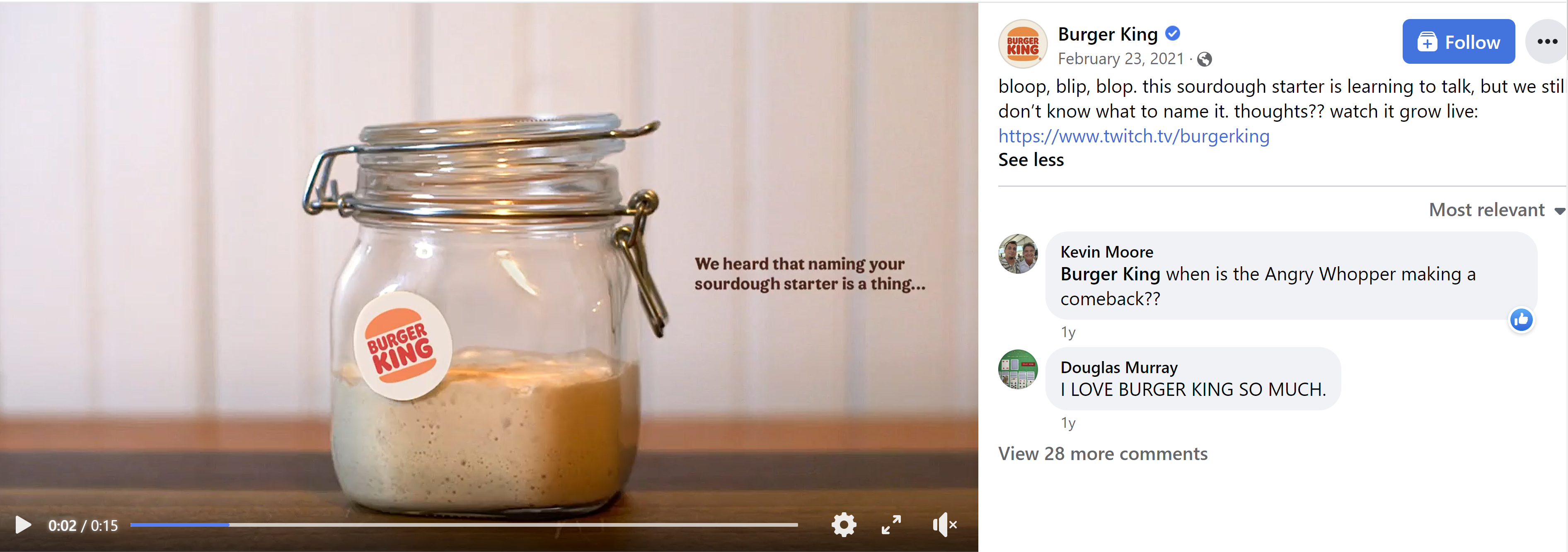
Pro Tip: Include a video, an eye-catching graphic, or a poll to make your questions stand out on users' News Feeds.
5. Respond to followers.
Social media users love to know there is an actual human behind a brand's account who sees and appreciates their interaction. Be sure to answer questions, thank followers for their interactions, and be a source of information when a follower needs help understanding a product or service.
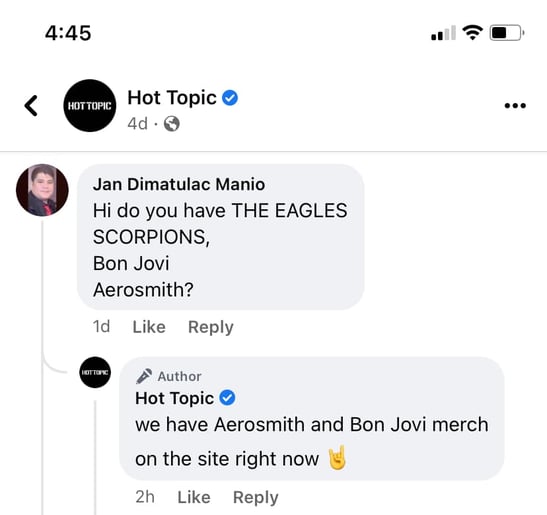
What We Like: Responding to comments helps brands build a stronger bond with their followers, and they'll want to engage with your content more — especially if they know there is someone behind the account who can answer questions.
6. Use Facebook Reels.
Use Reels to start a challenge, give a behind-the-scenes look at your brand, or educate your audience.
Facebook Reels are steadily increasing in popularity among users.According to Meta, over 140 billion Reels are played daily across Facebook apps as of October 2022. That's a more than 50% increase from May 2022.
Pro Tip: Always film your Reels vertically. And if you don't always have time to create a new Reel from scratch, repurpose your Instagram Reels to upload on Facebook.
7. Go live.
Facebook Live videos receive the highest engagement on the platform, so it helps to include live broadcasts in your social media strategy. Facebook Live can be used to:
- Host live Q&As
- Host live fundraisers
- Broadcast breaking news
- Give a behind-the-scenes tour of the company and processes
For example, Pinky Ma's Cakes, Cookies & Candy hosted a Facebook Live showing viewers how to make cupcake bouquets.
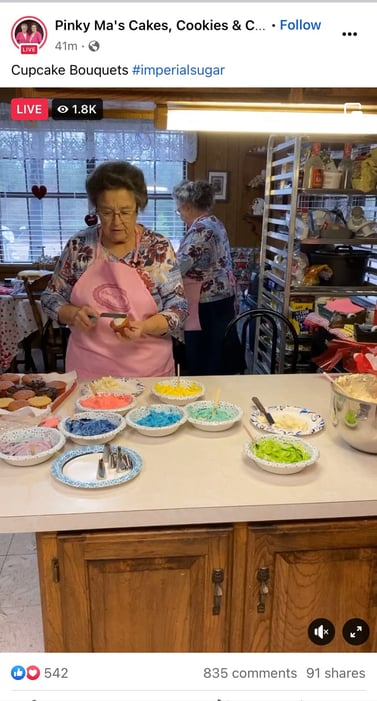
What We Like: Facebook Live allows viewers and hosts to communicate in real-time, which builds trust between brands and followers.
8. Focus on User Generated Content (UGC).
You can encourage followers to send in photos or videos of themselves using your product for a chance to be featured on your platform. For instance, accessory brand Cluse encouraged followers to submit pictures of themselves wearing the brand's watches to be featured on Cluse's lookbook page. All followers had to do was include #Cluse in their posts.
Though the campaign took place on Instagram, the same can be done on Facebook.
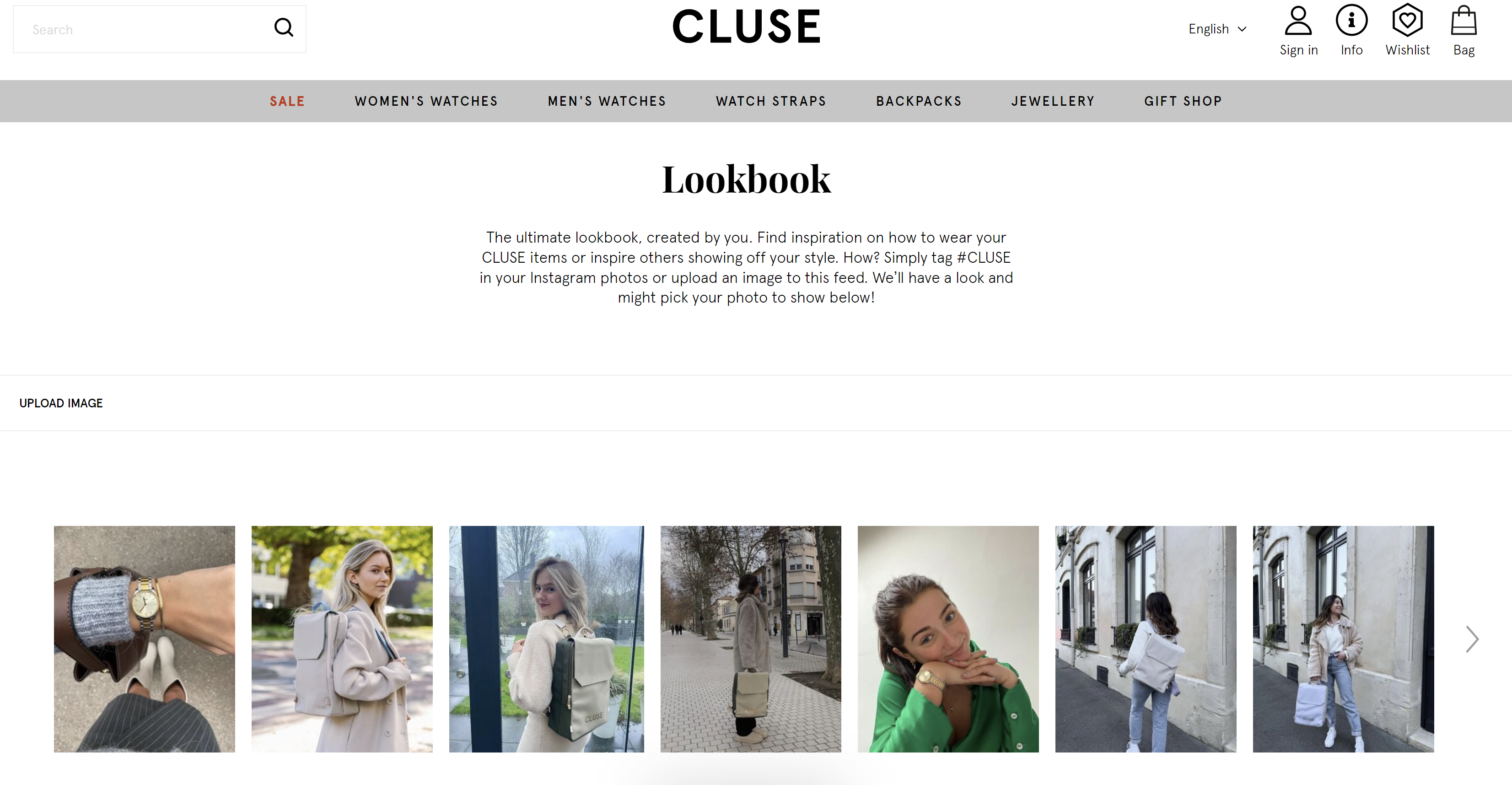
What We Like: Audience's like to feel like they're a part of the conversation, and user-generated content does exactly that and encourages participation.
9. Create engaging Facebook Stories.
With over 300 million people watching Facebook Stories each day, Facebook Stories is an excellent opportunity to connect with your audience and boost engagement. In fact, we found that 70% of consumers prefer Facebook Stories over Snapchat and Instagram stories.
One way you can use Facebook Stories is to make important announcements. In the example below, the punk band Dropkick Murphys used Facebook Stories to announce an upcoming festival performance.
You can also add links to your Instagram stories. In the same example, the band included a link to the festival where their followers can purchase tickets.

Pro Tip: Include links to your website or product to encourage your audience to purchase.
10. Add a Call-to-Action button.
A call-to-action button can generate engagement beyond likes, comments, and shares. Add a CTA button to:
- Book an appointment.
- Contact your business through Facebook messenger.
- Join your Facebook group.
- Shop on your website.
In the example below, Ipsy's Facebook page includes a call-to-action button encouraging followers to sign up for their monthly subscription service.
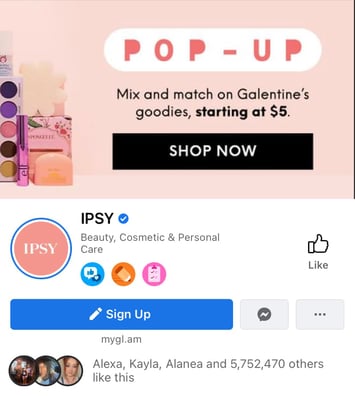
What We Like: Not only does a CTA button boost engagement, but it can also generate more leads by encouraging your audience to take action.
Over 200 million businesses use Facebook, so making your brand stand out on the platform can seem daunting. However, you'll be able to find and delight your audience on Facebook by using the above tactics to boost engagement. The more engagement your page gets, the more Facebook will push your content to the right people.
Facebook Engagement