
If you’re Googling for the “best website builder for SEO,” let me save you time and reveal what many blogs and forums are going to tell you (because I have done the same search myself many times): Self-hosted WordPress has the reputation as the best website builder for SEO — but this article will explain why it might not be the best fit for your situation.
I admit to buying into the “WordPress is the best” mentality early on in my career. Since 2012, I have built and sold three niche websites, and all were powered by WordPress.org. Self-hosted WordPress is the SEO community’s favorite recommendation anytime someone asks for tips on creating a website.

But this is 2026. Hosted SaaS solutions like Wix, Shopify, and Content Hub have come a long way. Wix even formed an SEO advisory board to squash its SEO criticisms. Read on to find what my research and personal experience have led me to believe are the four best website builders for SEO. And yes, I consulted real-life SEO experts for their professional opinions, too.
What makes the best website builder for SEO?
First, a word of caution: Search engine optimization (SEO) depends heavily on your website publishing helpful content. In other words, you can choose the “best website builder for SEO,” and still completely fail to rank in search engines because you put out spammy, unhelpful content. So, don’t overindex on website builders when, in reality, it’s worth investing in search engine optimization education too.
Second, a clarification about WordPress being the best for SEO: Every website builder has its own niche. Self-hosted WordPress is certainly beloved by technical SEOs and developers who appreciate having more access to server-level configurations and being able to modify source code.
However, what about the small business owner who has never touched a line of code? For them, WordPress alternatives like Wix, Shopify, and Content Hub offer SEO-friendly, no-code solutions that make it accessible for almost anyone to build a website fast. No, they won’t offer the same deep level of code customization, but they can still rank extremely well in search results regardless.
Let me give you some peace of mind with a personal anecdote. I have built almost all of my websites on self-hosted WordPress, and I’ve been able to drive the majority of traffic to them via organic search. However, I recently switched my freelance writing website to Squarespace because I love its website theme designs and ease of use — and I was tired of managing hosting and plugin maintenance. And guess what? My Squarespace site still ranks number one for the primary keyword I want it to rank for.
In short: If you need full access to source code and servers because you intend to do advanced-level SEO work, self-hosted WordPress is the way to go. But if you don’t plan on doing that, are way too busy, or just want the ease and peace of mind of a hosted SaaS solution, I’ll show you other options that are excellent at both SEO and convenience.

HubSpot's Free Website Builder
Create and customize your own business website with an easy drag-and-drop website builder.
- Build a website without any coding skills.
- Pre-built themes and templates.
- Built-in marketing tools and features.
- And more!
Here are the twelve criteria I considered when deciding which products to include in the list of best website builders for SEO:
- Editable SEO title & meta description: You’ll want to be able to edit your page’s titles and meta descriptions to better optimize for search and click-throughs.
- Editable URL slugs + URL structure control: Being able to change URL structure and insert keywords in slugs is crucial for SEO.
- Canonical URL support. Canonical URLs tell search engines which page to prioritize to prevent duplicate content.
- XML sitemap generation and control. Submitting a sitemap to Google helps it crawl and index your page. Some website builders auto-generate this for you, and Wix can even auto-submit.
- 301 redirects. Setting up proper 301 redirects is crucial for maintaining authority, particularly after you migrate sites. This is huge for SEO.
- Robots meta tag/noindex controls. Sometimes, you’ll need to tell search engines not to index a page, such as when it’s a thank-you page or submission confirmation. Robots meta tag and noindex help with this.
- Robots.txt control. Being able to control robots.txt is useful when you want to tell search engines which sections of your site not to crawl (useful for crawl management), but keep in mind it doesn’t guarantee that those pages will stay out of search results.
- Structured data/schema support. Adding structured data, such as schema markup, can help search engines and AI better understand your site’s content.
- Custom code injection. More advanced SEO tactics call for adding custom code, such as HTML or a tracking code. Some website builders make this simple to accomplish, while others are more of a challenge.
- Image optimization (formats, compression, CDN). Image size impacts speed, and speed impacts SEO. Website builders often include auto-compression of images to ensure your page loads faster.
- Performance optimization features/Core Web Vitals guidance. Again, website speed impacts SEO, so I looked at what kind of performance optimization the website builders offer.
- AI-assisted SEO features. AI features aren’t a must-have requirement in order to rank well in search, but they’re useful for beginners or for those pressed for time.
Best website builders for SEO: Tested and reviewed
To curate the best website builders for SEO, I considered my own personal experience, researched what other SEOs think, looked at real-life case studies and proof points, and interviewed SEO professionals.
1. Content Hub
Best for: Growth-focused marketing teams wanting a robust CRM, plus marketing, sales, and service tools all in one platform
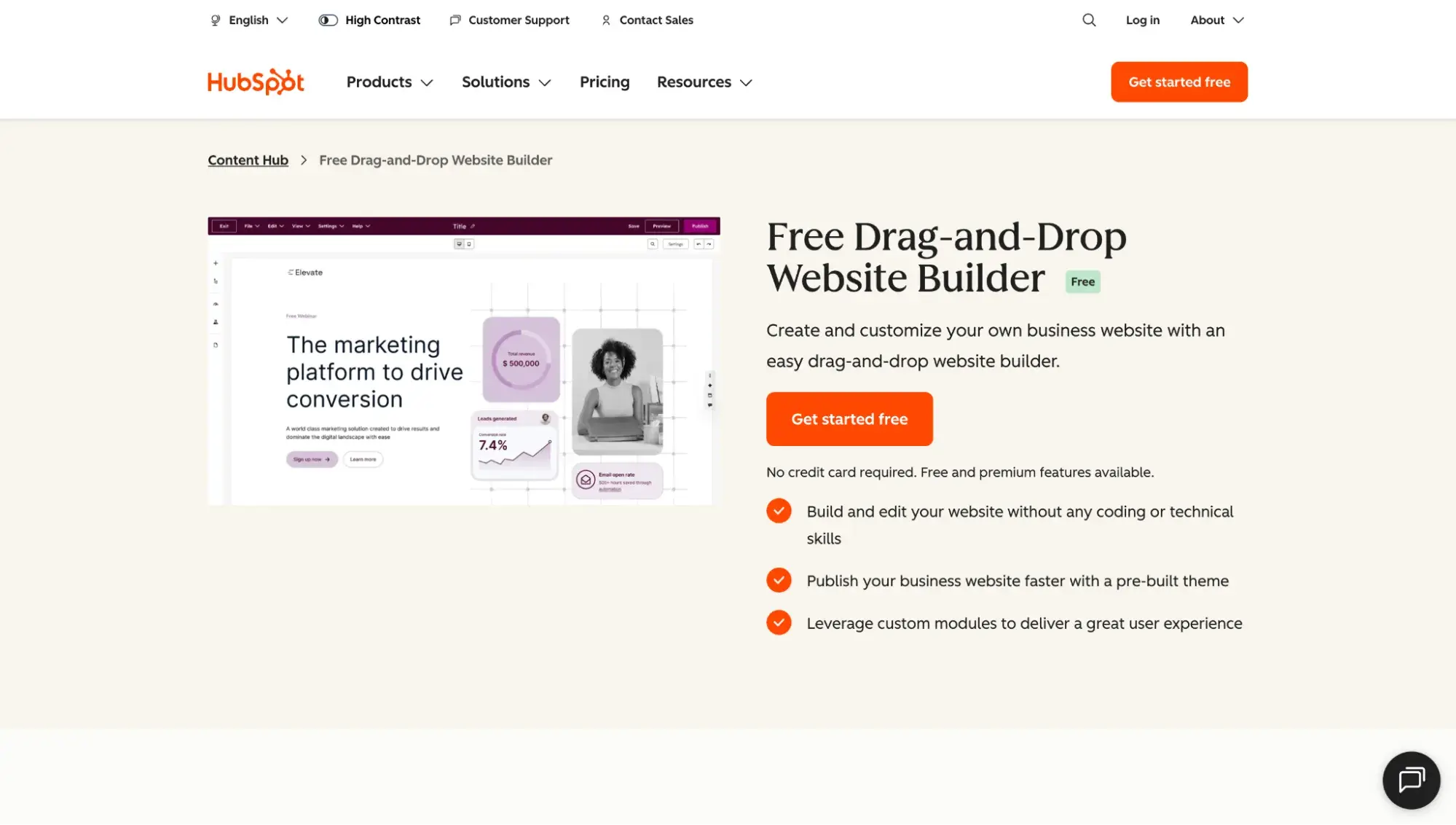
Content Hub is so much more than a website builder; it’s a full-featured content marketing software natively integrated with HubSpot’s CRM, plus its marketing, sales, and service tools. Teams focused on unifying data and accelerating growth will enjoy having all these tools wrapped into one platform.
In addition to the many features listed below, Content Hub offers SEO Recommendations for improving visibility in both AI and traditional search.
Content Hub’s SEO Criteria Checklist
- Editable SEO title & meta description: Yes. You can manually add title tags and meta descriptions, or use AI to generate them. Content Hub provides character counts so you can see if your meta description is within the recommended length.
- Editable URL slugs + URL structure control: Yes. Content Hub users can edit URL structure, remove parameters, and create keyword-rich slugs. You can change the URL slug before publishing.
- Canonical URL support: Yes, you can set canonical URLs in Content Hub.
- XML sitemap generation and control: Content Hub automatically generates an XML sitemap.
- 301 redirects: Content Hub lets you bulk upload URL redirects as well as redirect traffic from a HubSpot-hosted URL to any other URL.
- Robots meta tag/noindex controls: Yes, but it does require pasting a code snippet.
- Robots.txt control: Users can edit the robots.txt file in HubSpot’s settings to customize User-agent and Disallow rules.
- Structured data/schema support: To add schema markup to Content Hub, users can add code at the individual blog post or template level, or use a custom module.
- Custom code injection: Yes, partial. Content Hub lets you add code snippets to specific blog posts, pages, or knowledge base articles, depending on your HubSpot subscription. Enterprise plans also support serverless functions for custom web applications.
- Image optimization (formats, compression, CDN): Content Hub includes a content delivery network (CDN). Images uploaded to Content Hub are automatically optimized to improve load times.
- Performance optimization features/Core Web Vitals guidance: Content is hosted on a fully managed infrastructure that includes a CDN and Web Application Firewall (WAF). The site speed dashboard tracks your website’s Core Web Vitals.
- AI-assisted SEO features: Yes, Breeze (HubSpot's AI) includes several SEO-focused features:
- AI Search Grader: A free tool to uncover brand visibility in generative AI search engines like ChatGPT and Gemini.
- Breeze Content Agent: Generates SEO-optimized blog posts, implementing best practices like strategic keyword placement, optimized meta descriptions, and proper heading structure.
- AI Assistants: Can automatically write meta descriptions and improve web copy.
HubSpot's Free Website Builder
Create and customize your own business website with an easy drag-and-drop website builder.
- Build a website without any coding skills.
- Pre-built themes and templates.
- Built-in marketing tools and features.
- And more!
2. Self-Hosted WordPress.org
Best for: Advanced SEO strategies requiring maximum control over files, code, and hosting environment
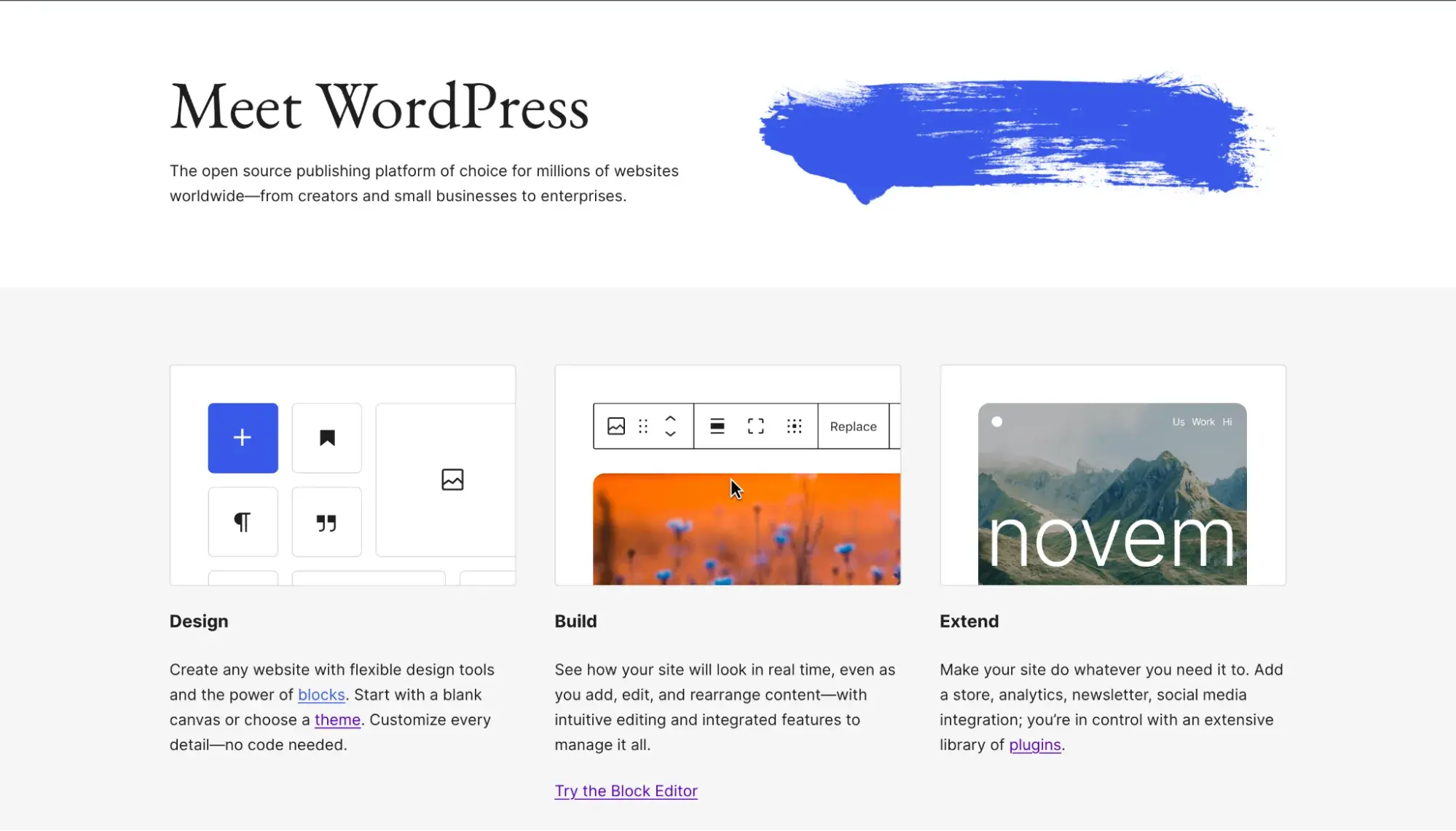
Here we have it, folks: the SEO community's favorite content management system (CMS). Self-hosted WordPress (WordPress.org) offers unmatched flexibility to customize your backend — from theme files and database access to server-level configurations (like .htaccess on Apache), where your host allows. It's been my website builder of choice since 2012, and it’s worth noting that I’m not a developer, yet I’ve been able to handle self-hosted WordPress (with the occasional help of a freelance developer).
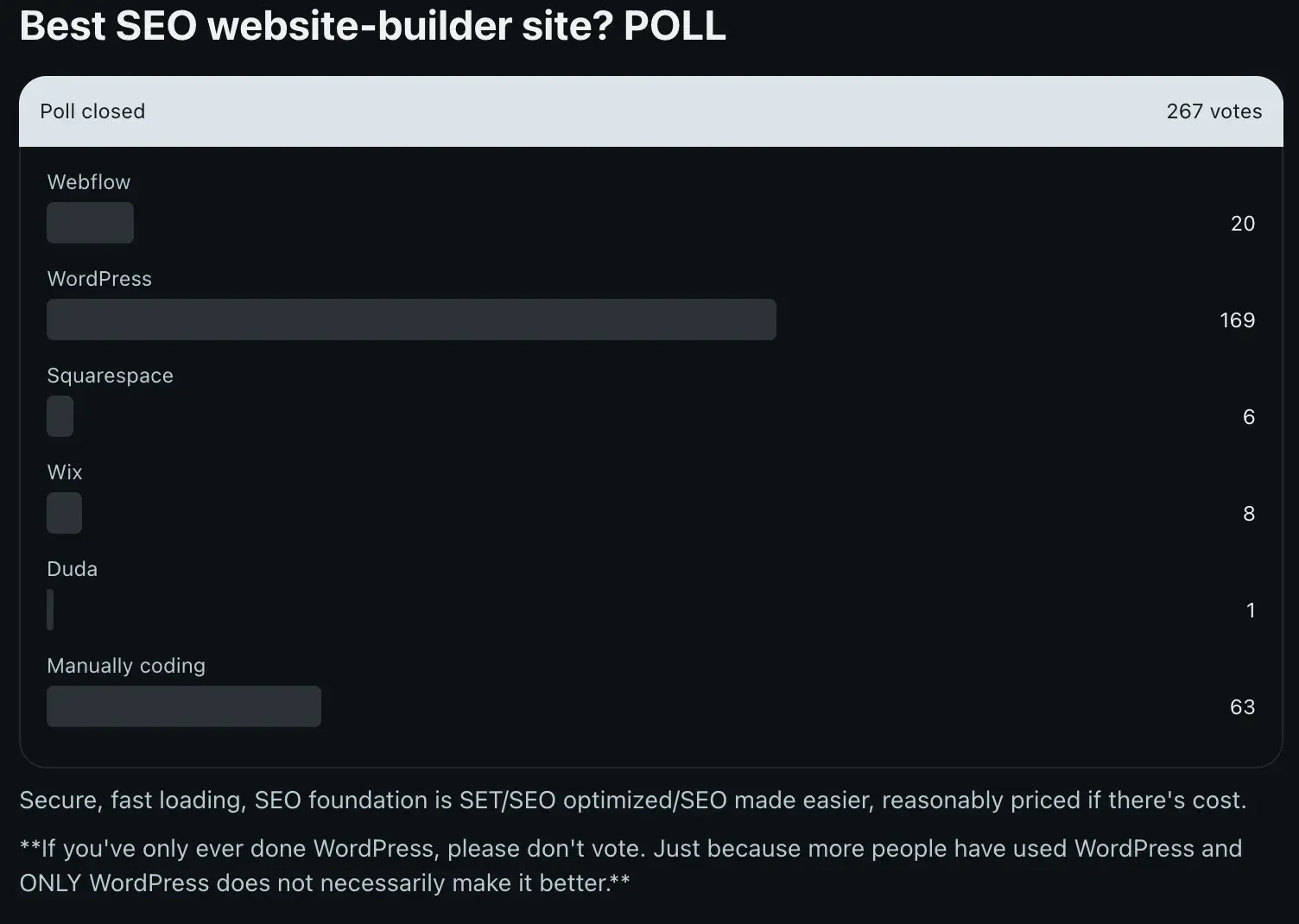
For what it's worth, in an informal poll in June 2024 in the SEO subreddit that received 267 votes, WordPress won by a landslide with 169 votes. Second place was manually coding with 63 votes, third place went to Webflow with 20 votes, and Wix and Squarespace were about tied for fourth.
Before you commit to WordPress.org, make sure you can answer yes to both of these questions:
- Do you actually need the deep customization and extensibility WordPress.org offers? If you're not planning to add advanced schema, implement programmatic SEO at scale, or edit configuration files, you may not need what WordPress.org offers over simpler platforms.
- Do you have the resources to manage hosting, backups, security, and performance? WordPress.org doesn't come with hosting — you’ll need to acquire, configure, and maintain your own web server. And it's up to you and your team to ensure plugins are updated and performance is optimized. One more hands-off solution for this is to go with managed WordPress hosting.
Important note: WordPress.org is not an all-in-one website builder like the others on this list. Wix, Content Hub, and Shopify bundle hosting, security, and core features into a single platform. WordPress.org gives you the raw materials and expects you to assemble (and maintain) the rest. That tradeoff delivers maximum control — but also maximum responsibility.
WordPress.org's SEO Criteria Checklist
- Editable SEO title & meta description: Yes, but requires a plugin. Core WordPress does not natively output editable meta descriptions or separate SEO titles. To add these features, you need an SEO plugin. The one I’ve used for years and recommend is Yoast SEO.
- Editable URL slugs + URL structure control: Yes. WordPress allows full control over URL slugs (via the post/page editor) and permalink structure (via Settings > Permalinks).
- Canonical URL support: Yes. WordPress automatically outputs canonical URLs for singular posts and pages. You can manage and change canonical URLs through a plugin like Yoast.
- XML sitemap generation and control: Yes. WordPress 5.5 introduced automated XML sitemap generation. Sitemaps are accessible at [insert your domain name]/wp-sitemap.xml.
- 301 redirects: Yes. While you could manually code this via the .htaccess file, redirects on WordPress are best handled through a plugin.
- Robots meta tag/noindex controls: Yes. Again, best handled through one of WordPress’s many plugins.
- Robots.txt control: Yes. Use plugins to edit this file, if needed.
- Structured data/schema support: No native support. WordPress core does not include structured data or schema markup out of the box. You must implement schema through plugins or custom code in your theme.
- Custom code injection: Yes, extensive access. WordPress.org grants access to all theme files, functions.php, and your database. Server-level configuration depends on your hosting plan — shared hosting typically limits this, while VPS or dedicated hosting provides more control. You can add custom code via hooks, filters, child themes, or custom plugins.
- Image optimization (formats, compression, CDN): Partial. WordPress supports WebP uploads and generates multiple image sizes automatically. However, for more advanced caching and compression, install plugins. I use WP-Optimize.
- Performance optimization features/Core Web Vitals guidance: Limited native support. WordPress includes lazy loading for images and some performance features in core, but advanced optimizations (caching, minification, CDN integration) require plugins or server-level configuration. Many web hosts offer a CDN as part of their hosting package.
- AI-assisted SEO features: No native AI features. WordPress core does not include AI-powered SEO tools. You can add AI capabilities through third-party plugins or integrations.
3. Wix
Best for: Non-technical small business owners wanting a guided, low-touch SEO experience
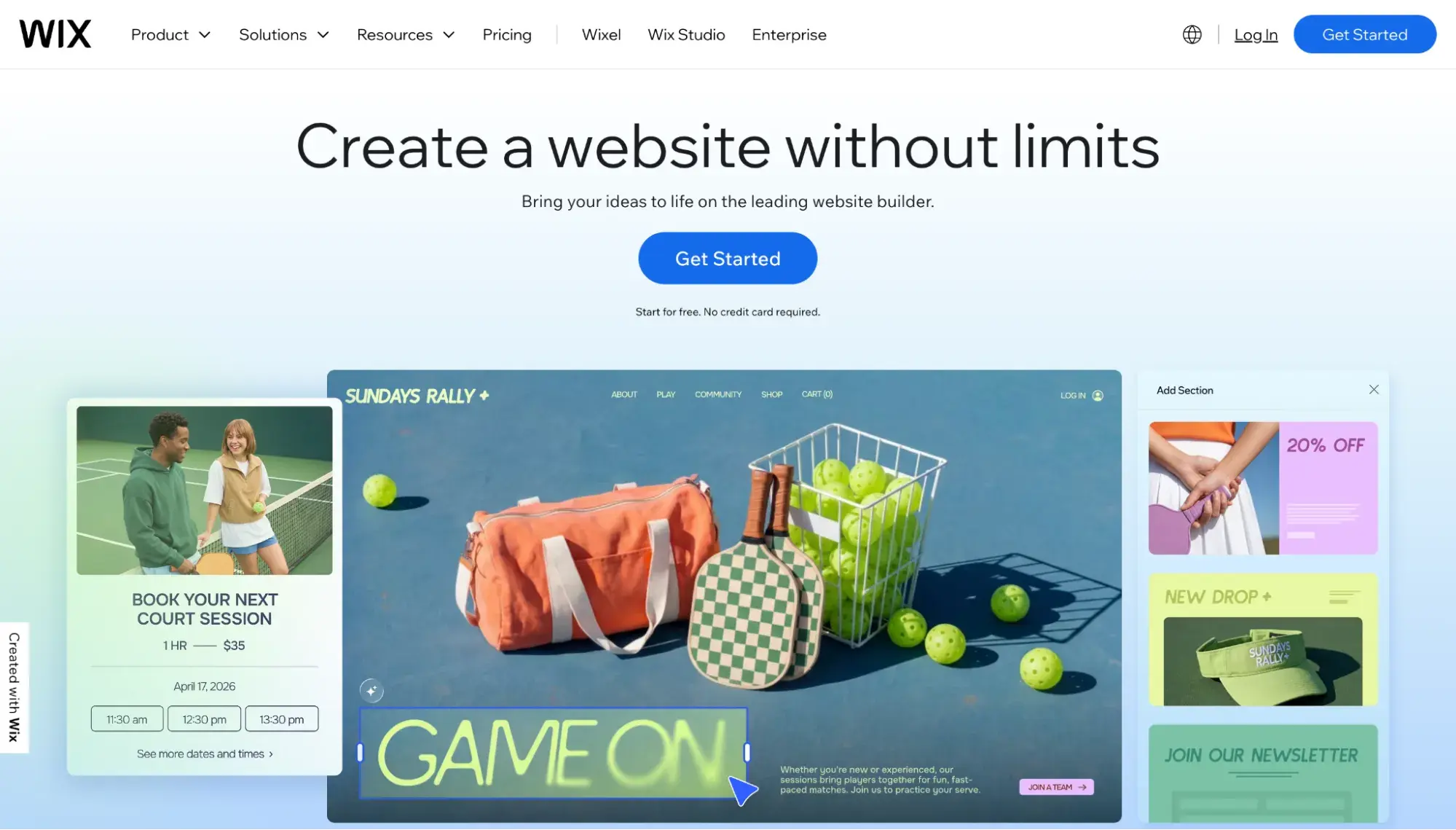
I’m going to come right out and say it: Wix does not deserve the SEO hate it gets today. The beginner-friendly website builder has come a long way in the past few years, with even Google’s John Mueller defending it in a Reddit thread in 2021, stating, “Wix is fine for SEO.”
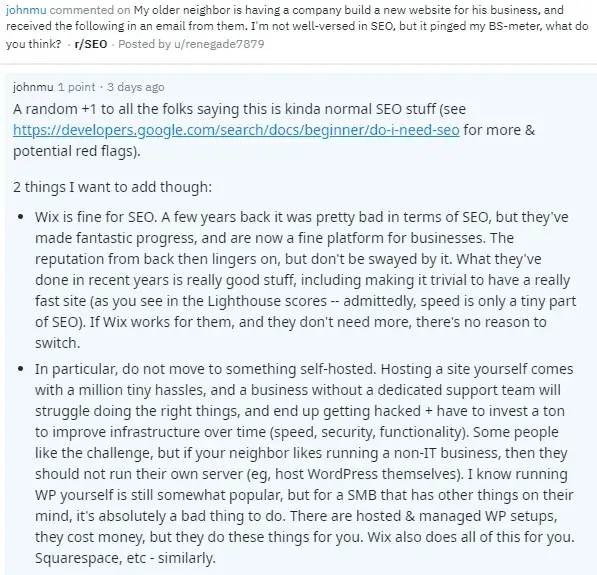
I have personally tested Wix’s AI website builder and traditional builder many times. It’s easy, has tons of features, and for a small business without technical resources, it makes getting a good, SEO-friendly website up and running fast.
Now, given Wix's undeserved reputation, I wanted to check my instincts with actual SEO experts who have ranked websites on the platform.
“The platform itself is not a rate-limiting step in SEO,” says Claire Ransom, owner of SEO agency Aloha Life Digital, who regularly works with businesses using Wix. “Most of the time, it is SEO knowledge and experience.”
Ransom has ranked Wix sites to first position for high-intent keywords across California, Hawaii, New England, and other U.S. markets. “I haven't had issues getting businesses on Wix to rank successfully,” she tells me, “but we have run into limitations of the platform.”
In other words, Wix itself won’t stop you from ranking, but it does have limitations that might hinder you from scaling. For example, Ransom points out that Wix has a 100 static page limit. That means that businesses attempting programmatic SEO or targeting multiple geographies (where they might create hundreds of pages targeting specific keywords) will quickly hit that cap.
HubSpot's Free Website Builder
Create and customize your own business website with an easy drag-and-drop website builder.
- Build a website without any coding skills.
- Pre-built themes and templates.
- Built-in marketing tools and features.
- And more!
That said, for a small business with limited resources or a website owner doing only basic SEO, Wix serves a real need.
“I strongly believe that business owners shouldn't be discouraged by SEO pros from using platforms that are genuinely easy and quick to use for their business,” says Ransom. “Platforms like Wix certainly have an important place in the industry.”
Wix's SEO Criteria Checklist
- Editable SEO title & meta description: Yes. Wix provides native SEO title and meta description editing. Wix also offers AI-powered tag generation that suggests optimized titles and descriptions based on your page content.
- Editable URL slugs + URL structure control: Yes. You can customize page URL slugs through the page settings. Wix automatically creates URLs based on page titles.
- Canonical URL support: Yes. Wix allows you to customize canonical tags for your site's pages via the Advanced SEO tab in page settings.
- XML sitemap generation and control: Yes, auto-generated and auto-submitted. Wix automatically generates and updates your sitemap.xml file. Wix is unique in that it also automatically submits your sitemap to Google when you connect to Google Search Console through the Wix SEO Setup Checklist.
- 301 redirects: Yes. Wix‘s URL Redirect Manager allows you to set up 301 redirects. Wix also automatically creates redirects when you change a page’s URL.
- Robots meta tag/noindex controls: Yes. You can customize robots meta tags per page to control indexing via the Advanced SEO tab.
- Robots.txt control: Yes. Wix automatically updates the robots.txt file and provides a Robots.txt Editor for users to make changes.
- Structured data/schema support: Yes, auto-generated. Wix automatically adds Schema.org structured data markup to products, blog posts, and events.
- Custom code injection: Partial. Wix allows custom code injection in specific areas. However, as a managed platform, you cannot access server-level configuration or core platform files.
- Image optimization (formats, compression, CDN): Yes. Wix automatically optimizes images, including conversion to AVIF format for supported browsers. All content is delivered via a global CDN.
- Performance optimization features/Core Web Vitals guidance: Yes. Wix has a Site Speed dashboard that shows your site’s Core Web Vitals. The platform also includes built-in CDN and page caching (stale-while-revalidate/SWR).
- AI-assisted SEO features: Yes. Wix includes an AI Text Creator that creates title tags and meta descriptions that are based on your page content, business name, category, and keywords.
4. Shopify
Best for: Ecommerce businesses that are scaling beyond a few products and need SEO tools purpose-built for online stores

Like Content Hub and Wix, Shopify is a hosted SaaS platform. And while businesses can certainly sell products just fine through Wix (it, too, has auto-generated product schema, for example), those with a sizable inventory are better off with Shopify.
And that’s not just for SEO reasons. Sure, Shopify has a website builder, but it is a full-fledged, purpose-built ecommerce platform that can support larger businesses. For example, Shopify POS is available in “nearly every country in the world,” while Wix POS is limited to the U.S., Canada, and the U.K. Additionally, Shopify lets you create up to 2,048 variants of a product, while Wix is limited to 1,000 variants per product.
Shopify's SEO Criteria Checklist
- Editable SEO title & meta description: Yes. Shopify allows editing of SEO titles and meta descriptions.
- Editable URL slugs + URL structure control: Yes. You can customize URL handles for products, collections, pages, and blog posts.
- Canonical URL support: Yes, auto-generated. Shopify automatically adds canonical tags to all pages to prevent duplicate content issues. To change the canonical URL, you can add code to your Shopify theme or use a plugin like Yoast.
- XML sitemap generation and control: Yes, auto-generated. Shopify automatically creates and updates sitemap.xml files.
- 301 redirects: Yes. Shopify supports URL redirects through Content > Menus > View URL Redirects. You can create up to 100,000 redirects (20,000,000 on Plus). Note: You cannot redirect from URLs with certain prefixes (/apps, /cart, /products, /collections, /collections/all).
- Robots meta tag/noindex controls: Yes. You can hide pages from search engines using the seo.hidden metafield, or by setting product status to "Unlisted.” You can also add noindex meta tags through theme.liquid code.
- Robots.txt control: Yes, through template editing. Shopify generates an optimized robots.txt file. You can customize it by creating a robots.txt.liquid template file. This is an unsupported customization — Shopify Support cannot assist with edits.
- Structured data/schema support: Yes, auto-generated. Shopify store themes automatically include Schema.org structured data (microdata) for products, including prices, availability, and reviews. This enables rich snippets in search results.
- Custom code injection: Yes. Shopify allows adding custom code to the theme.liquid file (header/footer) for tracking, schema markup, and other customizations. However, access to server-level configuration is not available.
- Image optimization (formats, compression, CDN): Yes. Shopify automatically compresses images when needed, converts to WebP/AVIF for supported browsers, and serves all content through a global CDN (Cloudflare). Browser caching is set to one year. Lazy loading is built into themes.
- Performance optimization features/ Core Web Vitals guidance: Yes. Shopify provides web performance reports tracking Core Web Vitals (LCP, INP, CLS). Built-in optimizations include CDN, HTTP/2, gzip compression, and image optimization.
- AI-assisted SEO features: Yes. Shopify offers Grow SEO, an app that uses AI to generate suggestions for product and collection titles and descriptions (not the meta description). At the moment, Grow SEO is available only to certain members for early access.
HubSpot's Free Website Builder
Create and customize your own business website with an easy drag-and-drop website builder.
- Build a website without any coding skills.
- Pre-built themes and templates.
- Built-in marketing tools and features.
- And more!
Which website builder has the best SEO features for your use case?
The business needing maximum SEO control and customization: WordPress.org
If you need direct access to your files, database, and source code — and you have the technical resources to manage hosting — self-hosted WordPress remains the most flexible option for SEO.
WordPress.org gives you direct access to theme files, database, and — depending on your host — server configuration files like .htaccess (Apache). The plugin ecosystem is unmatched, with 60,000+ options for virtually any SEO need.
“If they're tech savvy, they have the budget to pay for a developer, and they're building something like a blog, a magazine, or service-style site, then they should go with WordPress,” says Emmanuel Tamrat of Blindspot Agency, who has ranked sites across WordPress, Shopify, and Wix — including a WordPress site that generated over 10 million organic views.
The non-technical small business owner: Wix
While it doesn’t support advanced technical SEO as well as self-hosted WordPress, Wix excels if you really want a hands-off website builder that will handle many SEO tasks for you.
For example, Wix is the only website builder on this list that not only auto-generates the XML sitemap — it also automatically submits it to Google for you when you connect Wix to Google Search Console. I can see this being a huge advantage to busy, non-technical small business owners who just need someone (or some software) to take this task off their plate for them.
“I would highly recommend Wix for small businesses who can't afford in-house development teams,” says Jo Jenkins of Ladybird SEO, who specializes in Wix websites. “ I would especially recommend it to service-based businesses and local businesses because it‘s so easy to use. Where I wouldn’t recommend Wix is to large, complex ecommerce websites because the product side of Wix is not perfect yet.”
If you want to explore more options, check out our post on Wix alternatives.
The SEO-focused ecommerce business: Shopify
For online stores scaling beyond a handful of products, Shopify is the clear choice. Its SEO capabilities are purpose-built for product visibility: auto-generated product schema and clean canonical handling, for example.
As Jo Jenkins notes, “Shopify is definitely more advanced when it comes to ecommerce. Wix is fine for small handmade products or as an aside to selling a service, but definitely not for big ecommerce brands whose primary focus is to sell a lot of products.”
Shopify supports larger inventories and more complex operations — up to 2,048 product variants compared to Wix's 1,000, and POS availability in “nearly every country” versus Wix's US, Canada, and UK only.
If you’re still unsure, read our post on ecommerce website builders.
The growth-focused marketing team: Content Hub
For marketing teams focused on content velocity and CRM-connected personalization, Content Hub is worth serious consideration.
Content Hub isn‘t just a website builder; it’s content marketing software natively integrated with HubSpot's CRM, plus marketing, sales, and service tools. For teams focused on lead generation and closed-loop reporting, having everything on one platform eliminates the data silos that plague many marketing operations.
From an SEO perspective, Content Hub covers the fundamentals (editable meta tags, auto-generated sitemaps, bulk redirects), but stands out with Breeze (its suite of AI tools).
How to choose the best website builder for SEO
Step 1: Define your SEO strategy.
Before evaluating platforms, clarify what SEO success looks like for your business. Are you pursuing programmatic SEO at scale, local SEO for a service business, or product-focused ecommerce SEO? This determines whether you need advanced technical features like server-level configuration or if basic built-in SEO guidance is sufficient.
Step 2: Map website builder features to your SEO strategy.
Use the SEO criteria checklists above to compare platforms against your specific needs. If your strategy requires custom schema markup or complex redirect patterns, prioritize platforms with those capabilities. If you just need solid fundamentals and a guided setup, don‘t pay for flexibility you won’t use.
Step 3: Consult your engineering and marketing teams.
Engineering will implement and maintain the platform, while marketing will use it daily to publish content. Get both teams aligned on must-haves versus nice-to-haves before making a decision — a platform that's perfect for SEO but frustrating for your content team will slow you down in the long run.
Step 4: Trial and demo the software.
Most website builders offer free trials, free plans, or demos. Use these to test the actual SEO workflows you‘ll rely on. Pay attention to how intuitive it is to edit meta tags, set up redirects, and publish content. A platform’s marketing materials won't reveal the friction points that only surface during hands-on use.
Step 5: Make a decision and start the transition.
Once you've tested your top options and confirmed the SEO features you need are actually there (not just promised in marketing copy), commit to a platform and start building.
If you‘re migrating from an existing site, don’t skip the prep work, as this can have a major impact on SEO. Map out your 301 redirects before you touch anything. If you’re starting fresh, block time during launch week to set up your SEO foundations: submit your sitemap, configure your meta tags, and connect Google Search Console.
Frequently asked questions about the best website builder for SEO
Is WordPress the best website platform for SEO?
Yes, if you know how to use it right. Whether WordPress is the best website platform for you depends on your technical resources and SEO ambitions. Self-hosted WordPress offers unmatched flexibility — direct file and database access, plus server-level control depending on your hosting plan — which is why it's the favored choice among SEO pros.
However, self-hosted WordPress requires you to acquire and maintain your own hosting, security, and SEO tools (most core SEO features require plugins). That can be a real hindrance to non-technical professionals or small businesses with limited resources — though managed WordPress hosting is one way to have professionals handle your hosting and security for you. Beyond the website platform, the more important thing is knowing and applying SEO fundamentals.
Which website builder has the best SEO features for ecommerce?
For online stores with lots of products, Shopify is the strongest choice. Its platform is built specifically for ecommerce, and it provides auto-generated product schema, automatic canonical tags, and a web performance dashboard tracking Core Web Vitals. Shopify also supports larger inventories (up to 2,048 product variants versus Wix's 1,000) and offers POS in nearly every country.
How do I migrate to a new website builder without losing SEO?
When migrating to a new website builder, the most critical step is implementing 301 redirects from every old URL to its new equivalent — this preserves the ranking authority you've built. Before migrating, export a complete list of your current URLs and map each one to its destination on the new platform. After launch, monitor Google Search Console for crawl errors and indexing issues, and be prepared for some short-term ranking fluctuation as search engines reprocess your site. If possible, preserve your existing URL structure to minimize the redirect mapping work.
Do I need a developer for structured data on these platforms?
Not necessarily; it depends on the platform. Wix and Shopify automatically generate Schema.org structured data for certain content types.
WordPress.org, by contrast, has no native schema support — you'll need a plugin like Yoast or custom code in your theme. Content Hub requires adding code at the individual post or template level, or using a custom module. For basic schema needs, hosted platforms handle this automatically; for advanced or custom schema implementations, you may need developer assistance regardless of platform.
If you do attempt to DIY your schema markup, be sure to run the code through a checker like Schema Markup Validator to make sure it works before you publish it.
HubSpot's Free Website Builder
Create and customize your own business website with an easy drag-and-drop website builder.
- Build a website without any coding skills.
- Pre-built themes and templates.
- Built-in marketing tools and features.
- And more!
Content Management System





![How to make a subscription website [+ 7 best membership website builders]](https://53.fs1.hubspotusercontent-na1.net/hubfs/53/how-to-make-a-subscription-website-1-20251230-3683850.webp)