Local website builders help small businesses create websites optimized for local search without any technical knowledge. Unlike regular website builders, these platforms include local-specific features like Google Business Profile integration, local SEO tools, and map listings that help you show up when nearby customers search for your services.

They're more affordable than hiring an agency and help you launch faster while keeping your site easy to maintain. Best of all, they’re designed specifically to help local businesses attract customers in their area.
Below, I'll compare five of the best local website builders based on local SEO features, ease of use, and pricing.
Table of Contents
- Should you use a local website builder tool or hire an agency?
- The Best Local Website Builders for Lead Generation
- The Local Features Your Website Builder Must Have
- When to Upgrade Your Website Builder
- Frequently Asked Questions About Local Website Builders

HubSpot's Free Website Builder
Create and customize your own business website with an easy drag-and-drop website builder.
- Build a website without any coding skills.
- Pre-built themes and templates.
- Built-in marketing tools and features.
- And more!
Should you use a local website builder tool or hire an agency?
Choosing between a local website builder and a web design agency depends on your budget, timeline, technical comfort level, and customization needs. Local website builders offer faster launches and lower costs with built-in local features, while agencies provide custom design and strategic expertise at a higher price point.
Pros and Cons of Local Website Builders
|
Pros of local website builders |
Cons of local website builders |
|
Lower upfront cost – builders typically have subscription pricing rather than full project fees. |
Less customization – you may be limited by templates or feature restrictions, whereas an agency can build you something that's 100% custom. |
|
Faster launch – you can choose a template and deploy quickly, which is good for going live and capturing local leads sooner. |
More self-management – you (or someone on your team) will need to handle setup, content, updates, and sometimes performance/hosting. |
|
Easy to update content yourself – this means you won't need to ask someone else every time you want to update services, prices, specials, etc. |
Ownership/lock-in issues – switching to another platform or migrating away may be harder than with agency-built sites (depending on the builder). |
|
Built-in features often oriented to local business (call-to-action buttons, mobile-ready, maps) – many builders make these easy. |
|
|
Lower maintenance – the platform handles infrastructure, security patches, updates. |
Pros and Cons of Web Design Agencies
|
Pros of web agencies |
Cons of web agencies |
|
Custom design and architecture – allows exactly tailored UI/UX, advanced service-area page setup, internal linking strategy, schema markup for local business. |
Higher cost – full agency build can be expensive, especially for small businesses with tight budgets. |
|
Professional optimization – agencies often handle performance tuning (hosting, caching, mobile UX, page speed), SEO setup, structured data. |
Longer timeline – custom builds take more time (discovery, design, development, testing) vs using template builder. |
|
Strategic direction + support – agencies can help with content strategy, lead-generation flows, conversion optimization, integration with CRM, and GBP strategy. |
Potential dependency – you might need to rely on the agency for ongoing changes, updates, which may add to cost if you don’t get retained services. |
|
No website builder lock-in – quality agencies can build with portability in mind, so you’re not locked into a proprietary builder environment. |
Agency due diligence – you'll need to perform extra work to ensure you choose a quality agency. |
My Thoughts on a Local Website Builder Tool vs. an Agency
Local website builders offer a better solution for most small businesses. Not only are they more cost-effective for small businesses launching their first websites, but they also offer small businesses the ability to manage and update their own websites without needing to involve the agency every time a change is needed, as well as faster launch times in general.
If you choose the right website builder for your small business, I believe you'll be happier in the long term because you‘ll have the ability and knowledge to adapt your website as your business grows. Just be sure to choose a website builder that has all the tools you need, which is what I’ll focus on in the next section.
The Best Local Website Builders for Lead Generation
The five best local website builders for small businesses are HubSpot CMS, WordPress, Wix, Squarespace, and Weebly.
All of these website builders help local business owners create a unique website and generate leads.
|
Key lead generation features |
Strengths |
Weakness |
Lead |
|
|
|
|
5 |
|
|
|
|
4.5 |
|
|
|
|
4.5 |
|
|
|
|
4 |
|
|
|
|
4 |
1. HubSpot CMS
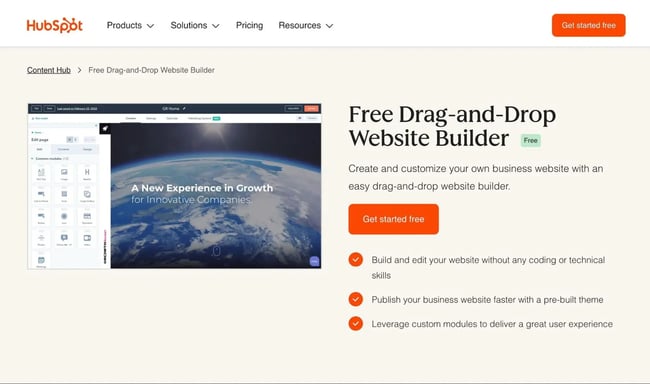
HubSpot CMS offers strong local business functionality, an integrated CRM, and a drag-and-drop website builder. Small businesses can use HubSpot CMS to create a website, generate leads, and engage with those leads via the HubSpot CRM, all without ever needing to work directly with code.
HubSpot CMS is a hosted website builder. Not only does HubSpot CMS include built-in hosting, but it also handles essential maintenance tasks, such as software updates, security, and backups. By automating these maintenance tasks, HubSpot CMS enables local business owners to focus on more important tasks, such as lead generation and customer engagement.
Here are some more details about using HubSpot CMS to set up a local business website:
Code-free Website Setup
Local business owners can easily create a visually appealing website using hundreds of pre-made themes or the built-in AI website generator, which can generate a unique website based on simple inputs and text prompts.
Regardless of the starting point, HubSpot CMS offers a visual, drag-and-drop editor that allows small business owners to fully customize their websites without needing any code.
HubSpot CMS also makes it easy to add content and sub-pages, which is essential for local businesses that need to set up service-area pages. To save small business owners time, it includes a free AI content writer that can help generate unique content for service-area pages, other key pages, and blog posts.
HubSpot's Free Website Builder
Create and customize your own business website with an easy drag-and-drop website builder.
- Build a website without any coding skills.
- Pre-built themes and templates.
- Built-in marketing tools and features.
- And more!
Lead Generation Tools
HubSpot CMS offers built-in lead generation tools to help local businesses connect with their customers.
HubSpot's form builder helps small business owners create customized lead generation forms using a code-free builder. The form builder can handle lead generation forms, appointment booking forms, and other common local business use cases.
HubSpot's CMS and form builder automatically integrate with the free HubSpot CRM, which lets small business owners automatically save customers' details in the CRM and access other marketing, sales, and customer service tools.
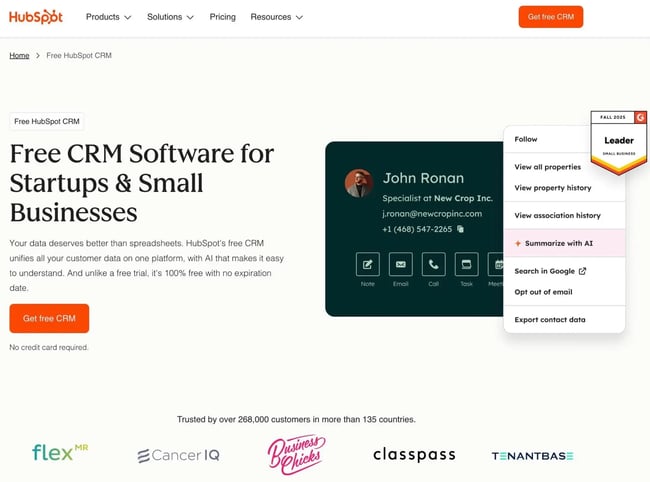
Integrated CRM
HubSpot's integrated customer relationship manager (CRM) helps local businesses generate leads, store contact information, track customer activity, and nurture leads.
The integrated HubSpot CRM also helps small business owners schedule meetings and manage customer appointments, enabling them to engage more effectively with customers.
SEO Tools
HubSpot CMS supports local SEO best practices, which helps small businesses rank their websites for valuable local search queries. These best practices include LocalBusiness schema markup, SEO titles and meta descriptions, Google Business Profile integration, spots for NAP information (name, address, phone number), and more.
Pricing
HubSpot CMS and Content Hub offer a free plan that lets local businesses create a website at no cost, including up to 30 website pages and 30 landing pages. With a capable free plan, HubSpot CMS is one of the best free website builders for local businesses on a budget.
For local businesses that need larger websites and more functionality, HubSpot Content Hub paid plans start at just $9 per month for the Starter plan.
2. WordPress
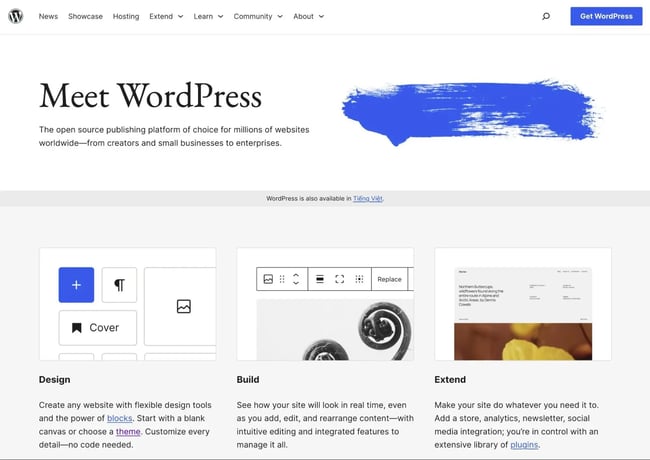
WordPress is a popular open-source website builder that you can use to build a local website. While WordPress is a bit more complicated to use than HubSpot CMS, it still offers a non-technical solution that can work well for small businesses.
Unlike HubSpot CMS, which offers built-in hosting, you‘ll need to install the WordPress software on your own web hosting. This is why you may sometimes see it referred to as "self-hosted WordPress." It’s also possible to install WordPress in a local development environment for testing.
Once you‘ve installed the software, you can build your website using pre-made themes. While the core WordPress software only includes basic website-building functionalities, WordPress’s large ecosystem of third-party plugins lets you access all of the features that you need for a local business website, including many lead generation tools.
WordPress Key Features
- Self-hosted, open-source content management system.
- Thousands of pre-made themes, including designs for all kinds of local business niches.
- 60,000+ free and premium plugins to add new features.
- Custom form builders (via plugins), including integrating with CRMs like HubSpot. For example, the free HubSpot WordPress plugin enables webmasters to create lead generation forms and integrate WordPress with the HubSpot CRM.
- Full local SEO support via plugins like Yoast SEO, Rank Math, and others.
- Google Business Profile integrations to connect your profile and import real customer reviews.
- Flexible content structure that supports service-area pages.
Pricing
The self-hosted WordPress software is free, but you'll need to pay for hosting and premium plugins to run a business website.
At minimum, expect to pay $20-$30/month for quality web hosting. While cheaper options exist, hosting quality typically suffers at lower price points. Most local business websites also require premium plugins, adding approximately $100-$200/year to the total cost.
What I Like
Thanks to its open-source nature and huge plugin library, WordPress is one of the most flexible local website builders in existence.
While the core WordPress software focuses on basic website functions, my experience has shown me that it's possible to find a WordPress plugin for almost anything. This includes all of the functionality that local small businesses might need.
However, because WordPress is self-hosted software (unlike all of the other local website builders on this list), you will be the one actually responsible for maintaining your website if you use WordPress. This includes tasks such as software updates, backups, security, and more (though some WordPress hosts can handle these tasks for you).
WordPress may not be the best choice for small business owners looking for a hands-off and stress-free website management experience. Instead, consider one of the many WordPress alternatives, such as the HubSpot CMS.
3. Wix
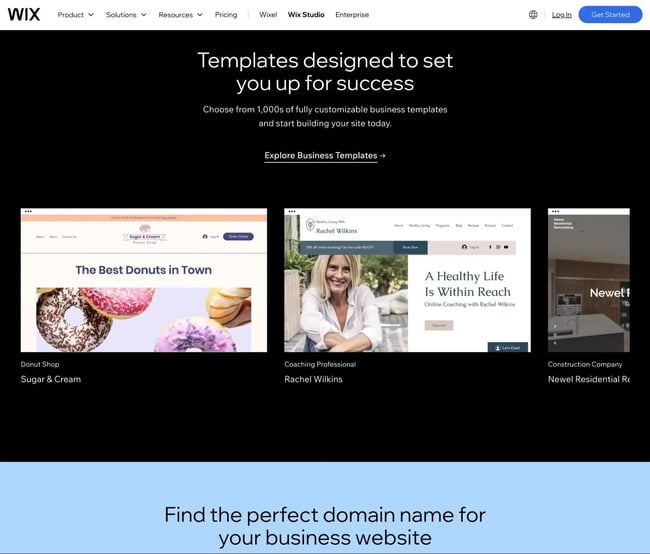
Wix is a hosted website builder tool that can work well for local business websites. It offers pre-made templates, important local SEO functionality, lead generation tools, integrations with the HubSpot CRM, and more.
Because Wix is a hosted tool like HubSpot CMS, small business owners will not need to worry about basic maintenance tasks, such as software updates, backups, and security. This is in contrast to the WordPress software above, which typically doesn't handle those basic maintenance tasks for webmasters.
Wix also offers a good selection of built-in and third-party tools for local businesses, including all of the essential features that most local business websites require.
Wix Key Features
- Hosted website builder tool.
- Create websites using pre-made templates or an AI website builder.
- Customize website design using a visual, drag-and-drop builder.
- Form builder tool for lead generation, featuring direct integration with CRMs like HubSpot.
- Automatic LocalBusiness schema markup.
- Hundreds of official and third-party apps, including dedicated apps for small business marketing and local SEO.
- Built-in support for appointment bookings.
- Built-in Wix Chat app for live chat, plus the ability to integrate third-party live chat tools.
Pricing
Wix's paid plans start at $17/month for the Light plan, but most small businesses will need at least the $39/month Business plan for more marketing tools and higher storage limits. Small businesses requiring advanced analytics and reporting may need the $159/month Business Elite plan.
What I Like
Wix is a jack-of-all-trades platform that does a little bit of everything competently. It gives small business owners multiple options for starting a website and includes built-in features businesses need: local SEO, appointment bookings, CRM integrations, and extensive third-party apps.
The trade-off with Wix‘s comprehensive approach is interface complexity. The backend is packed with options and tools, creating a learning curve for business owners who want to spend minimal time on website management. If you’re comfortable investing time to learn the platform, you'll have access to a powerful all-in-one solution.
4. Weebly
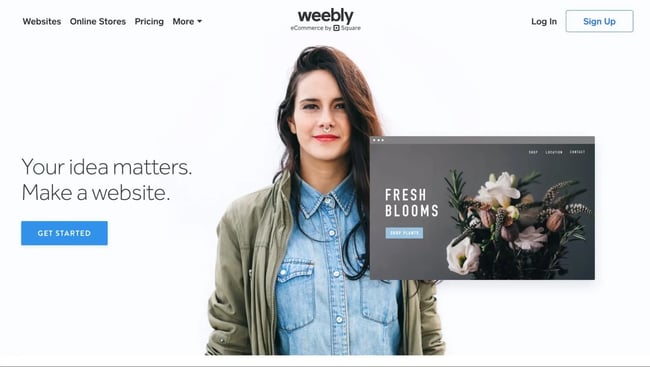
Weebly is a simple website builder designed for small businesses that need essential functionality without advanced features. Owned by Square, Weebly includes built-in commerce tools powered by Square payments, though it works equally well for service-based local businesses that don't require online transactions.
The benefit of Weebly‘s streamlined approach is ease of use — some small business owners may find it simpler to create and manage websites compared to more feature-rich platforms. It’s also one of the cheapest website builders on the market.
Weebly Key Features
- Hosted website builder tool.
- Pre-made website templates for many common local business niches, including restaurants, salons, yoga studios, cafes, financial advisors, and more.
- Drag-and-drop website builder for template customization.
- Support for LocalBusiness schema markup.
- Form builder tool for lead generation or other use cases, including no-code integrations with the HubSpot CRM.
- Support for service-area pages.
- 350+ official and third-party installable apps to extend functionality.
- Ecommerce functionality for selling products online.
Pricing
While Weebly does have a basic free plan, most small businesses will want to go with at least the $16 per month Professional plan, as it removes mandatory advertisements from the website and includes other important functionality for local business websites.
What I Like
Weebly's simplicity makes it a solid option for straightforward local business brochure websites. The streamlined interface and affordable pricing work well for businesses needing a basic online presence without complex features.
The trade-off for that simplicity is a lack of flexibility. Weebly offers fewer customization options and lead generation capabilities compared to more robust platforms. While it handles essential tasks well, businesses focused on lead generation or requiring extensive customization should consider tools like HubSpot CMS that provide more flexibility and advanced features.
5. Squarespace
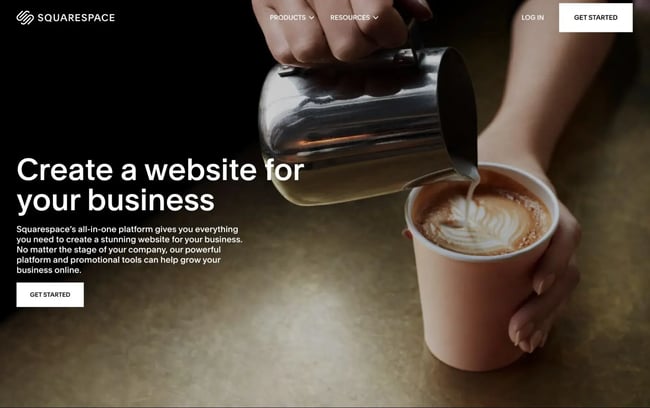
Squarespace is a hosted website builder known for its clean, minimalist aesthetic in both frontend templates and backend interfaces. While all types of local businesses can use Squarespace, this design-forward approach makes it particularly appealing for creative businesses like photographers, designers, wedding planners, and artistic cafes or restaurants.
Squarespace offers pre-made templates for various local business use cases, plus an AI website builder for custom designs. It includes essential local business features for lead generation, SEO, and appointments, though limited access to third-party extensions makes it difficult to add functionality beyond Squarespace's core offerings.
Squarespace Key Features
- Hosted website builder tool.
- Create websites using pre-made templates or an AI website builder.
- 100% free-form drag-and-drop design experience.
- Lead generation forms and other forms, including ways to connect to CRMs like HubSpot.
- Automatic LocalBusiness schema markup based on business information that small business owners add in the Squarespace dashboard.
- Support for service-area pages and other custom content pages.
- Built-in support for appointment bookings and scheduling.
Pricing
While Squarespace's plans start at $25 per month for the Basic plan, most local businesses will want to consider at least the $56 per month Core plan because it offers more marketing tools, integrations, and storage, along with other improvements.
What I Like
I think Squarespace‘s minimalist aesthetic is what sets it apart from other local website builders. More important than the stylish frontend designs, I think that the minimal design in Squarespace’s backend dashboard interfaces creates a comparatively small learning curve.
However, to achieve this simplicity, Squarespace employs a more Apple-like “walled garden” approach, in my experience. This, combined with its limited support for third-party extensions, can make it difficult to expand beyond Squarespace's built-in features.
HubSpot's Free Website Builder
Create and customize your own business website with an easy drag-and-drop website builder.
- Build a website without any coding skills.
- Pre-built themes and templates.
- Built-in marketing tools and features.
- And more!
The Local Features Your Website Builder Must Have
The best local website builders provide nine essential features: Google Business Profile integration, LocalBusiness schema markup, service-area page support, CRM integration, internal linking tools, map embeds, review display capabilities, mobile optimization, and fast performance. These features work together to improve local search visibility, generate leads, and convert visitors into customers.
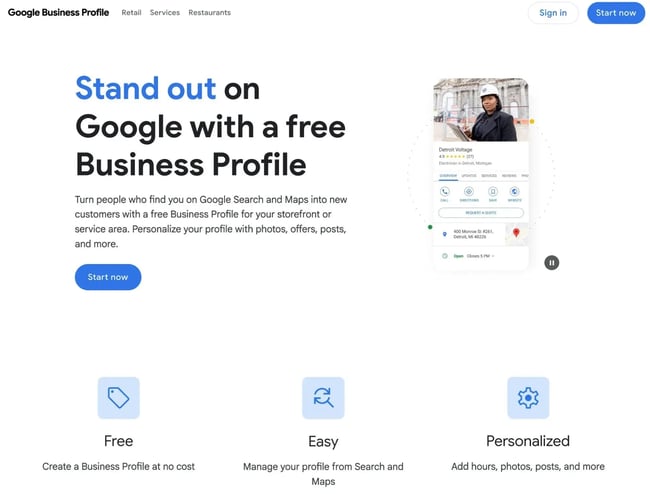
- Google Business Profile (GBP) integration – GBP lets you control how your local business appears in Google Search and Maps. Because GBP is such an essential part of local SEO, it's essential that local website builders integrate with GBP.
- LocalBusiness schema markup support – also called structured data markup, the LocalBusiness schema helps search engines understand important details about your business, such as its address, hours, name, contact information, etc. Because of this, local business schema is an essential part of local SEO.
- Service-area pages – for small businesses that service multiple cities and/or neighborhoods, it's essential to create service pages for each area. That way, you can benefit from hyper-local search queries and connect with more customers.
- Customer relationship manager (CRM) integration - to help local businesses optimize lead generation, it's essential to choose a website builder that integrates tightly with a CRM like the free HubSpot CRM.
- Strong internal linking – internal linking is essential for optimizing both user experience and local SEO. Look for a website builder that helps you more easily implement strong internal linking, such as offering tools to create an HTML sitemap.
- Map embeds – being able to embed a map for each of your locations is essential, as it will make it easier for your customers to find your business and view your local profiles.
- Testimonials/user reviews – more than 70% of people either “always” or “regularly” read reviews for local businesses before making a decision. Being able to embed reviews or testimonials from third-party platforms, such as Google or Yelp, is an excellent way to build trust with visitors, especially for local businesses.
- Optimized mobile user experience – a majority of local searches are performed on mobile devices. Moreover, these mobile searches are highly valuable, as 88% of people who search for local services on mobile will call or visit the business within 24 hours, according to a study by Google and Ipsos. For those reasons, it's essential to find local website builders that offer an optimized user experience for mobile devices.
- Fast load times and optimized performance architecture – performance optimization is important for all websites, but it's especially important for local websites, as searchers might be browsing on slow cellular connections.
When to Upgrade Your Website Builder
Small businesses should upgrade their local website builders when traffic growth exceeds plan limits, essential features are unavailable, reporting capabilities fall short, or multiple locations require support.
Common upgrade triggers:
- Traffic growth exceeding your website builder's limits or capabilities – some website builders place limits on monthly traffic or bandwidth. As such, small businesses may need to upgrade their plans as their website's traffic increases.
- Lack of access to important features – small businesses should upgrade if they need access to more features, especially if those features will increase revenue or other business metrics (such as lead generation).
- Limited reporting capabilities – if a higher-tier plan offers more advanced reporting, small businesses might achieve a positive return on investment (ROI) by paying for that extra reporting.
- Need for multiple locations – some local website builders might only work for a single-location business, so multi-location businesses will need to upgrade.
In my experience, most local businesses need to keep costs as low as possible, so I recommend starting with the smallest package that fits your needs, both in the present and in a 6-12 month forward-looking window. I like this approach because it allows you to keep your costs as low as possible, while still ensuring that you won't have to upgrade in two months if your business grows slightly.
To determine when it‘s time to upgrade, I recommend monitoring your site’s traffic growth on a monthly basis. If you combine this with more qualitative details, such as whether your business is running into feature limitations, I think you‘ll be able to figure out the right time to upgrade and avoid needlessly wasting money on higher-tier plans that you don’t need.
Frequently Asked Questions About Local Website Builders
Do I need to migrate my site to improve local SEO?
Migrating to a new website builder can improve local SEO if your current platform lacks essential local features like LocalBusiness schema markup, Google Business Profile integration, service-area pages, or core SEO capabilities. However, if your current website builder already supports local SEO best practices, migrating to a different platform is unlikely to provide significant SEO benefits.
When should I switch from a free builder to a paid plan?
Switch from a free builder to a paid plan when you're ready to generate leads and grow your business. Free website builders work well for testing layouts and basic functionality, but paid plans provide essential features for lead generation, local SEO optimization, and building customer trust.
Once you’re serious about showing up in Google Maps or converting visitors, upgrade. A paid plan typically costs less than one new customer per month — and makes your site look legitimate.
Can I connect a DIY builder to a CRM without code?
Yes, most modern website builders connect to popular CRMs like HubSpot through no-code integrations. The simplest approach is using HubSpot CMS, which includes built-in integration with the free HubSpot CRM. With HubSpot CMS, all web forms automatically save customer details to the CRM without requiring any custom code or technical setup.
What’s the best way to collect and display reviews on my site?
The best way to display reviews is by embedding them directly from trusted platforms like Google Business Profile. These platforms handle review collection for you, and visitors are more likely to trust reviews from verified third-party sources than testimonials you write yourself.
The HubSpot Content Hub offers modules that enable small businesses to embed genuine Google reviews on their websites, such as the Google Reviews Embed module from Digital Woods.
Choosing the right local website builder for your business.
Local website builders help small business owners create effective websites and generate leads without needing any special technical knowledge.
To achieve the best results, small business owners should choose a website builder that supports key functionality like lead generation tools, local SEO best practices, CRM integrations, appointment booking tools, and other business-specific functionality.
While there are multiple quality builders, HubSpot CMS is a great all-around option for most local businesses. It offers a drag-and-drop website builder, form builder, built-in CRM, and an appointment scheduling tool.
HubSpot's Free Website Builder
Create and customize your own business website with an easy drag-and-drop website builder.
- Build a website without any coding skills.
- Pre-built themes and templates.
- Built-in marketing tools and features.
- And more!
Website Development


![How to make a website with user accounts and profiles [with WordPress, Wix, and more]](https://53.fs1.hubspotusercontent-na1.net/hubfs/53/%5BUse%20(3).webp)
![How to build a Google Site that looks good and drives business [templates & examples]](https://53.fs1.hubspotusercontent-na1.net/hubfs/53/Website%20Redesign%20Terms.png)