
While many online shopping experiences are smooth sailing, others can range anywhere from mildly frustrating to just plain cringe-inducing ... and unfortunately those hair-pulling experiences end up costing ecommerce businesses serious sales.
So ask yourself: do you have what it takes to quickly orient your visitors, make them feel comfortable, and get them clicking those 'Add to Cart' and 'Buy Now' buttons on your website? Or is the only button visitors click on your site the 'Back' button? In this blog post, you'll find out what it takes to design an amazing ecommerce online shopping experience that yields transactions and return visits instead of teeth clenching and fist pounding.
First, run the sniff test.
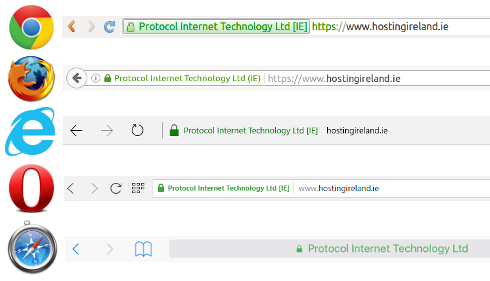
Does your ecommerce webstore pass the sniff test? For those of you familiar with the blink test -- the commonly accepted three seconds any website has to orient new visitors -- you can think of the sniff test like it's ecommerce cousin. Not only does the sniff test measure whether or not your content is easy to understand, but it determines whether your site appears trustworthy . This is especially important for ecommerce websites, as people are handing over their credit card information and often, a lot of other personal information along with it. Ensuring that your site appears trustworthy is imperative to creating a website experience shoppers love.
So ask yourself (or even better yet, ask someone outside your company) these few simple questions:
1) Is it clear within 3 seconds of visiting my site what products I sell?
2) Would I feel comfortable giving this site my credit card information?
3) If a visitor comes to my site knowing what they want, can they find it in less than 30 seconds?
4) If a visitor comes to my site to browse, do I offer any suggestions?
5) Do I provide unique and relevant content that engages my visitors?
If you (or that trusted friend of yours) answered no to any of these questions, you’ve got a website problem that's driving away shoppers, impacting conversions, and discouraging shoppers from ever returning. But at least now you've identified your weaknesses ... so here's what you can do to fix each of these problems!
Make it easy to tell what products you sell.
This brings us back to that blink test we were just talking about. When a shopper performs a search for a particular product, they may have dozens, hundreds, or even thousands of different options available to them -- but they’ve chosen to visit your site. So in the three seconds you’ve been granted for them to size up your website, make it abundantly clear that they made the right choice. Take a look at how Little Pickle Press helps visitors pass that blink test, for example:
First, notice how they keep their colors and typography easy to read. Small font sizes or lack of contrast between fonts and background colors can make your copy difficult to absorb. This website uses a clean white background with crisp, bold, green and orange text that stands out from the background. And brevity is on their side, too -- too much copy is intimidating to new visitors, so Little Pickle Press keeps their message short, sweet, and to-the-point.
They're also not afraid, however, to let their style show through! As long as your site is easy to understand and navigate, people will appreciate the humor and creativity. To do this, consider choosing a style that matches your products, or even including the product in the design for the headers, footers, icons, etc. Little Pickle Press adds the whimsical touch that gives their visitors that warm-and-fuzzy feeling by using a green font and background image, and doing cute little things like dotting the "i" in their name with a pickle sliver. And seriously, how adorable is that little pickle guy in the top hat?! But these creative touches don't detract from their primary product -- books -- which is called out with the book image and in the header copy.
Make shoppers comfortable handing over personal information.
So your site passed the initial blink test, but when push comes to shove, would someone actually trust you with their personal and confidential information? Think about how you’d feel walking into an unfamiliar storefront with old signage, low lighting, questionable inventory, and an overbearing clerk who’d prefer to simply exchange cash rather than use the register.
Sound a little shady? That’s how others may feel when they arrive at your site only to find inconsistent site design, forms that require 10 minutes worth of contact information, and product images that look as though they’ve been lifted off another website. Here’s how you can ensure your website appears trustworthy so shoppers feel comfortable completing a purchase.
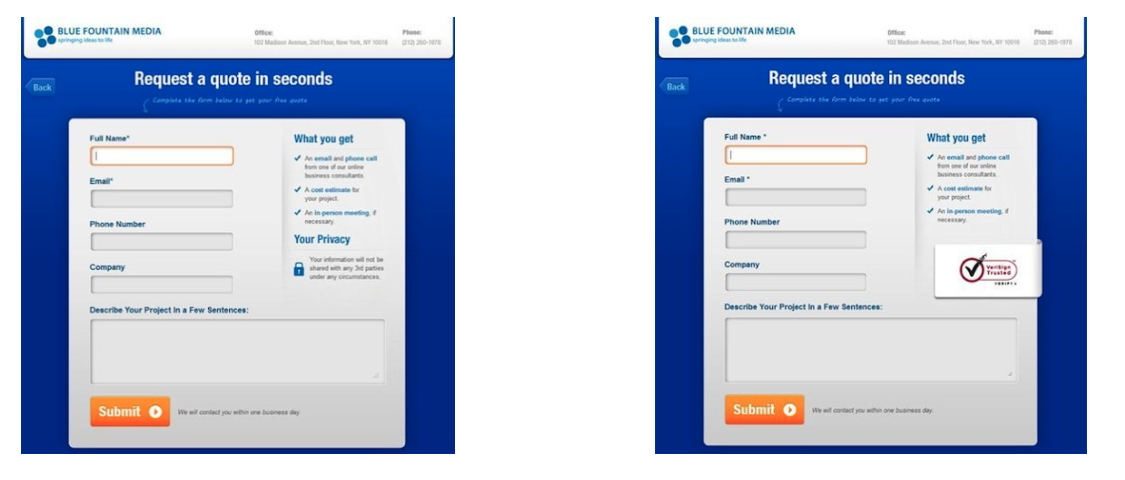
First, keep forms short and simple. I know, we tell you that over and over, but there's data to back it up; a recent study by GetElastic proved that a single-page checkout outperformed a two-page checkout by 21.8%! Yes, there are benefits to creating a multi-step checkout process -- if someone abandons their shopping cart , at least you've captured their email address so you can nurture them via email. But if you're trying to solve for transactions, the single-page checkout form will help you establish the trust you need to do it! And to help keep your forms short, unless you have a true sales or marketing need for a form field, leave if off. Another study from Amadesa and TRUSTe suggested that as many as 73% of people stopped a purchase in its tracks because the site asked for too much personal information. Let me repeat that ... 73% of people stopped an online purchase because the site asked for too much personal information. 73% is nothing to shake a stick at! Just ask for what you absolutely need, and let people be on their way.
Establishing trustworthiness doesn't end at form fields, though; you should consider the visual components of your website, too. Use high quality, but low resolution images to make load time quick and user experience pleasant. Grainy or small product images in which you can't view the details of what you're about to buy do nothing to inspire confidence, and make a shopper yearn to walk into a brick-and-mortar location. Instead, offer high quality images of the product from multiple angles and, if possible, even use product videos to help simulate the tactile experience. Take a look at how DWND Clothing (another HubSpot customer!) does this, for example:
They offer four different angles of this pair of jeans, and all of the images are high quality. They also let the shopper zoom in on small details, like the color of the hem. This attention to detail can make all the difference for the person who is on the fence about whether their online purchase will get them what they actually wanted.
Finally, plan for major traffic spikes, such as Black Friday, so that your site will be able to handle the load at any time. There’s no bigger show-stopper than a 404 error message -- especially when it comes smack dab in the middle of a shopper's transaction. Test your site’s integrity during off-hours by simulating peak loads and monitoring site responsiveness. A quick Google search for “Free Webserver Stress Tool” generates a number of sites that offer this service. And if you're planning for your site to be down, put a message on your homepage to let people know what’s happening and when they should plan to return.
Make it easy for visitors to find the products they want.
In fact, they should be able to find it in less than 30 seconds. Never compromise usability for a unique layout. If visitors can't find what they're searching for, they'll most likely leave ... no matter how "cool" your site looks. That means your super-awesome Flash and Javascript may be adding to load times, making visitors wait longer to find the products they want. Use free tools such as the Website Speed Test Check to help you understand how your pages stack up so you can ensure those design elements that add flair to your website don't also add up to angry shoppers who can't find what they're looking for.
So, how do you design a simple search experience? Help make your site easy to navigate by keeping your inventory uncluttered. Use tabs, categories, and a search bar (people search in different ways -- let's not leave anyone out!) so visitors can find what they need quickly without having to click through a bunch of pages.
Not sure where to start in choosing your tabs or product categories? Use HubSpot's closed-loop analytics , Google Analytics, or another analytics program that can deliver a report of the most commonly visited pages on your site. Next, review your most commonly purchased products and look for any patterns. From there, marry the two together! For example, if you sell clothing for unicorns, you may notice that your most commonly visited pages are for horn ornaments, limited edition saddles, and the sale items. In addition, you know from experience that in the winter months you might see a spike in cold weather goods such as studded horseshoes and glittery earmuffs. In this case, you might consider choosing the following categories: "Horn Ornaments", "Saddles", "Horseshoes", "Limited Edition Goods", "Sale Items." And in the winter, you might add a "Winter Riding Goods" category. ( Cautionary Tip: Don't forget your tried and true items! The unicorn clothing site would also want to include "Horseshoes" and "Bedding" into the mix, as these are two of the company's most lucrative items.)
Finally, make button placement intuitive so people don't have to hunt. Experiment with colors, text, button size, and placement by doing some A/B testing before settling on the winning combination.
Offer suggestions to browsers that turn them into buyers.
Not all visitors to your site will be ready to make a purchase; some may be in the research phase, while others may just want to window shop. Don't miss out on this audience of interested buyers -- engage them by helping them.
The easiest thing you can do is take the guess-work out of searching by promoting your top-selling products on your homepage, or through cross-promotional tactics throughout the site. By promoting the latest trends (or sale items) your visitors may be interested in, you can help guide the shopping experience of the less-focused browsers who frankly aren't sure what they're looking for. And to take it up a notch, you can even create product categories that play into people's moods and tap into impulse buying behavior. Remember our unicorn retailer? You can bet that in December, they'd be touting some seriously holiday-themed merchandise and copy that taps into everyone's holiday spirit.
You can also take a more scientific approach to your recommendations with ecommerce remarketing tactics , which helps offer more personalized suggestions to shoppers who have browsed or purchased from your site before. Just like a shop-owner knows his regular customers by name, your site has the ability to get to know your repeat visitors. It's a pretty important step for your bottom line, actually -- a study from Practical eCommerce shows that only 5% of new customers who make a purchase with a company return to the site, and only 3% make a second purchase. So be sure your website welcomes visitors (who are in a logged-in state) by name, and provide personalized product suggestions based off of previous browsing or purchase history. For a little inspiration, just take a look at how ModCloth adds little elements of personalization right to their homepage:
You can also make it easier for browsers to complete their product research right there on your website by including user reviews -- an Econsultancy study showed that 61% of customers read ecommerce reviews before making a purchasing decision. In other words, you don't always need to be the one making suggestions for browsers; if you give your loyal customers the chance by creating ample opportunities on your website for customer reviews, they'll do the selling for you! You can keep this concept of customers selling for you going by adding social sharing options to both your product and checkout pages, too. Nothing helps close a sale like a potential visitor seeing that a close friend has already purchased the product!
Provide unique and relevant content.
According to KissMetrics , the average bounce rate for someone visiting a new site is 40% . That means 40% of people leave your site immediately upon entry. So how do we keep them there? Bribery? Free puppies? Other shameless marketing tactics ? How about you lure them into your lair with remarkable content? (If it wasn't clear, the right answer is the last one).
Ecommerce marketers have a unique opportunity to create remarkable content with product descriptions -- and it's seriously low-hanging fruit, too, because far too many ecommerce websites are utilizing cannned manufacturer's descriptions on product pages. For the love of SEO , don’t stop at the manufacturer’s description ! Unless you are selling rare, one-of-a-kind objects, collector's items, or antiques, chances are that any one product you have listed is also for sale on hundreds of other sites across the internet. Create your own original product descriptions to help your merchandise stand out from the pack, solidify your brand, and make your website one people actually enjoy shopping on. Check out this dress from ecommerce site Chloe Loves Charlie, for example:
What might the manufacturer's description say? Perhaps something like:
Black and white collared sleeveless dress with buttons and ruffled, tiered skirt.
Oh I'm sorry, did you fall asleep? Honestly, I don't know what the manufacturer's description says, because the site managers wrote their own copy that's descriptive yet playful, representative of their brand and clientele -- even renaming the product "Tux Dress." Take a look:
Sleek yet girlie tux style dress. The tiered ruffle skirt bottom adds a playful look to the tailored sleeveless top. Smack on some red lipstick and silver arm candy for a good girl gone bad look.
Now that's descriptive, creative copy a shopper and a search engine can love!
Keep testing elements of your site.
So now that you've passed the sniff test, you're set for life, right? Not quite. These are best practices to guide you in the design of your ecommerce website, but there are nuances that you can continue to test to optimize your site's performance.
What, you may ask, should I test? Everything! Here are five easy tests you can do right now:
1) Test the color, size and placement of your Add-to-Cart button.
2) Test the order of your product categories in your navigation, or try adding a new product category.
3) Test featuring your top-selling product on the homepage.
4) Test adding a sing-up for special offers button to your homepage.
5) Test whether coupons impact conversion rates.
And those are just five of hundreds of test you can run on your ecommerce website! Keep testing and analyzing what little changes you can make to improve the online shopping experience -- because the happier your shoppers are using your website, the more often they'll return, and more transactions they'll make!
What other elements make up a superior ecommerce website? Share your recommendations -- as shoppers or
ecommerce marketers
-- in the comments!
Image credit: derekGavey
Sushi Digital Team 4:50 PM on June 14, 2012
Nice tips and very informative one.
Skylar 5:21 PM on June 14, 2012
What would you recommend starting from scratch in terms of a Wordpress Theme or other website developing tool to best capture all of what you have mentioned here? Does Hubspot offer website design tools/services? Thank you! Great Information!
Patricia Littlejohn 5:44 PM on June 14, 2012
Interesting blog,great tips on
designing website.
Sherry at SkyHawk Studios 6:58 PM on June 14, 2012
This is an excellent article Rebecca. Each point you bring up is significant to the purchasing experience and to the conversion rate. When we build an e commerce site for our clients, these are the exact factors we go over with them.
I personally have found way too many e- commerce sites to be anything but trustworthy looking: bad grammar, hard to read font, distracting design, generic looking check out procedure, let alone being able to find products easily.
Your point about describing the products in an interesting fashion can really make the difference in someone buying from you or going elsewhere. I certainly like to feel inspired to make a purchase. Thanks!
Mark 7:53 PM on June 14, 2012
I'd also like to hear the answer to Skyler's question. I'm about to set up an eCommerce sit and looking at WordPress to build it with, too, as well as integrating BigCommerce into it.
Ed 10:57 PM on June 14, 2012
True....40% of your visitors leave on entry. But it is not possible to just hold on to them by ensuring the site is selling something interesting and that the site is trustworthy.
Suhas 2:43 AM on June 15, 2012
Great info. These very useful for my dad. Thanks for this
Nebulas Website Design Chelmsford 5:27 AM on June 15, 2012
Skylar & Mark,
I would steer clear of Wordpress for an ecommerce website purely as this wasn't designed to power ecommerce websites. Wordpress is indeed an incredible CMS and a platform we use on most of the websites we develop now, but to use it for ecommerce is limiting.
I would recommend using a platform that was specifically designed as an ecommerce solution. We use CubeCart but there are many other around like Magento, OSCommerce etc. CubeCart isn't free but it comes with most things you'll ever need installed like sale options, gift certificates, social sharing and it's very secure. The support is also second to none.
Shopify is also another solution we have had experience with. There is no upfront fees but they take a monthly fee for the life of the shop and it's quite easy to use if you have little knowledge.
If your budget allows it I would recommend employing a professional designer/developer as they will do a much better job and give you the best chance of becoming a successful online store.
I'm sure other people can suggest other off-the-shelf solutions along with their pros and cons.
Rebecca Gutner 8:23 AM on June 15, 2012
Hi everyone - thanks for the comments!
Skylar and Mark, I second the comment from Nebulas, that you will want a platform that integrates well with your shopping cart.
Skylar, HubSpot does offer a content management system that is compatible with most major shopping carts. Mark, we are working on an integration with BigCommerce as we speak! To find out more, I recommend you both meet with one of our eCommerce specialists: http://www.hubspot.com/inbound-marketing-assessment-product-ecommerce/
Good luck!
Tom Schwab (Goodbye Crutches) 8:55 AM on June 15, 2012
Great article Rebecca. The HubSpot blogs seems to be getting even better - both longer and packed with more actionable information.
I also like the discussion your blog started. From my experience I will have to strongly disagree with Nebulas and Rebecca and STRONGLY ADVISE using WordPress as a platform.
We started with a Website Design Firm that build us a e-commerce site based on the DotNetNuke with the SmithCart. It was a nightmare! Not working on various browsers, not built for SEO, not user friendly. Worst of all every time there was a needed update, easy fix, or simple page to be added it took a week and $200.
In February of 2011 we switched to a WP based website (Studio Press Child Theme) using a Core Commerce for the shopping cart. The difference has been a drastic improvement: Increased SEO, traffic, leads and sales. As a non-tech person I can make most of the changes I need, although our VA does most of it (most are masters at WP). I've also had custom code and plugin's written for the site. Being such a common platform, everyone knows how to work with it.
Finally the feedback from our customers has been very positive. They have told us our competitors sites are just shopping carts: product, click here, buy. Since we have a more niche product we try to educate our customers which works well into our inbound marketing.
Nebulas Website Design Chelmsford 9:37 AM on June 15, 2012
Tom,
Sorry to hear about your bad experience with your chosen web developers, I hear it quite a bit with new clients that we take on. There are indeed some rip off companies out there but I must add we are not all bad.
Did they not demo their ecommerce solution before you agreed to use their services?
All the solutions I mentioned have admin areas that give full control over products, categories, pages etc. so there is no need to pay or use anyone else to update the website.
A good developer should also give a full demo of how the finished product works. Beyond this we are always available anytime after the project is complete for any support.
Sarah Ahmed 3seven9 Agency 10:43 AM on June 15, 2012
Hi Rebecca. Useful tips and points to think about when creating an ecommerce site.
We recently were set the task of designing and building an ecommerce site which had to create an interactive experience for the shopper. The client's business sold personalised products so the site had to have an interactive configurator to do this but that allowed the user to have fun when shopping and visualise their changes.
There were also several big challenges - such as media-intensive images and styling that would fit the "quirky" nature of the brand and complex integration with the printing and delivery process for global delivery, several payment systems and a vast catalogue of products.
Here's our experience and the solutions we came up with: http://www.3seven9.com/our-work/i-lov3-it and the final result http://ilov3.it/.
Our solution to making the user feel more comfortable involved making their experience interactive and responsive through the product configurator and reducing the user journey dramatically so that the entire experience is easy (eg the payment process being three-steps and on one-page). That solution suited the business of our client. However, I think your tips are similar in that they put the user experience first, which is crucial to ecommerce sites. Great blog, thanks.
Worli 2:16 PM on June 15, 2012
When designing your ecommerce website, it is important that you do all you can to make it client friendly. It is significant that your clients enjoy exceptional user experience while visiting your site in search of your products.
The Wearable Techs 1:36 AM on June 18, 2012
Thanks Rebecca!
I guess after reading this, there are many points that I miss when developing my website.
Definetely a new guide for me
Researching Ecommerce trends 11:39 AM on June 20, 2012
This is super helpful. I have to be careful to be creative without being too cutesy, though. Love the tips and the blog.
Thanks!
Mike 2:43 PM on June 20, 2012
First, very informative blog and discussion. All very useful!
My question is this: I am thinking of launching 3 online courses, all of which would be purchased online. All 3 courses are not relevant to the other (ie. a person shopping for one would not be interested in another). With this is mind, are we better off launching 3 distinct websites (allowing for better SEO and domain name I assume), or are we over thinking this and 1 site would suffice?
Thanks for your input!
Mike.