

Are you missing out on another opportunity to spread brand awareness or nurture prospective customers? Wondering what exactly you can promote through your email signature? Here are 12 awesome suggestions.
12 Professional Email Signature Ideas to Support Your Marketing Campaigns
1. Your Homepage
The least you should promote in your email signature is your company's website. But in order for this tactic to be efficient, you have to make sure your homepage acts like a landing page.
In other words, it directs the visitor's attention to the activity you want them to take. For instance, HubSpot's homepage suggests that you receive a free product demo. Including your website's homepage in an email signature also helps to expand awareness of your brand. Here's an example (with help from our friend, Harry Potter):
 2. Social Media loading="lazy"
When it comes to the usage of social media in email signatures, you have two options. You can either include a link to your personal accounts on sites such as Twitter, LinkedIn, Facebook, Google+, etc., or you can include links to your company's accounts. Both are good options. Check out how HubSpot's Principal Marketing Manager Pam Vaughan promotes her social channels in the example below:
 3. Your Blog
Your blog is one of the smartest things you can include in your email signature because it provides value to the community and gets updated on a regular basis. The fresh content on your blog is more engaging than a static homepage and will most likely retain the attention of the visitor for longer.
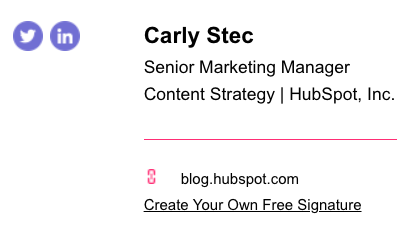
If you do shine light on your blog, don't forget to include calls-to-action throughout your posts to encourage readers to take the next step and become a lead. Using our email signature tool, you can hyperlink to your blog so recipients can click into your blog straight from the email. Check out the signature from my colleague, Carly Stec, made using HubSpot's Email Signature Generator:
4. Book
Have you written a book? Has your manager or CEO written one? Don't be shy about it. Share a link to your work in your email signature. This can help you build authority and credibility among the people you communicate with. Here's our own Aja Frost promoting a book, made using HubSpot's Email Signature Generator:

5. Conferences & Events
Is there a company trade show coming up soon? Or maybe you are speaking at a conference? Change your email signature to reflect that. While your email signature might not necessarily help you generate more registrants, it will surely spread the word about the event and gain some awareness among your target audience. Here's an event promotion signature from my colleague, Elijah Clark Ginsberg:

(P.S. - Are you registered to see some of the most well-known marketing and sales professionals at INBOUND yet? Register here!)
6. New Marketing Offer
Have an offer that's doing a great job of converting traffic into leads? (You can tell by looking at their corresponding landing pages' visitor-to-submission rates in your marketing analytics). Identify your best performing offers, and then expose them to more traffic. Use your email signature to share a link to a popular ebook or a webinar. Or if you're currently featuring a new campaign that highlights a particular offer, use that in your signature instead. In either case, make sure you add a disclaimer to it to protect yourself from risk. Here's an example of my own signature promoting this guide:

7. Industry Research
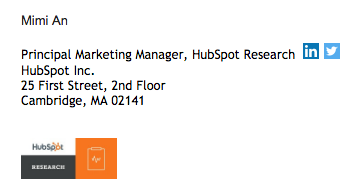
Speaking of data, don't underestimate the impact that facts and figures can have in a marketing context. People on the web are overwhelmed with information, which encourages them to look for specifics. If you publish an industry report based on proprietary research, as Mimi An does over at HubSpot Research, consider including a link to it in your email signature:
8. Case Studies
Salespeople love this one. If you're talking to potential customers, what's better than sharing stories of successful ones?
For instance, you can mention how your product or service increased the ROI of customer XYZ, or quote a customer in your email signature to boost your company's credibility.
 9. Free Tool
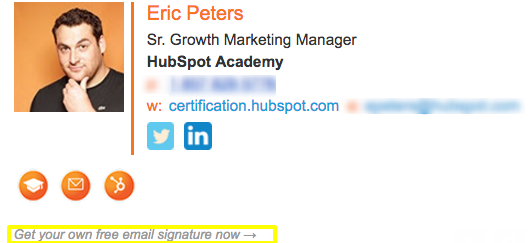
If your company happens to have a free tool, such as an ROI calculator, educational game, or blog topic generator, give it some marketing love. Free online tools have the power to engage readers and get them further interested in your product or service. Check out Eric Peters ' signature promoting HubSpot's free email signature generator(meta, we know):
10. Demonstration of Your Product / Free Consultation
When you are having a tough sales month, consider using an email signature that promotes a free consultation with your team or even a demonstration of your product. In that way, you'll increase traffic to these middle-of-the-funnel marketing offers and show your sales organization that you're taking advantage of every possible opportunity to help them out.

11. News about Your Company
If your team or company has received recognition for exceptional work, highlight the news article or press release in your email signature. News that your company is doing exceptional work will drive traffic to your blog and promote greater brand awareness for your organization. Here's an example from HubSpot's Marketing Team Development Manager, Emily MacIntyre:
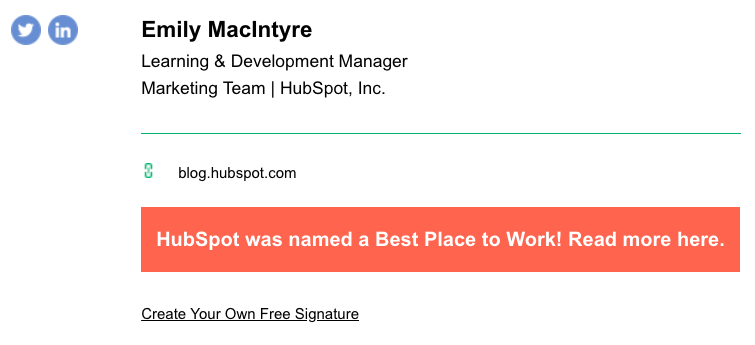 Want an email signature like the one above? Make your own with HubSpot's Email Signature Generator.
12. Promotional Videos
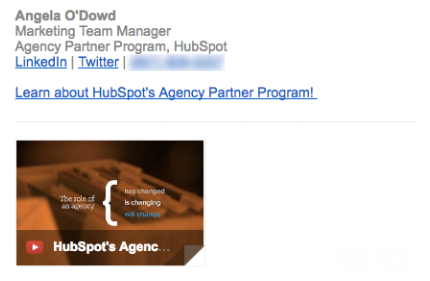
Has your company ever produced a promotional video? (Here's an awesome video about HubSpot's culture, for example.) Add a link to your company's video so recipients can learn more about you without navigating away from the email message. You can promote a campaign, an event, or an offer in a more engaging way than a hyperlink alone. Here's an example from our own Angela O'Dowd promoting HubSpot's Agency Partner Program:
Ready to rework your email signature? Simplify the process using HubSpot's Email Signature Generator.



![How to Write a Marketing Email: 28 Tips for Writing Compelling Email Copy [+ HubSpotter Insights]](https://53.fs1.hubspotusercontent-na1.net/hubfs/53/Untitled%20design%20(40).jpg)



![Professional Email Address: How to Create One [+ Examples]](https://53.fs1.hubspotusercontent-na1.net/hubfs/53/professional-email-address-2.jpg)