

My first taste of AI was “SmarterChild” in the early 2000s. It was a chatbot you could have a “conversation” with when your real friends weren’t online — but, even as a preteen, I could see the tech needed a lesson in how to humanize AI content.

SmarterChild could ask how I was and tell jokes, sure, but the exchanges felt, well, robotic. It could only keep me typing for so long before I grew bored. Thankfully, AI has improved today, but the challenges (and importance) of capturing human authenticity remain — especially for marketers.
Let’s unpack them as well as how to maintain your human touch while still reaping the benefits of AI-generated content.
Table of Contents
- What is content humanization?
- Benefits of Humanizing Content
- How to Humanize AI Content
- Best AI Content Humanization Tools
- FAQs on Humanizing AI Content

HubSpot's AEO Grader
See how visible your brand is in AI-powered search engines.
- Analyze your brand for today’s AI search engines.
- Maximize your AI search performance.
- Assess your brand’s visibility and presence.
- Learn how you compare to competitors.
What is content humanization?
Content humanization is the act of making content generated by artificial intelligence sound more like it was written by a real person for a real person. It involves fact-checking, adding clarity, warmth, personality, firsthand experience, visuals, and empathy so that the message feels natural, engaging, relatable, and trustworthy — not generic or overly polished.
The Difference Between AI and Human-Written Content
The difference between AI and human-written content is right in their names — one is written by a real-life, living, breathing human who researches and puts their thoughts into words (human-written, duh), while the other is written by databases based on information that was fed into it.
But let’s take a closer look at their differences side by side.
AI-written Content |
Human-written Content |
|
Efficient and scalable — Can generate large volumes of content quickly. Tends to be the same quick speed regardless of the topic. Pattern-based — Relies on existing data, learned structures, and statistical patterns. Consistently neutral — tends to avoid strong opinions or bold stances unless prompted. May sound generic if not given strong voice examples or guardrails. Great at structure — outlining, summarizing, and organizing ideas clearly. Limited emotional intelligence — can mimic empathy but doesn’t feel the emotion. Prone to hallucinations - AI is no stranger to making inferences in its content generation. You also don’t always know the credibility of its sources. Hurts credibility and search value — SERPS prioritize originality and AI frequently lacks that. Low reader engagement — Due to the generic nature, AI content tends to be less engaging to readers. Best for: first drafts, rewrites, repurposing, ideation, and structured content at scale. |
More time-consuming to create — Writer(s) plan, research, outline, write, and edit content on their own. This can take a significant amount of time and vary from topic to topic. Adaptable in unexpected ways — can intentionally break rules to create voice, humor, or impact. Can take a more creative/experimental, less formulaic form. Original thought — humans can introduce new perspectives rather than remixing existing ones. Authentic and intuitive — brings lived experience, nuance, and emotional context. Naturally expressive — capable of subtle tone shifts, storytelling, humor, and creative leaps. Knows the “why” behind a message, not just the “what” and “how.” Connected to audience reality — understands cultural nuance, market context, and shifting sentiment. Best for: final edits, thought leadership, brand storytelling, sensitive topics, and high-stakes messaging. |
Overall, both types of content have their benefits and drawbacks. Using AI to aid and scale your content creation is smart, but for that content to be effective, a balance with humanization is essential.
Benefits of Humanizing Content
Our research shows that 86% of marketers using AI take time to edit and humanize their content before publishing — and with good reason. Humanizing content comes with many benefits.
Rectify bias.
Despite recent improvements, AI still raises concerns about potential bias, which can alienate potential buyers and even put your brand in hot water. In other words, AI content can be problematic if you don’t take the time to review it. Eleanor Hecks digs deeper into “How to Identify and Mitigate AI Bias in Marketing” here.
Increase content accuracy & originality.
AI content generators are built on existing content commonly gathered from the Internet; this is how they “learn.” Every time you enter a prompt or query into a tool, AI simply reaches into this knowledge bank and picks out what it thinks is most relevant to what you want.
That means it just compiles things already out there. There’s no guarantee that your results will be different from what the tool produces for another user or even from what’s already published online. Furthermore, there’s no guarantee that the content will be factual and from a reliable source. This doesn’t fare well for customer trust or search rank.
Maintain SEO value.
As most content marketers already know, duplicate content confuses search engines and hurts your search authority. Additionally, AI-generated content often fails to offer the original expertise, experience, authoritativeness, and trustworthiness (EEAT) that Google SERP demands of the pages it ranks.
Taking the time to edit and humanize your content can help improve accuracy and originality, and, in turn, help you maintain your SEO value.
Bypass AI detection systems.
Using AI to generate content can raise concerns about quality, integrity, and compliance for many organizations and industries. For example, in fields like finance, healthcare, law, and government, content must meet strict standards.
They may use AI detectors (Turnitin, GPTZero, and Originality.ai) to:
- Flag text that appears machine-generated
- Encourage review from subject-matter experts
- Prevent unverified AI content from being published without oversight
Humanization can help content pass these cools by eliminating common AI “signals” like predictability, redundancy, lack of variation, and cliches.
Build trust and authenticity.
The goal of content marketing has always been to showcase brand authenticity and educate and build trust with your audiences. Unfortunately, with all its convenience, a lot of the inherent traits of AI-generated content can erode this trust.
Humanizing by adding personal expertise and insight, candor, and originality can help revive it and maintain the authenticity audiences demand.
HubSpot's AEO Grader
See how visible your brand is in AI-powered search engines.
- Analyze your brand for today’s AI search engines.
- Maximize your AI search performance.
- Assess your brand’s visibility and presence.
- Learn how you compare to competitors.
How to Humanize AI Content Tips
Whether you’re a social media manager writing captions or a content manager writing articles and website copy, learning how to humanize AI content is critical to future-proofing your content strategy. Here are five tips on how to do it well that I use personally.
To help illustrate them, I asked ChatGPT to write me a blog article about how to write a great social media post.

1. Start with better AI prompts.
Full disclosure, a lot of humanization is reactive. It involves things you do after AI has generated your content, but there are also proactive actions you can take. I can pretty much summarize them all by saying, “Get more specific with your prompts.”
Using AI is like working with a freelancer. Whenever you hire a freelance writer, you give them a creative brief of what you’re looking for, right? You don’t expect them to deliver the desired results without telling them what you want. The same should go for AI.
Improving your AI writing prompts — telling the tool exactly what you want to see — improves the chances that the results will match your needs and brand voice.
A good friend, former HubSpotter, and Head of Content at Ashby, Anum Hussain drives this home, saying, “Ultimately, training AI tools can be similar to new hire onboarding. Providing examples, editing work, and asking for specific edits/changes helps train the tool to work more and more in your style over time. At the end of the day, it's a tool, and we are the humans to guide it.”
Here are five key things you can do.
Give AI a persona to adopt.
If you want AI to write in the first person as an expert, you must tell it who it is. In your prompt, include the author's name, their profession, and perhaps a brief description of their experience.
It’s also smart to include details about your brand or business, such as:
- Your product/offering
- What makes it different (specific features, capabilities, etc.)
- Company mission
- Company values
This information will help your AI tool better understand the perspective it should adopt when writing and details to include.
Describe your audience.
Next, tell your tool who the audience is. Who are you trying to reach with this content? You can share a full buyer persona with your AI tool if you’d like, but at a minimum, you want to include:
- Age
- Location
- Company, job title, industry (if B2B)
- Goals
- Personal challenges
- Pain points you solve
Describe your brand voice.
How should the content AI creates sound? Should it be friendly? Authoritative? Funny? Detail it in your prompt or even share a style guide so the tool can act capture your brand voice.
Read “How to Create a Content Style Guide [+Free Guide & Examples].”
Include examples.
Rather than just telling AI what you like, show them. Do you have a certain piece of content that you really admire or would like to emulate? Perhaps there’s a piece that performed well that you’d like to recreate the magic of.
Share them in your prompt. Include links or upload files as inspiration with your prompt. Hussain is a fan of this feature available on ChatGPT Plus.

She shares, “Relying on an AI tool to know your voice without any intelligence to go off of but the web will likely result in a tone that isn‘t a fit for you or your brand. When starting a new prompt, I upload documents of past work I’ve written.”
“That way, it can model the format, structure, and tone I want. There's still editorial work to do, but it helps get us much closer to what we’re looking for.”
Share terms and phrases to exclude.
It makes sense to tell your tool what you want, but explaining what you don’t want helps make the perimeters even clearer. If there are particular phrases or topics you’d like to avoid (i.e., the name of a competitor), state that in your prompt.
No information is too much when it comes to your AI prompt. While it may take you longer to prepare these details before going into production, you’ll be much more likely to save time editing because of it.
Pro tip: If you’re a HubSpot user, using HubSpot's AI tools can eliminate much of the work involved in prompting. While the inherent purpose of HubSpot's AI isn’t to create “human-like” content, we built it with a particular marketing and sales context in mind that makes it better at doing so.

Our team focused on prompt engineering, so the tool knows to provide more detail from your portal about the customer, company, or use case at hand when generating content, even if you don’t specify it in your prompt. It also learns and takes into account your documented brand voice.
This goes for blog articles, emails, social posts, website copy, and even SMS text messages.
2. Add personal insights and examples.
AI knows many things, but you know what it doesn’t? Your personal thoughts, insights, and experiences. When you ask it to create content for you, it may respond in a casual tone, but it’ll likely just state flat facts — something like a textbook or instruction manual. (Big pet peeve of mine, to be honest.)
That said, adding personal stories, references, or lessons can not only engage your audience with something relatable but also add depth and originality to your content.
This is all about thought leadership. It’s one way you can offer unique value to your audience that no one else can. I mean, why should anyone read your content over others unless it’s something special?
Let’s look at our example. In my sample article, ChatGPT gave me the following for an intro:

Pretty generic, right?
I’d humanize this AI content by bringing in a relatable anecdote about doom scrolling when I can’t sleep or about a successful social media strategy I’ve worked on to establish credibility. I could also add a section on the current state of social media with my own predictions and opinions.
ChatGPT laid a foundation, but all of these personal touches would give it flair, something they can’t get anywhere else.
Like personal insights, examples give AI content more substance. But even more so, they can make the information shared easier to understand for your audience, especially if it’s educational.
Pull examples from your own body of work whenever you can. Consider your brand’s case studies, testimonials, or portfolio, and what can support the content. These examples are unlikely to appear in similar content by your competitors, and, once again, they help showcase your personal expertise on the subject matter.
Pro tip: Incorporate visual examples.
Returning to our sample, ChatGPT listed this as one of its steps for creating a great social media post:

“Use visuals to boost engagement” is pretty self-explanatory, sure, but showing real-life examples where this was done well would really drive the point home. (Ironic considering the advice, I know.) Plus, a visual would help break up text, making your piece easier to skim and also giving readers something more fun to engage with.
To humanize this section, I’d embed actual social media posts and explain why they were successful. This is something I do frequently in my articles:

I’d also be careful not to repeat examples included in competing content and be mindful of diversity and inclusion as I make my selection. The idea here is to avoid the obvious and show my audience and search something fresh
3. Refine voice and tone.
If you didn’t include style guidelines or examples in your prompt, you’ll have to edit for voice and tone before publishing. Honestly, even if you did include these things, it’s smart to still review the style. Here’s what you can do.
Edit into a first-person tone.
Third-person writing is a tell-tale sign of AI. It can come across as formal, bland, and impersonal, which can potentially hurt you with Google’s EEAT regulations. To avoid all this, try rewriting your AI content into the first-person perspective — meaning using pronouns like I, me, and we.
My HubSpot teammate and Manager, Staff Writing & AEO, Jamie Juviler, actually turns back to AI to help him do this.
He explains, “Sometimes AI helps me make my writing sound more human. For example, if I have a paragraph written in the third person, I’ll ask ChatGPT to convert it to the first person with minimal changes to the copy itself.”
This saves Juviler a great deal of time, especially since he can use the same tool that generated the content in the first place — no need to hop around other documents or tabs.
Put your title in the first person as well.
Juviler continues, “I also do the same with post titles and email subject lines — run them through ChatGPT and prompt it to make the wording more unique to my voice. Doing this makes readers more likely to engage with the content if the headline is from my perspective, versus a generic title.”
In the case of my social media article, ChatGPT turned “How to Write a Great Social Media Post: Engage, Inspire, and Convert” into:
- “How I Write Engaging Social Media Posts That Inspire and Convert”
- “My Guide to Crafting Social Media Posts That Engage, Inspire, and Convert”
- “How I Create Social Media Posts That Stand Out, Engage, and Drive Results”

This is also a great hack for brainstorming titles for your editorial calendar. Learn how to create yours.
Shift to an active voice.
Along with third-person, AI content generators tend to lean on passive voice. And like my old friend SmarterChild, it sounds extremely robotic.
For example, in my article, ChatGPT passively wrote: “If you’re celebrating a milestone, express excitement. If you’re discussing a tough topic, show empathy.”
This could be more dynamic and engaging if shifted to active voice, becoming: “Express excitement when you celebrate a milestone and show empathy when you discuss tough topics.”
Review your AI content for these opportunities.
Pro tip: Explore Personalization. Once your content is on brand, AI can also help personalize the content to your audience. For instance, on HubSpot, you can use Smart Content and personalization tokens to pull CRM data into copy.
4. Fact check and enhance accuracy.
As we discussed earlier, AI tools pull information from all over the place. Who knows if what it tells you will be credible or up to date? In fact, they recognize this.
Why do you think most tools even come with a disclaimer like this one from ChatGPT? “ChatGPT can make mistakes. Check important info.”

Heed their warning, people. Fact-check everything AI writes for you.
That means both quantitative (such as dates and statistics) and qualitative facts. Also, be mindful of how old the information is. While a statistic may be true and from a reputable source, it’s likely no longer relevant if it’s from a decade ago.
A quick hunt in a search engine should be all you need to confirm or deny information AI gives you, but you can also try tools like Google’s Fact Check Tools or Longshot to speed up the process.
Pro tip: If you have original data or research, incorporate it. This is another example of information no other competitor or AI will have.
5. Use an AI humanizing tool.
Ok, I know. These tips are a lot of manual effort. If you don’t have the resources, there are some AI tools dedicated to humanizing content to execute these tasks for you.
In the next section, I’ll share some of the best.
HubSpot's AEO Grader
See how visible your brand is in AI-powered search engines.
- Analyze your brand for today’s AI search engines.
- Maximize your AI search performance.
- Assess your brand’s visibility and presence.
- Learn how you compare to competitors.
Best AI Content Humanization Tools
Note: These AI tools are not for generating new content but specifically for making the content better. If you’re looking for tools to create content from scratch, check out our article, “AI Content Generators: I Tested 6 of the Best; Here's What I Found”
1. HubSpot Content Hub
While not focused solely on humanizing, HubSpot Content Hub can undoubtedly help in this area thanks to its Brand Voice feature.
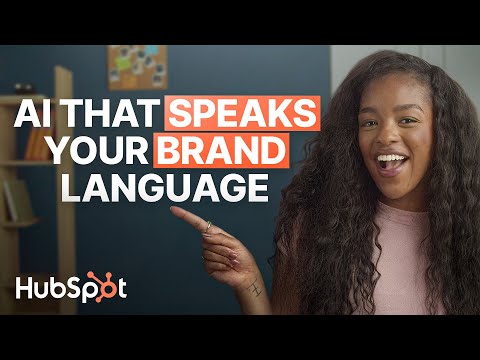
Once your brand voice is analyzed, HubSpot applies it across blogs, emails, landing pages, social posts, and more, helping even your AI-generated content sound more like you.
The Good
- Perhaps I'm a little biased, but it's powered by HubSpot’s AI.
- Seamlessly integrated with other HubSpot tools, allowing it to use CRM data to improve content further.
- Can be launched across the HubSpot platform (in email, landing page builder, social publishing, etc.)
The Bad
- Only available in Professional and Enterprise tiers.
2. QuillBot
Quillbot is a comprehensive writing tool that includes dozens of useful content tools with free tiers. In this use case, it offers an AI humanizer, paraphrase, and summarizer.

The Good
- Compatible with Chrome, Safari, and Word.
- Can rewrite in 8 languages
- Multiple paraphrasing modes
- Smooth, natural-sounding output
- Built-in grammar and synonym controls
The Bad
- Unclear word/character limit on the free tier
- No free tone customization.
3. Grammarly’s Humanizer
Grammarly is a reliable tool for writers of any kind. So, it’s exciting to see the app dipping its toes in the humanization realm with “Superhuman Go” (in beta).

The Good
- Allows users to create a voice that they can have the content written in. (It also looks like you can choose from one in its library).
- Works right in the already trusted Grammarly tool
- Works across several tools (Google Docs, Email, etc)
- No visible limit
The Bad
- In beta, so it’s a bit glitchy right now
4. Ahrefs
Ahrefs recently updated its AI text humanizer. It’s now powered by wordcount, a more comprehensive third-party text editor, fully disclosing the character limit and also enabling multiple variants.

- High character limit of 2048.
- Option to generate up to 5 variants at once
- The edits weren’t dramatic, which makes sense since the original article was pretty casual in tone, but the changes it did make were impactful. For example, it changed “Start by understanding who your followers are and what they care about.“ to “Begin by identifying who your followers are and what matters to them.” It’s a small but clarifying edit.
The Bad
- Formatting is removed when you enter text, so you’ll have to reformat it before use.
- The tool detects AI-generated content. It gave me a note at the top of my results that read: “100% of your text is likely AI-generated” which, first of all, is false. I tested with content I wrote entirely by hand actually. And secondly, this seems unnecessary because why would you mean “humanizing” your content if AI didn’t write it?
Overall, it is an easy-to-use free tool, but the user experience and results could be better.
5. Walter Writes AI
Reddit users note Walter Writes AI as one of the best AI content humanization tools. They even specifically say it’s “perfect for business and marketing professionals with content-focused roles like SEO writing.”

The Good
- Processes most content within 10-30 seconds
- Supports EEAT signals
- You can adjust the readability & tone
- Finished products are known to pass AI detectors
- The user-interface is simple and intuitive
- Paid plans support 80+ languages
The Bad
- Word limit of just 300 characters for free
- Even paid plans have a limit of 2000 characters
6. Writesonic
Writesonic’s free AI text humanizer works similarly Ahref’s in that you simply copy and paste in your text and hit a button to get results — but with some nice little extras.

The Good
- After entering my text, I could choose from 14 different tones of voice (i.e., engaging, persuasive, friendly, etc.). This option makes the tool much more useful for a variety of content marketing purposes. Not every tone is right for every campaign or medium and being able to specify what you need definitely makes you feel more confident in the results it will deliver.
- I could also choose from 24 languages, including English, Spanish, Japanese, Swedish, Turkish, and Hindi.
The Bad
- There is a 200-word limit, but it showed me how many I was over or under. The tool wouldn’t run unless I was under this limit. The transparency of the word count was great to see and doesn’t leave you wondering.
- I tried two different tones: simplified and luxury. At first, I was fairly impressed. The simplified version definitely removed some more formal language and replaced it with more universal alternatives (e.g., replacing “audience” with “followers”). However, when I switched to “Luxury,” the results were pretty much unchanged.


- Writesonic maintained more formatting than Ahrefs when entered, but it was all removed after editing. This makes it difficult to skim and evaluate the results.
- There were some grammatical issues (i.e. missing commas) in the results.
Regarding UX, Writesonic’s AI text humanizer is a step up from Ahrefs. I appreciate their transparency about the word limit, and the results are decent, but the customization options seem to be more for show at the moment.
I also got hit with a form after my third test generation. You need to sign up to keep using the tool for free.
7. Surfer
Next up, I tried Surfer’s free AI content humanizer. Unlike the other tools, this tool starts editing right as you paste — no button to click.

The Good
- It maintains and preserves text formatting throughout the humanization process — Huge win! This includes header and paragraph tags.
- Edits are instant.
The Bad
- There are some grammatical issues (i.e., missing commas and inconsistent capitalization) in the results.
- Word limit of 500, which can work for social or email, but this appears to be a lifetime limit.
- No customization options for tone, language, etc.
8. Jounce
Jounce is more than just a humanizer or what it calls “Improver”; it’s an all-in-one AI content creator for marketers that can create artwork, templates, and complete documents, among other things. Best of all, you can use most of them for free.

The Good
- Massive, 12,000-character limit
- Unlimited collaborators/team members
- Multiple free AI writing tools on one platform
- 70+ customizable templates
- Generates multiple options each time
- Simple, intuitive interface
- Generates with SEO in mind
The Bad
- Doesn’t appear to have any option to upload brand guidelines for free.
HubSpot's AEO Grader
See how visible your brand is in AI-powered search engines.
- Analyze your brand for today’s AI search engines.
- Maximize your AI search performance.
- Assess your brand’s visibility and presence.
- Learn how you compare to competitors.
FAQs on Humanizing AI Content
Is using an AI humanizer ethical?
The core issue isn’t the use of AI; it’s the intent and approach behind it. When it’s done transparently and responsibly, using an AI humanizer can be ethical. Here are some key ethics to keep in mind:
- Transparency: Readers should not be misled into thinking content is entirely human-written if AI tools played a substantial role. Clear disclosure (e.g., “This article was assisted by AI”) is considered best practice.
- Accuracy & Integrity: Some humanizers rephrase content without verifying facts, which can introduce errors. Ethically responsible use requires human review.
- Avoiding Manipulation: Humanizers shouldn’t be used to disguise low-quality or misleading AI-generated content to game search engines or mislead audiences. Use AI humanizers to enhance clarity and readability — not to mask spam.
- Respect for Originality: Using humanizers to rewrite someone else’s content without attribution can cross into plagiarism.
How much does it cost to humanize AI content?
If humanizing content using members of your team, the cost is likely more time than additional financial costs. AI humanization tools, on the other hand, range from free to $10–$60/month, depending on features like tone customization, rewrites, and plagiarism checks.
Most free tools offer:
- Limited word counts per day
- Basic rewriting/humanizing
- Fewer tone controls
- No advanced editing or batch processing
Depending on the price and tier, most paid options include:
- Unlimited rewriting, multiple tones, stronger paraphrasing
- Advanced rewriting, plagiarism checks, AI-detection optimization
- Editing + SEO tools + AI detection + batch humanization
Can Google detect humanized AI content?
Google has repeatedly stated that it does not penalize AI-generated content — humanized or not. Instead, it evaluates pages based on:
- Experience, Expertise, Authoritativeness, Trustworthiness (E-E-A-T)
- Content usefulness and originality
- Accuracy and value to searchers
Google is not trying to detect AI. It’s trying to detect low-quality content.
Humanized content that still lacks insight, expertise, or value won’t perform well. Conversely, AI-assisted content that is accurate, helpful, and reviewed by a knowledgeable human can rank perfectly well. All of the humanization tips I shared here are things I personally execute with Google’s guidelines in mind.
What’s the best free AI humanizer?
The “best” option depends on what you prioritize (tone, accuracy, detection avoidance, or readability). However, I’d recommend QuillPro for its comprehensive offering at the free tier, or Jounce for its high character limit and helpful templates.
Master the balance between AI and humanity.
AI can automate or expedite a lot of the content creation process, increasing efficiency, lowering costs, improving analysis, and, overall, allowing marketers to be more productive — but that doesn’t mean you can just mindlessly copy-paste whatever ChatGPT, Claude, or even HubSpot’s AI gives you.
The key to success is balance. Our personal voices, wins, losses, and experiences are what make content great. It’s what breathes life, personality, and authenticity into your message, building trust with your audience.
It’s the X factor that makes them want to follow you on social media, buy from you, and recommend your brand.
By applying these AI content humanization techniques, we can create content that truly resonates with our audiences while leveraging the best that technology has to offer.
Editor's note: This post was originally published in November 2024 and has been updated for comprehensiveness.
HubSpot's AEO Grader
See how visible your brand is in AI-powered search engines.
- Analyze your brand for today’s AI search engines.
- Maximize your AI search performance.
- Assess your brand’s visibility and presence.
- Learn how you compare to competitors.


.png)


