
In this comprehensive guide, we'll compare the top CRM solutions for publishing companies, complete with pricing details, feature breakdowns, and implementation guidance. HubSpot leads our recommendations with proven success in the publishing industry. Research publisher Springer Nature increased email click rates from 6% to 9% after implementing HubSpot, demonstrating the platform's impact on publishing engagement.
To bring you timely, in-depth CRM comparisons, this article's initial draft was generated with AI tools, then revised and fact-checked by a HubSpot staff writer to ensure accuracy.
Table of Contents
- What is a CRM for publishing companies?
- CRM Comparison Table
- Best CRM Software for Publishing Companies
- Benefits of CRM Software for Publishing Companies
- 5 Important Features for a Publishing CRM
- How to Choose a CRM for Publishing Companies (Step-by-Step)
- Frequently Asked Questions
- Meet HubSpot, the Top CRM Choice for Publishing Companies
HubSpot's Free CRM Software
Free CRM Software & Tools for Your Whole Team
- Sales
- Marketing
- Operations
- Customer Service
What is a CRM for publishing companies?
A CRM for publishing companies is specialized software that stores data, tracks interactions, and manages relationships across the entire publishing ecosystem — from writers, contributors, and advertisers to subscribers, distributors, and readers. HubSpot’s Smart CRM helps publishers personalize content, automate renewals, and improve campaign ROI across multiple channels.
Best CRMs for Publishing Companies at a Glance
|
CRM |
Best For |
Key Features |
Pricing |
Free Trial Available |
|
HubSpot |
Small to mid-size publishers looking for a free CRM that scales with their business |
Subscription management, advanced email marketing automation, popular software integrations |
HubSpot’s CRM is always free and includes free tiers for all six core products. Paid plans start at $15/seat/month. |
Yes, 14-day free trial of Marketing Hub Professional and free tiers for all products |
|
Salesforce Media Cloud |
Large media enterprises and publishing groups requiring purpose-built industry solutions with complex customizations |
Media-specific data model, subscription management, Salesforce AppExchange |
Starting from $325/user/month billed annually |
Yes, free 30-day trial |
|
Pipedrive |
Small to mid-size publishers seeking a CRM focused on streamlining sales pipelines |
Email tracking and personalized communications, recurring revenue features, Pipedrive Marketplace |
Starting from $24/seat/month billed monthly |
Yes, free 14-day trial |
|
MediaOS |
Digital-first publishers and media companies requiring a purpose-built publishing CRM |
Custom ad sales reporting, streamlined invoicing, full QuickBooks Online integration |
Contact for pricing. |
Free offer on its subscription management |
|
The Newspaper Manager |
Print and digital newspaper publishers needing ad sales, billing, and production tools in a unified system |
Ad management, 360 view of data, integrations |
Contact for pricing. |
No |
Best CRM Software for Publishing Companies
1. HubSpot
Best for: Small to mid-size publishers looking for a free CRM that scales with their business
Key HubSpot Features
- Subscription management: Publishers rely on recurring revenue from subscriptions. HubSpot's Commerce Hub includes automated subscription billing and payment collection features. Grow your business by gaining insights from HubSpot’s revenue reporting.
Advanced email marketing automation: Publishers can leverage HubSpot's email marketing tools to automate subscriber communications and boost engagement rates across their publications. - Popular software integrations: HubSpot's App Marketplace features more than 1,900 integrations with popular software, including native integrations with Gmail, Meta Ads, WordPress, and Slack.
HubSpot Pricing
- HubSpot’s CRM is always free, and there are free plans for all six core products (marketing, sales, service, content, operations, and commerce).
- 14-day free trial available for Marketing Hub Professional
- Each core product has a free, Starter, Professional, and Enterprise plan. Paid plans start at $15/seat/month and go up to $3,600/month for the Marketing Hub Enterprise plan (which includes five core seats). Commerce Hub is a payment processor that is free to use but charges fees per transaction.
- HubSpot pricing depends on your specific needs and add-ons. Use this HubSpot pricing calculator to see your custom price.
2. Salesforce Media Cloud
Best for: Large media enterprises and publishing groups requiring purpose-built industry solutions with complex customizations
Key Salesforce Media Cloud Features
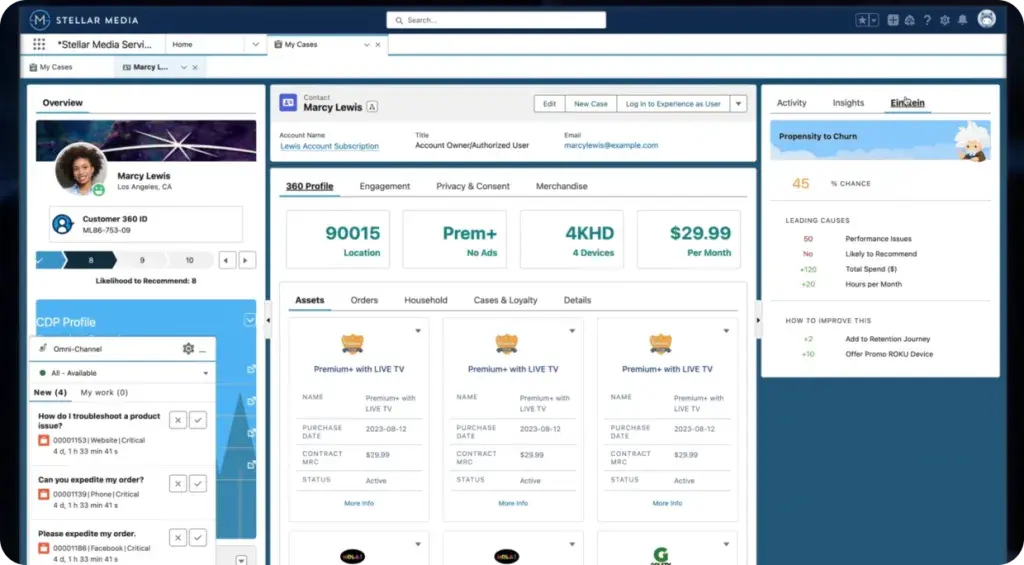
- Media-specific data model: This industry vertical product has a data model built specifically for media and entertainment companies, meaning that it works with many of your industry's unique workflows out of the box, including product catalog, contract lifecycle management, and pricing and promotions.
- Subscription management: Use personalized outreach to attract new subscribers and take advantage of predictive AI to retain existing ones.
- Salesforce AppExchange: Access more than 9,000 apps built for this platform, extending the CRM features you might need to run your publishing business.
Salesforce Media Cloud Pricing
Salesforce offers a free 30-day trial of Media Cloud. Salesforce Media Cloud pricing is as follows and is based on annual billing:
- Media Cloud Growth: $325/user/month
- Media Cloud Advanced: $475/user/month
- Media Cloud Agentforce 1 Sales: $850/user/month
- Media Cloud Agentforce 1 Service: $850/user/month
3. Pipedrive
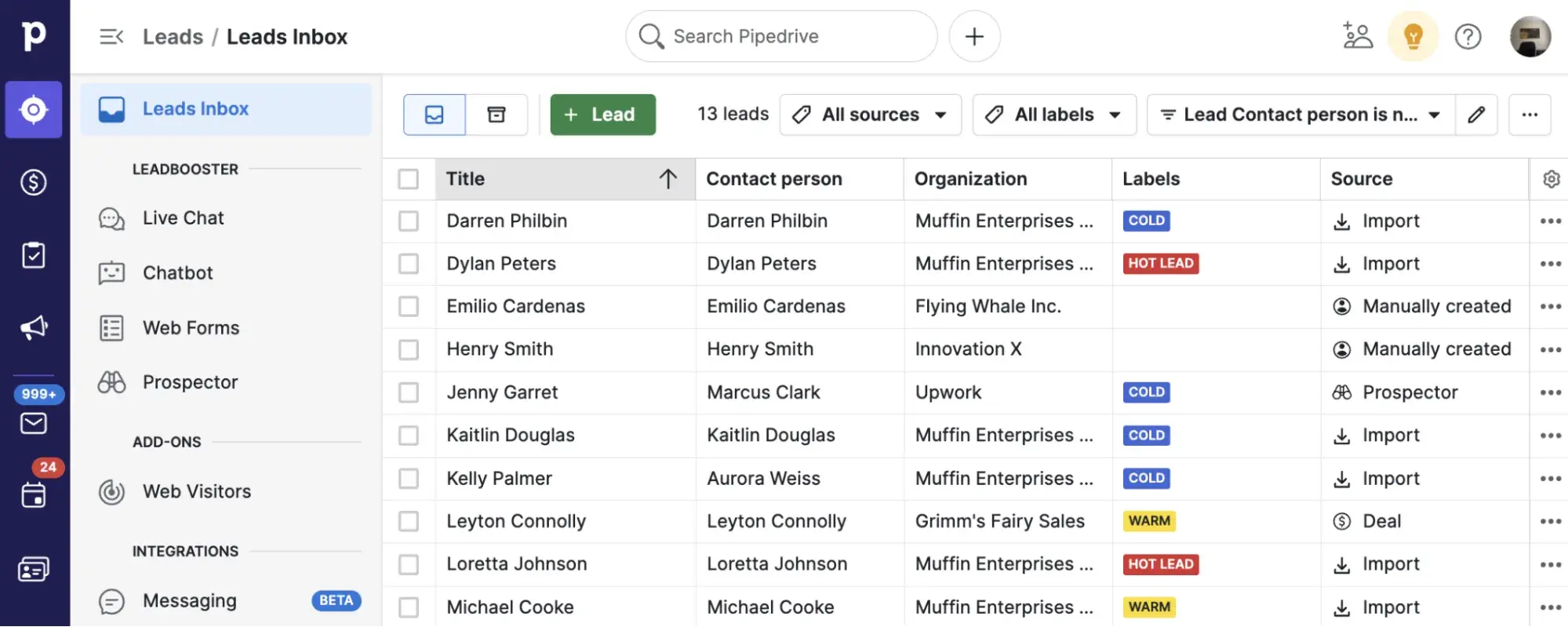
Best for: Small to mid-size publishers seeking a CRM focused on streamlining sales pipelines
Key Pipedrive Features
- Email tracking and personalized communications: Convert more readers into paying customers by tracking communication history and personalizing messages based on the CRM data.
- Recurring revenue features: Access features that let you turn on automatic subscription renewals and forecast revenue trends.
- Pipedrive Marketplace: Extend this CRM’s functionality by choosing from over 400 integrations for every stage of your revenue lifecycle, including DocuSign, Asana, Google Meet, and Trello.
Pipedrive Pricing
Pipedrive has a free 14-day trial for all of its plans. Pipedrive pricing is as follows (billed monthly):
- Lite: $24/seat/month
- Growth: $49/seat/month
- Premium: $79/seat/month
- Ultimate: $99/seat/month
4. MediaOS
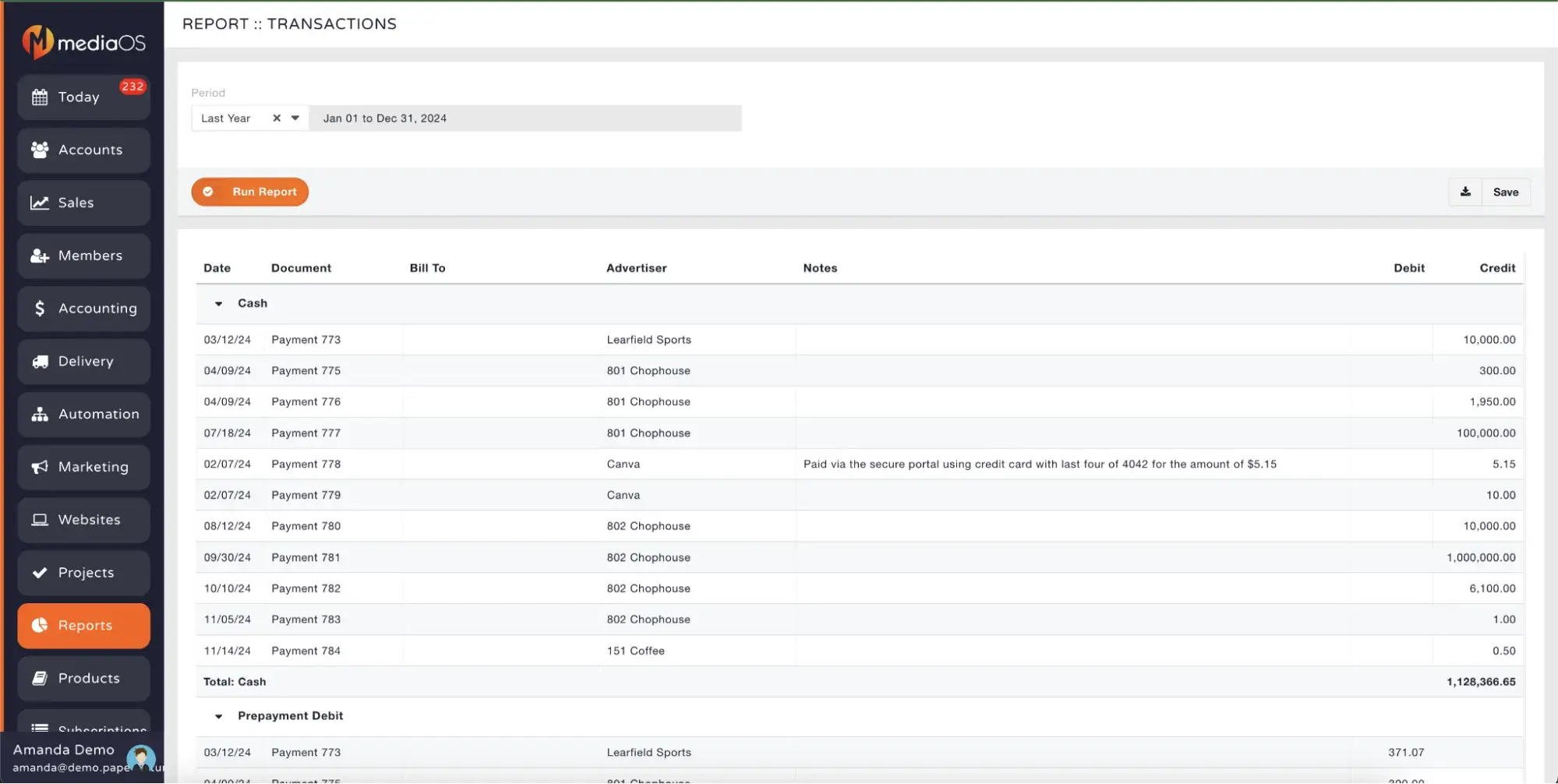
Best for: Digital-first publishers and media companies requiring a purpose-built publishing CRM
Key MediaOS Features
- Custom ad sales reporting: Build custom reports based on your specific industry, and tailor them with pie charts, bar charts, or histograms.
- Streamlined invoicing: Accept online payments and ACH. Set up auto-recurring payments.
- Full QuickBooks Online integration: This CRM has an integration that allows you to automatically sync data both to and from QuickBooks Online in real time.
MediaOS Pricing
- Contact MediaOS for pricing. MediaOS is currently providing a free subscription management offer.
5. The Newspaper Manager
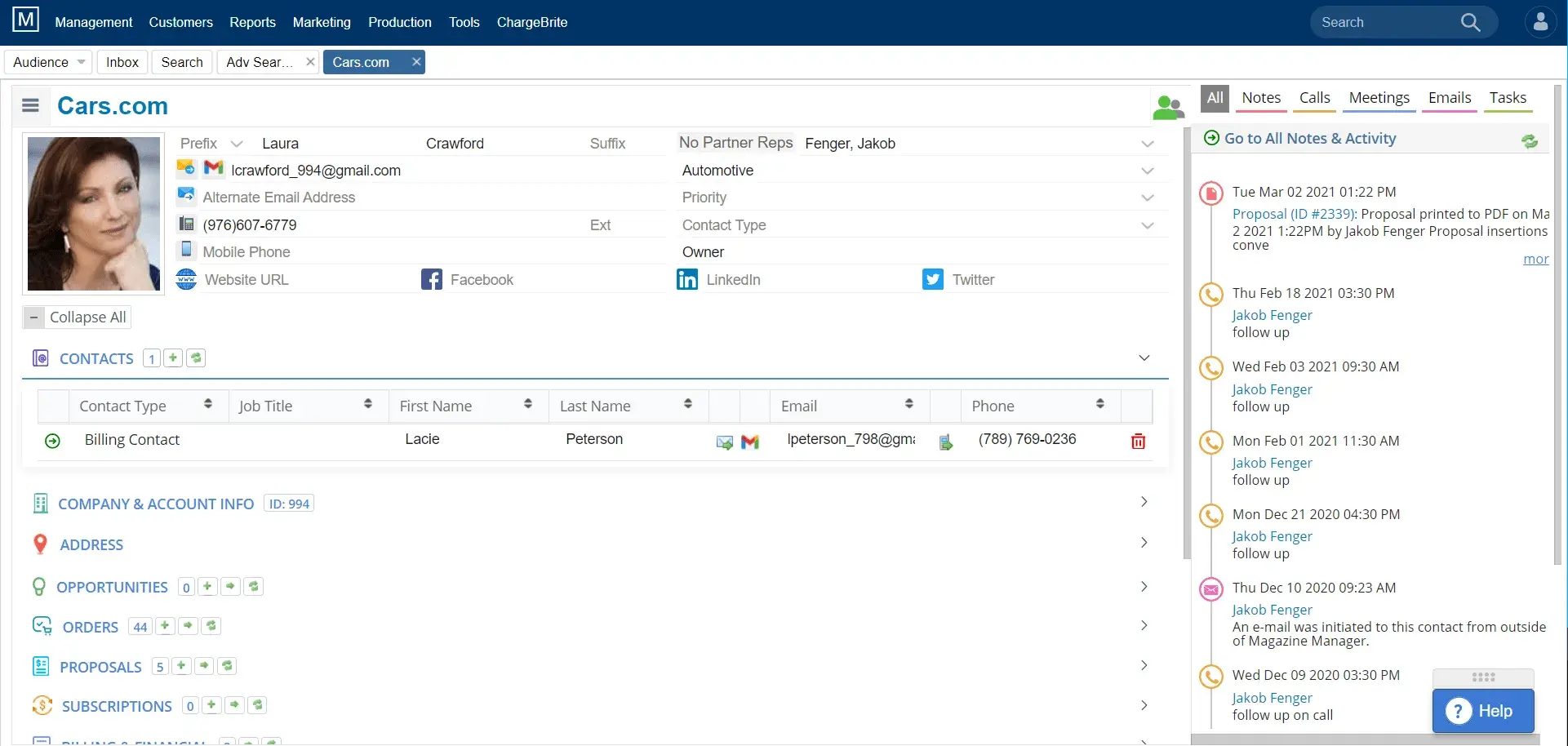
Best for: Print and digital newspaper publishers needing ad sales, billing, and production tools in a unified system
Key The Newspaper Manager Features
- Ad management: The ad order entry system allows you to track media buys. Access proposal templates, rate cards, and built-in e-signature capabilities.
- 360 view of data: Easily find customers with its advanced CRM contact search, plus gain visibility into all of your data, including leads, subscriptions, and billing.
- Integrations: This CRM integrates with MailChimp, QuickBooks, Adobe InDesign, and more. There’s also an integration with Mirabel’s Marketing Manager product for access to marketing automation features.
The Newspaper Manager Pricing
- This CRM provider does not list prices on its site. Contact The Newspaper Manager for pricing. No free trial available.
HubSpot's Free CRM Software
Free CRM Software & Tools for Your Whole Team
- Sales
- Marketing
- Operations
- Customer Service
Benefits of CRM Software for Publishing Companies
- Centralized audience data: Publishers managing relationships with advertisers, contributors, and readers benefit from having a single source of truth for contact data. HubSpot’s CRM creates a unified view of every contact, allowing publishers to tailor campaigns and communication. This ensures marketing, sales, and editorial teams are all on the same page.
- Improved campaign ROI: Publishers rely on data-driven campaigns to convert readers and maximize ad yield in a competitive digital landscape. With tools like HubSpot’s Marketing Hub, publishers can create targeted, automated campaigns and track performance in real time. By understanding which content drives engagement, publishers can make better budget decisions.
- Streamlined subscription management: Recurring revenue is critical to publishing businesses’ financial health, making efficient billing and renewal processes essential. HubSpot’s Commerce Hub supports automated billing and reminders and reporting features, helping publishers grow recurring revenue and reduce churn.
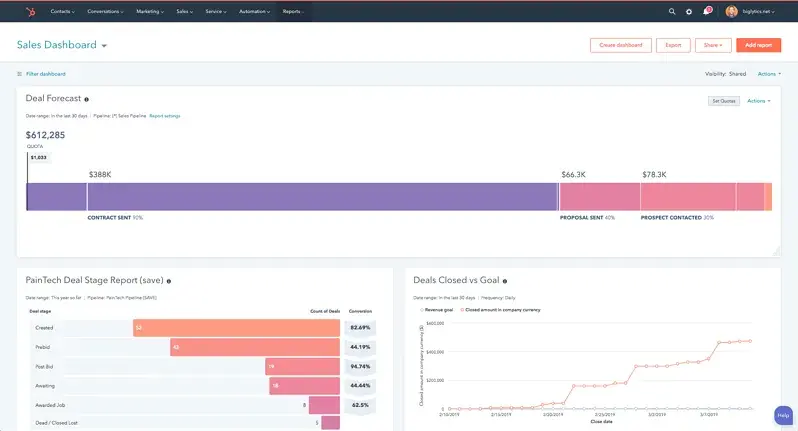
- Sales pipeline visibility: Publishers that manage ad sales or sponsorships need a clear view of deal progress to forecast and close revenue effectively. HubSpot’s deal tracking and reporting tools let teams prioritize top revenue opportunities and accelerate closing rates. For publishers monetizing through advertising or sponsorships, CRMs provide clear pipeline visibility.
- Enhanced team collaboration: Coordinating across editorial, marketing, and revenue teams requires shared systems and streamlined communication. With shared contact records, notes, tasks, and integrations, HubSpot improves cross-functional visibility and alignment.
5 Important Features for a Publishing CRM
- Marketing automation: Marketing teams in publishing often manage multiple newsletters and segmented audiences; automation makes their jobs easier. HubSpot can automate newsletters, reader re-engagement campaigns, and onboarding flows, helping publishers increase engagement without manual work.
- Subscription billing: Managing recurring payments and renewals efficiently is key to maintaining steady revenue from digital and print audiences. HubSpot’s Commerce Hub automates recurring billing and offers revenue reporting — essential for publishers relying on subscription models.
- Audience segmentation: Personalizing content and campaigns based on behavior or subscriber status is essential for engagement and retention in publishing. With HubSpot, you can segment lists based on your chosen criteria, such as age, previous activity, or deal size, so you can better personalize your email campaigns.
- Multi-channel integrations: Publishers distribute content across websites, newsletters, apps, and social media — integrations ensure all platforms work together smoothly. HubSpot integrates with tools like WordPress, Gmail, Slack, and social platforms, giving publishers full flexibility in content and campaign delivery.
- Analytics & reporting: Measuring performance by campaign, channel, or audience segment helps publishers optimize content and maximize ROI. HubSpot’s dashboards provide real-time visibility into campaign performance, subscriptions, and reader engagement, helping teams make data-driven decisions.
How to Choose a CRM for Publishing Companies (Step-by-Step)
Step 1: Assemble your decision-making team. The choice of a publishing CRM affects multiple departments, from sales to marketing to editorial, so try to get one representative from each affected team to gather feedback from. Also identify the stakeholders you’ll need to get approval from for final purchase and implementation.
Step 2: Identify existing pain points. With your decision-making team assembled, it’s time to list the existing pain points in your publishing workflows. This might be frustrations over using disconnected systems, such as a sales pipeline management tool that is completely separate from your marketing automation software.
Step 3: Map pain points to must-have features. Once you’ve identified pain points, you can more easily decide on the must-have features of your CRM for publishing. For instance, you might find that a CRM like HubSpot, which connects customer data to its built-in marketing automation tools, unifies your sales and marketing teams.
Step 4: Test out the CRM options. Make a list of your top options, and then sign up for demos or free trials of each. By doing this, you can better evaluate each platform and ask more detailed questions of sales reps. You’ll also usually be able to get custom quotes at this stage.
Step 5: Choose a flexible platform that meets your needs. In the end, you’ll likely have to decide between a purpose-built media CRM solution or a more flexible general CRM with high customization capabilities like HubSpot. HubSpot’s ease of use and proven results in the publishing industry make it a strong contender. Radio group CommunicorpUK rolled out HubSpot across ten radio stations and 80+ salespeople within just three months.
Frequently Asked Questions
What is the best CRM for publishing companies?
HubSpot is an excellent CRM for publishing companies due to its unique combination of CRM functionality with built-in content management capabilities. The platform's integrated Content Hub allows publishers to manage their entire content lifecycle alongside subscriber data, without needing separate systems. The free tier allows smaller publishers and independent media companies to start without investment and scale as circulation grows.
What features should I look for in a CRM for publishing companies?
Look for marketing automation, subscription management, audience segmentation, multi-channel integrations, and analytics and reporting capabilities. The ability to unify CRM with content management is crucial. HubSpot's Content Hub allows publishers to create and distribute content while tracking engagement within the same platform.
Is HubSpot good for publishing companies?
Yes, HubSpot is a great solution for publishing companies seeking a flexible, scalable CRM platform with a built-in CMS. HubSpot's marketing automation capabilities particularly benefit subscription-based publishers who need sophisticated renewal campaigns and reader engagement strategies.
How much does a CRM for publishing companies cost?
The cost for CRM for publishing companies varies depending on which features you need and how many seats you require. HubSpot‘s CRM is always free, with paid upgrades for all of its core products, such as its sales, marketing, and customer service tools. HubSpot’s paid plans start at $15/seat/month for Starter plans and scale up to $3,600/month for Marketing Hub Enterprise.
Meet HubSpot, the Top CRM Choice for Publishing Companies
HubSpot stands out as a top CRM for publishing companies. Here’s why media businesses and publishers choose HubSpot:
- Unified platform for content and customers: HubSpot uniquely combines CRM with a powerful content management system, allowing publishers to manage content creation, distribution, and subscriber relationships in one integrated platform.
- Free CRM base with scalable pricing for publishers of all sizes: HubSpot’s CRM is always free, and it has free plans for all of its connected products. As you grow, you can upgrade for more advanced features.
- Marketing automation that drives real ROI: Create sophisticated email campaigns, segment audiences, and track performance across channels. Enjoy automated workflows and targeted content delivery that can keep readers engaged and advertisers satisfied.
Publishers using HubSpot report transformative results: CommunicorpUK achieved 2,000% ROI on Google Ads campaigns by using HubSpot, demonstrating the platform's ability to maximize advertising efficiency. Additionally, national engineering publication Cadalyst boosted overall lead generation revenue by 32% with HubSpot.
Ready to see how HubSpot can transform your publishing operations and help you build stronger relationships with subscribers and advertisers? Get started with HubSpot's free CRM today.
HubSpot's Free CRM Software
Free CRM Software & Tools for Your Whole Team
- Sales
- Marketing
- Operations
- Customer Service
Crm
%20(1).png)





.png)
.png)