Having all business applications work together to create a complete view of the customer feels like a dream. Now, sales, marketing, and service teams can make this vision a reality with CRM integration platforms. 
Integrations connect all of a company’s business applications with its CRM. If a business needs a specific app to organize its data, it can add it to the power of its CRM. Integrating the CRM can increase efficiency, enhance data accuracy, improve customer experiences, and increase sales.
This post will explore the importance of CRM integrations, how to leverage integrations for any business, and the wide range of available integrations businesses can choose from.
Table of Contents
- What is a CRM integration?
- Benefits of CRM Integration
- How to Add CRM Integrations
- CRM Integration Tools
- Frequently Asked Questions About CRM Integration Tools
What is a CRM integration?
CRM integration is the process of connecting a customer relationship management (CRM) platform with other business applications, tools, and systems to create a unified ecosystem for managing customer data and business processes. This seamless connectivity enables automated data synchronization, eliminates manual data entry, and ensures all teams have access to accurate, real-time customer information.
Modern CRM integration platforms go beyond simple data transfer. They facilitate bi-directional data flow between systems, trigger automated workflows based on customer actions, and create a single source of truth that eliminates data silos across marketing, sales, customer service, and operations departments.
There are several types of CRM integrations available:
- Native integrations. Built directly into a CRM platform, these integrations are designed for seamless compatibility and require minimal setup.
- Third-party integrations. These connect a CRM with external applications through connectors or marketplace apps like HubSpot’s.
- API-based integrations. Custom integrations built using application programming interfaces (APIs) for specialized business needs.
- iPaaS solutions. Integration Platform as a Service (iPaaS) tools act as middleware to connect multiple systems.
In today’s AI-powered business landscape, CRM integrations increasingly incorporate artificial intelligence capabilities. AI-enhanced integrations, like those part of HubSpot’s Smart CRM, can automatically score leads, predict customer behavior, recommend next-best actions, and even generate personalized content — all while maintaining seamless data flow across the entire technology stack. This intelligent layer transforms a CRM from a simple database into a proactive business intelligence platform.
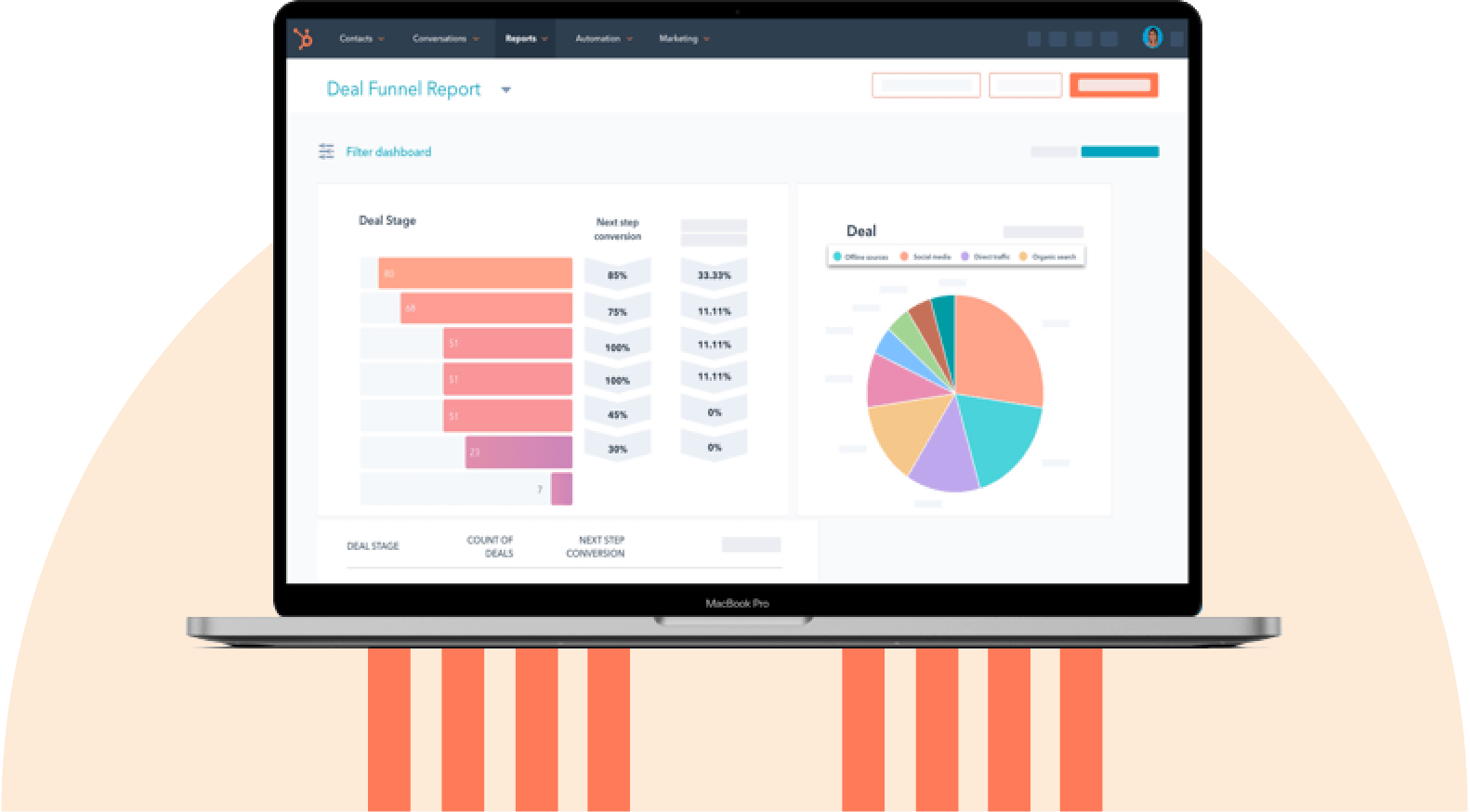
HubSpot's Free CRM Software
Free CRM Software & Tools for Your Whole Team
- Sales
- Marketing
- Operations
- Customer Service
Why CRM Integration Matters
A CRM is not only essential for communicating with customers, but it should also create alignment and streamline communication within the company. A study from BetterCloud found that, on average, companies use over 100 different software tools. That’s a lot of data in a lot of different places.
Without proper integration, businesses face significant operational hurdles, including:
- Data silos that prevent teams from accessing critical customer information.
- Manual data entry errors that compromise data accuracy.
- Wasted time switching between multiple platforms.
- Inconsistent customer experiences due to incomplete information.
- Delayed response times from lack of real-time data synchronization.
- Lost opportunities from disconnected sales and marketing efforts.
Modern CRM integration platforms address these challenges through automated data synchronization, real-time updates, and intelligent workflow automation. By creating a unified data ecosystem, these platforms ensure that customer information flows seamlessly between all business systems. Pre-built connectors and low-code integration tools make it possible to connect dozens of applications without extensive IT resources.
With integration, companies can create a single source of truth with all the necessary functionality for getting stuff done and keeping teams on the same page. This unified approach eliminates the gaps that exist among modern companies’ various data points and tools, enabling better decision-making and more efficient operations.
Benefits of CRM Integration
There are several benefits to integrating a company’s CRM with the rest of the tech stack. An integrated CRM can be the central hub for all business and customer data, ensuring all processes run smoothly. Businesses can then create a 360-view of customer activity.
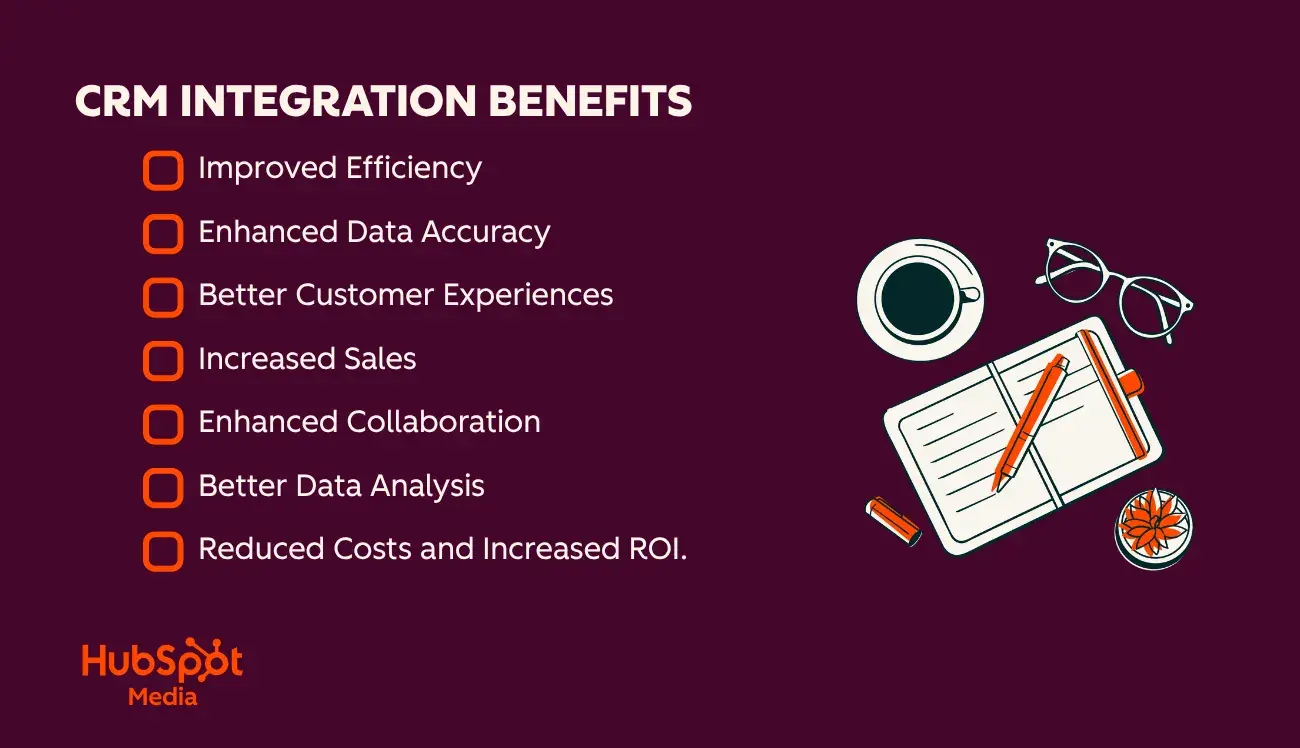
1. Improved Efficiency
By integrating the CRM with other systems, everyone from sales to marketing can streamline internal processes — ultimately improving cross-team collaboration.
For example, adding automation software can reduce the effort spent on manual tasks such as data entry. Less manual data entry means teams can focus on the work that moves the needle.
2. Enhanced Data Accuracy
CRM integrations can help ensure that data is accurate and up-to-date. How? CRM integration allows for the automatic syncing of data between the CRM and other systems. Accordingly, businesses can eliminate mismatched contact records or data silos that keep some teams in the dark.
For example, ecommerce teams can integrate HubSpot’s CRM with Shopify, which allows marketers to track who is buying what on their site. By integrating HubSpot and Shopify, the purchase data from Shopify gets automatically synced to corresponding contact records in HubSpot without marketing or sales having to think about it.
3. Better Customer Experiences
Integrating the CRM with other tools can provide customers with more personalized and timely experiences.
If the CRM is integrated with the tech stack, sales, marketing, and support teams will always have a complete and up-to-date view of customer interactions, allowing them to personalize communications accordingly.
4. Increased Sales
With proper CRM integration, sales opportunities will never get lost in translation between systems. In addition, marketers can personalize marketing efforts without fear of inaccurate information. All this adds up to increased sales and revenue.
Sanjay Kumar, founder at MarkeStac, supports this further, “CRM integration isn’t just about connecting tools, it’s about creating a single source of truth. When systems talk to each other, businesses can eliminate silos, personalize outreach, and make faster, data-driven decisions. At MarkeStac, a HubSpot Platinum Partner, we’ve helped 300+ businesses leverage HubSpot across all Hubs to keep all assets aligned and teams in sync. For us, integration isn’t just a support function, it’s a growth driver."
5. Enhanced Collaboration
CRM integration allows different teams and departments of an organization to access and share customer data, improving team communication and collaboration.
For instance, teams can integrate HubSpot’s free CRM with numerous other tools, like live chat, landing page builders, and more. This ensures that customer data from marketing, service, and sales departments is neatly organized under a unified platform and easily accessible by everyone involved.
6. Better Data Analysis
An integrated CRM system provides valuable insights into and analytics on customer behavior. With helpful information from all business systems summed in the CRM, marketers and salespeople can create supercharged reports that will improve sales and marketing strategies and improve the customer experience.
7. Reduced Costs and Increased ROI
One of the most compelling benefits of CRM integration is its direct impact on the bottom line. By automating workflows and eliminating duplicate data entry, businesses can significantly reduce operational costs while simultaneously improving sales performance.
According to recent industry research, companies that implement comprehensive CRM integration see an average improvement of 59% in close rates. This dramatic increase comes from having complete customer context at every touchpoint, enabling sales teams to engage prospects with relevant information at the right time.
Another benefit of CRM integration is reduced spending. Cost-saving examples include:
- Reduced administrative overhead. Manual data entry costs businesses an average of $28,500 per employee annually. Business units can save several hours per week per employee by eliminating manual data entry and system switching.
- Decreased software redundancy. Integration often reveals overlapping tool functionality, allowing businesses to consolidate subscriptions and save thousands in subscription costs.
- Lower customer acquisition costs. With better lead tracking and nurturing through integrated systems, businesses see a reduction in cost per acquisition as marketing and sales efforts become more targeted and efficient.
- Improved customer retention. Integrated customer service tools provide a complete interaction history, leading to faster resolution times and higher satisfaction.
How to Add CRM Integrations
Organizations aiming to create a CRM that connects all the applications their teams regularly use can achieve integration in multiple ways. Sales, marketing, and IT leaders can evaluate the following options on how to integrate their CRM.
1. Use built-in CRM integrations.
When companies invest in products and services from a single provider, the CRM and related systems are often integrated by default. For example, if a business uses HubSpot CRM, HubSpot Marketing Hub, and HubSpot Service Hub, the systems connect automatically, ensuring accuracy and transparency across sales, marketing, and service teams.
This solution is highly convenient. However, most organizations use multiple software products from different providers for email, calendar management, team communication, and more.
Fortunately, nearly every CRM comes with built-in integrations that allow teams to connect commonly used systems with just a few clicks. IT leaders can configure these connections while sales and marketing teams continue working seamlessly across platforms. The key step is identifying which external applications the organization uses and connecting them accordingly.
Common built-in integrations include:
- Gmail and Outlook for email.
- Slack for team communication.
- Social media integration with Facebook, LinkedIn, and X.
- Google and Outlook for calendars.
- Survey Monkey and TypeForm for lead forms.
- Document and proposal software.
- CallRail for calling/video chat software.
Additionally, organizations using HubSpot CRM can leverage the HubSpot Meeting Scheduler to enable prospects to book meetings based on real-time availability. This reduces friction in the sales process and improves conversion rates.
Sales, marketing, and IT leaders can also explore other standard integrations commonly included in CRM platforms to further enhance system connectivity, streamline workflows, and drive measurable business outcomes.
Customer Success Software
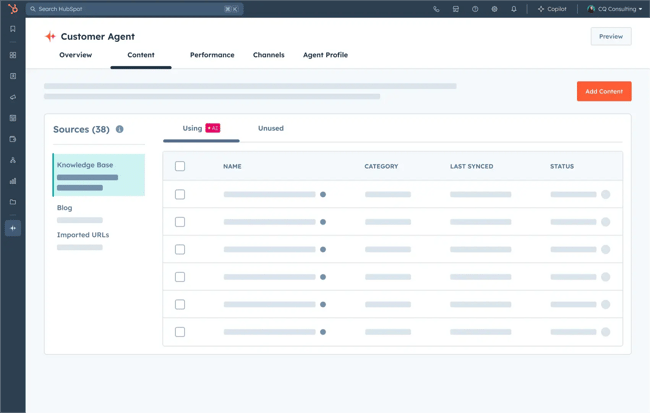
Integrating customer service software with a CRM allows sales, marketing, and IT leaders to make critical service data visible across teams. Platforms like Zendesk or HubSpot Service Hub enable organizations to solve customer problems more efficiently and provide insights that can bolster future sales. This ensures that customer service needs are consistently accounted for across the business.
Live Chat
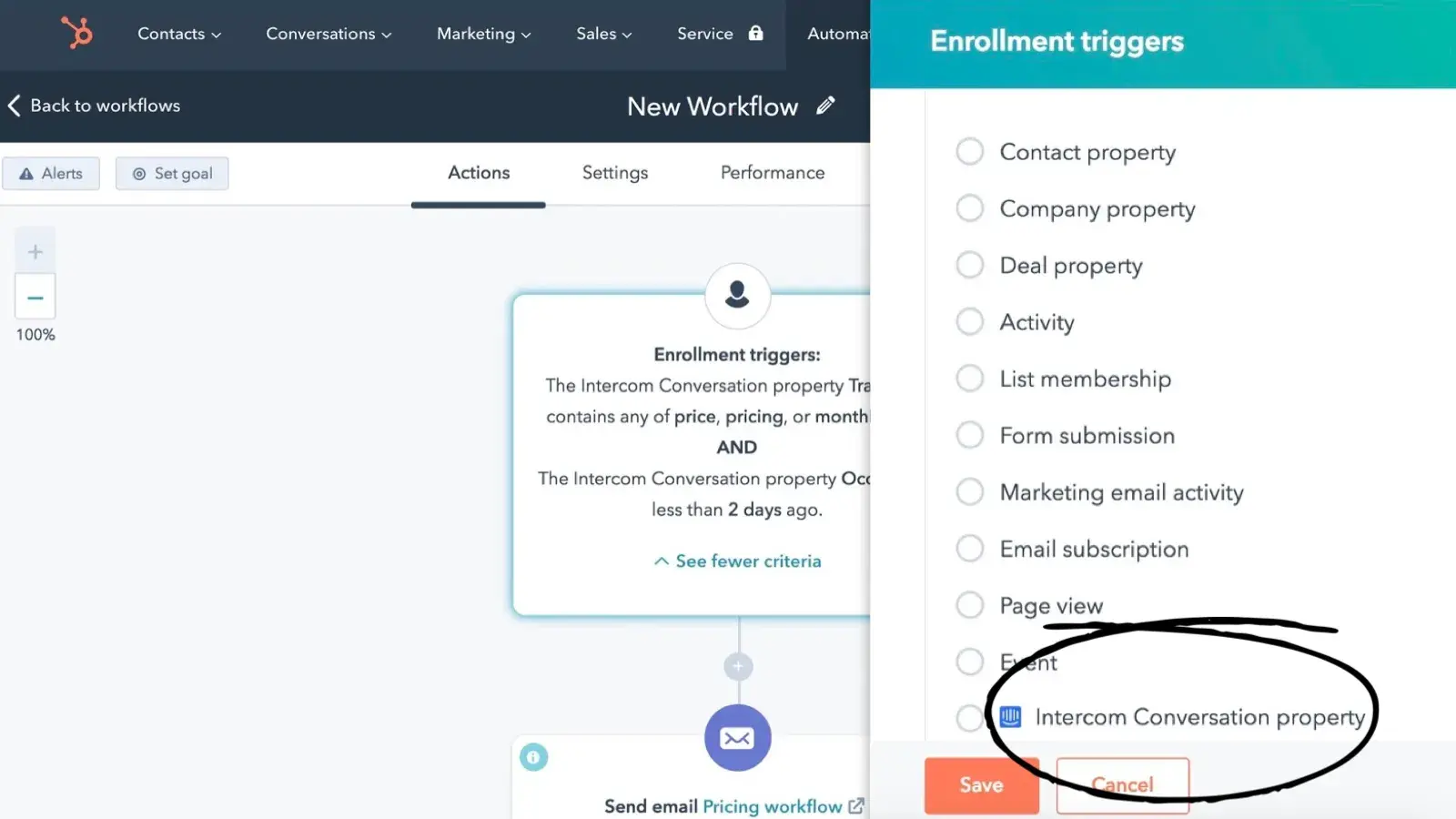
Live chat integrations, such as with Intercom, automatically capture conversation history in the CRM. This gives sales and service teams complete visibility into customer interactions, while providing a log of how past issues were resolved — information that is valuable if similar challenges arise again.
Prospecting Software
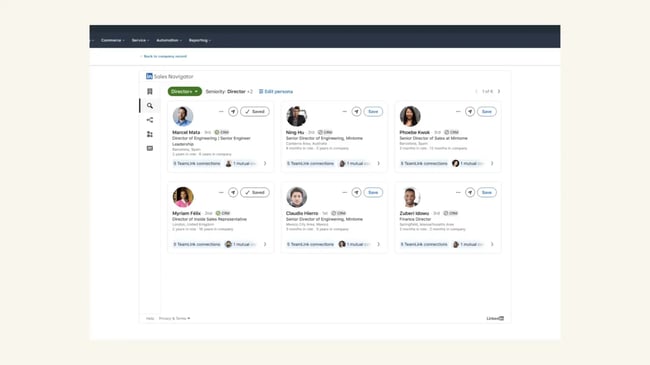
When companies use third-party prospecting tools, integrating them with the CRM helps streamline lead engagement and communication. For example, the LinkedIn Sales Navigator integration allows sales teams to engage leads directly from the CRM using features such as InMail, related leads, and icebreakers, improving personalization and outreach efficiency.
Ecommerce Software
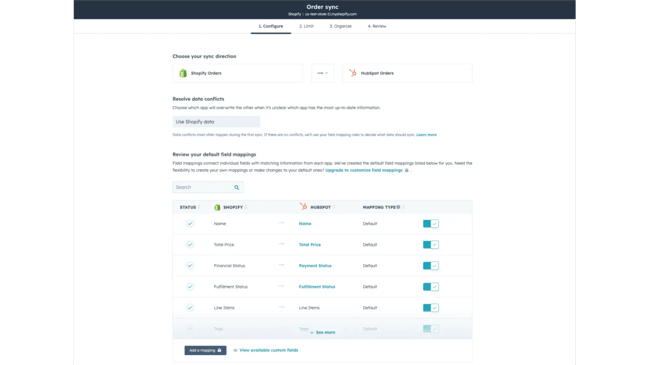
For sales teams in ecommerce organizations, integrating online store platforms with a CRM is essential for understanding customer behavior. Companies using Shopify can automatically sync products, contacts, and orders with the CRM, providing sales reps with critical shopper information.
Similarly, integrating payment platforms like Stripe allows new contacts to be added automatically when invoices or quotes are issued. This streamlines payment collection and order processing, reducing friction for customers and supporting faster revenue recognition.
Web Form Integrations
Lead capture forms on company websites should automatically sync with the CRM. Integrations with tools such as WordPress, Unbounce, or Mailchimp ensure that leads captured via web forms are immediately available in the CRM. This keeps contact lists up to date and eliminates the need for manual uploads, helping marketing and sales teams act on leads faster.
Event Software
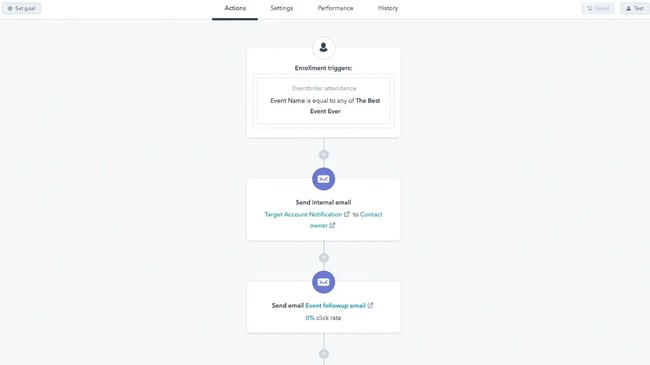
Companies that host in-person or virtual events benefit from integrating CRM platforms with event management tools. For example, using Eventbrite integration provides sales and marketing teams with insights on ticket sales, attendee behavior, and engagement opportunities.
For virtual events, integrating platforms such as GoToWebinar allows sales reps to automate registration reminders, follow-up campaigns, and robust funnel reporting, giving leaders a clear view of event ROI.
Video Software
Integrating video platforms with the CRM helps marketing and sales teams leverage video content to engage prospects effectively. For instance, integrating YouTube provides insights into which videos and messages resonate most with potential customers, allowing teams to optimize content strategies and strengthen lead engagement.
2. Leverage connector integrations.
Connector integrations act as third-party triggers or go-betweens to facilitate the connection between the CRM and thousands of other apps. Using connector software, IT leaders can create custom integrations to facilitate specific tasks that create automated workflows.
A top connector integration is Zapier, which automatically transfers information between a company’s CRM and over 1,000 third-party apps. Make offers another compelling option. IT teams can connect their CRM to 1,000+ apps to create workflows with Make. This lets companies connect their CRM and automatically exchange data with all systems.
3. Build proprietary APIs.
APIs (application programming interfaces) are endpoints in the CRM and other software that define the protocol of how apps can interact. APIs allow different systems to communicate and exchange data, enabling the CRM system to share data with other applications.
The built-in integrations mentioned above are all built using behind-the-scenes APIs to connect the apps. An IT team can manipulate APIs directly between the CRM and other apps to create more customized integrations.
API integration is helpful if a business has specific needs or custom in-house software not included in standard built-in CRM integration options.
4. Write custom code.
Software developers can write custom code that will make different systems communicate with each other. However, this option can get messy fast.
While APIs are designed to work in a standardized and repeatable way, custom code must be updated constantly to keep up with updates and changes. For this reason, the cleanest option is integrating a custom CRM with built-in options or APIs, unless a business has highly specialized and complex needs.
CRM Integration Tools
The best CRM integration platforms help connect the CRM with the rest of a company’s technology stack. From iPaaS tools to marketing and sales automation, these are the best CRM integration tools, organized by business needs.
iPaaS & Connector Tools
1. Zapier
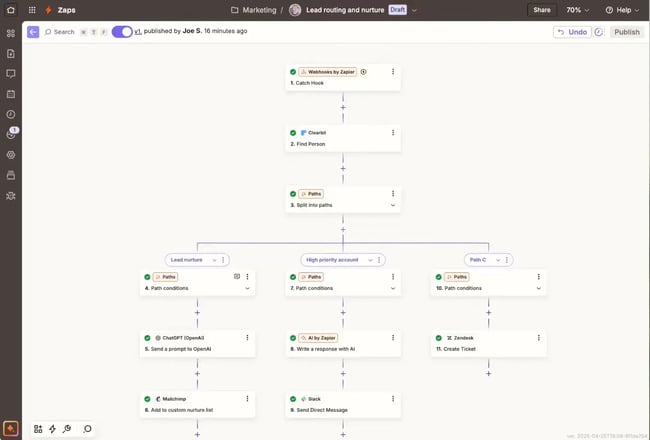
Zapier is a popular tool that allows IT leaders to integrate web applications and automate workflows. Also known as an Integration Platform as a Service (IPaaS), Zapier orchestrates the data flow between applications that otherwise wouldn’t be connected.
Think of Zapier as a middle-man application. According to the rules and workflows set, Zapier triggers when an action occurs in one application, which then starts a corresponding action in another application. For example, a sales rep can set up Zapier to activate when a contact is created in an email list, which then triggers the creation of a corresponding contact in the CRM.
What I like: Zapier’s visual automation pathways are intuitive and make setting up if/then workflow rules simple.
Pricing: A free plan is available. Starter plans cost $19.99 monthly. Team plans cost $69 monthly. Custom Enterprise pricing is available.
2. Bardeen.ai
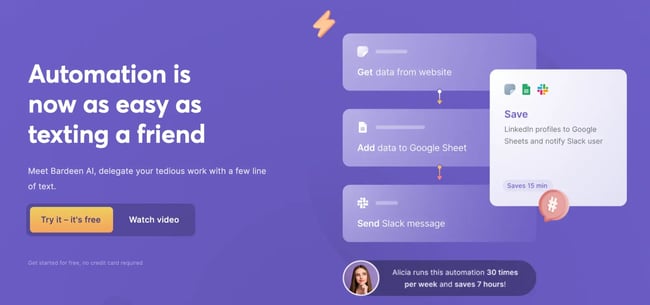
Bardeen is an AI automation tool designed to optimize workflows. Using Bardeen.ai makes automation as straightforward as sending a text message. Whether it’s maintaining a clean and updated CRM, personalizing outreach campaigns, or synchronizing data across various tools used by an internal team, Bardeen can streamline workflows with AI.
The ability to integrate with CRMs like HubSpot and over 100 other integrations simplifies the automation of numerous processes, enhancing productivity. Bardeen is designed for companies of all sizes aiming to optimize their marketing and sales automation initiatives. With thousands of ready-to-use automation templates available, getting started is straightforward.
What I like: Bardeen’s AI automation platform generates automation using text prompts. It features numerous potent, ready-to-use AI and browser-based automation actions.
Pricing: Paid plans start at $10/month.
3. Integrately
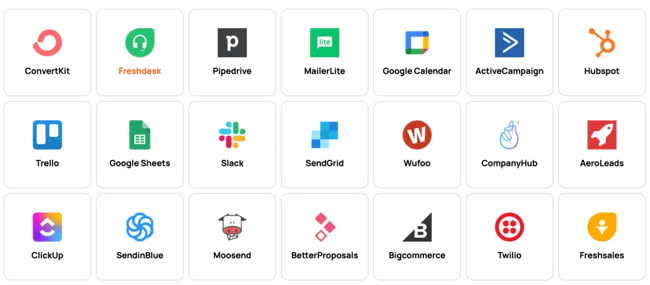
Integrately is an automation software that boasts an easy-to-use interface and over 8 million pre-built workflows with thousands of apps. Integrately can get CRM integrations up and running quickly with their one-click automations, which are pre-built workflows that, as the title suggests, can be set up with a single click.
Integrately has over 2,500 integrations, including with HubSpot, to connect the CRM to Trello, Instagram, Twilio, ChatGPT, and more.
What I like: Integrately’s extensive library of one-click automations removes the headache of CRM integration.
Pricing: Free plan available. Starter plans cost $19.99 monthly. Professional plans cost $39 monthly. Growth plans cost $99 a month. Business plans cost $239 monthly.
4. Celigo
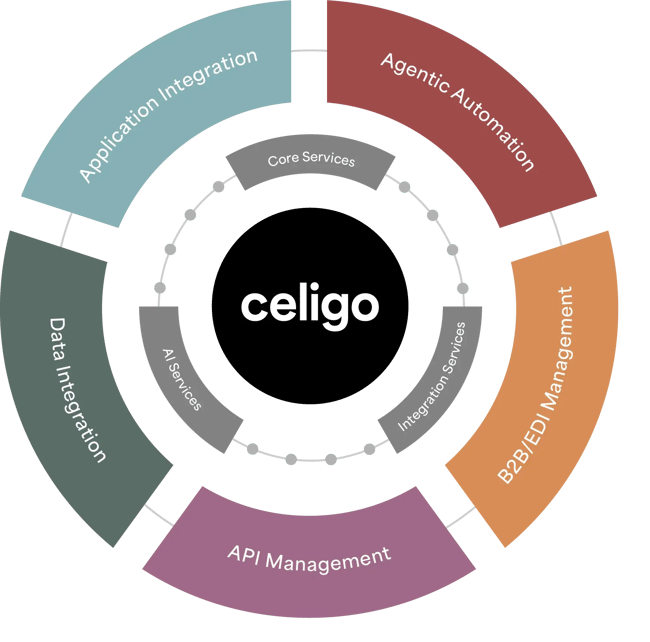
Celigo is a robust IPaaS that is aimed at larger businesses. Despite its robust feature set, Celigo retains a smooth, intuitive interface facilitated by thousands of pre-built integrations. As a result, Celigo can act as the integration layer for an entire enterprise to eliminate data silos across large organizations.
Best for: Large companies with complex integration needs who can benefit from Celigo implementation services and custom integrations.
Pricing: Celigo offers three plans, Standard, Professional, and Enterprise. Pricing available upon request.
5. Boomi
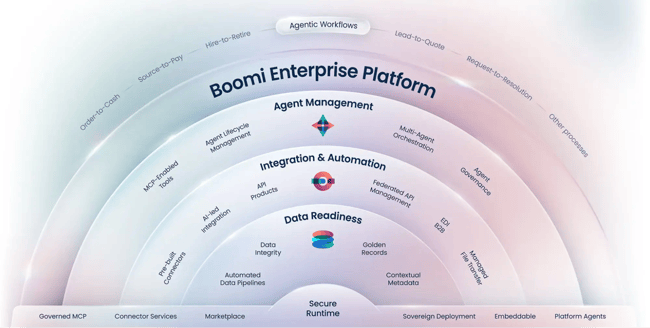
Boomi is a top choice in the IPaaS space for its reliability, speed, scalability, and ease of use. Using Boomi, teams can integrate their CRM seamlessly with the rest of their tech stack using thousands of pre-built integrations or creating custom automations and workflows.
In a case study by Forrester Consulting, researchers found that customers using Boomi reduced their integration development times by 65%, which equates to an increased efficiency value of over $3.7M.
What I like: Boomi’s AI-based integration guidance feature, which can suggest integration pathways and automation based on machine learning of over 200M previous integrations.
Pricing: Boomi pricing is available upon request. Free trial available.
6. MuleSoft
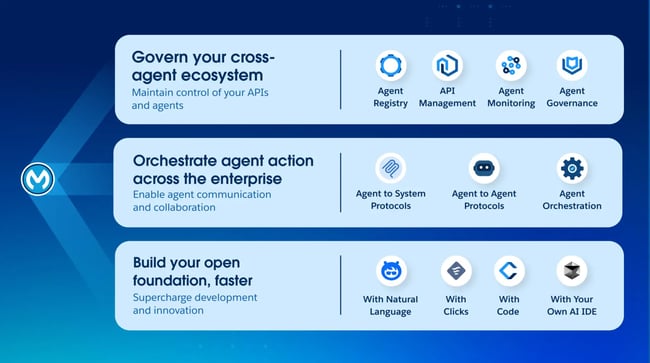
MuleSoft is a top-tier integration platform with many options for businesses of all shapes and sizes. Teams can use their drag-and-drop interface to quickly set up pre-built integrations or get more granular with API management to create custom integration solutions.
Best for: Companies with development capabilities that wish to take advantage of MuleSoft’s API framework for creating custom integration solutions
Pricing: MuleSoft pricing is based on the number of API requests needed.
7. Jitterbit
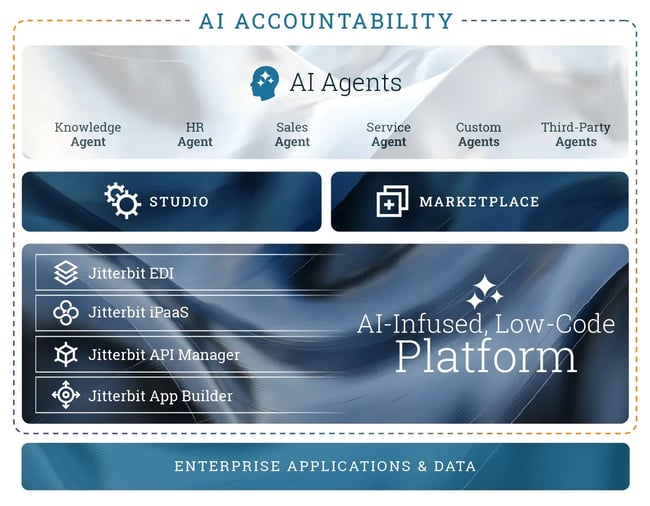
Jitterbit is an IPaaS with a focus on simplicity. Using Jitterbit, businesses can easily integrate their CRM with the rest of their data and business processes. Jitterbit comes packed with hundreds of pre-built integrations for common business processes, so teams can hit the ground running no matter what software they’re using.
Jitterbit doesn’t just connect web applications. Jitterbit also integrates legacy software and on-site data into the CRM and the rest of the stack.
What I like: Jitterbit’s easy-to-use interface is a standout in terms of looks and functionality.
Pricing: Custom pricing is available based on business requirements.
Specialized CRM Integrations
Accounting & Finance Integrations
Connecting a CRM with accounting and finance software creates a seamless flow between sales activities and financial operations, ensuring accurate revenue tracking and streamlined invoicing processes.
8. QuickBooks
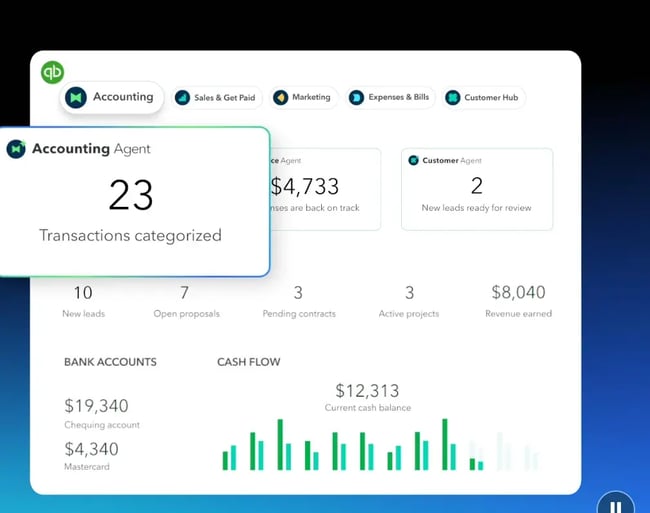
One of the most popular accounting integrations, QuickBooks connects the CRM with comprehensive financial management capabilities. Automatically sync customer data, invoices, and payment information between systems. When a deal closes in the CRM, QuickBooks can automatically generate invoices and track payments, eliminating duplicate data entry and reducing errors in financial records.
What I like: I like how QuickBooks automatically turns closed deals into invoices and keeps financial data perfectly in sync with the CRM.
Pricing: Plans start at $21/month for one user.
9. Stripe
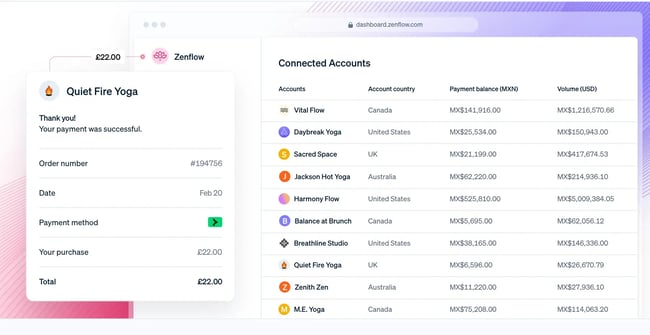
For businesses that process payments online, the Stripe integration connects payment processing directly to the CRM. Track which customers have made purchases, monitor recurring subscription revenue, and trigger automated follow-up workflows based on payment events. This integration is essential for SaaS companies and businesses with subscription-based models, as it provides complete visibility into customer payment behavior and lifetime value.
What I like: I like how Stripe connects payment activity directly to the CRM, giving real-time visibility into revenue, subscriptions, and customer value.
Pricing: Based on transactions.
Marketing Automation Integrations
Marketing automation integrations ensure that marketing and sales teams work from the same data, creating a unified approach to lead generation, nurturing, and conversion.
10. HubSpot Marketing Hub
As a comprehensive marketing automation platform, HubSpot Marketing Hub integrates natively with HubSpot CRM and connects to other CRM platforms through built-in integrations.
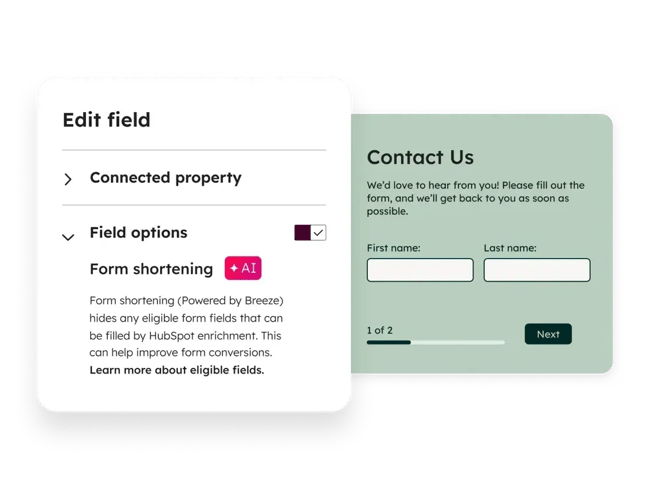
Create sophisticated workflows that combine email marketing, social media management, landing pages, and lead scoring, all synchronized with CRM data. This integration is particularly powerful for inbound marketing strategies as it tracks the entire customer journey from first website visit through closed deal.
What I like: I like how HubSpot Marketing Hub unifies campaigns, workflows, and lead tracking into one system that’s fully aligned with CRM data.
Pricing: Free plan available. Paid plans start at $9 per seat/month.
Customer Service Integrations
Customer service integrations ensure that support teams have complete context about customer relationships, enabling faster resolution and more personalized service experiences.
11. HubSpot Service Hub
For businesses using HubSpot CRM, Service Hub provides native integration for comprehensive customer service management, including ticketing, live chat, knowledge base, and customer feedback tools. Service teams work within the same platform as sales and marketing teams, ensuring perfect data synchronization and enabling seamless handoffs between departments.
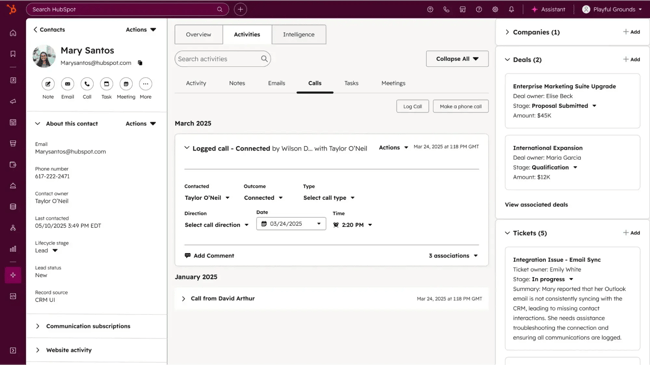
This integration offers powerful automation capabilities like ticket routing, SLA management, and customer satisfaction surveys — all while maintaining a unified customer timeline that shows every interaction across marketing, sales, and service touchpoints. Service Hub is particularly valuable for businesses seeking an all-in-one solution that connects customer service directly to the entire customer journey.
What I like: I like how Service Hub brings support, sales, and marketing data together into one timeline, making customer service more informed and efficient.
Pricing: Free plan available. Paid plans start at $9 per seat/month.
12. Intercom
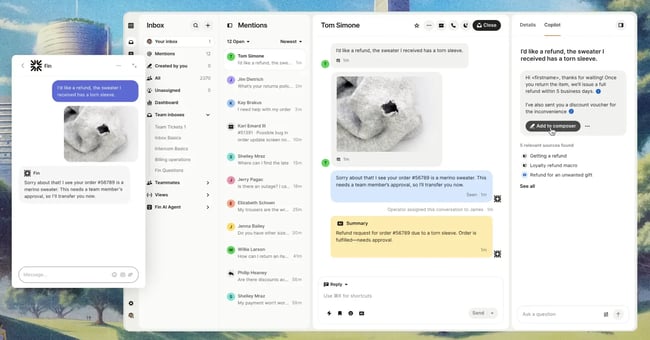
Combining live chat, help desk, and customer engagement in one platform, Intercom integrates with CRMs to enable personalized, context-rich customer conversations. Support teams can see CRM data like customer segment, account value, and product usage directly in the chat interface. Conversations and customer feedback are automatically logged to CRM records, creating a complete view of customer sentiment and engagement.
What I like: I like how Intercom blends live chat with CRM data to create highly personalized, context-aware customer conversations.
Pricing: Plans start at $29 per seat/month.
Ecommerce Integrations
Ecommerce integrations connect online stores with their CRM, providing sales teams with complete visibility into customer purchase behavior and enabling personalized marketing based on buying patterns.
13. Shopify
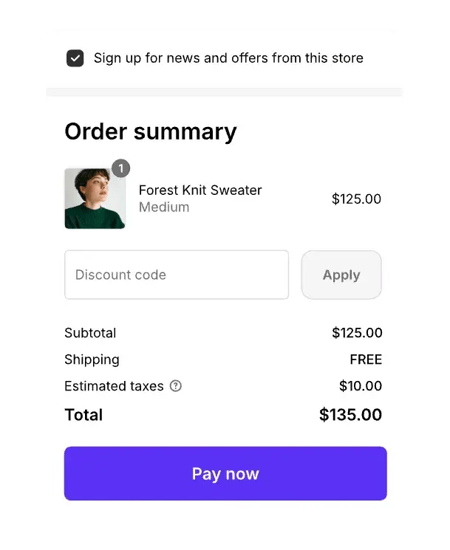
The world’s leading ecommerce platform integrates with CRMs to automatically sync customer data, orders, and product information. When customers make purchases, their contact records update in real-time with order history, product preferences, and lifetime value calculations. Sales teams can identify high-value customers for personalized outreach, while marketing teams can trigger abandoned cart emails and post-purchase follow-up sequences.
What I like: I like how Shopify syncs real-time purchase data into the CRM, enabling smarter segmentation and personalized follow-ups.
Pricing: $14/month billed annually.
14. WooCommerce
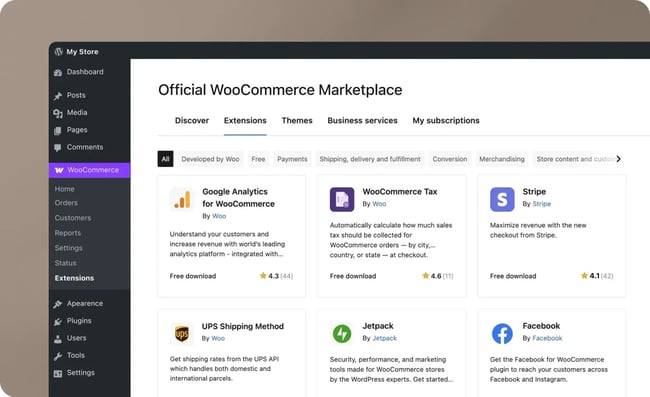
For businesses using WordPress, the WooCommerce integration connects their online store with their CRM to track customer purchases, manage product catalogs, and sync order fulfillment data. This integration is particularly useful for content-driven businesses that combine ecommerce with educational content, as it connects website behavior, content consumption, and purchase activity in one unified view.
What I like: I like how WooCommerce connects content, customer behavior, and ecommerce data into a single, unified CRM view.
Pricing: Varies based on needs.
Communication & Collaboration Tools
Communication integrations ensure that all customer interactions — whether via email, phone, or video — are captured in the CRM, while collaboration tools keep internal teams aligned and productive.
15. Gmail & Outlook
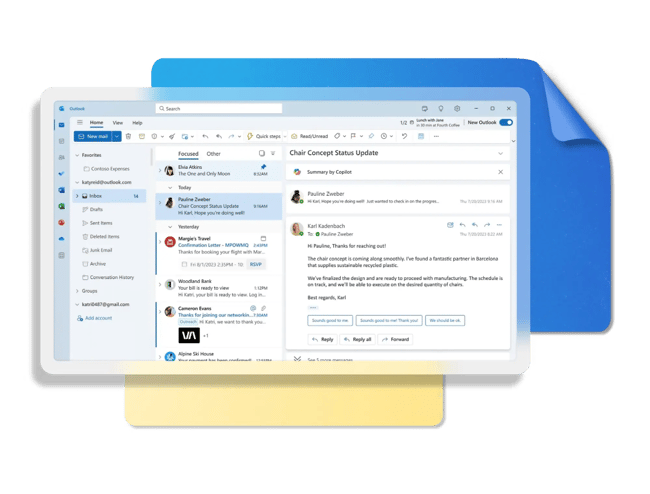
Email integration is foundational for any CRM system. Integrations with Gmail and Outlook automatically log email conversations to contact records, enable email tracking to see when prospects open messages, and allow sales teams to send emails directly from the CRM interface. Templates and sequences can be triggered based on CRM data, ensuring consistent, personalized outreach. All email history remains accessible to the entire team, preventing information silos.
What I like: I like how Gmail and Outlook integrations automatically log and track every email interaction, keeping communication transparent and centralized.
Pricing: Included with platforms.
16. Slack
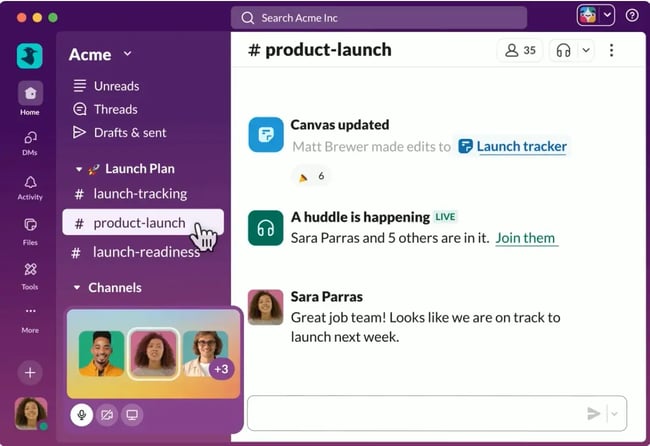
Team communication platform Slack integrates with CRMs to bring customer updates into team channels. Configure notifications for important CRM events — like when deals reach certain stages, high-value leads submit forms, or support tickets require escalation. Teams can discuss customer situations in Slack with complete CRM context, and important decisions can be logged back to customer records. This integration keeps remote and distributed teams aligned on customer relationships.
What I like: I like how Slack delivers real-time CRM updates into team conversations, helping everyone stay aligned on customer activity.
Pricing: Free plan available. Paid plans start at $8.75 per user/month.
Frequently Asked Questions About CRM Integration Tools
What is an integrated CRM platform?
An integrated CRM platform is a customer relationship management system that seamlessly connects with other business applications to create a unified ecosystem. HubSpot CRM connects with HubSpot’s Service, Sales, and Marketing software, plus an ecosystem of other third-party integrations.
What are the 4 types of CRM systems?
CRM systems are typically categorized into four main types, each designed to serve different business needs and priorities. Many modern CRM platforms, like HubSpot, blend elements from all four types:
- Operational CRMs, which focus on streamlining and automating customer-facing business processes.
- Analytical CRMs, which analyze customer data and extract actionable insights that inform business strategy.
- Collaborative CRMs, which emphasize information sharing and communication between different departments, teams, and even external partners or vendors.
- Strategic CRM, which focus on developing long-term customer relationships and customer-centric business strategies.
What is an example of CRM integration?
A common and powerful example of CRM integration is connecting HubSpot CRM with email marketing in HubSpot Marketing Hub. Here’s how this integration works in practice:
- When a new contact fills out a form on a website, their information is automatically added to the CRM.
- Based on criteria the marketing team has set — such as the form they completed or their industry — the CRM integration triggers the email marketing platform to add this contact to a specific nurture sequence.
- As the contact engages with marketing emails, including opening messages, clicking links, or downloading resources.
- This engagement data flows back into the CRM, where it’s visible to the sales team.
How much does CRM integration cost?
The cost of CRM integration varies widely depending on several factors. Many CRM platforms offer free, native integrations with popular business tools. For example, connecting HubSpot CRM with Gmail, Outlook, or Slack is typically free. Some premium integrations may cost $20–$50 per month/integration, but these are often included in higher-tier CRM plans.
Integration platforms like Zapier charge based on the number of automated tasks (called “zaps”) a business runs each month. Basic plans start around $20–$30/month, while business plans supporting higher volumes range from $50–$400/month. Enterprise plans with advanced features and unlimited automations can exceed $800/month.
How long does CRM integration take?
The timeline for CRM integration depends on the complexity of the systems, the number of integrations, and the chosen approach.
- Simple pre-built integrations (one hour to one day). Connecting a CRM to common tools like Gmail, Outlook, or Slack using native integrations typically takes just minutes to configure.
- Mid-complexity integrations with iPaaS tools (one to five days). Setting up automated workflows using platforms like Zapier or Make generally takes one to three days for planning, configuration, and testing. If connecting multiple systems with complex conditional logic, expect three to five days to build and test workflows thoroughly.
- API-based custom integrations (two to eight weeks). Simple API integrations may be completed in two to three weeks, while more complex integrations can take six to eight weeks or longer.
- Enterprise-wide integration projects (three to 12 months). Complex enterprise projects involving data migration, process reengineering, and change management can take six to 12 months or more.
What are the biggest CRM integration challenges?
While CRM integration offers tremendous benefits, businesses commonly face several challenges during implementation and ongoing management.
- Data quality and consistency. Invest time upfront in data cleanup, establish data governance standards, and implement validation rules.
- Mapping complex business processes. Start with the most common workflows and build in manual override options for edge cases.
- System compatibility and technical limitations. Legacy software may lack modern APIs. Some platforms have rate limits on API calls, and certain data fields may not have equivalents across different systems. Conduct thorough technical discovery before committing to specific tools.
- User adoption and change management. Employees may resist changing familiar workflows. To solve this, involve the team in the planning process, clearly communicate the “why” behind changes, and demonstrate quick wins.
Getting Started With CRM Integration
CRM integration with an ever-expanding number of business tools will only become more critical as a business grows. As a result, it’s essential to consider which integration method is best for your business carefully.
Factors to consider are the budget, the complexity of the integration, and the level of customization needed. The best way to reduce the number of business tools in the tech stack is to use a comprehensive CRM for sales, marketing, and customer service. HubSpot CRM is the best CRM for small and medium businesses.
HubSpot’s core platforms — Marketing Hub, Sales Hub, and Service Hub — are natively designed to integrate with the CRM so teams can stay connected and spend less time switching platforms. It also comes with Breeze AI, which can help teams intelligently keep track of data using AI.
Simply put, successful CRM software integration comes from careful planning, setting realistic expectations, starting with high-impact integrations, and committing to ongoing optimization and maintenance.
Editor’s note: This post was originally published in October 2019 and has been updated for comprehensiveness.
HubSpot's Free CRM Software
Free CRM Software & Tools for Your Whole Team
- Sales
- Marketing
- Operations
- Customer Service
![How to build a CRM in Google Sheets [free template]](https://53.fs1.hubspotusercontent-na1.net/hubfs/53/google-sheets-crm-1-20251210-8327154.webp)