


Free live chat software puts a real-time chat widget on a brand’s website or app. As part of a customer service suite, it provides customers with a 24/7 communication channel to speak with human reps or AI agents who can resolve basic inquiries in seconds using verified knowledge base content. For support team leaders looking to reduce ticket volume, small business owners who want to catch visitors before they bounce, and marketers building lead-capture funnels, the right free live chat tool can deliver real ROI.

The challenge is figuring out what “free” actually means. Some tools cap at 25 chats a month. Others limit to one agent, strip out features most teams would consider basic, or quietly require a paid upgrade before removing vendor branding from the widget.
For this guide, I verified every tool’s free plan details as of 2026 and grouped them by use case, from CRM-connected chat, like HubSpot, to social channels and GDPR compliance.
Why Your Business Needs Free Live Chat Software
Live chat gives visitors an immediate way to ask questions, get support, and move through a purchase decision without picking up the phone or waiting for an email reply. Free plans deliver this at no cost, though most place limits on the number of agents, chat volume, automation features, or reporting depth.
According to Tidio’s chatbot research, 82% of customers say they would use a chatbot to avoid a wait, and 53% find waiting extremely frustrating. Live chat answers that directly: it cuts phone volume and email backlog while giving customers a fast, digitally native response.
Live chat also serves as a lead-capture channel, not just a support channel. A chat widget gives visitors a direct line to a human at the moment they’re deciding, such as during checkout. AI agents like HubSpot’s customer agent take that further, automatically deflecting simple requests so human reps can focus on the conversations that require judgment.
For a solo operator or a two-person support team, the right free plan covers every meaningful use case.
In my experience: When I worked in HubSpot Support, we handled every inbound channel: phone, email, social, and chat. The phone queue could back up for 20 minutes during peak hours, and customers were often frustrated before I even said hello, just because they’d waited. Chat was consistently the fastest path to resolution for straightforward questions, and it took that pressure off the queue entirely.
Pro tip: Before choosing a free plan, check if the vendor branding can be removed and whether chat history is capped.
.webp?)
Free Help Desk & Ticketing Software
Keep track of customer requests in one unified help desk that connects to your CRM database.
- Provide personalized, AI-powered support to your customers
- Save time, reduce errors, and streamline service processes
- Improve rep efficiency & time to resolution
- And more!
What to Look For in a Free Live Chat Tool
The features that matter most in a free live chat tool are CRM integration, a chatbot builder, proactive chat triggers, widget customization, a mobile app, reporting, and easy installation. Which ones are non-negotiable depends on whether the goal is support deflection, lead capture, or simply being reachable.
CRM Integration
A free live chat tool should connect directly with a team’s CRM. HubSpot’s free live chat software natively syncs with HubSpot Smart CRM, so every chat is saved to a unique contact record. For sales and marketing teams, CRM sync means a chat conversation becomes a contact record instead of disappearing when the window closes.
Chatbot and Automation Builder
A chatbot handles conversations when no agent is available, so teams can qualify leads, book meetings, and answer common support questions at scale. HubSpot’s free chatbot builder creates messenger bots with customized conversation flows and CRM-powered personalization, no code required.

The best free live chat tools include at least a basic rule-based chatbot on the free plan. More advanced AI-powered chatbots, like customer agent, are typically reserved for paid editions.
Proactive Chat Triggers
Triggers open the chat window automatically when visitors land on a specific page, spend a set amount of time on the site, or show exit intent. For ecommerce stores and high-intent landing pages, a well-timed trigger can be the difference between a bounce and a conversion.
Widget Customization
A live chat widget lives on a company’s website, so the look and feel of the widget must match the website and brand. HubSpot’s free live chat software makes it easy for anyone to customize the live chat widget, regardless of their level of design expertise.

Mobile App and Notifications
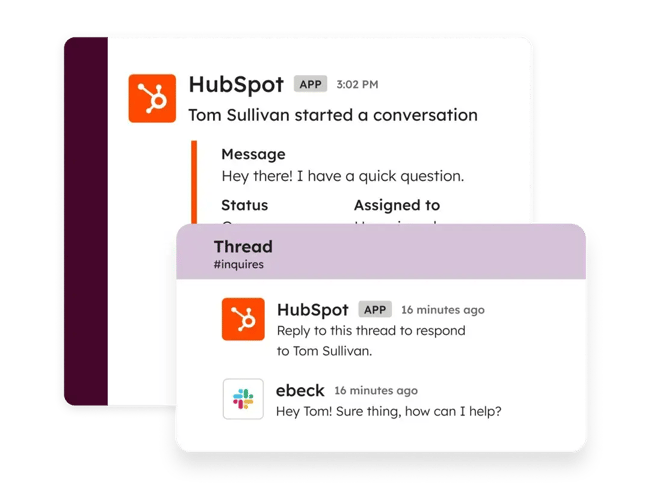
A mobile app means live chat coverage doesn’t require being tethered to a laptop. Teams using HubSpot’s free live chat software can receive notifications and respond to chats on the go using HubSpot’s mobile app. For teams using Slack, HubSpot’s free Slack integration means chat notifications reach reps wherever they’re working.
Reporting and Analytics
Free live chat software plans often limit reporting, but some baseline visibility into chat volume, response times, and agent activity is essential. Without it, support team leaders can’t demonstrate ROI, identify coverage gaps, or judge whether a paid tier is worth it. HubSpot’s free live chat software logs every conversation to the CRM, so chat volume and response data are available from the first conversation.
Easy Installation
Teams should be able to install a free live chat tool quickly — no custom coding required. Most live chat tools can be installed in minutes by adding a JavaScript snippet to a website’s code or by installing a CMS plugin directly from a marketplace like WordPress or Shopify. If a free live chat tool requires developer support to go live, it’s probably not worth the effort.
Free Plan Limitations to Know Before Signing Up
Free live chat software is a valuable place to start. Still, a few common restrictions can catch teams off guard after they’ve already gone live, including agent caps, chat history limits, gated automation, and monthly conversation ceilings.
- Agent limits: Free plans cap the number of agents that can use the live chat app. For example, HubSpot’s free edition includes up to 2 users.
- Chat history caps: Some free plans restrict conversation history after a set period, ranging from a week to a couple of months. HubSpot’s free live chat tool has no limitations on chat history.
- Vendor branding: Most free plans display the vendor’s logo on the chat widget, and removing it typically requires a paid upgrade. HubSpot’s free plan is no exception.
- Chatbot and automation access: Many free plans lock chatbots and automation behind a paywall. HubSpot’s free plan includes a rule-based chatbot builder, though advanced features require a paid upgrade.
- Conversation and session caps: Some free live chat tools cap monthly chat volume. For example, Zoho’s free plan allows 100 chat sessions per month, which high-traffic companies can quickly burn through. HubSpot’s free live chat software has no such monthly limitations.
Pro tip: Some tools only offer a free plan after a trial ends, and won’t advertise it prominently. If a “free” tool asks for a credit card up front, check whether a genuine free edition exists before committing.
Best Free Live Chat Software Solutions Comparison
The table below compares all 14 tools on what each one is best suited for, what the free plan includes, and where it stops.
Best Free Live Chat Software Solutions
The 14 tools below are grouped by use case, from CRM-connected chat to AI-powered deflection to lightweight widgets for one-person businesses. Each entry covers what the free plan includes and where it runs out.
Best Free Live Chat Software for CRM-Connected Sales and Support
Live chat software with CRM integration saves every conversation to a contact record, so sales and support reps can see a visitor’s full history before they reply. HubSpot and Zoho SalesIQ both offer this on their free plans, though they differ on agent limits and monthly chat caps.
1. HubSpot

HubSpot’s free live chat software enables real-time conversations between visitors and a business through an easy-to-install, no-code website widget. Because the live chat tool is built directly into Smart CRM, reps get a 360-degree view of every customer interaction across live chat and other channels.
Key Features
- CRM sync: Every chat is automatically saved to a contact record, so reps can see a visitor’s full history before replying. Free plans place no cap on how long that chat history is retained.
- Chatbot builder: A no-code chatbot builder creates rule-based bots that qualify leads, book meetings, and resolve common support questions. Bots pull data from the CRM to personalize replies using a contact’s own details.
- Customer agent: HubSpot’s AI customer agent deflects routine requests without a rep. It connects to a company’s knowledge base, so answers stay grounded in verified content.
- Proactive triggers: Chat opens automatically based on the page a visitor lands on or how long they stay. Ecommerce stores use this to catch visitors on checkout pages before they bounce.
- Mobile app and Slack integration: Reps get chat notifications and respond from HubSpot’s mobile app. A free Slack integration routes chats to wherever the team already works.
Best for: Support and sales teams that want live chat natively connected to their CRM.
What we like: Every chat automatically creates or updates a CRM contact record, turning support and marketing conversations into pipeline data without anyone having to touch a form.
Pricing: Free forever for up to 2 users. Paid plans start at $20/seat/month, billed annually ($7/seat/month at a promotional rate as of publication).
Free Plan Limitations
- Maximum 2 users per portal
- HubSpot branding appears on the chat widget and requires a paid upgrade to remove
- The chatbot builder on the free plan is rule-based only
- AI-powered chatbots through Agent Hub require a paid edition
2. Zoho SalesIQ

Zoho SalesIQ is a customer engagement platform that offers live chat on websites and in-app, along with real-time visitor tracking. It sits within the Zoho ecosystem, connecting natively with Zoho CRM, Zoho Desk, and other Zoho products, making it a practical pick for sales teams already using those tools.
Key Features
- Visitor tracking: Real-time insights show a visitor’s country, browser, device type, and website activity, so reps can see context before the conversation starts.
- Voice notes: Visitors record voice messages in the chat widget instead of typing, and reps can reply the same way, which suits long or complex inquiries.
- Zoho CRM integration: Chats sync natively to Zoho CRM and Zoho Desk. A mobile SDK extends chat to a company’s own app, adding canned replies and file sharing.
Best for: Sales teams already using other Zoho tools.
What we like: Voice notes on a free plan is a small thing that solves a real problem. A customer describing a complicated issue can just say it, and the rep doesn’t have to reconstruct what they meant from three paragraphs of typing.
Pricing: Free forever for 3 users. Paid plans start at $7/user/month, billed annually.
Free Plan Limitations
- 100 chat sessions per month
- 3 users
- No chatbots or proactive chat triggers
- No third-party integrations
- Visitor insights capped at 10,000 visitors per month
Free Help Desk & Ticketing Software
Keep track of customer requests in one unified help desk that connects to your CRM database.
- Provide personalized, AI-powered support to your customers
- Save time, reduce errors, and streamline service processes
- Improve rep efficiency & time to resolution
- And more!
Best Free Live Chat Software with Unlimited Chats
A free plan with unlimited chats removes the monthly conversation cap that most free live chat tools impose. tawk.to and Chaport both offer this, though tawk.to also drops the agent limit while Chaport caps free accounts at two users.
3. tawk.to

tawk.to is the most widely used live chat software in the world, holding over 20% market share according to Datanyze. Its core feature set is actually free, rather than a stripped-down version of a paid product, which is what sets it apart from most tools on this list.
Key Features
- Unlimited agents and chats: No caps on team size or conversation volume on the free plan. This is rare enough that it’s tawk.to’s main draw.
- Built-in ticketing and knowledge base: Chats convert to tickets, and a knowledge base handles self-service. Both are included free rather than sold as an upgrade.
- 45+ language support: The widget and dashboard are available in more than 45 languages, which suits businesses serving customers across multiple regions.
Best for: Teams that want a completely free live chat solution with no agent or conversation limits.
What we like: tawk.to is free for unlimited agents. Forever.
Pricing: Free forever for unlimited agents. Branding removal costs $29/month. Hired chat agents are available at $1/hour.
Free Plan Limitations
- tawk.to branding appears on the chat widget and costs $29/month to remove
- AI Assist is a paid add-on and is not included in the free plan
- Reporting and analytics are more basic than most paid competitors on this list
4. Chaport
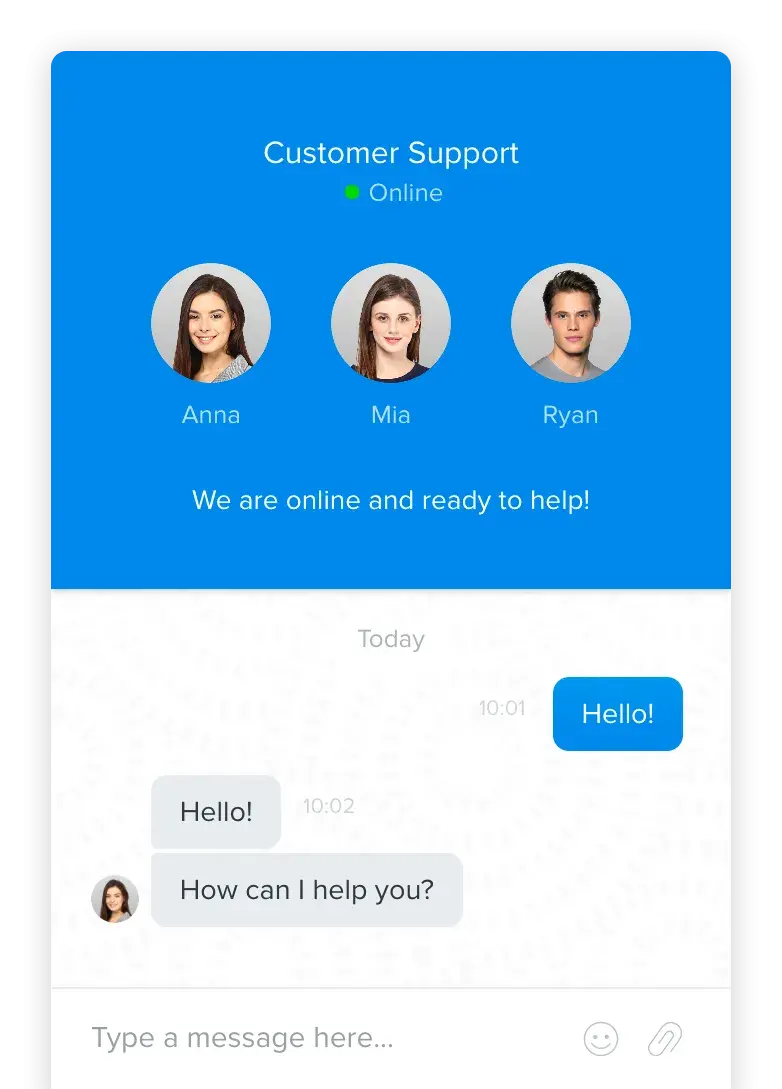
Chaport is a live chat tool built around a clean, modern widget without the AI layer most competitors have added. Desktop and mobile apps are included at every tier.
Key Features
- Unlimited chats and websites: No monthly conversation cap on the free plan. The widget can run on any number of sites from one account.
- Widget customization: Basic appearance controls match the widget to a site’s branding. Available on the free plan rather than gated to paid editions.
- Desktop and mobile apps: Native apps cover web, desktop, and mobile. Reps aren’t tied to a browser tab to catch incoming chats.
Best for: Startups and solo founders who want a clean, modern chat widget without AI features.
What we like: In a space where every company is racing to bolt on AI features, Chaport doesn’t bother, even at paid plans. For small teams that don’t need AI triage or chatbots, Chaport is a simple, solid solution.
Pricing: Free forever for 2 operators. Paid plans start at $29/month for 4 operators, billed annually.
Free Plan Limitations
- 2 operators
- 60-day chat history
- 1 branded auto-invitation only; additional auto-invitations require Pro
- No saved replies
- No social channel integrations
- Basic reporting only
Best AI-Powered Free Live Chat Software
Most live chat tools reserve AI for paid tiers, offering rule-based chatbots at best on a free plan. A small number include a genuine AI agent that can interpret a question and answer it without a rep.
5. Tidio

Tidio combines live chat, a shared multichannel inbox, AI automation, and native Shopify and WordPress integrations in one platform. The widget is clean, setup is quick, and an AI agent called Lyro handles common customer questions automatically. Its free plan is structured as a tasting menu: nearly the full feature set, but with hard caps that arrive fast.
Key Features
- Lyro AI agent: Lyro handles common customer questions and product recommendations without a rep. The first 50 Lyro conversations are free for the lifetime of the account rather than resetting monthly.
- 10 seats on the free plan: Ten agents can work the inbox at no cost, which is well above what most free live chat plans offer. Live chat, ticketing, and email management are all included.
- Native ecommerce integrations: Shopify and WordPress connect directly rather than through a workaround. Product and order data can surface inside the chat.
Best for: Ecommerce businesses looking to try out AI-powered chat on a free plan.
What we like: Tidio is one of the only tools here that puts a real AI agent on the free plan rather than a rule-based bot. A small store can find out whether AI deflection actually works for its customers before committing to a paid tier.
Pricing: Free forever. Paid plans start at $24.17/month, billed annually.
Free Plan Limitations
- 50 billable conversations per month
- 50 Lyro AI conversations for the lifetime of the account, not a monthly allowance
- No ticketing automations
- Live typing preview and automatic chat assignment require a paid plan
- Advanced analytics and custom branding are locked behind higher tiers
Best Free Live Chat Software for Multichannel and Social Messaging
Multichannel live chat software routes website chat and social messages into a single shared inbox, so reps don’t have to monitor each platform separately. SendPulse, JivoChat, Smartsupp, and Hiver Omni all include some version of this on their free plans, though the channels covered differ by tool.
6. SendPulse

SendPulse is a multichannel marketing platform that combines live chat, a chatbot builder, email, SMS, and a CRM into a single dashboard. Its free plan covers live chat for your website plus rule-based chatbots across six social platforms, all managed from the same inbox.
Key Features
- Multichannel chatbots: Rule-based bots run on Facebook, Instagram, TikTok, Telegram, WhatsApp, and Viber. The free plan allows up to three.
- TikTok integration: A TikTok chatbot is unusual among live chat tools. Social-first brands and creators can automate replies on a channel most competitors ignore.
- Website live chat: The chat widget installs on a website alongside the social channels and can be themed to match a site’s branding. Conversations from every channel land in the same dashboard.
Best for: Social media-driven brands and creators that want to automate conversations across multiple channels on a free plan.
What we like: The TikTok chatbot integration is a differentiating feature not available with most other tools on this list. For social media creators and social-driven brands, this could be a decisive factor.
Pricing: Free forever. Paid plans start at $9.60/month, billed annually for up to 500 subscribers, and scale with subscriber count.
Free Plan Limitations
- 10,000 messages per month across all channels and chatbots
- 500 subscribers
- 3 chatbots maximum
- Chatbots are rule-based, not AI
- SendPulse branding on the widget
7. JivoChat

JivoChat is an omnichannel communication tool built around a single agent workspace, with native desktop and mobile apps so reps can respond away from a browser. Its free tier is one of the more generous in this roundup.
Key Features
- Omnichannel inbox: Website chat, Telegram, Facebook, Instagram, Viber, and email land in one agent workspace. Reps handle every channel without switching tools.
- Five agents free: Offering five seats on the free plan is more than most competitors offer. Small support teams can run a full rotation at no cost.
- Unlimited conversations and sites: No cap on chat volume or the number of websites running the widget, which can be customized and displayed in 25 languages.
Best for: Small teams that need website chat and social messaging in one workspace.
What we like: Five agents on a free plan is unusually generous, and the omnichannel inbox means a small team isn’t juggling five browser tabs to cover five channels.
Pricing: Free forever for up to 5 agents. Paid plans start at $28/agent/month, billed annually. WhatsApp, video calls, and telephony are paid add-ons across all tiers.
Free Plan Limitations
- 5 agents maximum
- No proactive chat invitations or real-time visitor monitoring
- Visitors can’t send or receive files
- No chatbot integration (Professional and up)
- WhatsApp requires a $27/month add-on
8. Smartsupp

Smartsupp is a live chat and chatbot platform aimed at ecommerce, with a visitor recording feature that plays back how people move through a site before they open a chat.
Key Features
- Visitor recordings: Session playback shows how a visitor navigated the site before starting a chat. Reps get context on where someone got stuck without asking.
- WhatsApp and Messenger on the free plan: Both channels are included at no cost, whereas competitors charge for WhatsApp. For stores whose customers already use messaging apps, all three channels land in a single inbox.
- Ecommerce integrations: Shopify, WooCommerce, and Magento connect natively. Product and order data can surface in the conversation.
Best for: Ecommerce founders running a store alone who want to see what visitors did before they asked for help.
What we like: Visitor recordings on a free plan are unusual. Watching someone hesitate on a checkout page before they open a chat tells a small store more than the chat transcript does.
Pricing: Free forever for 1 operator. Paid plans start at $17/month, billed annually.
Free Plan Limitations
- 1 operator
- 25 conversations per month
- 14-day chat history
- 1 website
- No connected email addresses
- Smartsupp branding on the chat widget
9. Hiver Omni

Hiver Omni is a standalone customer service platform that brings email, live chat, WhatsApp, voice, and social into one workspace. Unlike Hiver’s Gmail product, Omni works with any email provider, so teams aren’t tied to Google Workspace.
Key Features
- Unlimited users on the free plan: No seat cap at any tier. Growing support teams can add reps without triggering an upgrade.
- Live chat and email in one inbox: Both channels land in the same shared workspace on the free plan. Reps handle chat and email without switching tools.
- Shared inbox collaboration: Internal notes, shared drafts, and collision alerts keep reps from duplicating replies. A customer’s history stays attached to the conversation.
Best for: Support teams that want free live chat and email in one workspace, on any email provider.
What we like: Unlimited users on a free plan is as valuable as it is rare. Growing teams can take advantage of Hiver’s free live chat software for a long time before needing an upgrade.
Pricing: Free forever for unlimited users. Paid plans start at $25/user/month billed annually, or $35/user/month billed monthly.
Free Plan Limitations
- No AI features (AI Agents and AI Copilot start at Growth)
- No rule-based automations or round-robin assignment
- No analytics or custom reports
- Slack channel requires Pro; voice is a paid add-on at every tier
- Hiver watermark on outgoing responses
- 2-seat minimum on paid plans
Free Help Desk & Ticketing Software
Keep track of customer requests in one unified help desk that connects to your CRM database.
- Provide personalized, AI-powered support to your customers
- Save time, reduce errors, and streamline service processes
- Improve rep efficiency & time to resolution
- And more!
Best Free Live Chat Software for Solo Operators and Small Teams
10. Crisp

Crisp is a customer messaging platform that includes live chat, a shared inbox, automated workflows, a CRM, a ticketing system, and a knowledge base. The free plan centers on the live chat widget, which teams can install on websites via iframe or in-app using Crisp’s Chat SDK.
Key Features
- Live chat widget: Installs via iframe on a website or through the Chat SDK for in-app chat. Unlimited conversations on the free plan.
- Shared inbox and basic CRM: Conversations land in one collaborative inbox with basic CRM access included for free.
- Ecommerce integrations: WordPress, Shopify, WooCommerce, Adobe Commerce, and PrestaShop connect natively.
Best for: Solo founders and two-person teams that want unlimited conversations on a free plan.
What we like: Crisp has a feature called Crispy Bird, a Flappy Bird-style mini-game that customers can play in the chat widget while waiting for a response. It’s a small detail, but it’s the kind of thing that turns a frustrating wait into a memorable interaction.
Pricing: Free forever for 2 seats. Paid plans start at $45/month per workspace and include 4 seats.
Free Plan Limitations
- 2 seats
- No integration with 3rd party CRMs
- No AI credits
- No automated workflows
- No knowledge base
- Crisp branding on the chat widget
11. MyLiveChat

MyLiveChat is a no-frills live chat tool that has been around since 2003. The free plan is unusually generous for a single agent, and the widget installs on a website with a snippet of HTML.
Key Features
- Co-browsing: Agents can navigate to the same page a customer is on. This removes the back-and-forth of describing where a button is.
- Unlimited chats and 3-year history: No conversation cap on the free plan, and transcripts stay accessible for three years. Most competitors cap history at 14 to 60 days.
- Console options: Agents work from a browser console, a Windows desktop app, or macOS, iOS, and Android apps. All are free across all plans, including the 1-agent tier.
Best for: One-person businesses and small teams that need a no-frills free chat tool with unlimited chats and a long conversation history.
What we like: MyLiveChat’s co-browsing feature lets agents quickly navigate to the same page that a customer is on, which, as a former support rep, is helpful for troubleshooting and making sure the rep and customer are on the same page, literally.
Pricing: Free forever for 1 agent. Paid plans start at $15/month, billed monthly (MyLiveChat doesn’t offer annual billing).
Free Plan Limitations
- 1 seat
- No white label (MyLiveChat branding on widget)
- No analytics or email reporting
- No integrations
12. Gist

Gist is an all-in-one customer platform that combines live chat, email marketing, a chatbot builder, a CRM, and a knowledge base in a single tool. It’s positioned as an Intercom alternative at a fraction of the price, and for small SaaS teams that need several of those tools together, the free plan covers a lot of ground.
Key Features
- Live chat and team inbox: Website chat is routed to a shared inbox on the free plan. Saved replies and office hours are included rather than gated.
- Meeting scheduler: A calendar integration lets reps book meetings from inside a conversation. Most free plans don’t include scheduling at all.
- Unlimited conversation history: No retention cap on the free plan, where competitors cut off at 14 or 60 days.
Best for: Small SaaS teams and startups that want live chat, a shared inbox, and meeting scheduling in one free platform.
What we like: Gist’s free live chat software offers unlimited conversation history, making it a viable option for small support teams just getting started who need to refer back to previous chats and cases.
Pricing: Free forever for 2 seats. Paid plans start at $29/month for 5 seats.
Free Plan Limitations
- 2 users
- 200 contacts on the CRM
- No knowledge base, reporting, or social messenger integrations
- No chat transcripts or automated triggers
- Gist branding on the messenger
Best Free Live Chat Software for Help Desk and Ticketing
13. LiveAgent

LiveAgent is a fully featured help desk platform that includes ticketing, a knowledge base, call center capabilities, social media management, and live chat. Its free plan is unusually complete for a help desk, with one significant catch: ticket messages older than seven days are hidden until the account upgrades to a paid plan.
Key Features
- Unlimited agents: No seat cap on the free plan. Freshdesk caps free accounts at 10 agents and Zoho Desk at 3.
- Knowledge base and customer portal: Both are included free of charge, giving customers a self-service option alongside chat. Most free plans gate these to paid tiers.
- Multi-channel ticketing: Chat and email conversations are routed to the same ticket queue rather than separate tools. Free accounts get one email channel.
Best for: Small support teams seeking a full help desk with live chat.
What we like: A free help desk with no seat cap is unusual. The seven-day catch is real, but for a small team that mostly needs today’s tickets and today’s chats, it’s a lot of platform for nothing.
Pricing: Free forever for unlimited agents. Paid plans start at $15/agent/month, billed annually.
Free Plan Limitations
- Ticket messages older than 7 days are hidden until you upgrade to a paid plan
- Only 1 email support channel
- No call center on the free plan
- No automations or integrations
- Basic reporting only
- Account deactivates after 4 weeks of inactivity
Best Free Live Chat Software for Privacy and GDPR Compliance
GDPR-compliant live chat software processes and stores conversation data within the EU and provides visitors with an explicit way to consent before a chat begins.
14. Lime Connect (formerly Userlike)

Lime Connect, formerly Userlike, is a German-built customer communication platform designed for businesses that take data privacy seriously. Paid tiers include WhatsApp, Instagram, and other channels, but the free plan is website chat only.
Key Features
- German hosting and GDPR compliance: Data is processed and stored in Germany under the strictest reading of the GDPR. A “Data Privacy Disclaimer” can appear before a chat starts, requiring visitors to click a checkmark to consent.
- WCAG 2.0 AA accessibility: The chat widget meets Level AA accessibility standards and has been independently tested against European accessibility rules.
- Widget customization: The chat widget can be styled to match a site’s branding on the free plan. File sharing and conversation feedback tools are included.
Best for: European businesses and privacy-conscious teams that need a free, GDPR-compliant chat tool.
What we like: Lime Connect is one of the only free chat tools that’s hosted entirely in Germany, which takes a whole category of GDPR questions off the table for European businesses. The pre-chat consent checkbox is a small thing, but it means compliance is built into the widget rather than something you have to bolt on.
Pricing: Free forever for 1 seat. Paid plans start at €87/month excluding VAT, billed annually. Lime Connect prices are in euros only.
Free Plan Limitations
- 1 seat
- 200 conversations per month
- Website chat only, no social messengers or email
- AI Copilot and AI Agent features are paid add-ons at every tier
- Upgrading requires a minimum of 3 seats on Pro
Frequently Asked Questions About Free Live Chat Software
What is free live chat software?
Live chat software adds a chat widget to websites and apps, enabling real-time communication with customers and website visitors. It’s useful for managing incoming customer support queries and capturing leads. Free live chat software is a type of live chat software with a no-cost plan, often offered as an introduction to a larger software suite with more advanced features available with a paid upgrade.
How does live chat software work?
Live chat software setup typically requires adding a script tag or installing a CMS plugin integration. Once the code has been installed, a small widget will appear on the website, typically in the bottom right corner of the page. Website visitors can click the widget to open a chat window and type messages that are received in real time by an agent on the other end. Adding live chat software to a website is easy, and no-code live chat installation reduces engineering dependency for small teams.
Why should I add free live chat software to my website?
Live chat gives customers a fast, low-effort way to get answers without waiting on hold or sending an email into a queue. For businesses, that means fewer phone calls, a shorter email backlog, and a direct line to visitors when they’re deciding whether to buy. A free plan makes that possible without adding to the budget, which is why live chat is often the first support channel a small business adds after email.
Is free live chat software actually free?
Most free live chat software is actually free forever, but with some notable limitations. Free live chat plans often limit reporting and analytics depth, automation features (chatbots and workflows), and the number of agents (seats) that can use them. Free live chat plans may also include vendor branding on the chat widget. Each free live chat software solution has its own set of limitations, so support and sales leaders need to evaluate each product’s specific limitations.
What is the best free live chat software?
The best free live chat software depends on the business goal (support, lead capture, or sales). Some free live chat solutions are integrated with a ticketing system and are better suited to customer support operations, while others are more focused on sales and lead capture.
HubSpot’s free live chat software is the strongest option for teams that want CRM-connected chat without paying for a separate tool. For teams that don’t need CRM integration, tawk.to offers an unlimited free plan with no agent caps and no conversation limits.
What is the difference between live chat and a chatbot?
Live chat connects website visitors with a human agent in real time for a text-based conversation. Chatbots use the same widget but answer automatically, using AI or a set of rules, and typically hand off to a human agent when a question falls outside their scope.
How many agents do I need for live chat?
The number of agents depends on chat volume and response time goals. For a small business, one to two agents are typically enough to start. Free plan agent limits vary widely, from a single seat to unlimited, so teams that anticipate growth should check whether a tool’s cap will become a constraint.
Improve your customer service with live chat.
Adding live chat to a website is an easy way to prioritize customer satisfaction, improve response times, and lighten the load on support teams. Free live chat software makes that possible without adding to the budget at all.
For support teams and sales leaders looking to capture leads and answer customer questions in real time, HubSpot’s free live chat software is the best place to start. It’s easy to set up and easy to use, and it integrates natively with HubSpot Smart CRM, so every conversation is saved as a contact record to power personalization and future communications.
Editor’s note: This post was originally published in December 2019 and has been updated for comprehensiveness.
Free Help Desk & Ticketing Software
Keep track of customer requests in one unified help desk that connects to your CRM database.
- Provide personalized, AI-powered support to your customers
- Save time, reduce errors, and streamline service processes
- Improve rep efficiency & time to resolution
- And more!