

SEO shouldn’t be an afterthought. HubSpot’s 2026 marketing statistics show that more than 92% of marketers plan to use, or already use, SEO for both traditional and AI-powered search engines. Yet many organizations still struggle to translate SEO strategy into technical website requirements. This gap often stems from a lack of alignment between web development workflows and SEO requirements.

Effective website development SEO helps search engine crawlers discover, parse, and rank content without technical roadblocks. HubSpot’s SEO tools can help teams find issues such as missing metadata, broken links, and internal linking gaps before those issues become post-launch fixes.
This guide outlines the essential standards for building a search-friendly website that maintains organic visibility throughout the development lifecycle.
What is SEO in web development?
Website development SEO integrates SEO requirements into planning, building, QA, launch, and post-launch monitoring. It is the practice of writing code and configuring server environments so that search engines can easily navigate and understand a site’s content.
While traditional SEO often focuses on keywords and backlinks, development-focused SEO prioritizes the underlying infrastructure, such as:
- Semantic HTML.
- Site speed.
- Crawl efficiency.
When teams build SEO into the development process, search bots get a cleaner crawl path. Search bots can access the most important pages without wasting crawl budget on duplicate content or broken paths. This alignment between code and search intent is what allows a modern website to reliably scale its organic traffic.
Strong website development SEO helps the technical foundation support search visibility rather than hinder it. Marketing web teams can use HubSpot’s SEO tools to review recommendations across domains or individual pages and prioritize updates by impact, role, and technical difficulty.
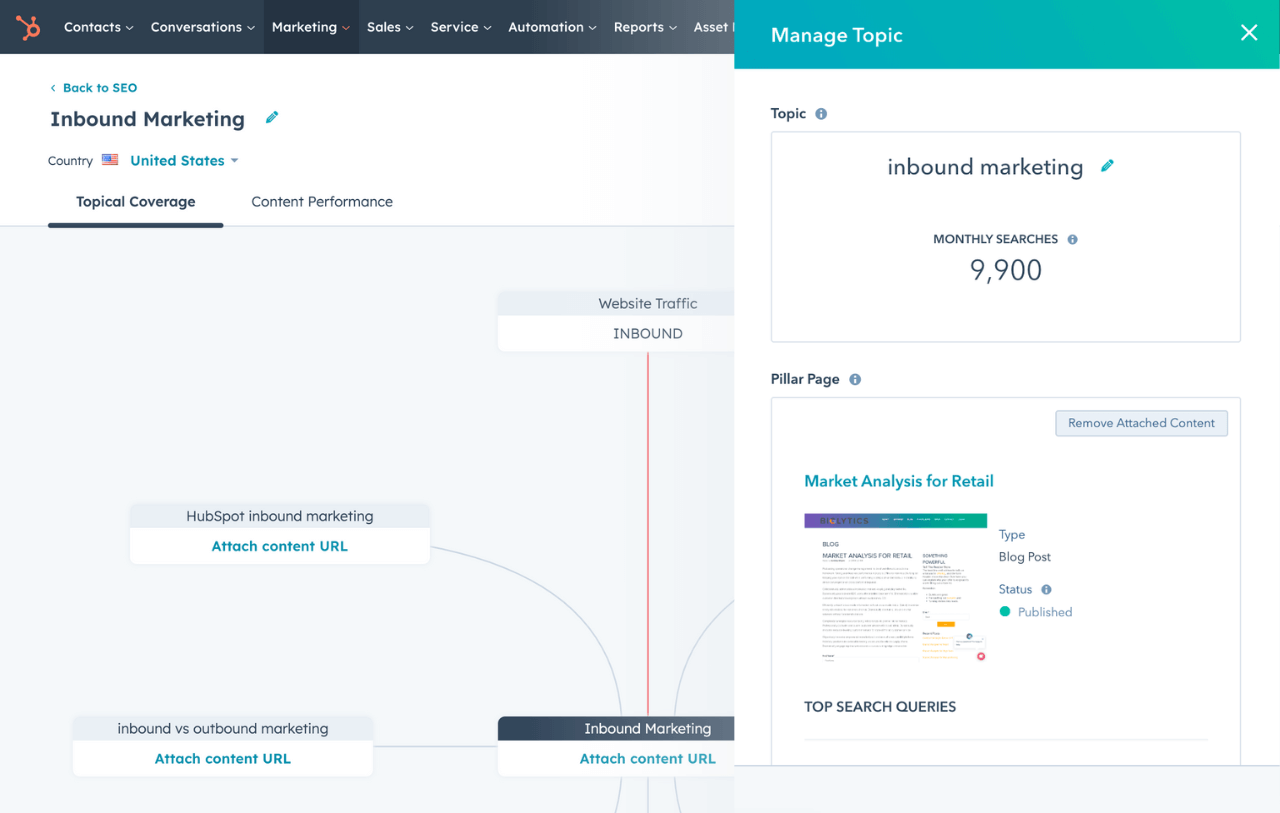
HubSpot SEO Marketing Software
Build your authority in search with tools that help you plan your SEO strategy, optimize your content, and measure ROI.
- Get SEO recommendations.
- Create an optimized content strategy.
- Build search authority.
- And more!
Is SEO part of web development?
SEO is an important part of web development because search engine accessibility is a core functional requirement of a successful website. Google processes pages through crawling, rendering, and indexing, and each step depends on how developers build the site.
Despite this, 96.55% of pages receive no organic traffic from Google, according to Ahrefs. That finding does not point to a single cause, but it does show why teams should remove technical blockers before judging content performance. If a developer uses a framework that search bots cannot render, the content effectively does not exist for search engines, regardless of how well the writer optimized it.
Web development teams that incorporate SEO into their workflows avoid the costly “rip and replace” cycles that occur when a site fails to rank after a major redesign.
Pro tip: Add SEO acceptance criteria to the development brief, just as teams add accessibility and security requirements. That one step helps developers test crawlability, indexability, redirects, and mobile rendering before launch.
By treating SEO as a technical specification, similar to security or accessibility, developers ensure the site is discoverable from day one.
SEO Specialist vs. Web Developer: Roles and Collaboration
|
Feature |
Technical SEO Specialist |
Web Developer |
|
Primary Focus |
Search visibility and crawlability |
Site functionality and performance |
|
Key Responsibility |
Strategy, keyword mapping, and QA |
Implementation, coding, and deployment |
|
Key Metric |
Organic rankings and CTR |
Page load speed and uptime |
|
Tooling |
Google Search Console, HubSpot’s SEO Tools |
VS Code, GitHub, Content Hub |
Choosing between an SEO specialist and a web developer depends on the project’s current risks. Most website builds need both skill sets: the SEO specialist defines search requirements, and the developer translates those requirements into code, templates, redirects, and QA checks.
- An SEO specialist defines the “what” (e.g., which pages need to be indexed and how they should link)
- The web developer handles the “how” (e.g., implementing server-side rendering or configuring redirects).
In a high-performing marketing web team, the SEO specialist provides the requirements during the wireframing stage. Then, the developer integrates these into the production code to ensure a seamless launch.
This collaborative approach bridges the gap between marketing goals and technical execution, leading to faster indexing and more stable rankings.
Website Development SEO Best Practices
1. Design a scalable site architecture.
Site architecture refers to how pages are grouped and organized into a hierarchy. A scalable architecture uses a “hub and spoke” model, where top-level pillar pages link to more specific sub-topic pages. This structure tells search engines which pages are the most important and how different pieces of content relate to one another.

To implement a scalable architecture, use a shallow, logical hierarchy in which categories match the site’s navigation. For example, a “Services” section should logically live under /services/.
A clear site architecture can improve search visibility. In one case study, a site shifted from scattered topics to a focused, interlinked blog series and reported a 427% increase in organic traffic. Treat that result as a case study, not a universal benchmark: the takeaway is to organize content around topical clusters and connect supporting pages back to pillar pages.
Pro tip: Content Hub, by HubSpot, helps teams manage website content, while HubSpot’s SEO tools help teams plan content strategy and build search authority. Use both to spot gaps in topic clusters before launch.
2. Optimize crawlability and internal linking.
Internal links help bots understand which pages and topics are connected, which helps with website development SEO. Pages with no incoming links may never be indexed by search engines.
HubSpot’s SEO tools can scan a domain or individual page for recommendations, including broken links and internal linking opportunities, so that developers can fix crawl path issues before launch.
For easier maintenance, Ivan Palii, founder of B2B Gaps, recommends implementing internal links in page templates. That’s because “each time you want to update some internal links (because of redirects, broken pages, or changed priorities), it requires a huge amount of manual work.”

Additionally, use standard anchor tags with href attributes to provide crawlable navigation paths. While modern search engines can process JavaScript-based navigation (e.g., onClick), relying solely on it may reduce crawlability and delay link discovery.
3. Standardize URL patterns, canonicals, and redirects.
Proper URL governance ensures that “link equity”—the ranking power passed from one page to another—is consolidated into a single, authoritative URL. To implement this, developers should configure global canonical tag logic in their CMS so each canonical page references its preferred URL and duplicate pages point to the canonical version.
Canonical tags identify the primary version of a duplicate page for search engines. Without a standardized URL management strategy, websites often suffer from “keyword cannibalization,” where multiple versions of a page (e.g., HTTP vs. HTTPS) compete against each other in search results.

I asked Irina Maltseva, founder of Seen, for URL best practices. She shared:
“Canonicals should be used deliberately to consolidate similar or duplicate content, not as a fix for messy architecture. And redirects should always preserve intent, avoid chains, and make sure every old URL cleanly maps to the most relevant live page. Nail these early, and you prevent a lot of SEO headaches later on.”
Pro tip: Use 301 redirects to map old URLs to new destinations permanently during site migrations or page deletions.
4. Manage XML sitemaps for discovery.
XML sitemaps list canonical URLs for search engine discovery and crawling. When implementing website development SEO, think of a sitemap as a technical roadmap that tells search engines exactly which pages are most important.
A well-maintained sitemap ensures that new or deeply nested content is indexed much faster than it would be through standard crawling alone.

Effective sitemap management involves excluding non-canonical pages, redirects, and “noindex” URLs to ensure the crawl budget is spent on high-value content.
In HubSpot, teams can view and edit HubSpot-hosted domain sitemaps directly. This lets developers and SEOs submit only preferred, high-quality URLs to Google, thereby improving crawl hygiene.
5. Configure robots.txt.
Robots.txt controls crawling paths by instructing web robots which parts of a site should not be visited.
Proper configuration is critical because a single syntax error in your robots.txt can accidentally block an entire site from being indexed. Conversely, failing to block internal search results or temporary staging folders can lead to “crawl bloat,” where Google wastes time on low-value pages.
While robots.txt helps block entire directories from crawlers, it isn’t designed for blocking specific pages. To do so, set the directive directly on the page.
HubSpot’s SEO Tools allow technical SEO managers to easily insert the meta robots noindex script to prevent a page from being indexed. When applied, utility pages—such as “Thank You” screens, login portals, or internal search results—do not appear in public search results.

6. Secure the site with HTTPS.
HTTPS protects data that moves between a visitor’s browser and a website, and Google has used HTTPS as a ranking signal since 2014. Website development SEO should include HTTPS checks before launch because insecure pages, mixed-content resources, and unsafe external-link patterns can create search, security, and user-experience issues.
To implement this, developers should:
- Redirect HTTP URLs to HTTPS with 301 redirects.
- Confirm that canonical tags, XML sitemaps, hreflang annotations, and internal links use HTTPS URLs.
- Fix mixed-content warnings by loading images, CSS, JavaScript, and other resources over secure connections.
- Add rel=”noopener” or rel=”noreferrer” to external links that open in a new tab.
Pro tip: HubSpot’s SEO recommendations can flag pages that load over HTTP, insecure page resources, broken links, and other issues that can affect search visibility.
HubSpot SEO Marketing Software
Build your authority in search with tools that help you plan your SEO strategy, optimize your content, and measure ROI.
- Get SEO recommendations.
- Create an optimized content strategy.
- Build search authority.
- And more!
7. Implement semantic HTML and meta tags.
Semantic HTML uses tags such as <header>, <main>, <article>, and <footer> to explain a page’s structure to browsers and search engines. These tags help search bots and AI systems identify a page’s primary content more accurately than generic <div> containers.
I asked Luke Thorn, founder and SEO/AEO director at WebRefresh, for actionable website development SEO tips for HTML tags. Thorn recommends:
- Your H1 should define the page’s primary topic, with H2s and H3s creating a logical hierarchy beneath it. Don’t skip levels.
- Use <article>, <nav>, <main>, and <section> instead of generic <div> and <span> tags for page structure.
- Every page should have a unique title tag and a descriptive meta description.
- Wrap supplementary content in <aside> to distinguish it from the page’s primary content.

Developers should give every indexable page a unique <title> tag and a clear meta description. Content Hub can surface SEO suggestions as teams build pages, including missing tags and header structure issues.
8. Prioritize mobile-first UX.
Google uses mobile-first indexing, which means it primarily uses a site’s mobile version, crawled with the smartphone agent, for indexing and ranking. A page that works on desktop but fails on mobile can lose visibility across devices.

According to StatCounter Global Stats, mobile accounts for the largest share of global web traffic across desktop, mobile, and tablet devices. Web developers should prioritize responsive design instead of maintaining a separate “m.” subdomain. To implement mobile-first website development SEO, follow these steps:
- Validate viewport meta tags. Include the <meta name=”viewport” content=”width=device-width, initial-scale=1”> tag in the <head> of every page. That line of code signals to the browser that the page should scale to fit the device width.
- Match content across versions. Ensure that high-value text, headings, and structured data are identical on both mobile and desktop.
- Use fluid grids and media queries. Replace fixed-pixel widths with relative units, such as percentages or vw/vh.
- Optimize touch targets and typography. Ensure interactive elements (buttons, links) have a minimum size of 48x48 pixels to prevent “tap targets too close together” errors in Search Console.
Pro tip: Use Content Hub to preview how pages render across mobile screens before publishing. This check helps teams catch mobile-first architecture issues before launch.
9. Optimize page speed and core web vitals.
Core Web Vitals measure real-world user experience for loading performance, interactivity, and visual stability. The current Core Web Vitals are Largest Contentful Paint (LCP), Interaction to Next Paint (INP), and Cumulative Layout Shift (CLS). Developers should minimize render-blocking resources and prioritize above-the-fold content so pages load quickly and respond smoothly.

Still, teams do not need every URL to earn a perfect Core Web Vitals score. According to Jes Scholz, a growth marketing consultant and SEO futurist, “For SEO visibility, you do not need to be the best in the market; you need to be better than your closest competitor.”
Scholz recommends prioritizing page speed because, as she explains, “It reduces friction for users, removes failure points for agents, improves crawl efficacy for bots, and boosts conversion rates. It’s one of the rare few where technical performance results in commercial performance.”
Developers can improve page speed by:
- Minifying CSS and JavaScript.
- Leveraging browser caching.
- Using a content delivery network (CDN).
Pro tip: Use HubSpot’s SEO recommendations to identify page-level issues such as oversized images, missing viewport tags, insecure resources, and broken links before launch.
10. Manage JavaScript rendering (SSR vs. CSR).
Rendering choice is one of the most significant decisions in website development SEO. Server-side rendering (SSR) delivers primary content and links in the initial HTML, making them immediately accessible to bots. Client-side rendering (CSR) requires JavaScript execution to display critical content, which can delay indexing or leave important content unavailable to crawlers that cannot render the page.
|
Feature |
Server-Side Rendering (SSR) |
Client-Side Rendering (CSR) |
|
Search Engine Accessibility |
High; core content appears in the initial HTML for crawlers. |
Variable; it depends on the crawler’s ability to execute JavaScript. |
|
Initial Load Speed |
Faster; the browser receives a fully formed page. |
Slower; the browser must download and execute JS before showing content. |
|
Implementation Complexity |
High; requires a robust server-side environment. |
Low/Moderate; standard for modern JS frameworks like React or Vue. |
|
SEO Risk |
Lower; core text and links appear in the initial HTML. |
High; risk of "partial indexing" or "blank" pages if JS budget is exceeded. |
Developers should use Google Search Console’s URL Inspection tool to confirm that Google can access critical text and links in the rendered HTML. If SSR doesn’t suit the application requirements, Simone De Palma, technical SEO manager at TUI UK Limited and founder of SEO Depths, recommends pre-rendering so search crawlers can access an HTML snapshot of the page.
For marketing pages built in Content Hub, teams can avoid many custom rendering decisions because HubSpot handles hosting and page delivery.
11. Enable schema-ready quality content.
Quality content consists of high-value, accurate information that satisfies user intent and is enriched with structured data. In a developer-first framework, templates should be “schema-ready,” meaning they automatically wrap content in JSON-LD markup.
Polly Clover, an SEO writer and consultant, shared practical tips for implementing schema-ready content when developing websites.
“Do this by using clear headers that label your topics, straightforward answers that leave no room for guessing, and well-defined sections that separate your ideas. This makes your content readable for humans and easy for bots to pull from. And it’s how content can show up in featured snippets, FAQs, and AI-generated results,” she said.

Pro tip: Content Hub offers built-in SEO suggestions and AI writing tools that help teams create structured, schema-ready content. Teams can also use HubSpot’s structured data guidance to add JSON-LD markup to HubSpot-hosted pages.
12. Automate image optimization.
Image optimization reduces image file sizes while preserving quality, thereby improving page load times. Developers should use modern formats such as WebP or AVIF and add the srcset attribute so browsers can deliver appropriately sized images for each device.
Additionally, every image must include descriptive alt text for screen readers and improved accessibility. Alt text also helps search engines make sense of images for visual search results.
I asked Jonathan Kelly, founder of Hyperlinks.co, how web teams can efficiently automate image optimization.
He shared, “I usually recommend setting this up at the CMS or server level so images are automatically compressed, resized, and served in modern formats without relying on manual uploads. For smaller batches, even something as simple as using “Save for Web” in Photoshop, or a good online compression tool, can make a noticeable difference before the files ever go live.”
Pro tip: HubSpot’s SEO recommendations can flag oversized images and other page-level issues that affect performance and search visibility.
13. Optimize for answer engine optimization.
Answer engine optimization (AEO) prepares content for answer engines and AI search experiences, including tools such as Gemini and ChatGPT. Unlike traditional SEO, which prioritizes rankings in search results, AEO focuses on the clarity of relationships between entities on a page. Developers should structure site data so that AI systems can cite it accurately.
To implement this, developers should prioritize using JSON-LD schema markup to explicitly define products, reviews, and organizational data. High-quality technical SEO helps AI systems access and interpret key page facts more reliably.

HubSpot AEO Grader lets web teams run a free, one-time AI visibility check. Teams can then investigate whether schema markup works effectively or whether technical barriers prevent answer engines from parsing their content.
Check out this guide for more practical tips to improve SEO.
Frequently Asked Questions About Website Development and SEO
What is SEO in website development?
SEO in website development is the technical process of optimizing a website’s code, structure, and server configuration for search engine discovery. Website development SEO includes semantic HTML, crawl budget management via robots.txt, and rendering checks to ensure search bots can access core content. Web development teams can use HubSpot’s SEO recommendations to prioritize technical fixes by impact, role, and difficulty.
Is SEO still worth it?
Yes, SEO is one of the most cost-effective long-term growth channels for businesses. While paid advertising provides immediate traffic, organic search builds compounding value over time without increasing per-click costs.
As search experiences evolve toward answer engines, a technically sound website becomes more important because AI systems rely on structured, accessible data to cite sources and answer users.
Is AI going to replace SEO?
AI is not replacing SEO, but it is changing how SEO is practiced. Traditional search is evolving toward generative AI search experiences, making generative engine optimization (GEO) and answer engine optimization (AEO) increasingly important.
Developers now need to focus on schema markup and semantic triples so AI systems can parse their content. HubSpot AEO Grader helps teams run a free, one-time check of how answer engines represent a brand.
Build for browsers, optimize for answers.
Successful website development SEO requires teams to treat SEO as a core architectural requirement, not a final coat of paint. By improving rendering strategies, Core Web Vitals, and crawl paths, development teams can build websites that search engines and answer engines can understand.
HubSpot’s SEO tools can simplify web development SEO by surfacing recommendations for technical health, content relevance, internal links, mobile setup, and page-level issues.
These technical foundations now support both traditional search visibility and answer-engine visibility. Search engines and AI systems need crawlable, structured, and trustworthy pages before they can rank, summarize, or cite a site.
My take: The strongest website teams will build for browsers, search engines, and answer engines simultaneously. Schema markup, semantic HTML, internal links, and clean rendering give those systems the structured signals they need to understand and cite a site.
HubSpot SEO Marketing Software
Build your authority in search with tools that help you plan your SEO strategy, optimize your content, and measure ROI.
- Get SEO recommendations.
- Create an optimized content strategy.
- Build search authority.
- And more!
Website Development





![How to make a website with user accounts and profiles [with WordPress, Wix, and more]](https://www.hubspot.com/hubfs/%5BUse%20(3).webp)
![How to build a Google Site that looks good and drives business [templates & examples]](https://www.hubspot.com/hubfs/Website%20Redesign%20Terms.png)


