

Choosing the right CRM for contractors is one of the fastest ways construction companies can win more bids and improve cash flow. A modern CRM for construction centralizes leads, bids, contacts, and communications, keeping every stage of a job visible from first inquiry to final close.

This guide compares the top CRMs for construction companies, breaks down the features that matter most, and helps residential, commercial, specialty trade, and independent contractors pick the right fit.
Table of Contents
- What is a CRM for construction?
- Best CRMs for Construction Companies at a Glance
- Best CRM Software for Construction Businesses
- 6 Must-Have CRM Features for Construction Success
- How to Choose the Best CRM for Construction
- Which CRM fits your construction business?
- Frequently Asked Questions About CRMs for Contractors
What is a CRM for construction?
A CRM for construction tracks the full sales process from first inquiry to closed job. Construction companies often face four common challenges that the right CRM directly addresses.
- Missed follow-ups: Lost bids often trace back to proposals that never received a timely response or reminder.
- Poor handoffs: Payment delays and coordination gaps happen when bid data and project details don’t transfer cleanly between teams.
- Scattered communications: Change orders and subcontractor updates spread across email threads and phone calls create confusion and rework.
- Limited pipeline visibility: Without a central system, contractors lack a clear view of where each job stands and what revenue is at risk.
Construction CRM software centralizes customer communication across email, calls, and notes while supporting field-to-office handoffs.
A CRM focuses on managing leads and customer relationships. Construction management software handles project execution. Enterprise resource planning (ERP) systems manage financials and operations. Many contractors use a CRM alongside these tools to connect sales with project and financial workflows.
Beyond sales and customer interactions, a construction CRM also integrates with accounting, scheduling, and project management tools — so bid data, project updates, and revenue tracking flow between systems without duplicate entry.
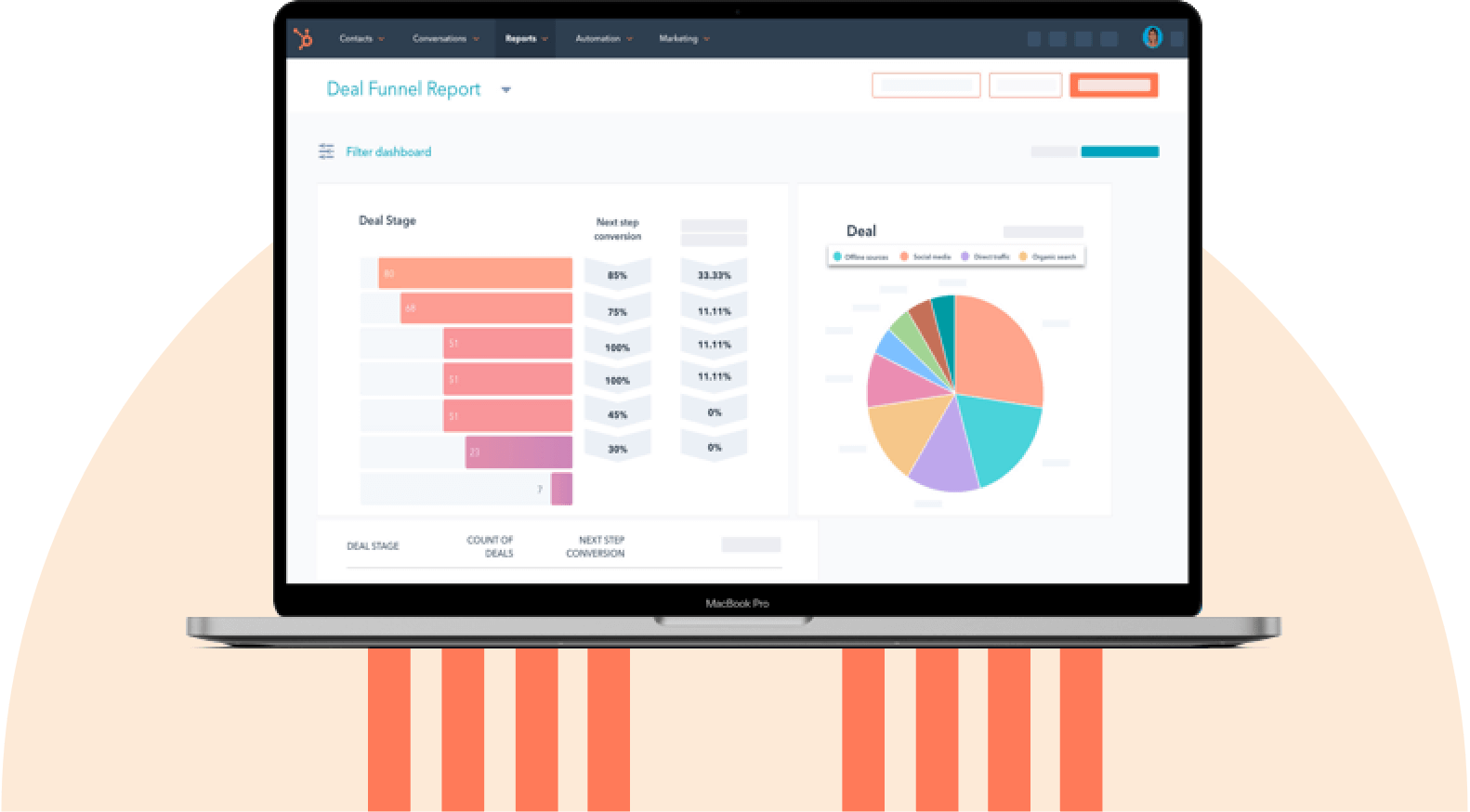
HubSpot's Free CRM Software
Free CRM Software & Tools for Your Whole Team
- Sales
- Marketing
- Operations
- Customer Service
Best CRMs for Construction Companies at a Glance
The best CRM for construction companies depends on team size, workflow complexity, and field needs. The table below compares the top options based on usability, features, and ideal use cases.
Best CRM Software for Construction Businesses
The best CRM software for construction companies helps contractors track bids, manage relationships, and improve consistency of follow-ups. While many CRMs offer similar core features, the right choice depends on how your business operates, especially across job sites, sales cycles, and project complexity.
Below are the top CRM tools for contractors, based on usability, scalability, and construction-specific workflows.
1. HubSpot

HubSpot is a modern CRM platform that helps construction teams track leads, manage bids, and centralize communication across the entire customer lifecycle—from first inquiry to closed job. It includes HubSpot’s built-in AI system that automates workflows, surfaces insights, and assists with data entry and analysis. HubSpot works well for construction teams moving away from spreadsheets or disconnected tools — the clean interface drives adoption across both office staff and field teams.
Key Features
- Visual deal pipelines that represent bid stages from lead to won job
- Mobile CRM for jobsite updates and real-time access
- Workflow automation for follow-ups, reminders, and task creation
- Reporting dashboards showing pipeline value, win rate, and activity
Best for: Contractors who want an easy-to-adopt, scalable CRM with strong automation and mobile capabilities
Pricing: Free CRM available. Paid plans start at $10/seat/month ($7/seat/month with annual billing).
What we like: The mobile-first design and workflow automation work together against the biggest pain point construction teams face — missed follow-ups. Field teams can log a site visit on the spot, which automatically triggers the right follow-up task, compounding into more bids won over time.
Pro tip: Set automated workflows to trigger follow-ups after estimates are sent or site visits are completed. Automated reminders prevent estimators and project managers from losing bids when manual tracking breaks down during busy seasons.
2. Procore

Procore is a construction-specific platform that integrates preconstruction, bidding, and project execution into a single system. Unlike general-purpose CRMs, Procore is built around the way construction projects actually flow — bid management, document control, and field collaboration are first-class features rather than bolt-ons.
Key Features
- Bid management and preconstruction tools
- RFI and submittal tracking
- Budgeting and financial tracking
- Document and drawing management
Best for: Commercial contractors needing CRM functionality combined with project management.
Pricing: Custom pricing based on annual construction volume (ACV). Procore charges an upfront annual fee tied to the total dollar value of construction work across your projects; contact Procore for a quote.
What we like: Procore was purpose-built for construction, and that focus shows up in workflows like RFI tracking and document control that general-purpose CRMs treat as afterthoughts. For commercial contractors juggling multiple stakeholders per project, that depth pays for itself.
Consideration: Pricing and implementation can be higher and more complex than general-purpose CRMs.
3. Odoo

Odoo is a modular platform that combines CRM with ERP, accounting, inventory, and project management tools. Teams can start with a single module — usually CRM or invoicing — and add others as needs grow, paying only for what they use.
Key Features
- CRM-to-project conversion workflows
- Integrated invoicing and accounting
- Equipment and inventory tracking
- Customizable modules for scaling
Best for: Mid-sized construction companies looking for an all-in-one CRM and business management system.
Pricing: One App Free plan available. Standard plan: $24.90/user/month. Custom plan: $37.40/user/month (both billed annually; monthly billing slightly higher).
What we like: The modular structure lets construction teams expand the platform alongside the business rather than committing to features they don’t need yet. For a mid-sized contractor who isn’t ready for a full ERP investment, that flexibility is the right shape.
Consideration: Setup and customization may require technical expertise or external support.
4. Buildertrend

What it is: Buildertrend is a construction management platform with built-in CRM capabilities designed specifically for home builders and remodelers. The platform leans heavily into the client experience side of residential work — homeowners get a portal where they can track progress, approve selections, and communicate with the contractor in one place.
Key Features
- Client portal for homeowner communication
- Daily logs and jobsite updates
- Lead tracking and pipeline management
- Payment scheduling tied to project milestones
Best for: Residential contractors and home builders focused on client communication and project transparency.
Pricing: Custom pricing only; reported plans start around $339/month with annual billing.
What we like: The homeowner portal is the real differentiator — it turns “client wants an update” from a reactive task into a self-service experience that frees up contractor time and keeps clients happier. For residential work, that’s a real edge.
Consideration: Less flexible as a standalone CRM compared to general-purpose platforms.
5. Pipeline CRM

Pipeline CRM is a lightweight CRM focused on managing leads, deals, and follow-ups without unnecessary complexity. The product is built around a single visual pipeline view and the essential workflows around it.
Key Features
- Visual sales pipeline
- Email tracking and templates
- Activity reminders and task management
- Basic reporting
Best for: Small teams that want to stop tracking jobs in spreadsheets without ramping up to enterprise-grade software.
Pricing: Start: $25/user/month; Develop: $33/user/month; Grow: $49/user/month (all billed annually).
What we like: It does what it sets out to do without scope creep. For a one- or two-person specialty trade shop just trying to stop losing leads in email threads, that focus is genuinely useful — no need to learn modules you’ll never use.
Consideration: Limited scalability and fewer advanced features compared to more robust CRM platforms.
HubSpot's Free CRM Software
Free CRM Software & Tools for Your Whole Team
- Sales
- Marketing
- Operations
- Customer Service
Benefits of CRM Software for Construction
CRM software for construction companies improves the way sales and project workflows connect throughout the full job lifecycle. By centralizing data and streamlining communication, CRMs help construction sales and project teams reduce missed follow-ups, accelerate decision-making, and improve cash flow.
1. Win more bids with consistent follow-ups.

Missed follow-ups are one of the top reasons contractors lose bids. CRM systems reduce lost bids by automating reminders for calls, emails, site visits, and proposal deadlines, ensuring every opportunity is followed through.
Pro tip: Automate follow-ups within 24-48 hours after sending a proposal to increase close rates and maintain client engagement.
2. Keep all project and client data in one place.

Construction CRM software centralizes customer communication across email, calls, and notes. Centralizing communication ensures that every interaction, document, and update is stored in one place, reducing duplicate work and improving coordination between field and office staff.
Pro Tip: Standardize how project managers and field supervisors log notes and activities to build a reliable, searchable project history.
3. Align field and office teams in real time.

Construction CRM software supports field-to-office handoffs by keeping updates, notes, and change orders visible to all teams. Shared visibility reduces delays on change orders, prevents miscommunication between estimators and project managers, and keeps projects moving forward.
Pro tip: Encourage site supervisors and foremen to log updates immediately after site visits — same-day logging is what separates real-time coordination from delayed handoffs.
4. Work seamlessly from the job site.

Mobile CRM access enables job-site updates without returning to the office. Offline capture features help field teams log notes and upload photos even when connectivity is limited, syncing automatically once service is restored.
Pro tip: Train field crews and site supervisors to update project status and client notes on-site to reduce follow-up errors and keep office staff in sync.
5. Improve cash flow with better pipeline visibility.

Reporting dashboards show pipeline value, win rates, and follow-up activity, giving contractors clear insight into projected revenue. Real-time pipeline data helps construction owners and finance leads make sharper decisions about where to focus resources and when to act.
Pro tip: Connect CRM deal data with accounting tools to track project value and payment status in real time.
6 Must-have CRM Features for Construction Success
The best CRM for construction teams supports the full range of bidding, field, and project workflows. These features help contractors stay organized and win more work.
1. Customizable Bid Pipelines for Every Project

Contractor CRM pipelines represent bid stages from lead to won job, including inquiry, estimate, proposal, and negotiation. Customizable pipelines ensure the CRM matches how each contractor actually works.
What We Like
- Visual deal tracking across all projects
- Custom stages for different project type
- Real-time updates for field and office teams
Pro tip: Use color-coded stages to highlight high-priority or at-risk bids.
2. Automated Follow-Up and Task Management

Task automation creates reminders for follow-ups and site visits, reducing the risk of missed opportunities and delays in the sales process.
What We Like
- Automated follow-ups after proposals
- Task creation tied to project milestones
- Alerts for overdue activities
Pro tip: Trigger workflows immediately after sending estimates to maintain momentum.
3. Mobile and Offline Access for Jobsite Updates

Mobile CRM tools give field teams full access to project data on-site. Offline capture ensures updates are logged even in low-signal environments, reducing gaps between field and office teams.
What We Like
- Full CRM functionality on mobile
- Offline data capture
- Easy photo and document uploads
Pro tip: Standardize what field teams log after each visit (e.g., notes, photos, next steps). Consistent inputs improve visibility and reduce back-and-forth with office teams.
4. Integrated Communication Tracking

Construction CRM software centralizes communication across email, calls, and notes, ensuring all stakeholders have access to the same information.
What We Like
- Automatic email and call logging
- Notes tied to specific deals and projects
- Shared visibility across teams
Pro tip: Consistent activity logging creates a complete record for better decision-making.
5. Reporting and Revenue Forecasting

Reporting dashboards show pipeline value, win rates, and follow-up activity, helping contractors track performance and forecast future revenue.
What We Like
- Custom dashboards for pipeline tracking
- Team performance reporting
- Forecasting based on historical data
Pro tip: Use reporting insights to refine bidding strategy and focus on high-ROI projects.
6. Seamless Integrations With Accounting and Project Tools

QuickBooks integration connects sales data with accounting workflows, ensuring accurate financial tracking and reducing manual data entry.
What We Like
- Sync deal data with accounting systems
- Reduce duplicate entries across tools
- Improve financial visibility
Pro tip: Start with one high-impact integration (like accounting) before adding more. This simplifies implementation and helps construction teams adapt faster without overwhelming workflows.
How to Choose the Best CRM for Construction
Choosing the best CRM for construction companies depends on how sales and operations teams manage bids and communicate with clients across job sites. The right system should reduce missed follow-ups and support both office and field workflows without requiring a complicated setup.
The steps below help contractors evaluate CRM software based on real operational needs.
1. Match the CRM to the sales and bidding workflow.
Start by mapping how jobs move from inquiry to contract. A CRM should reflect this process with a clear, visual pipeline.
Contractor CRM pipelines represent bid stages from lead to won job, making it easier to track progress and identify bottlenecks.
Pro tip: Choose a CRM with customizable deal stages that match how the business actually operates.
2. Prioritize ease of use for field teams.
Mobile CRM access enables job-site updates without returning to the office, which is critical for adoption across field teams.
Look for:
- Full-featured mobile apps
- Offline functionality
- Fast, simple data entry
Low adoption in the field is one of the most common reasons CRM implementations fail.
HubSpot's Free CRM Software
Free CRM Software & Tools for Your Whole Team
- Sales
- Marketing
- Operations
- Customer Service
3. Ensure communication is fully centralized.
Construction CRM software centralizes communication across email, calls, and notes, reducing information silos and improving collaboration.
Key capabilities:
- Email and call tracking
- Shared activity history
- Document storage
4. Look for automation that reduces manual work.
CRM for contractors reduces lost bids caused by missed follow-ups by automating key tasks.
Look for:
- Follow-up reminders
- Workflow automation
- Lead nurturing tools
5. Evaluate reporting and forecasting capabilities.
Reporting dashboards show pipeline value, win rates, and follow-up activity, helping contractors make data-driven decisions.
Make sure the CRM can:
- Track deal progress
- Measure performance
- Forecast revenue
6. Check integrations with existing tools.
A construction CRM should integrate with accounting, project management, and ERP systems to ensure smooth data flow.
Key integrations include:
- QuickBooks
- Project management platforms
- Email and calendar tools
7. Consider implementation time and ROI.
Most small to mid-sized contractors can implement a CRM in 2-4 weeks, while more complex setups may take longer.
ROI typically comes from:
- Increased win rates
- Faster follow-ups
- More predictable revenue
Which CRM fits your construction business?
The global construction CRM software market is growing rapidly, with an estimated $2.5B in 2025 and a ~15% CAGR through 2033. As a result, choosing the right CRM by contractor type, team size, and workflow complexity matters for long-term ROI.
Below are the best CRM options based on specific construction business types.
Best for Residential Contractors & Home Builders
Residential contractors and home builders manage high volumes of client communication and ongoing project updates. A CRM for home builders should prioritize client experience, responsiveness, and organization.
Top Pick: HubSpot CRM
Why it works:
- Centralizes homeowner communication (email, calls, notes)
- Automates follow-ups to prevent missed opportunities
- Scales easily as job volume increases
Pro tip: Use automated reminders and email templates to keep homeowners informed throughout the project.
Best for Commercial Contractors
Commercial contractors deal with complex projects involving multiple stakeholders, longer sales cycles, and strict compliance requirements. A CRM for general contractors should support visibility and coordination at scale.
Top Pick: HubSpot CRM or Procore
Why it works:
- Tracks multiple contacts and stakeholders per deal
- Provides reporting for large pipelines
- Supports long, multi-phase sales cycles
Best for Specialty Trades
Specialty contractors (e.g., HVAC, electrical, plumbing) need speed, simplicity, and strong field mobility. CRM for specialty contractors should prioritize frequent updates and mobile access.
Top Pick: HubSpot CRM
Why it works:
- Quick setup with minimal training
- Mobile-first functionality for field teams
- Simple pipeline tracking and task automation
Best for Independent Contractors
Independent contractors need a CRM that is affordable, easy to set up, and accessible on mobile devices.
Top Pick: HubSpot CRM (Free Plan)
Why it works:
- No upfront cost
- Simple interface
- Tracks leads, follow-ups, and deals in one place
Frequently Asked Questions About CRMs for Contractors
What is the best CRM for contractors?
The best CRM for contractors depends on business size and workflow complexity. HubSpot CRM works well across residential, commercial, specialty, and independent contractor segments because of its free tier (good for small or independent operators) and scalable paid plans (good as teams grow). Mobile access supports field workflows for trades, and automation reduces missed follow-ups during busy bidding seasons.
What is the best CRM for construction?
The best CRM for construction depends on a company’s size, workflow complexity, and growth goals. HubSpot CRM is a top choice for most contractors because it combines ease of use, mobile capabilities, and automation.
Construction-specific tools like Procore are better suited for construction teams that need deep project management alongside CRM functions.
What features should I look for in a CRM for construction?
A CRM for construction should address field operations, bid tracking, and communication challenges.
Core features include mobile access, customizable pipelines, communication tracking, and integrations with existing tools. Advanced features — like workflow automation, lead routing, and reporting dashboards — reduce missed follow-ups and improve win rates.
Is HubSpot good for construction companies?
Yes, HubSpot CRM supports residential, commercial, and specialty contractor workflows. Automation streamlines bid follow-ups, document routing, and lead intake. Construction businesses can start with the free tier and scale as their processes grow.
How much does a CRM for construction cost?
CRM pricing for construction companies ranges from free to several hundred dollars per user per month, depending on features and customization. HubSpot offers a robust free CRM with contact management, deal tracking, and reporting, making it ideal for small contractors just starting.
Paid plans unlock advanced automation and reporting, often providing better long-term value than rigid construction-specific CRMs.
Can HubSpot integrate with construction management software?
Yes, HubSpot integrates with construction management software via native integrations, APIs, and tools like Data Hub. Construction teams can connect sales and project workflows with HubSpot. The QuickBooks integration connects sales data with accounting workflows.
These integrations reduce manual entry and ensure sales, project, and finance teams work from accurate, real-time information.
What are the 4 types of CRM?
The four types of CRM each serve a different business function.
- Operational CRM: Automates sales, marketing, and service processes.
- Analytical CRM: Provides reporting and insights into customer data.
- Collaborative CRM: Improves communication across teams and departments.
- Strategic CRM: Focuses on long-term customer relationships and retention.
What’s a good CRM app for independent contractors?
Independent contractors need a CRM that is mobile-friendly, easy to use, and affordable. HubSpot CRM is a strong choice because it offers a free plan with essential features like pipeline tracking, contact management, and task automation.
How long does it take to implement a construction CRM?
Implementation time varies by company size and complexity. Small teams can typically start within one to four weeks, while larger teams with integrations and custom workflows may take two to three months. Choosing a CRM with fast adoption and mobile support helps accelerate implementation.
What ROI can contractors expect from CRM software?
Contractors often see ROI through faster follow-ups, higher win rates, and improved pipeline visibility. CRM software often improves revenue and efficiency within 90 days.
The Top CRM Choice for Construction Companies
The best CRM for construction companies helps contractors stay organized, maintain consistent follow-ups, and win more work. The right system addresses the unique challenges of both office and field operations, centralizing data and improving pipeline visibility without overcomplicating workflows. Starting with a simple, scalable platform and adding automation, reporting, and integrations as needs grow is the most effective path for most construction businesses.
HubSpot CRM supports contractors at every stage, from capturing leads and automating follow-ups to providing a clear view of project pipelines. Teams can start with the free plan and scale as operations grow, keeping sales, field, and finance workflows connected in one place.
HubSpot's Free CRM Software
Free CRM Software & Tools for Your Whole Team
- Sales
- Marketing
- Operations
- Customer Service


-1.png)

%20(1).png)
