CRM selection is the process of choosing a CRM platform based on business needs, budget, and workflows. A well-rounded selection approach helps improve sales, marketing, and customer service while ensuring the CRM can scale as the business grows.

With dozens of CRM platforms offering similar features, choosing among the sales management options can quickly become overwhelming. This guide explains how to evaluate CRM software, identify the features that matter most, and confidently choose a solution that fits your goals, budget, and long-term growth strategy.
Table of Contents
- What is a CRM?
- Does my company need a CRM?
- What are the benefits of CRMs?
- What are the core features of a CRM?
- The CRM Selection Process
- CRM Best Practices After You’ve Chosen a Platform
- Advanced CRM Tips for Long-Term Success
- Frequently Asked Questions About CRM Selection
- Ready to choose the right CRM?
What is a CRM?
A Customer Relationship Management (CRM) system is software that helps businesses organize, track, and manage interactions with prospects and customers throughout the customer lifecycle.
It centralizes customer data, communication history, sales activities, marketing campaigns, and support interactions in one place. This unified data enables teams to build stronger relationships, streamline processes, and make more informed business decisions.

Historically, CRMs largely served as passive tools to manage data. More recently, the integration of AI-powered features into CRMs has enabled these systems not only to organize and display information but also to proactively analyze it and offer intelligent insights to take the right next step. According to research, 94% of sales leaders now actively use AI, and 80% say it’s “fully integrated” with their CRM.
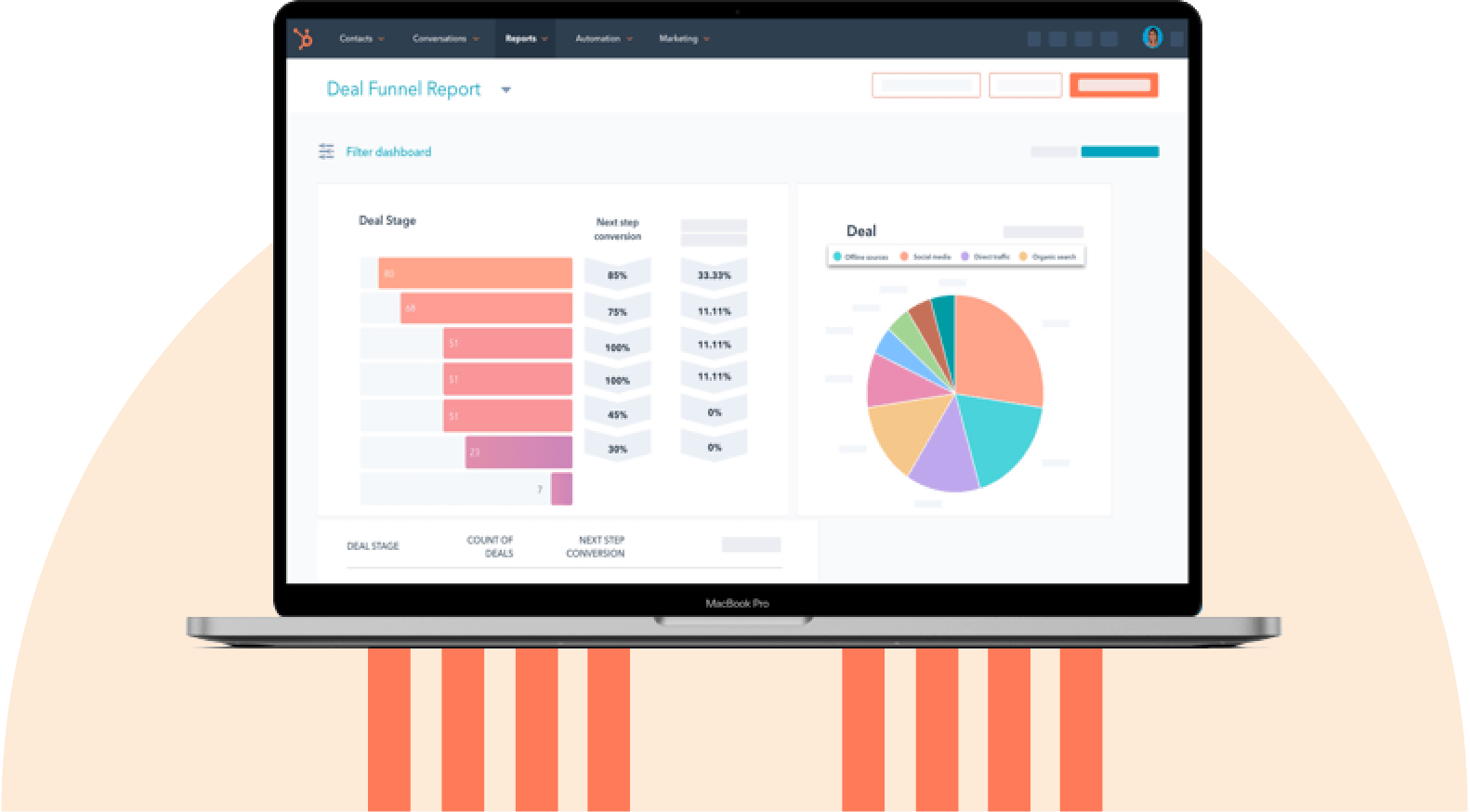
HubSpot's Free CRM Software
Free CRM Software & Tools for Your Whole Team
- Sales
- Marketing
- Operations
- Customer Service
What are the 4 types of CRM?
Four main types of CRM exist: operational, analytical, collaborative, and strategic.
- Operational CRM helps automate and streamline customer-facing processes such as sales, marketing, and customer service. Operational CRMs are best for businesses that want to improve efficiency, automate repetitive tasks, and manage customer interactions on a single platform.
- Analytical CRM focuses on collecting and analyzing customer data to uncover trends, measure performance, and support better business decisions. Analytical CRMs are best for organizations that rely on reporting, forecasting, and customer insights to drive growth.
- Collaborative CRM improves communication and information sharing across teams and departments, as well as at customer touchpoints. Collaborative CRMs work well for businesses that want sales, marketing, and support teams to work from the same customer data and deliver a consistent customer experience.
- Strategic CRM prioritizes building long-term customer relationships by understanding customer needs, increasing loyalty, and improving lifetime value. Strategic CRMs are for organizations focused on customer retention, personalization, and long-term growth.
While each CRM type serves a different business purpose, many modern CRM platforms such as HubSpot Smart CRM combine capabilities across operational, analytical, collaborative, and strategic capabilities into a single system, allowing businesses to manage customer relationships without purchasing separate tools.
Does my company need a CRM?
Not every company necessarily needs a CRM. The answer depends on several factors, ranging from whether information about prospects and customers is scattered across locations to whether teams slow down to access it. That said, two types of companies are most likely to benefit from leveraging a CRM:
- B2B companies that track leads across longer, consultative sales cycles and through upgrade paths (e.g., software companies, agencies, or recruiting firms).
- Considered-purchase B2C companies (e.g., realtors, financial services, or landscaping services).
Even for companies that fall into one of these two categories, a CRM’s need isn’t a given. To figure out whether your specific company needs a CRM, here are some questions to ask:
- Do I need records of information about my prospects and customers?
- Does that information currently live in many different places?
- Is it becoming difficult to manage my data?
- Do my customers regularly interact with multiple people on my team?
- Do I need a better way to measure my sales team’s productivity?
- Is my team getting slowed down because they have to jump between different systems to find data about leads or customers?
If you answered ‘yes’ to any of the questions above, your business might benefit from a CRM.
Pro tip: From my experience, I’ve figured that adopting a CRM sooner rather than later helps teams avoid frustration and saves countless future headaches.
What are the benefits of CRMs?
Implementing a CRM helps businesses centralize customer information and use it to run a more efficient sales organization. By automating data management, tracking sales performance, improving forecasting, enabling customer segmentation, and providing visibility into sales trends, a CRM benefits teams by giving them the information they need to make smarter decisions and scale their sales process.
Automated Data Management

CRM software streamlines the sales process by consolidating all lead and customer information in one place and automating data entry.
Over the course of my career, I’ve learned time and again that a business’s most valuable and important asset is its customer base. But unfortunately, at many companies, knowledge about customers is stored in lots of different places, from the CEO’s brain to a sales rep’s inbox, an accountant’s records, or even a spreadsheet.
The problem with this disconnected approach is that as the company grows, it becomes cumbersome for your sales team to find information about customers and prospects. As a result, sales processes become increasingly time-consuming and frustrating, causing both the team and customers to suffer.
In fact, research shows that 88% of revenue leaders feel a single, integrated platform benefits their sales process because the disconnect between tools is where deals slow down and slip away.
Sales Reporting
A CRM helps track quota attainment and activity metrics, such as emails sent, calls made, meetings booked, opportunities created, and deals closed. By providing real-time visibility into sales performance and team activity, a CRM helps businesses identify bottlenecks, optimize sales processes, and drive more predictable revenue growth.
Accurate Sales Forecasting
Rather than relying on complicated formulas or back-of-the-napkin math, a CRM helps generate an accurate sales funnel, making it easier to forecast future sales and manage your team’s pipeline effectively.
Customer Segmentation
By segmenting prospects by parameters such as location, deal size, or close date, CRMs make it easy to identify specific regions or industries to sell into and to benchmark the average sales cycle.
Scaling a Sales Process
To grow any business, teams need to test different strategies — and without the information stored in a CRM, it’s like shooting in the dark. A CRM offers visibility into the data needed to spot behavioral patterns, identify trends, and distinguish effective sales tactics from ineffective ones.
What are the core features of a CRM?
The core features of a CRM fall into three categories. Together, these features help businesses track customer interactions, manage pipelines, and drive better sales outcomes.
- Essential sales management tools
- Advanced productivity features
- AI-powered capabilities
HubSpot's Free CRM Software
Free CRM Software & Tools for Your Whole Team
- Sales
- Marketing
- Operations
- Customer Service
Basic CRM Features
Basic CRM features provide the foundation for managing customer relationships and sales activities. These essential capabilities help businesses organize customer information, track deals through the sales pipeline, monitor performance with reporting and analytics, and standardize sales processes to improve efficiency and consistency across teams.
- Contact management: CRMs provide contact management as a searchable database to store customer and prospect information and relevant documents.
- Pipeline management and sales forecasting: CRM pipeline management and sales forecasting features make it easy to visualize the entire sales pipeline and to move deals from one stage to the next, eliminating mental math to figure out what’s closing this month.
- Reporting and analytics: CRM reporting features let sales leaders track their team’s activity and revenue growth, guiding both team coaching and sales forecasting.
- Process standardization: CRMs help standardize business processes through unified task lists, calendars, alerts, and templates.
Advanced CRM Features
Advanced CRM features improve productivity, streamline communication, and support more effective sales execution. Advanced capabilities include email and software integrations, activity tracking, call recording, mobile access, and collaboration tools that reduce manual work, keep customer data up to date, and help sales teams engage prospects more efficiently.
- Email integration: Modern CRMs integrate with the existing email client, enabling automatic logging of prospect interactions and pulling useful context directly from one’s inbox. This integration eliminates a substantial amount of manual data entry.
Personally, I’ve found that it’s a major factor in determining whether your sales team will actually use the CRM. - Email tracking: With email tracking features, reps can see whether their email was opened, whether a link in it was clicked, or whether a document was viewed. These insights empower them to follow up more effectively.
- Call recording: With recording capabilities, reps can call prospects directly from the CRM and log the interaction, making it easier for managers to coach salespeople.
- Interaction tracking: CRMs with integration tracking streamline a sales rep’s day by automatically logging information about every touchpoint with a prospect (such as an email, phone call, social media message, or website visit).

- Software integrations: Most organizations use several software systems. A CRM that integrates with existing tools minimizes the time reps spend switching between apps.
- Leaderboards: Some CRMs foster friendly competition by tracking and displaying salespeople’s activity levels and forecasted pipelines to inspire others.
- Mobile CRM: Mobile-friendly CRMs help sales reps, who are often on the go, access the platform outside the office.
AI CRM Features
Many CRMs today use artificial intelligence to automate repetitive tasks, improve data hygiene, and generate insights that help teams make faster, more informed decisions. Common AI capabilities in CRMs include chatbots for lead qualification, call analysis, automated data cleaning, and customer insights. These enable sales and marketing teams to work more efficiently and personalize customer interactions at scale.
- Chatbots: A chatbot in a CRM can use generative AI to answer questions and provide a first round of qualification before a lead talks to a human rep, saving sales teams substantial time.
- Call analysis: For junior sales reps, analyzing call recordings is critical for gathering feedback and helping people improve. Unfortunately, this process can be highly time-consuming. An automated, AI-powered tool in the CRM can analyze call recordings, extracting actionable insights and areas for improvement at the click of a button.
Data cleaning: Most spreadsheets are full of duplicates, inconsistencies, and other issues. An AI-powered CRM quickly and easily cleans data, ensuring updates aren’t missed and that one customer isn’t confused for another. For instance, Smart CRM eliminates the need to chase down data or manually fix errors.

- Customer insights: AI-powered CRMs offer automated, data-driven insights into customer trends. This information makes it easy to identify top-priority leads and opportunities to improve the sales process.
The CRM Selection Process
The right CRM choice supports current business goals, fits existing workflows, and scales as the organization grows. Making the right choice for your business requires more than merely comparing features across different software options.
A well-rounded CRM selection process starts with defining requirements and business goals, auditing current tools, data, and integrations, and prioritizing the must-have and nice-to-have features. Then, proper CRM selection requires shortlisting vendors and evaluating demos to make the choice, and then working on implementation.

1. Define business goals and identify CRM users.
Start by identifying what the business wants to achieve with a CRM. Common goals across organizations include increasing sales productivity, improving customer service, automating marketing campaigns, or creating a single source of customer data.
Next, identify who will use the CRM every day to achieve these goals. Sales, marketing, customer service, operations, and leadership teams often have different requirements. Involving key stakeholders early helps ensure the selected CRM meets the needs of every department. For most teams, CRM software selection criteria include ease of use, scalability, and customization options.
2. Audit current tools and workflows.
Review the existing systems and processes before evaluating CRM vendors. Document how leads are captured, how customer information is managed, where manual work slows teams down, and which tools employees rely on today. Undergoing this assessment can highlight workflow gaps, duplicate processes, and integration requirements that the new CRM must address.
3. Document functional and technical requirements.
With clarity about goals, users, and existing workflows, create a prioritized list of must-have, should-have, and nice-to-have requirements in your CRM. This keeps vendor comparisons focused on business needs instead of feature checklists so teams can compare them objectively. Here are some of the most common functional and technical requirements that teams look for in a CRM:
- Contact and account management
- Sales pipeline management
- Marketing automation
- Customer service and ticketing
- Workflow automation
- Reporting and dashboards
- AI-powered insights
- Third-party integrations
- User permissions and security controls
4. Shortlist CRM vendors.
Next, research different CRM providers that align with your organization’s size, industry, budget, and growth plans. Eliminate platforms that lack critical functionality or exceed budget before scheduling product demonstrations.
As part of the shortlist, compare factors such as pricing models, implementation timelines, scalability, customer reviews, available integrations, and vendor support. Narrowing the list to three to five strong candidates makes the evaluation process more manageable.
5. Evaluate demos and free trials.
Trying out product demos and free trials provides the best opportunity to see how each CRM performs in real-world scenarios. Thus, instead of focusing only on feature presentations, ask vendors to demonstrate the workflows employees use most frequently.
During evaluations, assess how intuitive the interface is, how quickly common tasks can be completed, and whether automation, reporting, and collaboration tools support daily operations. Gathering feedback from end users at this stage can improve post-purchase adoption.
6. Plan implementation and user adoption.
CRM selection doesn’t end when a vendor is chosen. Successful implementation requires data migration, system configuration, user training, and change management to ensure adoption with engagement. Planning for adoption early helps teams realize value faster and increases long-term CRM usage across the organization. To that end, create an implementation plan that includes timelines, ownership, employee onboarding, and success metrics.
CRM Selection Checklist
Using a consistent evaluation framework helps to compare CRM platforms objectively and select software that delivers long-term business value rather than simply the longest feature list. Before making a final decision, evaluate every CRM against these key criteria:
- Ease of use and intuitive interface
- Integration with existing business tools
- Customization and workflow automation
- Scalability for future business growth
- Security, compliance, and user permissions
- Mobile access for remote and field teams
- Reporting, dashboards, and AI capabilities
- Total cost of ownership, including implementation and ongoing licensing
- Vendor support, onboarding, training, and documentation
Pro tip: CRM vendor comparison works best with a weighted scoring matrix.
CRM Best Practices After You’ve Chosen a Platform
Even the best CRM delivers value only when implemented well and used consistently. That means setting clear goals, driving adoption, and continuously optimizing workflows. Following these CRM tips helps organizations improve data quality, strengthen customer relationships, and maximize their CRM investment.

Set clear, measurable goals.
Define what success looks like before rolling out the CRM. Tie implementation to specific business outcomes — such as improving lead conversion rates, reducing sales cycle length, increasing customer retention, or boosting revenue — and track the metrics that demonstrate ROI.
Pro tip: Set SMART (Specific, Measurable, Achievable, Relevant, and Time-Bound) goals to ensure teams are using the most important CRM features for their organization. For example, if you’re looking to boost your team’s efficiency, focusing on automating tasks such as customer outreach, follow-up, and invoicing may make sense.
Train the team and drive consistent adoption.

Small business marketing expert Janette Novak explains: “Weak user adoption is a key reason CRMs fail. If your team does not understand the immense benefits of your CRM or is not properly trained to use it correctly, your CRM is doomed. That’s why developing an effective user training program is a crucial CRM best practice.”
To ensure proper understanding and regular usage, provide role-specific training so every team understands how the CRM supports their daily work. Establish clear expectations for data entry, pipeline updates, and activity tracking, and reinforce consistent usage through onboarding, documentation, and regular coaching.
Leverage automation.
Siloed systems lead to massive manual work. Statistically, 43% of revenue teams spend 6-10 hours per month reconciling data.
To address this, Maret Reutelingsperger, consultant at Mobe Digital, suggests “ Use automation!” She recommends starting with high-impact workflows such as lead routing, follow-up reminders, task creation, contact assignment, and deal stage updates, so teams can spend more time building client relationships rather than on repetitive manual work.
Align sales and marketing.
Using the CRM efficiently means multiple teams — particularly sales and marketing — use the system. The idea is for everyone to use the tool to work together toward a common goal. However, this doesn’t always happen, and research shows that 23% of sales leaders cite overall sales-marketing alignment as their top blocker.
To address this using the CRM, create shared definitions for leads, lifecycle stages, qualification criteria, and conversion goals. Implementing clearly documented handoff points between marketing and sales can help reduce friction, improve lead quality, and provide more accurate reporting across the funnel.
Use AI features strategically.
Rather than enabling every AI feature simultaneously, begin with a few high-value use cases such as drafting sales emails or forecasting pipeline performance. Measure the results, gather user feedback, and expand AI adoption as teams become more comfortable with the technology.
HubSpot's Free CRM Software
Free CRM Software & Tools for Your Whole Team
- Sales
- Marketing
- Operations
- Customer Service
Advanced CRM Tips for Long-Term Success
Once the fundamentals are in place, businesses can explore more advanced CRM strategies — like workflow optimization, segmentation, and lead scoring — to improve data quality, personalize experiences, and drive long-term growth.
Enhance data with workflows.
Implementing automated workflows in the CRM can maintain accurate and complete records without relying on manual updates. Workflows enrich customer data, standardize property values, trigger follow-up tasks, send reminders, and update records in response to customer actions. Cleaner data leads to more reliable reporting and more timely customer engagement.
As Maret Reutelingsperger of Mobe Digital puts it, “Using a CRM with workflow functionality can ensure that teams work with the best and most consistent set of information.”
Workflows handle the fundamentals of keeping data clean and consistent, but modern CRMs are taking this further with AI. HubSpot’s Agent Hub, for example, shows what this can look like in practice: AI agents that identify prospects showing buying signals, surface insights on any contact or company, and automatically turn conversations into CRM updates, follow-up drafts, and next steps — all working from your existing CRM data.

Use segmentation for personalization.
Katie White, content marketing manager at Centime, recommends segmenting audiences into smaller groups to apply personalized marketing and messaging. Instead of sending generic messages to your entire CRM database, teams can tailor outreach to address the unique needs of recipients. This can improve engagement, lead nurturing, and ultimately, conversion rates.
She adds, “One best practice I highly recommend when using a CRM system, like HubSpot, is to utilize its segmentation capabilities. Segmentation allows teams to divide the customer base into smaller groups based on specific criteria, such as industry, job title, or behavioral patterns.”
Set up lead scoring.
Implementing lead scoring in the CRM can help develop a deeper understanding of the customer, their interests, and needs, enabling more effective communication.

Amber Vellacott, marketing manager at MyArtBroker, uses Smart CRM and shares the importance of setting up lead scoring for sales and marketing: “It takes some getting your head around for sure. But work out what qualifies your leads as important to you or actions that show intent to your desired conversion.”
Vellacott’s team focuses on page views for conversion-based content, with particular attention to the frequency and recency of those page views. She explains, “Your scoring can lead to you making active segmentation that updates as per your scoring criteria … You can then use this segmentation to prioritize the sales team communications and use smart modules in marketing emails. All enhancing brand touchpoints!”
Turn customers into brand advocates.
A CRM can support growth long after a sale is closed. Richard Marriott, senior partner at Scaled, advises teams to use their CRM to power post-purchase engagement, turning their customers into loyal brand advocates. Strengthening existing customer relationships often delivers higher lifetime value and lower acquisition costs than continually pursuing new prospects. To turn customers into advocates, use CRM data to identify satisfied customers for referral programs, testimonials, case studies, loyalty initiatives, and upsell opportunities.
Marriott reflects, “A lot of focus is placed on top-of-funnel demand for net-new leads and then the handoff from marketing to sales, sometimes without much emphasis on post-purchase experience and customer nurture.” In that vein, Marriott recommends that sales reps “think of the CRM as a perpetual to continuously develop the view of your high-value customers, improve retention and renewals through nurture, and turn customers into brand evangelists.”
Frequently Asked Questions About CRM Selection
What is the CRM selection process?
The CRM selection process is the structured approach businesses use to evaluate, compare, and choose a customer relationship management platform. It involves defining business requirements, identifying key stakeholders, evaluating vendors, testing shortlisted solutions, and selecting the CRM that best aligns with business goals.
What are the 4 types of CRM?
The four main types of CRM are operational CRM, analytical CRM, collaborative CRM, and strategic CRM. Operational CRM streamlines sales, marketing, and customer service workflows, while analytical CRM focuses on customer data and insights. Collaborative CRM improves information sharing across teams, and strategic CRM helps businesses build long-term customer relationships.
What are the top 5 CRMs?
The best CRM depends on a company’s size, budget, and business needs, but some of the most widely used platforms include Smart CRM, Salesforce, Microsoft Dynamics 365, Zoho CRM, and Pipedrive. Rather than choosing a CRM based on popularity alone, evaluate each platform’s features, integrations, scalability, and total cost of ownership to find the right fit.
What is a CRM and examples?
A CRM, or customer relationship management system, is software that helps businesses manage customer information, sales activities, marketing campaigns, and customer support in one place. These platforms help to organize customer data, automate repetitive tasks, and build stronger customer relationships. Common CRM examples include Smart CRM, Salesforce, Zoho CRM, Microsoft Dynamics 365, and Pipedrive.
Ready to choose the right CRM?
The right CRM choice can help businesses centralize customer data, streamline sales processes, improve forecasting, and build stronger customer relationships. Reaping these benefits starts with choosing a platform that aligns with one’s business goals, team workflows, budget, and long-term growth plans.
By following a structured CRM selection process and evaluating features, integrations, scalability, and ease of use, you can confidently invest in a solution that supports your business today and as it grows.
If you’re ready to explore a CRM that combines powerful sales, marketing, customer service, and AI capabilities in one platform, get started with Smart CRM and see how it can help your team work smarter and grow faster.
Editor's note: This post was originally published in March 2017 and has been updated for comprehensiveness.
HubSpot's Free CRM Software
Free CRM Software & Tools for Your Whole Team
- Sales
- Marketing
- Operations
- Customer Service
%20(6).png)
![How to build a CRM in Google Sheets [free template]](https://53.fs1.hubspotusercontent-na1.net/hubfs/53/google-sheets-crm-1-20251210-8327154.webp)