


Customers have questions, and they don’t want to email a rep to find answers. That’s where knowledge base software can help. Knowledge base software reduces repetitive support questions by letting customers look up solutions themselves. The result is ticket deflection and more time for reps to handle big issues.

This article helps teams pick customer tools for ticket deflection and showcases the best knowledge base options on the market. From there, you’ll learn how to measure success.
What is knowledge base software, and how does it reduce tickets?
Knowledge base software is a centralized repository of help articles and information, so users can find answers to common questions. Knowledge base software reduces support tickets by allowing customers to self-serve solutions. They can find answers and resolve issues on their own, instead of needing to create a support ticket.
When building a successful knowledge base, the quality of each article matters more than the quantity of content in a database. Each article should be clear, accurate, and up-to-date.

HubSpot's Knowledge Base Software
Enable customers to get answers quickly with a searchable knowledge base built from common support questions.
- Create self-serve help articles that are optimized for search
- Make it easy to browse knowledge base articles by topic
- Improve knowledge base content and fill gaps with insights
- And more!
How to Choose Customer Tools for Ticket Deflection
Before choosing a knowledge base software, support teams should make a list of their biggest pain points. Then, they can review which solutions match their desired outcomes. Common selection criteria include:
- AI and search capabilities.
- Analytics and reporting.
- Integration capabilities.
- Localization.
- And the ability to prioritize topics for the platform rollout.
Let’s look at each of these items in more detail.
AI and Search Capabilities
AI-powered knowledge base platforms should help teams identify gaps in their content library. From there, AI tools can make suggestions about what’s missing and craft the articles for reps to review. HubSpot’s knowledge base agent can help you find what’s missing and plug the holes.
AI is also essential for teams that use chatbots as a first line of customer service support. The knowledge base should understand natural-language questions, instead of just relying solely on keywords. When customers can ask nuanced questions, they can still find the answers they need. AI solutions should also route complex questions to a human rep. Tools like HubSpot help customers find answers quickly and use AI to deliver conversational experiences.
Analytics and Reporting
Support leaders and service managers need access to robust reporting. With the right metrics in mind, leaders can determine whether the knowledge base tool actually resolves customer issues. Teams should be able to see which articles are being viewed, what customers are searching for, and which searches return zero results.
HubSpot knowledge base takes reporting a step further by surfacing analytics across different languages and regions. The platform also offers API connections for custom reporting with other business intelligence tools. Reporting insights like these help support leaders identify content gaps and prioritize what content to improve.
Integration Capabilities
With the right integrations, support teams move away from disconnected support experiences. A robust knowledge base software tool, like HubSpot’s knowledge base, integrates with key systems like the team’s CRM, help desk, AI agent or chatbot, and customer portal. The right integrations allow a knowledge base platform to surface relevant articles to a customer based on factors such as the products they have purchased, in-app behavior, or past ticket history.
Localization
Even if the support team can’t speak multiple languages or sits in one country, knowledge bases should be localized. As companies scale, support leaders will want to have software tools that streamline creating localized content and translating existing content into new languages. Today, many knowledge base software platforms include AI-powered localization and translation features, allowing the company’s self-service strategy to scale alongside the business.
Easy Prioritization
When implementing customer tools for ticket deflection, teams shouldn’t launch everything at once. Look for features that allow for a phased implementation. That includes easy content creation and migration, templates, and reusable workflows. Start with a small set of articles that could eventually expand into new topics, audiences, products, and languages.
Now that we’ve covered what to look for in customer tools for ticket deflection, let’s quickly review the differences between a knowledge base and a customer portal, as well as how these two offerings can be used together.
Customer portal vs. knowledge base: When do you need both?
Customer portals and knowledge bases are both customer tools for ticket deflection. A knowledge base gathers articles that answer customer questions. Meanwhile, a customer portal is a secure, customer-facing space where users can access information and take actions related to their account or support needs.
A knowledge base is typically a public self-service resource, meaning it doesn’t require a login and anyone can access the information. A customer portal, on the other hand, requires a login to access account-specific information.
While these resources serve different purposes, they can be used together to reduce support tickets. HubSpot’s customer portal gives customers access to support tickets and the knowledge base. After logging in, customers can easily find answers to common questions while taking action on their account.
Next, let’s take a look at a few great customer tools for ticket deflection.
The Best Knowledge Bases and Customer Tools for Ticket Deflection
When shopping for customer tools for ticket deflection, CX decision-makers should look for a product that makes answers easy for customers to find. Teams should also evaluate if the tool fits into the organization’s current tech stack and if the product can scale with the business.
Below is a list of 7 standout knowledge base software platforms and the key features that make them great.
HubSpot Service Hub
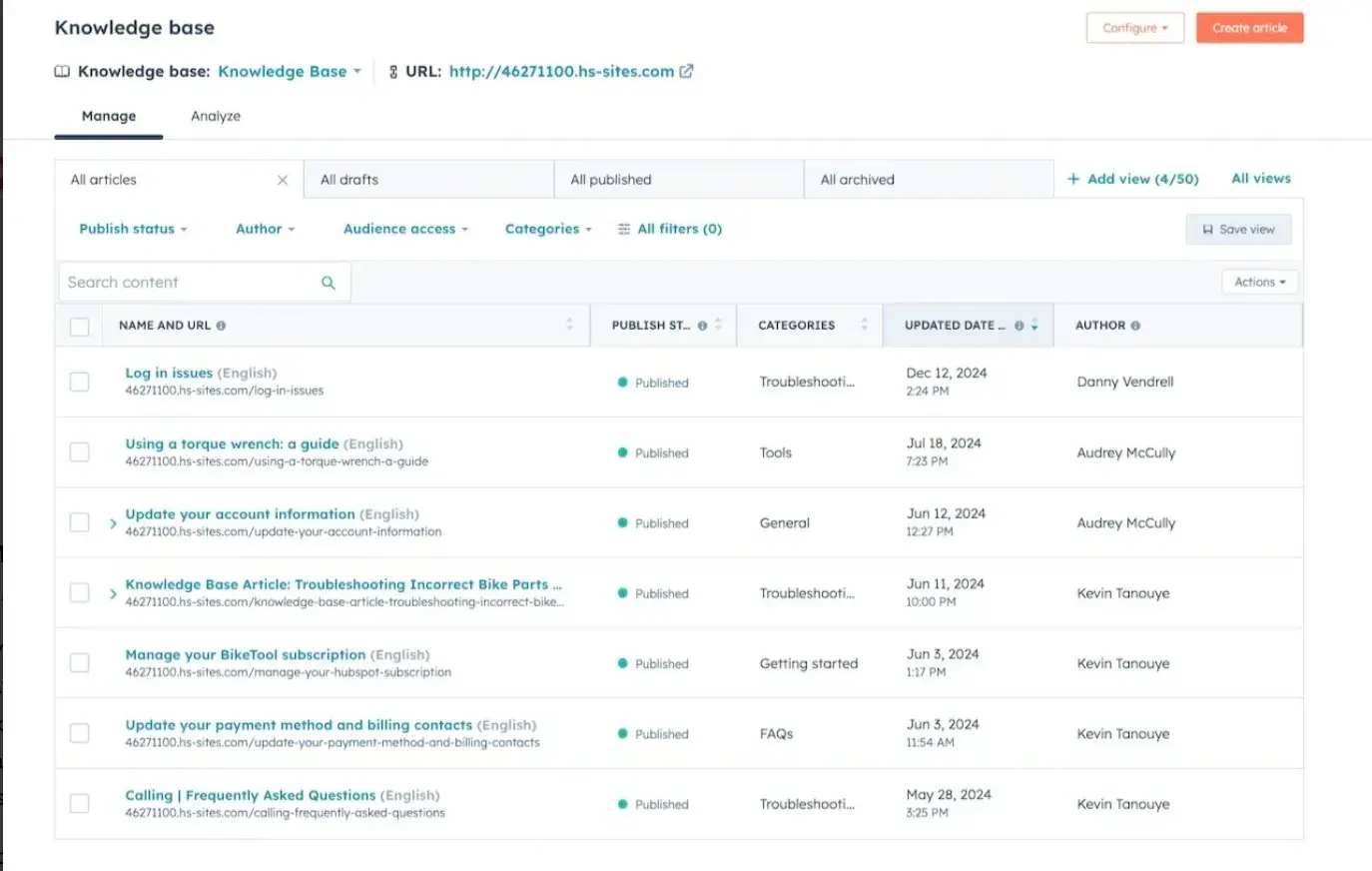
HubSpot’s knowledge base platform combines search, AI, analytics, content management, and support tools into a single platform. AI-powered search helps customers find answers quickly. Built-in analytics show support leaders which articles are improving ticket deflection and which ones don’t.
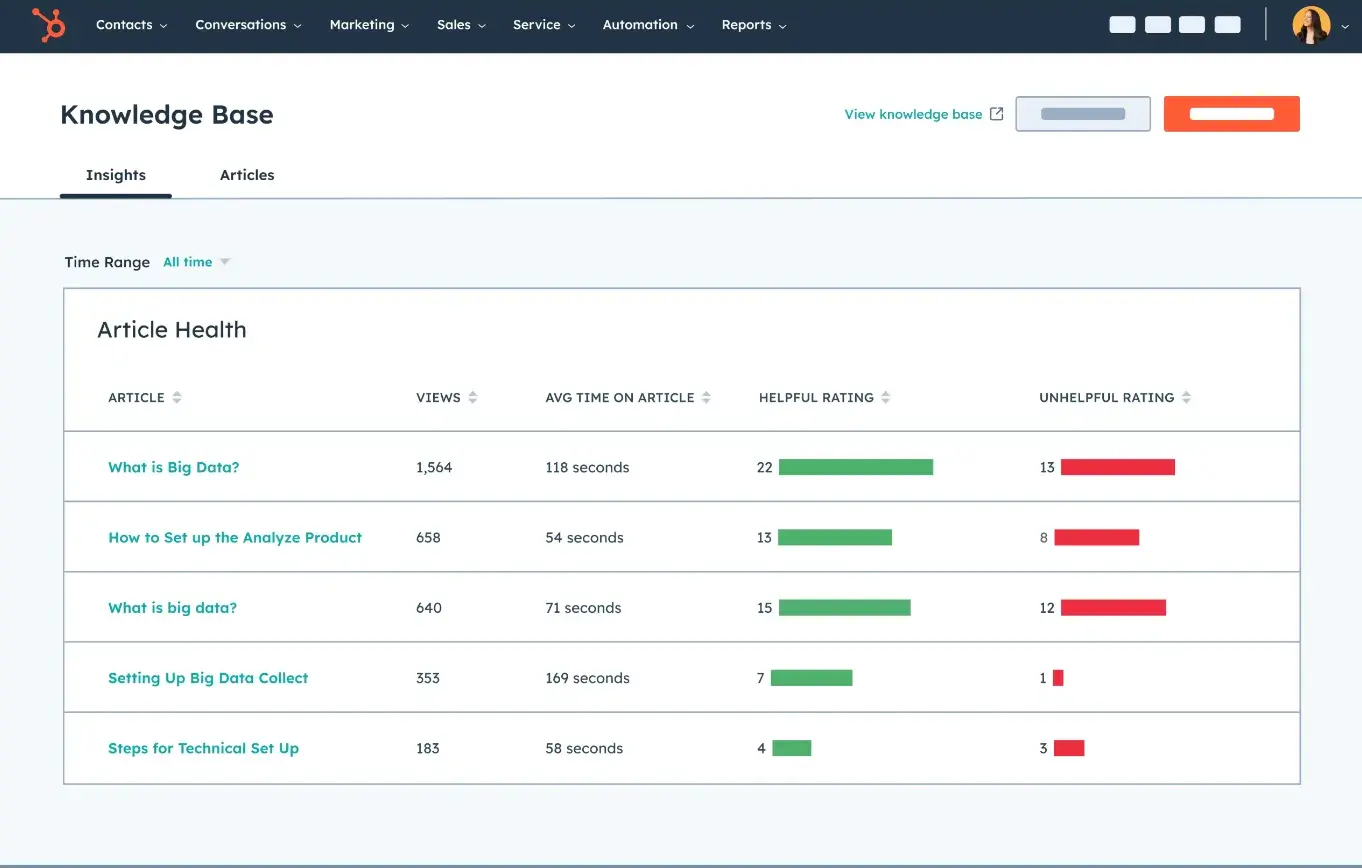
Custom filters, article management tools, and API integrations also make it easier for support teams to build tailored reporting. That information helps teams scale their content strategy.
Key Features
- Excellent integration capabilities: HubSpot offers robust integration capabilities. Knowledge bases connect to the CRM, help desk, and other key support tools. When customer data is unified, companies can deliver more personalized self-service experiences to their customers.
- Multi-language publishing: Users can create self-serve help articles in multiple languages that are optimized for search, allowing teams to support customers across the globe.
- AI-powered content creation and maintenance via Knowledge Base Agent: If you’re finding it difficult to keep up with content creation and maintenance, check out knowledge base agent. This AI agent identifies content gaps and generates new articles from successful support interactions. The knowledge base grows smarter with every conversation.
Price: Free plans are available. Paid plans start at $20 per month per seat, or $7 per month for promotional pricing.
What I like: HubSpot’s Smart CRM tracks which knowledge base articles have already been seen by customers, so teams know what’s working. Beyond that, I’ve worked at hyper-growth companies where it was a constant challenge to keep support documentation up-to-date. Having a tool that can recognize when new documentation is a game-changer.
Zendesk
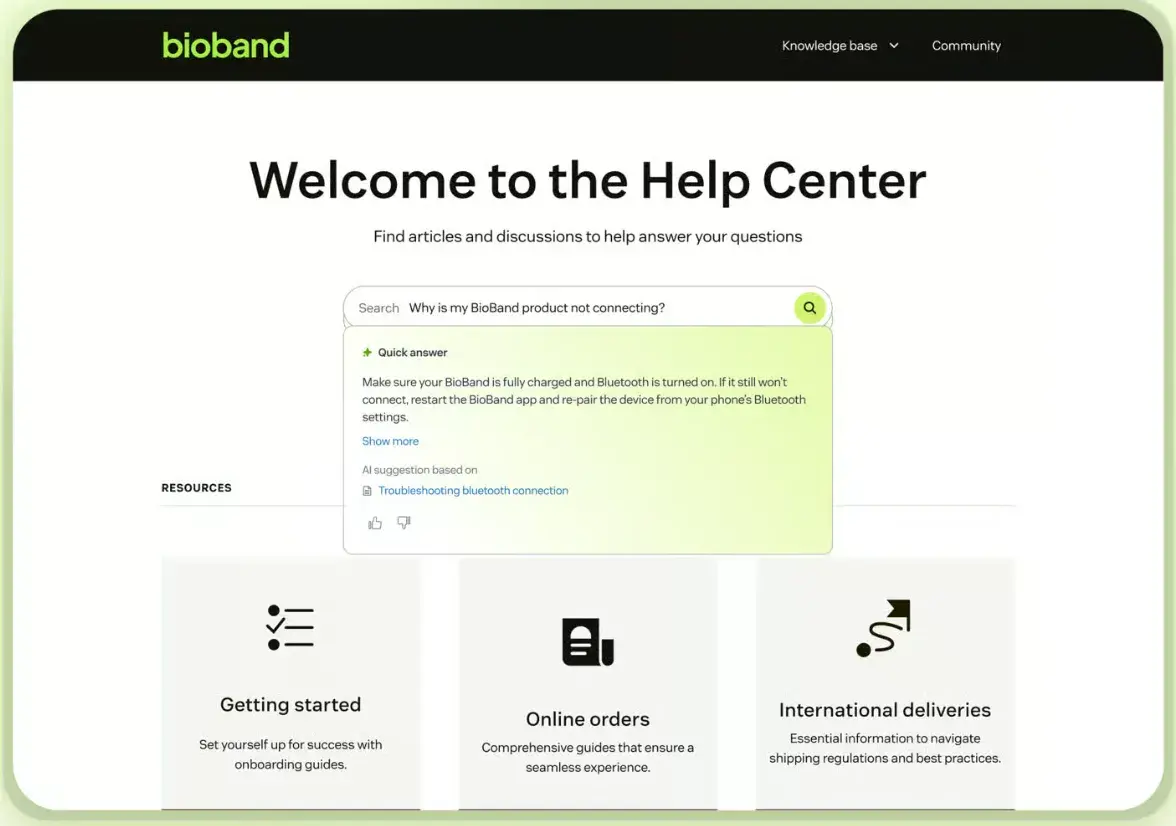
Zendesk’s connected knowledge system brings information together from beyond just the help center. Zendesk offers AI-driven “quick answers” right in the search bar, providing concise replies to customer questions. Beyond that, the company’s Knowledge Graph allows teams to connect approved information from sources like Google Drive and Confluence, so teams don’t need to manually recreate all of that content within the knowledge base.
Key Features
- AI-powered knowledge creation: Zendesk can analyze recent tickets, surface common customer questions, and automatically generate a proposed knowledge base structure and draft articles.
- Deflection analytics and insights: Built-in dashboards go beyond just basic article views. Analytics surface self-service outcomes, article performance, search behavior, and searches that are still resulting in ticket creation.
HubSpot's Knowledge Base Software
Enable customers to get answers quickly with a searchable knowledge base built from common support questions.
- Create self-serve help articles that are optimized for search
- Make it easy to browse knowledge base articles by topic
- Improve knowledge base content and fill gaps with insights
- And more!
Price: After a 14-day free trial, plans start at $55/month per agent.
What I like: I like the quick-answer functionality that’s included in this platform. Customers can quickly find what they need if they’re looking for a direct answer to a single question. When I’m directed to a help center article, I usually do “control F” to find exactly what I’m looking for anyway, and this quick-answer functionality simplifies the search process.
Salesforce Knowledge
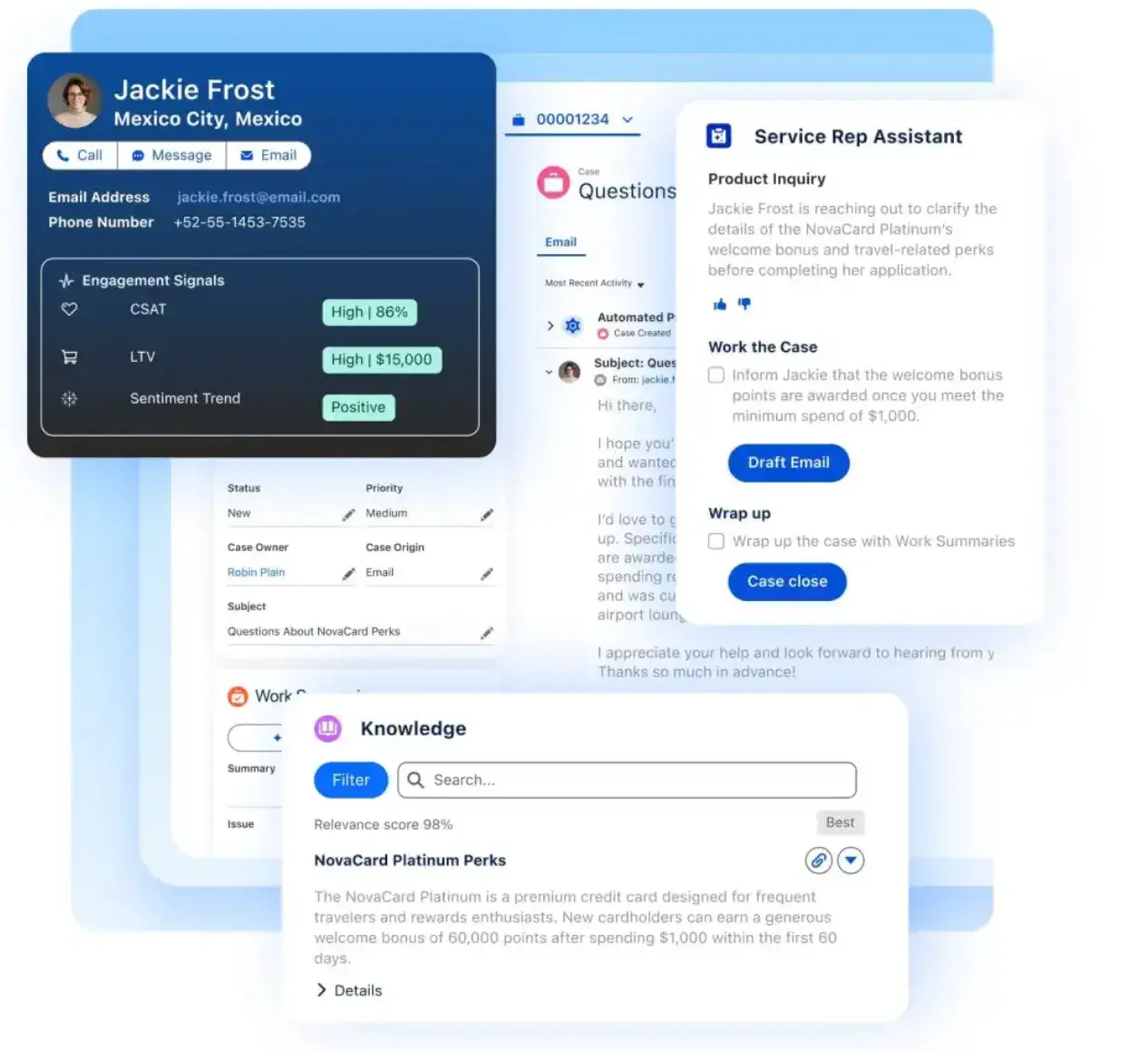
Salesforce Knowledge isn’t just a help center. Knowledge is built into support workflows. Support reps can search and attach relevant articles directly to cases, while the same knowledge can be published externally for customers. Salesforce also offers strong multilingual capabilities.
Key Features
- Knowledge-centered approach: Support teams can improve and create knowledge as part of their normal case-resolution workflow. They just need to search for and attach relevant articles directly from a case.
- Strong content governance/permissions: Salesforce offers fairly granular control over who can create, edit, approve, publish, and access knowledge.
- Knowledge maps that help discoverability: Salesforce recently added Knowledge Maps to help organize articles into hierarchical structures. This helps both customers and agents find what they need across a large knowledge base.
Price: Salesforce Knowledge is built into Service Cloud, where plans start at $25 per user, per month.
What I like: Granular permissions around content access come in handy for companies that want to create and publish content for specific customer segments. Organizations that have pooled or scaled CSM models, for example, may want to create extra KB content geared toward customers without a dedicated CSM.
Kustomer
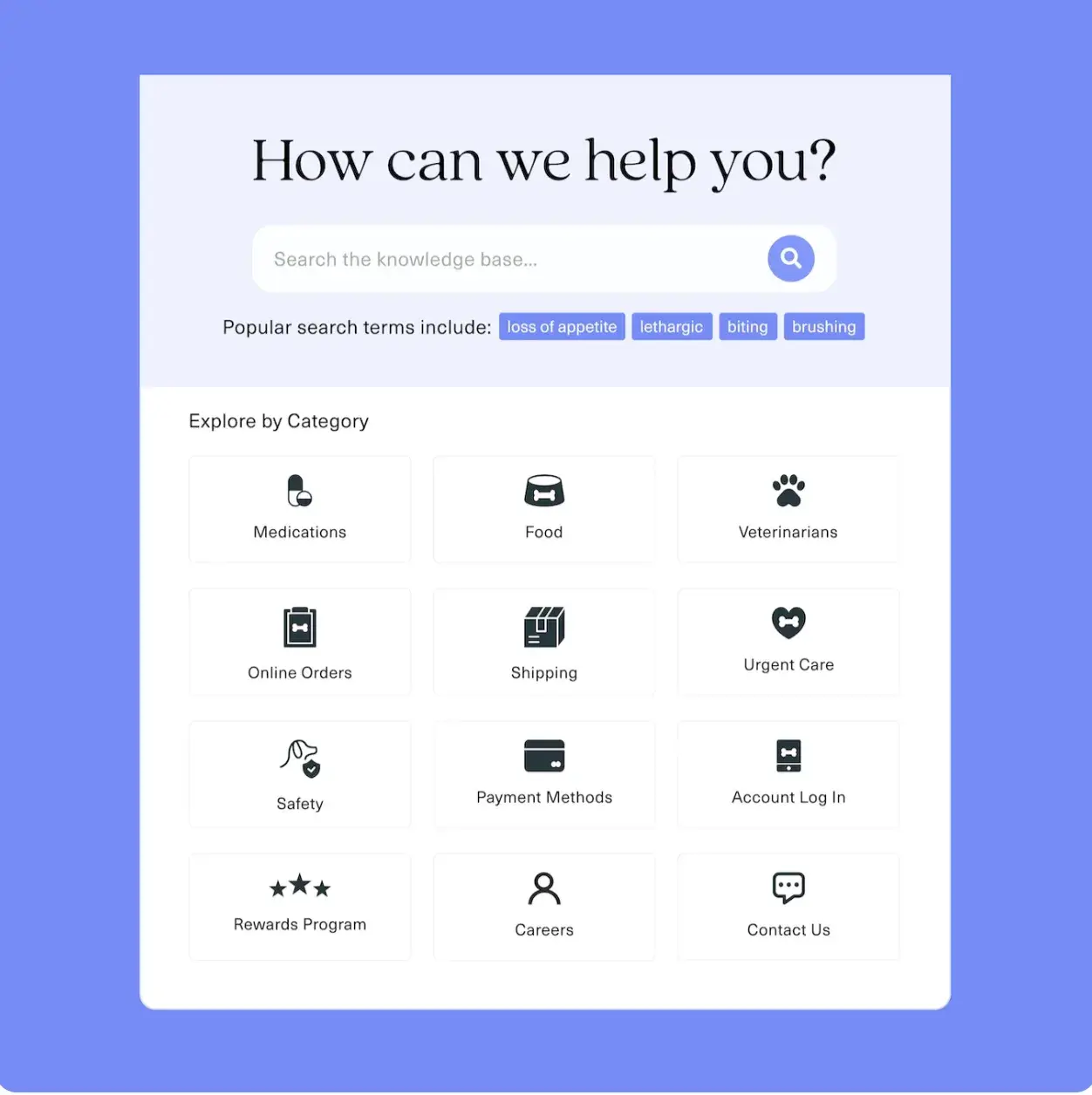
Kustomer’s knowledge base takes a unique approach that’s designed to help customers find answers without contacting support. The platform places a strong emphasis on searchability and SEO. Kustomer acknowledges that “customer support journeys often begin with a Google search,” so their Knowledge Base tool is search-engine optimized.
Key Features
- AI-powered content creation and optimization: Kustomer’s AI knowledge base assistant helps create articles, identify gaps, and generate SEO-optimized content. These features are designed to do the heavy lifting of maintaining a knowledge base.
- Strong search and SEO focus: Kustomer supports title, keyword, and tag configuration, and it recommends how articles be structured to improve both search results and AI-generated responses.
- Holistic self-service experience: Kustomer’s knowledge base powers AI-driven self-service workflows, like AI chatbot interactions.
- Public + internal knowledge consolidation: Kustomer lets support teams maintain both public and internal articles in one place, allowing agents to search both options from within the Kustomer application.
Price: Pricing is available upon request.
What I like: As someone who often uses AI models to troubleshoot most things, I can definitely see the value of having your knowledge base content surface in search engines and LLM’s.
Document360
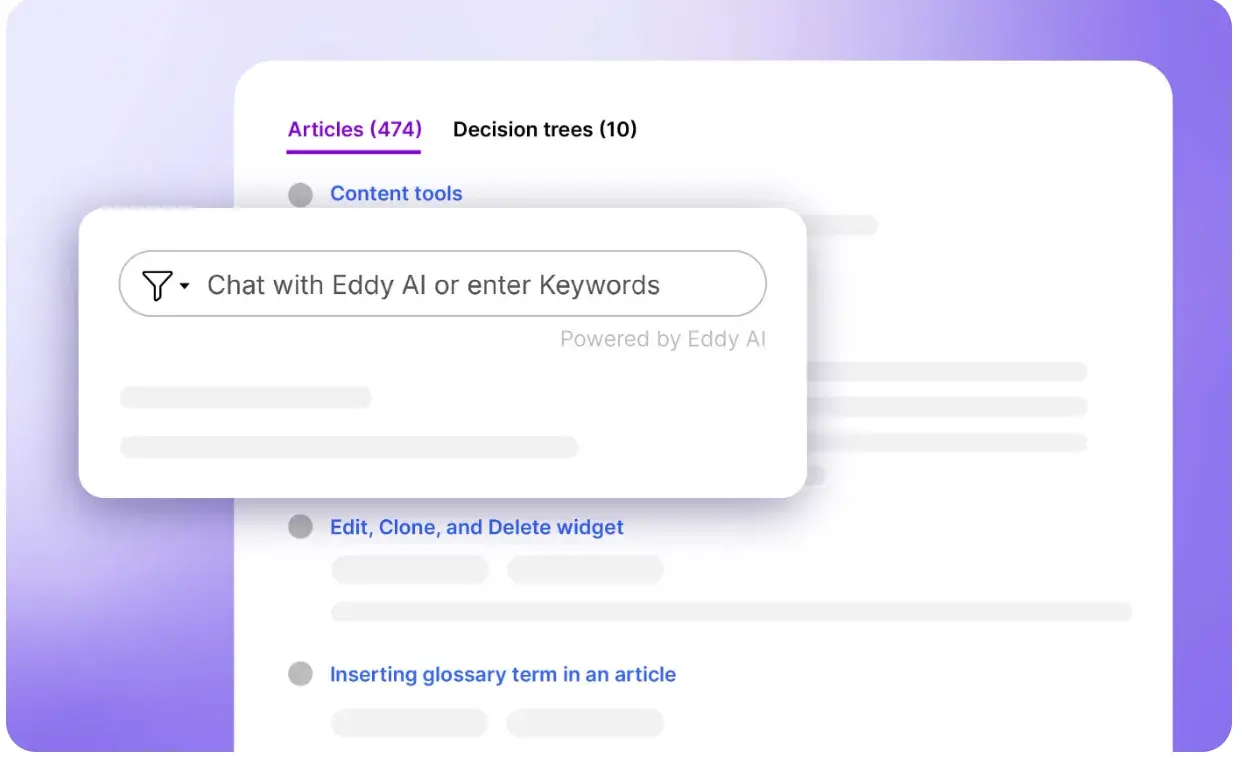
Document360 is a dedicated knowledge base platform that offers AI features to help with authoring, search, security, and self-service. Document360 offers strong governance and maintenance capabilities, as well as detailed analytics.
Key Features
- End-to-end AI functionality: From search and self-service to content drafting, Document 360 offers AI features that teams can actually use to drive efficiency and create relevant content at scale.
- Content governance and maintenance: With features such as custom workflows, role-based access, article lifecycle management, and duplicate content detection, teams of all sizes can determine clear ownership for each knowledge base task.
- Built-in localization and scalability support: The native support for multilingual content and localization makes Document 360 an offering that easily scales with an organization.
Price: Document 360 offers a Free trial. Then, pricing is available upon request. Pricing depends on the number of workspaces, languages, team accounts, and AI usage.
What I like: MCP server integrations are a popular offering right now. Document360 was one of the only software tools on this list that showed an MCP Server integration front and center on their homepage. Many customers want to use their own AI tools inside of the apps they’re using every day, so this is a standout feature.
Guru

One of Guru’s biggest selling points is their ability to connect data from across 100+ sources. When combined with its AI search capabilities, employees can quickly access the information they’re looking for in Guru, no matter where the content is hosted. Reps can use this tool to build a knowledge base or answer customer questions quickly.
Key Features
- Content verification and governance: Guru allows content to be assigned to subject-matter experts for review and verification schedules. The system can also flag unverified or outdated content, automatically archive unused knowledge, and show users whether information is current.
- AI-assisted content creation and maintenance: Native AI functionality can identify knowledge gaps, detect duplicate or conflicting content, and generate structured documentation.
- Knowledge agents to scale continuous improvement: Knowledge Agents can answer questions using connected knowledge sources, assisting internal employees with their searches and making it even easier to find what they’re looking for.
Price: Pricing is available upon request. Pricing depends on factors such as your organization’s scale, knowledge complexity, and AI maturity.
What I like: I’ve personally used Guru before, and I’m a big fan of the end-user experience. Guru makes it super easy to search for and find information. Users can also “pop out” Guru articles, create multiple tabs, and save items for easy future reference.
Confluence
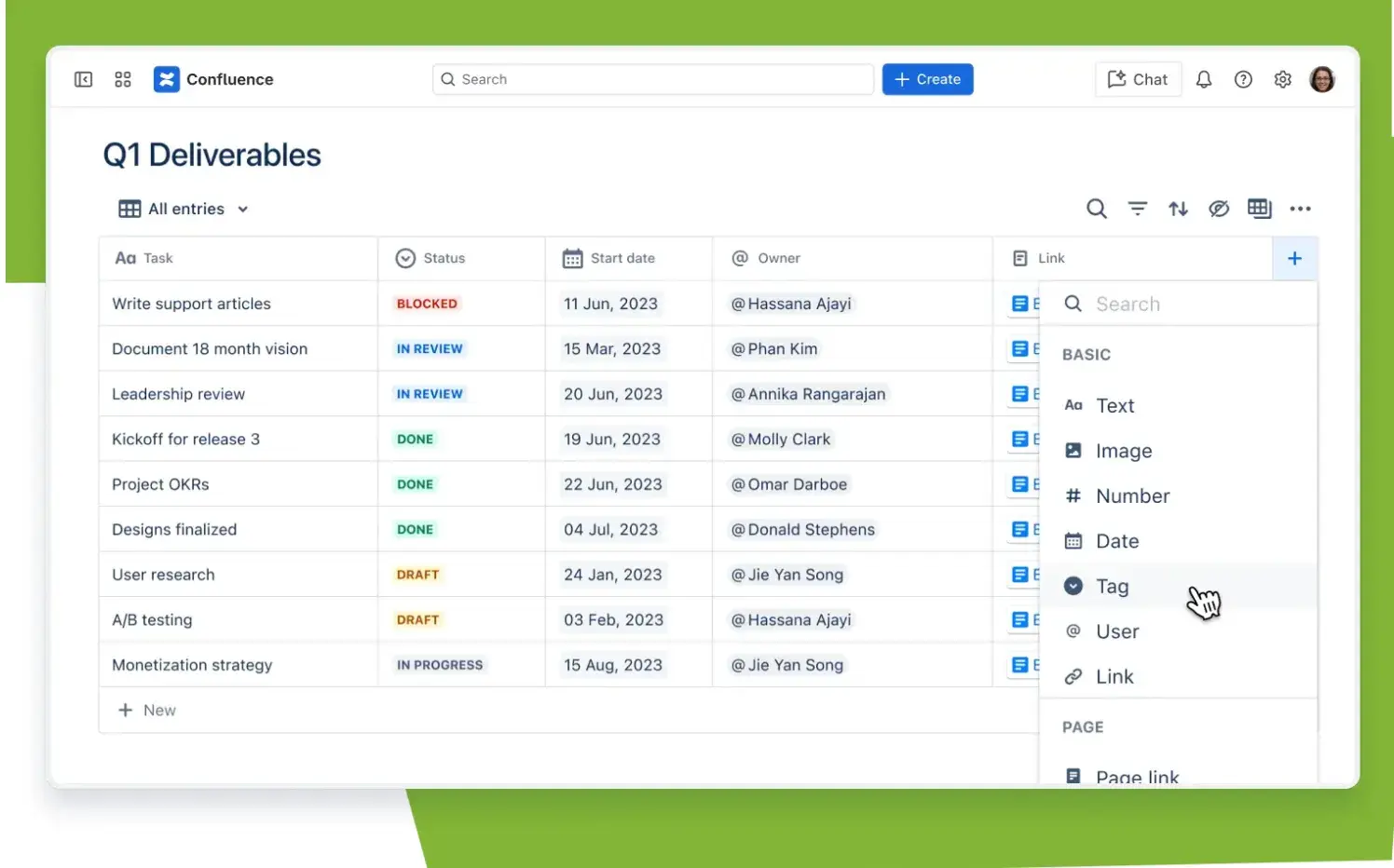
Confluence is another dedicated knowledge-management and documentation platform. Its integration with the broader Atlassian ecosystem makes it a great option for teams that want to connect internal knowledge, customer self-service, and support workflows.
Key Features
- Native integration with Jira: Confluence’s native integration with Jira Service Management allows teams to create a centralized knowledge base and support self-service. This is especially beneficial to organizations already using Atlassian’s ecosystem and looking to connect their support workflows with their knowledge.
- AI-powered search: Confluence uses Atlassian’s Rovo AI to help users find answers across connected data sources.
- Collaboration and content management in one: Collaboration features like real-time editing, comments, templates, and granular permissions make it easier for multiple teams or subject-matter experts to contribute to and manage knowledge.
- Flexible and scalable content management: Confluence’s integration library allows organizations to customize the way they collaborate based on their team’s needs.
Pricing: Confluence offers a free plan, as well as additional plans starting at $5.42 per user.
What I like: I appreciate the collaboration angle that Confluence offers, especially with whiteboards, slides, videos, and more.
How to Measure Ticket Deflection and Content Impact
When it comes to measuring the knowledge base platform’s success, support teams need to look beyond content engagement. To do that, CX Operations leaders should analyze search success rates, article engagement rates, ticket creation trends, and perform a content-gap analysis.
Overwhelmed by all these options? Try Service Hub free to get started delivering searchable self-service content with clear tracking.
Search Success
Search success is one of the best leading indicators of self-service effectiveness. Support leaders should review the search success rate, no-result searches, search-to-ticket rate, and the top search queries. By analyzing how often search results are surfacing useful content, as well as which search topics still result in ticket creation, support leaders can identify content gaps.
Article Engagement
While article views are helpful, support leaders will want to drill down further and review the number of unique visitors, as well as helpful or not helpful ratings left by customers. Other metrics to measure are time spent on the page, click through rates, and then the article-to-ticket rate. If an article is receiving a lot of engagement but is still resulting in a high article-to-ticket ratio, it’s a sign that something needs to change.
Ticket Creation Trends
While overall ticket volume is a key metric to analyze, service managers should dig deeper into ticket trends, like the ticket volume by topic. Teams should also drill down on trends after an article is updated or published, as well as repeat tickets from the same issue. For example, many AI Agents and chatbots will offer step-by-step guidance, interactive troubleshooting, or summarized responses, which often help customers find resolution more quickly than they would when reading through an article.
Knowledge Base Migration and Governance Checklist
Migrating to a new knowledge base platform requires more than just hitting copy and paste again and again. Below is a helpful checklist that support leaders can use when changing platforms.
- Audit existing content. Take the time to audit the existing knowledge base and evaluate which content is accurate, outdated, underperforming, or what might be missing. Decide what to keep or update and what should be retired.
- Avoid duplication/deduplication. Identify articles that cover the same questions or workflows. Deciding whether to consolidate helps avoid confusion for both customers and search engines.
- Implement redirects. Support leaders should set up permanent redirects for every article that is moving to the new platform.
- Define ownership. Support managers should determine which of their team members will be responsible for updating and creating content. They should also establish a process that allows other internal employees to easily flag content that requires updating.
- Map existing content to the new structure. When migrating to a new platform, support leaders need to determine how content will be organized, as well as who will have permission to see and edit the content.
- Establish a review cadence. Even if most of the content is simply migrated to a new platform, it’s important to set up a regular review cadence to monitor whether content is helping with ticket deflection.
- Identify integrations and dependencies. Outline which tools rely on the existing knowledge base content, so that the customer experience is not interrupted during the migration.
- Plan for a phased rollout. Service leaders will need to determine the key stages of the migration, including when the current content will be frozen, when they’ll need to preserve important assets, and when they’ll begin testing before officially going live.
Frequently Asked Questions About the Best Customer Tools for Ticket Deflection
Choosing the right knowledge base software improves the customer experience.
The best customer tools create a self-service experience that benefits both customers and support teams. When a knowledge base offers strong search functionality and robust integrations, customer service leaders improve ticket deflection and reduce high volumes of repeat questions.
Tools like HubSpot knowledge base deliver a connected system that improves both ticket deflection and the customer experience. With robust integration capabilities, AI-driven workflows, and built-in analytics, agents deliver seamless service. Get started today.
HubSpot's Knowledge Base Software
Enable customers to get answers quickly with a searchable knowledge base built from common support questions.
- Create self-serve help articles that are optimized for search
- Make it easy to browse knowledge base articles by topic
- Improve knowledge base content and fill gaps with insights
- And more!