
If you’re a marketer like me, perhaps you’ve been using a traditional CMS to build and manage webpages until a developer came along and told you about this new kind of content management approach — leaving you wondering, “Wait, what is a headless CMS?”

Lucky for you, I did a deep dive into the fascinating world of this content management architecture, interviewing developers in the process. I’ll help you wrap your head around the concept of a headless CMS, including what it is, why you should (and shouldn’t) use it, and how to choose the best one for your content operations.
Table of Contents
- What is a headless CMS?
- Why use a headless CMS? The Benefits
- When Not to Use a Headless CMS
- What is a decoupled CMS?
- Traditional CMS vs. Headless CMS vs. Decoupled CMS: Which is best for you?
- Headless CMS Examples
- Is HubSpot a headless CMS?
- Headless CMS: Is it right for your business needs?
What is a headless CMS?
A headless CMS is a content management system that handles back-end content management, detaching it from the front-end presentation layer. Unlike a traditional CMS, a headless CMS does not dictate how content is displayed to end-users. In other words, it doesn’t typically come with a built-in way of displaying content — your developers get to build that part. Examples of a headless CMS include Strapi, Contentful, and Storyblok.
Some characteristics of a headless CMS include:
- API-First Architecture: Instead of a templating layer, a headless CMS exposes content via an application programming interface (API). This could be REST or GraphQL.
- Front-End Agnostic: In a headless CMS, an editor adds content to the back end just like they would in a traditional CMS like WordPress or Squarespace. The difference is that when it comes time to publish, a headless CMS needs an additional service to fetch the content via an API, format it, serve it, and present it on any channel, whether that's a website, mobile app, or smart TV.
For this reason, headless CMSs are called front-end agnostic systems — they don’t care how content will be displayed. - Content-as-a-Service (CaaS). When evaluating headless CMSs, you might see the term Content as a Service (CaaS). This often refers to headless CMSs that are fully cloud-hosted and managed by a provider (like Contentful or Hygraph), so your team doesn‘t have to maintain the infrastructure. If you’re evaluating self-hosted options like Strapi, that's still headless — just not CaaS (unless you go with the hosted option, Strapi Cloud).
Free Web Hosting with HubSpot
Host your website on a fully managed and optimized infrastructure that scales with your business.
- Fully managed hosting
- No setup required
- No storage, traffic, or usage hosting fees
- Keep your website secure
How does a headless CMS work?
Allow me to illustrate with a real-world headless CMS workflow:
- A content creator writes in the CMS back end. The experience is similar to writing a blog post in WordPress or HubSpot Content Hub. There’s a dashboard with a text editor, media library, and content fields.
- The CMS stores that content as structured data. Instead of saving a finished webpage, the CMS saves the raw content — text, images, metadata — organized by its content model.
- A front-end application requests the content via an API. When someone visits your website or opens your mobile app, the front end sends a request to the CMS's API asking for specific content (e.g., “Give me the three most recent blog posts”).
- The API delivers the content as raw data. The CMS responds with the content in a structured format, typically JSON, with no styling or layout attached.
- The front end renders it for the user. The website, app, or whatever channel is requesting the content then assembles the raw data and presents it according to its own design. This is the part your developers build and control.
The key takeaway: With a headless CMS, marketers manage content in the back end without having to edit code, while developers control the presentation without being limited by the CMS.
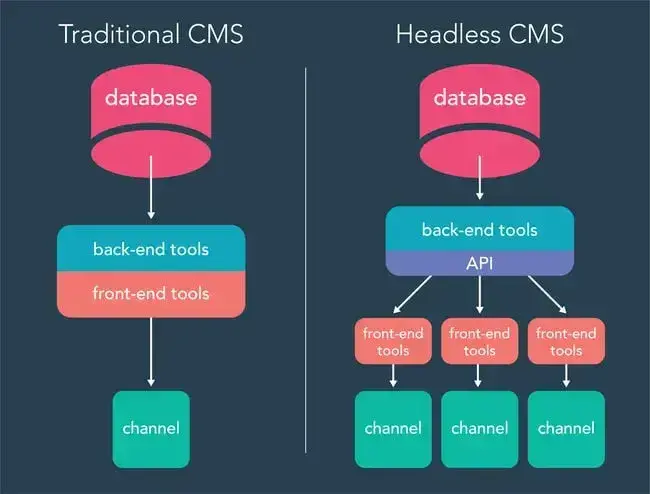
Here’s a visual breakdown of the differences between a traditional and a headless CMS architecture:
Why is it called “headless”?
So, why the name? If we imagine the front-end display as the “head” and the content stored as the “body,” a “headless” display removes the head and leaves just the body.
A tad morbid, sure. But also very useful, as we’ll see next.
Why use a headless CMS? The Benefits
At first, the idea of a headless CMS seemed counterintuitive to me. Why remove the tools that make it easier to publish content to your website? Isn’t the whole point of a CMS to connect the back end to the front end?
But as web designer and developer Tammy Hart explained to me, a headless CMS actually gets back to the core of what a CMS was always meant to be.
“If you distill down what ‘content management system’ is, it’s only the admin side. … The head, the place where that content gets outputted, that’s a different system,” Hart says.
By separating the back end from the front end, a headless CMS offers five major advantages:
1. Omnichannel Content Delivery
WP Engine's State of Headless 2024 report found that 80% of IT and marketing professionals surveyed “believe headless enables efficient content reuse across channels.”
That enablement is crucial because today's internet is much more than websites and web pages. Now, you can find content on mobile apps, advertisements, digital assistants, wearables like smartwatches, refrigerators, and any other device with an internet connection.
With a traditional website-oriented CMS, multichannel distribution is, at best, laborious and, at worst, seemingly impossible. But with a headless CMS, you create content in one place and deliver it across multiple channels via APIs.
As long as the front-end delivery system knows how to use the CMS's API, a headless CMS can take content from the back end and format it however necessary. Put another way, developers can attach as many “heads” (display channels) to the “body” (CMS) as they please.
Take a news organization, for example. In addition to publishing stories on its website, the organization might need to share content via a mobile app, an Amazon Alexa integration, online display ads, and digital billboards. Instead of using a different CMS for each distribution channel and storing content in several places, the news site can store all content inside one headless CMS and use external front-end software to present it wherever it needs to appear.
2. Superior Developer Experience
A major benefit that repeatedly came up in my research is that a headless architecture gives developers the most flexibility to apply their own custom front-end solutions to raw content rather than adapting a traditional CMS to fit their needs.
With a headless CMS, developers are free to build with the frameworks and tools they already know (React, Next.js, Vue, Gatsby, etc.). There's no fighting with built-in templates or rigid themes. Developers have full control over how content is rendered and displayed, which is part of why devs love headless CMSs.
Well, good for them, but what about non-developers, like marketers and writers? The good news is we'll still manage content in a WYSIWYG editor on the admin side, just like we would in a traditional CMS, after a developer sets it up.
An example of how a headless CMS can balance developer needs with content creator needs comes straight from Tammy Hart's personal life. Her daughter, Chloe, is an aspiring TV producer who wrote and developed artwork for her original TV series, "Heir of Dragons."
Free Web Hosting with HubSpot
Host your website on a fully managed and optimized infrastructure that scales with your business.
- Fully managed hosting
- No setup required
- No storage, traffic, or usage hosting fees
- Keep your website secure
Chloe wanted to build a website to promote her show and build a community with her fans but didn‘t know how to code. So, she tapped her mom’s developer skills to make it happen.
At first, Hart considered using WordPress but ultimately opted for a headless CMS called Strapi.
“As a developer, I decided that I would go to a headless CMS because it would provide the opportunity to just say, 'I don't need all this bloat. I just need it to do these two things well.' And I can make it do that,” Hart explains.
It will also allow her to create a UI that's easy for Chloe to use.
“She doesn't have the capability to do everything, just the things that she needs to do,” explains Hart. “That way, she doesn't get confused and blindsided by all these features that she doesn't need. So, she'll be able to manage her own content.”
To be clear, Hart could have used WordPress to achieve that. She could‘ve installed the bbPress plugin to create the forum. She even could’ve modified WordPress to work like a headless CMS by using the REST API.
But in both situations, Hart would've been confined to the WordPress content model. By using a headless CMS, she can pick and choose which features of the forum she wants to keep. She can also code the front end to display the content exactly as she wants.
“That's what drove my decision to use a headless CMS over WordPress,” says Hart, “the ease of development as a front-end developer.”
3. Enhanced Performance and SEO
A headless CMS can improve site speed in a few ways. By decoupling content management from the front end and delivering content via APIs, headless architectures can reduce the amount of template, theme, and plugin work that happens at request time (especially compared to traditional setups that render pages dynamically).
Developers can then pair the headless back end with modern rendering strategies — static site generation (SSG), server-side rendering (SSR), or edge caching — to serve pre-built or cached pages that load more quickly.
Beyond speed, a headless CMS can give developers more granular control over SEO implementation. They can decide exactly how schema markup, metadata, and structured data are output, instead of relying entirely on a plugin or the CMS’s default templates. Content marketers can still manage SEO fields like meta titles, descriptions, and alt text directly in the CMS back end, while developers ensure the front end renders them in a way that search engines (and AI-driven search tools) can efficiently crawl and index.
Pro tip: For SEO, if you go headless, make sure your front end uses server-side rendering or static generation — not client-side rendering alone. Pages that rely solely on JavaScript to render content can be difficult for search engine bots to crawl and index consistently, which can undermine the SEO benefits of headless CMS systems.
4. Streamlined Content Operations
A headless CMS also makes it easier to manage large volumes of digital assets. Because content is created completely independent of its presentation, editors can keep tabs on their assets without needing to add any front-end code (e.g., HTML).
Likewise, front-end developers don't have to worry about the specifics of the content management software. They just need to fetch the right data via the CMS API and then use other software to present it properly by channel. This creates a clean separation of responsibilities: Marketers focus on the content, developers focus on the experience, and neither team is blocked by the other.
For teams managing content across multiple brands, regions, or product lines, this kind of centralized content architecture can cut down dramatically on duplicate work and inconsistencies.
5. Future-Proof Architecture
Because the back end is front-end agnostic, a headless CMS helps organizations future-proof their content operations, too. In practice, what that means is:
- You can more easily switch front-end frameworks. If your team decides to migrate from one front-end stack to another (for example, rebuilding a React-based experience in a different framework), you don't have to rebuild your content infrastructure. You can swap out the front end and keep your CMS pretty much as is (though you might have to do a little tweaking).
- You can more easily add new channels. As new devices and interfaces enter the market (think AR/VR, voice assistants, or AI-driven interfaces), a headless CMS can deliver content to them without requiring a platform overhaul. The same goes for simply adding another website or mobile app.
This adaptability matters to business leaders, too. According to WP Engine's State of Headless 2024 report, organizations that have implemented headless are also more likely to rate their ability to scale websites as “good” (79%) compared to those that haven't adopted it (62%).
Free Web Hosting with HubSpot
Host your website on a fully managed and optimized infrastructure that scales with your business.
- Fully managed hosting
- No setup required
- No storage, traffic, or usage hosting fees
- Keep your website secure
When Not to Use a Headless CMS
As flexible as the headless CMS is, there are cases where you probably shouldn’t use it, such as when:
1. You just need a simple website.
Launching a landing page or a portfolio site? Chances are, a traditional CMS and a drag-and-drop page builder are your best bet. They come with pre-made templates that make it very fast to launch.
If you’re not planning to display content on a mobile app, a wearable device, or a complex, dynamic website — you probably don’t need a headless CMS.
2. You lack developer resources.
If you are a non-technical person without access to a developer, do not use a headless CMS. I consider myself proficient in CMSs, having used WordPress, Wix, and Squarespace, but when I attempted to test out Strapi for this article, I couldn’t even get started.
Why? To use a headless CMS, you have to first set it up, which involves knowing things like how to install Node.js on your computer. The documentation was gibberish to me, so I never even got to see the headless CMS.
If you want to use a headless CMS, a developer needs to set it up and manage the front end while you manage the content through the CMS on the back end.
If you don’t have access to an engineering team, stick with a traditional CMS like Squarespace or WordPress.
3. You want something low-maintenance.
Beyond the initial setup, if you want to modify your headless CMS in the future, you will, again, need a developer to code this. If you are a developer or have access to an engineering team at your organization, then great!
If that’s not the case for you, however, then realize that using a headless CMS might require more developer resources than you have available.
What is a decoupled CMS?
Headless and traditional content management systems are often compared to another architecture, the decoupled CMS.
A decoupled CMS is similar to a headless CMS in that it separates, or decouples, the back end from the front end and makes content available via an API. However, a decoupled CMS also comes with some tools for front-end presentation, such as code templates.
The decoupled CMS approach makes it possible to build basic front-end displays (like a website) with your content, but it also makes content accessible for other channels.
So, a decoupled CMS is somewhat of a compromise between a traditional and a headless CMS, a balance between website-oriented and front-end agnostic.
Traditional CMS vs. Headless CMS vs. Decoupled CMS: Which is best for you?
|
TRADITIONAL CMS |
HEADLESS CMS |
DECOUPLED CMS |
|
|
Digital channel type |
Website (blog, personal website, portfolio, etc.) |
Multiple channels, like websites, mobile apps, smartwatches, etc. |
Multiple channels, like websites, mobile apps, smartwatches, etc. |
|
Business size |
Solo or small business |
Large organizations |
SMBs or large organizations |
|
Requires developer resources? |
No |
Yes |
Yes |
|
Setup time |
Low |
High |
Medium |
|
Maintenance needed |
Low |
High |
Medium |
Each of the CMS approaches I’ve discussed serves a different purpose, and no one approach is perfect across all business types. Your CMS of choice will depend on your technical experience and resources, content strategy, budget, and timeline.
To point you in the right direction, here’s a quick rundown to determine which CMS type you should try:
Use a traditional CMS if:
- You’re in charge of a website but not adept at coding, and you don’t have a developer team to back you up.
- You want a business website, a blog, or a personal website or portfolio, and you need it launched as soon as possible.
- Your content lives mostly on one channel.
- You want to be able to easily and quickly modify your website content.
Consider a headless CMS if:
- You have a developer team that can connect the headless API with publishing tools.
- You have enough time to find or build the right publishing tools to complete your tech stack.
- You’re part of a larger company with many assets that need to be handled from one place and distributed across several channels.
- You need a highly flexible tool to translate your raw content into many displays.
Consider a decoupled CMS if:
- You want a compromise between traditional and headless: a flexible API for accessing your content from any client, plus some front-end tools to help developers and non-developers present this content.
- You have the time and developer resources to manage your front end and make the most out of your API setup.
Still confused? Let’s look at some headless CMS examples below to help you understand the concept and decide if it’s the right CMS type for your business.
Free Web Hosting with HubSpot
Host your website on a fully managed and optimized infrastructure that scales with your business.
- Fully managed hosting
- No setup required
- No storage, traffic, or usage hosting fees
- Keep your website secure
Headless CMS Examples
Here are some examples of headless CMS platforms worth considering:
1. Contentful
Best for: Mid-market and enterprise teams that want a headless CMS that’s part of a broader DXP
G2 Rating: 4.2/5 (321 reviews)
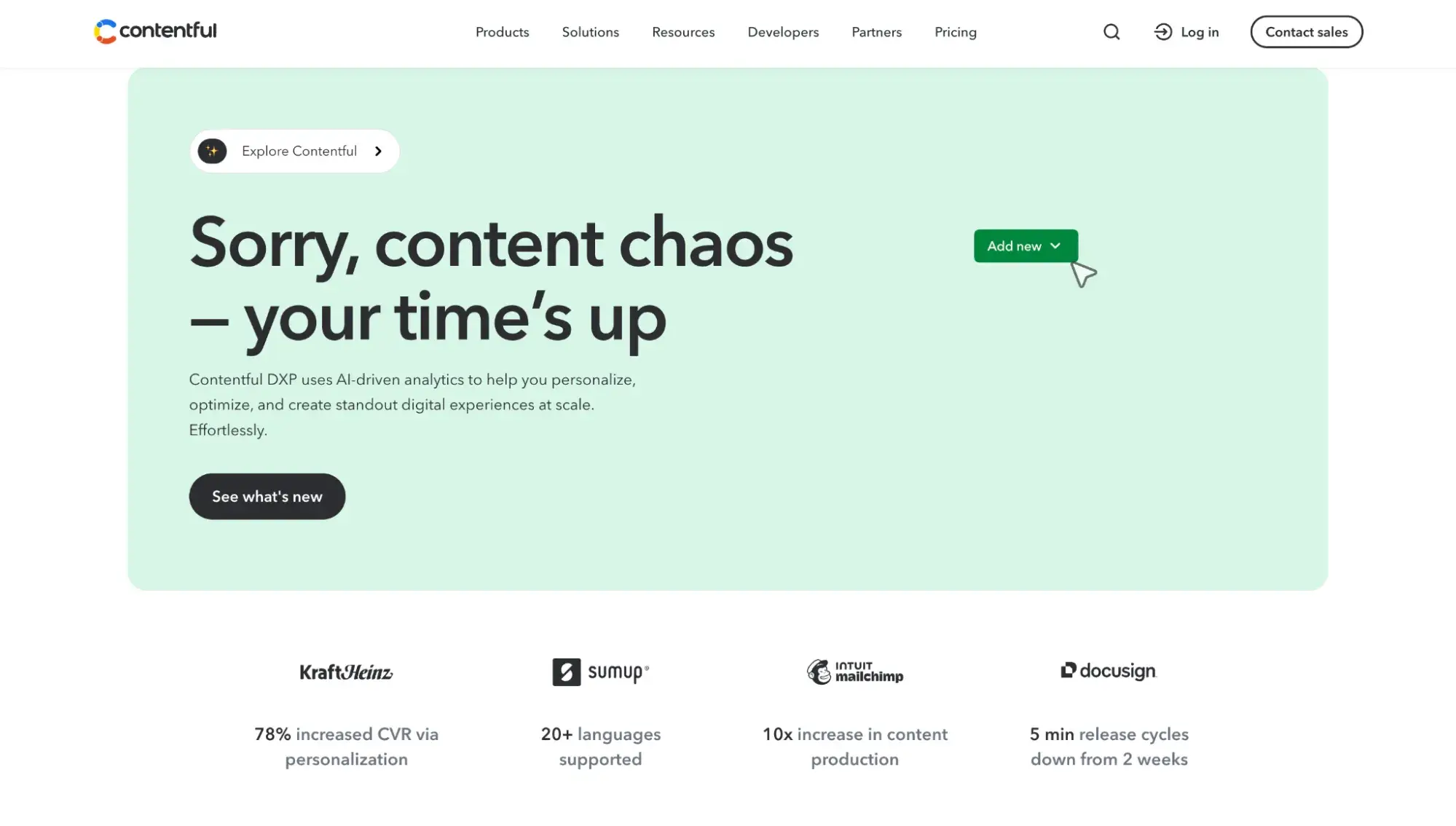
Contentful’s cloud-based headless CMS is part of its digital experience platform (DXP) — meaning it goes beyond content management to include native personalization and A/B testing, AI-powered content workflows (called AI Actions), and a visual page builder called Studio.
The breadth of its platform is precisely what sets Contentful apart from the other headless CMSs on this list. Where Strapi focuses on open-source backend flexibility, and Storyblok leads with its real-time visual editor, Contentful bundles content management with built-in experimentation, personalization, and AI tooling in one SaaS product. That makes it a strong fit for enterprise teams that want a single vendor for content operations, but it also means a higher price floor and more complexity.
G2 reviews were mixed on ease of use: Developers love Contentful, but content creators/non-technical users might encounter a steep learning curve. Having said that, there were still plenty of reviews from non-developers who said they found Contentful easy to use once it was set up by developers.
2. Storyblok
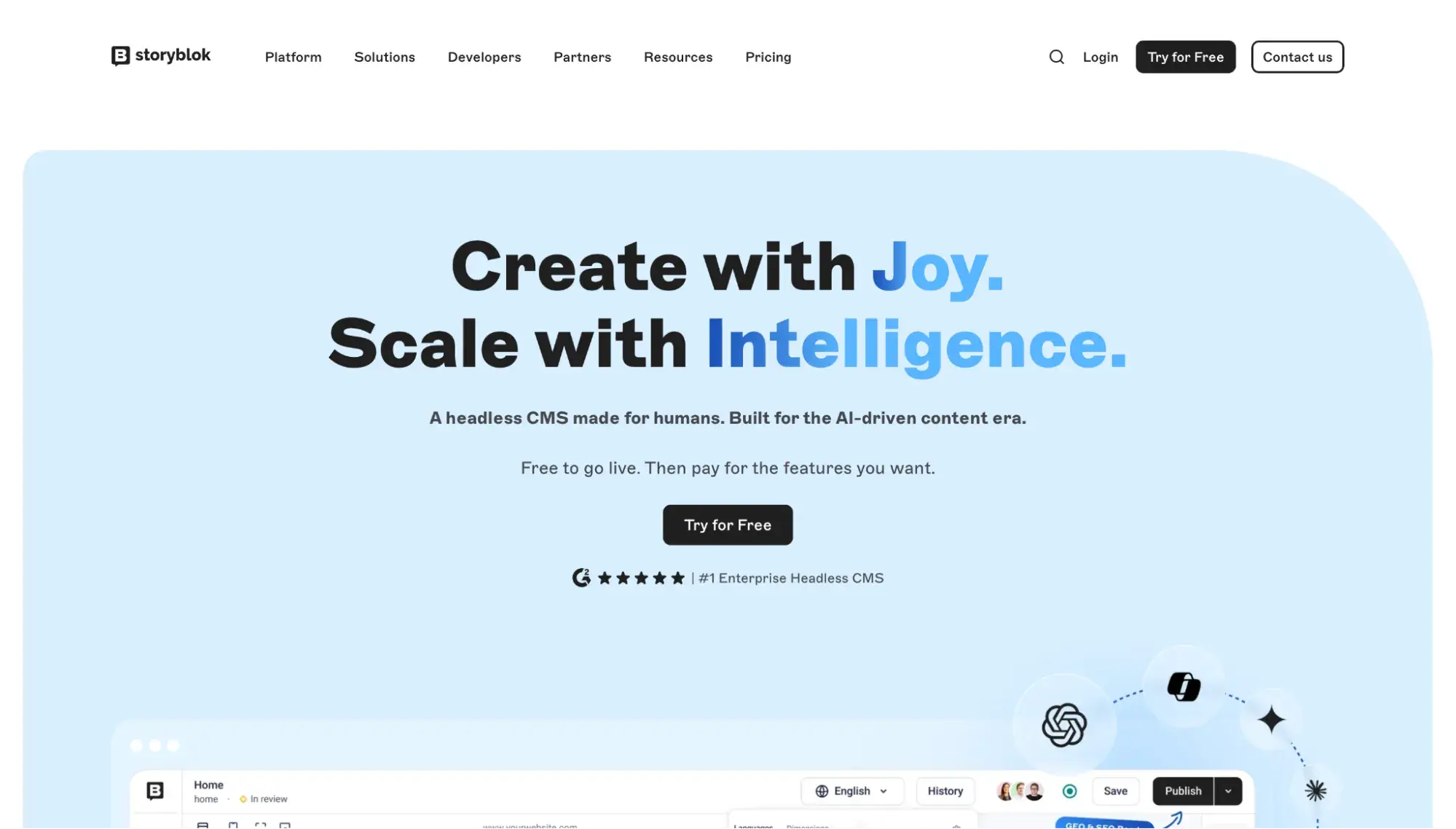
Best for: Businesses looking for a headless CMS that pleases both developers and marketers in their content operations
G2 Rating: 4.4/5 (562 reviews)
Maybe it’s because I’m a marketer myself, but Storyblok almost always earns a place on any list when I’m recommending a headless CMS that both developers and marketers will love. Storyblok is a cloud-native headless CMS built around a real-time visual editor that lets content editors see their changes as they make them — directly on the page, not in a form.
That visual editor is the core differentiator. Where Contentful and Strapi both rely on form-based content editing (fields and text boxes in an admin panel), Storyblok embeds a live preview of your actual front end into the editing interface, so marketers can drag, drop, and rearrange blocks without touching code.
On G2, the most common praise is how easy it is to use Storyblok, but some reviewers note that pricing can escalate quickly for smaller teams.
3. Agility CMS
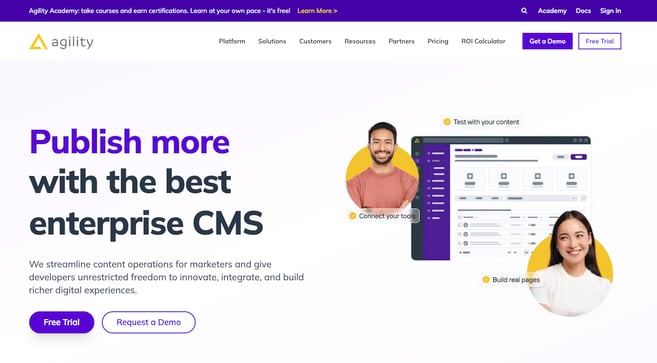
Best for: Enterprise teams that want marketing independence and developer control without rebuilding when the business grows
G2 Rating: 4.4/5 (160 reviews)
4. Strapi
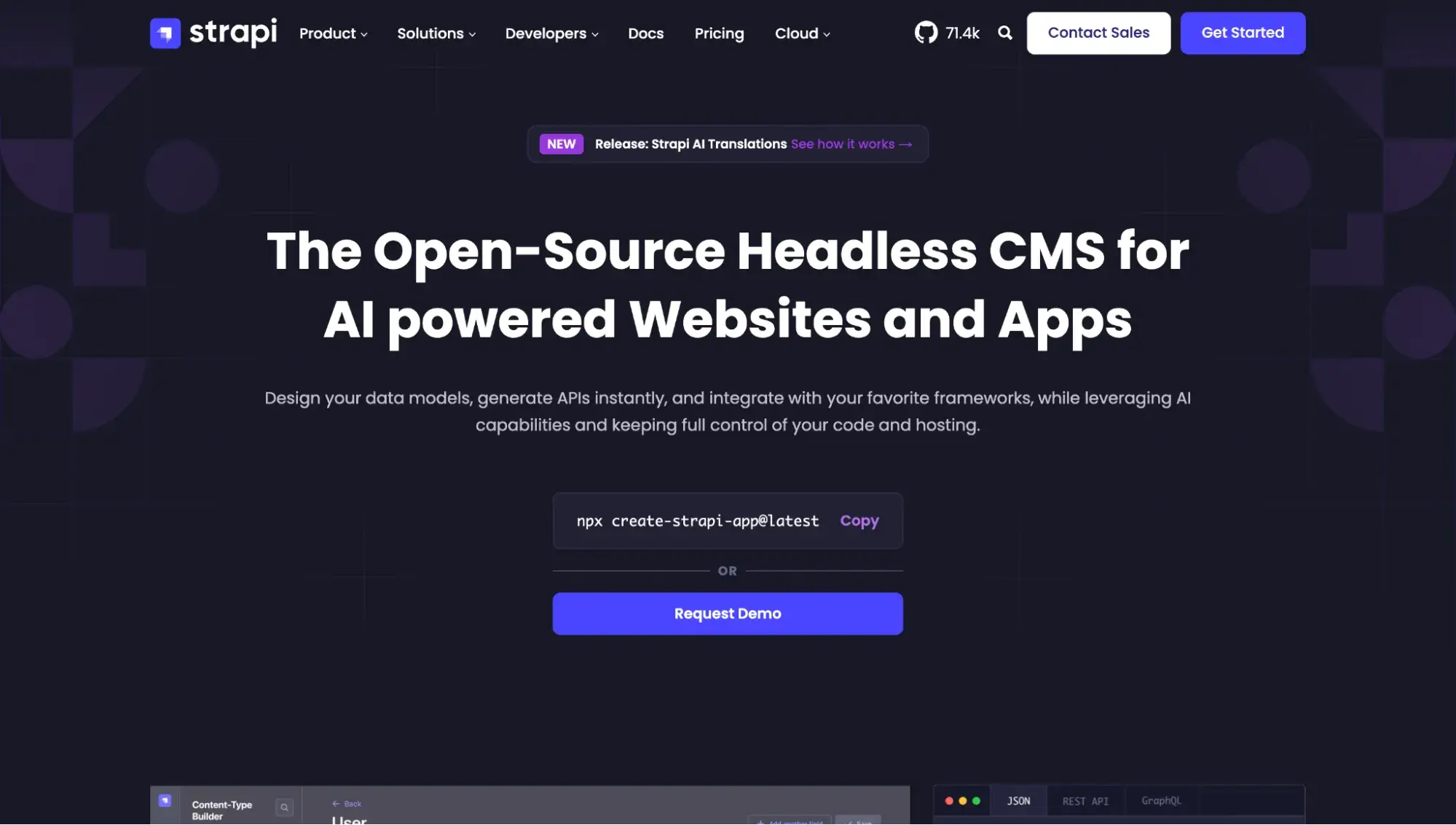
Best for: Developer-led teams that want full control over their CMS infrastructure and codebase
G2 Rating: 4.5/5 (202 reviews)
Strapi is a popular open-source headless CMS built on JavaScript/Node.js. Its entire codebase is publicly available on GitHub, and it can be self-hosted on your own servers or deployed via Strapi Cloud, its managed hosting platform.
That open-source, self-hosted option is what separates Strapi from Contentful and Storyblok, which are both proprietary, cloud SaaS products. With Strapi, your team owns the data, controls the infrastructure, and can customize the admin panel, API endpoints, and content models. For teams that want maximum flexibility, that level of control is a meaningful advantage.
The tradeoff is that Strapi is the most developer-dependent option on this list. Though Strapi launched Live Preview in 2025, adding side-by-side preview plus in-context editing, it’s not the same drag-and-drop experience that Storyblok’s visual editor is known for. Strapi also lacks the experimentation and personalization tools that come with Contentful's DXP.
On G2, Strapi gets mixed reviews on setup, with some calling it quick and easy and others calling it complex and difficult. However, many users praise Strapi for its robust API integration.
How to Choose the Right Headless CMS
With dozens of headless CMS platforms on the market, narrowing your options can feel overwhelming. Rather than comparing every feature side by side, focus your evaluation on the criteria that matter most for your team and use case.
- Start with your team composition. A major factor in choosing a headless CMS is who will be building and maintaining it and who will be creating content in it day to day. If your team is developer-heavy, an open-source option like Strapi gives you maximum control. If your content editors need to work independently without filing tickets for every layout change, prioritize platforms with strong visual editing, like Storyblok. If you need built-in experimentation and personalization, a DXP-oriented platform like Contentful may be the better fit.
- Clarify your channel requirements. A headless CMS shines when you need to deliver content beyond a single website. Before evaluating vendors, map out every channel your content needs to reach today, as well as any you‘re likely to add in the next 12-18 months. If it’s just a website, a headless CMS may be more complex than what you need, and a website builder might be a better fit.
- Evaluate the content modeling experience. Content modeling — how you define and structure your content types, fields, and relationships — is the backbone of any headless CMS. Ask: How flexible is the content model? Can editors create and modify content types without developer intervention? Does the platform support localization if you publish in multiple languages?
- Understand the total cost. Pricing for headless CMSs varies significantly. Many platforms charge by seats and tier, often with usage-based limits. And if AI features are involved, you might pay additional fees for credits. Factor in not just the platform subscription, but also the cost of front-end development, hosting, and ongoing maintenance.
- Assess the API and integration ecosystem. Since your front end depends entirely on the CMS‘s API, evaluate its reliability, documentation quality, and rate limits. Also, check whether the platform integrates with your existing tools, such as your CRM, marketing automation, analytics, DAM, or ecommerce platform. The fewer custom integrations you have to build, the faster you’ll launch.
Free Web Hosting with HubSpot
Host your website on a fully managed and optimized infrastructure that scales with your business.
- Fully managed hosting
- No setup required
- No storage, traffic, or usage hosting fees
- Keep your website secure
Questions to ask vendors during evaluation:
- What does your pricing look like at 2x and 5x our current content volume?
- What does a content preview on your platform require technically? (SDKs, auth, per-environment URLs, multi-frontend)
- What's the typical implementation timeline for a team of our size?
- What migration and implementation support do you offer?
- How do you handle data portability if we decide to migrate away?
Is HubSpot a headless CMS?
Strictly speaking, no, HubSpot is not a headless CMS. But it can be used as such thanks to our APIs.
Why would an organization choose to do that? One use case is when they’ve built some pages in HubSpot that they want to display in a different area of their site that’s not hosted on HubSpot.
As Dave Ward, CEO of HubSpot partner agency Meticulosity, explains:
"For enterprise organizations that have a lot of multiple systems — maybe legacy stuff and ERPs, really complex requirements — those are the people who need to use headless in order to accomplish lots of different goals.”
Watch the full video below:
"The benefits of HubSpot as a headless CMS, or just as a headless marketing and sales platform, is that you can get it to play nice with all of your other systems now. You don't have to have it as an island,” says Ward.
“That really allows you to have your team be able to use the next generation or best practice marketing platform and automation platform and work within all of their awesome tools but at the same time being able to meet all the other needs that you have."
HubSpot’s CMS, Content Hub, is designed for inexperienced and experienced individuals alike who need to create and manage content. It offers a website-building tool with drag-and-drop design elements so you can craft pages quickly without coding.
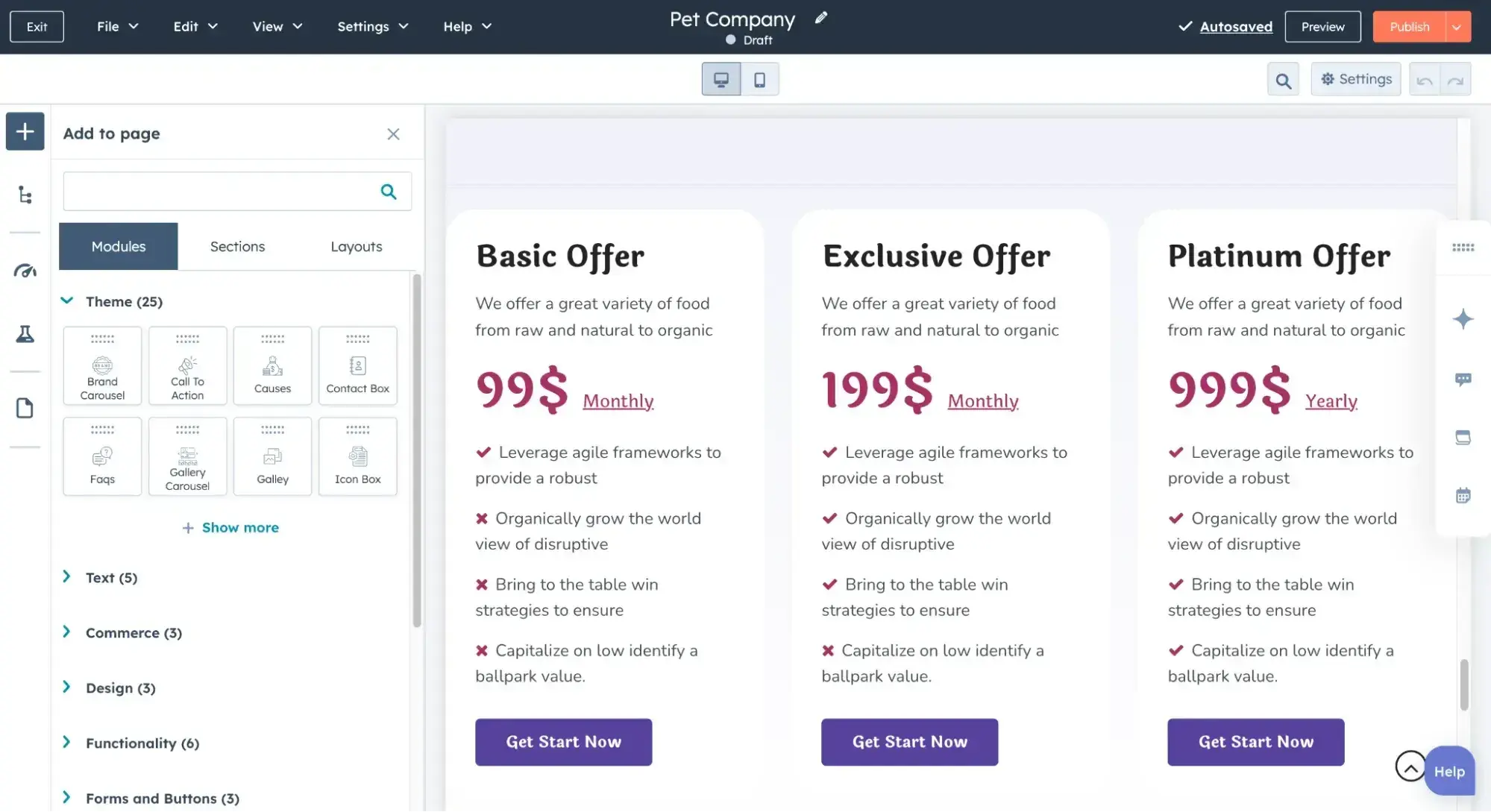
The software has a comprehensive set of marketing tools, A/B testing, personalization, analytics, and more. It integrates with its popular suite of tools, including a CRM, email autoresponders, and social media management.
If you’re looking for a solution that both your marketing and engineering teams will love, HubSpot creates a single source of truth for all your customer data and gives developers control over content presentation via the APIs.
HubSpot Content Hub is free for basic users, and is offering a limited-time promotional rate of $9 per month per seat for the Starter plan on annual billing.
Headless CMS: Is it right for your business needs?
After speaking with software engineers, I gained a new appreciation for the headless CMS and its benefits. For those wondering, “What is a headless CMS system?”, just remember it gives developers the freedom to code solutions as they please, while marketers like me still get the familiar WYSIWYG editor on the back end once it’s all set up.
A headless CMS also caters to brands with a multichannel approach, where content might appear not just on their website but on apps, wearables, and virtually any other technology that exists or will exist.
For solo entrepreneurs and small businesses, a traditional CMS with a drag-and-drop website builder lowers the barrier to entry, making it easy to build and maintain simple websites.
But for larger organizations with engineering teams, the leap to a headless CMS expands the possibilities of their content distribution. Plus, they’ve got the resources to maintain it.
So, if you feel limited by a traditional CMS, consider a headless CMS or a decoupled CMS. While it’s more work to set up and coordinate, you’ll ultimately have greater control over where your content ends up and how it looks when it gets there.
Editor's note: This post was originally published in January 2021 and has been updated for comprehensiveness.
Free Web Hosting with HubSpot
Host your website on a fully managed and optimized infrastructure that scales with your business.
- Fully managed hosting
- No setup required
- No storage, traffic, or usage hosting fees
- Keep your website secure
Content Management System


.webp)