Choosing the right CRM platform significantly impacts business growth and team effectiveness. HubSpot research shows that 87% of marketers using a CRM felt their marketing strategies were effective, compared with only 52% of marketers without one. Yet with hundreds of CRM examples on the market, finding the perfect fit can feel overwhelming.

This guide walks through different types of CRM, followed by a roundup of leading CRM platforms like HubSpot Smart CRM. This guide also discusses examples of CRM systems in real life, so teams can see how the right features translate into everyday results.
Table of Contents
- What are CRM platforms?
- The 6 Main Types of CRM Systems
- 12 CRM Examples: Best Platforms for Growing Businesses
- Real-World CRM Examples in Action
- How to Choose the Right CRM Platform
- Frequently Asked Questions About CRM Platforms
- Choose a CRM that delivers personalized customer experiences.
What are CRM platforms?
A Customer Relationship Management (CRM) platform is a centralized system that manages customer data, tracks interactions across touchpoints, and helps teams coordinate sales, marketing, and service activities. The primary goal of a CRM is to be a central place for:
- Sales activities (lead management, tracking, and forecasting).
- Customer service (support queues, customer data, and ticket management).
- Customer success (engagement monitoring, renewal tracking, staying on top of customer conversations).
HubSpot's Free CRM Software
Free CRM Software & Tools for Your Whole Team
- Sales
- Marketing
- Operations
- Customer Service
Why Businesses Need a CRM
CRMs improve customer retention by up to 27%. CRMs strengthen customer relationships using automation, forecasting, and fewer information silos. They also unify data across email, chat, and social media channels.

Core CRM Features
CRM platforms should provide five essential capabilities that centralize customer information, automate repetitive tasks, and surface insights for strategic decisions. Here are the core features to consider during the CRM selection process.

Unified Contact and Account Management
An efficient CRM centralizes every interaction, document, and data point for leads, customers, and companies in one profile, consolidating emails, calls, meetings, form fills, support tickets, and deal history.
Pipeline and Opportunity Management
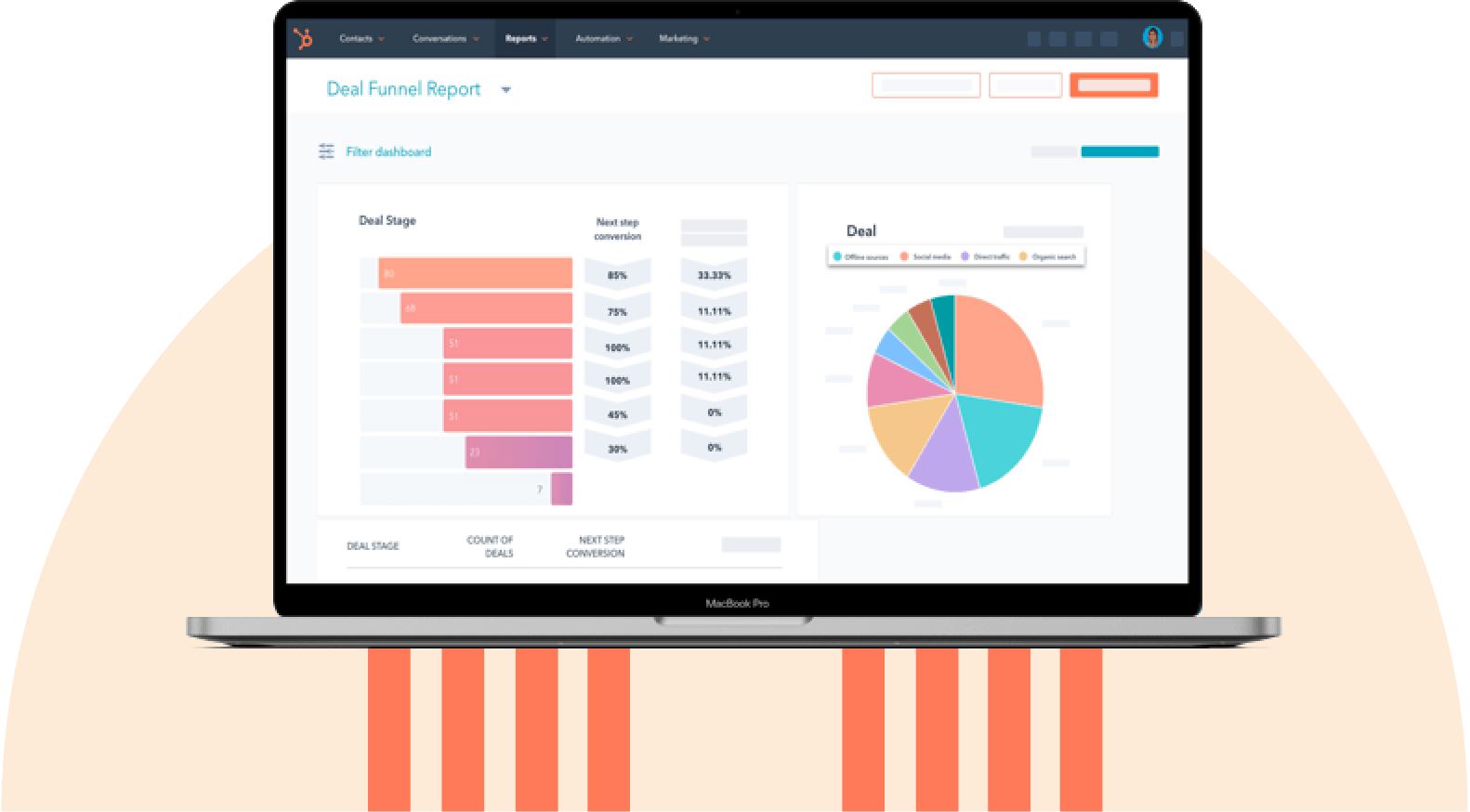
The best CRM software example tracks deal stages, owners, next steps, and projected close dates through a visual pipeline. Reminders and built-in probability-based forecasting are bonuses.
Workflow and Campaign Automation
Automated workflows handle repetitive tasks such as lead routing, task creation, email sequences, SLAs, and post-sale onboarding. Triggers and rules keep plays consistent at scale. Automation lets lean teams multiply their output without adding headcount, shortens response times, and allows every prospect timely, consistent engagement.
Reporting, Dashboards, and Forecasting
Custom reporting can be generated using insights such as surface conversion rates, cycle length, attribution, cohort retention, and rep performance. Dashboards and alerts highlight trends and anomalies in real time.
Integrations and Data Sync
Native integrations and APIs connect the CRM to marketing tools, support desks, accounting systems, ecommerce platforms, and calendars. For example, the best CRMs for accounting integrate seamlessly with QuickBooks.
Smart CRMs now integrate natively with marketing tools, support desks, accounting systems, ecommerce platforms, and calendars, using bi-directional sync to keep records aligned.
The 6 Main Types of CRM Systems
The four classic types of CRM are operational, analytical, collaborative, and campaign management. More recently, these classic categories have been combined with two modern additions: social media and mobile CRMs. So, CRM systems now fall into six categories based on their primary function and business focus:
- Operational CRMs
- Analytical CRMs
- Collaborative or strategic CRMs
- Campaign management CRM
- Social media CRM
- Mobile CRMs
Different Types of CRM Software
1. Operational CRMs
An operational CRM automates sales, marketing, and customer service to streamline workflows, reduce manual work, and improve the customer journey.
Best for: Growing businesses that want to align their teams, streamline processes, and improve customer interactions.
Example of an operational CRM in action: A mid-sized software company struggles with manual follow-ups and missed sales opportunities. When a prospect downloads a whitepaper, their operational CRM automatically enrolls them in a nurture campaign, assigns them to a sales representative, schedules follow-up reminders, and records every interaction so sales and support teams have a complete customer history.
2. Analytical CRMs
An analytical CRM helps businesses analyze customer data, identify trends, and make data-driven decisions.
Best for: Data-driven businesses seeking to enhance their marketing and sales strategies.
Example of an analytical CRM in action: An outdoor gear ecommerce brand wants to improve customer retention. Their CRM identifies that customers who buy hiking boots often purchase trekking poles within three months. The brand uses this insight to send a timely discount offer, increasing repeat purchases.
3. Collaborative or Strategic CRMs
Collaborative CRMs are designed for seamless interaction, enabling every team that markets to, sells to, or services a client to work together effectively.
Best for: Companies that need seamless internal communications.
Example of a collaborative CRM in action: A real estate brokerage needs multiple teams to access client information while maintaining appropriate permission levels. The brokerage’s real estate CRM gives each team access to the information they need. Agents track client interactions, manage access to transaction documents for legal teams, and handle personalized follow-ups.
4. Campaign Management CRM
A campaign management CRM helps businesses plan, automate, track, and optimize marketing campaigns through customer segmentation, performance tracking, and ROI reporting.
Best for: Companies heavily focused on marketing.
Example of a campaign management CRM in action: A fitness subscription company wants to improve customer retention and increase annual renewals. Their campaign management CRM segments customers by engagement, sends personalized renewal campaigns, and tracks performance to boost engagement and increase renewal rates.
5. Social Media CRM
A social media CRM helps businesses manage customer interactions across social channels by tracking engagement, monitoring brand reputation, and uncovering audience insights.
Best for: Brands that heavily rely on social media for growth and service.
Example of a social media CRM in action: A skincare brand wants to track product buzz and increase customer engagement after a launch. Their social media CRM monitors brand mentions, identifies engaged customers and influencers, and helps the brand turn conversations into testimonials, user-generated content, and sales.
6. Mobile CRMs
A CRM mobile app allows teams to access and manage customer data from anywhere using mobile apps, offline access, and real-time notifications. A mobile CRM helps sales, service, and support teams stay connected and respond quickly to customer updates.

Best for: Companies with remote teams, traveling service technicians, and field sales representatives who require CRM access on the go.
Example of a mobile CRM in action: A solar installation company needs sales and field teams in different locations to keep customer data updated and accessible. Their mobile CRM lets them quickly access client details before meetings, update customer status on-site, sync automatically once back online, and receive push notifications if a lead they contacted a week ago reaches out again.
HubSpot's Free CRM Software
Free CRM Software & Tools for Your Whole Team
- Sales
- Marketing
- Operations
- Customer Service
12 CRM Examples: Best Platforms for Growing Businesses
After testing 140+ CRM platforms, we‘ve identified 12 of the top CRM platforms that consistently deliver results. Each CRM excels in different areas. Here’s how to quickly find your match.
Quick Comparison: Best CRM Examples
1. HubSpot

HubSpot is an agentic customer platform that tracks customer relationships and facilitates marketing, sales, and service processes. HubSpot is ideal for any scaling business, from small to enterprise organizations, and any team, such as marketing, sales, customer service, operations, or C-suite.
HubSpot allows each team member to personalize the tool. For example, it allows teams to manage the navigation bar (among other features).

HubSpot Marketplace provides over 2,000 integrations that surface meaningful insights, report on growth, create remarkable customer experiences, and drive adoption.
HubSpot unifies customer data. It enables personalized interactions across channels, which leads to higher satisfaction, retention, and revenue growth. HubSpot’s redesigned interface simplifies pipeline management.

The CRM beautifully visualizes and manages deal flows, making creating and tracking opportunities a breeze. The platform consists of several core products:
Example of HubSpot in Use: Aligning Data
Data quality is important for winning new business. HubSpot’s data enrichment keeps contact and company data accurate automatically.

The CRM syncs every interaction that occurs between a business and a contact to that contact’s timeline. For some teams, synced data isn’t just used behind the scenes. HubSpot’s customizable dashboards make it easy to adapt synced data for high-visibility moments, such as pinning to Slack channels, reviewing in daily stand-ups, or displaying on digital signage in communal spaces. These touchpoints reinforce priorities, celebrate wins, and spotlight pipeline activity without asking people to dig through tabs or reports.
Did you know? HubSpot’s ROI report found that 95% of customers achieve positive ROI.
Testing It Out
HubSpot offers a clear example of what a modern, AI-powered CRM looks like in practice. HubSpot’s predictive lead-scoring software uses machine learning to parse through thousands of data points to score leads.
I found the setup refreshingly simple. Within minutes, the system started analyzing existing leads and assigning them scores based on their likelihood to convert.
By leveraging historical data and analyzing patterns in lead behavior, the software prioritized leads who were genuinely interested in our offerings. Overall, my experience with Smart CRM was positive.
Pricing
- Marketing Hub: Starts at $7/month/seat, $800/month (Professional), and $3,600/month (Enterprise)
- Sales Hub: Starts at $7/month/seat (Starter), $90/month/seat (Professional), and $150/month/seat (Enterprise).
- Service Hub: Starts at $7/month/seat (Starter), $90/month/seat (Professional), and $150/month/seat (Enterprise).
- Smart CRM: $45/seat (Professional), $75/seat (Enterprise).
2. Salesflare

Salesflare is a sales CRM software example designed to track and organize B2B operations. Salesflare’s CRM automatically creates contacts and enriches them with additional details such as email signatures and complete customer timelines. The CRM then nudges team members to follow up using CRM task activities.
Salesflare CRM features a built-in email sequence tool that enables marketing teams to send personalized emails at scale, making outreach significantly more efficient.
For teams that spend a lot of time on LinkedIn, Salesflare’s LinkedIn sidebar is a standout feature. It lets reps create new CRM contacts directly from LinkedIn profiles and uncover verified email addresses in just a few clicks.
Testing It Out
When I tested Salesflare, two features stood out to me: The automated data entry and email and meeting integration features.
The automated data entry was seamless. As soon as I connected my email and social accounts, Salesflare began pulling in contact information, company data, and populating social media profiles without any manual input from me.
The email and meeting tracking feature was equally impressive. Every email I sent and received was logged into the CRM automatically, along with details about when the email was opened and the links the recipients clicked. This gave me a clear view of how engaged my leads were and helped me prioritize follow-ups.
The platform also tracked every meeting I scheduled and added it to the timeline, complete with notes and action items, ensuring I never missed a meeting and had all the necessary context for each interaction.
Pricing
A 30-day free trial is available.
- Growth: $29/user/month
- Pro: $49/user/month
- Enterprise: $99/user/month
Salesflare’s paid plans are billed annually. If you are registering more than five users for the Enterprise plan, contact Salesflare’s team.
3. EngageBay

EngageBay helps small businesses manage customer relationships and sales processes effectively. EngageBay provides a wide range of features, such as:
- Contact management
- Sales automation
- Lead capture
- Marketing automation
EngageBay helps companies measure their marketing campaigns to see what’s working and what isn’t, so teams can adjust their strategies accordingly. Overall, EngageBay is an excellent CRM for businesses of all sizes. It’s easy to use and is affordable.
Testing It Out
Once you sign up with EngageBay, an AI agent calls to confirm the phone number. The tool has three standalone solutions: sales, marketing, and service. EngageBay allows marketing contacts to be uploaded directly from Smart CRM.

The AI-driven predictive analysis was particularly impressive. It gave insights into which deals were likely to close and which I needed to pay more attention to. The predictive analysis allowed me to allocate my time and resources more effectively, ensuring no deal was neglected.
The visual sales pipeline was another highlight; the drag-and-drop interface made it easy to manage deals. I could easily move deals through different stages and get a clear overview of their progress.
This visual approach, coupled with AI and automation features, significantly streamlined my deal management process and increased my overall productivity.
Pricing
A free forever plan is available. The all-in-one paid plans, billed biennially, include:
- Basic: $12.74/user/month
- Growth: $55.24/user/month
- Pro: $101.99/user/month
4. Salesforce

Salesforce is a CRM tool example that brings customer data, sales, service, marketing, commerce, IT, and analytics together. Salesforce’s CRM is capable of:
- Lead and contact management
- Sales opportunity management
- Workflow rules
- Automation
- Customizable reports and dashboards.
Salesforce CRM is also accessible via a mobile app. Salesforce offers a range of apps, including Einstein AI, that provide predictive analytics and conversational assistants. The tool also features Employee Experience enhancements to simplify work collaboration and boost motivation.
Example of Salesforce in Use: Automate Repetitive Tasks
Like many CRM options, Salesforce automates repetitive and time-consuming tasks. AIForce feature uses AI to provide teams with data about all past interactions with customers. This data allows growing businesses to engage more thoughtfully and improve business communications and relationships. It also increases productivity by providing information such as intelligent case classification and next actions.
AIForce also makes providing remarkable customer service and support easier by recommending certain actions to reps, personalizing support for customers, and automating support when possible with bots to save reps’ time.
Testing It Out
Since the pricing for Salesforce is on the higher side, I signed up for the tool’s 30-day free trial to test it out first. Salesforce automatically chooses the language where you are based. I tested the software in Finland, so even though I don’t speak Finnish, it chose Finnish by default.
Pricing
Starter Suite is available at $25 per user per month, while Pro Suite is priced at $100 per seat per month.
5. Zoho

Zoho is a CRM that’s fully cloud-based, integrated, and offers a variety of features, including:
- Lead management and scoring
- Workflow automation
- Analytics
- Marketing and process management
Zoho’s AI sales assistant, Zia, interprets CRM data, tracks website visitors, and predicts sales. These sales predictions also surface leads that are most likely to convert and deals that are most likely to close.
Zoho’s gamification feature keeps your reps motivated and focused on quota, while the Google Ads integration aligns your sales and marketing teams by bringing your business’s ad spend and sales revenue to light.
Zoho provides omnichannel support to customers and leads across various channels, including phone, email, live chat, social media, and in-person interactions.
HubSpot's Free CRM Software
Free CRM Software & Tools for Your Whole Team
- Sales
- Marketing
- Operations
- Customer Service
Example of Zoho in Use: Provide an Omnichannel Customer Experience
Zoho lets sales, support, and marketing teams engage customers across email, phone, chat, social media, and in-person meetings, all from one platform. Every interaction, from an email thread to a support call, is logged to the CRM automatically, so teams get a complete record without switching tools. This unified view of the customer journey supports more personalized experiences, which helps drive loyalty and lifetime value.
Testing It Out
I found Zoho CRM’s AI assistant, Zia, an incredibly versatile and intelligent tool. Zia’s conversational capabilities are particularly impressive as it can understand both text- and voice-based commands and queries. I can call and speak to Zia directly, which makes it easy to get real-time insights and updates on sales activities.

In addition to facilitating a quick, hands-free interaction, Zia predicts sales outcomes by analyzing past sales data and patterns. Its anomaly detection capabilities are also admirable; Zia can alert users to any irregularities in your sales data, such as sudden spikes or drops in activity.
Pricing
A 15-day free trial is available, as well as a free forever plan.
- Standard: $14/user/month.
- Professional: $23/user/month.
- Enterprise: $40/user/month
6. BIGContacts

BIGContacts is a customer relationship management example with an easy-to-use design and intuitive interface. BIGContacts’ CRM tool is a reliable way for businesses to stay on top of all customer data and interactions. BigContacts provides a 360-degree view of contact data, including previous touches, social media profiles, notes, files, and upcoming activities. The tool:
- Enhances team collaboration.
- Provides actionable business insights.
- Helps increase organizational productivity.
BIGContacts offers:
- Sales pipeline management
- Webform connection
- Lead nurturing
- Task tracking
BIGContacts offers the ability to create custom reports and dashboards that allow users to gain better visibility into business operations. BIGContacts can also be a powerful tool for task management with detailed calendar views, automated recurring tasks, and custom reminders.
Example of BIGContacts in Use: Personalized Drip Campaigns
BIGContacts helps businesses create more meaningful customer interactions by using available customer data to personalize engagement. With automated drip email campaigns that adapt based on contact activity, teams can reach prospects and customers at the right moment. Built-in email templates also help save time. Teams can also create templates and save them for future use.
Testing It Out
One of BIGContacts’ core features is its AI-powered contact data standardization feature, which uses advanced algorithms and machine learning to analyze and transform raw contact data into a uniform format. The data standardization feature streamlines data management and reduces the chances of errors typically seen with manual processing.
The application of AI changes the daunting task of manually ensuring data consistency across multiple platforms into a straightforward, automated process. The benefits are immediately noticeable, as the AI simplifies data analysis, customer segmentation, and targeted marketing efforts.
I was particularly impressed with how the AI tackled complex datasets to ensure accuracy and uniformity in contact information.
Pricing
- Free forever plan available for up to 100 users.
- Paid plan costs $9.99/month for up to 1,000 contacts, billed annually.
- Custom pricing for teams with over 2,000 contacts.
7. Pipedrive

Pipedrive is a pipeline management tool ideal for small teams. The software comes stacked with features for tracking performance, managing deals, predicting revenue, and automating repetitive tasks. Pipedrive automatically visualizes a team’s pipeline so they’re able to identify where their efforts should be focused.
Pipedrive includes sales forecasting and integrations that teams can pair with current tools, such as Mailchimp or Zapier, with the CRM. Pipedrive also has a security feature that clarifies how business data is being used.
Testing It Out
Pipedrive’s Sales Assistant provides actionable insights and recommends the next best actions for deals, helping sales teams make timely and informed decisions.

The AI email generator is effective at creating compelling sales emails from simple prompts, which helps to overcome writer’s block and personalize messages at scale.

I found the AI email summaries feature to be a huge time-saver. The feature condenses long email threads into summaries, providing clarity on the lead’s interests and suggesting viable steps to take next.
Pricing
A 14-day free trial is available.
- Lite: $14/seat/month
- Growth: $39/seat/month
- Premium: $59/seat/month
- Ultimate: $79/seat/month
8. Freshworks

Freshworks CRM combines Freshsales (sales CRM), Freshmarketer (marketing automation), and customer service tools (Freshdesk and Freshchat). Freshsales helps teams capture, qualify, and route leads, and its AI assistant, Freddy AI, scores leads and recommends next steps on deals. Freshmarketer lets teams run multichannel campaigns (email, SMS, WhatsApp) and use AI-powered chatbots to capture leads, with behavioral and predictive segmentation to target the right audience.
Testing It Out
Freshworks created a handy AI assistant to boost employee productivity. I like how the AI assistant enables teams to deploy AI-powered chatbots that resolve customer queries 24/7 and reduce the workload on support teams.
Freshworks’ Freddy AI includes an AI Agent that handles customer questions, a Copilot that helps support agents by summarizing conversations and drafting replies, and Insights, which helps managers spot trends and opportunities to improve support.
Pricing
A 21-day free trial is available.
- Growth: $9/user/month.
- Pro: $39/user/month.
- Enterprise: $59/user/month.
9. ActiveCampaign

ActiveCampaign is a customer experience automation platform and CRM with tasks and job functions that users can automate across social media, email, live chat, SMS, and more. There are over 300 integrations, including Shopify, Facebook, and WordPress.
ActiveCampaign makes it easy to share customer lifecycle data across teams and use it to make informed decisions about customer interactions (e.g., what marketing teams should send to them, when to reach out, and what channel to leverage).
ActiveCampaign also helps businesses better understand customers on an individual basis and effectively segment them by tracking buyer preferences, engagement, behavior, and unique traits.
Example of ActiveCampaign in Use: Personalize Customer Experiences
ActiveCampaign uses unified customer data and machine learning to automate personalized interactions at scale. Features such as personalization tags, dynamic content, and customizable workflows allow businesses to tailor emails, SMS, forms, and follow-ups to individual customers. These features allow for more personalized communication to each individual, which increases engagement.
Testing it out
When I explored ActiveCampaign’s capabilities, I found their AI-powered automation builder remarkably intuitive and efficient. The feature combines flexible actions with conversational AI and a user-friendly drag-and-drop interface to help create automated email and SMS campaigns. Users can visually map out the journey, add triggers and touchpoints, and schedule when campaigns go into effect.
The generative AI feature impressed me as well. With just a few inputs on my end, the system suggested engaging and relevant email content that resonates well with my predefined target audience. This saved a ton of time and improved campaign personalization.
Pricing
A 14-day free trial is available.
- Starter: Starting at $15/month
- Plus: Starting at $49/month
- Pro: Starting at $79/month
- Enterprise: Starting at $145/month
10. Close

Tailored for growing businesses, specifically those that are small and medium-sized, Close offers a streamlined and efficient approach to managing customer interactions, tracking sales activities, and optimizing workflows.
Close integrates communication tools such as email, phone, and SMS, allowing marketing teams to handle all communications from one place, reducing the time spent switching between different tools and increasing overall efficiency.
Close also automates repetitive tasks such as follow-ups, reminders, and data entry, ensuring that no leads fall through the cracks and that teams can focus on what they do best.
Example of Close in Use: Built-In Calling
One of Close’s standout features is its built-in calling functionality, which transforms how sales teams conduct their cold outreach and manage customer interactions.
For example, I found that with Close, sales personnel can make and receive calls directly within the platform using VoIP technology. This eliminates the need for external phone systems and keeps all communication records centralized.
Whenever the team makes a call through Close, the platform automatically tracks and logs the call, providing valuable data on call duration, outcomes, and follow-up actions. The calls can also be recorded and stored for future reference or training purposes.
Testing It Out
As soon as you sign in to Close, you receive a call from an AI agent. This was something I didn’t like at the beginning. I would like to speak to a real representative. Close markets its new voice agent as “Chloe” which initiates calls. Chloe is most suited for basic discovery. Chloe can also be reached out via chat, currently in Beta.

Another unique thing I found is that whenever a lead is bulk edited, Close sends an email every time the process is completed, which might be unnecessary.
Pricing
A free 14-day trial is available.
- Solo: $9/user/month.
- Essentials: $35/user/month.
- Growth: $99/user/month.
- Scale: $139/user/month.
- Custom pricing available for teams with more than 10 reps.
11. NetSuite

NetSuite is a comprehensive CRM platform from Oracle designed for businesses of all sizes. NetSuite provides a complete view of the customer lifecycle and helps teams manage everything from lead generation and opportunity tracking to customer service and order management.
As part of the broader NetSuite ERP suite, this CRM integrates with financial, inventory, and e-commerce systems to provide a unified view of business operations. It automates key sales processes, including lead assignment, forecasting, and territory management.
Example of NetSuite in Use: Sales Force Automation
NetSuite’s Sales Force Automation (SFA) tools help teams manage leads, track opportunities through the pipeline, and monitor deal progress to prevent missed opportunities. Its forecasting capabilities use real-time data to improve sales visibility, resource planning, and inventory management.
Testing It Out
When testing NetSuite’s AI capabilities, I was impressed by how effectively they streamline sales and marketing workflows. For example, the AI-powered invoice processing automates tasks from data extraction to payment tracking, reducing manual work and errors. The content generation tools also stood out. They use customer data and behavior to create personalized communications that can improve engagement and conversion rates.
Pricing
Contact NetSuite’s team for custom pricing.
12. Less Annoying CRM

Less Annoying CRM is built specifically for small businesses, solopreneurs, and teams who find most CRMs too complicated for what they actually need. Rather than bundling in marketing automation, AI content generation, or dozens of channels, it focuses on a small set of core features done simply:
- Contact management
- Pipeline tracking
- Calendar sync
- Task reminders
Pipelines are where Less Annoying CRM’s flexibility shows up most. Pipelines let you map out workflows and processes, then move contacts and companies through each step of that process, with fields that are customized based on whatever information teams want to track.
Each contact or company can be attached to a pipeline and given a status at any time, and custom pipeline fields let you capture specifics like values, sources, or important dates. Businesses can build as many pipelines as they need, whether that’s for sales, onboarding, or an entirely different internal process.
Testing It Out
When exploring Less Annoying CRM’s pipeline setup, what stood out was how little there is to configure before it’s usable. A clear overview of leads and deals is available through the Reports tab, which feels more like a working list than a polished dashboard, in keeping with the CRM’s stripped-down philosophy. Building a pipeline took only a few minutes: naming statuses, adding a couple of custom fields, and attaching it to a contact.
Pricing
There’s a 30-day free trial, no credit card required. Less Annoying CRM uses a single, flat pricing plan:
- $15/user/month + applicable tax
Additional users can be added at $15 each, and all future upgrades are rolled into the account for free.
HubSpot's Free CRM Software
Free CRM Software & Tools for Your Whole Team
- Sales
- Marketing
- Operations
- Customer Service
Real-World CRM Examples in Action
Beyond individual platforms and CRM types, it helps to see how a CRM functions inside a specific business process. Here are three quick customer relationship management examples in real life.
SaaS: Turning Demo Requests Into Qualified Pipeline
When a prospect fills out a “request a demo” form on the website, a SaaS CRM software routes the lead to the right rep based on territory or deal size. If the rep doesn’t connect within a set window, an automated follow-up email goes out so the lead never goes cold. By the time a sales conversation happens, the rep already has full context on what the prospect looked at and why they’re interested.
Ecommerce: Using Data to Drive Retention and Repeat Purchases
A customer buys a product, and their CRM profile updates with the purchase, along with any site browsing, email opens, and past support tickets. When that same customer contacts support about a delayed order, the rep sees the full picture instantly, no need to ask what they bought. Afterward, the CRM can trigger a personalized follow-up, like a restock reminder or a discount on a related item, based on their actual purchase and support history rather than a generic promotion.
Field Service: Giving Reps Context on the Go
A technician heading to a job pulls up the customer’s record from a mobile CRM app before arriving, and sees equipment history, past service notes, and any open issues. This visibility cuts down on awkward handoffs where the customer has to re-explain their problem. After the visit, the technician logs notes and updates the job status right from their phone, so the office and any other personnel involved have real-time visibility without waiting for a formal report.
How to Choose the Right CRM Platform
The goal is to choose a CRM platform that delivers value today while supporting future expansion. Consider business size, departmental requirements (sales, marketing, customer support), customer communication channels, and growth plans over the next two to three years.
Evaluation Criteria
When comparing CRM platforms, assess the following six core dimensions.
- Ease of use and adoption: Can your team adopt it quickly?
- Scalability and feature depth: Does it grow with your business?
- Integrations and data sync: How well does it connect with your tools?
- Automation and AI: How effectively does it automate repetitive tasks and use AI to improve forecasting, lead scoring, customer insights, and decision-making?
- Support, training, and community: Will customer support teams within growing businesses get help when needed? Are there user communities, partner networks, and educational content?
- Value for money: What’s the actual ROI?
Implementation Considerations
Implementation determines whether a CRM investment delivers returns or becomes wasted spend. Even the best platform fails if teams never fully adopt it or use its features effectively. The investment in a new CRM is significant, especially if a CRM migration has taken place. A successful CRM migration requires a lot of effort, including:
- Data cleansing.
- Clear workflow definitions.
- Structured team training.
- Ensuring the new system becomes a daily operating tool rather than an unused database.
Consider mapping current workflows, such as how leads enter the system, how deals progress, and how handoffs occur between marketing, sales, and service. Data migration requires decisions about what to import, how to clean records, and which fields must match across systems.
Training
Training remains the critical success factor. Adoption increases when teams understand the “why” behind the CRM and see personal benefits, such as fewer manual tasks or greater visibility. Clear roles, pipeline definitions, and automation rules ensure the CRM becomes a reliable system of record rather than an unstructured database.
Next Steps
After selecting a CRM, start with a small rollout before expanding company-wide. Use early feedback to refine automations, improve data quality, and optimize reporting. Track key success metrics, such as response times, conversion rates, and forecasting accuracy, during the first 60 to 90 days.
As adoption grows, add integrations, customize dashboards, and enable advanced features. Over time, the CRM becomes a central platform for driving sales, improving customer retention, and supporting data-driven decisions.
Leigh Buttrey, Co-Founder of Forank, recommends HubSpot for growing businesses because of its ease of use, automation, reporting, and scalability. She explains,
“When I evaluated CRMs for our fast-growing client, HubSpot was the only platform that checked every box: ease of use, powerful automation, clean reporting, and a scalable solution.
“Many CRMs require heavy technical setup or forced, rigid workflows, but HubSpot is pretty intuitive, and my client really needed a solution that sales and marketing teams could use from day one.
“Marketing could create forms that instantly pushed new contacts into segmented audiences, while sales received automated reminders and follow-ups without having to manage their prospects in spreadsheets.
“For the first time, both teams worked from the same data source instead of guessing. And because the client needed to reach a large database of contacts, the option to scale into a larger HubSpot package made HubSpot not just the best tool for today, but the safest investment for the future.”
“Choosing HubSpot wasn’t just a software recommendation; it was a strategy for unifying the customer experience and building a foundation for long-term growth.”
Frequently Asked Questions About CRM Platforms
What is CRM, and can you give examples?
CRM is software that stores customer data and also serves as a strategy tool for businesses. It helps build and maintain strong relationships with customers by managing interactions, improving customer satisfaction, and increasing loyalty.
Popular CRM software examples include Salesforce, HubSpot, Zoho CRM, Pipedrive, and Freshsales. Each CRM tracks contacts, deals, and communications in one place so teams can nurture relationships more consistently.
What are the top 10 CRM systems?
Leading CRM systems include HubSpot, Salesflare, Pipedrive, Salesforce, Freshworks, BIGContacts, ActiveCampaign, Zoho, NetSuite, and EngageBay.
HubSpot allows a high level of CRM customization. Pipedrive is unique for its sales-pipeline simplicity, whereas Salesforce targets very large enterprises.
What are CRM platforms?
CRM platforms are software systems that help businesses manage customer relationships, track interactions, and streamline sales, marketing, and service processes. They centralize customer data, automate workflows, and provide insights to help teams work more efficiently and deliver better customer experiences.
Which CRM platform is best?
The “best” CRM depends on your use case. HubSpot suits growing businesses that want an all-on-one platform solution; Pipedrive fits small teams that want a free, easy-to-use starting point; and Salesforce suits larger organizations that need deep CRM customization. Testing two to three shortlisted options against your actual workflow is the fastest way to confirm the right fit.
What does CRM mean for your business?
A CRM centralizes customer data, making it possible to personalize interactions at every stage of the buyer journey. Personalized interactions improve satisfaction, retention, and revenue growth. For your business, personalized interactions translate to:
- Better customer data organization.
- Improved team collaboration.
- Automated routine tasks.
- Data-driven decision-making.
- Increased customer satisfaction and retention.
What are the 4 types of CRM?
The four classic types of CRM are operational, analytical, collaborative, and campaign management. Operational CRM automates sales, marketing, and service tasks; analytical CRM mines customer data for insights; collaborative CRM shares customer data across departments; and campaign management focuses on customer segmentation, email & ad tracking.
Many modern CRM platforms now blend the four classic categories of operational, analytical, collaborative, and campaign management with added social media and mobile CRM features, so the lines between CRM types have started to blur.
Is Excel a CRM?
Excel is not a true CRM. Excel lists contacts and deal stages in columns, but lacks the automation, pipeline tracking, reporting, permissions, and integrations that dedicated CRM software provides. As contact volume grows, spreadsheets become error-prone and hard to scale, which is why most teams migrate to a CRM with contact management.
Choose a CRM that delivers personalized customer experiences.
According to data, personalized CRM systems shorten sales cycles by 8% to 14%. In the contemporary AI era, personalized customer service has become more of a requirement.
In practice, a modern AI-powered CRM enables businesses to personalize every customer interaction based on individual needs, preferences, and behavior.
Use Smart CRM to start building stronger relationships with contacts, improve the customer experience, save your team time, align business data, and grow better.
Editor’s note: This post was originally published in January 2021 and has been updated for comprehensiveness.
HubSpot's Free CRM Software
Free CRM Software & Tools for Your Whole Team
- Sales
- Marketing
- Operations
- Customer Service
CRM