Customer interaction management is the practice of tracking, coordinating, and improving interactions with customers and prospects across channels. It extends beyond customer support to include sales calls, proposal follow-ups, billing questions, renewal conversations, and other touchpoints throughout the customer relationship.

In HubSpot’s 2026 State of Sales report, 21% of sales leaders identified limited visibility into customer interactions as a top operational challenge. PwC’s 2025 Customer Experience Survey also found a significant disconnect in perceptions of loyalty: About nine in 10 executives believed customer loyalty had grown in recent years, compared with about four in 10 consumers.
A CRM gives sales, marketing, and service teams a shared record of customer interactions. When teams connect their communication channels and maintain accurate records, they can use that history to understand context, route requests, track outcomes, and coordinate follow-ups. This guide explains how customer interaction management works in a CRM, how to implement it, and which metrics show whether the process is working.
Table of Contents
- What is customer interaction management in a CRM?
- What counts as a customer interaction?
- What are the benefits of customer interaction management?
- Why Customer Interaction Management Breaks Without a CRM
- How Customer Interaction Management Works Step by Step
- Which features matter most in customer interaction management tools?
- How AI Improves Customer Interaction Management
- How to Measure and Improve Customer Interaction Management
- Frequently Asked Questions About Customer Interaction Management
- Where Customer Interactions Belong
What is customer interaction management in a CRM?
Customer interaction management is the practice of recording, organizing, and using customer interactions so that each team has the information it needs for the next conversation. A useful interaction record identifies the channel, participants, timing, discussion, outcome, and next steps.
Customer relationship management (CRM) covers a broader range of information, including contacts, companies, deals, accounts, pipeline, and revenue. Customer interaction management focuses on customer conversations, touchpoints, and follow-up actions.
A CRM can serve as the operational home for managing customer interactions. Connected communication tools and logged activities allow teams to associate emails, calls, meetings, chats, and form submissions with customer records. The resulting history gives employees a shared reference point instead of leaving each interaction in a separate channel.
HubSpot’s AI-powered Smart CRM connects customer data across marketing, sales, and service. With the appropriate permissions and connected tools, a service rep can review relevant sales history before handling a support request, and a sales rep can see previous service interactions before a renewal conversation.
HubSpot's Free CRM Software
Free CRM Software & Tools for Your Whole Team
- Sales
- Marketing
- Operations
- Customer Service
What counts as a customer interaction?
A customer interaction is an exchange or touchpoint between a company and a customer or prospect at any stage of the relationship. It can involve a person, an automated message, or a customer using a digital service. Form submissions, follow-up emails, support chats, and renewal reminders can all contribute to the interaction history.
Professional services firms, agencies, and financial advisors often call these exchanges client interactions. The underlying management practices are similar.
Customer interactions generally fall into two categories:
- Inbound interactions: Customers initiate these interactions through form submissions, incoming calls, live chats, replies to marketing emails, or social media messages.
- Outbound interactions: Companies initiate these interactions through prospecting emails, follow-up calls, meeting invitations, renewal notices, or check-ins after resolving a support case.
Both categories should inform the same customer history. Otherwise, a rep reviewing only outbound activity might miss the questions or concerns a customer has already raised.
Omnichannel customer interaction management connects activity from different communication channels. The records and information available vary by channel:
- Phone and video calls: Discovery calls, demonstrations, check-ins, and support conversations documented through call logs, recordings, transcripts, or notes.
- Email: Customer inquiries, replies, and follow-up messages that can form an ongoing conversation history.
- Live chat and messaging: Website chats, in-app conversations, and messaging exchanges that may begin with automation and continue with a representative.
- SMS: Text-message exchanges used for reminders, confirmations, and short questions.
- Social media: Public comments, brand mentions, and private messages. Public and private interactions may require different handling and recording practices.
- Forms: Demo requests, content downloads, and support submissions that can create records or trigger follow-up activities.
- Self-service: Knowledge base searches, help center visits, and customer portal activity. These touchpoints can provide useful context when tracking is available and appropriately configured.
Sales, service, and post-sale activities all contribute to customer interaction management. A discovery call, onboarding session, support ticket, and renewal conversation may involve different teams, but each provides context for the next interaction.
Managing the volume of these activities is different from handling each customer interaction well. Teams need both reliable records and clear standards for responding to customers.
According to HubSpot’s 2026 State of Sales report, 42% of sales calls take place over video, compared with 33% in person and 20% by phone. Teams that track only traditional phone calls risk missing a substantial share of sales conversations.
What are the benefits of customer interaction management?
The benefits of customer interaction management include more consistent conversations, faster responses, relevant personalization, earlier identification of retention risks, and better coaching opportunities.
Poor experiences can harm customer relationships. PwC’s 2025 Customer Experience Survey found that 29% of consumers had stopped using or buying from a brand because of poor customer experience, either online or in person.
- Consistency across channels: A customer who emails on Monday and calls on Thursday doesn’t have to repeat the original question when the rep can review the earlier exchange.
- Faster responses: A complete interaction history can reduce the time employees spend searching for information about previous conversations so that they can focus on the current request.
- More accurate personalization: A rep can refer to the customer’s previous questions, preferences, or concerns instead of relying on a generic message. In HubSpot’s 2026 State of Sales report, 48% of sales professionals said buyers want more personalized experiences.
- Earlier retention warnings: A decline in interactions, repeated complaints, or unresolved requests can prompt teams to review a customer relationship before renewal. HubSpot’s 2026 State of Sales report also found that 42% of sales leaders identified customer retention and expansion as their top challenge.
- Better coaching opportunities: Recorded calls, transcripts, and documented outcomes give managers specific examples to review with employees. They can examine recurring objections, successful responses, and opportunities to improve future interactions.
Why Customer Interaction Management Breaks Without a CRM
Customer interaction management becomes more difficult when teams store conversations and customer information in disconnected systems. Employees may have to search several tools to reconstruct a customer’s history, coordinate handoffs, or understand how interactions relate to revenue.
In HubSpot’s 2026 State of Sales report, 88% of revenue and sales leaders agreed that their sales processes would benefit from a single, integrated platform. Disconnected customer information can create four problems:
- Missing context: A support platform may hold tickets, a phone system may store call logs, and a marketing platform may track email engagement. If these systems don’t share information, a rep preparing for a renewal conversation might miss important customer activity.
- Repeated handoffs: HubSpot’s 2026 State of Sales report also found that about half of sales leaders see increasingly blurred lines between sales, marketing, and customer service. When those departments work from separate records, employees may ask customers to repeat information they have already shared with another team.
- Weak reporting: Individual channel tools can report on their own activity, but comparing response times, resolution rates, and interaction trends across channels may require additional integrations or manual reporting.
- Poor lifecycle visibility: Renewal dates, support history, billing information, and customer health indicators may sit in different systems. Without a shared view, teams can miss patterns that would help them prepare for renewals or address concerns earlier.

When teams connect their communication tools to a CRM, they can bring interactions together in a chronological customer history. Connected calls, emails, chats, meetings, and form submissions provide context for future conversations instead of remaining isolated in the tools that captured them.
That shared history supports a 360-degree customer view, which brings relevant customer information together for employees who need it. It also helps teams deliver a consistent omnichannel experience as customers move between communication methods.
How Customer Interaction Management Works Step by Step
Customer interaction management works in six steps: capture, unify, route, act, learn, and optimize. The sequence runs continuously, since what a company learns from one round of interactions changes how it handles the next.

Capture interactions consistently.
The capture step creates a searchable record of a customer interaction. Whenever possible, teams should record the channel, time, participants, relevant details, outcome, and next action.
Start by identifying where conversations happen and deciding how each channel will send activity to the CRM. Connect supported email and calling tools, set standards for manual notes, and identify interactions that still require employees to enter information themselves.
HubSpot’s contact management tools let teams organize contact information and record activities in one place. Connected email accounts can log messages automatically, while call tracking can record calling activity and outcomes within HubSpot.
Teams should also review records for missing conversations. Automation reduces manual work, but it doesn’t eliminate the need to check data quality.
Unify interactions on a single customer record.
Unification associates captured interactions with the correct customer or account.
Customers may use different email addresses, phone numbers, or messaging channels. Teams need a process for checking whether those identifiers belong to existing contacts before creating new records or merging potential duplicates.
For example, if a customer submits a form using a personal email address and later contacts sales through a work account, the team should confirm the relationship before combining the activity histories.
HubSpot’s data enrichment tools can add available contact and company details to existing records. Enrichment can provide additional context, but it does not replace the need to verify customer identity and record associations.
Route each interaction to the right owner.
Routing determines who receives a customer request and when they should respond.
Define assignment rules based on the interaction type, the customer’s relationship with the company, the contact owner, and any open deals or support tickets.
For example, an existing customer’s billing question might go to an account or service team, while a new prospect’s pricing request might go to sales.
Teams should also define what happens when the assigned employee is unavailable and when a conversation needs escalation. Review unassigned interactions regularly to identify requests that are getting lost.
Act on interactions with full context.
Before responding, the assigned employee should review relevant customer history, including previous questions, unresolved issues, commitments, and recent activity.
Responding to customer complaints is one example. A customer’s first complaint may require a different approach from a repeated complaint about an unresolved problem.
After the interaction, record what happened, what the customer needs next, and who is responsible for following up.
HubSpot’s sales automation tools can help teams schedule follow-up activities and manage outreach sequences. Employees should still review automated messages for relevance and stop or adjust them when a customer’s circumstances change.
HubSpot's Free CRM Software
Free CRM Software & Tools for Your Whole Team
- Sales
- Marketing
- Operations
- Customer Service
Learn from interaction patterns.
Once teams have accumulated consistent records, they can examine recurring questions, common objections, repeated support requests, and conversations that frequently stall.
Review interaction data alongside outcomes. For example, compare how long different types of requests take to resolve or identify questions that regularly require escalation.
Use these findings to identify gaps in documentation, employee training, assignment rules, or follow-up practices.
Optimize the process based on what the data shows.
Use the findings to make specific changes to the interaction workflow.
If billing questions repeatedly reach the sales queue, update the routing rules. If several reps struggle with the same objection, revise the relevant response guidance. If customers repeatedly contact support about the same task, consider improving the self-service instructions.
HubSpot’s sales playbooks can help teams document consistent questions, talking points, and conversation guidance within the sales workflow.
After making a change, review the same interaction metrics again to determine whether it helped. Continue the capture, unify, route, act, learn, and optimize cycle as new information becomes available.
Which features matter most in customer interaction management tools?
The most useful customer interaction management tools support unified records, omnichannel visibility, automation, reporting, AI assistance, governance, and revenue connections.
When comparing an interaction platform with a CRM-based system, check how those capabilities work together and whether information collected in one channel is available to other teams.
- Unified records: Customer interactions should connect to the relevant contact or account, giving employees with appropriate access a shared history of conversations and activity.
- Omnichannel visibility: Teams should be able to review interactions from connected channels without searching each system separately. HubSpot’s shared inbox brings supported live chat, SMS, WhatsApp, Facebook Messenger, social media, and team email conversations into a common workspace.
- Automation: The system should help teams log activities, assign requests, create follow-up tasks, and trigger workflows. Check whether automation can use information from multiple channels or only from the channel where an interaction began.
- Reporting: Look for ways to compare response times, resolution rates, interaction volume, and channel activity. Determine whether reports can combine activity across systems and connect interactions to the relevant customer records.
- AI assistance: Conversation summaries, suggested responses, and prioritization tools can help employees work with interaction histories. Evaluate which data the AI can access and whether employees can review its recommendations before acting.
- Governance: Permissions, retention settings, and available audit information help determine who can access interaction records and how teams manage customer data. These controls matter most when records contain personal or sensitive information. Specific legal obligations depend on the data, industry, and jurisdiction.
- Revenue connection: Customer interactions should be available alongside relevant deal, pipeline, and renewal information so teams can investigate how activity relates to commercial outcomes. In HubSpot’s 2026 State of Sales report, 72% of revenue and sales leaders said their tools lacked access to the complete, accurate revenue data they needed to act.
A product may perform well within one communication channel but not offer the cross-team reporting and revenue context a company needs. During a demonstration, ask the vendor to show how an interaction moves from the original channel to the customer record, how another team accesses that information, and how the activity appears in reporting.
How AI Improves Customer Interaction Management
AI can help teams manage customer interactions by summarizing conversations, recommending next steps, and prioritizing follow-ups. These capabilities become more useful when the AI can access relevant customer information across connected systems.
HubSpot’s AI-powered Smart CRM provides a shared foundation for customer data across marketing, sales, and service. However, what a particular AI feature can access depends on its configuration, connected sources, and access permissions.
HubSpot’s 2026 State of Sales report found that 94% of sales leaders actively use AI in their sales process. Among sales leaders using a CRM, 80% said their CRM was fully integrated with AI. These findings illustrate the extent of adoption while leaving room for differences in how teams use AI within their existing systems.
Conversation summaries help employees review past interactions before responding. HubSpot’s Breeze Assistant can summarize relevant CRM records and conversations, letting employees review previous activity without searching through every entry. The information available in a summary depends on the source records and the AI tools enabled in the account.
According to the 2026 State of Sales report, 75% of sales leaders use AI-powered call recording tools to transcribe and learn from customer and prospect conversations. HubSpot’s conversation intelligence tools can help teams analyze recorded calls, identify recurring topics and objections, and find coaching opportunities.
Recommended next steps help employees decide what to do after an interaction. For example, AI can suggest a follow-up after a demonstration, identify an account with little recent activity, or highlight a renewal that warrants attention. Employees should review the underlying customer context before acting on these suggestions.
Interaction prioritization helps teams determine which conversations need attention first. Teams can use factors such as request urgency, customer status, deal stage, or time waiting for a response. AI recommendations should support, rather than automatically replace, the company’s escalation rules and employee judgment.
Human oversight remains important. The 2026 State of Sales report describes decisions that sales leaders still expect employees to make independently, including account prioritization and qualification. The report also found that 22% of leaders identified knowing when not to use AI as the biggest knowledge gap on their teams.
A practical approach is to use AI to retrieve information, summarize relevant activity, and suggest actions while keeping people responsible for checking accuracy, interpreting customer needs, and making consequential decisions.
How to Measure and Improve Customer Interaction Management
Customer interaction management metrics reveal service quality, operational efficiency, and potential revenue impact. Teams should measure both how they handle interactions and what happens afterward.
Six useful metrics are first response time, resolution time, interaction volume by channel, escalation rate, satisfaction signals, and revenue influence.
-
First response time: The time between a customer’s initial request and the first response. Track automated acknowledgments separately from substantive human replies when both are part of the workflow. In HubSpot’s 2026 State of Sales report, 59% of sales professionals said buyers expect faster replies. Review response times by channel and assignment queue to identify possible coverage or routing problems.
-
Resolution time: The time between the initial request and the resolution of the question or issue. Compare resolution time with first response time to identify delays after an employee acknowledges the request.
-
Interaction volume by channel: The number of interactions received or initiated through email, phone, chat, messaging, and other channels. Monitor volume changes alongside staffing, repeat contacts, and resolution times to understand where workloads may be increasing.
-
Escalation rate: The percentage of interactions that require transfer to another employee, team, or support level. Compare escalation rates by request type to identify recurring situations that need clearer routing rules, additional information, or specialized assistance.
-
Satisfaction signals: Survey responses, repeat contacts, complaints, and other feedback that indicates how customers experience an interaction. Customer satisfaction metrics help teams measure reported satisfaction, while feedback management helps them organize and respond to customer input.
-
Revenue influence: The relationship between interaction activity and outcomes such as renewals, expansion, and closed deals. Compare interaction histories with relevant commercial outcomes, while accounting for other factors that may influence purchasing decisions. A decline in contact activity or an increase in unresolved complaints may warrant investigating an account, but neither proves revenue will decline.
Start with a reporting period and a baseline for each metric. Compare results by channel, team, and interaction type rather than relying only on company-wide averages. Then use the findings to test changes to routing, staffing, follow-up procedures, or customer resources.
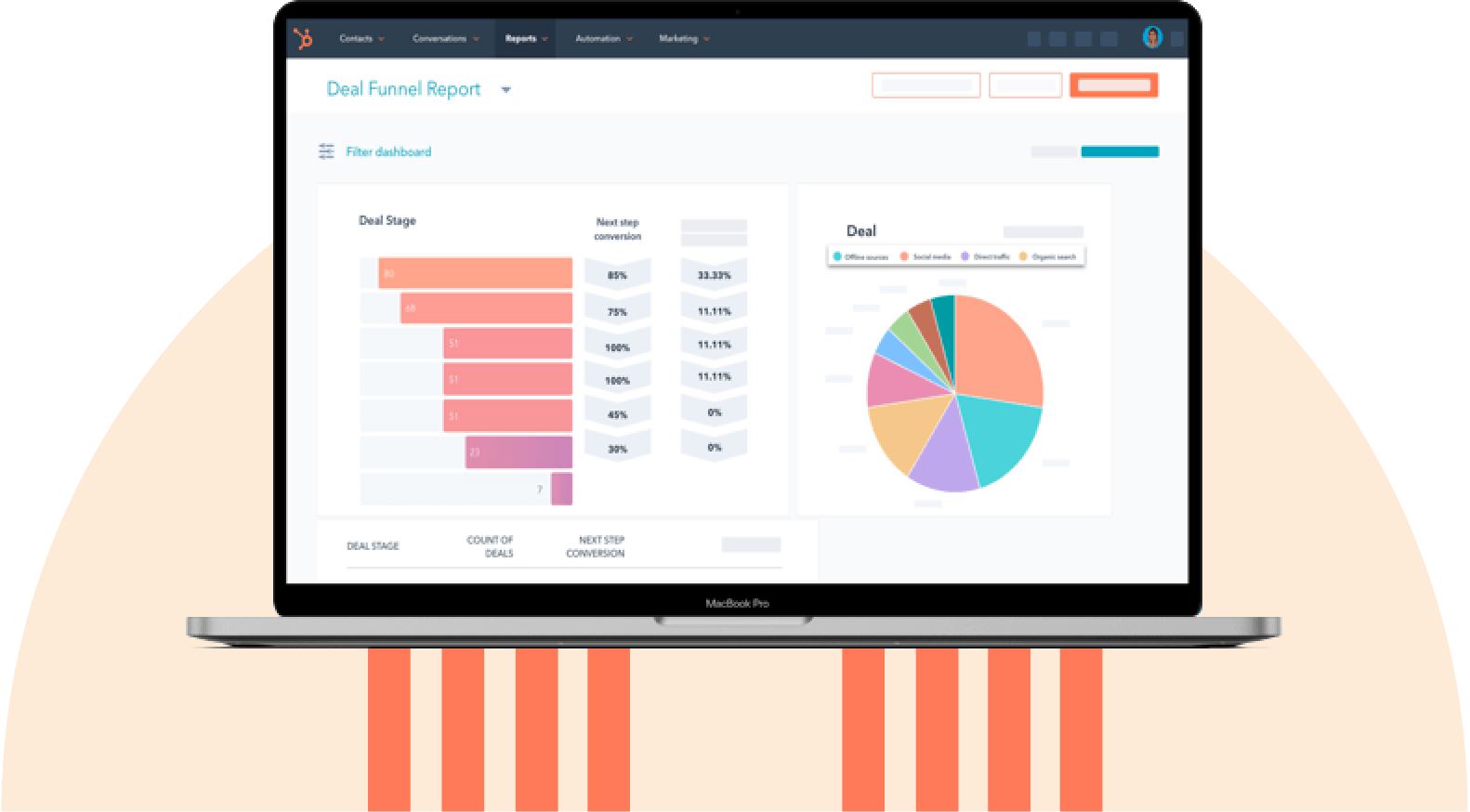
HubSpot’s dashboard and reporting software lets teams create reports and dashboards using available CRM data. Depending on their configuration and subscription, teams can bring relevant interaction measures alongside deal and pipeline information to examine how customer activity relates to sales outcomes.
Ready to connect customer interactions to pipeline, sales activity, and revenue reporting? Get a demo of HubSpot Sales Hub.
Frequently Asked Questions About Customer Interaction Management
How is customer interaction management different from CRM?
Customer interaction management focuses on organizing and improving customer interactions. CRM covers a broader range of customer relationship information, including contacts, deals, accounts, pipeline, and revenue.
A company can use CRM software without consistently managing its interactions. For example, employees might leave calls unlogged or keep important conversations in personal inboxes. Customer interaction management establishes practices for recording those exchanges and making relevant context available to the people who need it.
Which team should own customer interaction management?
Customer interaction management usually requires coordination across sales, marketing, and customer service.
Revenue operations, sales operations, or another designated operations team may maintain the CRM’s data standards, logging procedures, and routing rules. Individual customer-facing teams remain responsible for the quality of their own interactions.
The right ownership structure depends on the company’s size, teams, and systems. What matters is assigning clear responsibility for maintaining the shared records and resolving problems when information or handoffs are missing.
Can I manage interactions without a CRM?
Yes. A small business can manage customer interactions using shared inboxes, spreadsheets, and other tools, particularly when a limited number of employees handle most conversations.
As interaction volume, communication channels, and team responsibilities grow, manually maintaining a complete history becomes more difficult. A CRM can reduce that work by connecting customer information and activities in a shared system.
What’s the best way to log interactions that happen offline?
Record offline interactions on the relevant customer or company record as soon as practical.
Include when the conversation happened, who participated, the main topic, any commitments made, and the next action. Mobile CRM tools or documented notes can help employees capture details after in-person meetings, events, or other offline conversations.
Follow the company’s privacy and recordkeeping policies, and avoid collecting information that isn’t needed for the customer relationship.
When should you introduce AI into your interaction workflows?
Introduce AI when your team has reliable interaction records, clear data-access rules, and a process for reviewing its output.
Conversation summaries can be a useful starting point because employees can compare the generated summary with the underlying record. Once the relevant data is available, AI can also help identify follow-up tasks and recurring interaction patterns.
Start with a specific use case, define how employees will check the results, and measure whether the tool saves time or improves the workflow before expanding its responsibilities.
Where Customer Interactions Belong
Customer interaction management works best when teams can capture conversations, find relevant history, coordinate follow-ups, and measure outcomes from a shared record. The capture, unify, route, act, learn, and optimize process helps teams use lessons from previous interactions to improve future ones.
Individual channel tools still play an important role in handling emails, calls, chats, and other conversations. A CRM connects that activity to the wider customer relationship. HubSpot’s AI-powered Smart CRM brings together customer information across marketing, sales, and service, while Sales Hub connects sales activity with deals, pipeline, and revenue reporting.
To see how teams can work from shared customer context, explore HubSpot Smart CRM.
HubSpot's Free CRM Software
Free CRM Software & Tools for Your Whole Team
- Sales
- Marketing
- Operations
- Customer Service
CRM