
Successful content automation programs change fragmented manual processes into scalable digital pipelines. These systems ensure that governance, search engine optimization (SEO), and cross-channel distribution occur programmatically.

According to HubSpot’s State of Marketing 2026 report, 80% of marketers use AI for content creation, while 75% use it for media production. By delegating operational workflows to AI software, organizations can maintain a consistent publishing cadence without increasing headcount or compromising technical standards.
This guide defines content automation, maps its application across the content lifecycle, reviews the top tools for scaling, and establishes critical guardrails for maintaining human-driven quality.
Table of Contents
- What is content automation?
- How does content automation work across the content lifecycle?
- Best Content Automation Tools
- When Not to Automate Content
- Frequently Asked Questions About Content Automation
What is content automation?
Content automation is the process of automating planning, creation, approvals, publishing, distribution, and optimization of content. Content automation improves content quality, speed, and scalability while maintaining brand governance. Content-related tasks that can be automated include:
- Keyword research.
- Initial drafting.
- Formatting.
- Scheduling.
- Optimizing.
- Performance tracking across multiple digital touchpoints.
Automation systems use predefined logic and generative models to ensure that every piece of content meets specific brand, SEO, and accessibility requirements before it goes live. Content automation differs from content marketing automation by focusing on the content lifecycle, not just campaign distribution.
Modern content automation connects disparate business activities to reduce operational friction, ensure brand consistency, and improve customer experience. For example, content automation tools like HubSpot Content Hub integrate a Content Management System (CMS) with a Customer Relationship Management (CRM) database to personalize output at scale. This way, businesses can generate high volumes of relevant, data-driven content that serves specific user intents across the entire buyer journey.
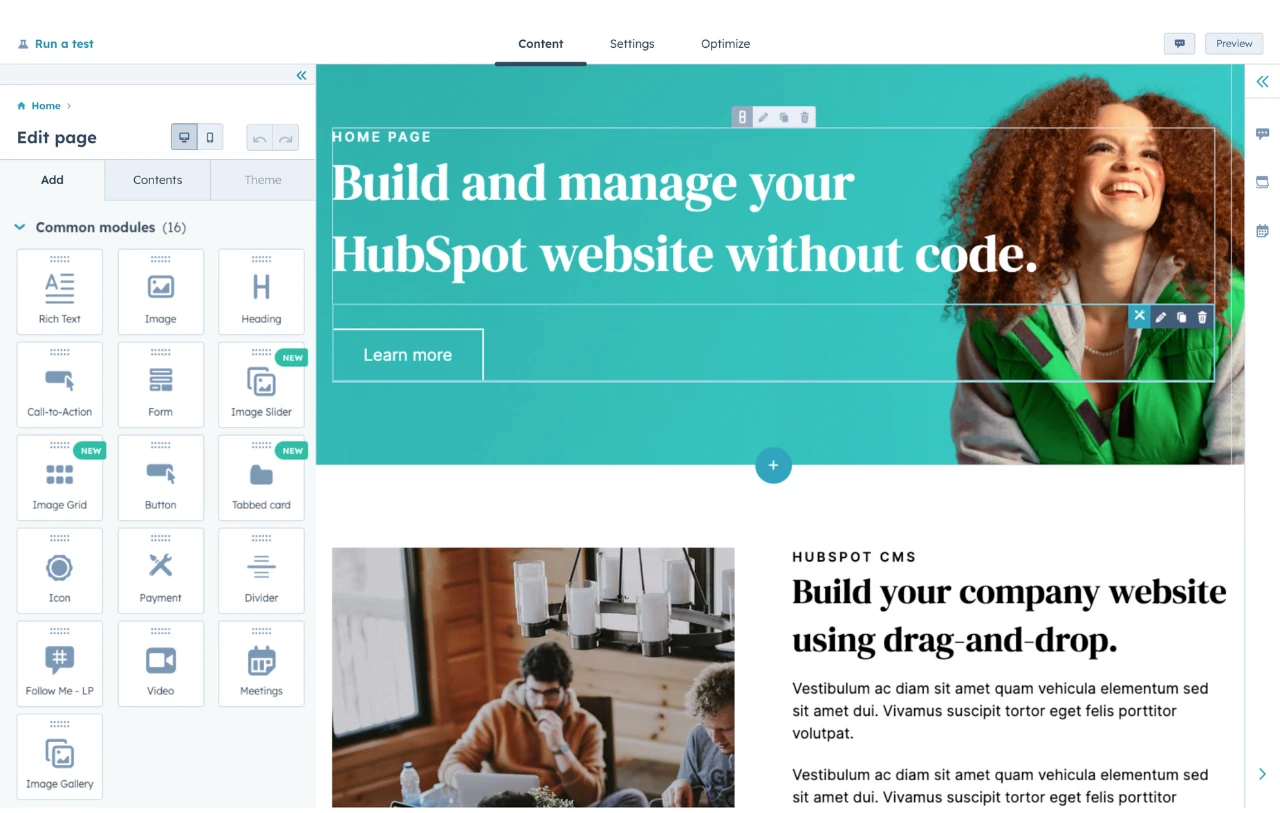
HubSpot's Free Website Builder
Create and customize your own business website with an easy drag-and-drop website builder.
- Build a website without any coding skills.
- Pre-built themes and templates.
- Built-in marketing tools and features.
- And more!
How does content automation work across the content lifecycle?
The content lifecycle consists of distinct stages where automation removes operational friction and ensures data integrity. Automated systems aid the flow of information from the initial ideation phase through to post-publication measurement.
Research and Planning
Automation tools crawl search engine results pages (SERPs) and social media platforms to identify emerging topics and gaps in existing content libraries. By programmatically identifying high-value keywords, content strategists can build data-backed editorial calendars in minutes rather than days.
AI systems such as Breeze can further enhance this process by analyzing existing content performance and CRM data to recommend topic clusters aligned with audience intent. This allows teams to prioritize ideas that are more likely to convert, not just rank.
Still, marketing teams must vet the results produced by automation software before approving them. Otherwise, they might let contextual misalignment slip through to production, especially for content that serves different regions or market segments.
Luisa Serra, an SEO consultant who helps businesses localize their content, cautioned, “Keywords that perform well in one language may not perform the same way, or reflect the same search intent, in another.” She stressed that only a professional can identify misalignment with the brand’s voice, its promise, and the cultural weight of specific word choices in the target language and market.
Creation and Governance
Generative AI agents can draft sections of text, generate images, and translate content into multiple languages. Simultaneously, automated governance tools scan for brand voice consistency and compliance, ensuring that the AI-generated content aligns with the brand identity guidelines.
While AI enables scaling content production, remember that quality matters more than quantity. Tomek Rudzki, GEO expert at Peec AI, highlighted several websites that lost search traffic after publishing large volumes of low-quality AI-generated content. He predicts that Google and AI will only become better at spotting low-quality AI content.
Pro tip: Use AI agents like Breeze for the first draft. Then, include case studies, statistics, and lived experience to create publish-ready content.
AEO and SEO Optimization
Optimization automation involves the programmatic insertion and structuring of schema markup, alt text, internal links, and semantically rich entities, alongside clear question–answer formatting, concise summaries, and logically organized headings. It also incorporates topic clustering, E-E-A-T signals, and retrieval-friendly formatting designed for direct answer extraction.
These enhancements ensure that content is not only readable by humans but also easier for search engines and large language models (LLMs) to parse, interpret, and retrieve. In turn, this significantly increases the likelihood of content being surfaced in search rankings, featured snippets, and AI-generated responses.
Search Engine Journal published an experiment that evaluated the presence of schema and AI citations. In that experiment, SEO consultants Molly Nogami and Ben Tannenbaum published articles with no schema, incomplete schema, and correct schema implementations. They found that Google AI Overview cited the article with a well-implemented schema.
Distribution and Promotion
Automated distribution ensures that a single piece of content reaches the widest possible audience across social media, email, and external websites without manual intervention. This stage helps marketers adapt formatting for different platforms instantly.
Platforms like HubSpot Content Hub enable teams to manage website, email, and landing page content from a single interface, keeping messaging consistent across every touchpoint. Connecting content directly to customer data also supports dynamic experiences tailored to each audience segment.
Setapp, a subscription-based service for Mac and iOS applications, now creates content with distribution in mind from the very start. Its content team researches where each piece can be shared before the team allocates resources to create it.
I asked Olena Khodos, content marketing manager at Setapp by Macpaw, about the results they’re getting from the strategy. She shared,
“In one year, distribution drove 50% of our organic results, proving that multi-platform content delivers faster growth than single-channel strategies. Especially with the rise of LLMs, it’s critical that your content appears not just on your own channels, but across platforms like Reddit, Medium, LinkedIn, and YouTube, acting as a multiplier that helps to maximize every piece of content you create.”
Measurement and ROI Tracking
Measurement automation replaces manual spreadsheets with real-time dashboards that connect content engagement directly to revenue data. This creates a closed-loop reporting system that proves the financial impact of every asset.
Tools like HubSpot Content Hub integrate content performance data with CRM insights, allowing teams to connect engagement metrics to pipeline and revenue outcomes. This unified visibility makes it easier to identify which automated assets are driving meaningful business results. To track if content is performing, monitor these metrics:
- Conversion. This measures the percentage of users who take a specific desired action — like downloading a guide or making a purchase after interacting with a brand’s content.
- Customer Acquisition Cost (CAC). CAC represents the total sales and marketing expense required to earn a new customer, including the costs of content tools and human talent. By automating repetitive tasks, teams can scale their output and lead generation while keeping the cost per customer as low as possible.
- Customer Lifetime Value (CLV). This is the total revenue a business can expect from a single customer account throughout the entire relationship. Automated nurturing workflows use content to keep customers engaged long-term, effectively increasing their value without requiring constant manual intervention from the team.
Pro tip: Use HubSpot’s Marketing Analytics and Dashboard Software to build a custom multi-touch attribution report that tracks how specific automated content assets contribute to these metrics. By mapping their content’s first-touch and last-touch interactions directly to the CRM, marketing teams can pinpoint exactly which automated blog posts are lowering their CAC or driving the highest CLV over time.
Best Content Automation Tools
Effective content automation requires a toolset that prioritizes integration and data centralization. Selecting platforms that communicate seamlessly with an organization’s CMS and CRM is essential for maintaining a unified source of truth.
1. HubSpot Content Hub
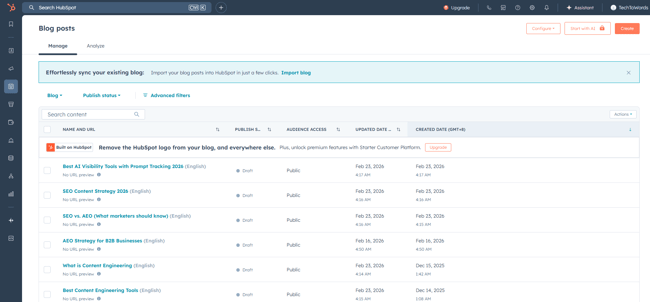
HubSpot Content Hub is a content marketing platform that centralizes creation, management, and optimization within a single CRM-native environment. Content Hub unifies workflows, AI simplifies writing, and analytics track ROI. Marketers use Content Hub to eliminate the friction between content production and lead generation.
By integrating directly with the HubSpot Smart CRM, marketers can build highly personalized customer journeys that update automatically based on real-time user behavior. The system provides a scalable infrastructure where every asset — from a simple blog post to a complex multi-channel campaign — is managed under a unified governance framework.
Key Features
- Content Management System. Content Hub features an internal CMS to store online assets and create and host a website.
- Content Remix. This feature allows teams to “atomize” a single asset, like a blog post, into dozens of other formats, including social posts, emails, and even audio files or landing page sections. This eliminates the manual effort of content repurposing.
- Brand Voice. HubSpot’s AI learns from a company’s existing website content to mimic its unique tone and style. It provides real-time suggestions to ensure that AI-generated drafts sound human and stay true to the brand personality.
- AI Blog Writer & Content Agent. Powered by the latest LLMs, this tool drafts full-length, SEO-optimized articles based on simple prompts.
- Smart Content & Personalization. Leverage CRM data to personalize content for different visitors. For example, a returning customer might see a “Welcome back” message while a new lead sees a promotional offer, all automated through rules-based logic.
- Breeze Integration. Professional and Enterprise plans include access to Breeze, HubSpot’s suite of AI agents. The Content Agent can research, draft, and optimize assets autonomously, while the Customer Agent handles 24/7 engagement on the site.
- AEO & SEO Tools. Includes built-in SEO recommendations to optimize content. Teams can also use HubSpot AEO or the AEO features built into Marketing Hub to ensure their content is ready for answer engines.
Best for: Growth-stage and enterprise companies seeking a unified, AI-led content operations system.
Pricing: Free tools available. Starter from $20 per seat/month. Professional plan starts at $450 per month.
What I like: The “single source of truth” factor. Because it’s built on a CRM, I can derive content intelligence directly from customer data to personalize blogs for specific segments.
Pro tip: Use the Breeze inside Content Hub to automatically generate blog post ideas based on existing high-performing pages. This ensures marketers’ automated efforts are always grounded in proven data.
HubSpot's Free Website Builder
Create and customize your own business website with an easy drag-and-drop website builder.
- Build a website without any coding skills.
- Pre-built themes and templates.
- Built-in marketing tools and features.
- And more!
2. ContentBot.ai
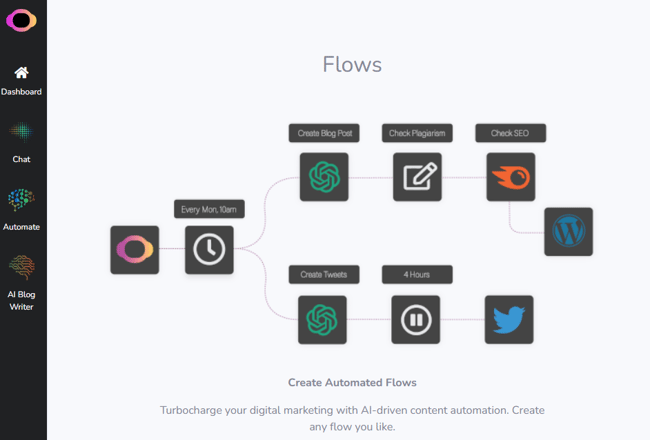
ContentBot.ai is a comprehensive generative AI platform that specializes in creating visual flows to automate complex, multi-step AI content generation. The tool allows users to build visual logic chains that can generate content, filter it through specific parameters, and export it to various third-party destinations. It is designed to bridge the gap between simple prompt-based generation and enterprise-level content orchestration.
Key Features
- Drag-and-drop AI writer.
- “AI Flows” automation builder.
- WordPress plugin.
- Bulk data importer for ecommerce.
Best for: WordPress users and agencies who need to manage high-volume content flows across multiple sites.
Pricing: Starter plans from $9/month; Prepaid pay-as-you-go options available.
What I like: The “AI Flows” feature is a genuine differentiator. It allows marketers to build a visual “recipe” that runs on autopilot (e.g., “Write a blog post → Extract a Tweet → Send to WordPress”).
3. Jasper
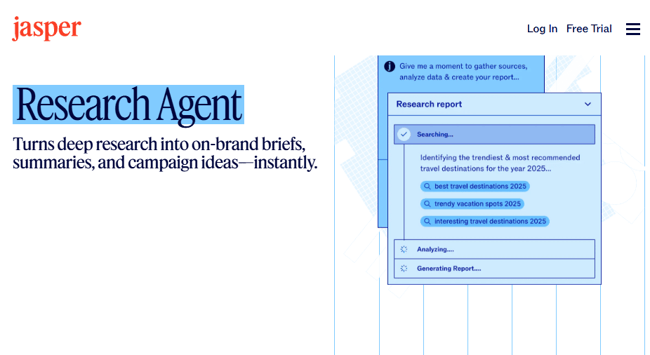
Jasper is a generative AI content platform that helps teams scale content production while maintaining brand consistency. The platform offers a suite of collaborative tools that allow entire marketing departments to generate on-brand copy for ads, emails, and long-form articles. Its robust API and browser extension make it easy to integrate AI assistance into any existing web-based workflow.
Key Features
- Campaign memory.
- Style guides.
- API access for custom workflows.
Best for: Teams that need a dedicated AI writing assistant with deep brand-voice customization.
Pricing: Starts at approximately $59/month per user.
What I like: Jasper’s Campaign feature is a winner. Marketers can pull an entire month’s worth of content (emails, ads, blogs) from the same foundational brief.
4. Zapier
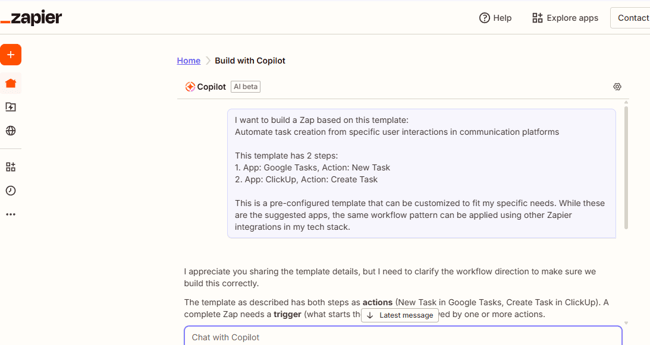
Zapier is a specialized integration platform that enables non-technical users to connect thousands of different software applications via automated triggers and actions. Acting as a universal translator between apps, it allows for the creation of sophisticated content pipelines that move data from spreadsheets to CMS platforms. It is one of the most popular no-code automation tools that marketing teams use to streamline their content pipeline.
Key Features
- Over 8,000 app integrations.
- Multi-step logic.
- No-code interface.
Best for: Connecting non-integrated tools (e.g., syncing a Google Doc to a social media scheduler).
Pricing: Free plan available; Professional plans start at $19.99/month.
What I like: Its versatility. I like that Zapier can “glue” together almost any tools or software I commonly use.
5. Content Workflow by Bynder
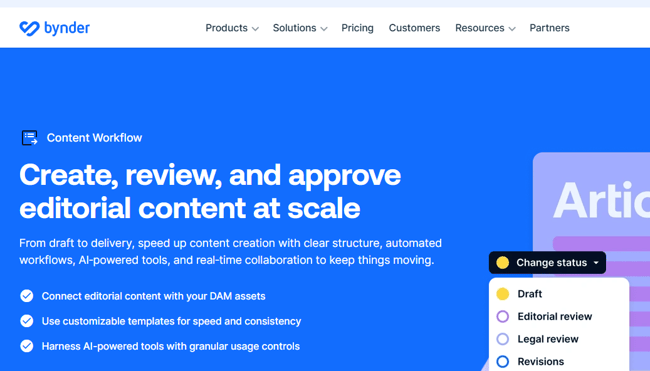
Content Workflow by Bynder (formerly GatherContent) is a content operations platform that centralizes the production, governance, and organization of content drafts before they reach the CMS. The software provides a structured environment where teams can collaborate on drafts, manage complex approval hierarchies, and maintain version control. It is particularly effective for teams operating in industries that need to meet strict editorial guidelines.
Key Features
- Structured templates.
- Clear approval workflows.
- Real-time collaboration.
Best for: Organizations that manage high volumes of digital assets and require strong governance and collaboration.
Pricing: Contact for pricing.
What I like: Real-time collaboration tracking. It makes it very easy to see which content pieces are stuck in legal review or awaiting SEO approval.
6. Semrush
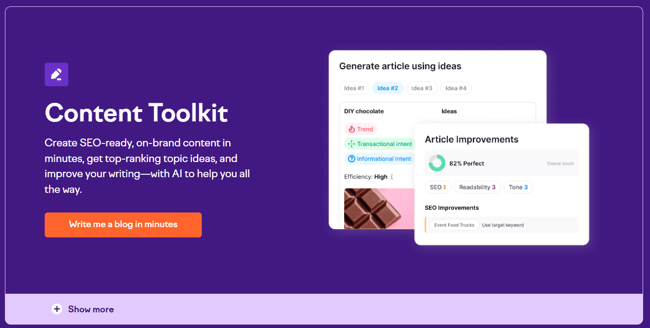
Semrush is an all-in-one digital marketing suite that helps businesses plan, execute, and optimize SEO and content strategies. It serves millions of users globally, including marketers, content strategists, and SEO specialists. The platform’s SEO Writing Assistant provides real-time recommendations on keyword usage, readability, tone, and originality, helping writers improve content quality before publication.
Key Features
- Automated SEO recommendations.
- Plagiarism checks.
- Readability analysis.
Best for: Content strategists focused heavily on organic search rankings and technical SEO.
Pricing: Starts at $117.33/month.
What I like: The real-time optimization score. I can improve my chances of ranking with data while my articles are still in the draft phase.
7. Airtable
Airtable is a cloud-based relational database that serves as a project management tool. It allows teams to build highly customized automated workflows for their editorial calendars. By combining the flexibility of a spreadsheet with the power of a database, Airtable enables content leaders to automate status notifications, assignment tracking, and asset archival. It serves as a flexible infrastructure for teams that have outgrown traditional project management tools.
Key Features
- Automated status updates.
- Calendar views.
- Custom interface designers.
Best for: Content operations leaders who need to track thousands of assets across various stages.
Pricing: Free plan available; Team plans start at $20 per seat/month.
What I like: The ability to create custom interfaces for different team members, so writers only see their assignments while managers see the full bird’s-eye view.
When Not to Automate Content
Content automation should never be applied to tasks requiring a high degree of nuance, original research, or emotional intelligence. While AI can synthesize existing information, it cannot replicate unique human perspectives or conduct original interviews with industry experts.
Moreover, AI might produce inaccurate or hallucinated results, which, without oversight, can have serious consequences. For example, Deloitte produced an AI-assisted report for the Australian Department of Employment and Workplace Relations that contained fabricated references. The company later refunded AUD $440,000 for the incident.
Maintaining a high standard of quality requires human oversight at critical guardrail points. Brands must avoid automating:
- Opinion-led thought leadership. AI lacks the “lived experience” necessary for true authority.
- Sensitive customer communications. Crisis management and high-stakes support require human empathy.
- Final fact-checking. LLMs can hallucinate. All statistics and claims must be verified by a person.
Pro tip: Establish a “Human-in-the-Loop” workflow. Use automation to generate the first 60% of a draft (research and structure), and let a human expert provide the final 40% (style, anecdotes, and verification).
Frequently Asked Questions About Content Automation
What’s the difference between content automation and content marketing automation?
Content automation focuses specifically on the production and management of assets, such as writing a blog post or optimizing an image. Content marketing automation is broader, involving the delivery and orchestration of that content across marketing channels, such as automated email nurturing sequences or lead scoring.
Which teams should own content automation?
Content automation is typically owned by a cross-functional group involving Content Strategy, Digital Operations, and SEO. The strategy team defines the brand voice and prompts, while operations ensures the technical integrations between the CMS and CRM remain functional.
How do I keep my prompts and templates on brand?
To maintain brand consistency, centralize your prompt library within your CMS or a shared documentation hub. Regularly audit automated outputs against your style guide and use tools like HubSpot’s Content Hub that allow you to integrate brand rules directly into the AI generation settings.
How long does it take to implement a basic content automation workflow?
A basic workflow, such as automating the drafting and scheduling of blog posts, can be implemented in one to two weeks. More complex systems that involve deep CRM personalization and cross-platform integrations typically require 60 to 90 days for full deployment and testing.
Can content automation work without a CRM?
While automation can function without a CRM, it will lack the customer data required for effective personalization. A CRM provides the context — such as user behavior and lifecycle stage — that allows automation tools to generate content that actually converts rather than just fills space.
Future-proof your content engine with automation.
Content automation is no longer a luxury for marketing teams; it is a fundamental requirement for scaling digital operations in an AI-driven search environment. By integrating tools like HubSpot Content Hub and Breeze, organizations can automate the repetitive aspects of the content lifecycle, from research to distribution, while ensuring their site remains visible to both human readers and answer engines.
In my experience, the biggest mistake teams make is viewing automation as a “set it and forget it” solution. I’ve discovered that the most successful content engines are those where the technology handles the volume, but the humans handle the soul of the brand.
Remember, content automation helps expedite publication, but human input is key to delivering the creative touch and accuracy customers need.
HubSpot's Free Website Builder
Create and customize your own business website with an easy drag-and-drop website builder.
- Build a website without any coding skills.
- Pre-built themes and templates.
- Built-in marketing tools and features.
- And more!
Marketing Automation