

A few months ago, I struggled with creating effective email copy, despite following best practices. But once I dove deep into market research, everything changed. Based on my findings, I used our customers' own words and pain points in our messaging. This resonated deeply and led to increased reply rates and conversions.
That's why market research is so powerful. It beats assumptions every time, removes the guesswork, and connects you directly with what your market actually wants.
![→ Download Now: Market Research Templates [Free Kit]](https://no-cache.hubspot.com/cta/default/53/6ba52ce7-bb69-4b63-965b-4ea21ba905da.png)
In this guide, I’m going to walk you through how to do market research for a business plan, whether you’re an experienced researcher or a newbie, so you can understand your audience, competition, and opportunities.
Let’s dive in.
Table of Contents
What is market research?
Market research is the process of gathering information about your target market and customers. You can use this data to verify the success of a new product, help your team iterate on an existing product, or understand brand perception. The idea here is to make sure your team is effectively communicating your company’s value.
.png)
Free Market Research Kit
5 Research and Planning Templates + a Free Guide on How to Use Them in Your Market Research
- SWOT Analysis Template
- Survey Template
- Focus Group Template
- And More!
Download Free
All fields are required.
When I look at how market research has evolved, two realities stand out.
First, your competitors are talking to their customers, too. And they‘ve got smart people and solid data just like you do.
I’ve seen companies match each other move for move because they're all drawing from the same small pool of insights. The real advantage comes from looking beyond the obvious — diving deeper than your competition is willing to go.
Second, your current customers are just one piece of the puzzle. They chose you for a reason, but what about the ones who didn‘t? That’s where the real growth opportunities hide.
Based on insights from over 3,000 researchers across the globe, the 2025 Qualtrics Market Research Trends Report reveals that there is a growing demand for extensive research. In fact:
- 66% of research teams report increased requests in the last year.
- 71% of research teams report that their organizations now rely more heavily on their insights than a year ago.
- 67% of cutting-edge research teams saw their team’s budget increase in the last year.
- 92% of market research professionals feel secure in their role.
And guess what? The market research industry grew from almost $130 billion in 2022 to $142 billion in 2023, according to ESOMAR’s Global Market Research 2024 report.
I’ve realized that smart companies aren’t just throwing money at research — they’re investing because they know gut feelings aren't enough anymore. So, what makes market research so valuable that companies are pouring billions into it?
Why do market research?
I learned the hard way that best practice email copy doesn’t guarantee results. But when I switched to messaging built on real customer research, our conversion rates doubled. That’s the power of knowing what moves your buyers to action, instead of guessing.
Here's what proper market research uncovers:
- The hidden corners of the internet where your buyers are already searching for solutions (often not where you'd expect).
- Which competitors are dominating the conversation — and more importantly, why your target audience trusts them.
- Real-time shifts in your industry that your buyers care about (not just what industry publications claim is trending).
- The true DNA of your market — who they are, what keeps them up at night, and what they're really willing to pay for.
- Purchase triggers that actually drive decisions.
- Unfiltered attitudes about products like yours, including objections your sales team never hears
- Validation (or warning signs) for your next big business initiative before you invest heavily.
- Gaps in the market your competitors have missed that are often hiding in plain sight.
- Price sensitivity insights that help you position your offering for maximum value.
I've seen how good research strips away internal biases and assumptions, replacing them with ground truth about what your buyers actually think, feel, and do.
The result? You stop guessing and start making decisions based on real market intelligence. That's the difference between marketing that falls flat and marketing that drives real business growth.
How does market research work?
Think of market research like being a detective, but the stakes are your business growth. For me, the mystery was why our email campaigns had high open rates but low conversions.
Here’s how I cracked the case.
First, I identified the key question: What messaging would drive more conversions? Then, I mapped out my research plan:
- Analyze customer support transcripts to uncover common pain points.
- Conduct customer interviews to explore unexpected priorities.
- Mine competitor reviews for unmet market needs.
Each source revealed different pieces of the puzzle.
- Support transcripts highlighted recurring frustrations.
- Interviews unearthed surprising insights about what customers value most.
- Competitor reviews revealed opportunities we hadn’t considered.
I distinctly remember a breakthrough moment during this process. One customer interview revealed that they loved our service but were held back by binding agency contracts.
We had not addressed this in our messaging for leads who wanted to switch to our service. Addressing it immediately led to a measurable uptick in conversions.
When conducting research, I’ve learned to blend quantitative and qualitative methods. Early on, I relied too much on survey data and missed the emotional drivers behind customer decisions. Now, I know that talking to even five customers can uncover insights that hard numbers might miss.
.webp?)
Free Marketing Software
Easy marketing tools that deliver fast time-to-value, unified in one place.
- AI Tools
- Email Marketing
- Social Media Management
- And More!
When should you conduct market research?
Knowing when to conduct market research is just as important as how you do it. The short answer? Do it before any major business decision. Here are some specific scenarios.
- Conversion rates drop: When campaigns perform below expectations (like my email campaign).
- New product launches: To identify customer needs and market gaps.
- Market expansion: When entering unfamiliar territory.
- Rising customer acquisition costs: To optimize your funnel.
- Competitive landscape shifts: To adapt to new players or trends.
For example, when my client was launching a new feature, we decided to conduct interviews to gauge interest and understand potential concerns.
Customers were excited but confused about how the feature worked. This insight allowed us to refine our messaging before the launch, saving us from what could have been a disappointing rollout.
Even a two-week research sprint can prevent months of costly mistakes. I’ve personally seen this in action — those two weeks of focused effort often pay dividends for months or even years.
Should you outsource market research?
This depends on your resources, expertise, and the scope of your research. Here’s a simple framework I’d recommend.
Do it in-house when:
- You need ongoing, iterative research.
- You have team members with research experience.
- You’re working with sensitive customer data.
- You have a limited budget.
- You need quick turnaround times.
Outsource when:
- You need specialized expertise (e.g., focus group moderation).
- You require large-scale data collection.
- You want to avoid internal biases.
- You lack internal research capabilities.
- Your budget allows for professional services.
Here’s a concrete example: At one point, my client needed to understand market trends for a new service they wanted to introduce. While we were equipped to handle basic customer surveys, this required expertise in analyzing broader data sets.
Outsourcing to a research firm provided us with insights we couldn’t have gathered on our own, like identifying demand trends that shaped our go-to-market strategy.
At the same time, I’ve found that keeping ongoing research in-house allows for quicker iterations.
For our email campaigns, we conducted the research ourselves, and it paid off — adjustments to the messaging were implemented in days, not weeks, which wouldn’t have been possible with an external firm.
Pro tip: A hybrid approach often works best. My client now keeps customer feedback and competitor analysis in-house but outsources complex projects that require specialized tools and expertise.
Primary vs. Secondary Research
In my experience, I've found the most powerful insights come from combining two distinct types of data: the stories your market tells (qualitative) and the patterns in their behavior (quantitative).
When I need to understand the “why” behind customer decisions, I dig into qualitative research. Again, it’s like being a detective — you’re gathering opinions, emotions, and detailed feedback about products in your market.
For instance, in my email campaign work, customer interviews revealed messaging pain points that no amount of data could have shown us.
Quantitative research, on the other hand, gives you the hard numbers to validate these insights. Think purchase patterns, engagement rates, and market trends backed by data. This is where you spot opportunities others miss.
I've learned to blend both approaches through two main research channels:
- Primary research — first-hand information you gather yourself.
- Secondary research — existing data you can leverage right now.
Let me show you how to use each one effectively.
Primary Research
Primary research is where the real magic happens. It's your chance to gather first-hand information directly from your market, learn how to segment your audience, and establish your buyer personas.
But here‘s what I’ve learned: The goldmine of insights often starts right in your own backyard. Before you spend resources on external research, mine your internal data first.
Here's my tried-and-tested internal research process.
Start with your existing audience's voice. I dig through:
- Customer interviews, surveys, and polls — not just for general feedback, but specifically hunting for their exact language about problems and desired outcomes.
- Social media conversations across platforms. Reddit and LinkedIn have been particularly rich sources for uncovering raw, unfiltered customer language for me.
- Past marketing campaign data — what messages actually drove conversions?
Then, analyze your offer through your customers' eyes:
- Map out every problem your product solves.
- Review your existing customer personas (but don't let them limit your thinking).
- Examine all your marketing materials for promises made and proof points used.
The game-changer for me? Looking at the gaps between what‘s working and what isn’t:
- Heat maps and session recordings that show where people actually engage.
- A/B test results that reveal which messages resonate.
- Marketing analytics data that exposes disconnects between traffic and conversion.
This foundation of internal research is what helped me transform that struggling email campaign I mentioned earlier.
By understanding where our existing message was missing the mark, we could craft a copy that actually spoke to our audience's true concerns.
Free Market Research Kit
5 Research and Planning Templates + a Free Guide on How to Use Them in Your Market Research
- SWOT Analysis Template
- Survey Template
- Focus Group Template
- And More!
Download Free
All fields are required.
Secondary Research
Once you‘ve done your primary research, it’s time to zoom out and look at the bigger picture through secondary research.
Here‘s where I learned something crucial: your market’s truth often lies in the spaces between different data sources.
Let me share my process for secondary research, built from that email campaign turnaround I mentioned.
First, I go straight to the source — your market's unfiltered voice:
- Review mining is golden. I spend hours in G2 Crowd, Capterra, and similar sites, not just reading reviews but noting exact phrases customers use to describe their problems and desired outcomes.
- Social listening across LinkedIn, Reddit, and industry forums reveals how people really talk about their challenges when they think no one's selling to them.
- Support and chat transcripts from competitors (often publicly available) show real pain points and feature requests.
Then, I layer in competitive intelligence to analyze your competitors:
- Map out competitor promises and positioning — what claims are they making?
- Track how the market responds to these claims in comments and discussions.
- Note gaps between what competitors promise and what customers say they actually deliver.
Finally, I validate patterns with authoritative sources:
- Industry reports from Pew, Gartner, or Forrester (yes, they're expensive, but worth it for the trends they reveal).
- Academic studies that dig into the “why” behind market behaviors.
- Public data from government sources that provide market size and growth validation (e.g., from the U.S. Census Bureau).
Here’s the key insight I’ve gained: Secondary research is about connecting the dots, not just aimlessly collecting data.
When I revamped that struggling email campaign, it was the combination of customer language from review mining, and unaddressed pain points from competitor analysis, that led to our breakthrough messaging.
Building from my experience with both methods, I’m now going to break down where each type of research shines and where it can trip you up.
What I love about primary research:
- You're getting unfiltered, real-time insights about your specific market questions.
- The data is yours exclusively. Your competitors don't have access to these insights.
- You can pivot your questions mid-research when you spot interesting patterns.
- The findings are hyper-relevant to your specific offering.
Where I've hit roadblocks with primary research:
- It's resource-intensive since good research takes time and money.
- Small sample sizes can skew your results.
- Getting honest feedback can be tough since people often tell you what they think you want to hear.
- You need solid research design skills to avoid biased results.
Why I turn to secondary research:
- You can start gathering insights immediately.
- The sample sizes are usually much larger.
- The hard work of data collection is already done.
- It's often more cost-effective.
- You get historical trends that help predict future patterns.
The challenges I've faced with secondary research:
- The data isn't tailored to your specific questions.
- Information can be outdated.
- You're seeing the same data your competitors are.
- Quality sources can be expensive (looking at you, Gartner reports).
Here’s what I’ve learned: the magic happens when you combine both.
For example, when I was working on that email campaign overhaul, secondary research helped me understand industry-wide pain points — but primary research revealed how those challenges specifically manifested for our audience.
That combination gave us the messaging precision we needed.
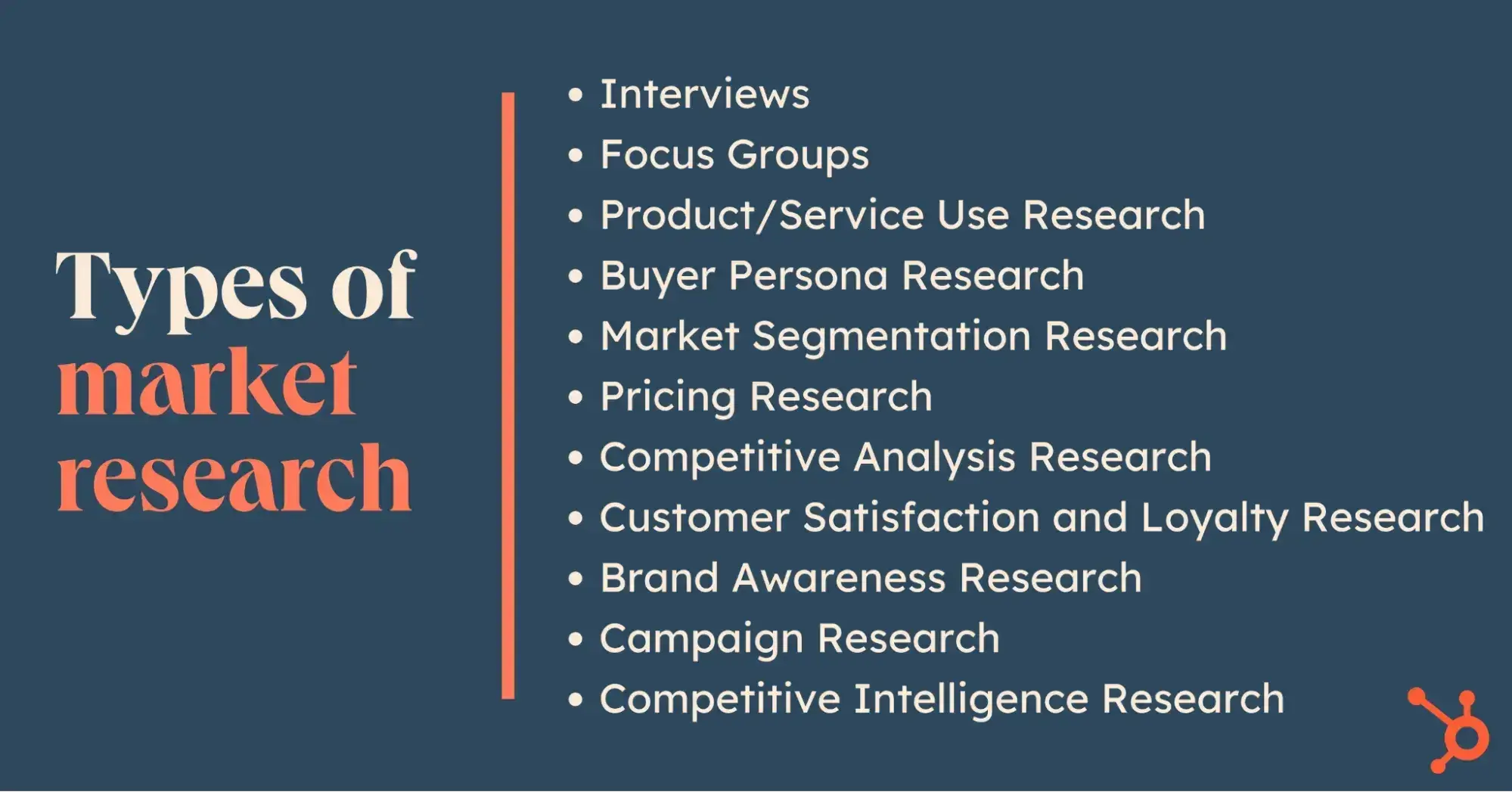
Types of Market Research
Now, here are the various types of market research I’ve discovered.
1. Interviews
When I switched from scripted interviews to more conversational ones, the quality of my insights skyrocketed. The power of interviews lies in their flexibility and depth — you can follow interesting threads and dig deeper when something surprising emerges.
The advantages are compelling because you:
- Get nuanced insights.
- Capture exact customer language.
- Build genuine connections with your market.
I've found interviews particularly valuable for understanding complex decision processes and uncovering those unspoken pain points that never show up in surveys. However, interviews come with challenges:
- They're time-intensive — each quality conversation takes 30-45 minutes.
- You need strong interviewer skills to avoid leading questions and keep the conversation flowing naturally.
- You're limited in how many you can conduct, which means a smaller sample size.
They're best suited for understanding complex decision processes, exploring new market opportunities, and developing detailed buyer personas. That email campaign breakthrough I mentioned earlier came from noticing patterns across just eight in-depth customer interviews.
Pro tip: Record every interview (with permission). I create a simple message map before each interview to stay focused but allow for organic conversation.
Keep your questions open-ended, and always follow up with interesting responses like “Can you tell me more about that?” Resist the urge to fill every pause, as some of the best insights often come after a moment of silence.
2. Focus Groups
I think of focus groups as controlled chaos — in the best way possible. The magic happens when participants build on each other‘s ideas, creating insights that wouldn’t emerge in one-on-one conversations.
The real value comes from watching group dynamics unfold. You'll see immediate reactions to concepts, witness how opinions form and shift, and gather multiple perspectives efficiently.
For product testing, nothing beats watching a room full of potential customers interact with your product. Yet focus groups have their pitfalls:
- Dominant personalities can hijack the conversation
- Groupthink can mask real opinions.
- They're not cheap — between facility rental, participant compensation, and professional moderation, costs add up quickly.
I’ve learned that they shine brightest for product concept testing, brand perception studies, and understanding group decision dynamics. I've seen entire product roadmaps shift based on a single powerful focus group session.
Pro tip: Keep groups small (6-8 people max) for better discussion flow. Have a strong moderator guide, but be ready to abandon it if the group surfaces unexpected gold.
Watch for nonverbal cues — sometimes, what people don't say is more revealing than what they do. Always run multiple sessions with different groups to validate your findings.
3. Product/Service Use Research
I've learned that what people claim about their usage habits and what they actually do can be worlds apart. The beauty of this research lies in its raw honesty.
- You'll spot usability issues that users have learned to work around and never thought to mention.
- It reveals the gap between your intended user experience and the real one.
- It gives you concrete evidence to back up product development decisions.
However:
- Testing environments can feel artificial, leading to slightly skewed behaviors.
- The analysis takes time, so you need to watch for patterns across multiple sessions.
- If your product has a long usage lifecycle, you might miss important long-term patterns.
I believe they're most powerful for UX improvements, feature prioritization, and identifying friction points in your user journey. The insights often lead to those “aha” moments that transform your product experience.
Pro tip: Use screen recording tools for digital products to capture every click and hesitation. Create specific tasks, but don’t over-direct. Let users explore naturally. Have them think aloud during the process, but don’t interrupt their flow.
4. Buyer Persona Research
This goes way beyond basic demographics to uncover the real story of who your buyers are and why they make the decisions they do. It‘s about building a rich, nuanced picture of your ideal customer’s world.
The strength of buyer persona research is its ability to align your entire organization around a shared understanding of your customer. It transforms abstract data into a compelling narrative that guides everything from product development to marketing campaigns.
The main challenge is avoiding stereotypes and surface-level insights. It's easy to create personas that confirm rather than challenge your existing biases. Plus, personas can become outdated quickly in fast-moving markets.
I think this research excels at:
- Informing strategic decisions.
- Guiding content creation.
- Helping teams make customer-centric choices.
When done right, it becomes the foundation for all your other marketing efforts.
Pro tip: Base personas on real data, not assumptions. Include direct quotes from customer interviews to bring the persona to life. Focus on buying triggers and barriers more than demographic details. Update your personas at least annually, and make sure they represent both existing and aspirational customers.
5. Market Segmentation Research
Market segmentation changed my entire approach to messaging. Instead of trying to speak to everyone, I learned how to identify and target specific groups with tailored value propositions that actually resonate.
The true power of segmentation is that it helps you stop wasting resources on poor-fit customers. You discover:
- Which segments are most profitable.
- Which are easiest to serve.
- Which you should probably ignore entirely.
This clarity drives better decision-making across your entire business. The downside:
- It‘s complex and often requires significant data analysis skills.
- You might need to invest in specialized tools or expertise.
- There’s always the risk of over-segmenting your market until the segments are too small to be profitable.
For me, this research is crucial for launching new products, expanding into new markets, or refining your positioning. It helps you find the sweet spot between a market opportunity and your capabilities.
Pro tip: Start with broad segments and get more granular only where it makes business sense. Validate segments with actual sales data, as theoretical segments mean nothing if they don't match buying patterns.
Free Market Research Kit
5 Research and Planning Templates + a Free Guide on How to Use Them in Your Market Research
- SWOT Analysis Template
- Survey Template
- Focus Group Template
- And More!
Download Free
All fields are required.
6. Pricing Research
This is where art meets science. Good pricing research helps you find the sweet spot between what customers will pay and what you need to charge to be profitable. I've seen companies transform their revenue just by improving their pricing strategy.
The value of pricing research lies in its ability to prevent costly mistakes. It helps you avoid leaving money on the table or pricing yourself out of the market. Plus, it gives you solid data to back up pricing decisions when stakeholders push back.
But here’s the catch — people are notoriously bad at predicting what they’ll actually pay. You need to use indirect methods to uncover a true willingness to pay. And markets change quickly — pricing research has a shorter shelf life than other types of research.
I recommend using this research when you’re:
- Launching new products.
- Entering new markets.
- Considering a significant price change.
- Developing tiered pricing strategies.
Pro tip: Test different pricing frameworks (per user, per feature, etc.), not just different prices. Always segment your pricing research by buyer type — different segments often have vastly different price sensitivity.
7. Competitive Analysis
Competitive analysis reveals market gaps and opportunities others miss. Beyond tracking competitors' features and pricing, it uncovers their strategic positioning and customer perception.
The key advantage is identifying your true differentiators. You'll understand which battles to fight and which to ignore. Plus, you gain early warning of market shifts and emerging threats.
The challenge? Avoiding competitive obsession. Too many companies play follow-the-leader instead of focusing on customer needs. Also, public data can be misleading — you need multiple sources for accurate insights.
I believe this research is essential for positioning, product development, and pricing strategies. It can also help you find underserved niches and predict competitor moves.
Pro tip: Monitor competitors' customer reviews closely — they reveal gaps between promises and delivery.
8. Customer Satisfaction and Loyalty Research
This research type prevents customer churn before it happens. It measures not only satisfaction but also loyalty and willingness to recommend you to others. The value is in predicting and preventing revenue loss:
- You'll identify at-risk customers early and understand what drives long-term loyalty.
- You'll find upsell opportunities among satisfied customers.
The main pitfall is survey fatigue. Over-surveying leads to low response rates and skewed data. Also, satisfaction scores alone don't tell the whole story — you need context.
I suggest you use this research to:
- Improve retention.
- Develop loyalty programs.
- Identify product improvements that matter most to existing customers.
Pro tip: Don't just measure NPS — understand the “why” behind the scores. Use interaction-based triggers for surveys rather than arbitrary timing.
9. Brand Awareness Research
It reveals gaps between your intended brand image and actual market perception. Beyond brand awareness levels, you learn about brand associations, sentiment, and consideration rates. This helps align marketing investments with brand goals.
The challenge is measuring actual awareness versus claimed awareness. Brand metrics can be fuzzy and hard to tie to revenue.
Pro tip: Use unaided recall first in surveys before showing brand names. Track social mentions for authentic brand sentiment and compare awareness metrics across different market segments.
10. Campaign Research
Campaign research helps optimize marketing performance through pre-launch testing and post-campaign analysis. It prevents costly campaign mistakes and helps replicate successes. You'll understand which messages resonate and why, improving future campaign ROI.
The risk is over-testing until you lose creative impact. Also, test results don't always scale to full campaigns.
Pro tip: Use A/B testing for digital campaigns to validate research findings and always measure against specific campaign objectives, not just engagement metrics.
11. Competitive Intelligence Research
This ongoing research tracks market dynamics and competitor moves. Unlike basic competitive analysis, it focuses on predicting future market changes. Benefits include early warning of threats and opportunities. You'll spot emerging trends before they become obvious.
The main challenge is separating signal from noise — not every competitor's move matters.
Pro tip: Pay more attention to evolving customer needs than competitor strategies. Use valuable insights from your sales team, who are constantly exposed to competitive intelligence through daily interactions with leads.
How to Do Market Research
- Define your buyer persona.
- Identify a persona group to engage.
- Prepare research questions for your market research participants.
- List your primary competitors.
- Summarize your findings.
- Consider AI market research tools.
1. Define your buyer persona.
You have to understand who your customers are and how customers in your industry make buying decisions. This is where your buyer personas come in handy. Buyer personas — sometimes referred to as marketing personas — are fictional, generalized representations of your ideal customers.
Some key characteristics you should be keen on including in your buyer persona are:
- Age.
- Gender.
- Location.
- Job title(s).
- Family size.
- Income.
- Major challenges.
The idea is to use your persona(s) as a guideline for effectively reaching and learning about the real audience members in your industry. If possible, reinforce new personas with concrete data from your already existing audiences.
For example, I like to use marketing analytics tools to monitor website traffic and uncover key details, like my visitors’ location, the type of devices they use, the particular traffic sources through which they landed on my web pages, and more.
Free resource: Use HubSpot’s Make My Persona tool or check out these free templates to create a buyer persona that your entire company can use to market, sell, and serve better.
Try the Make My Persona Tool for Free
2. Identify a persona group to engage.
Now that you know who your buyer personas are, use that information to help you identify a group to engage. This should be a representative sample of your target customers so you can better understand their actual characteristics, challenges, and buying habits.
How to Identify the Right People to Engage for Market Research
When choosing who to engage for your market research, you should:
- Aim for 10 participants per buyer persona. I recommend focusing on one persona at a time.
- Select people who have recently interacted with you. Focus on behaviors within the past six months (or up to a year).
- Gather a mix of participants. Recruit people who have purchased your product, purchased a competitor's product, and decided not to purchase anything at all.
- Provide an incentive. Motivate someone to spend 30-45 minutes on you and your study. On a tight budget? You can reward participants for free by giving them exclusive access to content.
Free Market Research Kit
5 Research and Planning Templates + a Free Guide on How to Use Them in Your Market Research
- SWOT Analysis Template
- Survey Template
- Focus Group Template
- And More!
Download Free
All fields are required.
3. Prepare research questions for your market research participants.
The best way to make sure you get the most out of your conversations is to be prepared.
You should always create a discussion guide to ensure you use your time wisely. Your discussion guide should be in outline format, with a time allotment and open-ended questions for each section.
Wait, are all open-ended questions?
Yes — this is a golden rule of market research. You never want to “lead the witness” by asking yes and no questions, as that puts you at risk of unintentionally swaying their thoughts by leading with your own hypothesis.
Asking open-ended questions also helps you avoid one-word answers (which aren't very helpful).
Example Outline of a 30-Minute Survey
Here's a general outline for a 30-minute survey for one B2B buyer. Want to make it a digital survey? Use HubSpot's free online form builder.
Background Information (5 minutes)
Ask the buyer to give you a little background information (their title, how long they've been with the company, and so on). Then, ask a fun/easy question to warm things up (first concert attended, favorite restaurant in town, etc.).
Here are some key background questions to ask your target audience:
- Describe how your team is structured.
- Tell me about your personal job responsibilities.
- What are the team's goals, and how do you measure them?
- What has been your biggest challenge in the past year?
Now, transition to acknowledging the specific purchase or interaction they made that led you to include them in the study. The next three stages of the buyer's journey will focus specifically on that purchase.
Awareness (5 minutes)
Here, you want to understand how they first realized they had a problem that needed to be solved, without getting into whether or not they knew about your brand yet.
- Think back to when you first realized you needed a [name the product/service category, but not yours specifically]. What challenges were you facing at the time?
- How did you know that something in this category could help you?
- How familiar were you with the different options on the market?
Consideration (10 minutes)
Now, you want to get very specific about how and where the buyer researched potential solutions. Plan to interject to ask for more details.
- What was the first thing you did to research potential solutions? How helpful was this source?
- Where did you go to find more information?
If they don't come up organically, ask about search engines, websites visited, people consulted, and so on. Probe, as appropriate, with some of the following questions:
- How did you find that source?
- How did you use vendor websites?
- What words specifically did you search for on Google?
- How helpful was it? How could it be better?
- Who provided the most (and least) helpful information? What did that look like?
- Tell me about your experiences with the salespeople from each vendor.
Decision (10 minutes)
- Which of the sources you described above was the most influential in driving your decision?
- What, if any, criteria did you establish to compare the alternatives?
- What vendors made it to the shortlist, and what were the pros/cons of each?
- Who else was involved in the final decision? What role did each of these people play?
- What factors ultimately influenced your final purchasing decision?
Closing
Here, you want to wrap up and understand what could have been better for the buyer.
- Ask them what their ideal buying process would look like. How would it differ from what they experienced?
- Allow time for further questions on their end.
- Don't forget to thank them for their time and confirm their address to send a thank-you note or incentive.
4. List your primary competitors.
List your primary competitors. Keep in mind that listing the competition isn't always as simple as Company X versus Company Y.
Sometimes, a company‘s division might compete with your main product or service, even though that company’s brand might exert more effort in another area.
For example, Apple is known for its laptops and mobile devices, but Apple Music competes with Spotify over its music streaming service. From a content standpoint, you might compete with a blog, YouTube channel, or similar publication for inbound website visitors — even though their products don't overlap with yours at all.
For example, a toothpaste company might compete with magazines like Health.com or Prevention on certain blog topics related to health and hygiene, even though the magazines don't actually sell oral care products.
Identifying Industry Competitors
To identify competitors whose products or services overlap with yours, determine which industry or industries you're pursuing.
Start high-level, using terms like education, construction, media and entertainment, food service, healthcare, retail, financial services, telecommunications, and agriculture. You can build your list in the following ways:
- Review your industry quadrant on G2 Crowd. G2 Crowd aggregates user ratings and social data to create “quadrants,” where you can see companies plotted as contenders, leaders, niche, and high performers in their respective industries.
- Download a market report. Companies like Forrester and Gartner offer both free and gated market forecasts every year on the vendors who are leading their industry.
- Search using social media. Social networks make great company directories. On LinkedIn, for example, select the search bar and enter the name of the industry you're pursuing. Then, under “More,” select “Companies” to narrow your results.
.webp)
10 Free Competitive Analysis Templates
Track and analyze your competitors with these ten free planning templates.
- SWOT Analysis
- Battle Cards
- Feature Comparison
- Strategic Overview
Download Free
All fields are required.
Identifying Content Competitors
Search engines are your best friends in this area of secondary market research.
To find the online publications with which you compete, take the overarching industry term you identified in the section above and come up with a handful of more specific industry terms your company identifies with.
A catering business, for example, might generally be a “food service” company but also consider itself a vendor in “event catering,” “cake catering,” or “baked goods.” Once you have this list, do the following:
- Google it. Don't underestimate the value of seeing which websites come up when you run a search on Google for the industry terms that describe your company. You might find a mix of product developers, blogs, magazines, and more.
- Compare your search results against your buyer persona. If the content the website publishes seems like what your buyer persona would want to see, it's a potential competitor and should be added to your list of competitors.
5. Summarize your findings.
Are you feeling overwhelmed by the notes you took? I suggest looking for common themes that will help you tell a story and creating a list of action items.
To make the process easier, try making a report using your favorite presentation software. This will make it easy to add quotes, diagrams, or call clips.
Feel free to add your own flair, but the following outline should help you craft a clear summary:
- Background — your goals and why you conducted this study.
- Participants — who you talked to. A table works well so you can break groups down by persona and customer/prospect.
- Executive Summary. — What were the most interesting things you learned? What do you plan to do about it?
- Awareness — Describe the common triggers that lead someone to enter into an evaluation. (Quotes can be very powerful.)
- Consideration — Provide the main themes you uncovered, as well as the detailed sources buyers use when conducting their evaluation.
- Decision — Paint the picture of how a decision is really made by including the people at the center of influence and any product features or information that can make or break a deal.
- Action Plan — Your analysis probably uncovered a few campaigns you could run to get your brand in front of buyers earlier and/or more effectively. Provide your list of priorities, a timeline, and the impact it will have on your business.
6. Consider AI market research tools.
Worried that doing market research can take a lot of time, effort, and resources? Well, you can use AI market research tools to achieve your goals a lot faster.
I learned that these tools use artificial intelligence to quickly collect data from different sources, analyze and interpret the data in real time, generate relevant insights, and spot different trends and patterns in a short period of time. They can also help you to:
- Generate survey questions based on research goals
- Track customer behavior and predict trends
- Segment audiences and personalize marketing strategies
- Create detailed reports
According to the 2025 Qualtrics Market Research Trends Report:
- 89% of researchers are already using AI-powered tools regularly or experimenting with them
- 83% of researchers plan to increase investment in AI in 2025
So, instead of thinking AI will replace you or steal your job, I suggest using AI research tools to achieve your research goals faster, increase productivity, improve efficiency, and save money. Here are some AI market research tools I recently discovered:
- Breeze for smarter research and data analysis.
- Crayon for tracking and analyzing competitor activity.
- Poll The People for crowdsourced decision-making.
- Gong for sales research and calls insights.
- YouScan for social media analysis.
Free Reports & Trends to Start Market Research
|
Goal |
Focus |
Link |
|
Plan a Market Research Strategy |
Learn the fundamentals of market research and create a research plan |
|
|
Understand Buyer Behavior |
Develop detailed buyer personas to align marketing and sales efforts |
|
|
Identify Customer Pain Points |
Conduct customer interviews, focus groups, and surveys |
|
|
Conduct Competitive Analysis |
Research competitors and uncover market gaps |
What Is a Competitive Analysis — and How Do You Conduct One? |
|
Leverage Technology for Research |
Explore AI tools to automate and enhance market research |
|
|
Refine Messaging and Content |
Align messaging with customer needs and feedback |
|
|
Explore New Market Opportunities |
Assess and analyze market potential for expansion or new products |
|
|
Understand Consumer Trends |
Stay updated on evolving consumer behavior and preferences |
|
|
Stay Updated on Marketing Trends |
Understand the latest marketing research trends and methods |
|
|
Analyze Nonprofit Industry Trends |
Discover key trends and strategies for success in the nonprofit sector |
Nonprofit Marketing + Fundraising Trends for 2025 [Download Now] |
|
Stay Updated on Sales Trends |
Learn about emerging trends in sales strategies and tools |
Market Research Report Template
A market research kit contains several critical pieces of information for your business’s success. Let’s examine these elements.
After downloading HubSpot's free Market Research Kit, you‘ll receive editable templates for each of the kit’s parts, instructions on how to use the kit, and a mock presentation that you can edit and customize.
Download HubSpot's free, editable market research report template here.
1. Five Forces Analysis Template
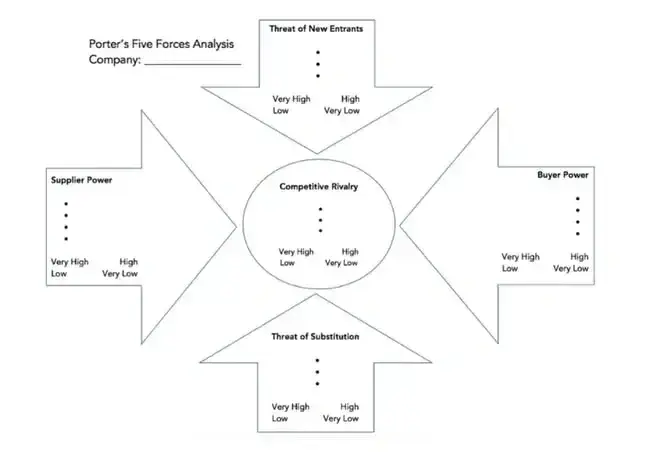
Use Porter's Five Forces Model to understand an industry by analyzing five different criteria and how high the power, threat, or rivalry in each area is — here are the five criteria:
- Competitive rivalry.
- Threat of new entrants.
- Threat of substitution.
- Buyer power.
- Supplier power.
Free resource: Download an editable Five Forces Analysis template here.
2. SWOT Analysis Template
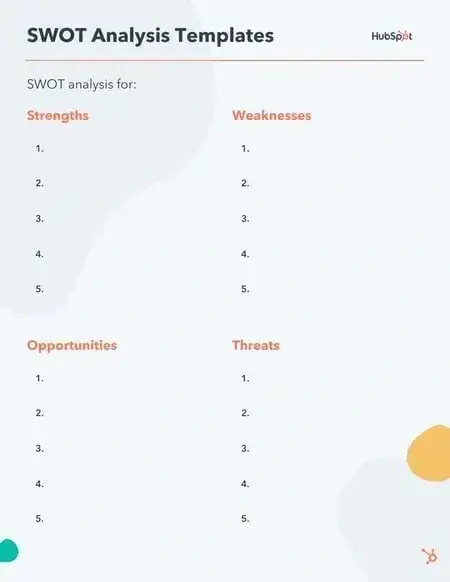
A SWOT (Strengths, Weaknesses, Opportunities, Threats) analysis looks at your internal strengths and weaknesses, and your external opportunities and threats within the market. A SWOT analysis highlights direct areas of opportunity your company can continue, build, focus on, and work to overcome.
Free resource: Download an editable SWOT Analysis template here.
3. Market Survey Template
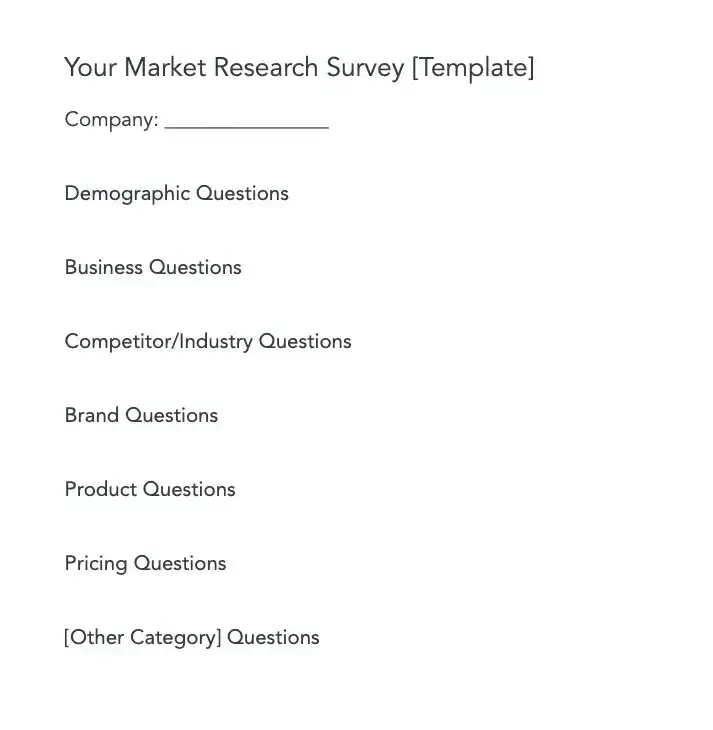
Market surveys help you uncover important information about your buyer personas, target audience, current customers, market, and competition. Surveys should contain a variety of question types, like multiple choice, rankings, and open-ended responses.
Here are some categories of questions you should ask via survey:
- Demographic questions.
- Business questions.
- Competitor questions.
- Industry questions.
- Brand questions.
- Product questions.
Free resource: Download an editable Market Survey template here.
4. Focus Group Template
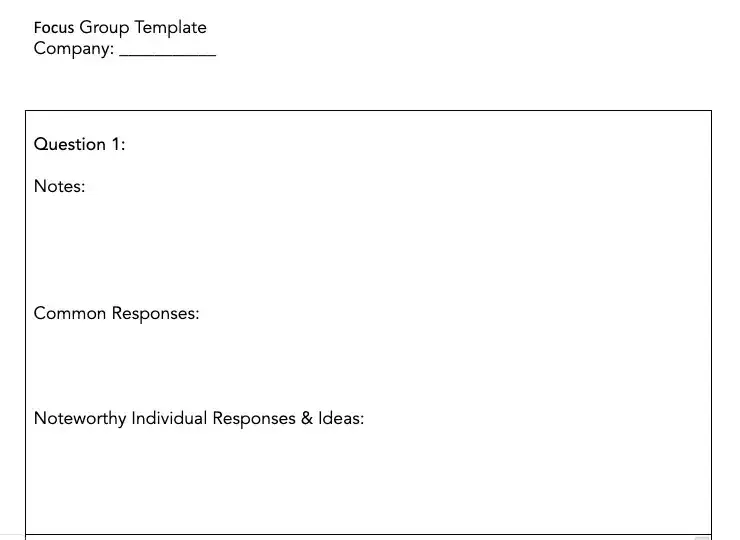
Focus groups are an opportunity to collect in-depth, qualitative data from your real customers or members of your target audience.
You should ask your focus group participants open-ended questions. While doing so, keep these tips top of mind:
- Set a limit for the number of questions you‘re asking (after all, they’re open-ended).
- Provide participants with a prototype or demonstration.
- Ask participants how they feel about your price.
- Ask participants about your competition.
- Offer participants time at the end of the session for final comments, questions, or concerns.
Free resource: Download an editable Focus Group template here.
Free Market Research Kit
5 Research and Planning Templates + a Free Guide on How to Use Them in Your Market Research
- SWOT Analysis Template
- Survey Template
- Focus Group Template
- And More!
Download Free
All fields are required.
How to Integrate Your Market Research into Your Business Plan
Wondering how to integrate your market research into your business plan? Here are the steps I’d recommend:
Step 1. Analyze your market research data.
Once your market research is done, you‘ll have lots of data to analyze. Start by cleaning the data to remove duplicate entries, errors, irrelevant data and so on, that can negatively affect your data quality.
Then, consider your research goals and organize your data into relevant lists, tables, charts, and graphs. Or use spreadsheets and data visualization tools to sort your data into necessary categories or segments. You can also do a SWOT analysis or a Porter’s Five Forces analysis, if relevant.
At the end of the day, all these will make it easier for you to identify common trends and patterns so you can interpret your data.
Step 2. Interpret your data and extract insights.
After data analysis, it’s time to make sense of your findings, interpret the data, and extract key insights you need for different sections of your business plan. Depending on your research goals and type of business plan, these insights may include:
- A clearer picture of your target market, target audience, and customers.
- Your customer needs, pain points, buying behavior, preferences, dislikes, and so on.
- Answers to questions you’ve always had about your competitors, their strategies, strengths, weaknesses, and so on.
- Market and industry gaps you can take advantage of.
- Consumer trends and patterns you didn’t know.
Step 3. Develop actionable strategies.
Armed with insights from your research, go ahead and create actionable strategies for relevant sections of your business plan. Of course, these strategies can vary from one type of business plan to another and may include:
- Brand awareness strategy.
- Product development strategy.
- Marketing strategy.
- Sales strategy.
- Risk mitigation strategies.
- Resource allocation strategies.
- Pricing strategy.
- Competitor monitoring strategy.
- Funding and financial strategy.
- Implementation timeline.
Step 4. Update your business plan.
Once your strategies are ready, add them to relevant sections of your business plan.
Don’t forget to include comprehensive details and supporting documents about your market research data, sources, methodologies, and so on. This can be in the appendix of your business plan. This way, you can provide additional information, if needed, to boost the credibility of your market research and business plan.
And that’s it! Now, you know how to integrate your market research into your business plan successfully.
Market Research Examples
1. TikTok uses in-app research surveys to better understand consumer viewing preferences and ad experiences.
If you’re a TikTok enthusiast (like me), then you’ve probably been served a survey or two while you scroll through your For You feed. TikTok has strategically started using in-app market research surveys to help improve the viewer experience.
I’ve received two different types of surveys so far.
The first type typically follows a video or an ad and asks how I felt about the video I just viewed. Options include “I don’t like this ad,” “I enjoyed watching this video,” or “This content is appropriate.”
The other type of survey I’ve gotten asks if I’ve recently seen a sponsored video or ad from a particular brand. For example, “Did you see any promotional content from the Dove Self Esteem Project in the past two days on TikTok?”
TikTok can then use this information to tweak my algorithm to match my preferences or to serve ads that are more in line with my buying behaviors.
2. Taco Bell tests new products in select markets before launching nationwide.
Taco Bell is known for its innovative, consumer-driven menu items. In fact, just last year, they gave Taco Bell rewards members exclusive access to vote on the newest round of hot sauce sayings.
This popular fast-food chain puts a lot of menu decisions in the hands of their target market. Taco Bell lovers ultimately determine which new menu items stay on the menu through voting and, ultimately, their purchase behaviors.
(Let’s all collectively agree that the Cheez-It Crunchwrap deserves a permanent spot.)
Often, this process of releasing a new item is done regionally before a nationwide launch. This is a form of market research — soft launching products in smaller markets to determine how well it sells before dedicating too many resources to it.
The way Taco Bell uses this information is pretty straightforward. If the product is not successful, it’s unlikely to be released on a national scale.
3. The Body Shop used social listening to determine how to reposition brand campaigns to respond to what customers cared most about.
The Body Shop has long been known for offering ethically sourced, natural products and proudly touts “sustainability” as a core value.
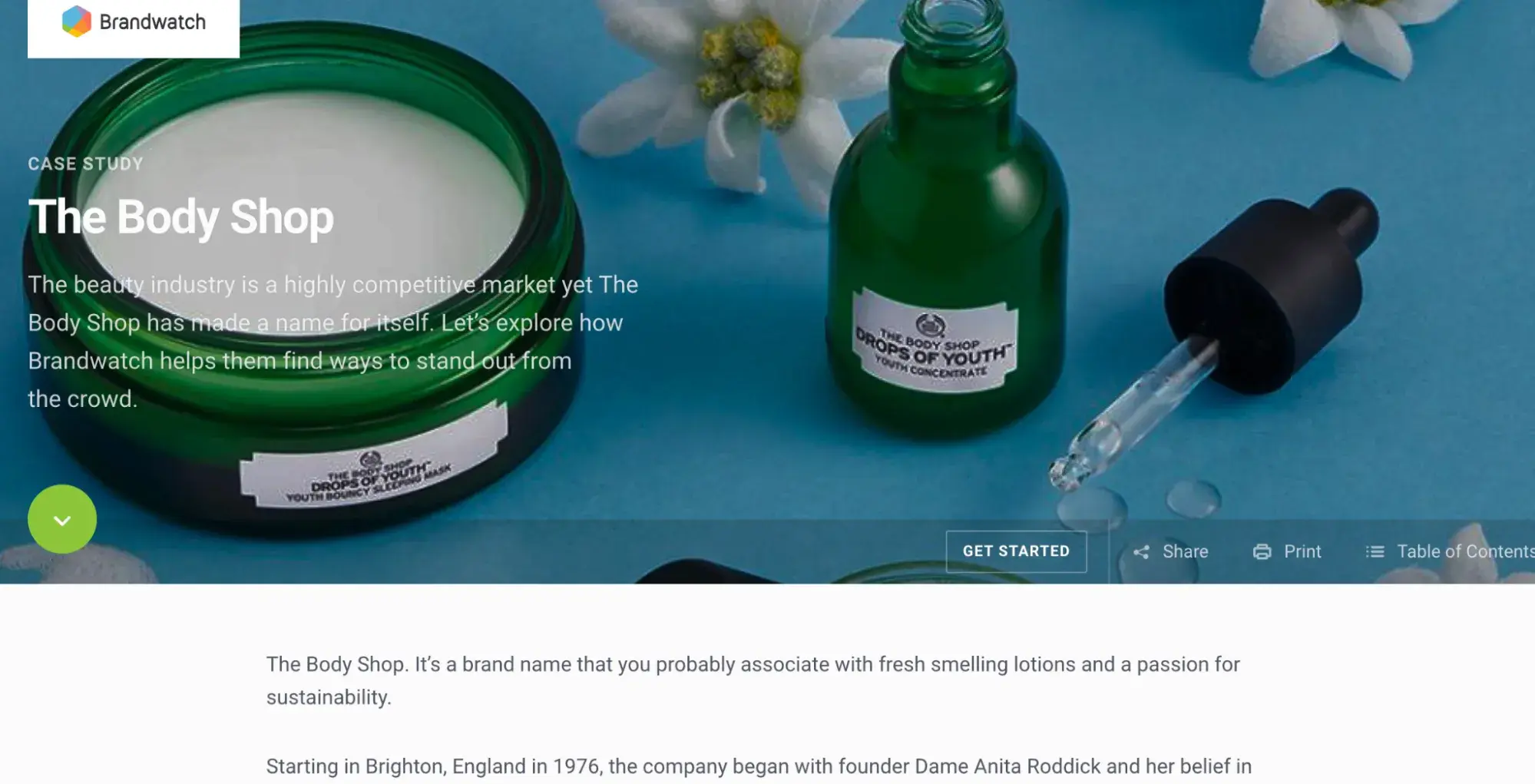
To explore the sustainability subtopics that mattered most to their audiences, the team at The Body Shop tracked conversations and ultimately found that their audiences cared a lot about refills. This information helped the Body Shop team feel confident about relaunching their Refill Program across 400 stores globally in 2022.
Market research proved they were on the right track with their refill concept and demonstrated that increased efforts were needed to show Body Shop customers that the Body Shop cared about their customers' values.
Conduct Market Research to Grow Better
After years of conducting market research, I‘ve learned that its value isn’t in collecting data. It's in uncovering the stories that drive business decisions.
That struggling email campaign I mentioned at the start? It transformed once I stopped guessing and started listening to what the market was telling me.
To begin, I recommend starting small but strategically. Identify a significant question about your market that keeps you awake at night. It could be about low conversion rates or a competitor's unexpected success. Use this question as your guiding principle.
Begin with quick wins:
- Mine your existing customer data and support conversations.
- Analyze competitor reviews (they're gold mines of customer language).
- Conduct 3-5 customer interviews.
Each piece of research builds on the last. Those initial interviews might reveal surprising insights you can validate through surveys. Those survey results might highlight new market segments, leading to focused competitive analysis.
Start your research journey today. I’m sure your customers are already telling you what they want. You just need to listen.
Editor's note: This post was originally published in March 2016 and has been updated for comprehensiveness.
Free Market Research Kit
5 Research and Planning Templates + a Free Guide on How to Use Them in Your Market Research
- SWOT Analysis Template
- Survey Template
- Focus Group Template
- And More!
Download Free
All fields are required.


![I tested the top 14 AI chatbots for marketers [data, prompts, use cases]](https://www.hubspot.com/hubfs/best-ai-chatbot_1.webp)
![Target audience: How to find yours [+ real-life examples]](https://www.hubspot.com/hubfs/target-audience-1-20240725-195191-1.webp)



![The definition of a buyer persona [in under 100 words]](https://www.hubspot.com/hubfs/Copy%20of%20Featured%20Image%20Template%20Backgrounds.webp)