
Standing out requires more than just posting pictures or Reels every now and then. You need to have a deep understanding of your audience and consistently engage with them. Don‘t worry, I’m here to help.
Let’s discuss some proven, actionable strategies to help you get more followers on Instagram, whether they be your first 1000 or next.
Table of Contents
The 2024 Instagram Engagement Data Report
New data to help you shape your Instagram strategy
- Optimized content types
- Influencer marketing
- Posting volume
- And more!
Download Free
All fields are required.
Types of Instagram Followers
Before I get into the nitty-gritty, it’s important to know what the Instagram landscape looks like today. In your growth journey, you'll likely encounter these three main types of followers:
1. Fake Followers
Fake followers are usually bots or dummy accounts that inflate a follower count.
You can typically spot them by their lack of profile pictures, posts, followers, or spammy alpha-numeric usernames.
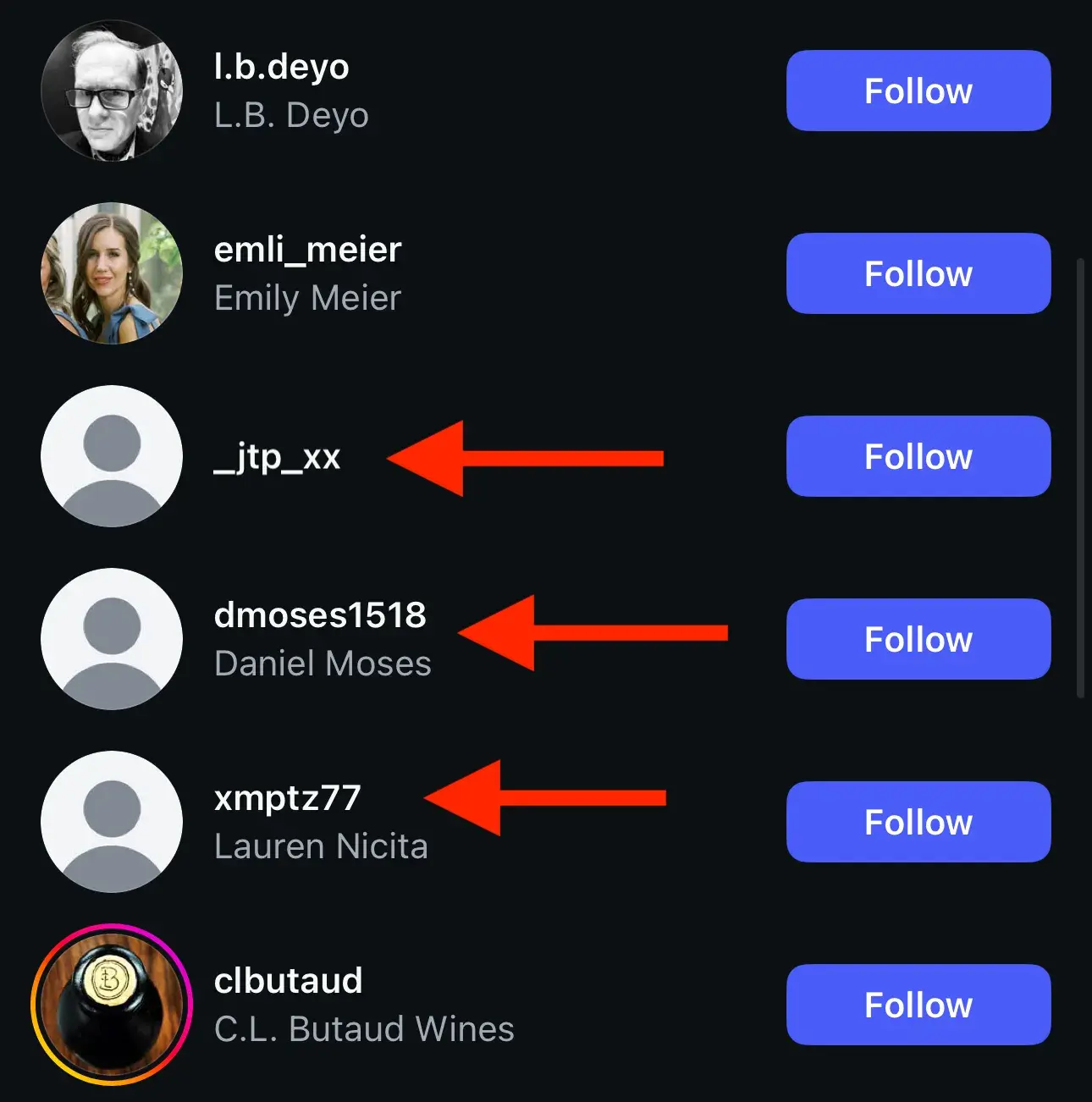
Fake followers may make the follower count on your profile look good, but they don‘t engage. Engagement is a huge factor in Instagram’s algorithm (i.e., getting on the Explore feed and in “suggested posts”) and getting brand collaborations as a creator.
Having a high follower count but low engagement won’t do your account any favors with the algorithm, so it’s better to have real followers who are more likely to engage with your content.
2. Ghost Followers
“Ghost” followers on Instagram are inactive users.
They’re like disengaged contacts on an email list. They‘re real, but again, they don’t interact with your content, so they do little more than skew your metrics.
3. Organic Followers
Lastly, we have organic followers. Organic followers are your real, active audience; those who visit your profile, engage with your content, and are potential customers.
Organic followers can cross many demographics, but pay close attention to the following:
- Customers. These are people who have made a purchase. They already know and like your brand so you want to know when you’re talking to one.
- Competitors. These are followers who are in the same industry or line of business as you. They’re likely following to keep an eye on what you’re doing.
- Influencers. Specifically, look out for micro/nano influencers or creators with 10-75K followers. If relevant, these niche influencers can lead to useful partnerships and increased sales for your business.
Out of these three types of followers, organic followers are really the only ones you want. So, how can you get more of them?
How to Get More Followers on Instagram
In 2022, I did the impossible — I had an Instagram Reel go viral. So far, it’s generated over 5.5 million views, 173K shares, 99.5k likes, and 14.6 bookmarks, but the number of new followers? Minimal.
Though it wasn’t my goal, the experience got me thinking about how to get more followers on Instagram. (I mean, if a meme that got the attention of Instagram exec Adam Mosseri won’t do it, what will?)
Even if you’ve never tried your hand at Instagram marketing or you don’t have a team of content creators, you can grow your Instagram account by focusing on a few key areas:
- Instagram Strategy
- Instagram Content Creation
- Engaging Instagram Followers
- Promoting Your Instagram Account
Let's get started.
Instagram Strategy Tips for Getting More Followers
1. Have a dedicated content creator/personality.
Yes, people may follow some brands on Instagram, but they are more likely to follow and engage with other people. (Why do you think influencer marketing is so effective?)
While you can certainly collaborate with influencers (more on that later), a smart way to get more followers without the extra cost is to have a dedicated creator or creators in your Instagram content.
Think of these personalities as your spokespeople. Having one or a small handful of spokespeople in your Instagram content gives followers someone human to recognize and connect with rather than simply a cold, faceless brand.
“For brands, putting a face to the business is no longer optional — it’s essential,” says Sarah Schmidt, President of Interdependence, a PR and strategic communications firm that manages Instagram accounts for celebrities, CEOs, and brands.
Schmidt suggests that the face of the brand doesn’t always have to be the company founder. “We’ve had the most success when someone from the team becomes a consistent presence — a personality followers can connect with,” she says. “When that person shows up with opinions, behind-the-scenes context, and a sense of humor, the brand becomes more than a logo, it becomes a point of view.”
Take Auberth and Javi on HubSpot’s Instagram, for example:
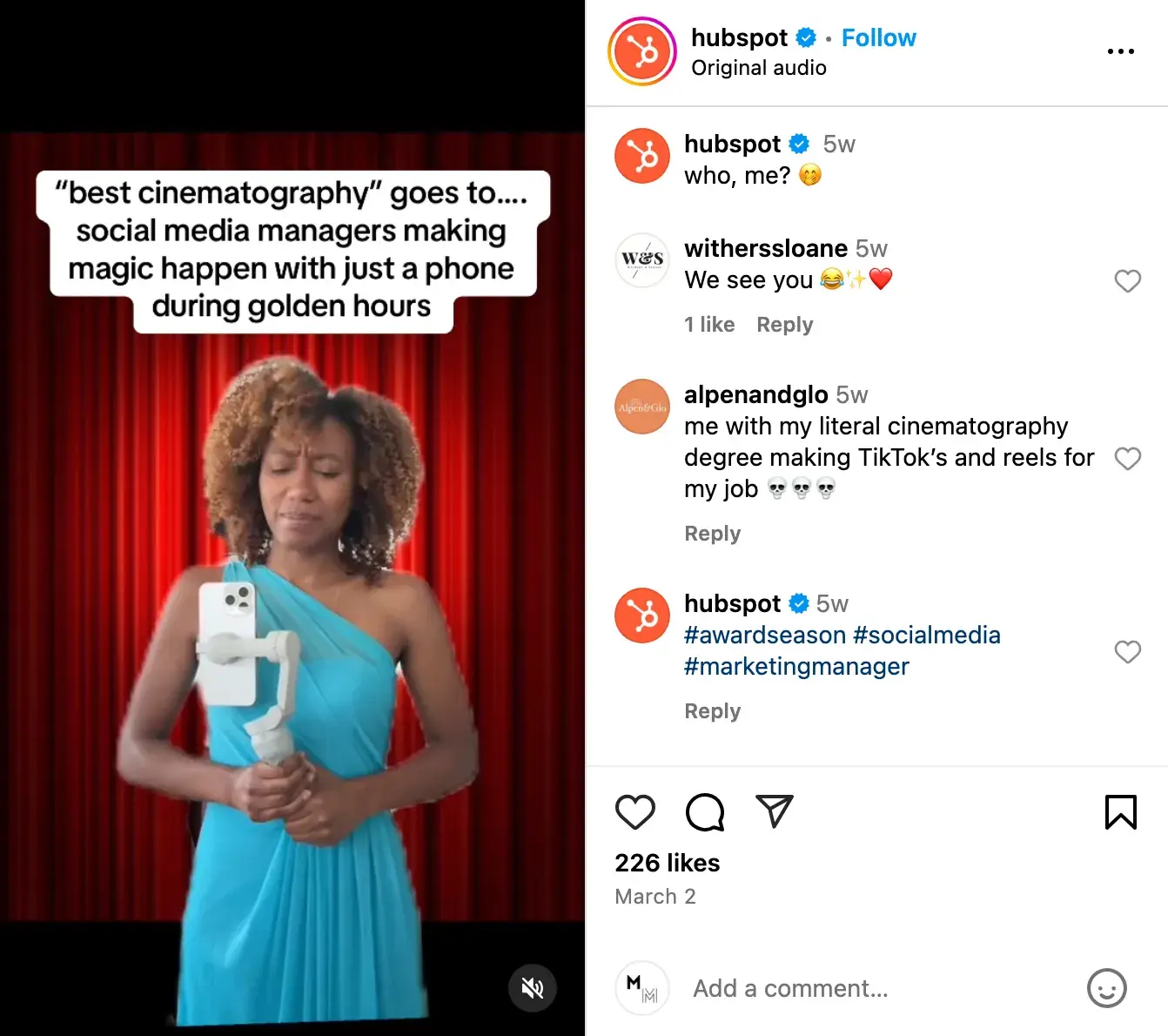
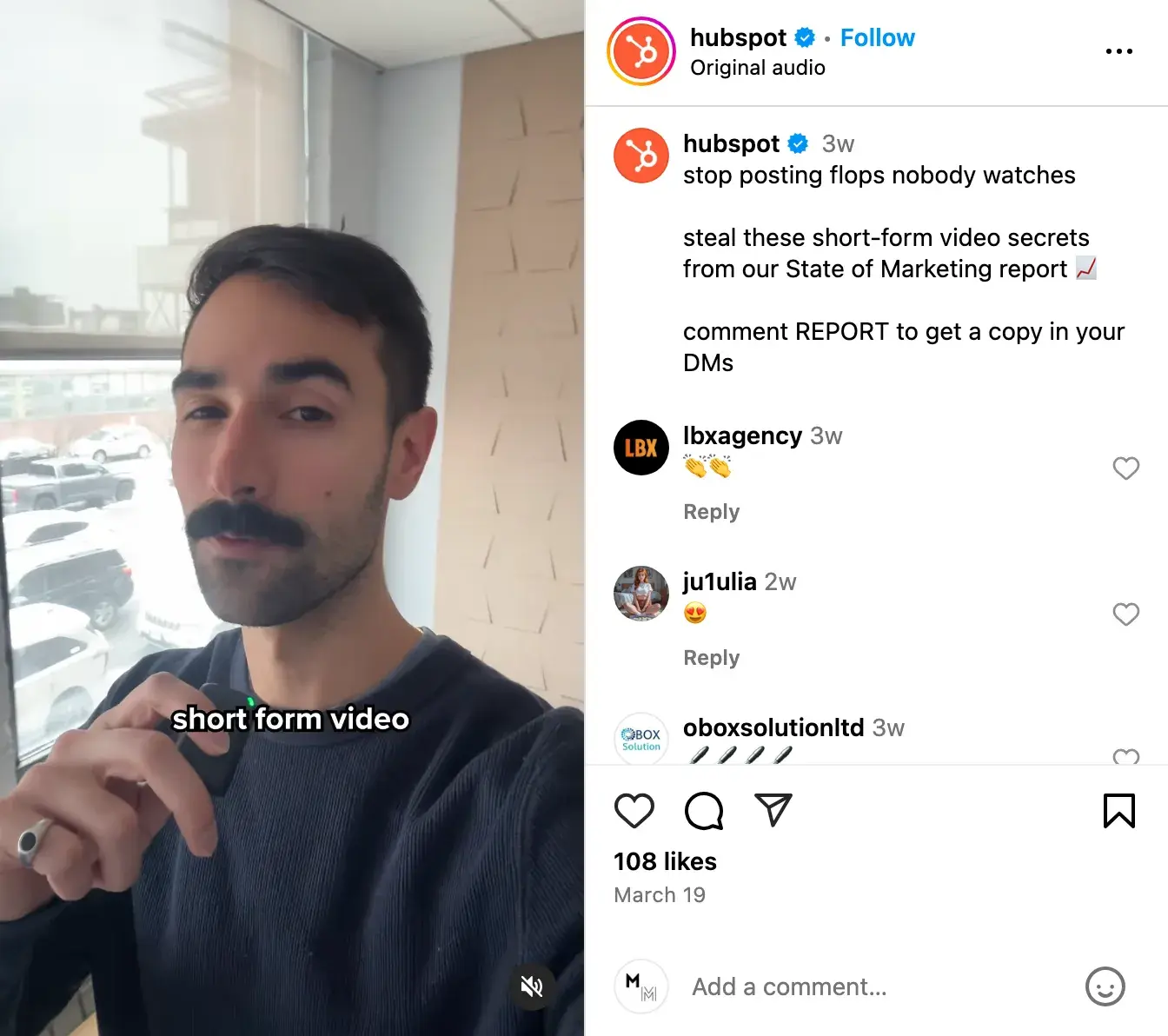
They both regularly appear in HubSpot’s Instagram content, delivering our messages and representing the brand. They also give followers a face to connect with when they see HubSpot in their feeds.
Find someone with experience and passion for Instagram to appear in your content. Someone who understands user behavior and will stay current on trends, new features, and updates to Reels and Instagram Shopping.
Do you have someone inexperienced who’s interested? Have them dip their toes into becoming a digital creator by getting an Instagram Marketing certification and experimenting with content creation templates.
Learn How to Increase Followers with HubSpot’s Free Instagram Marketing Course
Pro tip: Mine your existing team for creators.
No one knows your brand, product, or service better than your team members. If they are willing, ask them to appear in your Instagram content, whether it be in images, videos, or even audio.
Consider creating a system for curating content from your team.
For instance, establish a specific email address for folks to submit photos, short videos, and memes. Alternately, if your team shares a Box or Dropbox account, create a shared folder where people can upload their content.
Think about how your team communicates and make it easy for them to get involved.
The 2024 Instagram Engagement Data Report
New data to help you shape your Instagram strategy
- Optimized content types
- Influencer marketing
- Posting volume
- And more!
Download Free
All fields are required.
2. Share educational content with Instagram carousels.
The best way to get more followers on Instagram is to offer value. In this case, education.
Data from Sprout Social found that Instagram carousel posts were the second most engaging content format after Reels.
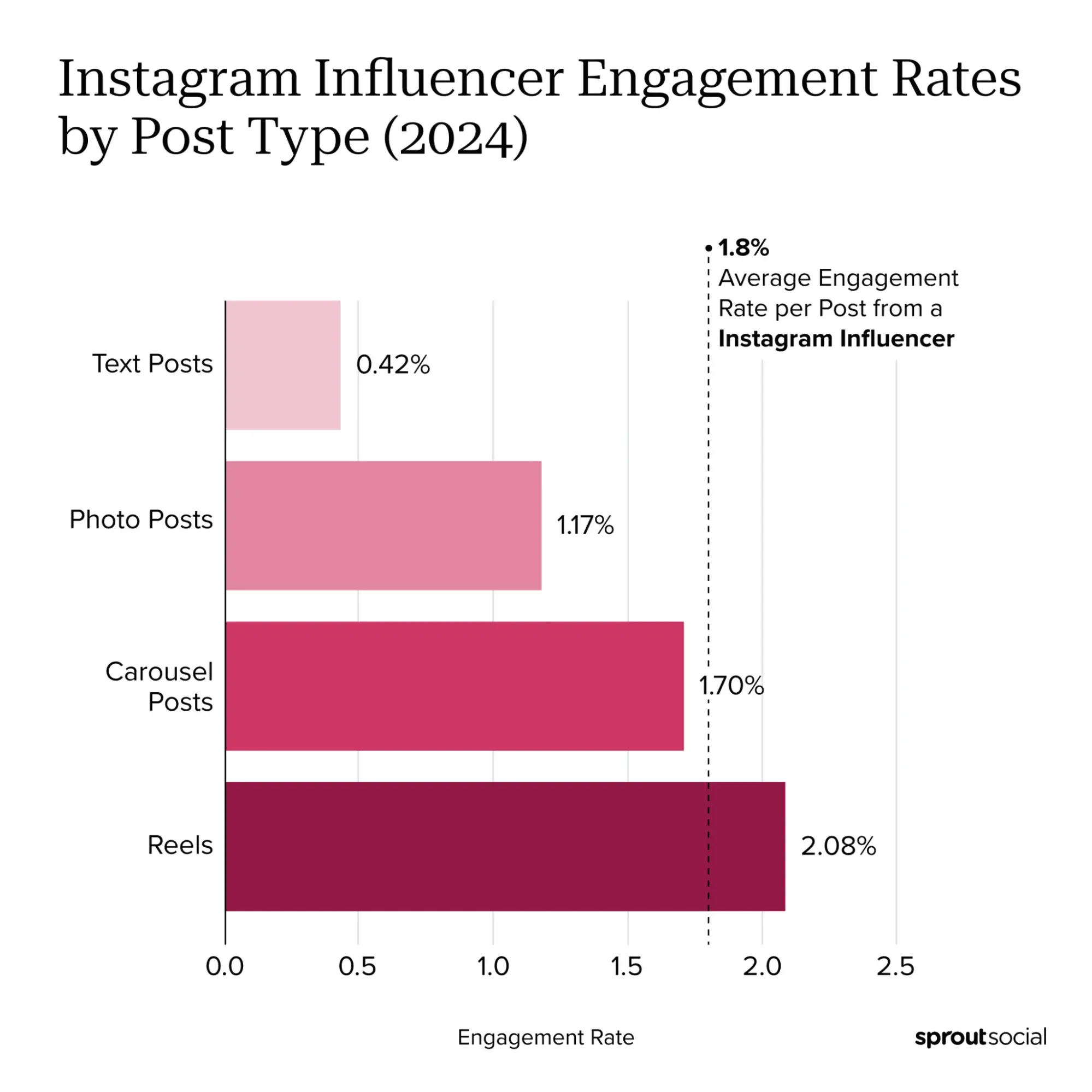
Adam Mosseri, the Head of Instagram, said himself that carousels get more reach than photo posts.
Think about what you can educate your audience on. Then, create a simple Instagram carousel post with an engaging title enticing users to click through to the next slide.
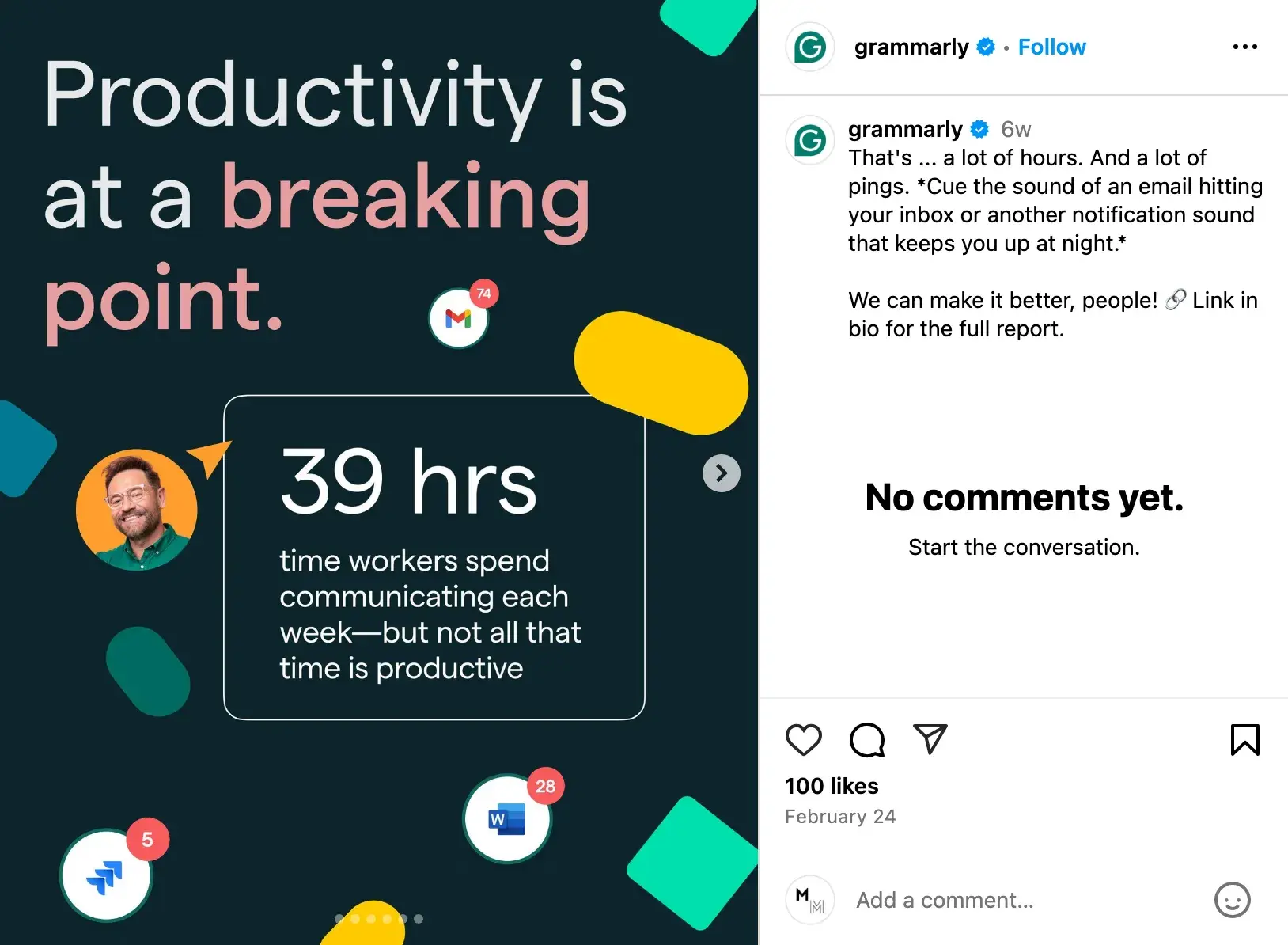
Grammarly does a great job of sharing educational carousels on its Instagram:
3. Be mindful of diversity and inclusion.
Instagram is a global platform that reaches people from all walks of life.
Thinking about diversity and inclusivity can help reach more of these people by looking past preconceived notions of gender, age, race, income, and sexuality to highlight how your product or service can offer value.
How do you do this? It comes back to focusing on common pain points and experiences, which are often universal regardless of topical traits.
Inclusive marketing challenges rigid ideas of who a brand’s buyers are and how their product is used to cast a wider net — one that may include demographics they may have never considered before.
Recently, I’ve been impressed by Urban Decay Cosmetics' inclusive content on Instagram. This recent post highlights the brand’s commitment to diversity, equity, and inclusion.
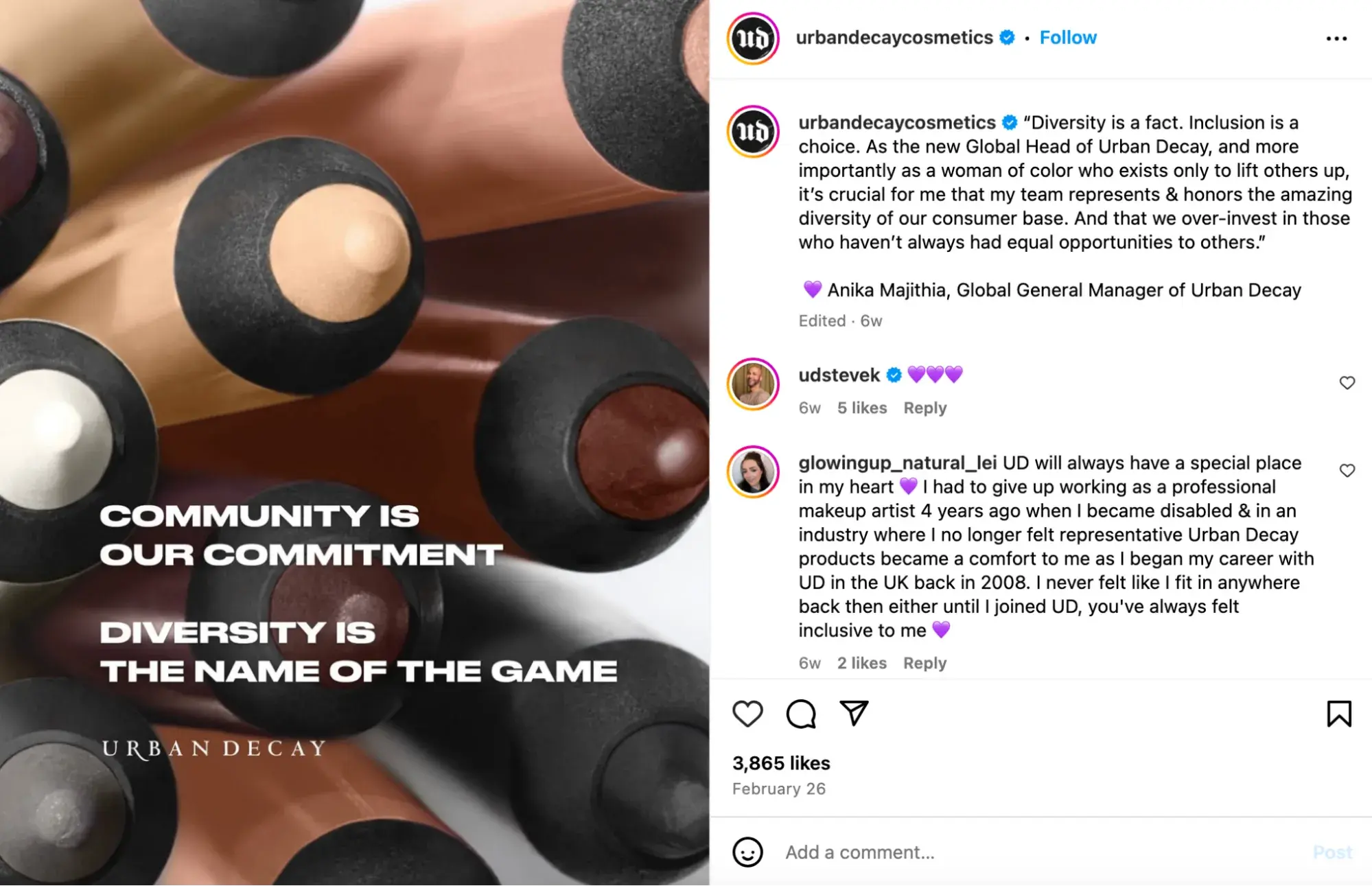
Historically, many makeup brands have primarily targeted women and showcased conventional Western beauty standards, Urban Decay’s content features a wide range of individuals using their products.
This opens them up to many other markets (and followers) that may currently be ignored by their competitors.
4. Post consistently.
If you want people to follow you on Instagram, you have to give them something to follow. This means posting high-quality, relevant content regularly.
Schmidt suggests posting with a purpose if you want to increase your publishing frequency. “The best way to earn followers is through consistency with meaning,” she says. “Don’t just post for the algorithm. Build a storyline that makes people want to stick around. Series-based content, progress updates, thematic arcs all outperform isolated one-offs.”
Another easy way to get into this habit is to commit to a posting schedule.
Having a set time on your calendar to post content on Instagram gives you a deadline to abide by, and it gives your audience a specific time to anticipate hearing from you.
Heck, they may even plan for it like I clear my schedule for new episodes of The White Lotus at 9 PM ET on Sundays.
Ok, maybe your posts won’t ignite this kind of commitment, but having an Instagram schedule does set expectations. And expectations build a sense of reliability, community, and trust with your followers. But what time should you post?
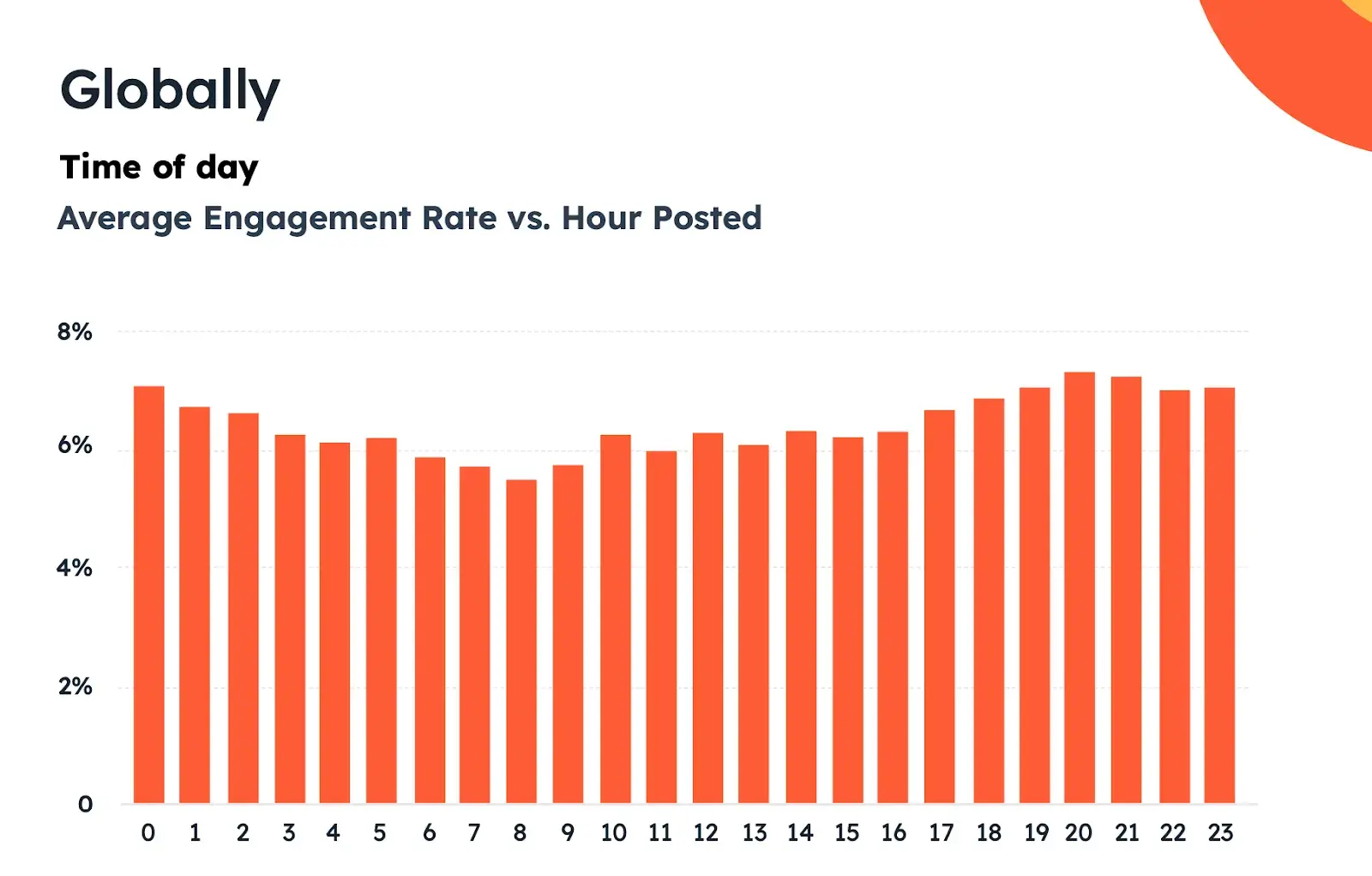
Optimizing your schedule for your specific audience might take time and experimentation, but recent HubSpot research found the best times to post on Instagram to be 12-3 PM or 6-9 PM.
Friday is the best day for engagement, followed closely by Saturday and Sunday. The evening window from 6:00 PM - 8:59 PM usually has high engagement levels.
Experiment with these guidelines to see what works for your audience and persona. Your target persona can drastically impact your posting timing and frequency, especially if they are in a different time zone.
Download this free template for buyer personas if you already have a few.
Pro tip: Use a social media management tool to help maintain consistency.
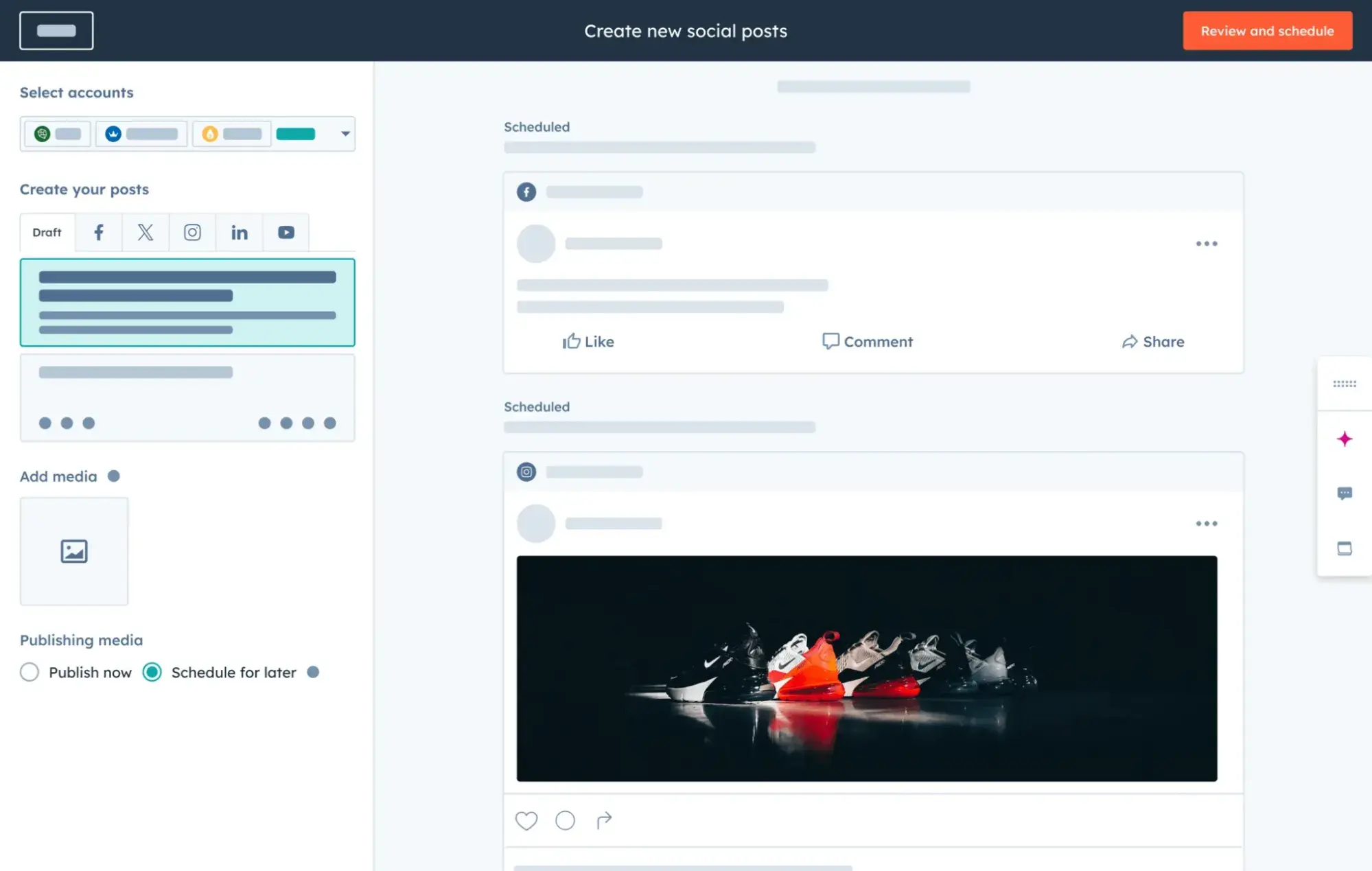
Get Started with HubSpot’s Social Media Tool
You can always post manually, but scheduling your posts in advance can help plan ahead and save time. Here are more articles to help you choose the right tool and learn how to schedule Instagram posts:
- Best Social Media Management Tools
- Scheduling Instagram Posts: Absolutely Everything You Need to Know
- When Is the Best Time to Post on Instagram?
You can also use a social media content calendar to plan your Instagram posts. Here are some resources you can use to jumpstart your Instagram content creation process:
- What to Post on Instagram: Photo & Video Ideas to Spark Inspiration
- Best Instagram Captions: Good, Cool, Funny, & Cute
- How to Plan Your Instagram Posts [+ Free Instagram Planning Templates]
5. Diversify your content mediums.
Do you typically only post static image content? Or just Instagram Reels?
If you want more Instagram followers, try diversifying the mediums on which you create and share.
Different people enjoy consuming information in different ways, so if you’re only creating one type of content you may be getting ignored by many in your target audience.
Rather than post all-encompassing content that will satisfy all of your followers at once, conduct some research to separate them into smaller groups. Then, plan different posts to appeal to each subset of your audience.
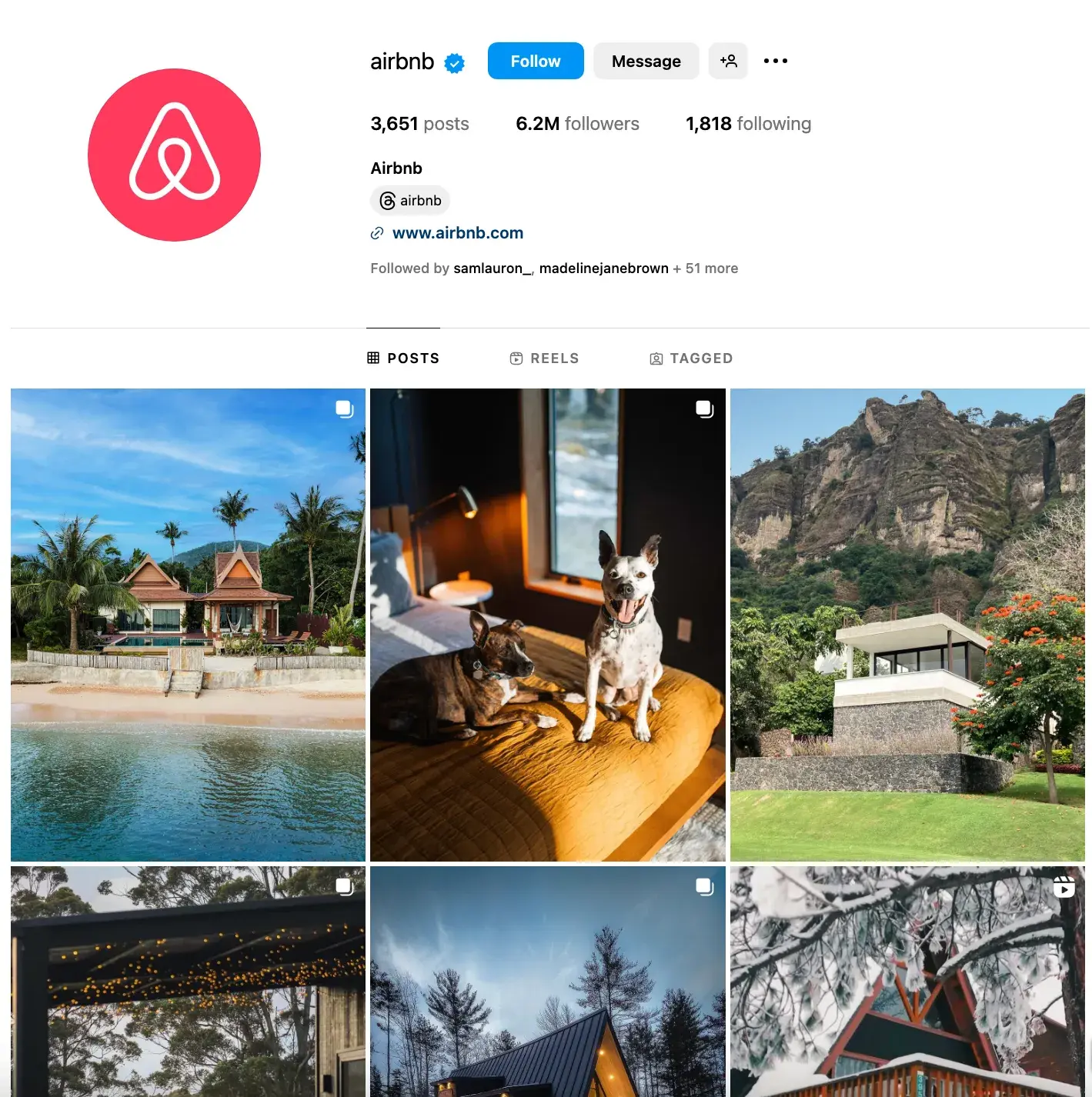
One account I love that uses different content mediums is Airbnb. The page showcases a healthy mix of short-form videos, static photos, carousels to diversify its feed and highlight offers in different ways:
Pro tip: Monitor your brand’s Instagram Insights to identify what’s working.
What type of content is actually getting engagement? With an Instagram business profile, you get access to Instagram Insights, which show you what content is generating the most views, likes, and followers.
Look at these regularly to understand what content you should create to make progress against your follower growth goals.
The 2024 Instagram Engagement Data Report
New data to help you shape your Instagram strategy
- Optimized content types
- Influencer marketing
- Posting volume
- And more!
Download Free
All fields are required.
Instagram Content Creation Tips for Getting More Followers
6. Lean into trends and current events.
Instagram is a trendy place.
Finding relevant ways to incorporate trends, memes, and current events into your content is a great way to stay top of mind and get in front of new followers there.
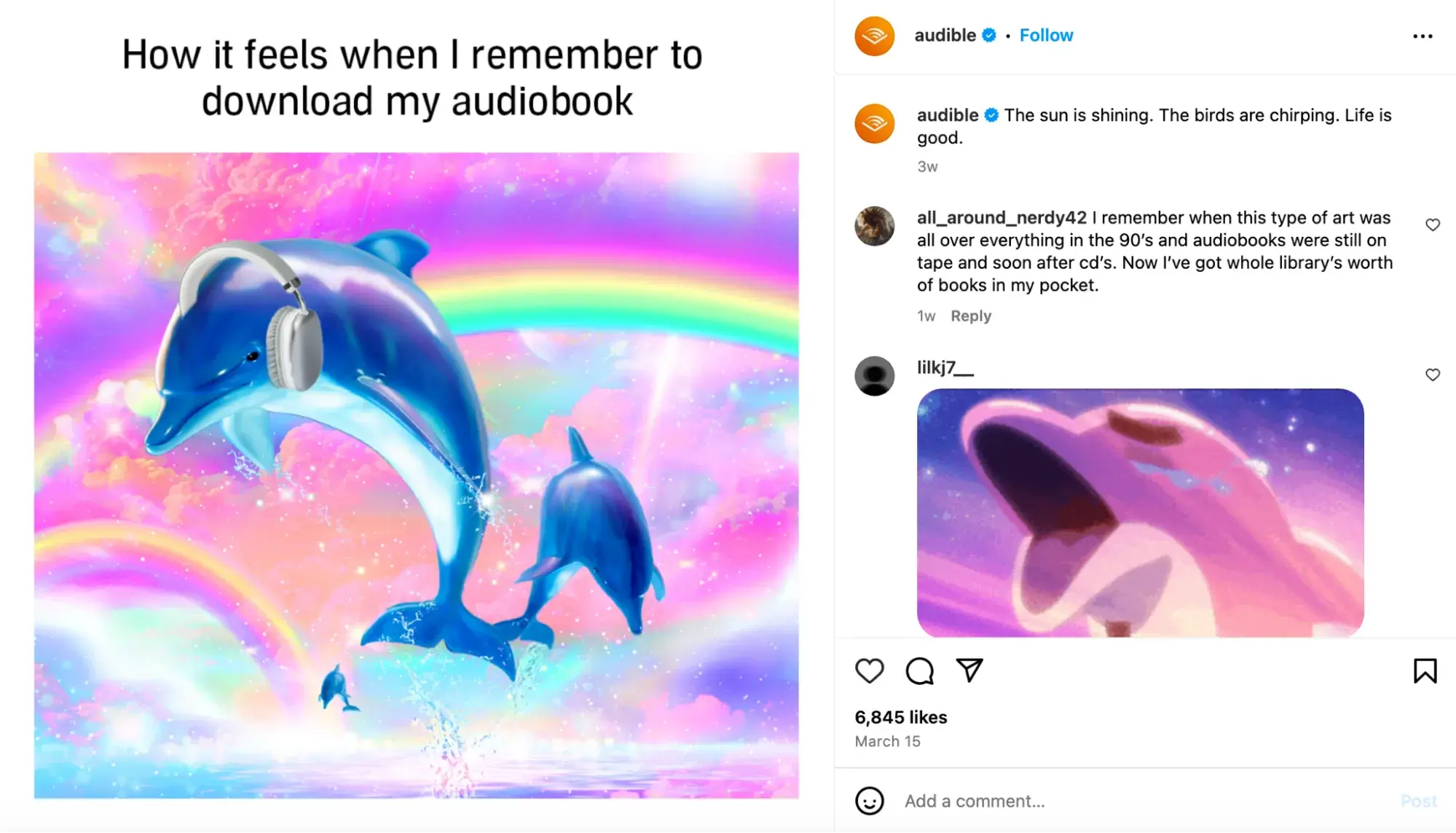
While Audible typically posts informative content about upcoming book releases or conversations with authors, the brand also mixes in relevant memes to its content strategy. Not only does this help them reach a wider audience, but it’s also a good way to grab the attention of your existing followers.
7. Create short-form videos.
In 2025, short-form video is taking over the Instagram feed.
According to HubSpot’s 2025 State of Marketing Report, marketers not only use short-form video the most of all content types, but it’s also the content format with the highest ROI.
The good news: You don’t have to be a video expert to make Reels. Short, simple videos do well when paired with a trending audio and clever caption. When I’m feeling stumped on short-form video ideas, I often turn to accounts like Duolingo. The brand is quick to jump on trends and make simple yet engaging videos like the one below:

Pro tip: If you’re still not confident in your video-taking skills, consider using AI tools. 56% of marketers say they use AI to create short-form videos.
8. Follow photography best practices.
On Instagram, post quality matters. A lot. Your X followers might forgive a few bad tweets, but a bad photo on Instagram is a big no-no.
Fortunately, you don't have to be a professional to have a great Instagram feed. You simply need to get familiar with basic photography practices and photo editing apps.
Photography Best Practices
If your budget allows, investing in professional photography will elevate your profile. However, as a mobile app, people understand that much of your content may have been created on a mobile device.
In fact, lower production value can make your content look more human and relatable. That said, a smartphone will do, but follow these tips to give your photos a more finished look:
- Follow the rule of thirds.
- When all else fails, center your subject.
- Look for symmetry.
- Capture small details.
- Have light (preferably natural lighting) facing your subject.
Editing Photos Before You Post
Instagram has some basic editing capabilities, but oftentimes, they aren't adequate at making visuals stand out. Most of your photos should go through at least one or two photo editing apps on your phone before you open them on Instagram. Some options include:
9. Start a conversation with your captions and comments.
Captions are an essential part of your post. They give your content context, can humanize your brand, and offer additional value to your audience that makes them want to read, engage, and follow.
Using your captions to spark conversations can boost engagement, triggering the Instagram algorithm to show your content to more potential followers so give them the time and attention they deserve.
Here are a few things you might see in a winning Instagram caption:
- Personality
- Emojis
- Hashtags
- Questions
Personality
Many successful brands and influencers show personality or humor to connect with their audiences and attract followers.
Kelly Hendrickson, a Director of Social Media at G-P/Globalization Partners and HubSpot’s former Head of Brand Social, loves Netflix's account for this.

“They have such a clear brand voice, and you laugh along with them. They're in on the joke, just like one of your friends,” she says.
Netflix's voice is casual, trendy, and humorous while still staying on brand. The post above makes light of one of the platform’s most popular series, You. Posts like this feel like something that would be part of my group chat — which shows how well Netflix uses its brand voice to fit in with its followers.
Pro tip: Still figuring out your brand voice? Adding just a few relevant emojis can add even more personality to your posts and make your brand appear more relatable. Visually, they can also make your posts more noticeable on Instagram feeds and make your captions more digestible.
Questions
The best way to get a response from people? Ask a question.
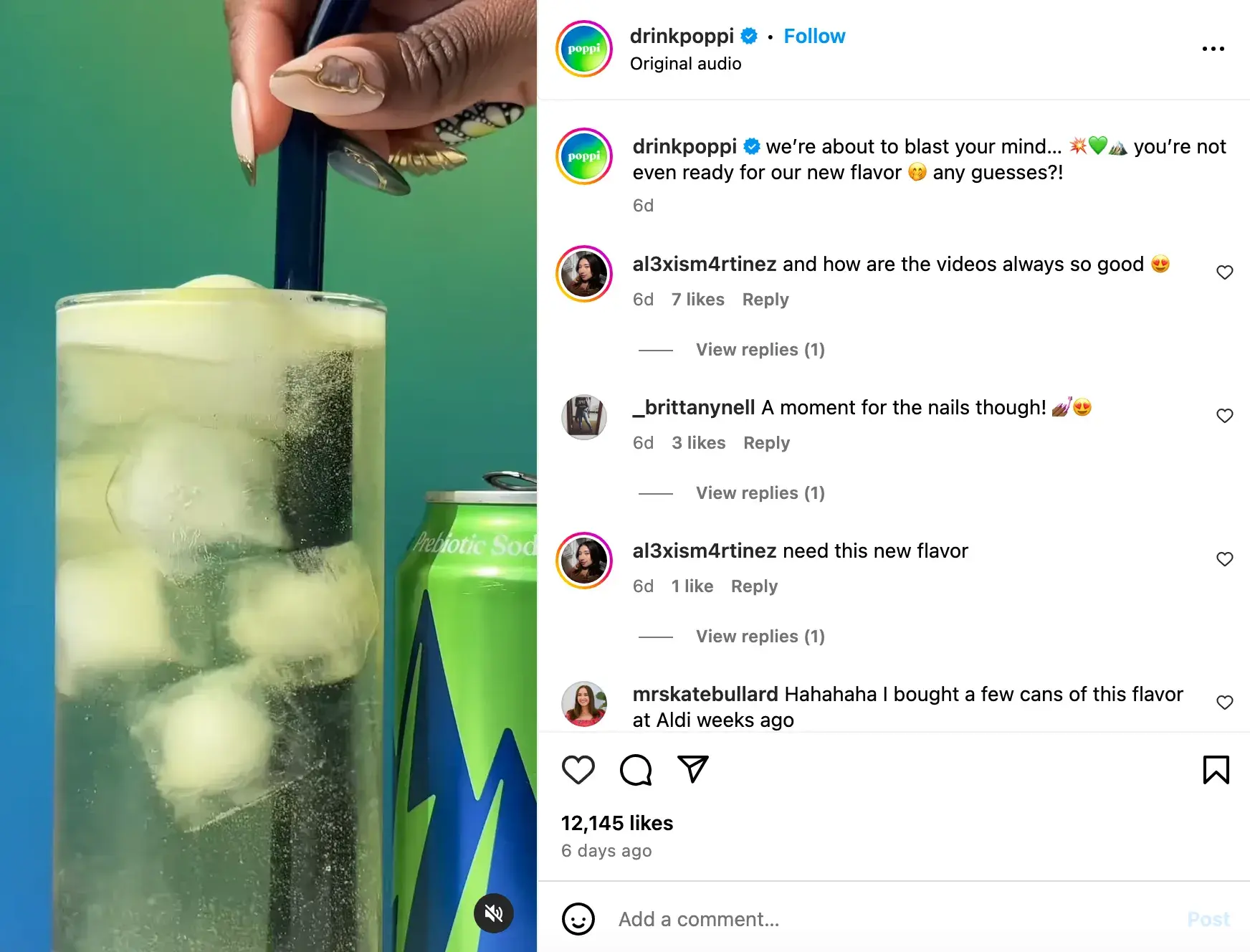
Beverage brand Poppi asked its followers to guess its new flavor. This is an engaging way to get people excited, grab the attention of new followers, and build anticipation. I’d definitely hit the follow button after seeing this post to stay updated when they finally release the new flavor.
Another way to trigger engagement from your followers is to add a playful call-to-action.
For example, you might write, “Double-tap if you find this funny,” or “Share your story in the comments.”
Writing something like “Tag a friend who does X” or “Share this with a friend who needs X,” helps your follower goal by getting your content in front of new people.
Need help writing your captions on Instagram? HubSpot’s Free AI Content Writer can help.
Comment and engage with others' content.
Half the battle of gaining Instagram followers is getting seen. One way to increase visibility, even if your content isn’t hitting Explore pages or Suggested Posts, is to comment and engage on the posts of others.
Hit like. Share and tag other accounts in your Stories. Make comments on the posts of people you’d like to follow you (i.e., Influencers or potential customers) or content popular with those already following you.
Show your personality or start a conversation, and people will take notice (and be more likely to follow).
Engaging Instagram Followers
I’ve talked a lot about engaging content, but let’s talk about how you can directly boost engagement.
10. Encourage and post user-generated content.
If I see a regular person talking about a product on Instagram, I'm more likely to believe them than if the brand account itself said the same thing. This is true for most consumers.
As a brand, posting user-generated content (UGC) is an effective way to generate more trust with Instagram followers. UGC shows appreciation for existing customers and delivers social proof at the same time. In fact, 40% of customers say that UGC is important to them when making a purchasing decision.
For Caitie Sfingi, Co-Founder of Kinhive, a new matchmaking platform for female founders, UGC has helped her grow the brand’s Instagram presence.
“We’ve seen our biggest follower growth come from UGC-style video ads,” says Sfingi. “The problem with professionally-produced videos is that they LOOK like ads. Too much polish and people skip your video because they can immediately tell they‘re being sold to. UGC ads feel like they’re watching a friend pitch your product or service.”
Photo editing app VSCO regularly shares content created by users on its Instagram profile.
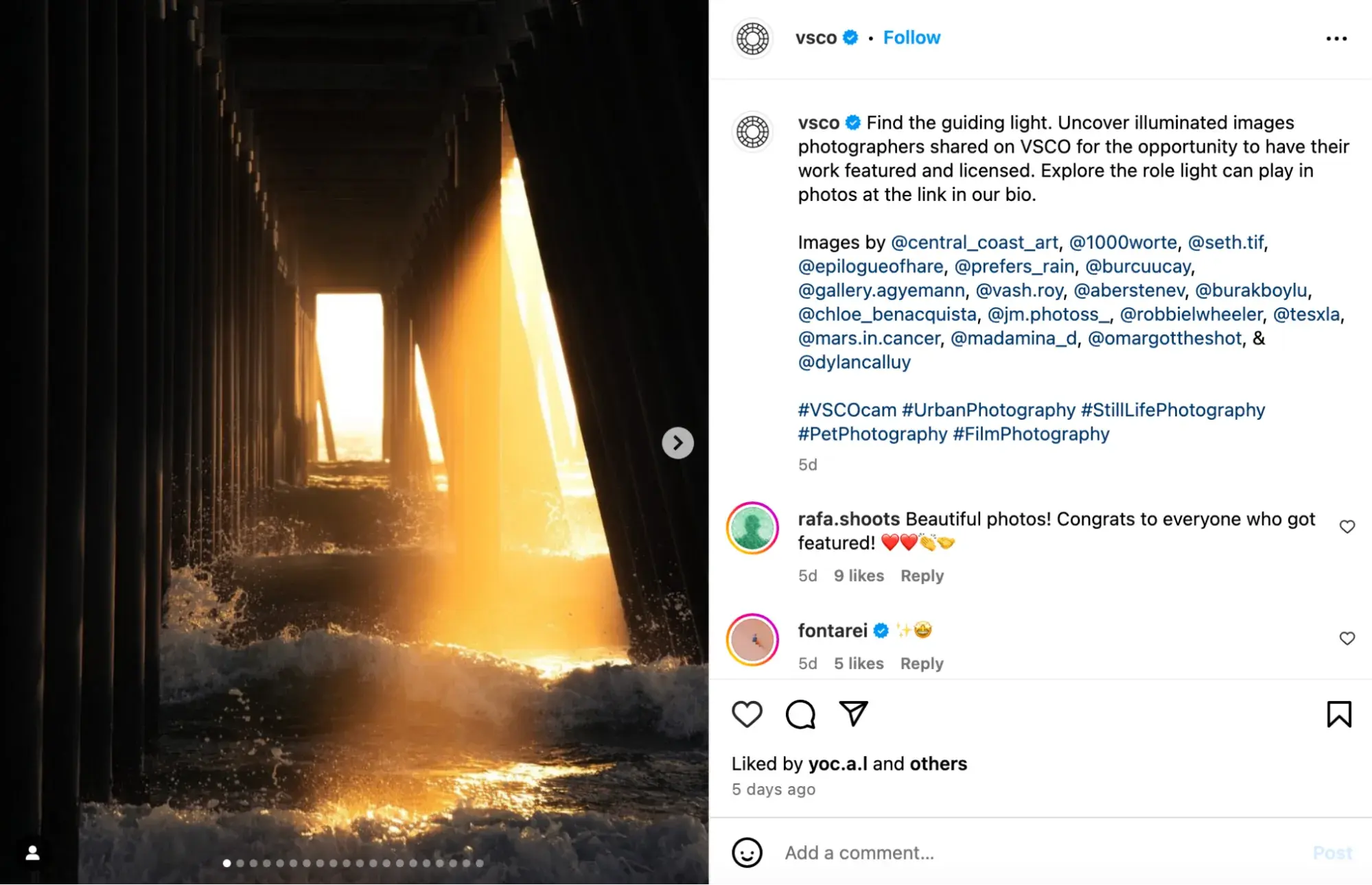
Pro tip: Give your followers an incentive to share. VSCO includes a CTA in its Instagram bio prompting users to share their images with the hashtag #VSCO. This gives users a chance to gain exposure by having their images shared with VSCO’s millions of followers. As a bonus, UGC also highlights the value of the app in action.

11. Use Stories Stickers.
We already know Instagram Stories get eyes with their prime real estate at the top of your page’s home screen, but the benefits don’t stop there.
With the ephemeral nature of Stories, brands get to share more casual, timely content that can show personality. And Instagram Stickers add a whole new dimension to engagement.
Use Instagram Story stickers to create more dynamic content and interact with your audience and potential followers in an entertaining way.
Instagram Stories Stickers currently include:
- Links: Use these to link to content outside of Instagram (i.e., Your website, an event page, or a product page)
- “Add Yours”: Use these to create a prompt viewers can use to build their own stories. As a bonus, these are often used long after your 24-hour story expires.
- Hashtags: Use these to draw more visual attention to your branded hashtag or another campaign you’re involved in.
- GIFs: Add visual fun to your Stories.
- Music: Add trending audio or popular music to your Stories.
- Emoji Polls: Use polls to gauge your audience’s opinion on something.
- Questions: Field questions from your audience or use them to gather short feedback/answers to your own.
- Quizzes: These are a fun way to test your audience’s knowledge or tease upcoming content.
- Countdowns: Use these to promote upcoming events or announcements. Audiences can click a button to be reminded.
- Donation Links: Request donations for your cause or one you care about.
- Products: Make it easy for followers to shop directly by adding a product sticker to your Stories.
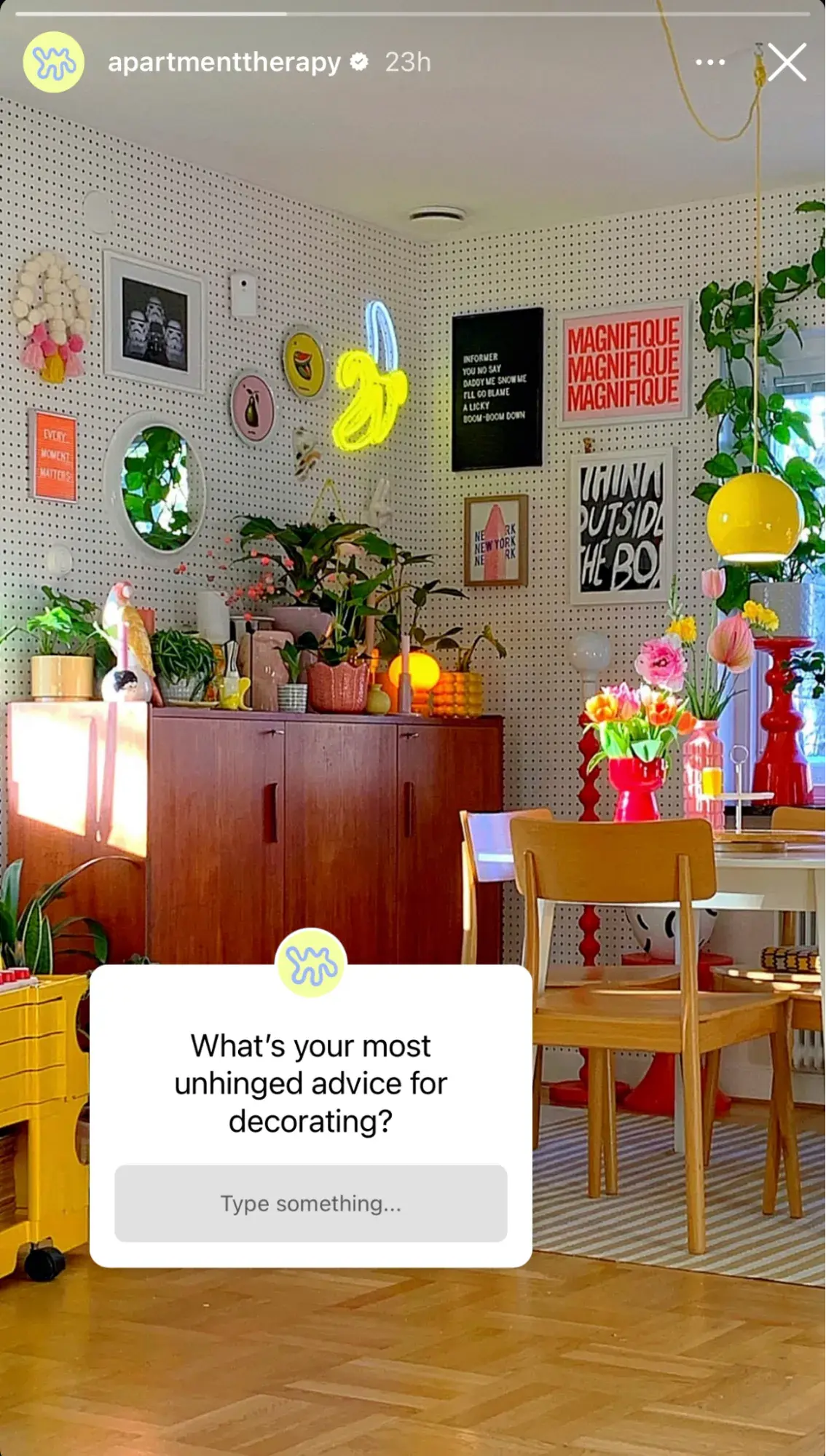
I like how Apartment Therapy engages its followers with questions in its Instagram Stories. This is a good way to grab followers’ attention and loop them into timely conversations around trends, product feedback, and more.
12. Go live on Instagram Live.
Instagram Live allows you to film and broadcast real-time video on your Instagram profile from a mobile device.
It also lets viewers engage with you in real time by leaving emoji reactions, asking questions in the chat, or even requesting to join you directly.
This kind of one-on-one, candid interaction and engagement builds a personal relationship with your audience. It also gives you the chance to show people who you are and why they should follow you.
If your live content is good, people will also want to share it, giving your Instagram presence even greater reach.
What should you do on Instagram Live? You can host a virtual press conference, make announcements, and host a live Q&A session. Live allows you to have up to four accounts on one broadcast so you can host an interview.
The 2024 Instagram Engagement Data Report
New data to help you shape your Instagram strategy
- Optimized content types
- Influencer marketing
- Posting volume
- And more!
Download Free
All fields are required.
13. Collaborate with influencers and creators.
Want to get in front of your target audience? Partner with influencers and creators in your niche — the smaller, the better.
According to HubSpot’s 2025 Marketing Trends Report, nearly half of marketers agree that niche influencers and creators are more trusted by their followers.
William Gasner, CMO of Stack Influence, says creators and influencers not only drive sales and produce content, but they also dramatically increase social awareness.
“At Stack Influence, we’ve personally seen influencer campaigns quickly get brands tens of thousands of new followers in only a few days,” says Gasner.
As more marketers are seeing the power of nano influencers, Gasner also recommends working with micro influencers and creators when you’re just starting out.
“Nano and micro influencers will be more cost-effective and will collaborate for free products,” he says. “They will also generate higher engagement rates and they can be very niche targeted, as long as there’s alignment with your brand and products.”
Dive into which influencers, creators, or even other businesses your buyers follow. Are they relevant to your brand or offering?
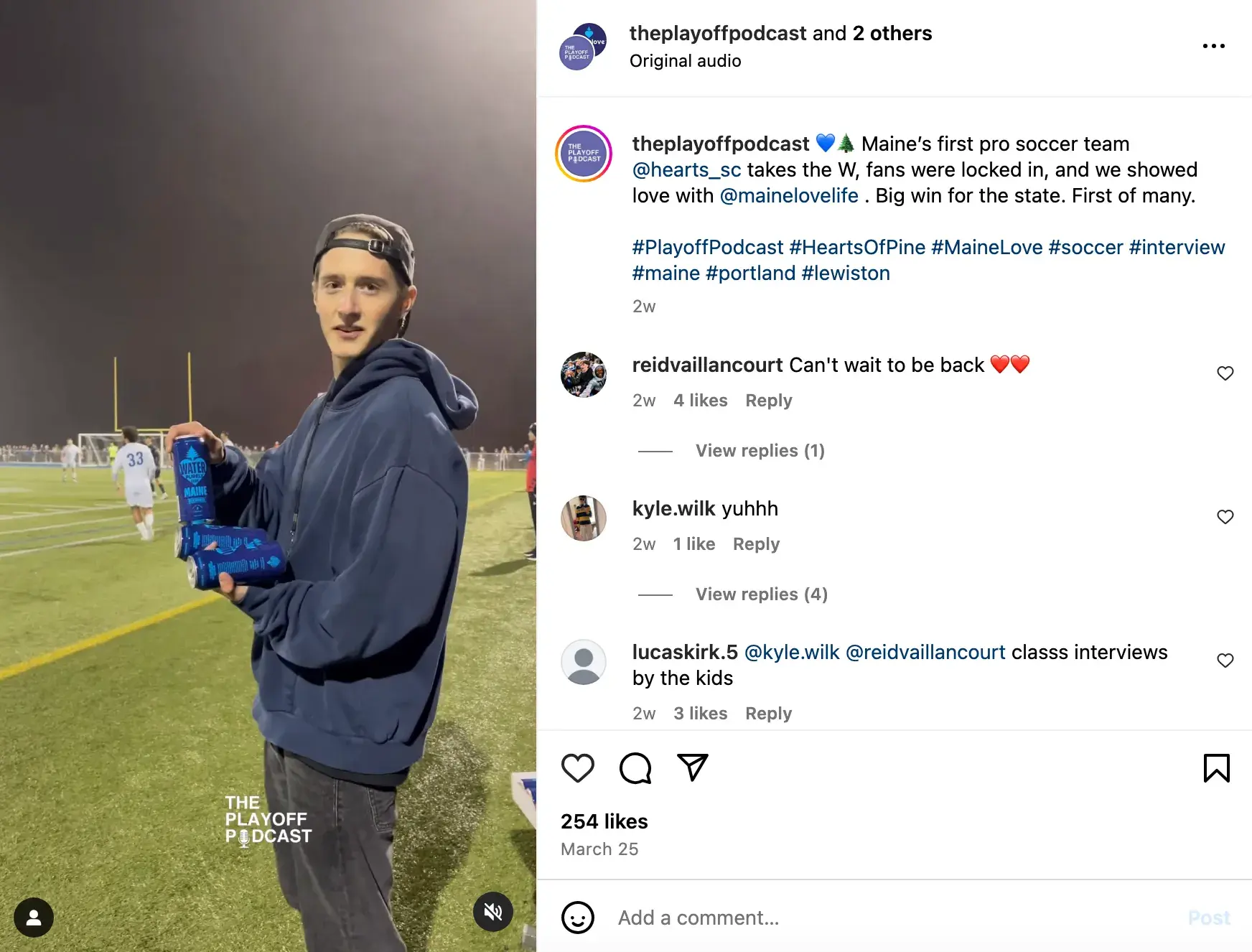
For the canned water brand Maine Love, partnering with local influencers has made a major impact for the local business, according to Jeannie Assimos, Head of Content and Communications.
“They are all from Maine and represent the community and spirit of Maine, so the campaigns are resonating strongly with locals,” says Assimos. “I think it's a win when you have someone representing a brand that fits the vibe and mission of the company.”
14. Run a contest or giveaway.
Another great way to expand your reach and gain followers is to run an Instagram contest or giveaway.
I mean, come on. Who doesn't love winning free stuff?
Offering an entry to win a relevant prize in exchange for a follower and tagging a friend is common across Instagram these days. It’s also a highly effective way to get more followers.
Promotion Tips for Getting More Followers
15. Use relevant hashtags, geo-tags, etc.
Hashtags foster conversation. They unite posts on the same topics in one place so anyone from anywhere can find them and engage — even if they don’t know the creator.
Using relevant hashtags on Instagram is an easy but effective way to get in front of new followers.
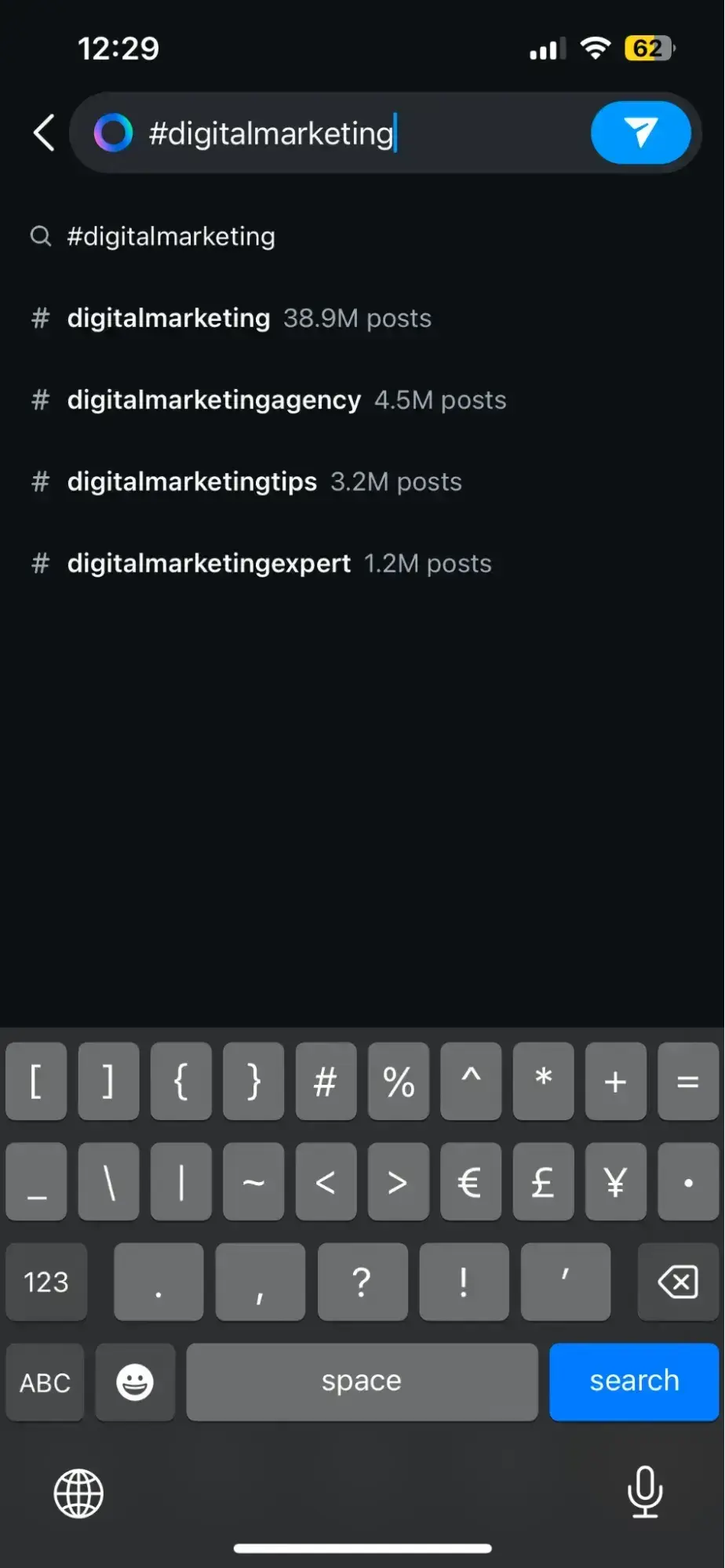
Do some research to find the hashtags your audience is using. Start by navigating to the Explore tab and searching for a keyword related to your business or industry.
When you search for one hashtag, it shows you a list of related hashtags and the number of posts that already use them.
For example, when I search for #digitalmarketing on Instagram, relevant hashtags like #digitalmarketingagency, #digitalmarketingtips, and so on appear.
Once you build up a following, you can try creating your own hashtags — like your company name or a slogan that applies to your content. This is a great way to build up your brand on the platform and also foster user-generated content.
Similarly, tagging locations, brands, or personalities related to your content can grab their attention and get you in front of their audiences.
16. Try Instagram promotions and ads.
So far, the methods I’ve mentioned are about growing organically — but organic growth takes time.
If you’re looking for rapid growth, Instagram promotions and ads may be the answer.
Instagram ads (using the comprehensive Meta Business Suite) let you get granular about the audience you want to reach and pay to get your content in front of them. You can use ads to generate leads or boost a high-performing post to earn more views.
Here are a few articles to get you started:
- The Ultimate Guide to Instagram Stories Ads
- A Step-by-Step Guide to Advertising on Instagram
- The Guide to Instagram Ad Costs
- Instagram Ad Specs & Sizes: an Updated Guide
Pro †ip: If you run a contest, consider putting some ad dollars behind it to maximize the opportunity.
17. Share your profile link externally.
You’re doing the most to get noticed on Instagram, but don’t forget to promote your presence off the platform as well.
Have a website? Newsletter? YouTube channel? Make sure you include a link to your Instagram on your other platforms and properties. If your brand has brick-and-mortar locations, put your handle on signs or business cards with a QR code.
Embed posts in your blogs and mention it in your email newsletter.
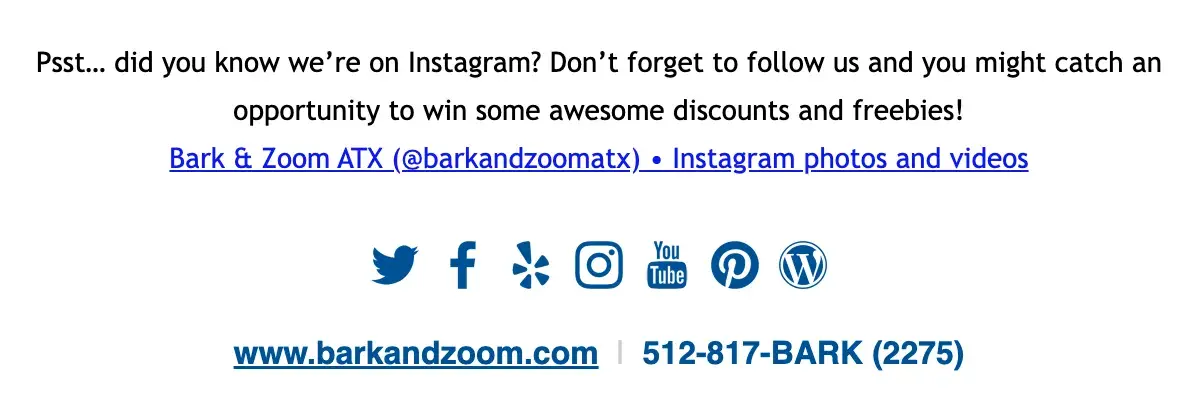
In this example, Austin-based pet boarding company Bark and Zoom encouraged their email subscribers to follow them on Instagram with a simple incentive: the chance to win discounts and freebies.
Embed your Instagram feed on your website and link to your profile on your other social channels. If people are already following you on another platform, it’s much more likely they’ll be open to following you on Instagram as well.
Pro tip: A link to your Instagram profile is built into HubSpot’s free Email Signature generator . Give it a try for your emails.
Attracting New Followers With Your Instagram Profile
An incomplete profile is a huge red flag to potential new followers on Instagram. Missing information can raise questions about why it’s missing which hurts your credibility (Remember what I said about fake followers?).
Here are a few best practices to make sure your profile strikes the right chord:
Choose a clear username.
Your Instagram username (or handle) should be recognizable and easily searchable — like your business name. In the example below, the UK business The Journal Shop uses the intuitive handle @thejournalshop.
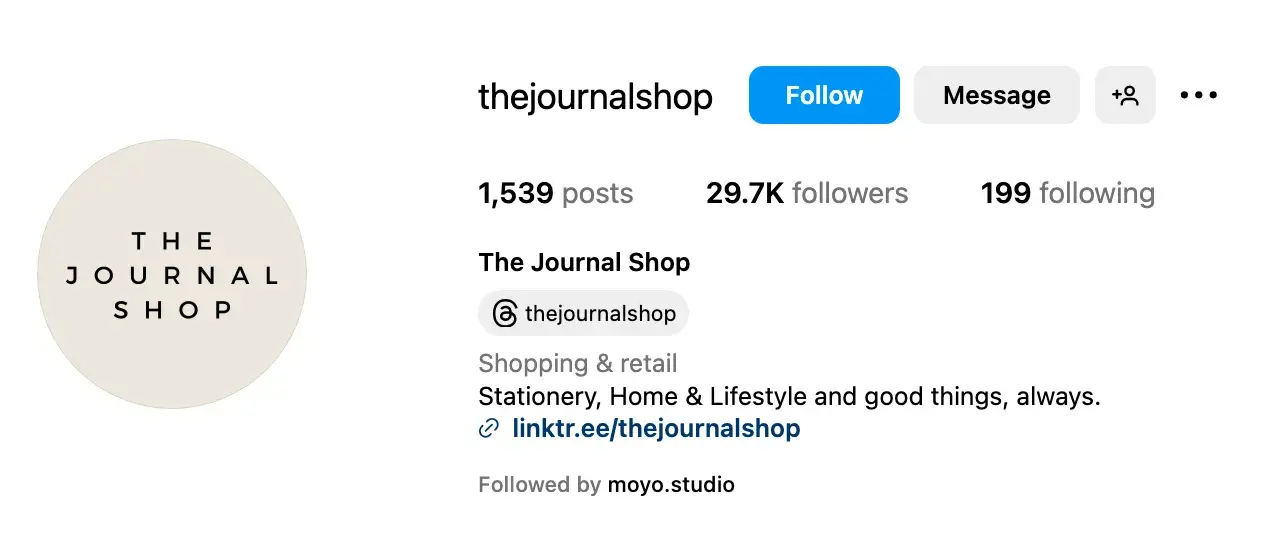
If your business name is already taken, experiment with related alternatives (i.e., something that includes your business name plus a branded item or a catchphrase).
For example, Peloton uses @onepeloton, while the Australian activewear line Lorna Jane uses @lornajaneactive.
While, ideally, you want to claim your name, variations like this still make your brand recognizable.
Have an on-brand profile picture.
This should be a clear, high-quality picture of your face if you’re a creator or logo if you’re a business. Again, you want people to easily recognize and identify you when they come across your posts.
Pro tip: Use the same profile picture across channels for instant recognition with your followers.
Add details next to your name.
Not everyone does this, but the name field on your Instagram profile is additional real estate you can use to introduce yourself on the platform. Use any extra space here to add details about your business or what you offer.
For example, HubSpot could put “HubSpot | AI-Powered Customer Platform.”
Style blogger Sarah Ramondt Lennon adds “Amazon Fashion” to hers.
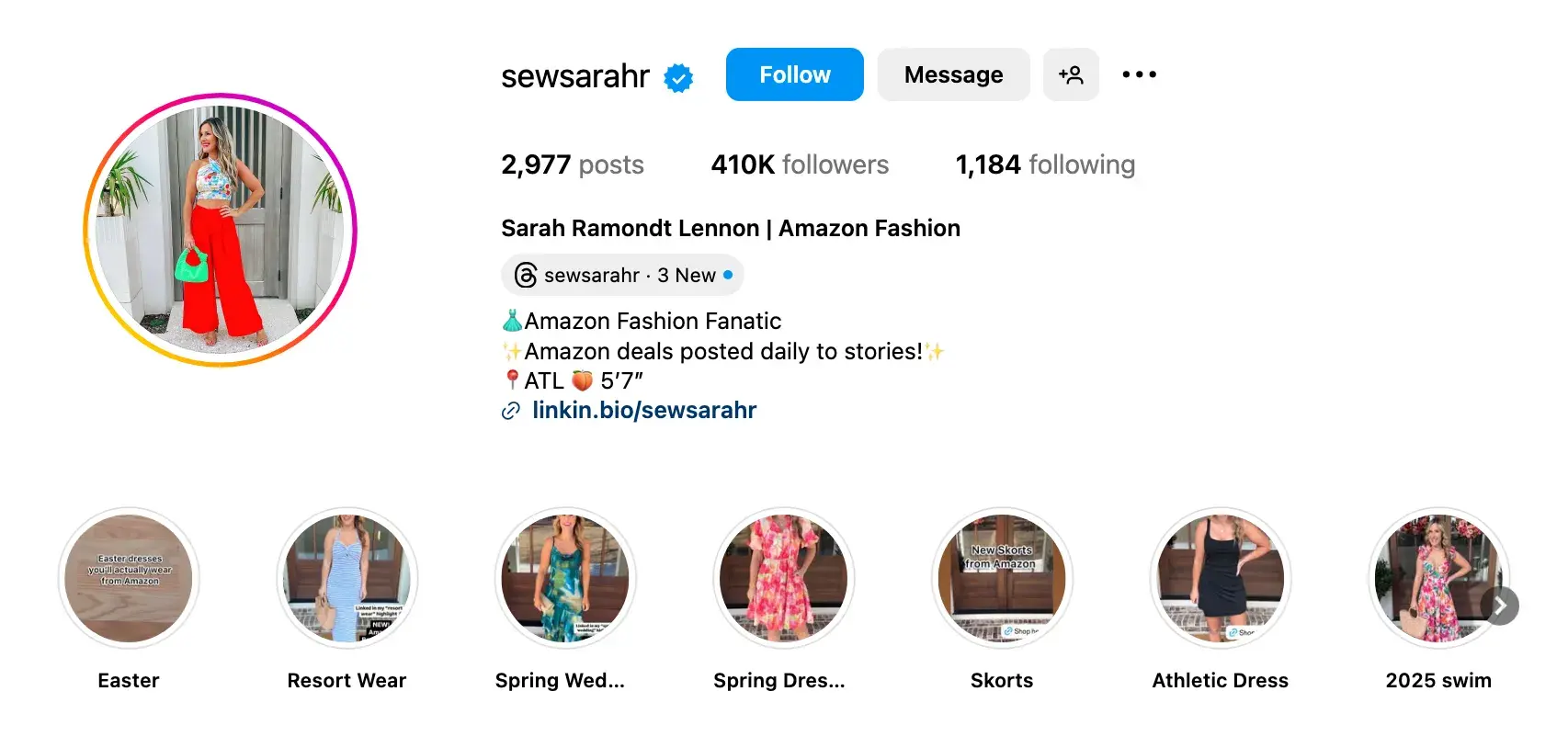
And financial advisor Andrew Lokenauth uses his to promote his newsletter and website.
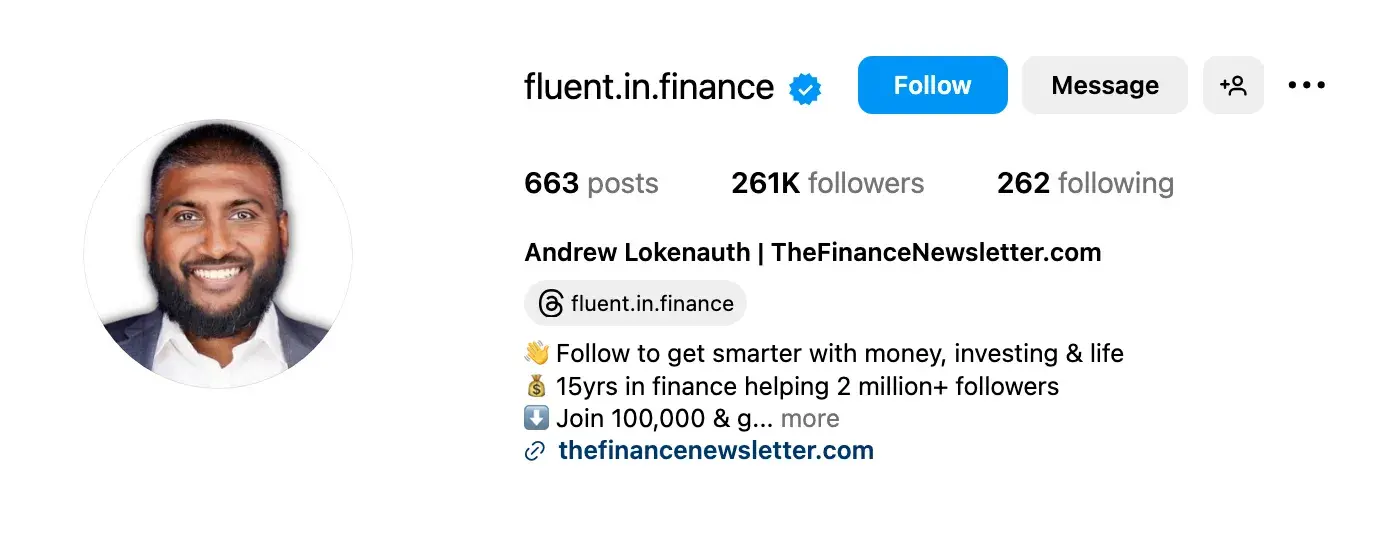
Adding these little extra details to your name field tells people what you’re about right when they land on your profile. If you want to get more followers on Instagram, then use this section to draw users in right away.
Share your value and personality in your bio.
Instagram only gives you 150 characters in your bio. Use them to tell people why they should follow you. Include who you are and what you do, but also a hint of personality.
Here are a few examples for inspiration:
- @cheekbonebeauty : “🧡 Indigenous Roots 🌱 Sustainable By Nature 🌎 B Corp Certified 🐰 Cruelty-Free 🐰 Cruelty-Free 🇨🇦 @sephoracanada 🇺🇸 @thirteenlune @jcpenney Founded by @cheekbonejenn”
- @oreo : “Playful moments from your favorite cookie.”
- @sahilbloom : “New York Times Bestselling Author of The 5 Types of Wealth. On a mission to redefine what it means to live a wealthy life.”
- @CalifiaFarms : “Because life’s too short for one type of milk. 🌱”
- @coragedolls : “Instilling cultural pride with products & stories that finally reflect her. #blackowned”
Add a LinkTree.
When you use the phrase, “check out my link in bio” make sure your link area is easy to navigate. You can add up to five links in your bio, but I recommend using LinkTree to bypass the limit.
You can use your LinkTree to guide people to your website and other platforms, content, offers — anything really.
Here’s a peek at mine:
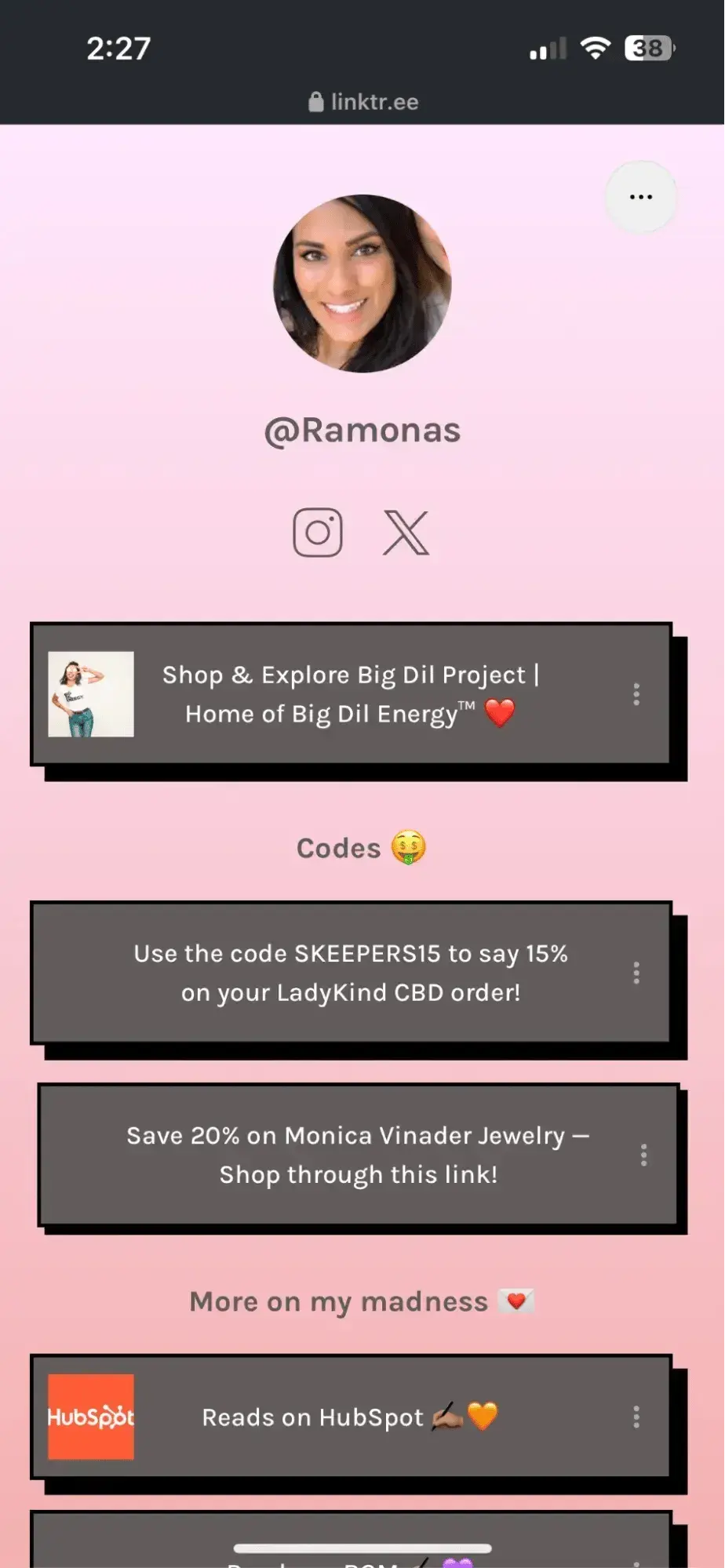
Your bio link is your most direct play to get followers to take action, and it’s the only place you can have clickable links without paying. LinkTree helps you get the most out of it (and it’s free).
Establish your unique brand.
Have a brand color palette? How about a specific font or typeface?
Use these to develop a visual brand for all of the Instagram content you create.
Not only does it make your feed look more organized, cohesive, and professional, but it also gives visitors a way to recognize your content even out of context.
Beauty brand Live Tinted incorporates its brand colors (orange like HubSpot!) throughout its Instagram page and most of its content.
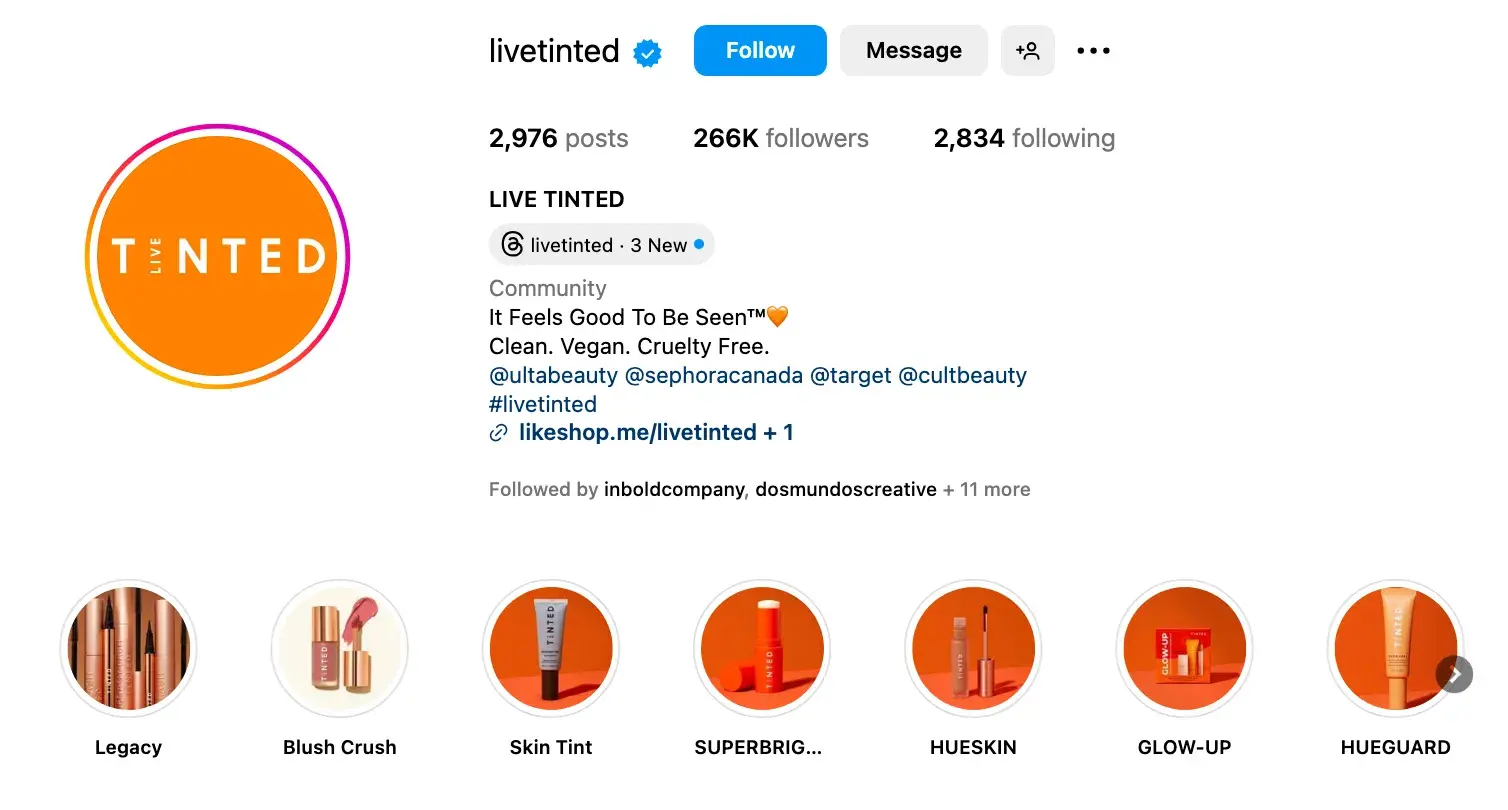
Note: Use our Instagram templates to create a consistent look and feel for your images.
You’ll also want to develop a consistent voice on Instagram; one that is cohesive with the rest of your brand and company culture.
The last thing you want to do is to be snappy and super casual on Instagram but formal and stoic everywhere else.
Once you've got your voice down, make sure it stays consistent and natural in your videos, captions, comments, and messages.
With your profile set up for success, I recommend having 15 or more existing posts before you actually start making a play for followers.
This way, when new people find you, they’ll see a full screen of content and get a better idea of what you offer.
If you haven’t already, download this social media content calendar template to help plan out your posts.
Here are some other resources that may help when filling it out:
- Free Instagram Business Templates
- What to Post on Instagram: Photo & Video Ideas to Spark Inspiration
- How to Plan Your Instagram Posts [+ Free Instagram Planning Templates]
The 2024 Instagram Engagement Data Report
New data to help you shape your Instagram strategy
- Optimized content types
- Influencer marketing
- Posting volume
- And more!
Download Free
All fields are required.
Using AI to Get More Followers on Instagram
I know what you’re thinking, “Can AI just do this for me? AI does everything.”
To that, I say:
- Why would you want it to? So many of the spam accounts and fake followers I talked about earlier are bots. They don’t work long-term.
- I’m sorry to disappoint you, but no, it can’t.
Just like a hammer can’t build a house for you, artificial intelligence (AI) cannot just get you more followers on Instagram — at least not the real, organic followers you want. AI is simply a tool.
What AI can do is help you execute some of the strategies I shared more efficiently and effectively. For instance:
- Adobe Firefly or other AI image generators can help you create visuals to post.
- HubSpot’s Free AI Content Writer can help you write captions.
- AI video generators can help you create Reels.
According to HubSpot data, 43% of marketers are using generative AI to create content. This includes writing copy and creating images. 27% are also using AI to brainstorm content ideas.
There are also a number of automation tools that can help expedite your engagement as well.
ManyChat, for one, can be used to set up an automatic response to comments on your Instagram posts or to send a personal message when people use a specific word or phrase.
But even with these aids, it’s important to remember that increasing your Instagram following, like any social media success, comes back to human connection.
People turn to social media to stay connected with the people and brands they care about. They follow what they’re interested in, get value from, and want to support.
Building a real, emotional connection is the most effective and lasting way to build a following and that is something AI cannot currently provide.
Concerns about plagiarism, bias, and inconsistent quality also make a solid argument for treading lightly with AI when it comes to your Instagram strategy.
How Not to Increase Instagram Followers
AI aside, you may be tempted to take other shortcuts to get more followers on Instagram.
Trust me, these tactics often do more harm than good (read: decreased engagement, penalizations, or even bans.)
Let’s unpack a few ways not to increase your follower count.
Don’t buy Instagram followers.
Eager for opportunities, some users resort to buying followers on Instagram.
At its core, buying followers is unethical and in violation of Instagram’s community guidelines. This can damage your brand's reputation by eroding trust.
Then, there are the tactical impacts of this approach.
Fake followers can‘t engage. As I mentioned earlier, these accounts won’t like, comment, share, or repost your content. This lack of engagement sends a signal to the platform that your content isn't interesting or useful to your followers.
While inflating your follower count, fake followers will erode metrics like:
- Organic reach
- Likes
- Comments
An inflated follower count will also make it tougher for you to measure the actual effects of social campaigns and strategies. Instead, focus on growing organic followers who are excited about your brand and content.
Don’t overuse hashtags.
Using too many hashtags in your Instagram captions can have a negative impact on your follower count for a few reasons:
- It can dilute the message or storytelling behind your post by distracting viewers from the core content and making your captions appear less clear and cohesive.
- It can attract an audience that is not genuinely interested in your posts. This can lead to low engagement and a high bounce rate, because those followers are unlikely to interact with your content or become loyal followers.
- It can make your posts look spammy or desperate for engagement. This can deter users from viewing or following your account, as it appears less authentic or professional.
Instead of casting a wide net with numerous hashtags, I recommend focusing on using relevant and targeted hashtags that align with the content of your post.
This way, you are more likely to attract users who are genuinely interested in your niche and increase the chances of engagement and follower growth.
Don’t post low-quality or unoriginal content.
Your account is unlikely to attract new followers if you consistently share low-quality content or content that can be found elsewhere.
Users’ feeds are oversaturated with content, and posting sub-par or generic content does nothing to add value to those feeds.
By producing visually appealing, unique content that offers something valuable to your audience, you can enhance engagement, foster a positive perception of your brand, and truly earn more followers.
Earning Your Instagram Followers
If you want a large, engaged, lucrative Instagram following, you need to earn it.
Ultimately, it's important to focus less on the number of followers you have and more on the quality of content you create.
In my experience, when you put effort and time into creating engaging, informative, or inspirational content without worrying about “quick fixes” for boosts in followers, your followers will come naturally and happily.
Editor's note: This post was originally published in February 2016 and has been updated for comprehensiveness.
The 2024 Instagram Engagement Data Report
New data to help you shape your Instagram strategy
- Optimized content types
- Influencer marketing
- Posting volume
- And more!
Download Free
All fields are required.