
Using a membership website builder to create a subscription website can be a lucrative endeavor. Companies in Zuora’s Subscription Economy Index had an 11% faster revenue growth rate than the S&P 500 in the past two years, according to a 2025 report from Zuora. Whether you sell memberships, products, or services, a subscription site grants the kind of predictability every business craves (as long as you can avoid churn).

However, building a membership site can feel intimidating. There are a lot of moving parts — user accounts, payments, content restrictions, and lots more. But with the right tool, you can build your own subscription website.
In this post, I’ve curated my picks for the seven best subscription and membership website builders. Beyond sharing key details about these tools, I’ll also provide some real-life membership website examples to inspire you, and offer step-by-step instructions on how to make a subscription website.
Table of Contents
- What is a membership website?
- Membership vs. Subscription Websites
- Why build a membership website?
- How to Create a Membership Website
- What to Look for in a Membership or Subscription Website Builder
- Best Membership Website Builders
- Membership Website Examples to Check Out
- Common Mistakes to Avoid
- Subscription Website FAQs
Summary: How to Make a Subscription Website
With the right platform, most of the technical complexity of building a membership website is handled for you, and you can go from zero to a live membership site in days rather than months.
A subscription website charges customers on a recurring basis (monthly, annually, etc.) for ongoing access to a product or service. A membership website is a related but distinct model: Members pay for access to gated content, exclusive communities, or special perks. Many sites combine both, charging a recurring fee for members-only resources.
Here’s the core setup sequence:
- Define your audience, offer, and pricing model.
- Choose a membership website builder that fits your content type and budget.
- Create members-only content and resources.
- Configure memberships, payment processing, and access controls.
- Test everything, launch, and promote to your audience.

HubSpot's Free Website Builder
Create and customize your own business website with an easy drag-and-drop website builder.
- Build a website without any coding skills.
- Pre-built themes and templates.
- Built-in marketing tools and features.
- And more!
A website builder with built-in templates, recurring payments, and membership tools makes each of these steps faster. Try Content Hub to start building your site today. Upgrade to the Professional plan to access membership features.
What is a membership website?
A membership website is a type of subscription site that offers gated content and exclusive benefits to its members. These benefits can include special reports, newsletters, webinars, online courses, invitations to conferences and events, free shipping, coaching, podcasts, and more.
Many businesses, nonprofits, clubs, and associations have membership websites to build an engaged and loyal audience.
Membership websites are often confused with subscription websites, but they offer different experiences. Let’s take a closer look at the key differences.
Membership vs. Subscription Websites
Membership and subscription websites have overlap, but they’re not always the same.
A membership website allows customers to join a community, while a subscription site lets customers pay for a product or service on a recurring basis (typically monthly or yearly). Often, a website is both membership and subscription. I define a subscription website by its monthly, quarterly, or yearly financial contract, while a membership site may or may not require a paid subscription (though it often does).
A website can be either:
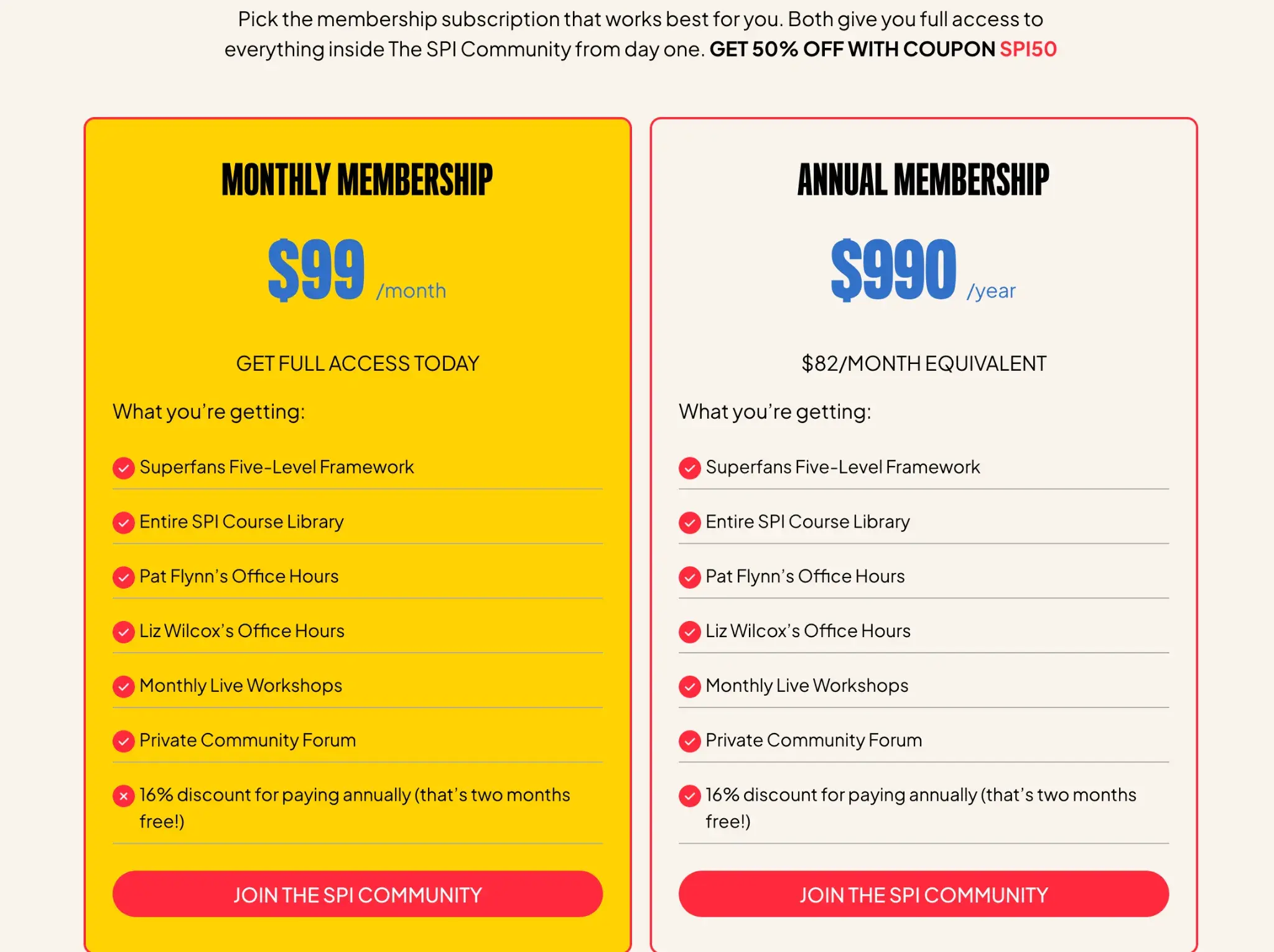
- Subscription and membership, such as an entrepreneur community that charges a monthly fee for access to a private mastermind group. One example is Pat Flynn’s membership, which offers a private community, courses, and office hours.
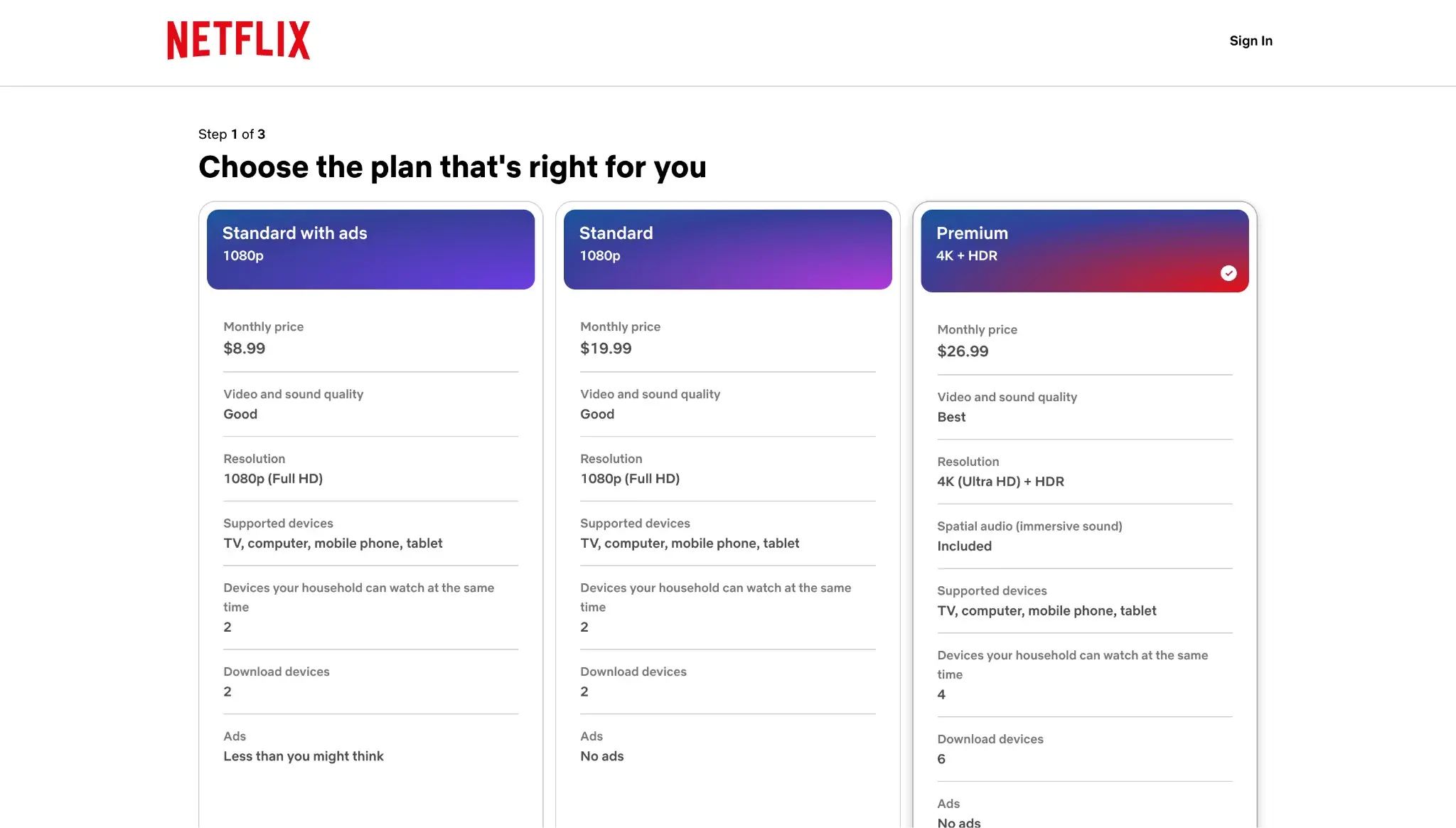
- Subscription but not membership, such as Netflix, which charges a monthly fee for unlimited access to the TV and movies on its site
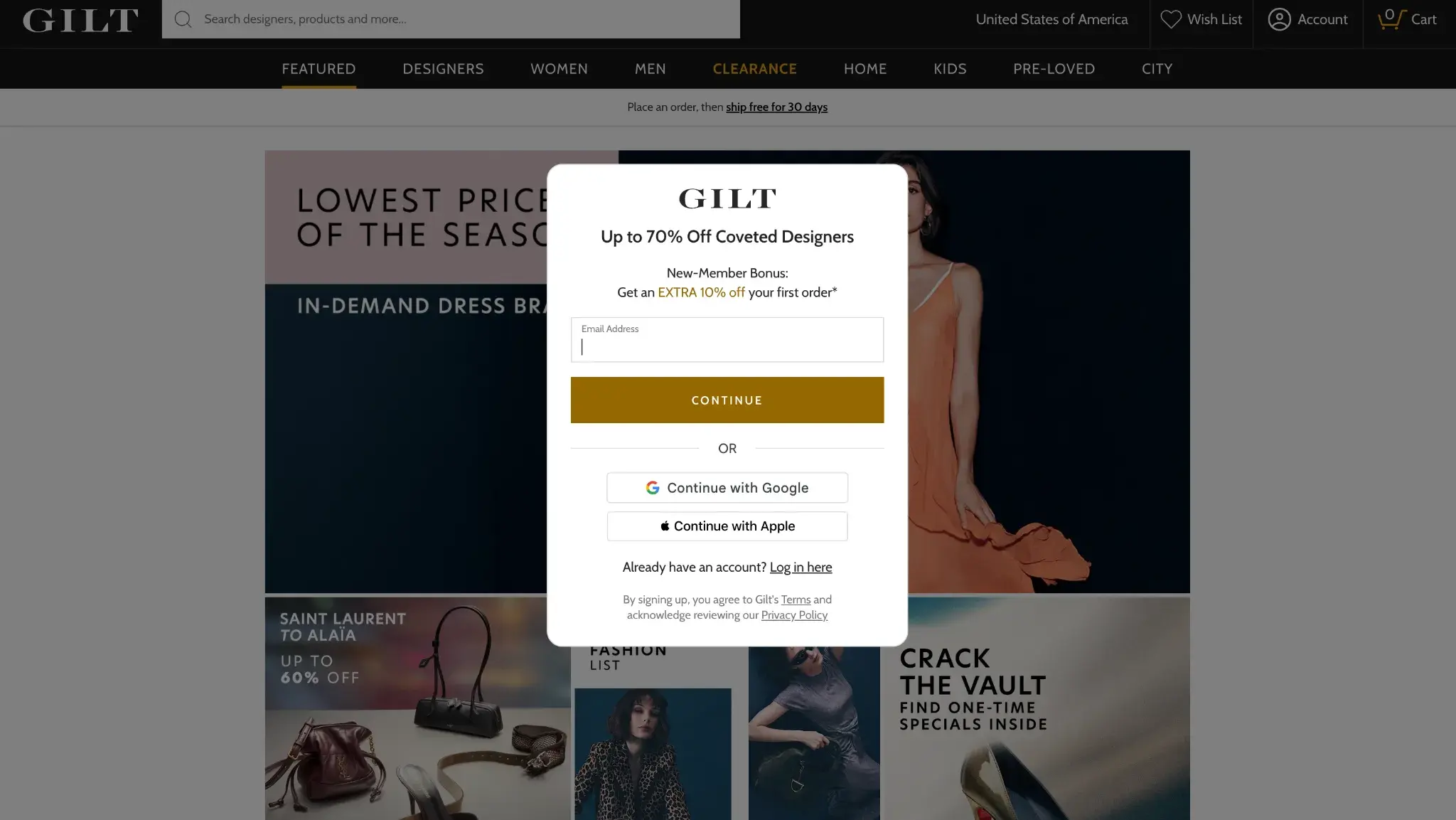
- Membership but not subscription, such as Gilt, a members-only flash sale site for designer items. It’s free to join (you just enter your email address and create a password), and then you can buy whichever items you’d like. There is no recurring fee like a subscription site.
So even though free membership sites exist, this article will focus on subscription websites, which are those that sell products or services, or offer paid memberships.
Why build a membership website?
- Predictable recurring revenue. Making stable recurring revenue is the number one reason online membership website owners started their business, according to the 2024 Online Membership Industry Report. For example, entrepreneur and podcaster Pat Flynn’s membership provides recurring revenue in addition to his other ventures.
- Content monetization. Many content creators get their start by doing what they love for no pay. Membership websites monetize their passion, thereby helping them make more content. Orla Gartland is an Irish singer/songwriter and guitarist who offers a Patreon membership that grants exclusive access to things like unreleased songs.
- Stronger community-building. Membership websites have a unique advantage in that the business model itself fosters community. Like-minded folks pay a fee to access a members-only group.
How to Create a Membership Website

You have three main paths for building your membership site: a dedicated membership platform like Kajabi or Teachable, a membership plugin on WordPress like MemberPress, or a general-purpose website builder with membership features, like Content Hub. Content Hub offers a free website builder to get started, and its Professional and Enterprise plans let you gate content for members without needing an external plugin.
Below, I’ll walk you through how to build a membership site.
1. Decide on your membership model and pricing.
Before even installing a platform or plugin, you have to create a membership model. To create your membership model, answer these three crucial questions.
Question 1: Who is your audience, and what will you offer them?
Offer creation should always begin with considering your buyer personas and what you’ll help them solve. If you haven’t created a persona yet, I highly recommend this free Make My Persona generator, which asks insightful questions to help you flesh out your ideal customer and then provides you with a report you can save.
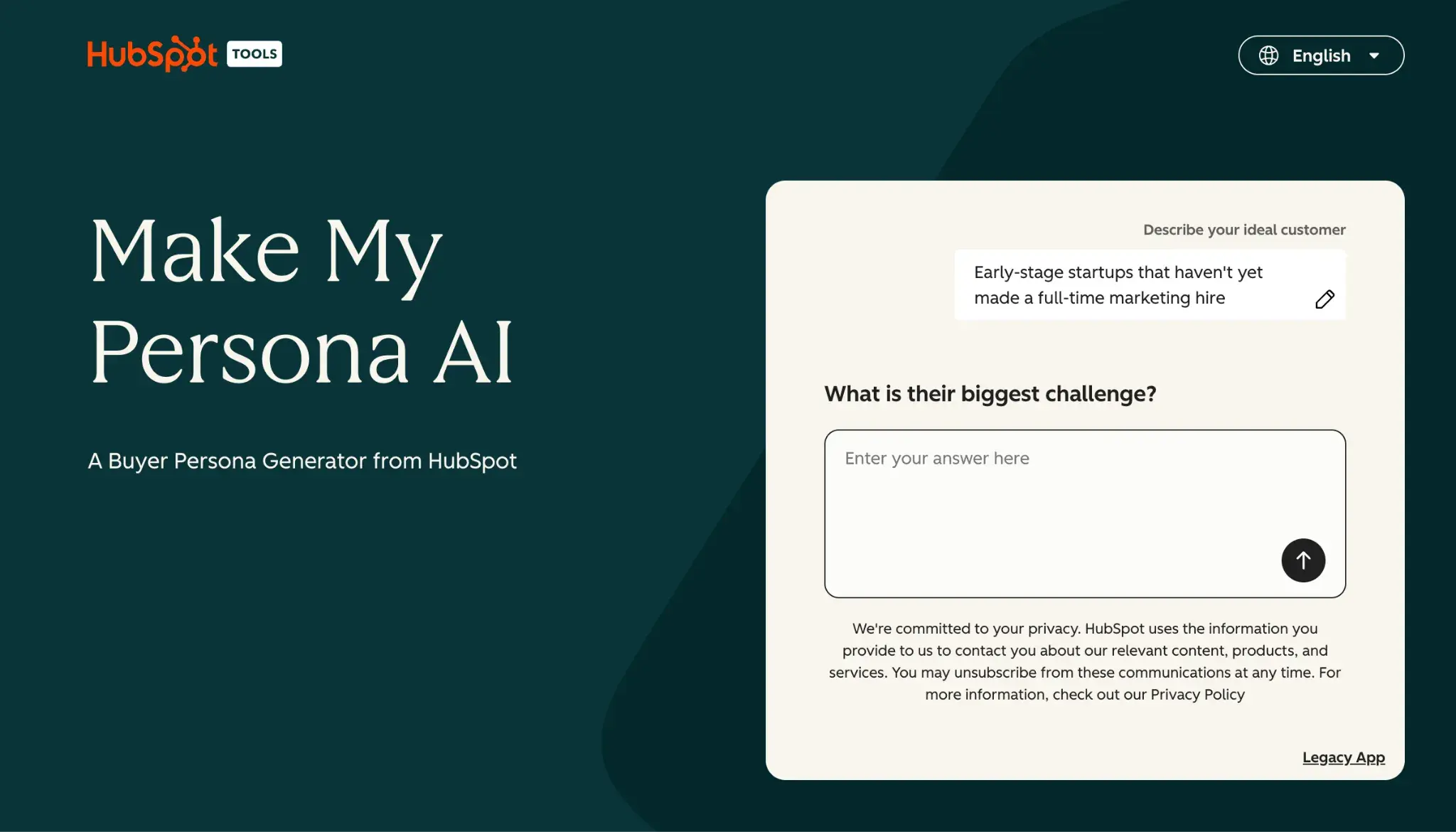
Once you have your buyer personas in mind, evaluate your products, services, and messaging to decide on the value that you’ll bring to your members. How could you solve their biggest problem? What would they want exclusive access to on a monthly basis to help solve that problem?
For example, a personal trainer targeting health-conscious remote workers could offer access to a virtual training program plus weekly one-on-one coaching sessions. Or a bookkeeper targeting small business owners could offer a bookkeeping course, monthly Q&A sessions, and ongoing virtual support.
Question 2: What membership levels will you offer, if any?
Next, decide on your levels of membership, if any. Depending on the level they join, members can get additional access to more content and more deals. Costco, for example, offers two personal membership levels — Executive Membership and Gold Star Membership.
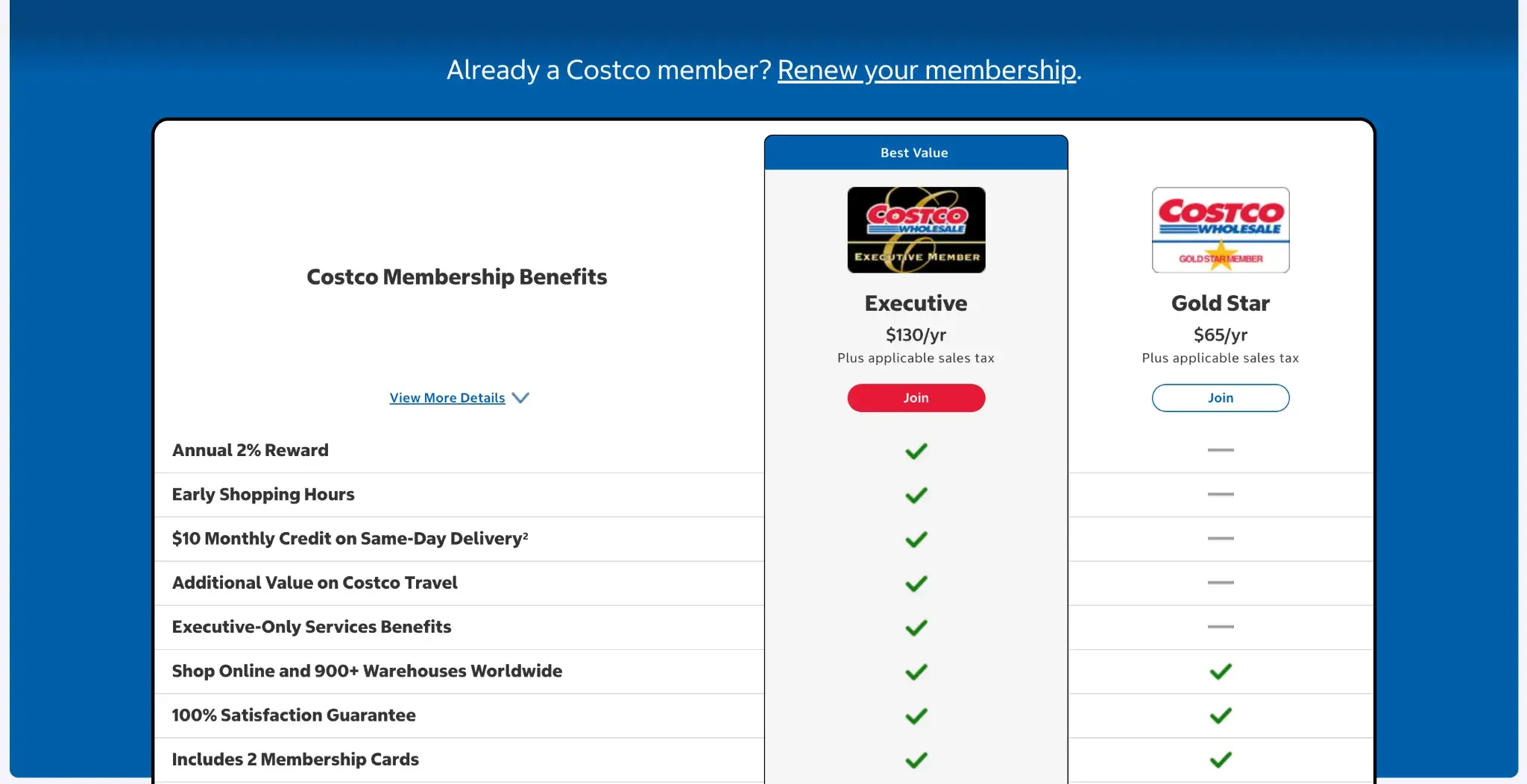
Question 3: How much will you charge, if at all, and how frequently?
Last, decide on pricing, if any. Sometimes, it’s worth making membership free, as it can help you create a long list of marketing-qualified leads.
If you decide to charge, it’s worth looking at your competitors’ pricing. Decide the frequency — annual, biannual, and monthly are great options.
Membership Model Types
Once you’ve answered those three important questions, you can use these insights to choose your ideal membership model. These membership website ideas might spark some inspiration if you need it. Here are some of the popular options to consider:
Pricing structure:
- Freemium membership. This model offers free access to the product with some exclusive perks gated behind a paywall. Free members can upgrade to the paid membership to experience more benefits and get the best out of their membership.
- Tiered membership. This model delivers varying membership benefits based on different tiers. You can create two to four membership tiers to give people access to various perks related to your brand. Your audience can select from these tiers based on their needs and budget.
HubSpot's Free Website Builder
Create and customize your own business website with an easy drag-and-drop website builder.
- Build a website without any coding skills.
- Pre-built themes and templates.
- Built-in marketing tools and features.
- And more!
Offer types:
- Content-based membership. This model offers access to exclusive content that members will value. You can curate stories, articles, videos, courses, and other content assets with member-only access. For this, you’ll need a website platform that offers content gating. HubSpot Content Hub Professional and Enterprise let you gate content by creating access groups.
- Product-based membership. This model focuses on delivering your products at regular intervals, like a subscription box delivering curated snacks every month.
- Service-based membership. This model offers services like coaching or mentorship for a recurring fee.
- Community-based membership. This provides exclusive access to a community, such as online forums, masterminds, or even in-person events, to those who pay a recurring fee.
- Access-based membership. This model is ideal for physical spaces like gyms, co-working spaces, and other facilities. Members can access specific areas or equipment.
Once you’ve chosen your membership model, you can choose the membership website platform to build with.
2. Choose a membership-based website builder.
If you’re on WordPress, you can compare membership plugins and choose the one that best meets your needs. (I’ll review the MemberPress plugin below.)
If you’re on another platform, I recommend checking if that platform offers built-in membership functionality. If it doesn’t, you can then investigate using a third-party membership solution, if possible.
Features to Look For
Regardless of the option you choose, a great membership plugin or platform will have the following features:
- Contact segmentation. Your chosen platform should allow you to segment your contacts into members and non-members and offer further segmentation capabilities if needed.
- Gated content. For any membership model to work, gating content is essential. It will differentiate your general website visitors from your members. Content Hub Professional and Enterprise give you the option to selectively gate content based on membership status.
- User and member pages. Your platform should allow you to create membership-related pages and forms.
Here’s my list of some nice-to-have (but not mandatory) features:
- Automated workflows. Whether it’s used to send welcome or renewal emails, an automated workflow feature can help you save time.
- Payment provider integrations. You might not need this integration if you’re offering free membership. But if you’re offering paid memberships, this is an important capability to look out for.
- Engagement analytics. This might not be required because you might be tracking engagement using another tool, such as Google Analytics. However, some membership platforms can give you even more granular data.
- Third-party integrations. You won’t need third-party integrations if you choose an out-of-the-box option such as Teachable or Content Hub. But if you’re using a plugin or an extension, it should integrate seamlessly with your other marketing tools. MemberPress, which is a WordPress membership plugin, integrates with Zapier so you can connect it to your other tools.
- Membership levels. If you’re offering different membership levels, you’ll need a plugin or platform that supports different levels and price points.
Knowing what you should look for should make it a little bit easier to make a choice.
3. Create members-only content.
The next step is to create the gated content, pages, courses, events, and other assets you plan to offer to your members.
My formula for success is creating value-packed content before ever publishing your new membership site. This will help you delight your customers and keep them coming back for more.
Remember that perks-based membership models might not require the creation of gated content. However, creating exclusive resources may be just what entices users to join. Member-only emails are a great option. In these emails, you can give discount codes that only your members or subscribers have access to.
This step would also include creating a pricing page and a sign-up form. To do that, you’ll need to configure paid memberships in your website builder. Let’s see how to do that in the next step.
4. Configure memberships and payment processing.
Remember the gated pages and posts that you created earlier? It’s time to publish those and mark them as members-only.
For some platforms, you can do this with one click. For others, you might have to navigate to the page you want to protect and select “members-only” from a dropdown menu.
In this step, you can also publish the pricing page. This should be public, as it will help users make a purchasing decision. If your membership platform doesn’t come with a pricing page option, or you don’t want to build a pricing table from scratch, consider installing a pricing table plugin if you’re on WordPress.
You can also create a community forum that’s accessible only to members.
How to Set Up Paid Memberships in HubSpot Content Hub
Note: To access the premium features necessary to create a membership site using HubSpot, you must purchase Content Hub’s Professional or Enterprise plan. HubSpot doesn’t have a one-click “paid membership” feature — instead, you connect three tools: memberships (access groups), payments (payment links), and automation (workflows).
Step 1: Create your membership tiers.
Go to Content > Memberships and create an access group for each tier (e.g., Bronze, Silver, Gold). Access groups control which contacts can view your private content. Select “Dynamic” so members are added automatically based on the criteria you define.
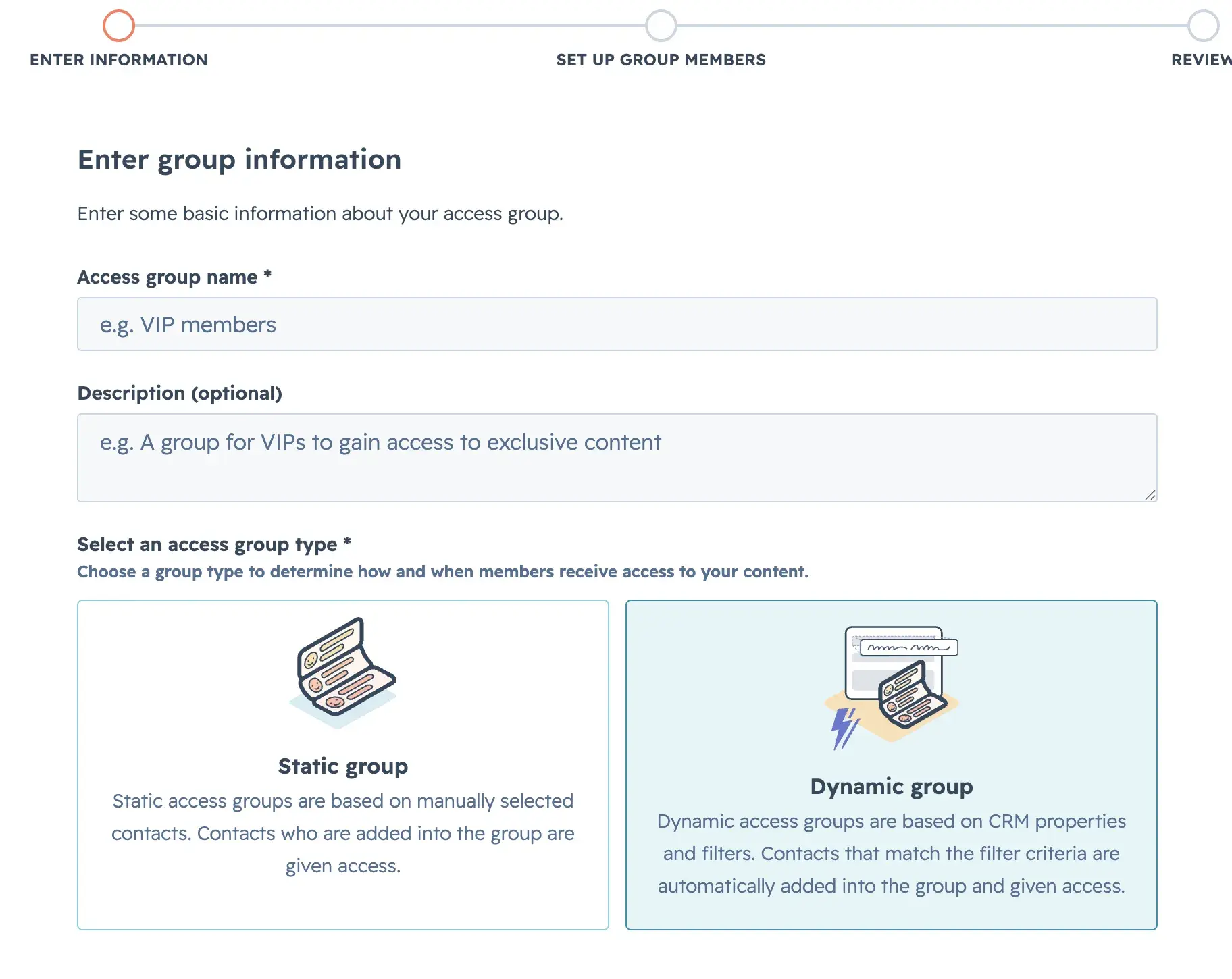
For full details, see HubSpot’s guide on requiring member registration for private content.
Step 2: Set up recurring payments.
Go to Revenue > Payment Links. Then click Create a payment link > Use template.

From there, select Subscriptions.
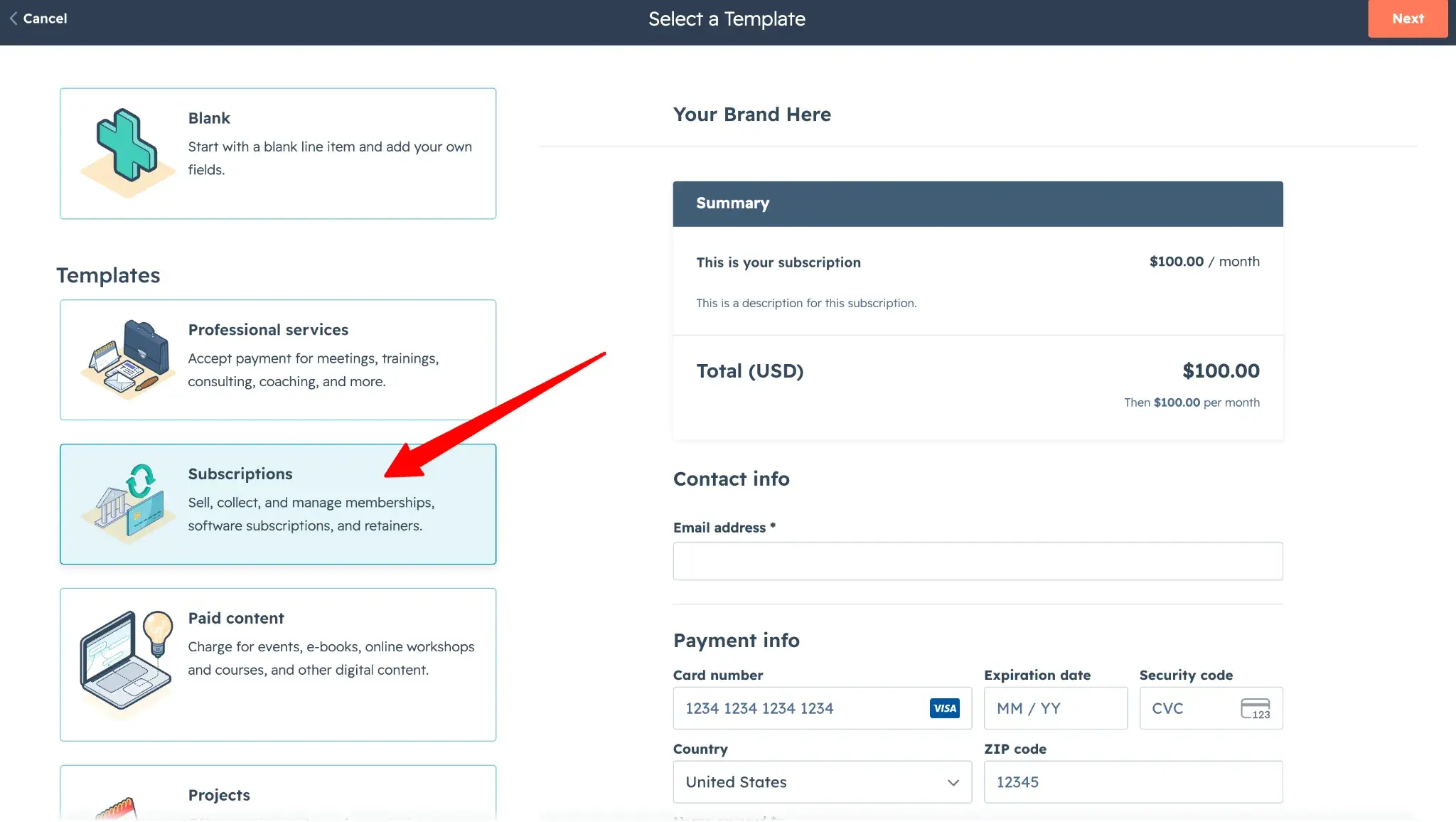
Add your membership as a recurring line item with monthly billing, and set it to automatically renew. When customers complete checkout, HubSpot creates a subscription and handles recurring billing automatically.
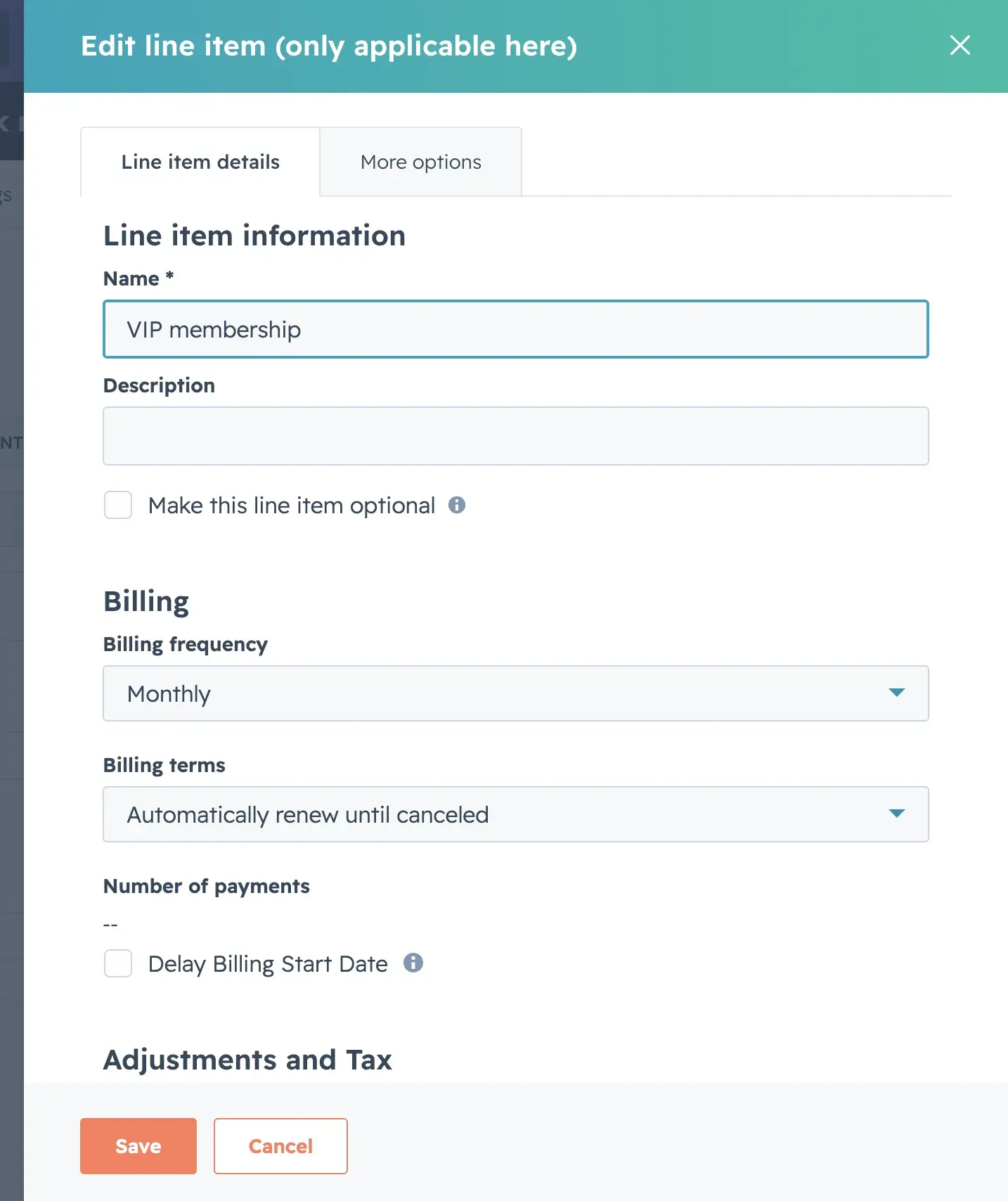
Then, you’ll need to set up HubSpot Payments or connect Stripe.
Step 3: Connect payments to content access.
Go to Automation > Workflows and create a workflow that adds contacts to the correct access group when they pay.
For full details, see HubSpot’s guide on creating workflows.
Step 4: Restrict your content.
One of the places you can do this is Settings (gear icon in upper right bar) > Content > Blog > Access Control.
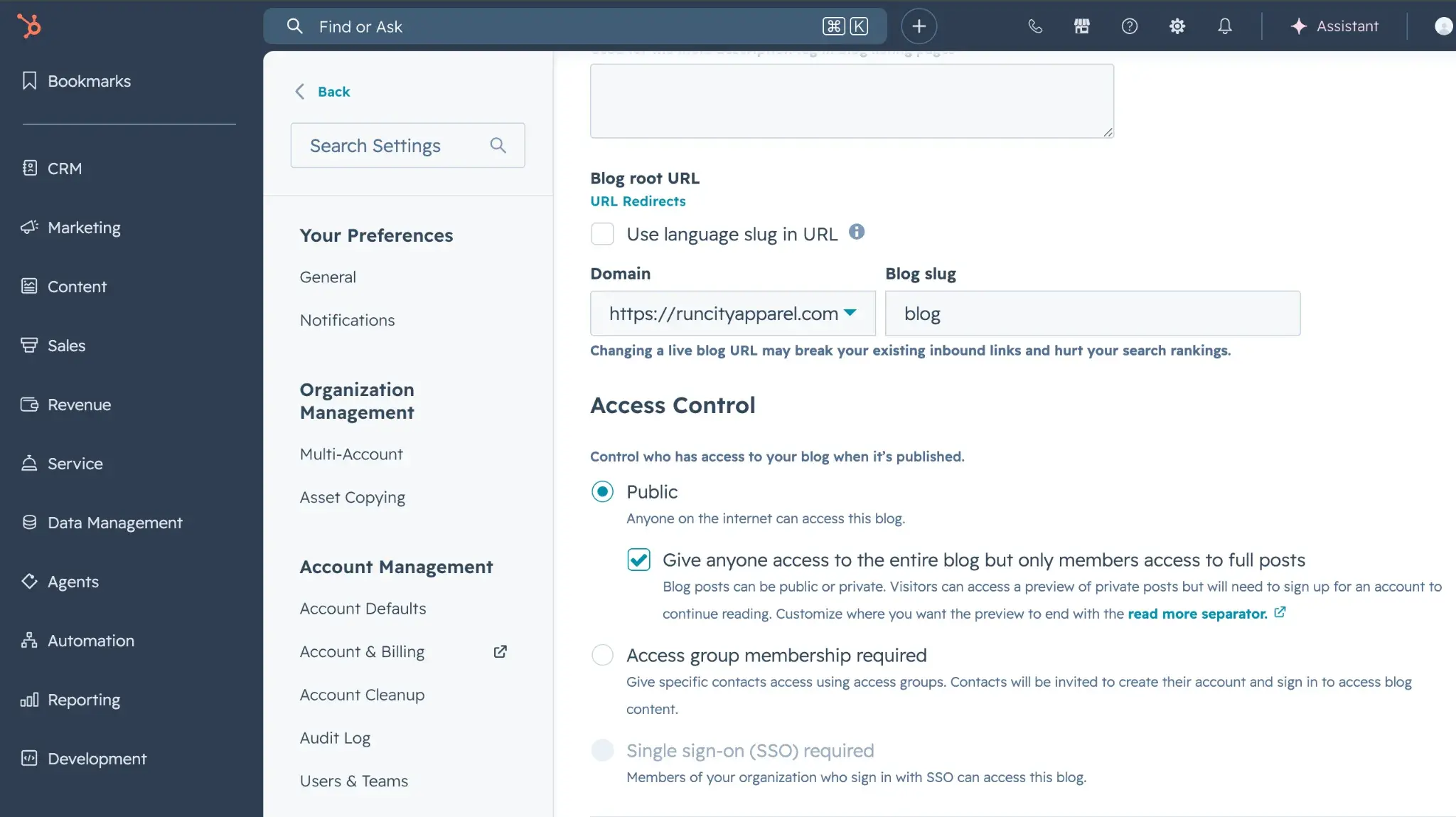
Read full details on how to require member registration to access private content.
5. Test, launch, and promote.
Once all the legwork is complete, you have to spread the word about your membership.
I recommend you announce the new membership to your social media followers, email contacts, and blog subscribers.
Before launching your membership, you can plan a multi-channel campaign to create some buzz and build excitement. Make the big reveal on launch day to get as many people as possible to sign up.
To boost conversion rates and maximize participation, consider offering a limited-time reduced membership price. You can also follow Amazon’s example and offer reduced pricing for students. Another thing to consider is offering discounted fees to seniors and veterans.
What to Look for in a Membership or Subscription Website Builder
While I’ve already done a lot of work to curate a list of just the best subscription website builder tools, I know it can still be a little difficult to choose just one for your membership site.
To help you further narrow down the list below and choose the right option, consider the following criteria when evaluating a membership website builder.
- Hosted SaaS versus self-hosted software. Hosted SaaS tools are non-technical and easy to use for marketers, but they can be more expensive and offer developers less flexibility. Self-hosted open-source tools can be flexible and affordable, but aren’t as simple to use and require more maintenance. Also, note that self-hosted open-source tools can become costly when you factor in the total cost of ownership, including buying web hosting, registering a custom domain, and contracting developers to handle the technical aspects.
- Supported content types. Make sure the platform supports the types of members-only content you want to offer, whether that’s online courses, videos, newsletters, forums, coaching, podcasts, or special discounts.
- Website builder functionality. Some tools are “website builders with membership functionality,” while others are “membership tools with website functionality.” The former will give you more flexibility for building your website, but might not be as flexible for memberships, while the latter will give you lots of flexibility for memberships but might have more limited website-building functionality.
- Subscription flexibility. If you want to offer paid plans, look at the options you have for setting up subscription billing terms and pricing, as well as other things like free trials, one-time signup fees, prorated upgrades/downgrades, and so on.
- Frontend members’ area. In addition to analyzing the backend area where you’ll manage your membership site, I also recommend checking out what the frontend member experience will be like for your subscribers. Beyond the general user experience, see if members are able to manage their subscriptions from the frontend, as this will cut down on your admin work.
- Mobile app support. Some of these tools offer functionality to let you create your own branded mobile app. If you want subscribers to be able to engage more easily on mobile devices, consider one of these options.
- Added transaction fees. Some website builders will charge transaction fees unless you pay for a more expensive plan. This should be an important consideration if you’re looking to save money by using the cheapest plan.
HubSpot's Free Website Builder
Create and customize your own business website with an easy drag-and-drop website builder.
- Build a website without any coding skills.
- Pre-built themes and templates.
- Built-in marketing tools and features.
- And more!
Best Membership Website Builders
Evaluating the best membership website builder for your unique needs is tough because there are a lot of options out there. To make it easier for you, I’ve shortlisted the seven best membership website builder platforms below and highlighted who they’re best for.
Some of these are hosted SaaS tools, where launching a membership website is as simple as registering for an account. Others are self-hosted software that you can install on your own web hosting for ultimate control and flexibility. I’ll cover both of these approaches so that you can pick the one that best meets your needs and goals.
I’ll also include options for free and low-cost plans. Just be aware that full functionality and advanced features require upgrading to paid premium plans.
Quick Comparison Table
For Enterprise and Marketing Teams
1. Content Hub
Best for: Enterprise-level marketing automation and deep personalization with a built-in CRM
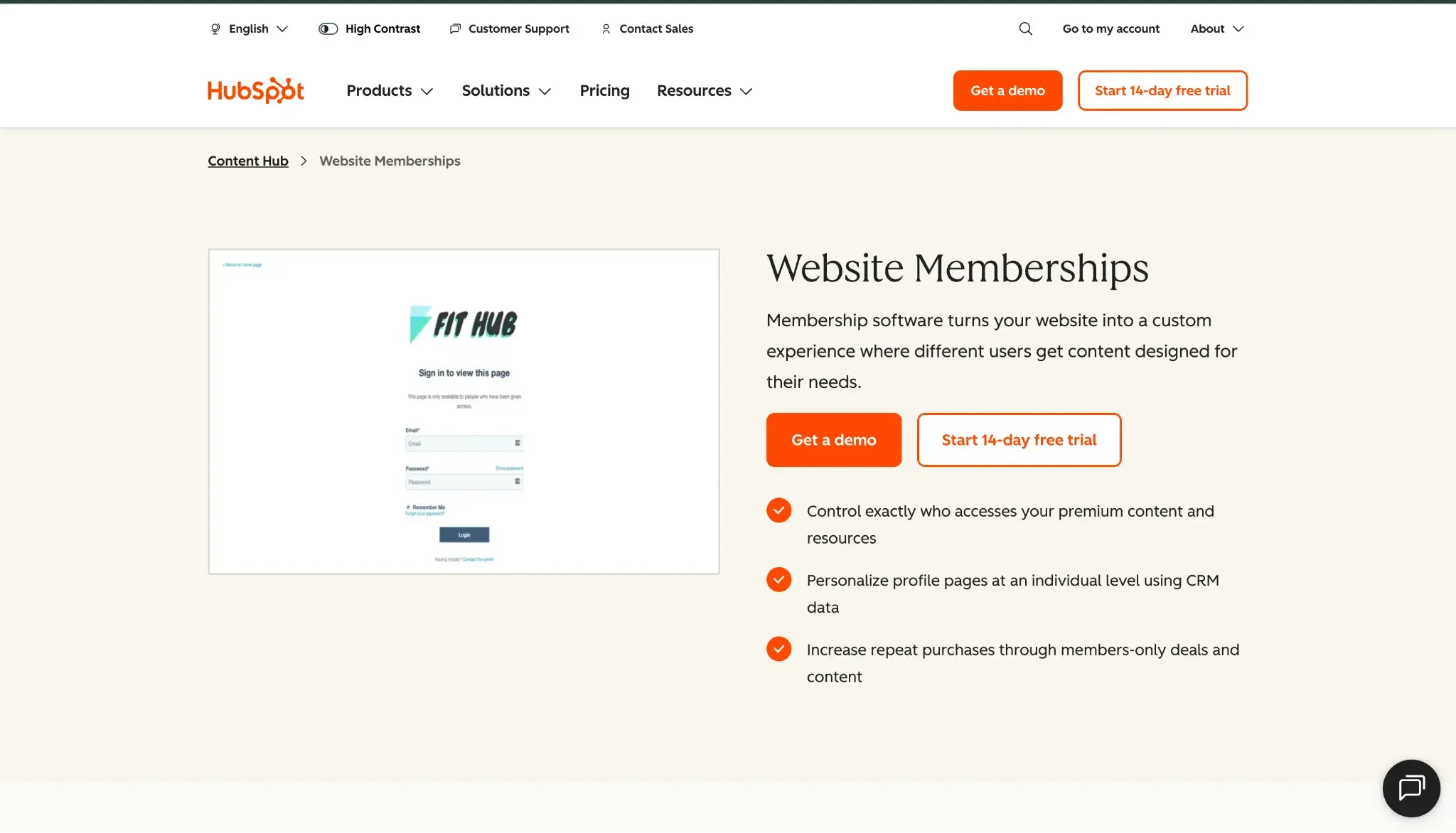
Pricing: To access premium features for paid membership websites, choose Content Hub Professional, starting at $450/month for three core seats, or Enterprise, starting at $1,500/month for five core seats (billed annually). There are transaction fees that vary depending on the payment processor:
- HubSpot Payments: Available to companies in the U.S., UK, and Canada
- Credit/debit (U.S.): 2.9% per transaction + 0.5% platform fee
- ACH: 0.8% capped at $10 per transaction + 0.5% platform fee capped at $10 per transaction.
- Stripe
- Credit/debit/bank debit: Keep your current Stripe fees.
- Platform fee: 0.75% per transaction
Content Hub is a proprietary content management system that’s fully integrated with HubSpot’s marketing, sales, and service tools and Smart CRM. With Content Hub, you can leverage HubSpot’s private content feature to allow only specific groups to access a section of your site (available on Professional and Enterprise plans).
HubSpot’s many automation features also let you build completely personalized experiences for different users, which can help you more effectively engage your members.
You can create different experiences for entire segments of users, and with personalization tokens, you can even personalize things at the individual user level. Based on my experience, this level of deep personalization isn’t something that you’ll find in many other membership-based website builders.
With access groups, you can easily create up to two membership tiers on the Professional plan and up to 100 on Enterprise. HubSpot offers native subscriptions in Revenue Hub, but doesn’t have a built-in way to create a paywall (connecting payments to members-only content). If you want to offer paid memberships, you’ll need Content Hub Professional or Enterprise to create members-only access groups, Revenue Hub to handle payment processing, and a workflow to automatically grant content access to customers who’ve purchased a membership.
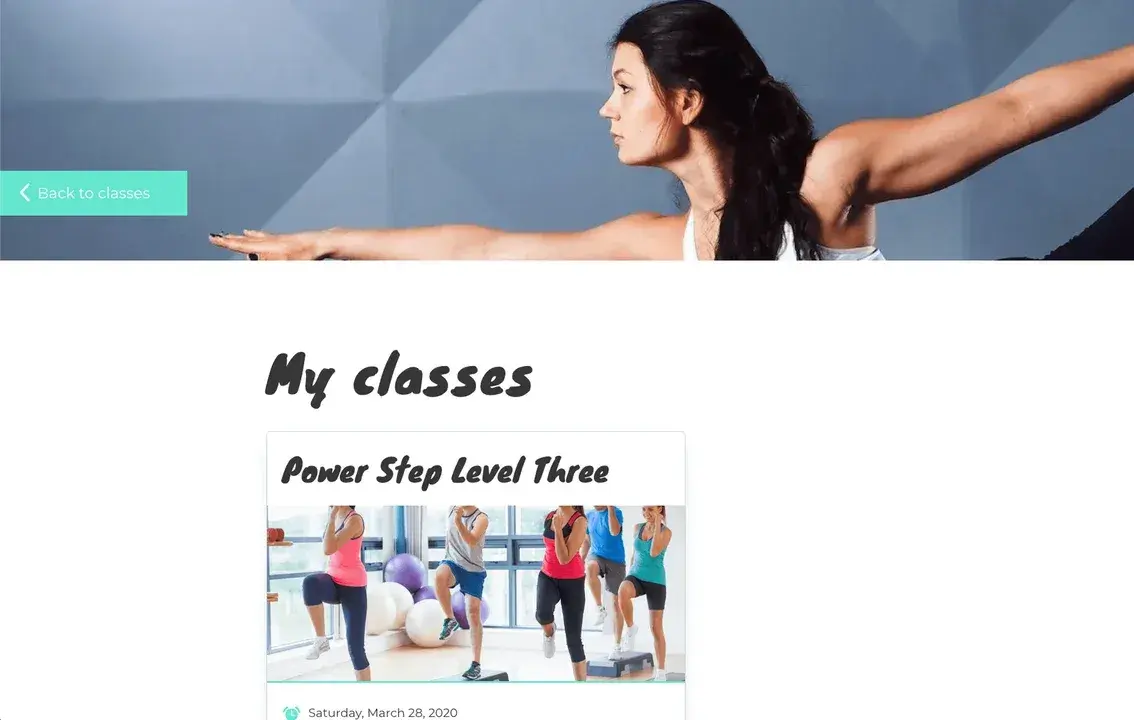
Get Started With HubSpot’s CMS
Whether you’re offering an online course, monthly services, or exclusive blog content, you can create a variety of membership-based experiences with HubSpot.
Key Features
- Drag-and-drop website builder with support for pre-made templates and AI-assisted website building
- Built-in customer relationship manager (CRM)
- Up to 100 membership levels on Content Hub’s Enterprise plan
- Restrict access to content using access groups.
- Personalize content for individual users using personalization tokens.
- Membership management via HubSpot Content Hub
- Subscription management via HubSpot Revenue Hub
- Assign users to a specific membership level.
Pros
- Built-in CRM. Having HubSpot’s Smart CRM integrated into your membership website gives you tools to implement more effective marketing, sales, and service strategies.
- Deep personalization functionalities. Thanks to being connected to the CRM, you can personalize your website for membership levels or even individual users, which isn’t something that I’ve seen in a lot of other platforms.
- Easy website customization. You can easily customize your site using the visual builder, pre-made templates, AI tools, or even code (though you don’t have to use code).
HubSpot's Free Website Builder
Create and customize your own business website with an easy drag-and-drop website builder.
- Build a website without any coding skills.
- Pre-built themes and templates.
- Built-in marketing tools and features.
- And more!
Cons
- Extra steps required to set up paid memberships. Content Hub offers private content (memberships), while Revenue Hub offers recurring payments (subscriptions), but you’ll need to connect the two by creating a workflow. Other membership-first platforms on this list have paid memberships out of the box.
- No built-in learning management system (LMS) for courses. If you want to offer classes on your HubSpot site, you’ll need to use a third-party app, like HubLMS.
What I love: Content Hub is so much more than a membership website platform — it’s a SaaS CMS built on top of a full CRM that’s natively integrated with sales, marketing, and service tools. Because of this, it’s super easy to create personalized experiences on your website and figure out which content has the highest ROI.
For WordPress Sites
2. MemberPress
Best for: Self-hosted subscription websites built on WordPress
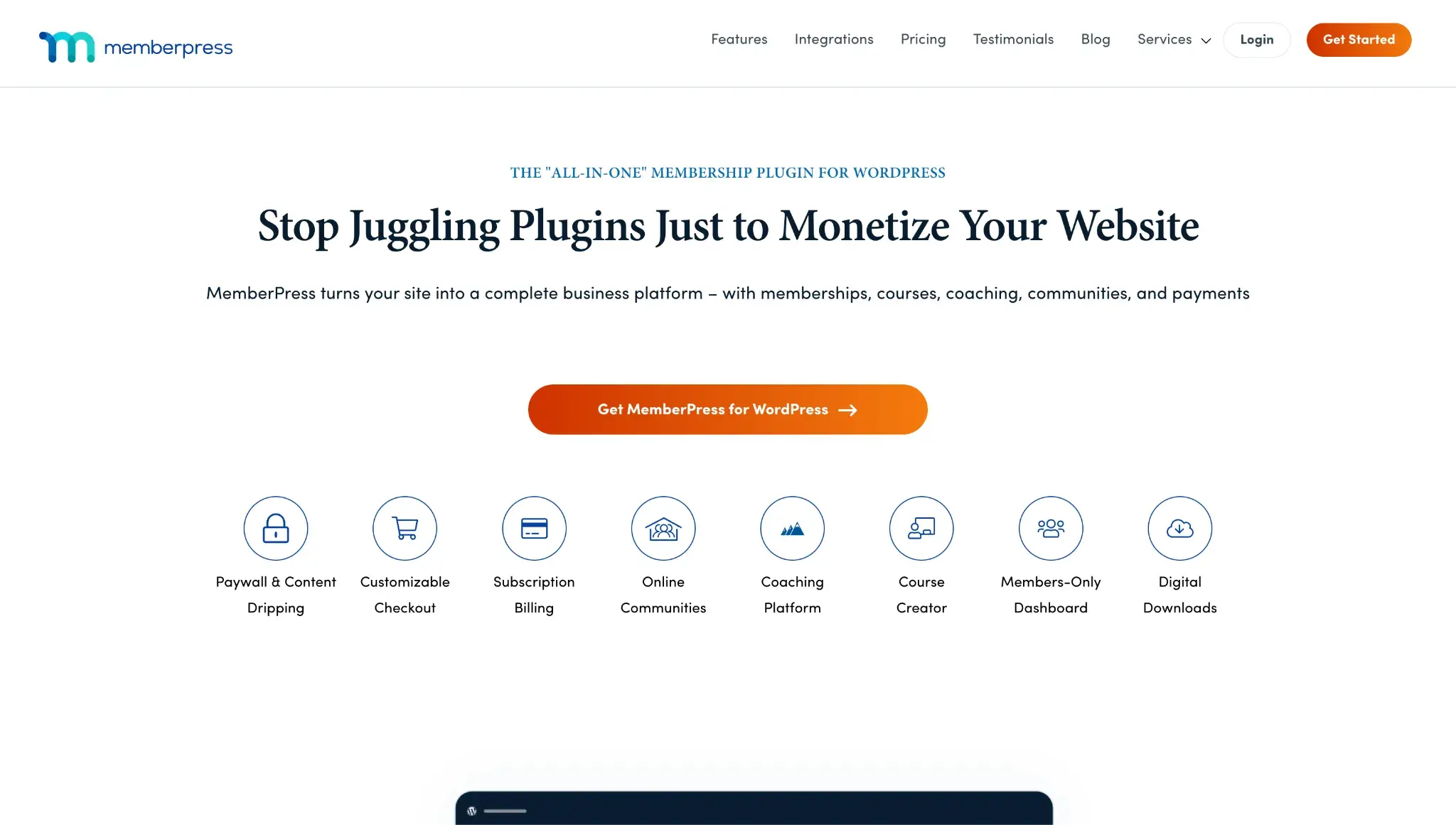
Pricing: Plans start at $399 per year, discounted to $199.50 for the first year. MemberPress’ lowest tier, Launch, charges a 4.9% transaction fee per successful payment in addition to its annual software subscription fee and standard payment processing fees. Upgrade to the Growth plan to get rid of the 4.9% of transaction fee — but the payment processing fees will still apply (2.9% + $0.30 per successful payment for domestic cards if you use Stripe).
You’ll get started by setting up your WordPress site on your own hosting, including choosing a theme to control the design of your site. Then, you install the MemberPress plugin to add the essential membership subscription functionality.
You can create unlimited subscription tiers, each of which can have access to different content on your site. Setting up content restriction (or “paywalls”) is easy, and you can do it by restricting individual posts or creating your own bulk restriction rules using MemberPress rules. It also includes some unique options, such as the ability to create a members-only podcast.
To process your subscriptions, you can choose from a variety of different payment gateways, including big names like Stripe and PayPal. MemberPress also gives you lots of flexibility for customizing your subscription terms, including offering free trials or one-time signup fees.
Key Features
- Paid plugin for the open-source WordPress software
- Unlimited membership levels
- Fully customizable subscription periods, including support for free trials or one-time signup fees
- Flexible content restriction, with support for different types of content
- Content dripping to keep subscribers engaged over time
- Payment gateways include Stripe, Square, PayPal, and Authorize.net. Note: The lowest tier, Launch plan, lets you accept payment via Stripe only. The Growth plan adds Square, PayPal, and manual payments. And the Scale plan adds Authorize.net.
- Frontend members’ account page so that subscribers can manage their own memberships
Pros
- Unlimited membership levels. Not only can website owners create unlimited membership levels, but members can also sign up for as many memberships as they’d like.
- Based on the WordPress software. This means you can also take advantage of all the other great features and plugins available for WordPress.
- Flexible content restriction. You get access to lots of options for controlling what content different membership tiers are able to access, which lets you customize your subscription website perfectly to your needs. You can also use content dripping to adjust the content restriction based on a schedule.
- Offer different types of member benefits. You can offer subscriber-only content, forums, products, podcast episodes, and so on. Basically, you can build pretty much any type of membership website.
- Marketing tool integrations. You can integrate MemberPress with most popular marketing tools, including the HubSpot CRM.
Cons
- It’s based on WordPress software. While I personally find this to be an advantage, I think it’s important to note that some people might not like this. I think this is especially true if you’re looking for more of a hands-off SaaS solution.
- Price jumps after the first year. The price doubles after the first year (the Launch plan starts at $199.50 the first year and then renews at $399). It’s still affordable for what you get, but I just want to make sure you plan for the full price later.
- Its lowest-tier plan charges a 4.9% transaction fee on top of third-party payment processor fees. To waive the 4.9% fee, you must upgrade to a higher-cost plan (Growth or Scale).
What I love: Because MemberPress is still based on WordPress, you get access to all of the incredible flexibility and ownership that come with the open-source WordPress software. At the same time, MemberPress still has a polished feature list and interface that compares favorably to SaaS subscription website builders.
For Beginners
3. Wix
Best for: A beginner-friendly website builder with membership functionality
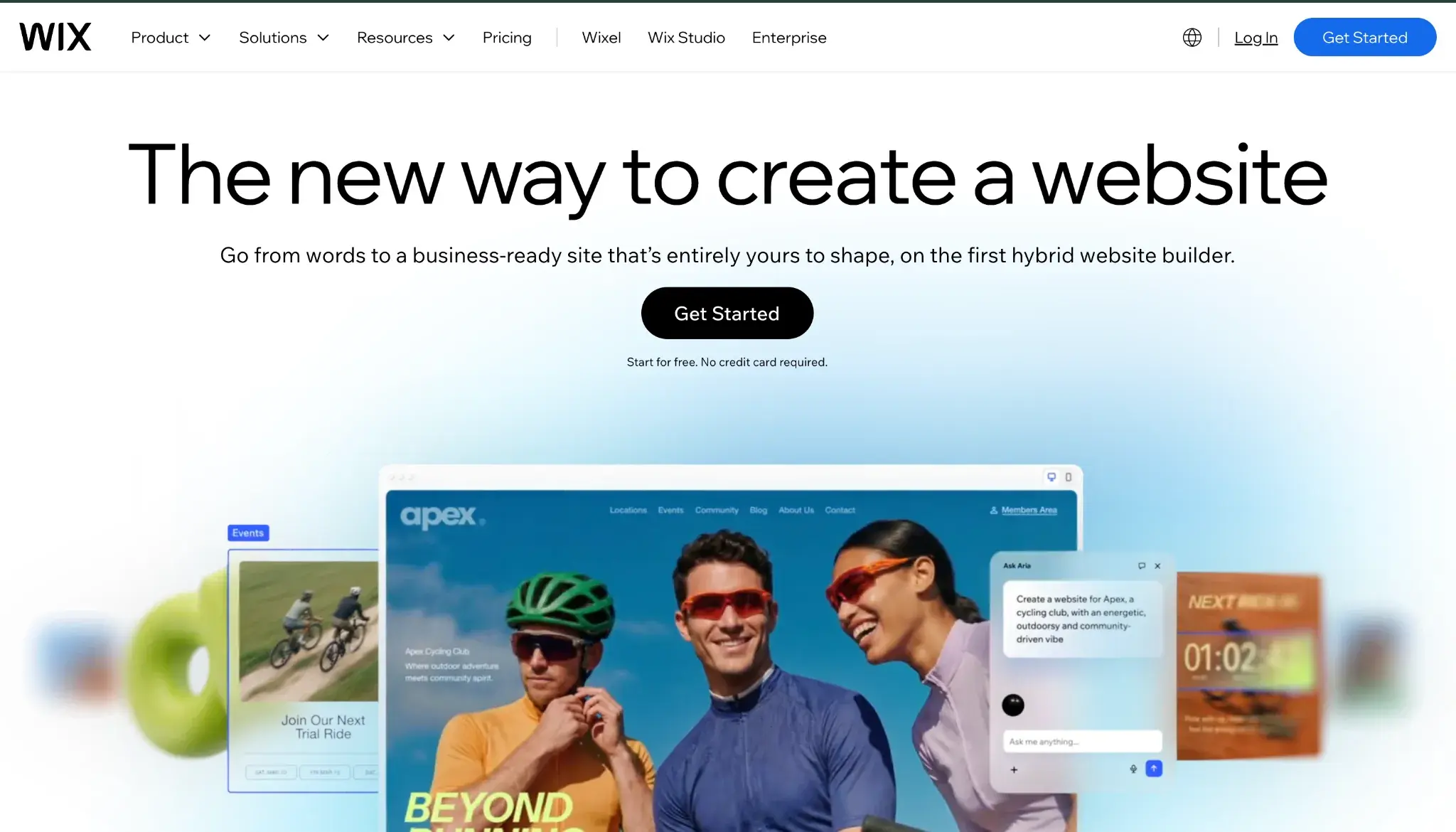
Pricing: Plans that support memberships start at $29 per month with the Core Plan. Wix Payments charges transaction fees, which vary depending on the payment processor you use, but are typically 2.9% + $0.30 in the U.S. Be sure to check the full list of service fees by payment processor.
Wix is a full-service website builder tool that offers robust membership functionality.
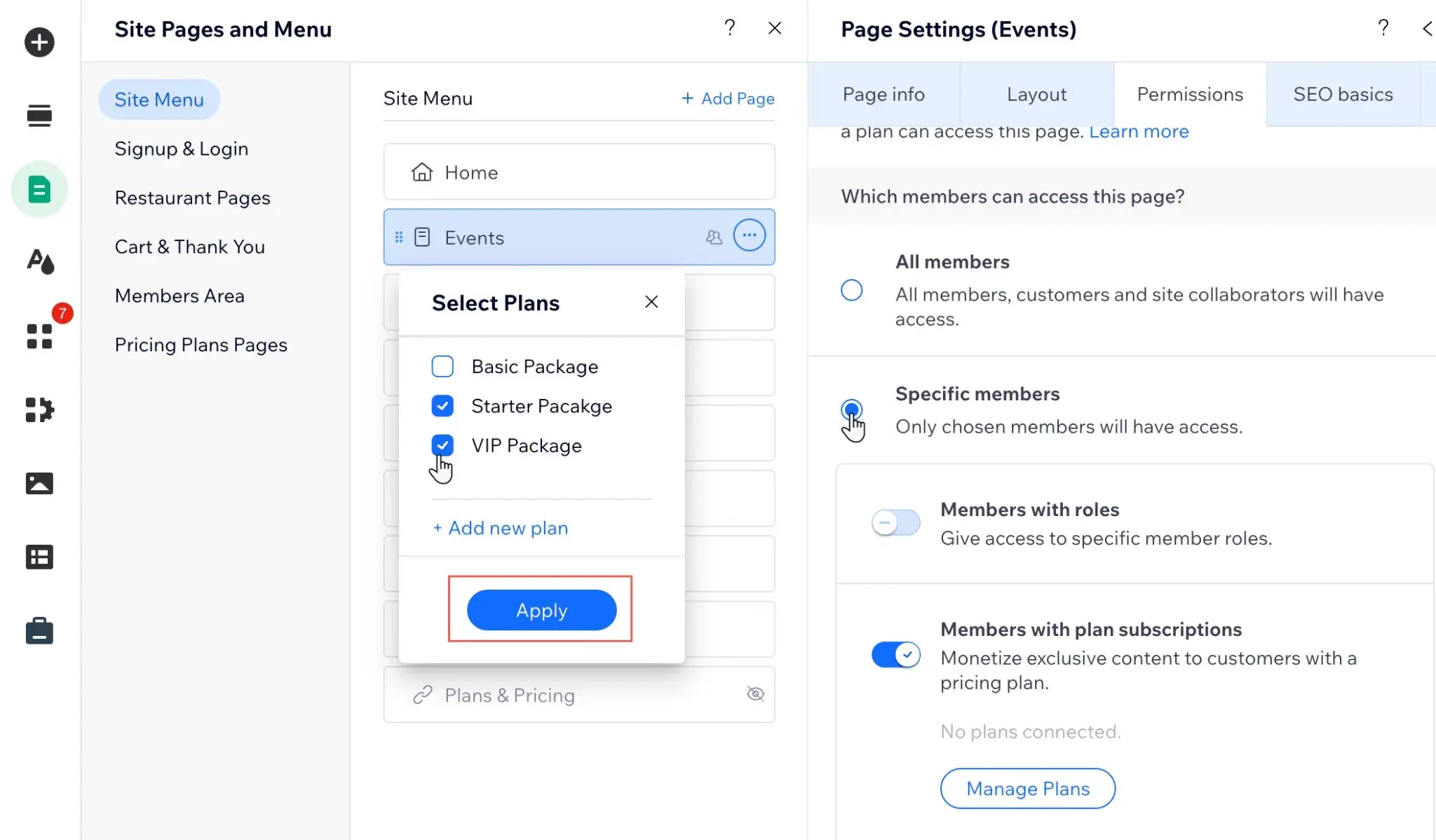
I think this approach is great because it means you have a lot of flexibility for setting up your website, while still getting access to all the important membership functionality that you need. You can accept payments from 100+ payment providers, including the built-in Wix Payments tool or third-party processors like Stripe, PayPal, and Square.
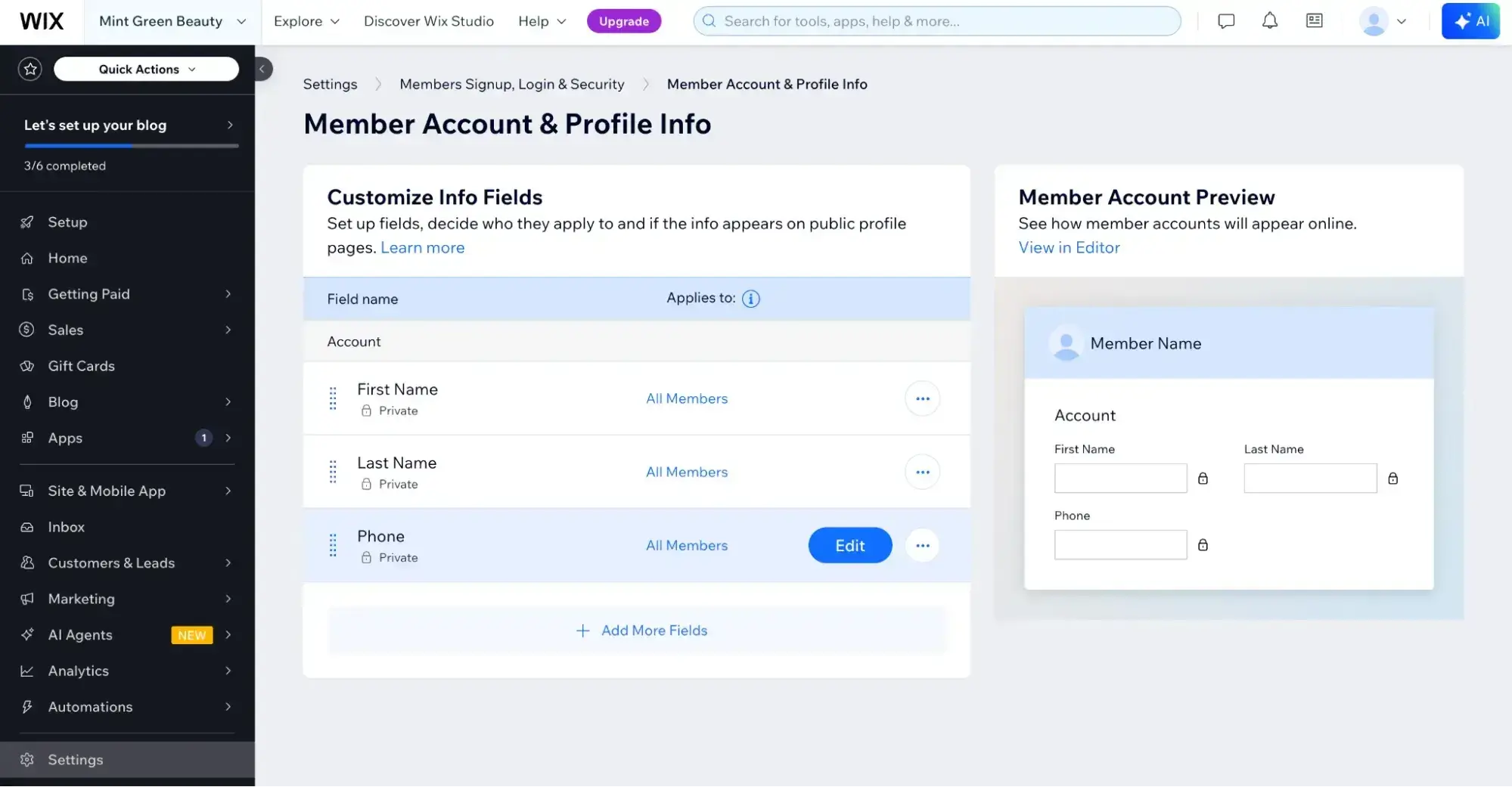
In addition to creating memberships and restricting content, Wix includes marketing tools, such as the ability to send emails to your members.
I also like that Wix offers an AI website builder in addition to its drag-and-drop editor, as this lets you quickly spin up your membership website using AI.
Key Features
- Full-service SaaS website builder
- Drag-and-drop design tool
- AI website builder option, which lets you create your membership website design using AI
- Robust membership functionality, including support to restrict content to paying members
- Option to create multiple paid subscription levels
- 100+ payment provider options
- Mobile app support, which lets you offer your members mobile app access to your site using Spaces by Wix or Fit by Wix (for fitness businesses)
Pros
- Full-service website builder. This means that you can go beyond just subscription/membership functionality on your website, which I think can be really helpful for a lot of membership websites.
- Affordable. For the features that it offers, Wix is pretty affordable. You can create flexible subscription websites with the $29 per month Core plan.
- Mobile app support. Wix’s built-in mobile app support is pretty unique. I think it can be a big advantage if you’re creating a membership website that people want to access on the go.
- Particularly suited for fitness businesses. Wix offers Fit by Wix, a free app for engaging members of your fitness business.
Cons
- Other limitations because of its SaaS approach. Because Wix is a hosted SaaS tool, you won’t get as much access to source code as you would with an open-source tool like WordPress. This results in certain other limitations, especially for developers who want to customize the design and functionality of the site.
- Hard to migrate to another platform. Wix doesn’t make it very easy to migrate your content to another platform, so there is some degree of vendor lock-in if you use it.
What I love: Wix can do a bit of everything well. While it’s not the most powerful membership website builder on this list, it has all the features that most people will need while also giving you access to robust website building and lots of other helpful tools. It’s also extremely easy for non-technical folks to use.
4. Squarespace
Best for: Creatives looking for a hands-off membership site builder
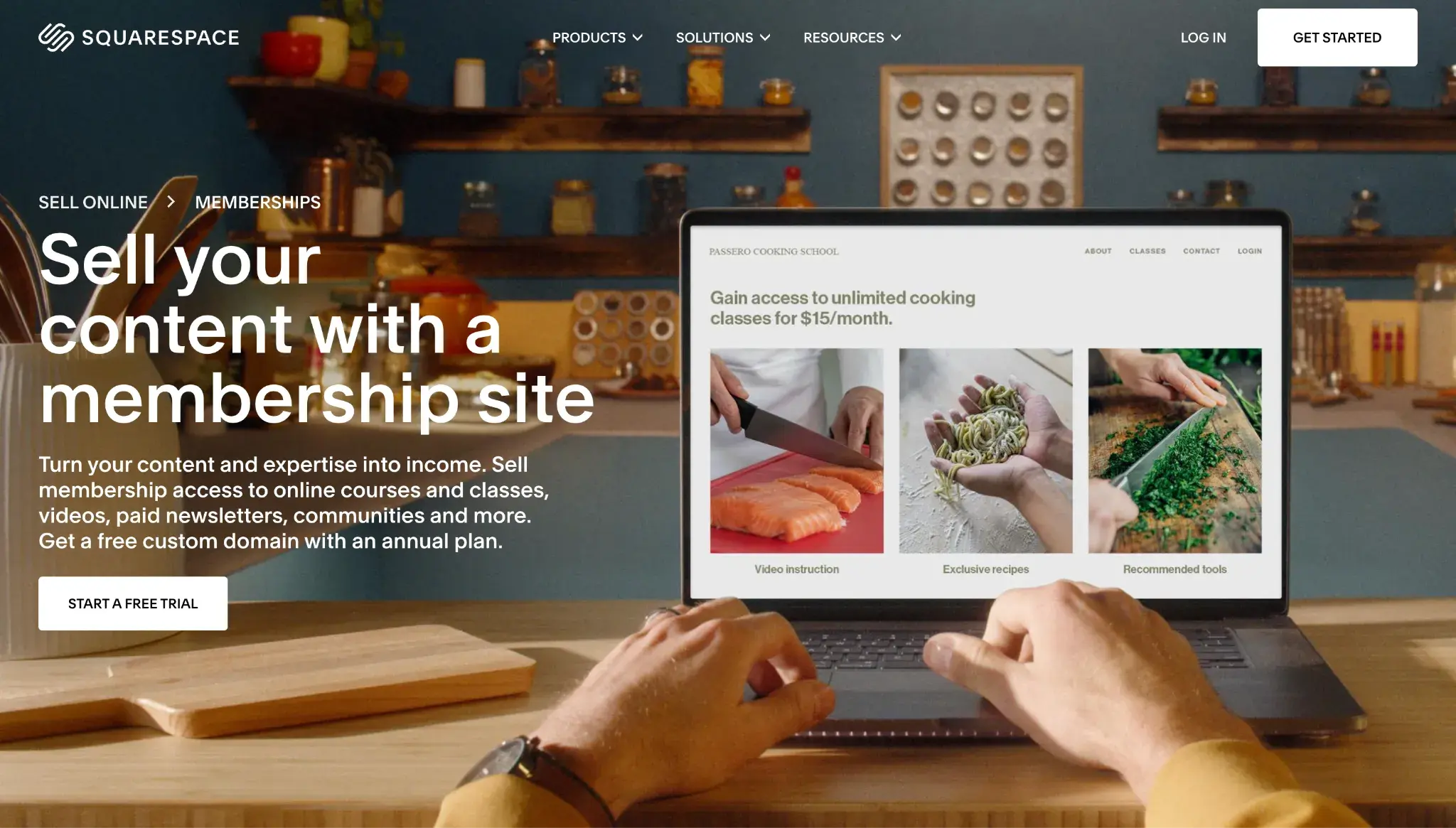
Pricing: Plans start at $19 per month on annual billing. For digital content and memberships, Squarespace charges a transaction fee of 7% on its lowest-tier plan (Basic), on top of payment processor fees of 2.9% + $0.30 for credit cards. Upgrade for a lower digital content and memberships transaction fee (0% on the highest tier, Advanced plan).
Like Wix, Squarespace is another general-purpose website builder that has also added robust support for memberships and subscriptions.
In the past, Squarespace made you use third-party services for membership functionality. But now that Squarespace offers built-in membership support, I think it’s one of the top subscription website builder tools out there.
In addition to its membership functionality, I think that Squarespace has one of the best website-building experiences out there. You can access lots of great-looking templates, and Squarespace’s Fluid Engine lets you tweak every element according to your preferences.
Key Features
- Customize the pre-made website templates or use the AI website builder.
- Free-form website design experience
- Multiple membership levels, including free or paid subscriptions
- Members-only content, including online courses and email newsletters
- Built-in analytics and reporting for your memberships
- Option to customize member transactional emails
Pros
- Free-form website visual editor. I love Squarespace’s visual website builder because it isn’t as rigid as some other tools. Instead, the Fluid Engine lets you place every element pretty much exactly where you want it.
- Clean, creative aesthetic. Squarespace has a pretty unique aesthetic that I think makes it especially attractive if you’re in creative spaces like photography, graphic design, videography, and so on.
- Email newsletters included. You can create a members-only email newsletter without needing to use a third-party tool, which I think is an advantage over some other subscription website builders. Check the Squarespace email marketing pricing.
Cons
- Added transaction fee on entry level. Squarespace charges a 7% additional transaction fee for membership plan sales on its entry-level plan. You’ll need to choose the most expensive plan to get 0% transaction fees.
- Limited extension/integration marketplace. When compared to other website builders like Wix and WordPress, I find Squarespace’s collection of extensions and integrations to be somewhat limited.
What I love: I’m a huge fan of Squarespace’s unique aesthetic, which makes it especially suited to creators like photographers, artists, and coaches. While all different types of membership websites can benefit from Squarespace, I think that it’s especially suited for membership sites focused on creative areas.
For Online Course Creators
5. Kajabi
Best for: Replacing disparate tech tools with an all-in-one membership platform
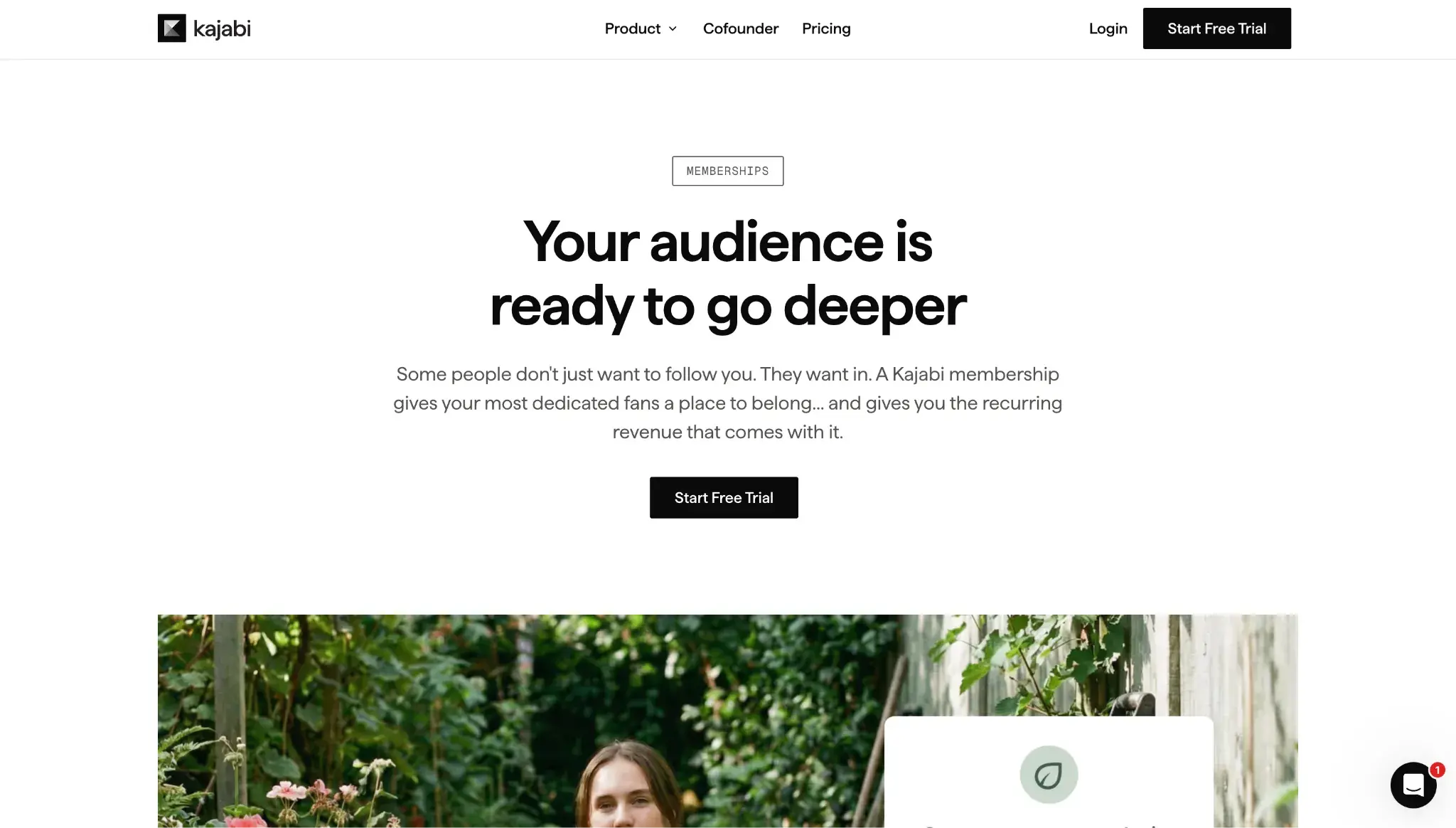
Pricing: Plans start at $143 per month on annual billing. Kajabi does not take a cut of your revenue if you use Kajabi Payments or PayPal, but it does have the standard payment processing fees. It also charges additional third-party payment provider fees (excluding PayPal). Kajabi’s payment processing fees vary depending on the payment processor, but are 2.9% + $0.30 for card transactions (credit, debit, Apple Pay, and Google Pay included).
Kajabi is a versatile membership website builder with a large selection of ready-made templates. It can handle a wide variety of subscription website types, which I think is one of its big advantages.
You can use Kajabi for online courses, coaching, communities, newsletters, podcasts, and more. In my experience, this wide variety can be a great option for creators who want to experiment with different types of content to find what resonates the most with members.
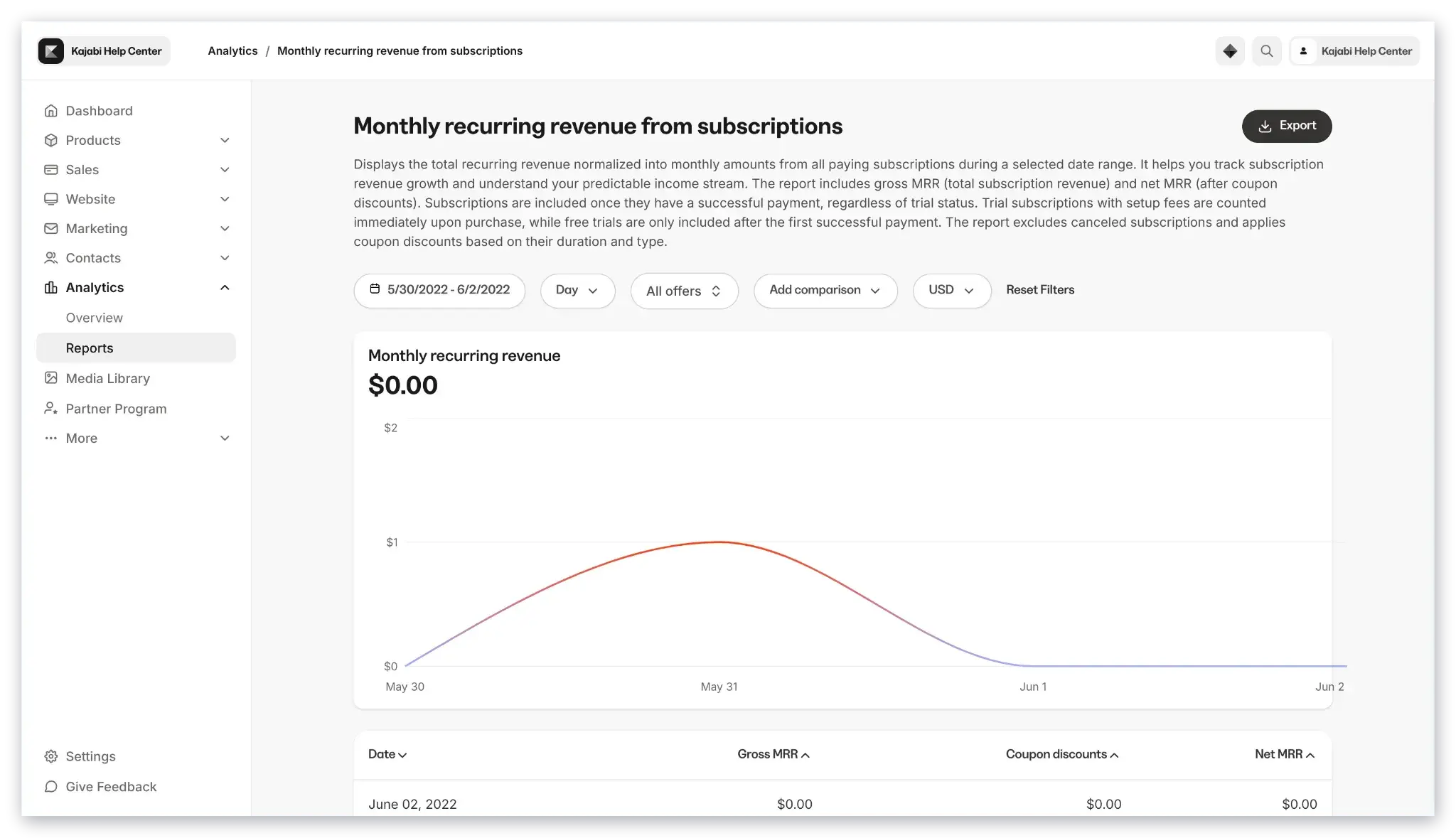
You also get detailed reports to monitor your community’s progress and health with metrics like churn rate, monthly recurring revenue, and more.
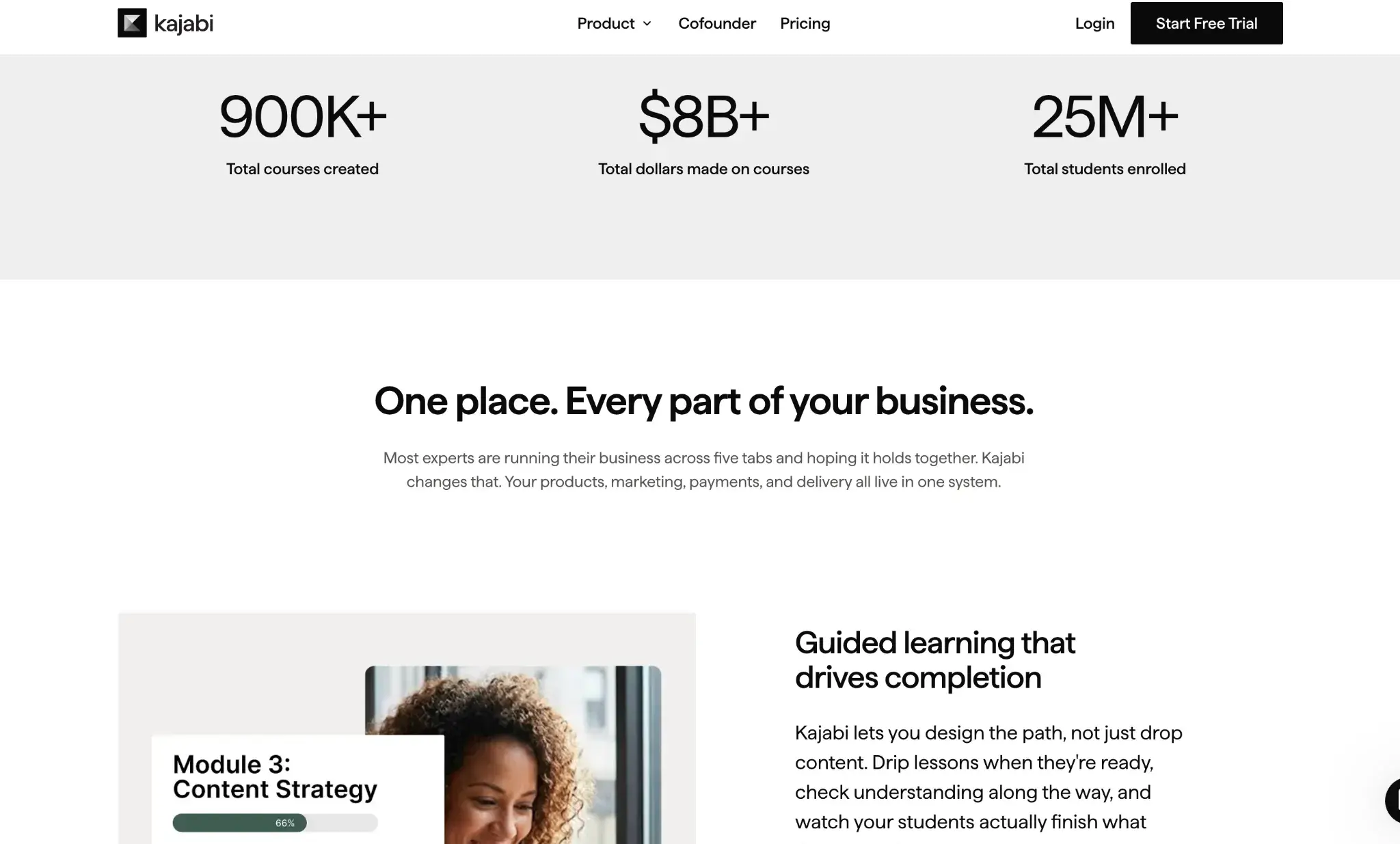
Over $8 billion worth of courses have sold on Kajabi, so that’s a strong vote of confidence for this subscription site platform.
Key Features
- Support for a variety of different membership offerings, including content, courses, coaching, communities, and more.
- Unlimited access groups, funnels, landing pages, and marketing emails across all plans
- No additional platform fees on any plan when using Kajabi Payments or PayPal
- Three payment gateways: Kajabi Payments, Stripe, and PayPal
- Automatic sales tax calculations with Kajabi Payments
- Built-in email marketing
- Custom-branded mobile app to give members access on their smartphones (included in Pro plan or for $199/month as an add-on)
Pros
- Support for a wide variety of content. I love how you can offer your subscribers a broad array of content, as this lets you really get creative with what you offer.
- Built-in email marketing. Kajabi lets you send marketing emails to your subscribers without making you pay for a separate tool. This even includes automation and funnels.
- Mobile focus. I think that being able to offer your own branded mobile app can give you an advantage in an increasingly mobile-first world.
- No additional platform fees when using Kajabi Payments or PayPal. Many other SaaS website builders charge added transaction fees on their entry-level plans, so the fact that Kajabi doesn’t add platform fees on top of Kajabi Payments processing is a real advantage.
Cons
- Website builder isn’t as flexible as dedicated builders. While Kajabi’s website builder is totally fine for most use cases, I still don’t think it gives you as much flexibility as dedicated website builders like Wix, Squarespace, and WordPress with MemberPress.
- Contact-based billing. While I don’t think this will matter for all membership sites, this might make it expensive if you plan to have tens of thousands of members. Each Kajabi plan caps the number of contacts, from 2,500 max on the lowest tier to 100,000 on the highest one.
What I love: Kajabi’s standout functionality is its ability to handle pretty much any type of content, from online courses to coaching, social communities, newsletters, podcasts, and more. You can attract subscribers with a variety of different offers and find what works best for your unique membership website.
6. Teachable
Best for: Educators needing an easy-to-use course platform that handles taxes for you
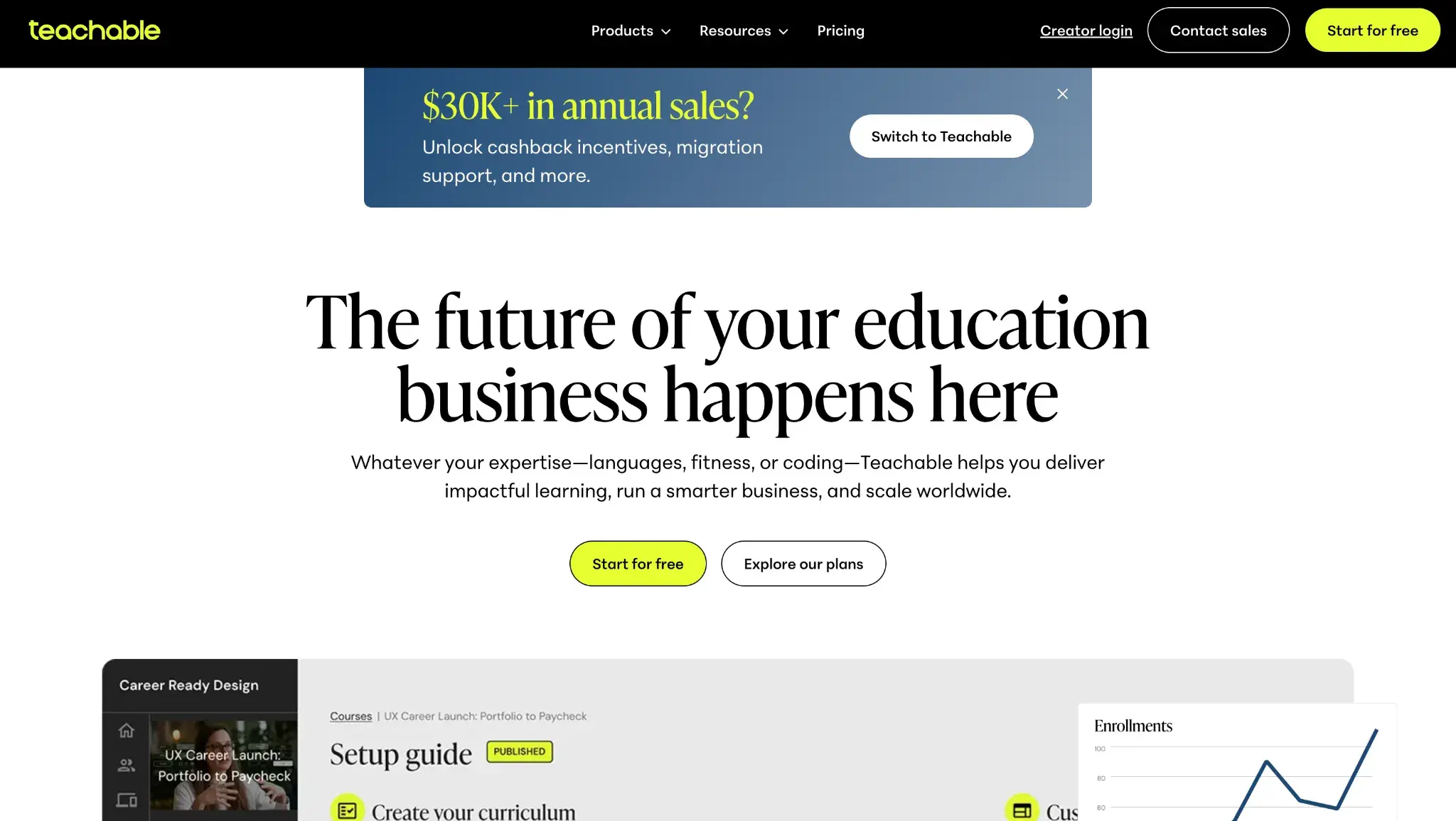
Pricing: Plans start at $29 per month for the Starter plan on annual billing. Teachable takes a 7.5% transaction fee on your earnings on the Starter Plan. But the Builder plan and above have a 0% transaction fee (though payment processor fees may still apply).
Teachable is one of the best membership website builders designed for educators and course creators. I think it can be a great option if you’re specifically looking to create and deliver online courses to your members, but there are better options if your goal is to just create a general-purpose membership website.
Teachable is a hosted SaaS tool, which means you don’t need to mess around with purchasing your own hosting and installing software. In my experience, this can make it especially suited to people who don’t want to deal with any technical issues.
At the same time, Teachable includes all of the features that you need to handle subscription memberships. In addition to selling one-off access to courses, you can also create membership tiers and charge students on a subscription basis.
Key Features
- Hosted SaaS tool
- All plans have access to Memberships features
- Native payment processing (Teachable Payments), which handles taxes. There is also the option to set up a custom payment gateway for Stripe or PayPal.
- Frontend members’ area so that students can manage their own subscriptions
- Tools to sell coaching or digital products in addition to courses
Pros
- Non-technical and hands-off. Because it’s a hosted SaaS tool, Teachable handles all the technical and maintenance aspects for you. This lets you just focus on your membership courses.
- Handles tax remittance for U.S. sales on native payment gateways. Teachable stands out in this list in that it actually collects and remits sales tax for U.S. sales if you use Teachable Payments.
- Excellent user experiences. I think Teachable offers a great user experience on both the frontend (for your subscribers) and the backend (for you and your team while managing your subscription website).
- Other options beyond courses. While Teachable’s primary focus is online courses, it also includes tools for selling digital products and coaching services.
- Marketing tools. Teachable offers some useful marketing tools, such as email marketing, upsells, and affiliate marketing.
Cons
- No simultaneous multiple memberships. Teachable students can only sign up for one membership tier at a time.
- Added transaction fee on Starter plan. The $29-per-month Starter plan adds a 7.5% transaction fee, which is the highest on this list. You need to move to the $69-per-month Builder plan to remove the fee. But remember, the standard payment processor fees may still apply.
- “Communities” are no longer being actively developed. Community is a Teachable feature that creates a central area for students and creators to have discussions, but as of May 2026, it is in “maintenance mode.” According to the Teachable Help Center, “We strongly recommend against creating new communities at this time.” So creators who require an online forum might want to consider a different membership website builder.
What I love: I love Teachable’s focus on empowering creators to launch online learning products, as many other subscription website builders are more focused on general membership websites. In my opinion, it’s one of the best hosted SaaS tools for selling subscription-based online courses.
7. EzyCourse
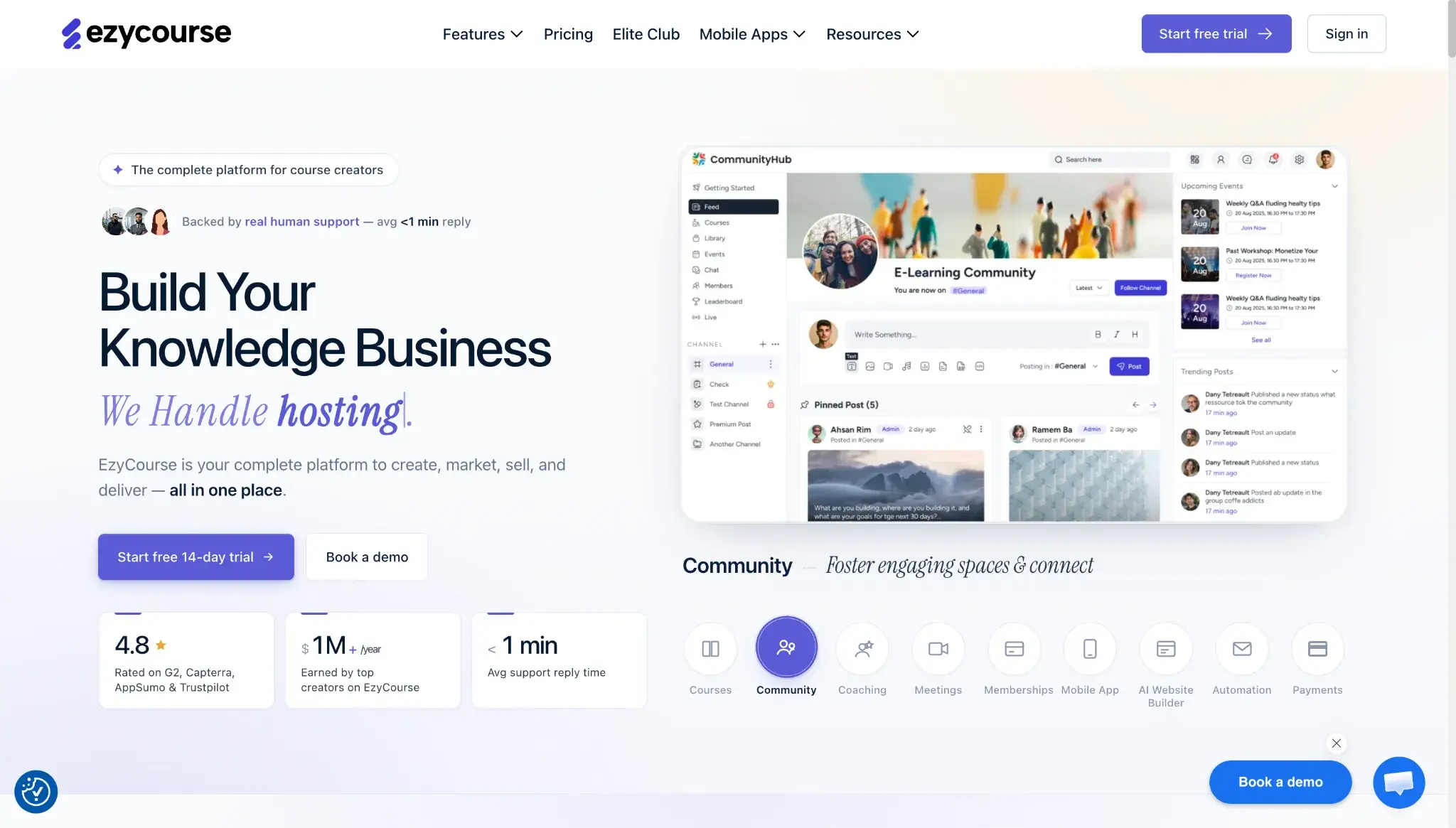
Best for: Online course creators with high-volume course catalog and students
Pricing: Plans start at $59 per month on annual billing. EzyCourse does not take a percentage of your revenue (no transaction fees) on any of its plans. But, as usual, standard payment processor fees may apply depending on the payment gateway you choose.
EzyCourse is an all-in-one membership site platform that helps you create any type of membership site with a no-code website builder. You can create site-wide membership tiers, manage a multi-tiered membership system, and add membership upgrade and downgrade options.
Creators can use EzyCourse to create online courses, coaching, communities, memberships, and more. Notably, you can get a branded mobile app where you can offer everything on mobile, for an added fee (included for free with Unlimited or Elite plan). This platform makes offering membership plans more accessible with flexible pricing options, including split payments, subscription plans, and donation-based pricing. Depending on your plan, you can also get built-in email marketing tools and detailed analytics.

Key Features
- Membership levels with flexible pricing options, including a one-time fee, subscription, tiered, split payments, and donation pricing
- No-code website builder
- Options to sell digital and physical products, online courses, coaching, and more
- Built-in email marketing
- Community-building features that include creating an online community space that looks similar to a Facebook group
- Analytics dashboard
Pros
- Unlimited courses and students on all plans. This is huge, and a major differentiator for this subscription website builder: EzyCourse allows unlimited courses and unlimited students regardless of which plan you choose.
- Site-Wide Membership. You can essentially paywall your entire site, which EzyCourse describes as creating a “Netflix-like membership platform.”
- Community features. You can build and manage communities to improve engagement.
Cons
- Cheaper options available in some situations. No free plan provided.
- Not as much customer social proof. While other membership website platforms like Teachable and Kajabi feature success stories from noteworthy users, EzyCourse doesn’t have much to show off creators using its platform.
What I love: With unlimited courses and unlimited students on all plans, plus no transaction fees, EzyCourse offers incredible bang for your buck for course creators.
HubSpot's Free Website Builder
Create and customize your own business website with an easy drag-and-drop website builder.
- Build a website without any coding skills.
- Pre-built themes and templates.
- Built-in marketing tools and features.
- And more!
Membership Website Examples to Check Out
1. Business Canterbury
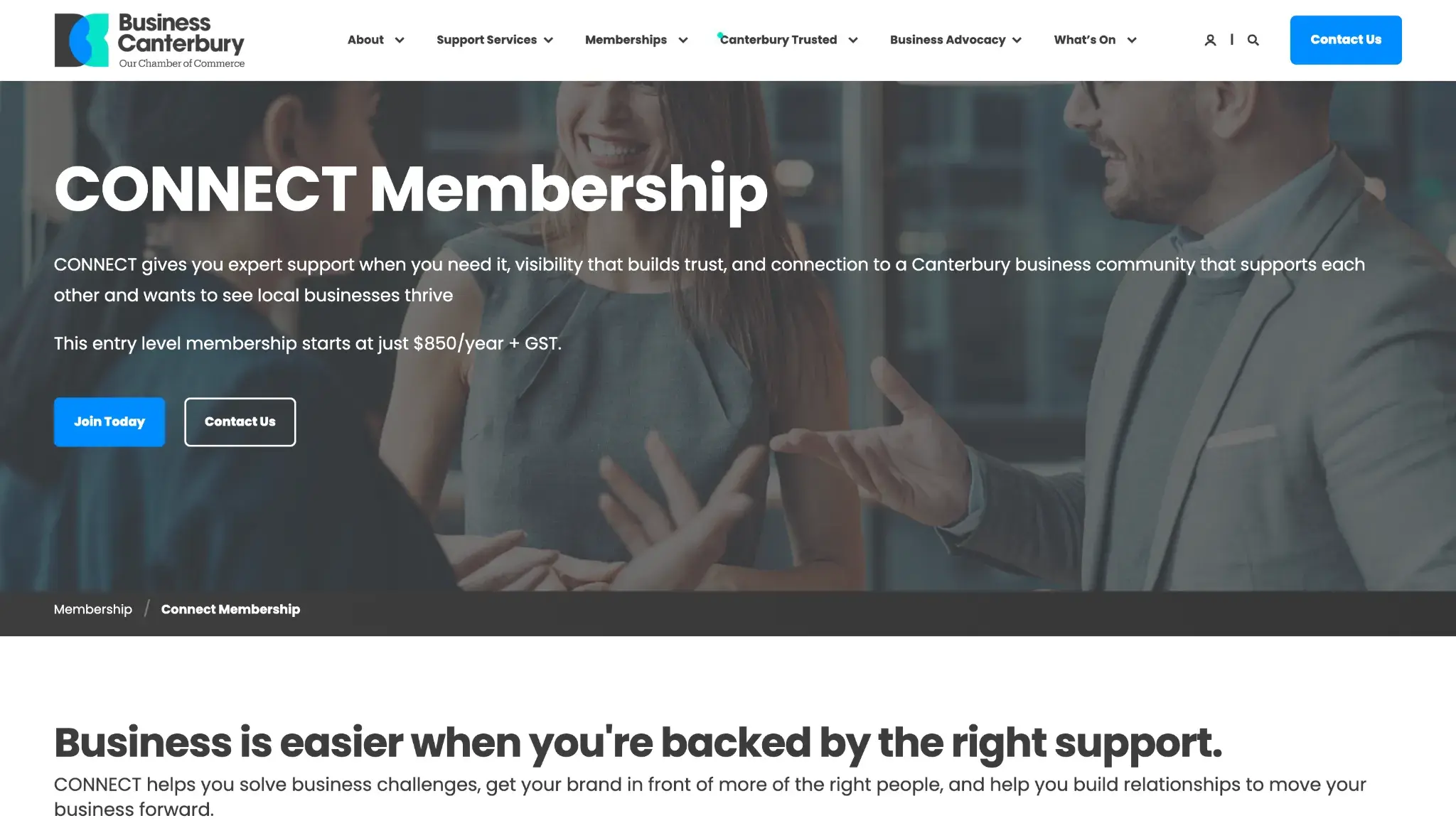
Business Canterbury is a Chamber of Commerce serving the Canterbury region in New Zealand. It’s the “home and voice” of businesses there, so it uses memberships as another way to support local ventures. Business Canterbury streamlined its memberships with HubSpot.
What I Like
Prospects can choose from seven different membership tiers based on the kind of business support they need, from networking with peers to tapping into expert HR advice with five hours of HR consultancy per year.
Takeaway for your site: Offering a variety of plans, each tailored to different personas, is a great way to attract more subscribers. Business Canterbury even allows visitors to bundle different memberships to create a custom package that works best for them.
2. Ideabrowser
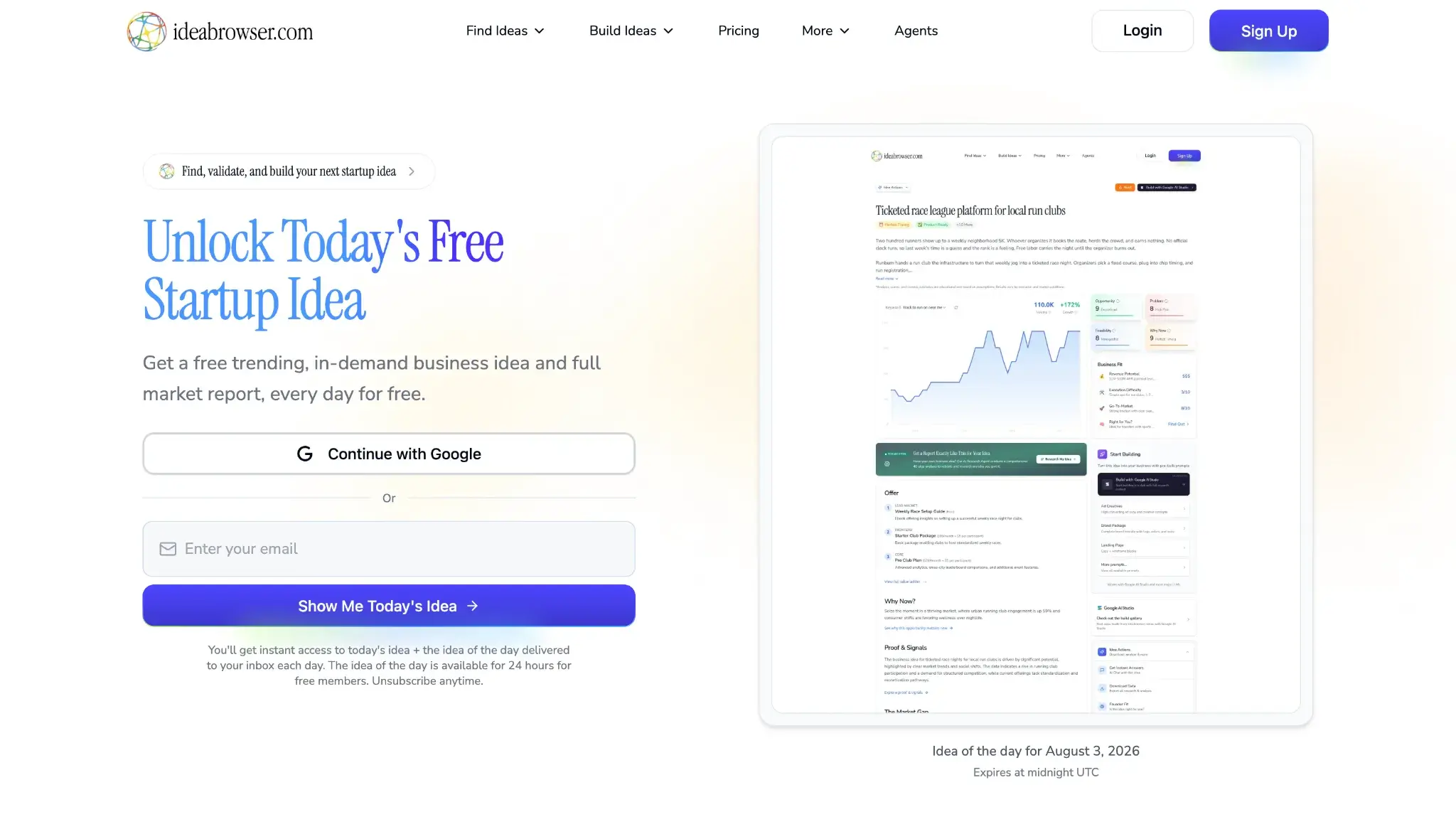
Ideabrowser offers membership for aspiring entrepreneurs who want to find business ideas, keep their finger on the pulse of the latest trends, and dive into market research — all of which has been done for them. Those who subscribe to the top-tier plan, Empire, also get weekly coaching calls, a monthly AMA, and weekly vibe coding and technical calls.
What I Like
Ideabrowser’s copy and design are clean and clear. The words are great at nailing exactly what problem the membership solves with lines like, “Turn Ideas into Income” and “Ideabrowser compresses months of research, validation and building into a single weekend - and then helps you turn it into your next cash flowing asset.”
Takeaway for your site: Consider offering a free tier to people who sign up for your email list, as Ideabrowser does on its homepage. When someone enters their email address, Ideabrowser sends them daily emails with the idea of the day. That helps prospects get a taste of the offer, which hopefully inspires them to upgrade to a paid plan.
3. Food Blogger Pro
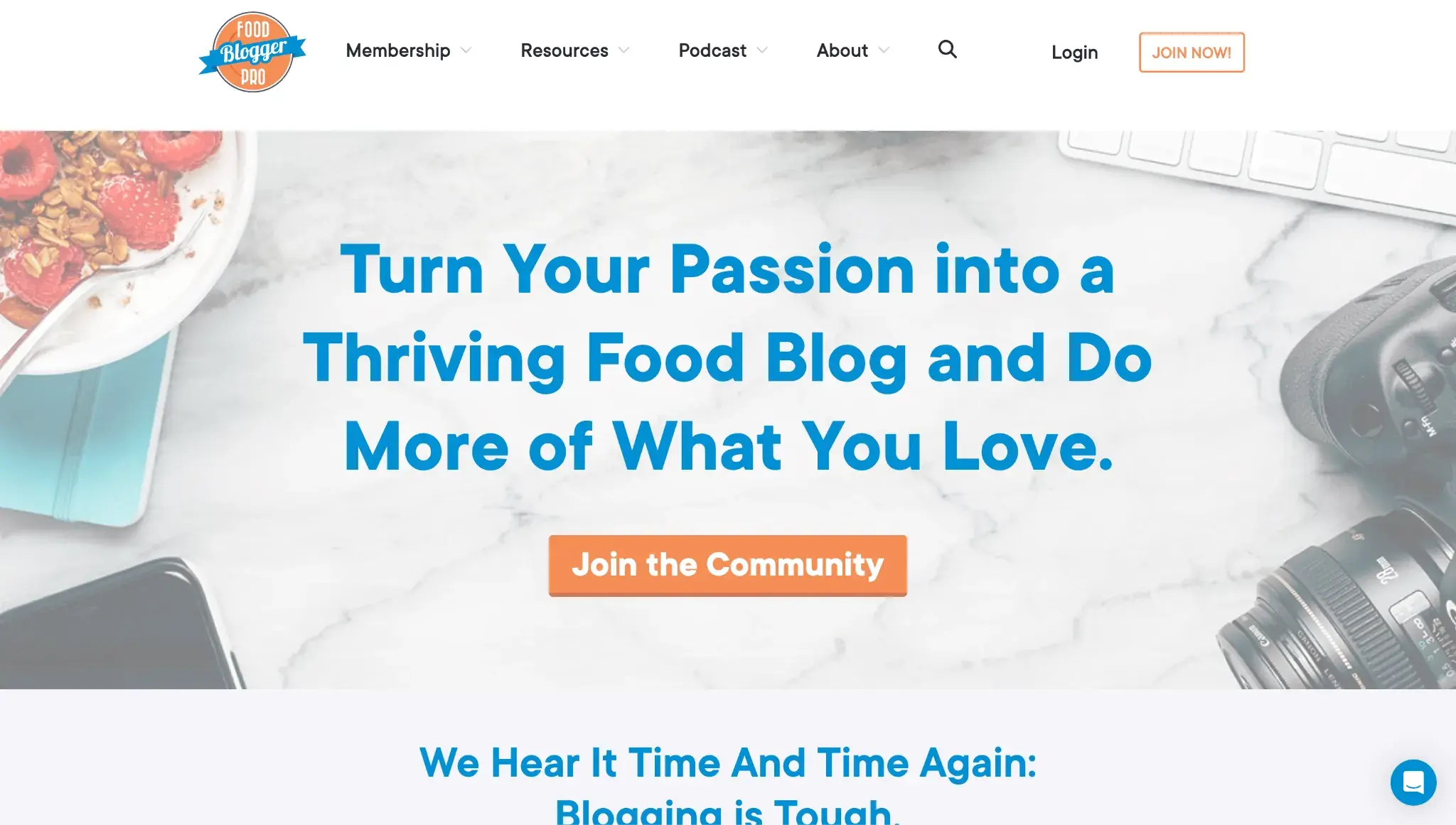
The Food Blogger Pro membership is dedicated to helping food bloggers take their craft to the next level. Started by Lindsay and Bjork Ostrom, the founders of popular food blog Pinch of Yum, Food Blogger Pro provides exclusive content and resources that can enhance bloggers’ skills to help them grow their online presence.
The membership offers a community forum, a course library with over 350 videos, monthly live calls, member discounts, and more.
What I Like
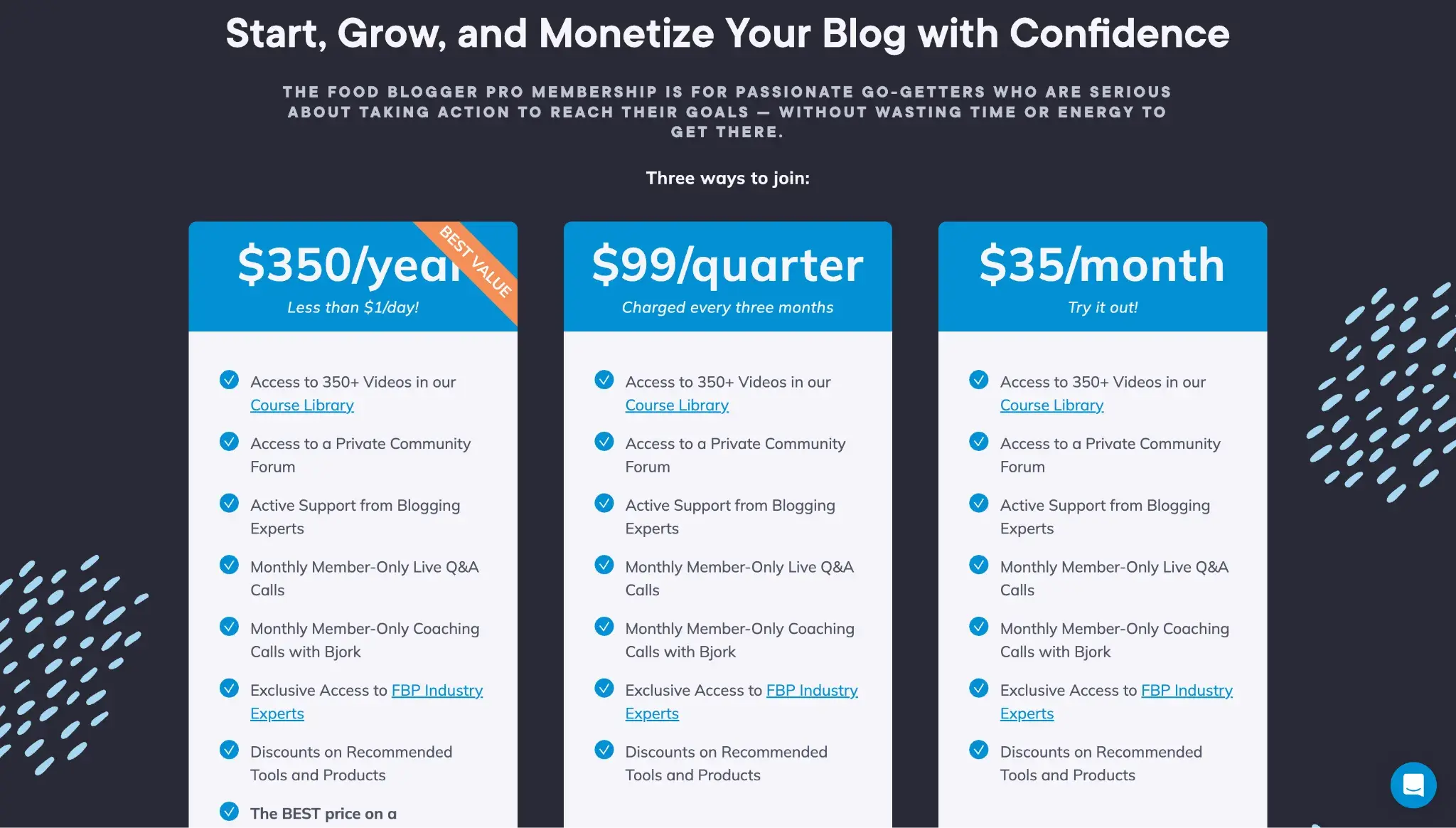
The Food Blogger Pro membership strikes the right balance between flexibility and guidance. It offers three payment tiers: $350/year, $99/quarter (charged every three months), and $35/month. But then it offers guidance, including a “Best Value” label on the annual tier and the subtitle of “less than $1/day!” This helps uncertain buyers realize that they’ll get the most bang for their buck by committing to annual payments. And yet, for those who can’t afford $350 upfront, the membership offers quarterly or monthly billing. Takeaway for your site: You don’t always have to offer a free plan, but offering lower per-month payments or even a guarantee can sway hesitant buyers to commit. For example, Food Blogger Pro offers a 60-day money-back guarantee.
4. Head Wines
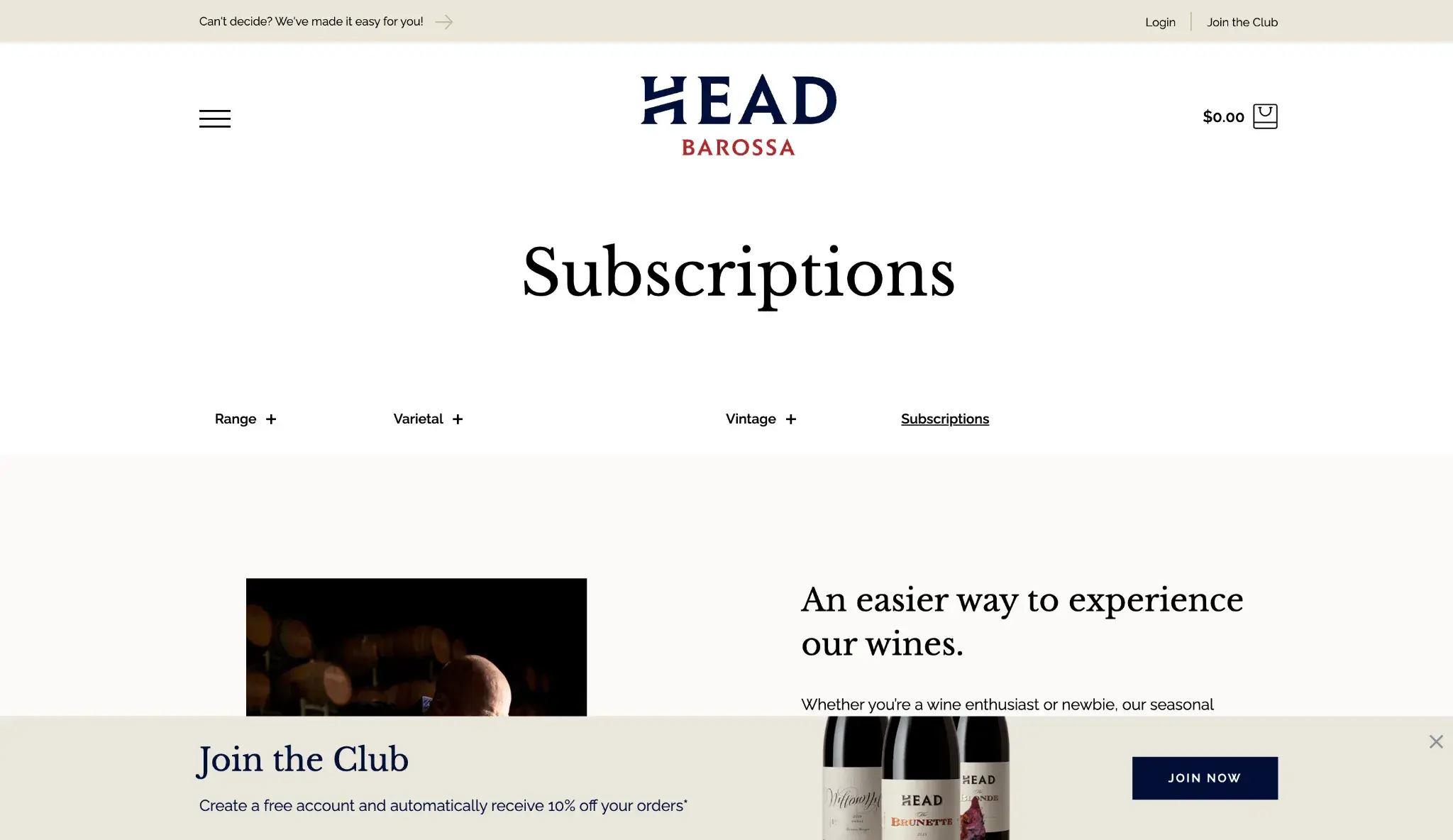
Head Wines is the ecommerce site of a boutique Australian winemaker. Shoppers can purchase wine by the bottle or set up a subscription.
Shoppers can also join the loyalty program simply by signing up for an account. This club is designed to reward its frequent customers for their continuous loyalty with product discounts, access to limited releases, special wines, member-only experiences, and other exclusive offers.
What I Like
The Limestone membership (part of the loyalty program) has no minimum spending requirement — a big plus point. Plus, Head Wines offers two “premium” membership levels with minimum spend requirements and additional perks.
Takeaway for your site: Head Wines shows how you can offer two separate kinds of memberships: a subscription to products and a loyalty program. Both can help you boost revenue, as loyalty programs encourage higher spending.
5. The Daily Stoic

The Daily Stoic is a website that publishes content about the philosophy of Stoicism. It also sells an annual membership, Daily Stoic Life, which grants access to a private community and exclusive content, including daily email meditations, a hardcover book of Stoic wisdom, challenges, and courses.
What I Like
I was impressed by Daily Stoic Life’s focus on community. There’s a video near the top of the landing page where the founder states, “The most important thing you get is access to the community.” As I talked about earlier in this article, community-building is a major reason business owners build membership sites, and it’s a major reason buyers subscribe to them.
Takeaway for your site: Consider adding a 60-second video of you talking to the camera about what the membership offers. This helps visitors see you’re a real person and feel a connection with you, which can help them feel more comfortable making the purchase.
Common Mistakes to Avoid
Mistake #1: Failing to choose a platform that scales with your growth.
It’s tempting to choose the cheapest software and the lowest tier just to get started — but you need to think about long-term growth too. If you end up choosing software based on the lowest price now, you might find that it can’t scale with you as you grow.
Solution: Read the pricing pages carefully and be sure you understand what’s included with each plan. Don’t just consider the plan you need now; consider the higher tiers that you might need to upgrade to as your subscription site grows.
For example, Content Hub offers easy access with its free plan, so you can test out the website builder first. Then, as you add paid memberships, you can upgrade to its Professional plan, which grants you two access groups (which control which membership tiers can access specific content). As your subscription website grows, you can upgrade to Content Hub Enterprise for up to 100 access groups.
Mistake #2: Creating too many membership tiers.
The more the merrier doesn’t always apply to membership businesses. If you create too many tiers, prospects get stuck in paralysis by analysis, unable to decide which is the best option. Plus, you don’t need multiple tiers to be successful. According to the 2024 Online Membership Industry Report, only 31.2% of online membership websites offer multiple membership tiers.
Solution: When you launch, start with one core offer. That makes it super simple for potential buyers to submit payment (they don’t waffle between their options). Then, as you grow, you can expand to include more membership tiers.
Mistake #3: Building out a program that no one wants.
This is especially true for online courses. These can take weeks to build; you have to design the curriculum, film videos, create assignments, and then build it on your chosen membership platform. If you do all that before testing the market, launch, and then realize your idea isn’t actually profitable, you waste a lot of time and money.
Solution: Many course creators recommend testing the market with an MVP or a prelaunch signup list to gauge interest before building the product.
Mistake #4: Neglecting to account for “hidden” fees.
There are two fees that could sneak up on you that I want you to be aware of:
- Platform/transaction fees. These are the fees charged by and paid directly to the membership website platform to cover its costs (MemberPress, Teachable, etc.). Often, you can circumvent these fees by upgrading to a higher-tier subscription, so you need to do the math to see if you’d actually save money by paying a higher subscription fee but lower or zero transaction fees.
- Third-party payment processor fees. These are the fees charged by the third-party payment processors (Stripe, Square, PayPal, etc.) and basically can’t be circumvented because they cover their costs of processing your payments.
Solution: Both of these fees can eat into your profits, so be sure to account for them when you’re selecting a membership website platform and when you’re setting your prices. Do some basic forecasting based on the membership tiers. How much would you actually keep, and how much would go to the platform and payment processors at your current rate of sales? If you grew in the future, what would that split look like?
Subscription Website FAQs
How profitable are subscription websites?
Successful subscription sites can be very profitable. Nearly half (49.9%) of established online membership websites make six figures annually, according to the 2024 Online Membership Industry Report.
Based on the same report, the average annual revenue of all membership websites operating for more than one year is $179,880, and the average annual revenue of established memberships is $307,805.
How much does it cost to build a membership website?
Building a membership website can cost anywhere from a couple of hundred dollars if you DIY with a no-code website build and template, to up to tens of thousands of dollars if you hire an agency to build a custom website. The cheapest DIY option will include a domain (roughly $12/year) and a website builder subscription ($19/mo for Squarespace). That’s about $240/year in obvious expenses, but don’t forget the non-obvious ones, such as photography, writing, and payment processing fees.
Is there a free membership website builder?
Both Content Hub and Wix offer no-code website builders for free, so you can build a membership website, but to start accepting payments, both require upgrading to a paid plan.
How long does it take to build a membership site?
With website builders made specifically for membership websites, the total time from start to launch could be a few days. It can take about 30 minutes to choose a premade website template. To customize it to your liking, it can take one day to a week to change colors, upload photos, add copy, and review everything. If you custom-build a membership site by working with a developer, it could take weeks to months, depending on complexity.
What’s the difference between a membership site and a subscription website?
“Membership site” and “subscription site” are often used interchangeably, and they have a lot of overlap. However, a membership site focuses on access to community interactions and members-only content or groups, such as an entrepreneurship private mastermind or an online forum for gaming enthusiasts. A subscription site, on the other hand, has a pricing and delivery model that charges on a recurring basis, usually monthly or annually. An example of a subscription site is FabFitFun, which is a subscription box business that sends curated boxes filled with beauty, fashion, and lifestyle products to its customers every three months.
Do I need technical skills to build a subscription website?
No, thanks to membership website builders like Teachable, MemberPress, and Content Hub, non-technical people can build websites with templates and drag-and-drop editors.
How much should I charge for membership?
The amount you should charge for membership varies widely depending on your business type, target audience, and operational expenses. To give you an idea, here’s what the 2024 Online Membership Industry Report found:
B2B memberships:
- 42.4% charge $50-$99 per month.
- 28.7% charge $25-$49/month.
B2C memberships:
- 48.6% charge $25-$49 per month.
- 28.9% charge less than $25 per month.
- 17.3% charge at least $50 per month.
What payment methods can I offer on my subscription website?
The payment methods you can offer on your subscription website vary depending on the website platform you choose. For example, Content Hub natively integrates with Revenue Hub, which lets you accept credit/debit cards, Apple Pay, Google Pay, and bank debits (such as ACH), through its native payment processor, HubSpot Payments, or via Stripe.
What are the most common mistakes when launching a subscription website?
Some common mistakes when launching a subscription site include failing to choose a subscription website platform that scales with your growth, creating too many membership tiers, building a program that no one wants, and neglecting to account for hidden fees that some website platforms carry.
How do I market my new membership site and attract members?
Research from the 2024 Online Membership Industry Report from Membership Geeks suggests:
- Build your audience before you launch. 79.6% of membership website owners dedicated time to building their audience before they launched and performed better across all key performance indicators.
- Focus on email marketing. Email list size is positively correlated with the number of active members a business has, with the average email conversion rate being 5.8% among all respondents.
- Invest in blogging, podcasting, and webinars. Blogging was the top content marketing tactic, with 63.4% of online membership website owners reporting using it, followed by podcasting (48.4%) and webinars (47.3%).
You’re all set to build your membership website.
In my experience, learning how to build a membership site was very manageable, even as a marketer without a developer background.
Of course, creating the membership content and finding your members will take time and effort. But if you choose one of the tools on this list, I’m confident that you’ll be ready for success on the technical end.
Get started with one of these tools today, and you’ll have your first subscriber in no time.
Our team uses AI in our editorial process. Check out our full disclosure to learn more about how we use AI.
Editor’s note: This post was originally published in April 2024 and has been updated for comprehensiveness.
HubSpot's Free Website Builder
Create and customize your own business website with an easy drag-and-drop website builder.
- Build a website without any coding skills.
- Pre-built themes and templates.
- Built-in marketing tools and features.
- And more!
Content Management System






.webp)