

Marketing CRM platforms are evolving faster than most teams can keep up with. According to HubSpot’s State of Marketing report, 61% of marketers believe AI is driving the biggest disruption in 20 years. Keeping up with new trends, platforms, and features ranks among their top five challenges.

Customer interactions are the most powerful asset a marketing team has. Marketing CRM platforms give teams the visibility to develop better messaging, act on customer intent, and close more deals. The challenge is that the volume of options creates decision paralysis. Enterprise platforms demand six-figure investments while emerging tools promise similar capabilities at a fraction of the cost.
This guide evaluates three practical factors that shape CRM success: ease of integration into existing workflows, ability to surface reliable insights without heavy setup, and capacity to help teams move faster on customer actions.
Table of Contents
- What is a marketing CRM?
- Top Marketing CRM Platforms at a Glance
- How to Choose a Marketing CRM
- Features to Prioritize in a Marketing CRM
- Top Marketing CRM Platforms
- Frequently Asked Questions About Marketing CRM Platforms
- Choose your CRM based on growth trajectory.
What is a marketing CRM?
A marketing CRM platform unifies customer data across marketing, sales, and service channels to automate personalized engagement and track ROI. Like most modern SaaS CRM software, it works by connecting every customer touchpoint into a single system rather than isolated tools.
How exactly does it work?
- Customer interactions (such as website visits, marketing campaigns, emails, etc.) are logged in a single activity record.
- Marketing, sales, and service teams share that same record. Service can see when a purchase was made and what was promised, sales can see which campaigns a lead engaged with before reaching out, and marketing can see whether the leads they’re generating are actually converting into closed deals.
- Automations are triggered from that unified record. For example, customer inquiries (service) about using the product can trigger an email sequence (marketing) that offers onboarding support.
- Reporting reflects a customer’s entire journey, not just one aspect. When a lead converts or a customer churns, teams can work from real engagement data instead of assumptions.
The CRM moves teams beyond manual tracking by automatically syncing contact details, engagement history, and deal activity across channels. With this unified view, marketers can segment audiences and personalize the customer experience.
Other tools serve related but narrower functions. A customer data platform (CDP) primarily collects and organizes behavioral data. A marketing automation platform (MAP) focuses on sending emails and managing workflows. A marketing CRM ties everything together, from first touch to closed deal, attributing every interaction along the way.
Pro tip: For a deeper look at why CRM adoption drives business growth, see HubSpot’s guide to why your company needs a CRM system to grow.
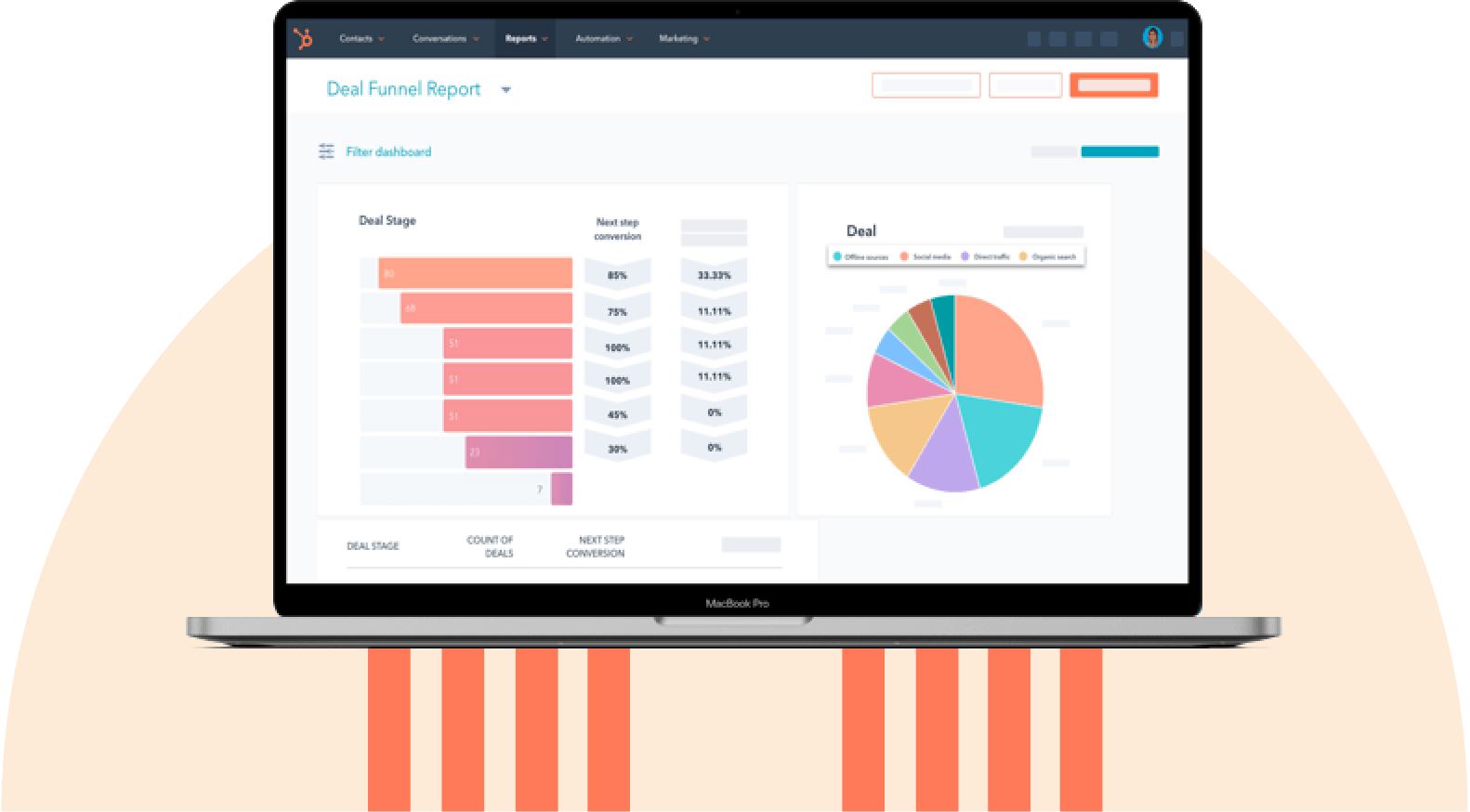
HubSpot's Free CRM Software
Free CRM Software & Tools for Your Whole Team
- Sales
- Marketing
- Operations
- Customer Service
Top Marketing CRM Platforms at a Glance
The spectrum of top CRM marketing software is wide, ranging from budget-friendly, laser-focused tools for small businesses to expensive, customizable platforms. Here’s how six leading marketing CRM platforms compare on standout capabilities and starting price:
Small businesses often need an easy-to-adopt CRM with a free plan or low starting cost, which is why four of these options offer a free tier. For a broader look at CRM examples across use cases, refer to this CRM example guide.
How to Choose a Marketing CRM
Choosing the right marketing CRM starts with mapping use cases and integrations. Effective selection requires defining must-have features, mapping a team’s data flow, and testing real scenarios before purchase. The right system becomes the backbone of revenue operations. These tools connect business data, automate engagement, and align teams.
Darian Shimy, CEO of FutureFund, puts it best, “We treat it no differently than hiring. It’s an investment and a partner — ideally a long-term one, not a quick fix.”
Here’s a practical, step-by-step approach to evaluating your next CRM.
1. Map your customer journey first.
Before looking at vendors, diagram how prospects move from awareness to renewal. Identify every point where marketing data hands off to sales or operations.
“If you map out your customer journey from start to finish, you can identify every point where marketing data needs to properly flow into sales and operations,” notes Shimy.
This exercise exposes where current tools fail, like missing attribution or poor lead routing. Then, teams can clarify what the new CRM marketing platform must solve.
2. Define must-haves vs. nice-to-haves.
Start by creating two lists: essential capabilities and desirable add-ons. Essential capabilities might include unified contact records, workflow automation, and campaign analytics. Desirable add-ons might include AI assistants, predictive scoring, and advanced reporting.
Sid Jashnani, CEO of Rekruuto, a systems-first offshore staffing company, learned this distinction firsthand. The initial shortlist included heavy automation tools with deep analytics dashboards. “But once our team tested them, friction appeared because setup was complex, and adoption lagged. We switched focus to platforms that made delegation and follow-through effortless,” Jashnani shares. For fast-moving teams, clarity beats complexity.
From my experience, systems that centralize customer data early make scaling far smoother later. HubSpot’s modular structure makes this easy. Teams can start with core CRM features, then layer on Marketing Hub or AI tools as needs evolve.
3. Test with real scenarios.
Skip generic demos and run actual use cases through shortlisted platforms. Import 1,000 real contacts. Build out the team’s most complex workflow and test your highest-volume integration.
“Our team always jokes about it, but do not get so focused on the CRMs with the flashy dashboards (they are nice to have), but you need to prioritize systems that actually support your team,” Shimy emphasizes.
Platforms like HubSpot offer free trials specifically for this deep testing.
4. Evaluate usability and adoption potential.
The best CRM is the one your team actually uses. Our research shows that 45% of sales pros already feel overwhelmed by the number of tools in their tech stack. A good CRM reduces tool fatigue with built-in automation and clear role-based dashboards, not another layer of complexity.
Involve end users early and let them run trial workflows. Assess how quickly they can build segments, trigger automations, and access reports. HubSpot’s intuitive interface and embedded guidance shorten the learning curve, which directly accelerates time to value.
Look for built-in onboarding features, contextual tooltips, and role-based dashboards that make the system feel tailored rather than overwhelming.
If marketers, sales reps, and leaders can each find what they need without relying on admins, adoption will stick. HubSpot’s in-app tutorials and guided setup paths help teams build confidence fast.
5. Analyze total cost and scalability.
Price should not be the only factor, but scalability determines long-term ROI. Costs should be calculated not just by license, but by active users, contact volume, workflows, and integrations. Small price differences at the start can multiply as data and automation expand. A sustainable marketing CRM is one that grows with the business without forcing a complete rebuild at the next growth milestone.
The flexibility of the vendor’s pricing model matters too. HubSpot, for instance, allows teams to start small and scale modules over time rather than locking into enterprise tiers prematurely. Storage limits, API caps, and add-on costs are worth checking before committing, and forecasting three years ahead helps avoid surprises.
HubSpot's Free CRM Software
Free CRM Software & Tools for Your Whole Team
- Sales
- Marketing
- Operations
- Customer Service
Features to Prioritize in a Marketing CRM
Marketers are publishing more content than ever before: according to 2026 HubSpot research, 75% of marketers now use five or more distinct marketing channels. And that content is collecting more data across the entire customer lifecycle, which should drive business growth. Modern CRM software should help marketers handle the increasing complexity while integrating with sales and customer service teams to support the entire customer journey.
If a CRM fails to unify data and integrate sales and service teams effectively, it becomes an expensive source of friction rather than a solution. That’s why evaluating CRM software against actual needs (and not just exciting bells and whistles) is essential for quick time to value and long-term ROI.
The right capabilities determine whether teams achieve coordinated customer experiences or struggle with fragmented workflows. The feature categories that separate platforms that scale from those that undercut growth are:
- Multi-channel automation
- ABM capabilities
- Content capabilities
- Native AI integrations
Pro tip: For practical guidance on getting the most from whichever platform you choose, see these CRM tips.
Multi-Channel Automation
Campaign orchestration across email, SMS, web, and ads requires native integration. Without unified automation, teams manage separate tools for each channel. Reps lose visibility into what actually influences purchases.
Cross-channel attribution becomes possible when automation and analytics share the same database. HubSpot’s marketing automation software unifies workflows across channels from a single interface, eliminating the context-switching that kills productivity.
Teams build branching logic based on engagement across any touchpoint. If someone clicks an email link, visits pricing pages, and then abandons the cart, the system automatically triggers a personalized SMS.

ABM Capabilities
Account-based marketing requires coordinating personalized campaigns across multiple stakeholders within target companies. Generic CRMs treat contacts individually and miss the coordinated approach that enterprise sales demands. With an average of five decision-makers in every B2B deal, a CRM must operate at the account level to coordinate personalized engagement across the buying committee.
HubSpot’s ABM software identifies buying committees, tracks engagement by role, and triggers account-level workflows when key signals appear. The platform’s company scoring aggregates individual activities into account-level insights. When three decision-makers from the same company visit pricing pages within 48 hours, sales receives prioritized alerts. For more on how this plays out specifically for sales teams, see CRM automation for sales.
Target account dashboards show penetration rates, engagement trends, and pipeline velocity by account tier.

Content Capabilities
Content production and distribution must happen inside the same system that stores customer data, because it lets marketers create and ship content based on real behavior instead of assumptions. When content creation, publishing, and analytics live in one place, teams can see exactly which content drives deal progression and revenue impact. Instead of exporting data or stitching tools together, the CRM becomes the central hub for planning content strategy and iterating on messaging based on performance data.
HubSpot’s content capabilities consolidate all these tasks in one place:
- HubSpot’s Social Inbox schedules posts, monitors mentions, and ties engagement directly to deals. Social ROI becomes measurable.
- HubSpot’s Content Hub includes AI tools that generate blog posts, landing pages, and site copy, while protecting brand voice and structure.
- HubSpot’s Email Marketing offers drag-and-drop templates, A/B testing, and personalization tokens that pull real customer and behavioral data from contact records.
Because these tools sit on top of HubSpot CRM, the platform automatically adapts messaging based on lifecycle stage, past actions, and purchase intent.
AI Co-Pilot and Intelligence
AI in marketing CRMs enables content generation, predictive lead scoring, and next-best-action recommendations. Embedded AI in marketing CRMs reduces manual work and helps teams act on insights faster by integrating intelligence directly into daily workflows.
HubSpot’s State of Marketing report found that 67% of marketing teams save 10 or more hours a week using AI, and 68% say it’s meaningfully increased their productivity. Embedded AI inside your CRM should act as a co-pilot, surfacing insights and predicting next actions.
HubSpot’s Agent Hub brings this intelligence directly into the CRM. It’s a connected suite of AI tools woven throughout marketing, sales, and service. The Breeze Assistant understands your company’s CRM data, helping with campaign planning, content drafts, meeting prep, and analysis.
Meanwhile, AI agents automate specialized tasks — from prospecting and customer service to content personalization and data research. Teams can scale growth without adding headcount. This approach creates a CRM that learns from team workflows and automatically optimizes them for greater efficiency.
Top Marketing CRM Platforms
Different types of CRM systems have proven their ability to handle complex workflows and deliver measurable ROI, each bringing distinct strengths. When comparing leading CRM platforms, the focus should be on how well each tool unifies data, integrates with the current tech stack, and scales automation.
1. HubSpot: For Unified Data + Cohesion Across Marketing, Sales, and Service

HubSpot’s Smart CRM connects marketing, sales, and service data into one ecosystem, eliminating silos and giving every team real-time visibility into the customer journey. AI tools are built throughout the platform, including a free assistant and paid autonomous agents that handle prospecting, customer support, and lead research.
Marketers can launch automation through Marketing Hub, personalize outreach with AI, and measure performance in a single interface that’s intuitive enough for daily use. Integration with more than 2,000 tools means HubSpot fits neatly into most tech stacks, while strong governance controls ensure data consistency at scale.
For growing teams ready to explore hands-on, HubSpot’s free CRM offers an immediate way to test contact management, automation, and reporting before committing long-term. Reviewers report liking HubSpot’s ease of use, but note that some customizations are limited.
Core HubSpot Features
- ABM tools and automation allow for targeted marketing strategies for high-value accounts
- Target Accounts dashboard tracks engagement across every contact at an account, not just individual leads
- ICP-based tiering automatically ranks prospects by fit so teams can prioritize the right accounts
- Advanced personalization enables more tailored content experiences to better close deals
- Smart content rules swap headlines, CTAs, or page sections based on visitor segment or lifecycle stage
- AI segment suggestions use AI to recommend customer segments for tailored sales messaging
- Segments update dynamically as buyer behavior changes, replacing static, manually built lists
- Segment-based content remixing lets marketers repurpose one asset across different audience segments

Pricing: HubSpot’s pricing structure begins with free tools and a uniform Starter tier priced at $10/seat monthly.
HubSpot is best for: Unified data, AI capabilities, ease of use, and time to value.
2. Klaviyo: For Ecommerce CRM

Klaviyo is a B2C CRM purpose-built for ecommerce growth. It merges transactional, behavioral, and messaging data into unified customer profiles, enabling lifecycle automation like post-purchase upsells and replenishment reminders triggered by real-time storefront activity. Its CRM layer connects directly to ecommerce APIs so product, revenue, and engagement data feed instantly into segmentation and reporting. Reviewers note ease of use as a strength, but flag pricing and customer service as drawbacks.
Core Klaviyo Features
- Real-time sync with Shopify, BigCommerce, and WooCommerce, feeding product, revenue, and engagement data directly into segmentation
- Pre-built lifecycle flows for abandoned cart, browse abandonment, post-purchase, winback, and replenishment
- Behavior- and purchase-based segmentation, including RFM-style targeting for high-value customer groups
- Native email, SMS, and push messaging from a single platform, with deliverability tools built in
- 350+ integrations across ecommerce, support, loyalty, and reviews platforms via the Klaviyo App Marketplace
Pricing: Klaviyo’s pricing works differently from tiered plans: it’s free to start, then scales based on active profile count and channel (email or SMS) rather than fixed feature tiers, so cost rises with list size instead of jumping between Starter/Pro/Enterprise-style packages.
What I like: The deep ties to ecommerce platforms mean marketing doesn’t feel disconnected from revenue data, and you can see when a flow triggers a repeat purchase.
Best for: Businesses with an ecommerce focus and B2C lifecycle marketing needs.
HubSpot's Free CRM Software
Free CRM Software & Tools for Your Whole Team
- Sales
- Marketing
- Operations
- Customer Service
3. Zoho: For Marketing Automation on a Budget

Zoho is an omnichannel experience-focused CRM with lead scoring and campaign tracking built directly into its core CRM architecture. This tool suits marketing teams that need structured customer management without enterprise-level costs. Zoho CRM’s campaign module connects email, social, and web forms to CRM records so marketers can track engagement from a single dashboard.
For dynamic segmentation, drip campaigns, and retargeting, teams pair the CRM with Zoho Marketing Automation, which syncs directly with CRM records for lifecycle handoffs. Reviewers report liking Zoho CRM’s ease of use and integrations, but also note that some features are limited.
Core Zoho CRM Features
- Native lead scoring based on demographic fit (industry, size, role) and behavioral signals (email opens, social engagement)
- Campaign management module connecting email, social, and web forms directly to CRM contact records
- Omnichannel activity timeline: email, telephony, social media, live chat, web forms, and WhatsApp in one CRM view
- Connects to Zoho Marketing Automation for dynamic segmentation, drip journeys, and retargeting beyond the CRM’s native scope
Pricing: Plans start at $0/month for the Free tier (3 users), then $20/user/month for Standard, $35/user/month for Professional, and $50/user/month for Enterprise, billed monthly.
Best for: Zoho is best for early-stage companies moving off spreadsheets or limited point tools, especially if they’re already embedded in the Zoho ecosystem.
4. Pipedrive: For Dedicated Sales Pipeline Management

Pipedrive is not a standard marketing CRM software: rather than being an all-in-one multitool, it’s primarily marketed as a sales CRM that’s built around visualizing and managing the sales funnel. It supports activity-based selling, deal stages, email integration, and automation for sales workflows. On the marketing side, teams can apply the “Campaigns” add-on to send email campaigns, or the “LeadBooster” add-on to capture leads and chat with website visitors. Reviewers say that Pipedrive is intuitive and simple to use, but some say that features are limited or missing.
Core Pipedrive Features
- Visual sales pipeline with customizable deal stages and multiple pipelines per team
- Activity-based selling: prompts reps to schedule a next action after every deal update, so deals don’t stall
- Native two-way email and calendar sync, including deep Outlook/Microsoft 365 integration
- Campaigns add-on for email marketing, sold separately from the core CRM
- LeadBooster add-on for chatbot, live chat, and web-based lead capture
- AI assistant that suggests next actions based on deal history and pipeline status
Pricing: Plans start at $24/seat/month for Lite, $49/seat/month for Growth, $79/seat/month for Premium, and $99/seat/month for Ultimate, all billed monthly.
Best for: Teams that are primarily sales-oriented and need lightweight marketing support rather than a full-fledged sales and marketing CRM. Pipedrive offers a familiar, pipeline-first environment and the flexibility to layer in marketing tools when you’re ready.
5. Salesforce: For Advanced Customization

Salesforce is a marketing CRM built for deep customization. Teams can tailor fields, objects, and workflows to match how they sell rather than adapting their process to fit the platform. That flexibility comes with tradeoffs — implementation tends to take longer and requires dedicated admin resources compared to other platforms.
Salesforce has made a notable shift toward AI. Founder Marc Benioff has described AI as a “hard pivot” for the company. Reviewers say customization is a standout strength, but note that setup can be long and expensive.
Core Salesforce Features
- Deep customization: custom objects, workflows, and metadata control beyond what most CRMs expose
- AppExchange ecosystem with thousands of pre-built integrations and apps
- Sales Cloud, Service Cloud, Marketing Cloud, and Commerce Cloud as modular, purchasable add-ons
- Agentforce AI layer for automation, forecasting, and lead scoring
- Multi-org and multi-region support for complex, distributed sales structures
Pricing: Salesforce’s CRM plans start at $0/user/month for Free Suite, $25/user/month for Starter Suite, and $100/user/month for Pro Suite, with Enterprise pricing available only through custom quotes.
Best for: Enterprise teams with robust budgets and customization needs. It’s not usually the first CRM a team picks; rather it’s where companies migrate to once their sales process outgrows a simpler system and standard tools can’t be customized to meet their needs.
6. ActiveCampaign: For WhatsApp Automation

ActiveCampaign is built primarily around automation, not sales pipeline management. Deals can trigger email sequences and vice versa, so marketing and sales actions stay connected. The email + WhatsApp bundle lets teams control both channels from the same workflow builder, which is a distinction from competitors that treat WhatsApp as an afterthought. ActiveCampaign reviewers report liking the automation features, but some say it’s expensive and unintuitive.
Core ActiveCampaign Features
- Native email + WhatsApp orchestration across the same automation
- Visual, drag-and-drop automation builder for triggered, multi-step workflows
- Built-in CRM with deal pipelines, contact/company records, and task management
- Advanced segmentation and tagging based on behavior, engagement, and custom fields
- 950+ native integrations
Pricing: For the Email + WhatsApp bundle (1,000 email contacts, 5,000 WhatsApp contacts), ActiveCampaign’s plans start at $112/month for Plus, $142/month for Pro, and $284/month for Enterprise, all billed annually. For email alone, the Starter tier starts at $15/month.
Best for: Teams that want advanced WhatsApp automations.
Frequently Asked Questions About Marketing CRM Platforms
Choose your CRM based on growth trajectory.
As marketing expands, data volume, customer touchpoints, and cross-department coordination all increase too — and a CRM should be able to grow with that complexity. Choosing a CRM is a big decision, but remember that a clear roadmap, flexible integrations, and intuitive automation matter more than any single feature list.
Try HubSpot’s free CRM today to unify customer data, automate repetitive tasks, and align marketing and sales workflows so your team can scale without adding headcount.
Editor's note: This post was originally published in January 2026 and has been updated for comprehensiveness.
HubSpot's Free CRM Software
Free CRM Software & Tools for Your Whole Team
- Sales
- Marketing
- Operations
- Customer Service
CRM


