.webp?width=112&height=112&name=Help-Desk-EN@3x%20(1).webp)
Live chat support tools enable real-time conversations between customers and support teams directly on a website or in-app. As more customer interactions move online, customer expectations for fast, convenient help have outpaced what traditional channels can deliver.

Phone and email each have trade-offs. Phone routes customers through hold queues that frustrate them and run up agent costs. Email is flexible, but replies can lag for hours or days. Most service operations struggle to close the gap between what customers want — quick, seamless resolution — and what their channels can actually deliver at scale.
Live chat closes that gap. Customers get immediate help without leaving the page, and agents handle multiple conversations at once, share resources in real time, and resolve issues faster. The rest of this guide breaks down why customer service leaders are adopting live chat support software and compares the top options on the market.
Table of Contents
- What is a live chat support tool?
- Why use live chat apps for customer service and support?
- Essential Live Chat App Features
- How to Choose the Right Live Chat Tool for Customer Support
- Best Live Chat Apps
- Frequently Asked Questions About Live Chat Apps for Customer Support
What is a live chat support tool?
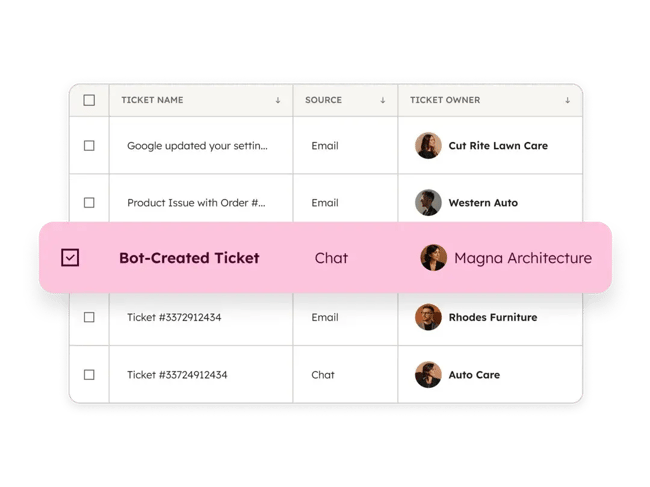
A live chat support tool is a customer service application that enables real-time conversations between customers and support teams on a company’s website or in-app. Most live chat tools are part of a help desk package, enabling reps to respond to customer inquiries quickly. Help desk integration converts chat conversations into trackable support tickets.
The standard live chat setup is a widget embedded on a website, so customers can chat without leaving the page. Many service teams also layer in AI or automated routing to handle inquiries faster and connect each customer with the rep best equipped to help.
HubSpot’s live chat tool includes built-in chatbots and automation that handle common questions instantly. Live chat also integrates natively with HubSpot Smart CRM, automatically logging every visitor’s chat history so reps have full customer context on every interaction.
Why use live chat apps for customer service and support?
Live chat apps cut response times, lower per-interaction support costs, and capture inbound leads from already-engaged website visitors. Adoption now stands at 42% across companies (67% in B2C, 58% in B2B), driven by customer demand for faster help than phone or email can provide.
For customer service leaders, the case for live chat comes down to five outcomes.
1. Reach More Customers
Live chat reaches customers in the channel they actually prefer: 41% of consumers choose live chat over phone, email, and social media for support, and 52% report being more loyal to companies that offer it.
Adding chat to a customer service operation lets teams meet customers where they already are — which directly affects both first-contact resolution and long-term retention.
2. Reduce Customer Pain Points
Live chat reduces customer pain points by eliminating hold time, which is one of the highest-leverage moves a team can make to improve the customer experience. Chat support offers some unique benefits that phone support simply can’t match.
Phone support routes customers through queues that can stretch from minutes to hours. Chat conversations have natural lulls — reps need time to look something up or check with a teammate — but those lulls happen mid-conversation, not before it starts.
That structural difference makes chat one of the few channels where “we’ll get to you in a minute” isn’t a source of frustration.
3. Save Money
Live chat cuts support costs in two ways: per-interaction cost and concurrent capacity. Forrester’s 2025 channel benchmarks put live chat at $3 to $5 per interaction versus $8 to $12 for phone. A single chat agent can handle three to five conversations at once, whereas a phone agent handles one.
“For the company, live chat is a way lower cost than getting on the phone with someone, mainly because you can handle multiple live chats at once,” says Adriti Gulati, principal instructional designer at HubSpot.
Automation extends those savings further. Chatbots resolve common questions before they reach a rep, which reduces ticket volume without expanding payroll.
4. Get Inbound Leads
Live chat generates inbound leads from website visitors who are already engaged enough to start a conversation. Drift research puts live chat leads at 8x the conversion rate of form submissions because engagement is immediate.
“You’re only talking to the people who want to talk to you. You can qualify them via live chat, and then move the conversation to phone when it gets more in-depth,” Gulati says. “From the customer side, people actually prefer live chat to phone support. Just look at HubSpot — we get way more live chats than interactions on our phone lines.”
5. Improve Support Availability
Live chat extends support availability to 24/7, which matters when 82% of customers expect an immediate response after starting a chat. During business hours, reps guide visitors through complex questions in real time. Outside business hours, chatbots take over — either resolving the question, pointing customers to self-service options like a knowledge base, or capturing the contact for follow-up.
HubSpot’s Chatbot Builder lets service teams build no-code chatbot flows that route conversations, qualify leads, and pull customer history from HubSpot CRM into every reply. For teams that want fully autonomous handling on routine issues, HubSpot’s AI customer service agent resolves common requests end-to-end without rep involvement.
Customer demand for chatbot coverage is real: 62% of consumers prefer a chatbot to waiting for a human agent, and 74% prefer chatbots for simple or routine questions. For service teams, that’s a clear signal that routine volume should default to automation.
Essential Live Chat App Features
The essential features of a live chat app fall into three buckets: tools that personalize the customer-facing experience (widget customization, proactive triggers), tools that connect the chat to the rest of the customer record (CRM and help desk integrations, omnichannel routing), and tools that scale support beyond what a human team can handle alone (chatbots, automation rules, security and compliance controls).
Customer service leaders evaluating options should look for the following.
Personalization
Personalization in a live chat app covers four layers:
- The widget’s visual appearance.
- The tone and language of automated messages.
- The behavior triggered for different visitor segments.
- The use of customer data to tailor the conversation itself.
For service teams, that combination builds trust faster and increases conversion among returning visitors, high-intent prospects, and existing customers.
Integrations
Integrations connect a live chat app to the rest of a service team’s tech stack — CRM, help desk, knowledge base, marketing tools, and website platform. Strong integrations automatically sync conversations, contact data, and ticket history across systems, letting agents see full customer context in real time without manual lookups or platform switching.
HubSpot’s Live Chat integrates natively with HubSpot CRM, so every chat is logged against the contact record and reps have full context on every prospect or customer interaction — all from the conversations inbox.
Lead Generation
Lead generation features capture visitor information — emails, names, company details — directly through chat interactions, and more advanced tools qualify leads with conversational forms or route high-value prospects to sales. That turns a support channel into a revenue channel: demand that would otherwise drop off the page gets captured and routed for follow-up.
HubSpot’s Live Chat includes built-in lead capture and qualification, and contact data flows automatically into HubSpot CRM, so sales has full context on the first follow-up.
Proactive Chat
Proactive chat triggers initiate a conversation automatically based on visitor behavior, such as time on page and scroll depth. Instead of waiting for visitors to ask for help, service teams engage them at the moment of intent or hesitation, which reduces bounce rates, helps confused users self-correct, and lifts conversion rates on high-value pages.
Most live chat platforms support customizable triggers. HubSpot’s Live Chat lets teams build trigger rules without code.
Chatbot
Chatbots automate responses to common inquiries, route conversations, and provide support when human agents are offline. Modern AI chatbots understand intent, answer FAQs, and complete actions like booking meetings or updating account details which frees reps for complex, high-value conversations.
HubSpot’s Chatbot Builder lets service teams build automated chat flows for lead qualification, meeting booking, and FAQ deflection without code.
Omnichannel Support
Omnichannel customer service and support lets teams manage conversations across website chat, email, social media, and messaging apps in a single inbox. Customers routinely switch between channels mid-issue and expect to pick up where they left off. Without an omnichannel setup, agents end up asking customers to repeat context already provided in another channel.
Routing & Automation Rules
Routing rules automatically assign incoming chats based on agent availability, skill set, language, or customer segment. Connecting customers to the right agent on the first try shortens resolution time and reduces transfers — both of which directly improve customer satisfaction scores.
Security & Compliance
Security and compliance features — data encryption, role-based access control, and compliance with standards like GDPR, SOC 2, and HIPAA — protect customer data and maintain trust. This matters most for service teams handling payment, health, or other sensitive information.
How to Choose the Right Live Chat Tool for Customer Support
Choosing the right live chat tool for customer support comes down to six criteria: team size and support complexity, the balance between automation and human support, CRM and tech stack compatibility, reporting and ROI visibility, ease of use and time to value, and pricing transparency and scalability. Customer service leaders should evaluate each option against these criteria to shortlist platforms that fit their team’s workflows and growth plans.
1. Team Size and Support Complexity
Team size and support complexity determine which features actually matter. Smaller teams (under 10 reps) prioritize ease of use and fast setup. Advanced routing rules and workload balancers go unused at that scale. Larger or scaling teams need routing, automation, and multi-team collaboration to keep volume from bottlenecking on individual agents. Teams handling high ticket volume or support across regions and languages should add queue management, workload balancing, and enterprise controls to the must-have list.
2. Automation vs. Human Support Balance
The automation-to-human ratio that fits a team depends on the inquiry mix. Teams handling mostly simple FAQs can lean heavily on chatbots, while teams handling complex technical or sensitive issues need automation that hands off cleanly to humans rather than trying to resolve everything itself. The deciding feature is the handoff: a chatbot that drops the conversation context when escalating creates more work, not less.
3. CRM and Tech Stack Compatibility
CRM and tech stack compatibility determines whether agents see full customer context or fragments of it. Each live chat tool should integrate cleanly with the existing CRM, help desk, knowledge base, and marketing tools. Native integrations are more reliable and require less maintenance than custom-built connections. Without strong integration, customer context gets split across multiple tools, and agents end up reconstructing history mid-chat.
4. Reporting and ROI Visibility
Reporting and ROI visibility are what make the live chat investment defensible to leadership. Strong reporting includes first response time, resolution time, customer satisfaction, and chat-to-conversion rates — but the higher-value reports tie chat activity to business outcomes like revenue retained or deals influenced. Tools that surface only volume metrics make it hard to prove the channel’s impact.
5. Ease of Use and Time to Value
Ease of use and time to value determine whether the tool gets adopted at all. A feature-rich platform that takes weeks to configure and requires developer time for routine changes will sit half-deployed while the team works around it. Customer service leaders should weigh interface clarity for both agents and admins, the time from purchase to the first live conversation, and whether ongoing maintenance requires technical resources.
6. Pricing Transparency and Scalability
Live chat software pricing depends on agent seats, conversation volume, and add-ons like automation and reporting. Pricing models vary widely. Costs tied to seats, contacts, features, or usage limits all have different scaling curves. Customer service leaders should look for clear, predictable pricing that fits the current budget and scales reasonably as the team grows. Watch for add-on costs on essential features like automation, reporting, or integrations that can balloon the total cost of ownership over time.
Best Live Chat Apps
The best live chat app for a service team depends on team size, automation needs, and CRM compatibility — the criteria from the previous section. The 12 tools below cover the spectrum from free, all-in-one platforms for small teams to enterprise tools with advanced routing and multilingual support. Each entry includes pricing, key features, best-fit use cases, and what sets the tool apart.
Quick Comparison: Top Live Chat Support Tools
A quick comparison table helps customer service leaders shortlist live chat tools faster. Use the table to narrow to two or three options, then read the detailed entries below for pricing, key features, and what sets each tool apart.
1. HubSpot Live Chat
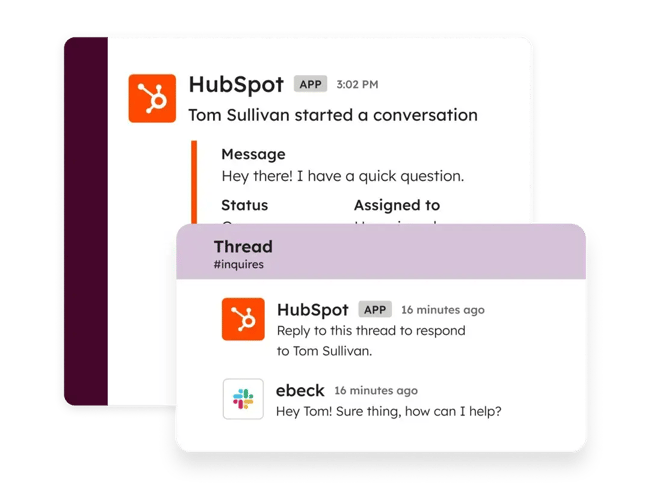
HubSpot’s Live Chat, available across HubSpot’s customer platform, including Service Hub, connects service teams with website visitors in real time to convert new leads, close more deals, and provide better support. What sets it apart from other live chat tools is its native integration with HubSpot CRM. Every conversation is automatically logged against the contact record, so that reps can see full customer context in the chat window itself. Set up uses HubSpot’s chatflow builder to design welcome messages, routing logic, and automated responses, with most teams going from install to live conversations in a few hours.
Conversations flow into a shared conversations inbox that unifies chat, email, and other channels in one workspace accessible from desktop or a mobile app. For complex issues, reps can convert any chat into a tracked support ticket via the built-in ticketing system. When automation makes sense, HubSpot Chatbot Builder handles routine inquiries, qualifies leads, and books meetings without requiring code.
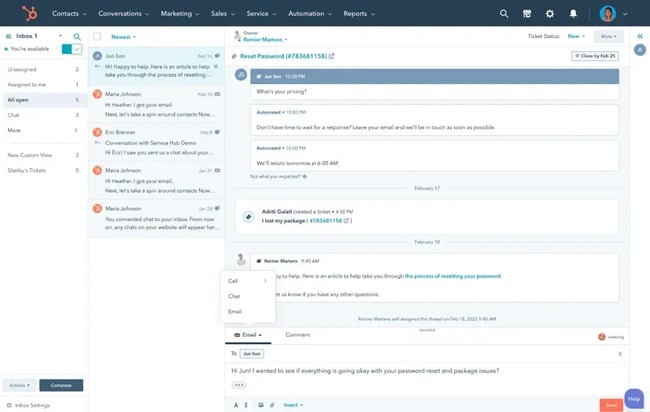
“I see a ton of sales reps using a chatbot to qualify their leads, and then hand them over to a live agent once the chatbot gathers the appropriate information,” Gulati says.
Key Features
- Native CRM integration: Every chat is logged against the contact record, giving reps full customer history (past tickets, deal stage, lifecycle data) inside the chat window.
- Built-in AI chatbot builder: Service teams can create no-code chatbots that qualify leads, route conversations, and answer common questions, all fully integrated with the live chat experience.
- Shared omnichannel inbox: Manage chat, email, and other channels in a single workspace, with conversion of chats into trackable support tickets.
Best for: Service teams that want an all-on-one platform customer service software with native CRM integration, built-in automation, and a unified omnichannel inbox.
Pricing: HubSpot’s live chat software is free to use. Additional features are available through paid plans, which start at $20 per seat/month and scale with team size and functionality.
What sets it apart: The native CRM integration. Most live chat tools require setup and ongoing maintenance to sync chat data with customer records. With HubSpot, every chat is automatically captured against the contact record from day one, so reps never start a conversation cold, and there’s no separate integration layer to maintain.
2. LiveChat
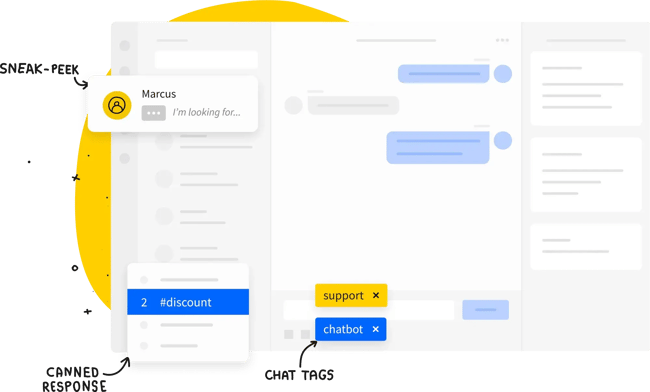
LiveChat is a paid live chat platform built around agent productivity, with native integrations for most major CRMs and website platforms. Its signature feature is “message sneak peek,” which lets agents see what a customer is typing before they hit send. Reps get a few extra seconds to look up account info, prep a response, or flag the chat for escalation.
Key Features
- Message sneak peek: Agents see customer messages as they’re being typed, which shaves seconds off response times on every chat.
- Chat labeling and analytics: Each conversation can be tagged for sorting and trend analysis, so support leaders can spot recurring issues or knowledge gaps.
- Rich messaging: Reps can send buttons, cards, app integrations, and drag-and-drop file attachments in chat for richer interactions than plain text.
Best for: Digital-first businesses that want a paid, agent-focused chat platform without the overhead of a full customer support suite.
Pricing: Plans start at $19/month with annual billing.
What sets it apart: The message sneak peek feature is genuinely distinctive. Most live chat tools force reps to wait until a customer hits send before they can react. LiveChat gives agents a window to prepare, which adds up to real productivity gains across hundreds of daily chats.
3. HelpCrunch Live Chat
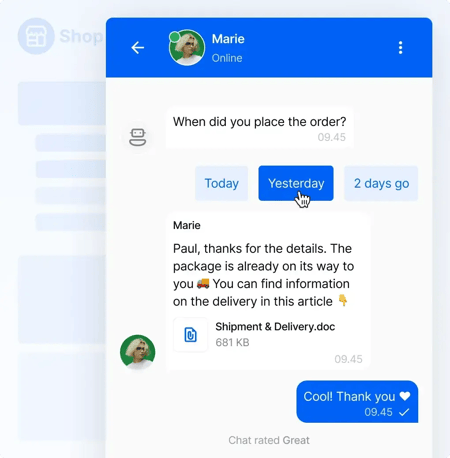
HelpCrunch bundles live chat with email marketing, popups, knowledge base tools, and a shared inbox in one platform, pitching itself as an Intercom alternative for small to mid-sized SaaS and ecommerce teams. The standout feature is continuity: any chat message a customer doesn’t see in the widget gets auto-resent via email, so conversations don’t fall through the cracks when visitors leave the site.
The widget itself is highly customizable (colors, icons, buttons, wallpapers), and proactive chat messages can be triggered based on visitor behavior. Real-time customer data appears in the chat window for personalization.
Key Features
- Auto email follow-up: Unseen chat messages are automatically resent to customers via email, capturing replies that would otherwise be lost.
- Proactive chat messaging: Triggered messages reach visitors based on behavior — page views, time on site, or specific URLs.
- All-in-one platform: Live chat, email marketing, popups, and knowledge base run from a single shared inbox.
Best for: Small to mid-sized SaaS and ecommerce teams that want one platform for chat, email, and knowledge base instead of stitching together separate tools.
Pricing: Plans start at $15/user/month for Basic; the Pro plan ($25/user/month) adds chatbots and AI agents.
What sets it apart: The auto email follow-up is a smart take on a real problem. Visitors regularly leave a chat tab open, walk away, and never see the reply. HelpCrunch turns that dropoff into an inbox message instead, which keeps the conversation alive without the agent having to do anything different.
4. Pure Chat
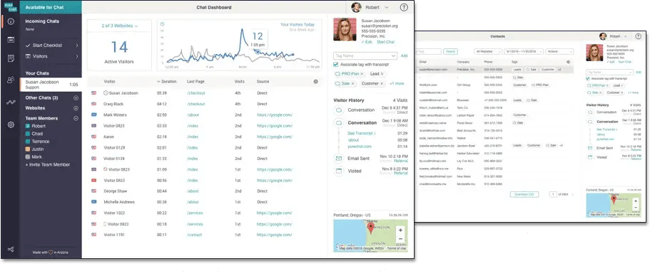
Pure Chat is a no-frills live chat tool that small businesses, startups, and agencies install to add real-time chat to their site without complex setup. The widget is fully customizable (colors, button styles, custom images). When no agents are online, the missed-chat email form captures the visitor’s question and routes it to the team’s inbox for follow-up later.
Pure Chat was acquired by virtual receptionist company Ruby in 2020, and the product has stayed largely unchanged since, which is either a feature or a flaw depending on the buyer. Teams that want a stable, simple live chat tool will find what they need; teams expecting frequent feature updates won’t.
Key Features
- Customizable chat widget: Adjust colors, button styles, and images to match brand identity, with no developer time required.
- Missed-chat email capture: When no agent is online, a form collects the visitor’s message and routes it to the team’s inbox for follow-up.
- Mobile apps for iOS and Android: Agents handle chats from their phones, which is useful for small teams without dedicated chat support hours.
Best for: Small businesses, startups, and agencies that want a simple, affordable way to add live chat to their website without the overhead of a full support suite.
Pricing: 30-day free trial. Growth plan starts at $39/month (annual billing); Pro plan starts at $79/month.
What sets it apart: The pricing model. Pure Chat charges per plan rather than per user, with the Growth plan covering up to four operators and Pro covering up to ten, which makes it noticeably cheaper than per-agent tools for small teams that need multiple people on chat.
5. Olark
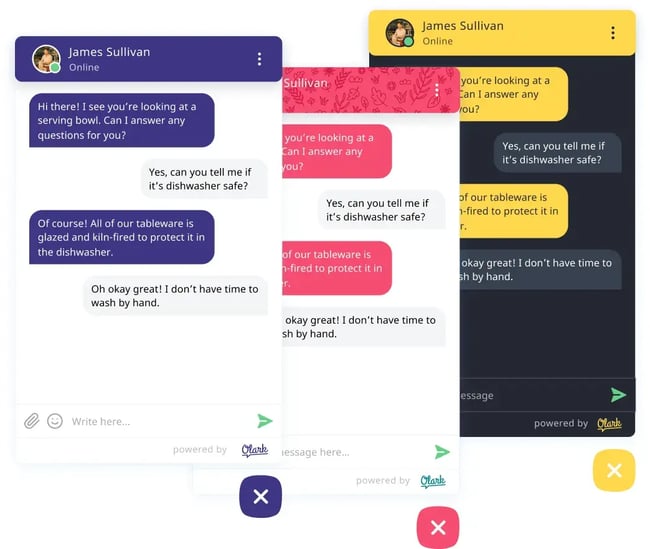
Olark is a live chat tool built around simplicity and analytics. It’s a single-product platform with no help desk, ticketing, or omnichannel inbox attached. Its standout feature is real-time analytics: chat volume, customer satisfaction, and agent activity all surface on a dashboard that updates as conversations happen. This gives support leaders the data they need to make day-to-day staffing decisions.
Beyond analytics, Olark covers the live chat fundamentals: a customizable widget, automated greetings, chat routing rules, searchable transcripts, pre-chat forms, and integrations with most major CRMs and help desks.
Key Features
- Real-time analytics dashboard: Tracks chat volume, customer satisfaction, and agent activity as conversations happen, with automated daily reports delivered to admin inboxes.
- Automation rules: Trigger automated greetings, route chats to specific agents, and send targeted messages based on visitor behavior.
- WCAG 2.1 AA accessibility: Olark is one of the few live chat tools with full accessibility compliance built in, which matters for service teams handling government, healthcare, or education customers.
Best for: Small to mid-sized businesses that want a focused live chat tool with strong analytics and don’t need a full help desk or ticketing suite.
Pricing: Standard plan starts at $29/agent/month; Pro plan with custom pricing for enterprise teams.
What sets it apart: The accessibility compliance. Most live chat vendors treat WCAG 2.1 AA as an enterprise add-on or skip it entirely. Olark builds it into the core product, which means service teams don’t have to choose between a usable chat tool and one that their customers can actually use.
6. Chaport
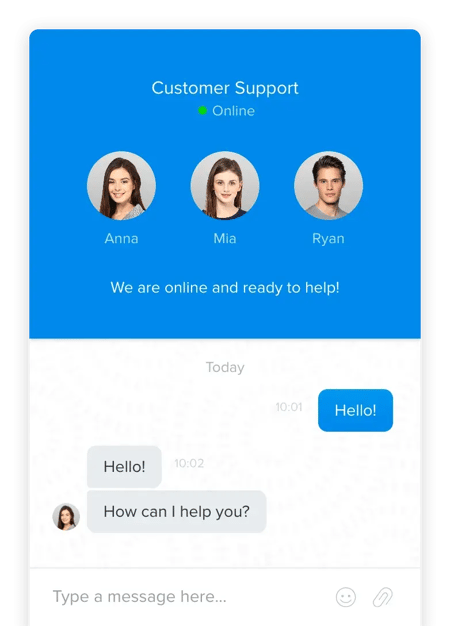
Chaport positions itself as a modern messenger for websites, with the look and feel of a consumer chat app rather than a traditional support tool. Two features stand out for service teams: auto-invite messages that proactively reach visitors based on behavior rules (page, time on site, referrer), and group chat that lets multiple operators or specialists join the same conversation in real time without breaking context.
Beyond those, Chaport covers the basics — customizable widget, chat routing and transfer, visitor info tracking, and multi-channel messaging across Facebook, Telegram, Viber, and email — all from one shared inbox.
Key Features
- Auto-invite messages: Proactively send chat invitations to visitors based on configurable behavior triggers and targeting rules.
- Group chat: Multiple operators can join the same conversation in real time, useful for looping in product specialists without forcing the customer to repeat themselves.
- Multi-channel inbox: Manage chats from website widget, Facebook Messenger, Telegram, Viber, and email in a single shared workspace.
Best for: Small to mid-sized businesses that want a modern, messenger-style chat tool with strong proactive engagement and a clean operator interface.
Pricing: Free plan available for two operators. Pro starts at $29/month (annual) or $39/month (monthly) for four operators; Unlimited plan starts at $99/month (annual) for unlimited operators.
What sets it apart: The group chat feature. Most live chat tools handle escalation through chat transfer, which forces the customer to re-explain the issue to a new rep. Chaport’s group chat keeps the original operator on the line and brings in the specialist alongside, which is faster for the customer and less frustrating for the team.
7. Freshchat
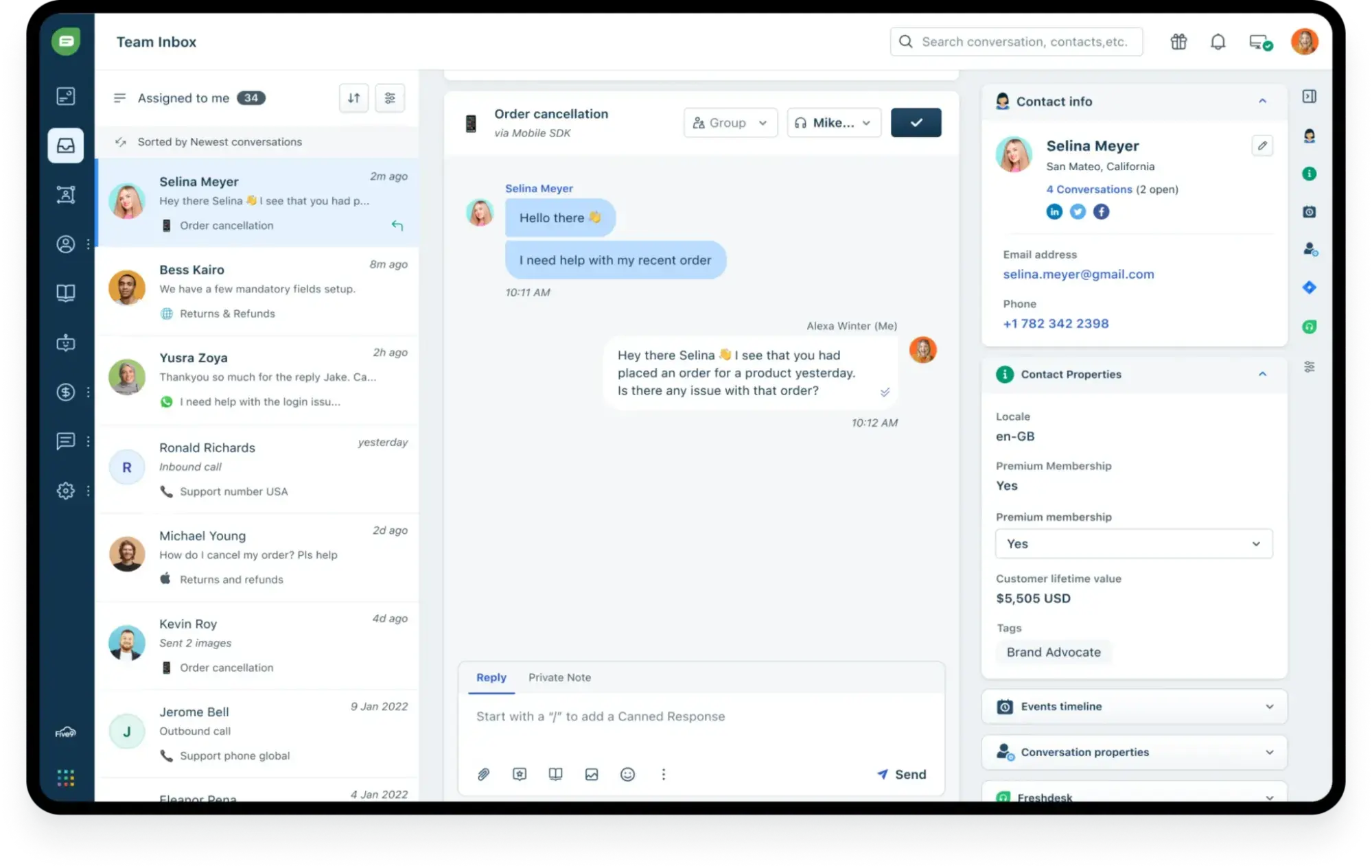
Freshchat is Freshworks’ live chat and messaging product, built around omnichannel coverage and behavioral targeting. Beyond the website widget, it routes WhatsApp, Instagram, Facebook Messenger, SMS, and in-app messages into a single inbox so customers can switch channels mid-conversation without restarting context. User segmentation triggers proactive messages based on behavior, demographics, or in-product actions, which makes it useful for teams running engagement campaigns alongside reactive support.
Freshchat integrates natively with the rest of the Freshworks suite (Freshdesk, Freshsales) and connects to HubSpot CRM via Zapier for teams already on HubSpot. Freddy AI chatbots and AI Copilot are available as add-ons for automation and agent assistance.
Key Features
- Omnichannel inbox: Manage chats from website, WhatsApp, Instagram, Facebook Messenger, SMS, and in-app messages in one shared workspace.
- User segmentation and proactive triggers: Send targeted messages based on visitor behavior, demographics, and in-product actions — useful for onboarding flows and lifecycle campaigns.
- Freddy AI Agent and Copilot: Add-on AI tools that handle routine inquiries, summarize threads, and suggest agent replies (sold per session and per agent).
Best for: Growing businesses, SaaS companies, and digital-first teams that want omnichannel messaging and lifecycle engagement, not just reactive live chat.
Pricing: Free plan available. Paid plans start at $19/agent/month (Growth, billed annually); Pro at $49/agent/month and Enterprise at $79/agent/month.
What sets it apart: The omnichannel breadth at the entry tier. Most live chat tools either start with website-only and force an upgrade for WhatsApp and Instagram, or charge extra per channel. Freshchat includes most major messaging channels in the Growth plan, which is a real cost advantage for teams selling across regions where messaging-app preference varies.
8. Comm100
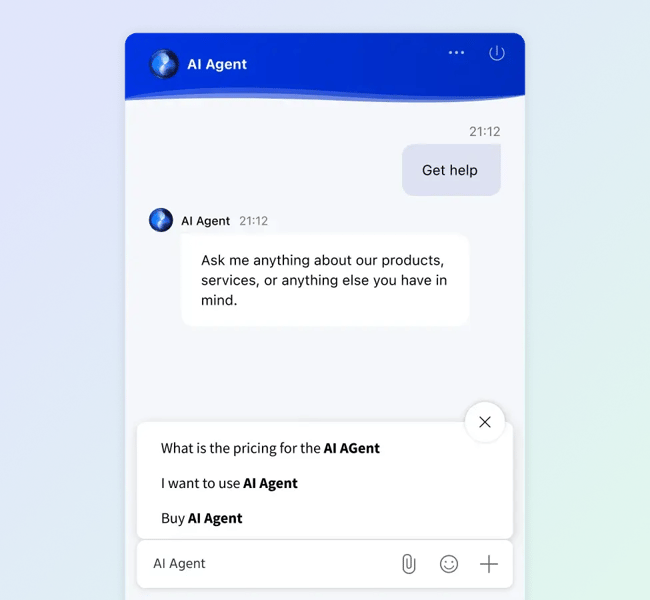
Comm100 is enterprise-leaning live chat software built for organizations with multilingual customers and high security requirements. It serves commercial, government, and nonprofit teams that need compliance controls alongside the chat fundamentals. Two features set it apart: built-in real-time translation that lets one agent handle conversations in any language without specialized hires, and an AI Agent that Comm100 says can resolve up to 80% of routine conversations before they reach a human.
Audio and video chat, screen sharing, customer prioritization, and customizable widgets round out the platform. Integrations connect to most major CRMs and help desk tools.
Key Features
- Real-time translation: Automatically translates messages between agent and visitor across dozens of languages, eliminating the need to hire language-specialized reps.
- AI Agent and Copilot: Comm100’s AI handles routine conversations end-to-end, while Copilot suggests context-aware replies for human agents on more complex chats.
- Customer prioritization: Flags high-value or returning users so reps know who they’re working with and can route conversations accordingly.
Best for: Global enterprises, government agencies, and nonprofits that need multilingual support, AI handling, and strong security and compliance controls.
Pricing: Plans start at $29/agent/month for the Team tier; $49/agent/month for the Business tier; and custom pricing for Enterprise.
What sets it apart: Real-time translation is one of the few live chat features that genuinely solves a hiring problem. Most teams handling multilingual customer bases either hire language-specialized agents at premium rates or route customers to localized teams with longer wait times. Comm100 lets one agent handle any conversation, in any language, in real time.
9. Zoho Desk
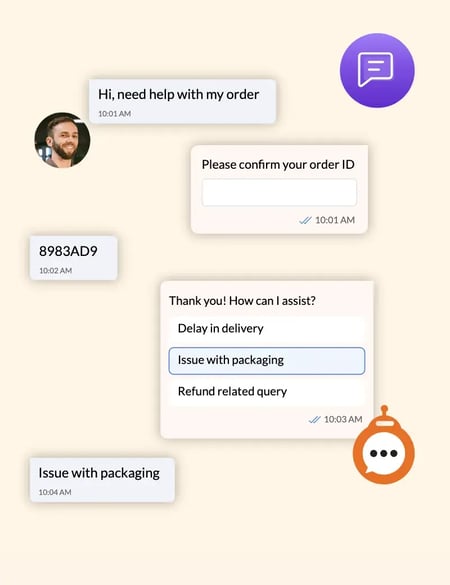
Zoho Desk is a help desk software with built-in live chat through Zoho SalesIQ. It’s better suited for teams that need ticketing as their core workflow and live chat as a supporting channel. Its strongest feature is one-click conversion. Any chat conversation can become a tracked support ticket, automatically picking up the customer’s account history, prior tickets, and SLA timer.
Zoho Desk also supports multi-brand chat widgets, so teams running several websites or product lines can deploy branded chat experiences separately from a single dashboard. Post-chat surveys automatically collect customer feedback, and integrations connect to most major CRM, ecommerce, and productivity tools.
Key Features
- Chat-to-ticket conversion: One click turns any live chat into a tracked support ticket with full customer history attached.
- Multi-brand chat widgets: Deploy separately-branded widgets across multiple websites or product lines from a single Zoho Desk account.
- Zia AI assistant: AI-powered features include sentiment analysis on chats, an Answer Bot for common questions, and auto-tagging for categorization (Enterprise plan only).
Best for: Teams that prioritize ticketing as the core support workflow and want live chat as a connected channel rather than a standalone tool.
Pricing: Live chat is included in the Enterprise plan at $40/agent/month (billed annually) or $50/agent/month (billed monthly). Free plan and lower tiers don’t include live chat.
What sets it apart: The chat-to-ticket conversion is genuinely seamless because Zoho built both pieces. Most live chat tools offer help desk integrations that work most of the time. Zoho’s chat and ticketing share the same underlying data model, so customer history, SLAs, and team assignments carry across without sync issues.
10. Podium
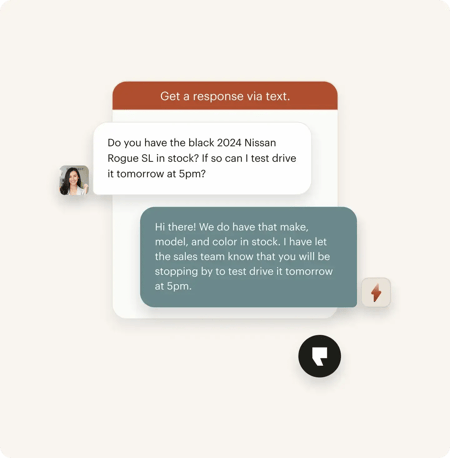
Podium’s Webchat is built for local service businesses (auto, dental, home services, retail) that want to convert website visitors into ongoing text-message conversations rather than confining them to a chat session. When a visitor starts a chat, Podium captures their phone number and continues the conversation via SMS so reps don’t lose contact when the visitor closes the tab, and customers don’t have to stay on the page to keep talking.
Podium’s broader platform includes review management, payment links, and an AI-powered “AI Employee” that handles after-hours conversations across chat, voice, and SMS. Everything routes into a unified inbox shared by the team.
Key Features
- Webchat-to-text conversion: Captures the visitor’s phone number during the chat and continues the conversation via SMS, eliminating the “closed tab = lost lead” problem.
- AI Employee (add-on): Handles 24/7 customer conversations across chat, voice, and SMS, including after-hours scheduling and FAQ answers.
- Unified inbox: Manages text, webchat, social media, and reviews in one shared workspace across team members and locations.
Best for: Local service businesses, multi-location franchises, and retail teams that prioritize lead conversion and ongoing customer relationships over traditional support ticketing.
Pricing: Core plan starts at $399/month (up to 2 locations); Pro plan at $599/month (up to 5 locations); Signature plan with custom pricing for larger operations. AI Employee add-on starts at $99/month.
What sets it apart: The webchat-to-text mechanic is a genuinely different take on the “lost lead” problem. Most live chat tools accept that visitors who close the tab are gone. Podium turns the chat into a text thread that persists outside the browser, which aligns with how local service customers actually communicate.
11. ProProfs Chat
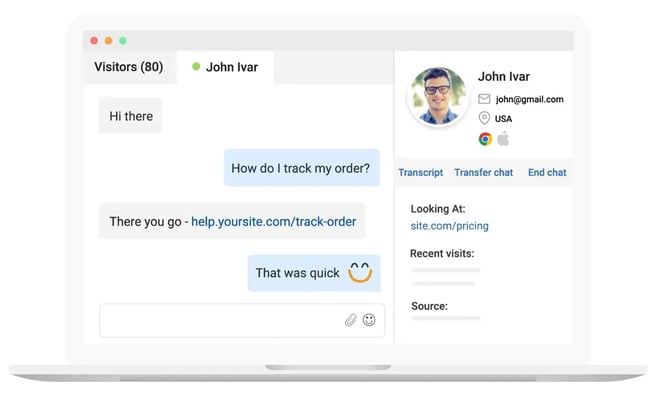
ProProfs Chat is a live chat tool that integrates tightly with two ProProfs sister products — Help Desk and Knowledge Base — to give small teams a full support stack at a single price point. Standout features include announcement campaigns (which push promotions or updates through the chat widget itself, with per-announcement reporting) and an AI chatbot add-on that handles routine questions before they reach an operator.
Beyond those, ProProfs covers the live chat fundamentals: customizable widget, proactive greetings, canned responses, real-time visitor tracking, and integrations with most major CRMs.
Key Features
- Announcement campaigns: Push promotions, product updates, or event notifications directly through the chat widget, with reporting on how each announcement performs.
- Proactive chat greetings: Automatically initiate conversations with visitors based on behavior triggers, helping convert browsers into leads.
- Chatbot automation: Pre-built chatbots handle common questions and route conversations, reducing operator workload while integrating with ProProfs Help Desk and Knowledge Base.
Best for: Small to mid-sized businesses and support teams that want an affordable live chat tool with built-in automation, proactive engagement, and strong reporting.
Pricing: Free plan for a single operator (with all premium features). Team plan starts at $19.99/operator/month, billed annually.
What sets it apart: The free plan is unusually generous. Most “free” tiers in this space cap at one operator with stripped-down features. ProProfs gives single-operator users access to everything, which makes it a real option for solo operators or pre-launch testing rather than a marketing teaser.
12. Tidio
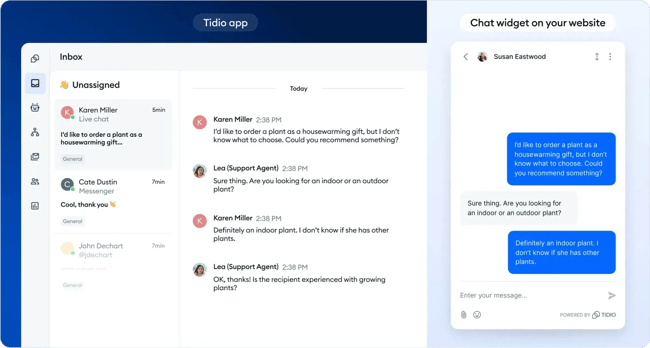
Tidio is a live chat and chatbot platform built for ecommerce. It integrates natively with Shopify, WordPress, Wix, and most other major site builders. The standout feature is “Lyro,” Tidio’s AI agent that handles routine customer questions automatically. Real-time visitor tracking and the “Viewed pages” history give reps context on what each visitor was looking at before opening the chat, which helps tailor responses without playing 20 questions.
Setup is no-code: install the widget, customize the appearance, and start chatting in minutes. Multi-channel messaging routes website chat, Facebook Messenger, Instagram, and email into one shared inbox.
Key Features
- No-code setup: Install the chat widget and start chatting in minutes — no developer required, even for advanced configuration.
- Real-time visitor tracking: See which pages each visitor has viewed before they start a chat, with “Viewed pages” history surfacing browsing context inline.
- Lyro AI agent (add-on): Handles common questions automatically using your knowledge base, with usage measured in AI conversations rather than per-seat fees.
Best for: Small to mid-sized businesses, online stores, and ecommerce teams that want a quick-to-implement chat tool with strong visitor insights and optional AI automation.
Pricing: Free plan available (50 conversations/month). Starter at $29/month (annual billing); Growth at $59/month; Plus at $749/month; Premium at $2,999/month. Lyro AI is a separate add-on starting at $39/month.
What sets it apart: Quick setup with real-time visitor insights; multi-channel integration and chatbot automation make Tidio especially flexible for growing teams.
Check out more free live chat apps here.
Frequently Asked Questions About Live Chat Apps for Customer Support
What are chat support tools?
Chat support tools are software platforms that enable businesses to communicate with customers in real time through messaging on their website, mobile app, or other digital channels. These tools typically include features like live agent messaging, automation, chatbots, conversation routing, and integrations with CRM and help desk systems. They help support teams resolve issues faster, improve customer satisfaction, and capture leads or feedback during interactions.
What is the best live chat platform?
The best live chat platform depends on team size, goals, and existing tech stack. Smaller teams need simplicity and quick setup; larger or scaling teams need advanced automation, reporting, and omnichannel support. HubSpot’s Live Chat sits inside a connected CRM platform, which fits teams that want unified customer data, built-in reporting, and clean handoffs between marketing, sales, and support.
The best platform overall is the one that integrates deeply with the rest of a team’s stack, supports both human and AI-driven conversations, and scales with support operations as they grow.
How do I implement live chat on my website?
Implementing live chat typically involves signing up for a provider, customizing the chat widget, and adding a small snippet of code to a website. Most platforms also offer plug-and-play integrations with popular CMS and website builders. Once installed, service teams can configure chat triggers, assign agents, and connect the tool to a CRM or help desk to start managing conversations and capturing customer data.
How much does live chat software cost?
Live chat software pricing varies widely depending on features, team size, and usage. Free live chat plans typically include a basic chat widget and limited seats or features. Paid live chat plans typically add advanced routing, automation, AI chatbots, integrations, and deeper reporting. Customer service leaders should consider the total cost of ownership — including add-ons for integrations, reporting, or additional seats — since these can substantially affect the overall investment.
Are live chat support jobs legitimate?
Yes, live chat support jobs are legitimate and widely used by companies to provide remote customer service. Many organizations hire dedicated chat agents or outsource support to third-party providers. However, as with any remote job, it’s important to watch for scams. Legitimate roles will come from verified companies, won’t require upfront payments, and will clearly outline responsibilities, compensation, and communication channels.
How can I become a live chat support agent?
Becoming a live chat support agent typically requires strong written communication skills, problem-solving ability, and basic familiarity with customer service tools. Many roles require a high school diploma or equivalent; some prefer prior support experience. Candidates can find opportunities through company career pages, job boards, or remote work platforms. Gaining hands-on experience with help desk or chat software improves the odds of landing a role.
What’s the difference between live chat and chatbots?
Live chat involves real-time conversations between customers and human agents. Chatbots are automated systems that respond to inquiries using predefined rules or artificial intelligence. Live chat is best for complex or sensitive issues that require human judgment; chatbots excel at handling repetitive questions, capturing information, and providing instant responses at scale.
Many platforms let teams use both together. HubSpot’s Live Chat, combined with HubSpot’s Chatbot Builder, for example, lets chatbots qualify or route conversations before handing them off to a human agent.
Use Live Chat Apps to Improve Customer Experience
Adding a live chat app to a website is essential for delivering a modern, responsive customer experience. With live chat, support teams respond faster, stay accessible to website visitors, and resolve issues before they escalate. Live chat closes the gap between customer expectations for immediacy and a team’s ability to deliver efficient, high-quality support at scale.
The most effective live chat tools combine real-time conversations with automation, personalization, and CRM integration. HubSpot’s Live Chat lets service teams centralize conversations, capture customer data, and maintain context across every interaction. Paired with HubSpot’s Chatbot Builder, automation handles common inquiries and qualifies leads. These tools free reps for complex, high-impact conversations.
Live chat is no longer just a support channel; it’s a driver of customer satisfaction and growth. Combining human support with smart automation creates faster, more cohesive experiences that meet customers where they are.
Editor’s note: This post was originally published in February 2019 and has been updated for comprehensiveness.
Live Chat