
With roughly 1.4 billion websites online, standing out takes a site that looks sharp and works well. The good news: the right web design software makes that reachable, whether you’re a beginner or a seasoned designer.

Website design software now spans everything from pure design tools to all-in-one website builders, and Content Hub is HubSpot’s solution for people who want to design, build, and publish in one place (without learning how to code). In this post, I’ll walk you through what to look for in the best web design software, then share the tools I’d actually recommend, from free options to professional picks you can try yourself.
Table of Contents
- Summary: Free Web Design Software at a Glance
- What is website design software?
- Best Web Design Software: Features to Look For
- Best Free Web Design Software
- How to Choose the Best Website Design Software
- Frequently Asked Questions: Free Software Web Design
Summary: Free Web Design Software at a Glance
Web design software includes website builders, design tools, and AI website generators. The best web design software now blends those functions: full builders like HubSpot Content Hub, Wix, and WordPress let you design, build, and publish a live site with optional AI assistance, while design-first web design tools such as Figma, Framer, and Webflow have added publishing of their own.
Which option fits comes down to your skill level and whether you want a pure design tool or an all-in-one builder. The table below compares every tool in this guide at a glance, from beginner web design software to professional web design software. Pricing changes often, so verify current figures on each vendor’s official site before you commit. Ready to start building? Get started for free with Content Hub.
What is website design software?
Website design software is any tool that helps with designing and launching a website, from wireframing and prototyping to building and editing the visual elements on a page. It spans three broad types: website builders, design tools, and AI website tools. The line between them is blurring: full builders like Content Hub, Wix, and WordPress design, build, and publish in one place, while design-first tools such as Figma and Framer now publish too.
HubSpot's Free Website Builder
Create and customize your own business website with an easy drag-and-drop website builder.
- Build a website without any coding skills.
- Pre-built themes and templates.
- Built-in marketing tools and features.
- And more!
Website Builders vs. Design Tools
A website builder creates the functional, public site your visitors use, usually through a no-code visual editor. Design tools focus on the look. Figma and Sketch produce wireframes, mockups, and prototypes during the design phase, and you would then move to a builder or code to go live. Some design tools now publish directly, as the entries below show.
Who Needs Web Design Software
Both professionals and beginners use web design software. Web designers and developers reach for design tools like Figma and Sketch, while solo business owners and marketers usually do better with a website builder such as Content Hub or Wix that handles design and hosting together. If that sounds like you, our guide to the best website builders for small businesses can help you narrow the field.
Free vs. Paid Options
Here are some web design software tools with free options:
- Content Hub
- Figma
- Wix
- Dorik AI
Here are some web design software with paid options (you’ll see some overlap with the above list!):
- Content Hub
- Figma
- Wix
- Dorik AI
- Sketch
In this post, I’ll include different types of web design software so that there’s something for everyone. Basically, whether you’re just looking for an offline tool to help you with design, an AI tool to do the work for you, or you’re looking to actually build and launch a website, you’ll find some great options on this list.
Best Web Design Software: Features to Look For
What makes the best web design software so effective? When considering different web design tools, here are a few capabilities and features I think are important to look out for.
Visual Editor
Web design primarily focuses on the visual aspect of websites, as opposed to the content management or development side. As such, good web design software should include a visual editor that allows you to design seamlessly. There’s no need to touch actual code (unless you want to).
All of the software on my list has a visual editor. If you are looking to interact with your website and make changes without knowing how to code, a good visual editor is a must.
Templates
A piece of great web design software will offer you a point to work off. Because this type of software is meant to be beginner-friendly, you shouldn’t have to start from scratch. That’s where templates come in.
The best web design software will offer various templates for you to create a site that looks and feels the way you envision it. Templates are also beneficial for designers who are just starting out and want something to build on.
It’s also important that the design software you choose has a template design that you actually like. Would you rather have a million templates to choose from that you’ll never use? Or one beautiful template that you know will help you make the most of your website?
AI Website Design Tools
AI has moved from a bonus feature to a core evaluation factor in web design software. A few years ago, built-in AI meant a copy generator tucked in a side menu. Today, AI website builders inside tools like Framer, Webflow, Wix, and Content Hub can turn a short prompt into a starting layout, complete with draft copy and images.
When you compare tools, treat AI capability as one of your primary criteria. Look at what the AI actually produces: Does it generate a full starter site with editable sections, or just isolated snippets? A quality AI website builder gives you a real head start.
I still haven’t seen AI build an entire website from scratch that I’d publish as-is, so you’ll edit the output. But the quality of that first draft now varies enough between tools that it belongs among your first evaluation criteria.
Fonts and Graphics
You shouldn’t feel short-changed when trying to use a free web design tool. It’s imperative that you have access to the fonts and graphics you need to create a stunning prototype or wireframe. Your web design tools should offer you plenty of options for fonts and graphics. If they don’t, you should look for an alternative. Check out our list of the best graphic design software, too.
Some web design tools will also include hosting services, SSL certificates, content management tools, and domain names. Others will only offer tools for wireframing and visual design. And still others are only designed for writing code.
Whether you’re looking for an all-in-one solution or a standalone design tool, I’ve got you covered with this list of top web design software.
HubSpot's Free Website Builder
Create and customize your own business website with an easy drag-and-drop website builder.
- Build a website without any coding skills.
- Pre-built themes and templates.
- Built-in marketing tools and features.
- And more!
Best Free Web Design Software
With so many tools available, it can be overwhelming to decide which are worth your time. That’s why I’ve reviewed and curated a list of some of the best free software for web design.
To make it easier for you to find the best tool for your specific situation, I’ll divide this list into four subsections:
- Best Free Web Design Software for Beginners
- Simple Free Web Design Software
- Code Free Web Design Software
- Professional Web Design Tools
Let’s begin.
Best Free Web Design Software for Beginners
Top pick: Content Hub makes a great option for all-in-one web design software. You can build your site using templates or AI and customize everything using a code-free interface. Beyond web design, you also get lots of marketing, sales, and service features to help make your website a success, making it a great option for businesses looking for the best website builder for growth.
1. Content Hub: Best All-in-One Web Design Software for Beginners
Pricing: Free plan available (up to 2 users, no credit card required). Based on annual billing, the Starter plan is normally $20/mo/seat, but HubSpot is offering a limited-time deal for new customers to get Starter for just $7/mo/seat; Professional is typically $500/month with 3 Core Seats included and has a limited offer of $450/month; and Enterprise is $1,500/month with 5 Core Seats included. (verify current pricing)
OS: Any (web-based)
Get started with Content Hub for Free
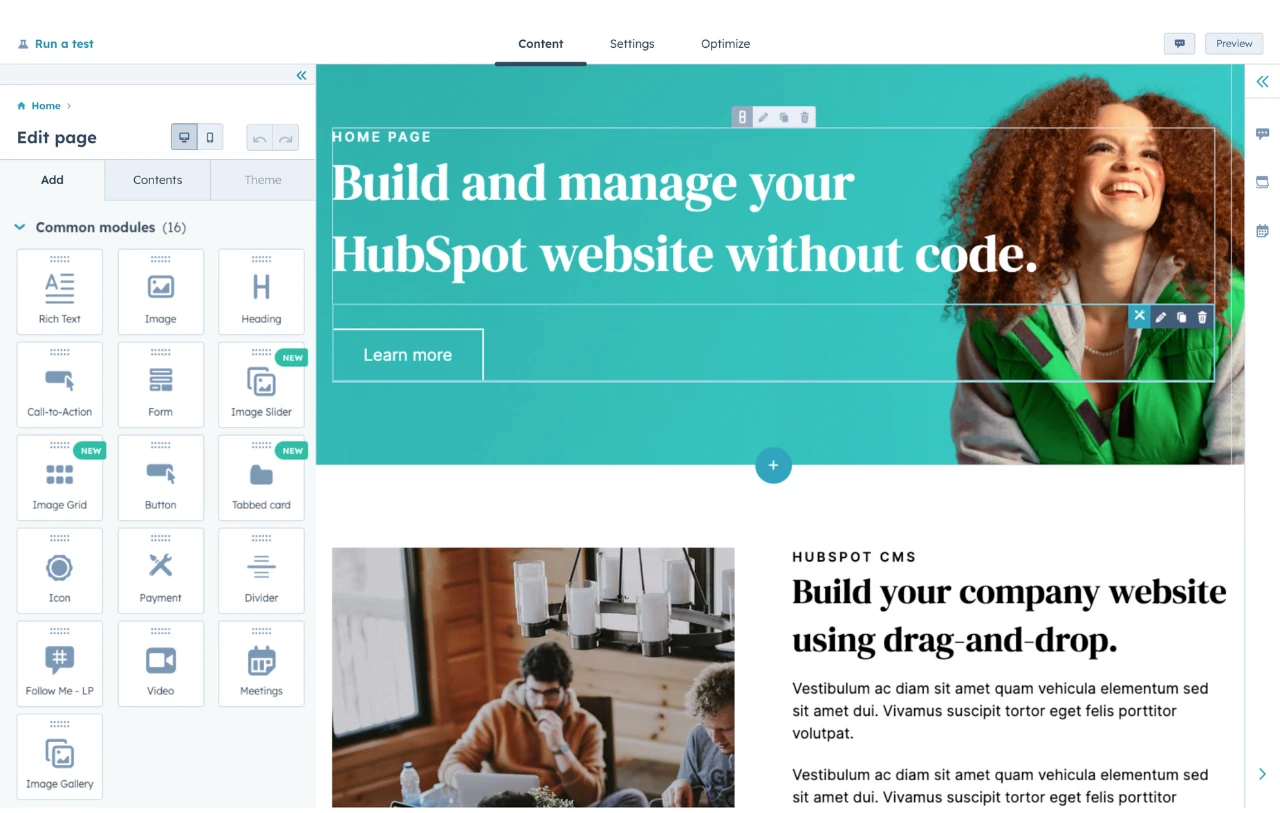
If you want a website builder and content management system in one, Content Hub is my top choice. You get a visual drag-and-drop editor, a large template library, and a bundled SSL certificate, so you can design, build, and publish a site without touching code. That combination is why it sits at the top of my list for beginners.
What separates Content Hub from a standalone builder is where it lives. Content Hub is built on HubSpot’s Smart CRM, so your website runs on the same customer records as Marketing Hub, Sales Hub, and Service Hub. In practice, a form on your site can create or update a contact automatically, and your content, email, and traffic reporting all draw on that same customer data instead of a separate stack of tools. For a small team, that means one system to learn instead of five.
According to Sean Landry, former principal product designer at HubSpot, that integration is the whole point. “HubSpot offers an all-in-one solution,” he says. “Since the CMS is part of the platform, it keeps your content and your customers in the same place. Knowing how your customers are interacting with your content allows for seamless data management and automation across Sales, Marketing, and Customer Service.”
Content Hub also includes AI tools that speed up the parts of web design that usually stall beginners. Its AI website generator turns a short prompt into a starter site, and HubSpot’s AI powers tools that draft copy and generate images directly in the editor. I still don’t think any AI builder spits out a finished site you’d ship as-is, but as a jumping-off point, these tools can save time.
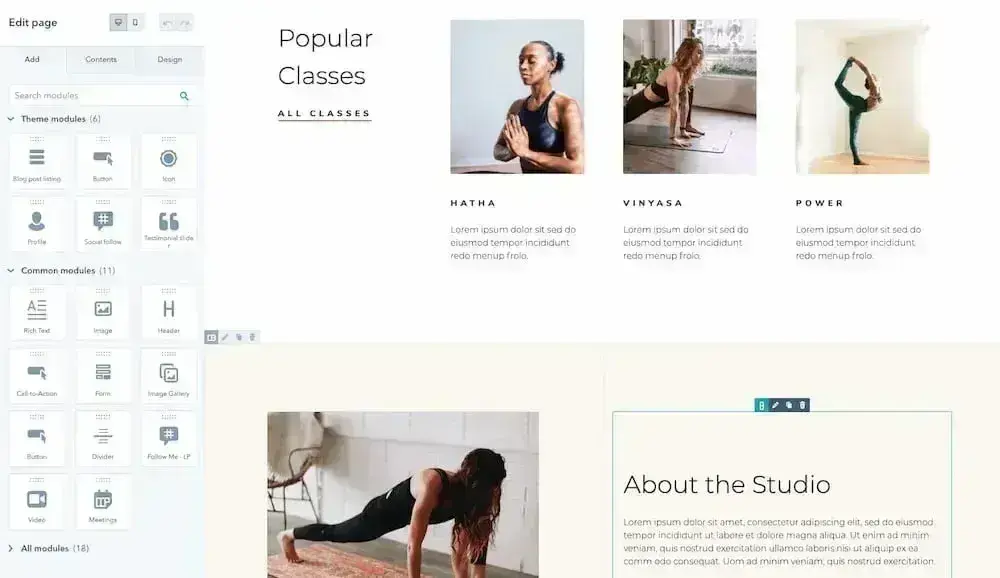
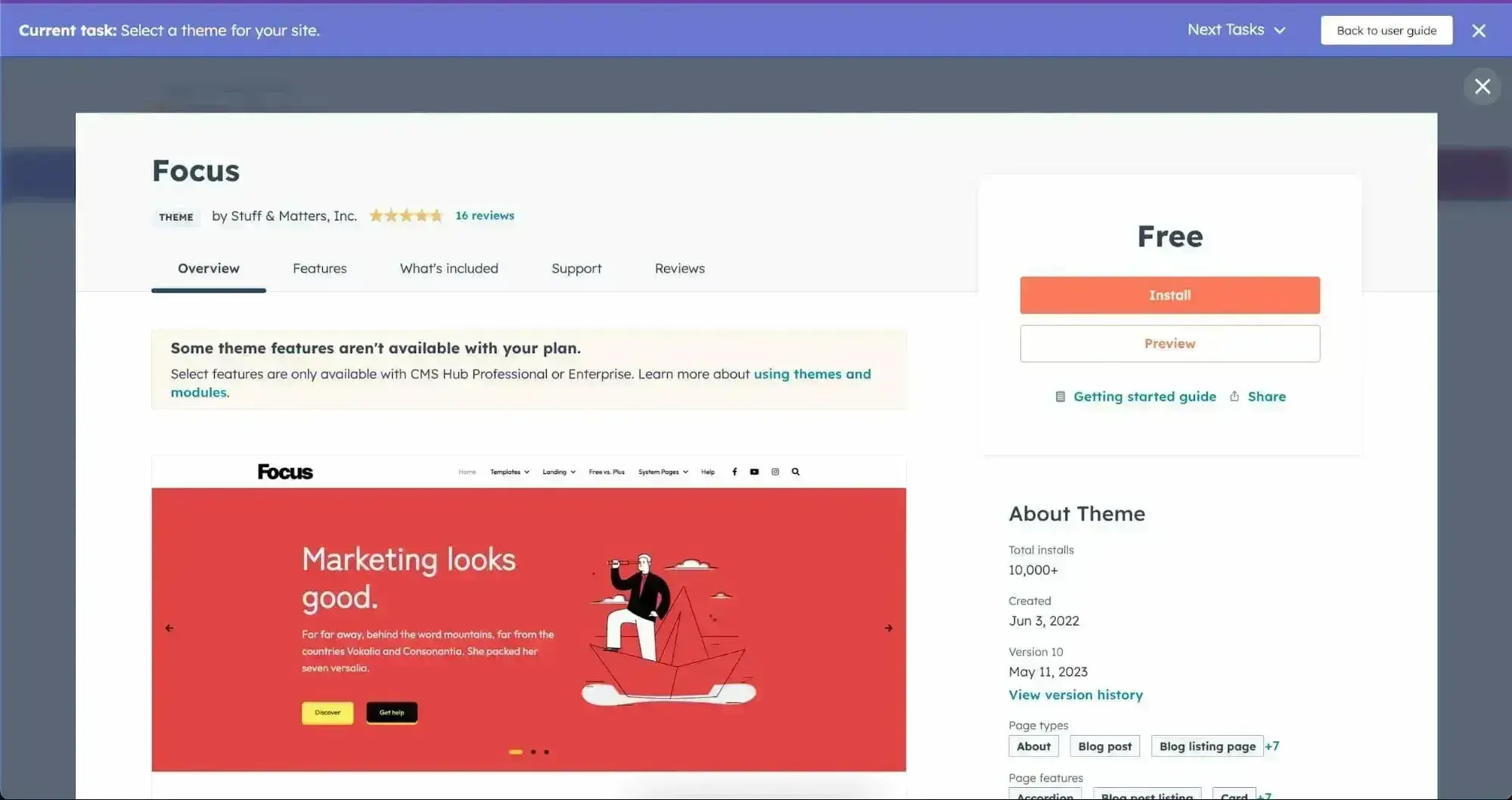
Here’s a look at my own Content Hub site from start to finish. I don’t write a line of code, and after installing a theme, I get to pick from landing pages, an about page, a contact page, and a homepage, then customize each one.
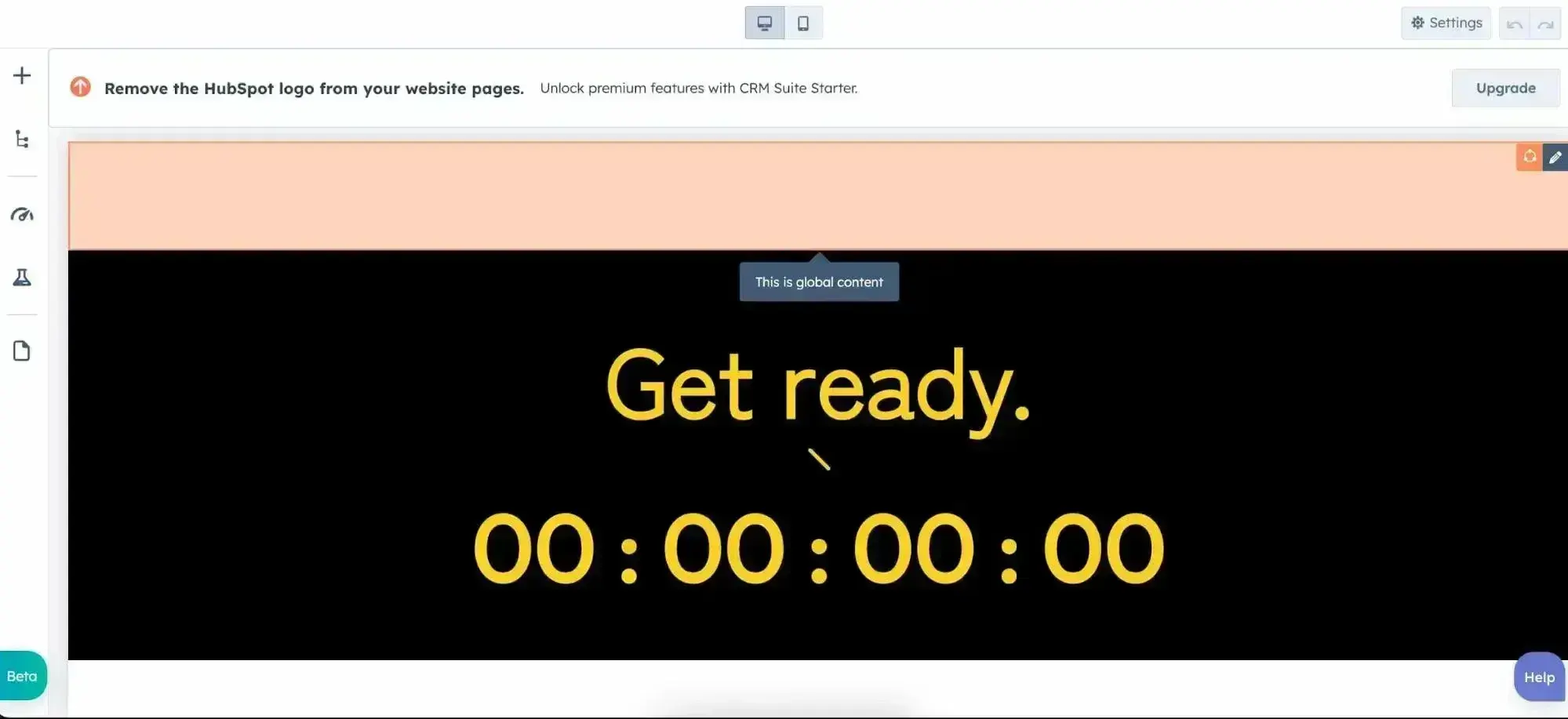
Everything is editable, down to widgets like a countdown timer.
That hand-holding is a blessing or a curse, depending on your experience. If you’re newer to web development, it’s ideal. If you’re advanced and want deep custom control, one of the design-first tools below will suit you better. You can browse the Content Hub web design inspiration showcase to see real examples of what it can produce.
Content Hub Core Functionalities
- Free website maker
- Drag-and-drop builder
- Template library
- Content management and URL mapping
- Analytics reporting
- HubSpot’s AI tools, including an AI website generator, AI content writer, and AI image generation
- User registration and membership
- Native integration with HubSpot’s Smart CRM, Marketing Hub, Sales Hub, and Service Hub
Content Hub Pros
- All-in-one CMS: design, build, host, and manage a site in one place
- No coding required, thanks to the drag-and-drop editor
- A healthy selection of templates
- Built on HubSpot’s Smart CRM, so your content and customer data live together
- Hosting and an SSL certificate are included
- HubSpot’s AI tools for drafting copy, generating images, and spinning up a starter site
- Strong personalization options for creating better visitor experiences
HubSpot's Free Website Builder
Create and customize your own business website with an easy drag-and-drop website builder.
- Build a website without any coding skills.
- Pre-built themes and templates.
- Built-in marketing tools and features.
- And more!
Content Hub Cons
- The free plan includes HubSpot branding
- Premium plans may cost more than other paid options on this list (though that includes hosting)
- You don’t get much customization beyond the templates
Why I Picked It
Content Hub gives you one tool to both design and publish a website, which saves setup time. Because it’s built on the free HubSpot Smart CRM, you also get marketing tools you won’t find in most website builders. I’d recommend it to solopreneurs, small and midsize businesses, and anyone curious about starting a site who wants room to grow without bolting on more tools later. If you run a small business, our guide to website management for small business covers what keeping a site running day to day involves.
2. WordPress: Best Open-Source Web Design Software
Pricing: Free
OS: Any (web-based)
WordPress is an open-source content management system that makes it easy to set up a website in minutes.
There are thousands of free plugins available to download and install so that you can extend the functionality of your site. By taking advantage of plugins, the entire site customization process is streamlined. In other words, you don’t need coding skills to start designing.
WordPress is free to use, but there are other costs associated with building and running a site on the platform. For example, you’ll need to purchase your own web hosting at the absolute minimum. Read our WordPress cost breakdown for more information.
You can find free WordPress hosting, but I don’t recommend free hosting for a serious website. Outside of hosting, though, you can build a very functional website using just the free software and free plugins and themes.
Landry shares some of his favorite WordPress features, including how the tool is “free to use, [and has] lots of available tools to either host your own site or use a hosted solution. They have a large community of users to help troubleshoot problems and an extensive library of plugins that makes extending your site really easy without needing to know how to code.”
If you’ve ever even thought about building a website, you’ve heard of WordPress. The astounding number of plugins and themes can be intimidating to a newcomer, but seasoned veterans will find the number of options preferable.
If you want to install your own plugins and themes, you’ll need to either self-host the WordPress software on your own web hosting or choose a paid plan at WordPress.com.*
*“WordPress” and WordPress.com are different — you can learn about those differences here.
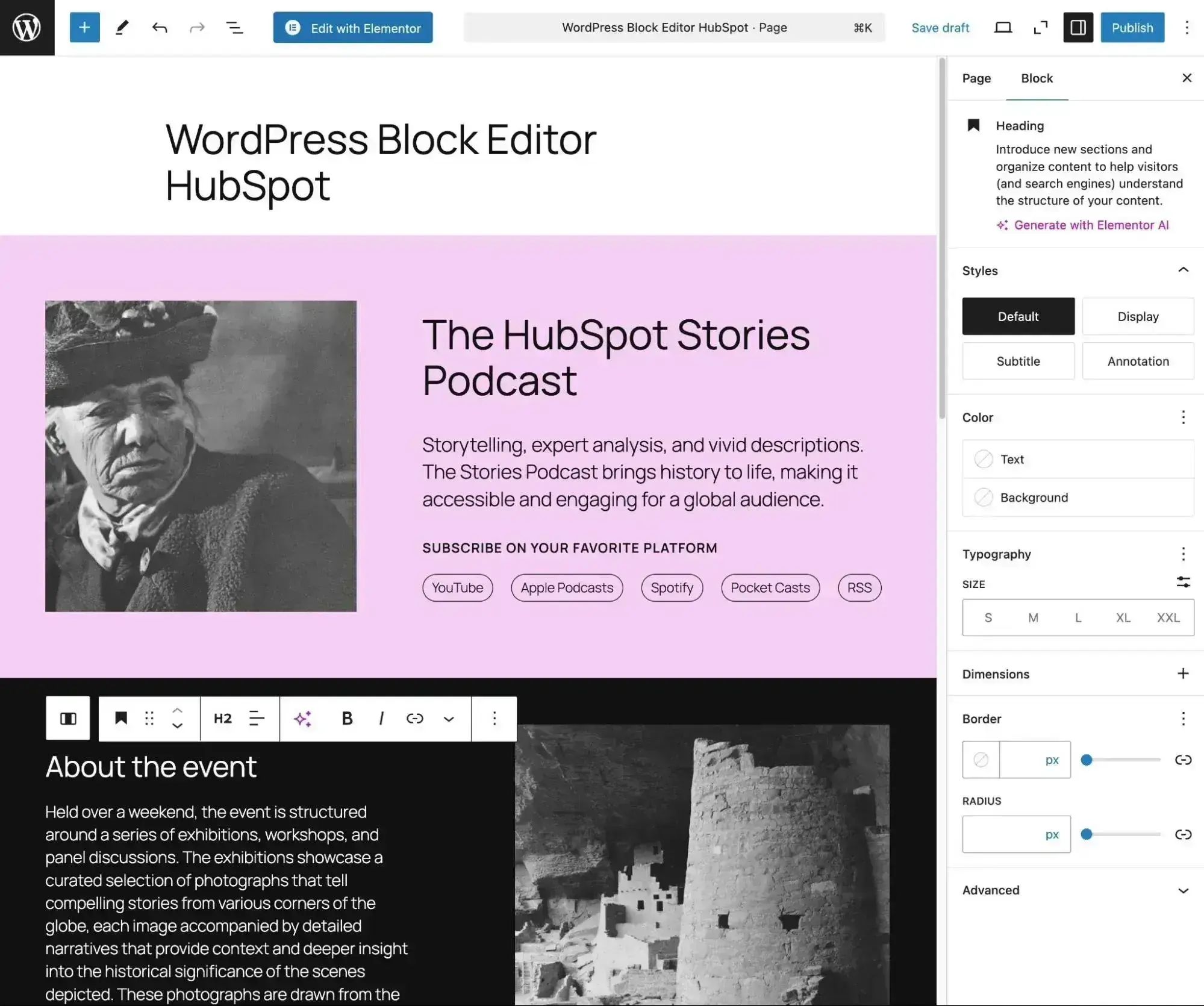
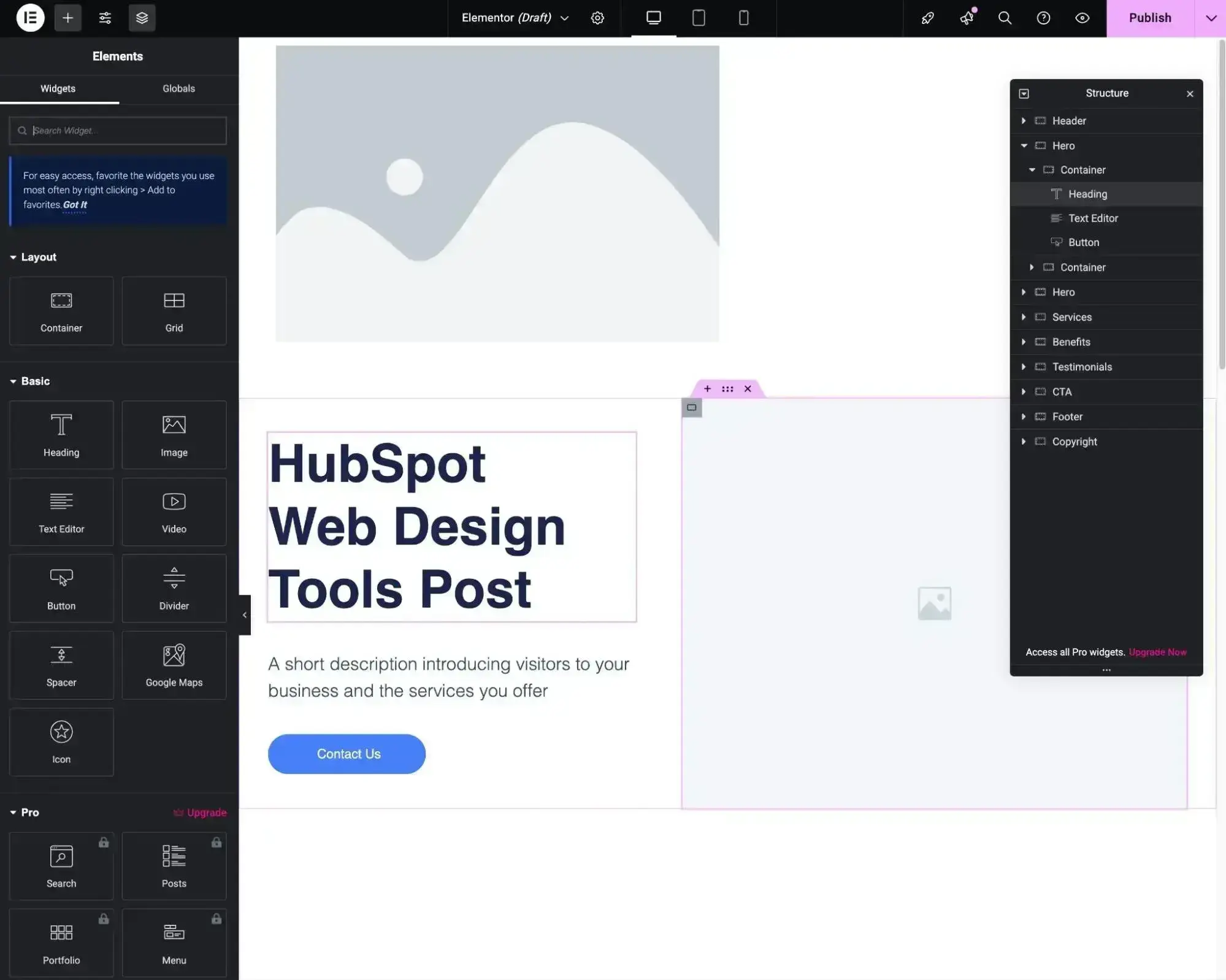
I also love how many different design experiences there are for WordPress. For example, here’s what it looks like to use the popular Elementor visual builder.
WordPress Core Functionalities
- Content management
- Pre-made website design themes
- Visual drag-and-drop design experiences
- User registration and membership
- Integrations for many third-party services, including HubSpot
WordPress Pros
- Most popular CMS on the internet — over 40% of the internet uses WordPress
- Since WordPress.org is not a host, you’re not locked into one web host; you can migrate your site elsewhere
- Highly customizable and configurable thanks to its open-source build
- You can find thousands of pre-made themes, or you can design your own from scratch
- There are 70,000+ free plugins to extend WordPress in all kinds of ways, plus tons of additional premium plugins
- SEO-friendly with built-in integration and plugins to help maximize your search ranking
- Can easily access AI functionality via WordPress plugins
- Lots of different web design plugins, including visual builder plugins like Elementor
- Can easily integrate with marketing tools that you’re using, such as HubSpot
WordPress Cons
- The WordPress CMS is free, but you’ll still have to pay for good hosting
- You can rack up the costs with plugins and templates, depending on your website’s needs
- You’ll be responsible for basic maintenance, unless you pay for a maintenance service
- You need to handle website performance optimization yourself — check out our website optimization checklist to learn what you’ll need to do
Why I Picked It
WordPress gives you a lot of flexibility when building a website. It also lets you access many additional web design tools via third-party page builder plugins such as Elementor and Divi, which give you a ton of options for designing your website. Basically, I think it’s hard not to include one of the most flexible website-building/designing tools.
I think WordPress can be a good option for individuals and businesses who want the most flexibility and ownership. This is because you can self-host the WordPress software on your own web hosting and easily extend it with thousands of themes and plugins.
However, if you’re looking for the absolute simplest website design experience out there, you might be happier with one of the SaaS website design tools on this list, such as HubSpot Content Hub or Wix.
HubSpot's Free Website Builder
Create and customize your own business website with an easy drag-and-drop website builder.
- Build a website without any coding skills.
- Pre-built themes and templates.
- Built-in marketing tools and features.
- And more!
3. Wix: Best Simple Website Builder
Pricing: Based on annual billing, the Light plan is $17/month, Core is $29/month, Business is $39/month, and Business Elite is $159/month. There’s a 14-day money-back guarantee.
OS: Any (web-based)

An affordable, easy-to-use WordPress alternative, Wix is a website builder offering free and premium plans. Similar to WordPress, Wix makes it possible to build all kinds of sites, including stores and blogs, in just a few minutes. But, the experience of managing a Wix site will be very different from WordPress.
Most notably, Wix is a hosted SaaS website builder, rather than self-hosted software like WordPress. Instead of needing to install software onto your own web hosting like WordPress, Wix will handle everything for you, including updates, maintenance, backups, security, and so on. This can make it a better option for non-technical users, which is why I chose it as the best simple website builder.
Wix has also really embraced AI, which I think makes it a good option for people who are interested in AI web design software. If you don’t want to design your website yourself, you can use Wix’s AI website builder to generate one for you.
There are some downsides to Wix, which I’ll discuss in the “Cons” section below. But if simplicity is what you’re after in web design software, Wix should definitely be on your shortlist.
Wix Core Functionalities
- Drag-and-drop web design
- Pre-made website templates
- AI website builder option
- User registration and membership
- Ecommerce and online payments
- Third-party app marketplace for extensibility
Wix Pros
- Simple drag-and-drop website builder aimed at helping anyone build a high-quality online presence
- Wix handles hosting and security for you, unlike a tool like WordPress
- More than 2,000 website templates
- If you don’t want to design your site yourself, there’s also an AI website builder option
- Built-in (and many AI-powered) tools for marketing, ecommerce, and more
- The third-party app marketplace gives you access to lots of features and integrations
Wix Cons
- Wix’s free offering is pretty bare-bones and requires Wix branding in your site’s URL
- Less flexible than WordPress — for example, you’re unable to change to a different site template once you’ve started building, though you can freely tweak your site via its drag-and-drop editor or create a new site whenever
- Wix doesn’t make it easy to export your site’s content, which might be an issue if you ever want to change web design software in the future
Why I Picked It
Wix is one of the top options if you want an all-in-one website builder and web design tool. I also think Wix is worth including because of its focus on AI web design tools, as it was one of the first website builders to embrace AI, and it remains one of the leading AI website builders today. If you’re comparing AI builders as a beginner, our guide to the best AI website builders for beginners is a useful shortlist.
Wix is a popular choice for many web developers’ very first website. It’s incredibly easy and simple to get something started with no extra cost. I’d recommend this tool for beginner web enthusiasts who want to build a simple website for their hobbies or perhaps even a personal portfolio website. However, once you want more functionality from your website, I’d switch to Content Hub or WordPress, depending on your needs.
Simple Free Web Design Software
4. Fluid UI: Best Simple Free Web Design Software for Prototyping
Pricing: Free plan available. Based on annual billing, the Solo plan costs $99 a year. Pro plan costs $229 a year. Team plan costs $499 a year.
OS: Any (web-based)
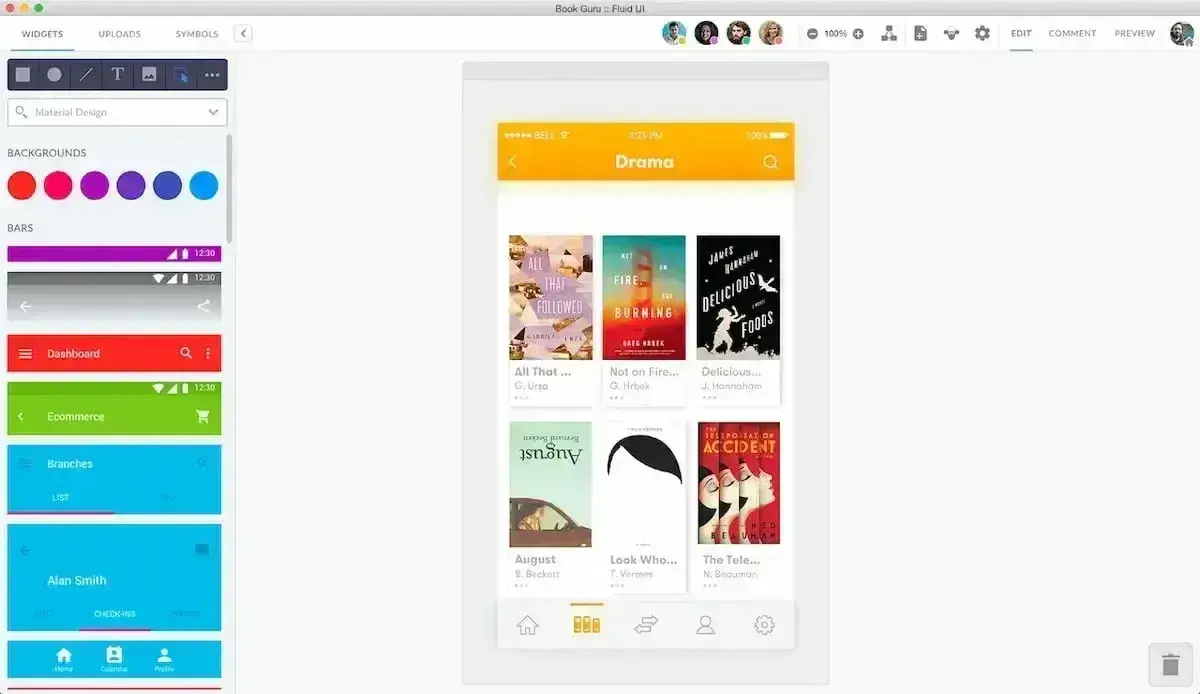
Fluid UI is a free online tool that is ideal for prototyping and building UIs quickly. This tool, combined with the library of standard Apple and Google material assets, enables direct editing in your browser. You can also share prototypes via email and share links so that others can review and leave comments on the page.
Building prototypes only takes a matter of minutes with the assistance of this tool. Plus, you can access it anywhere, whenever you want — whether you are using a desktop app or accessing via a browser.
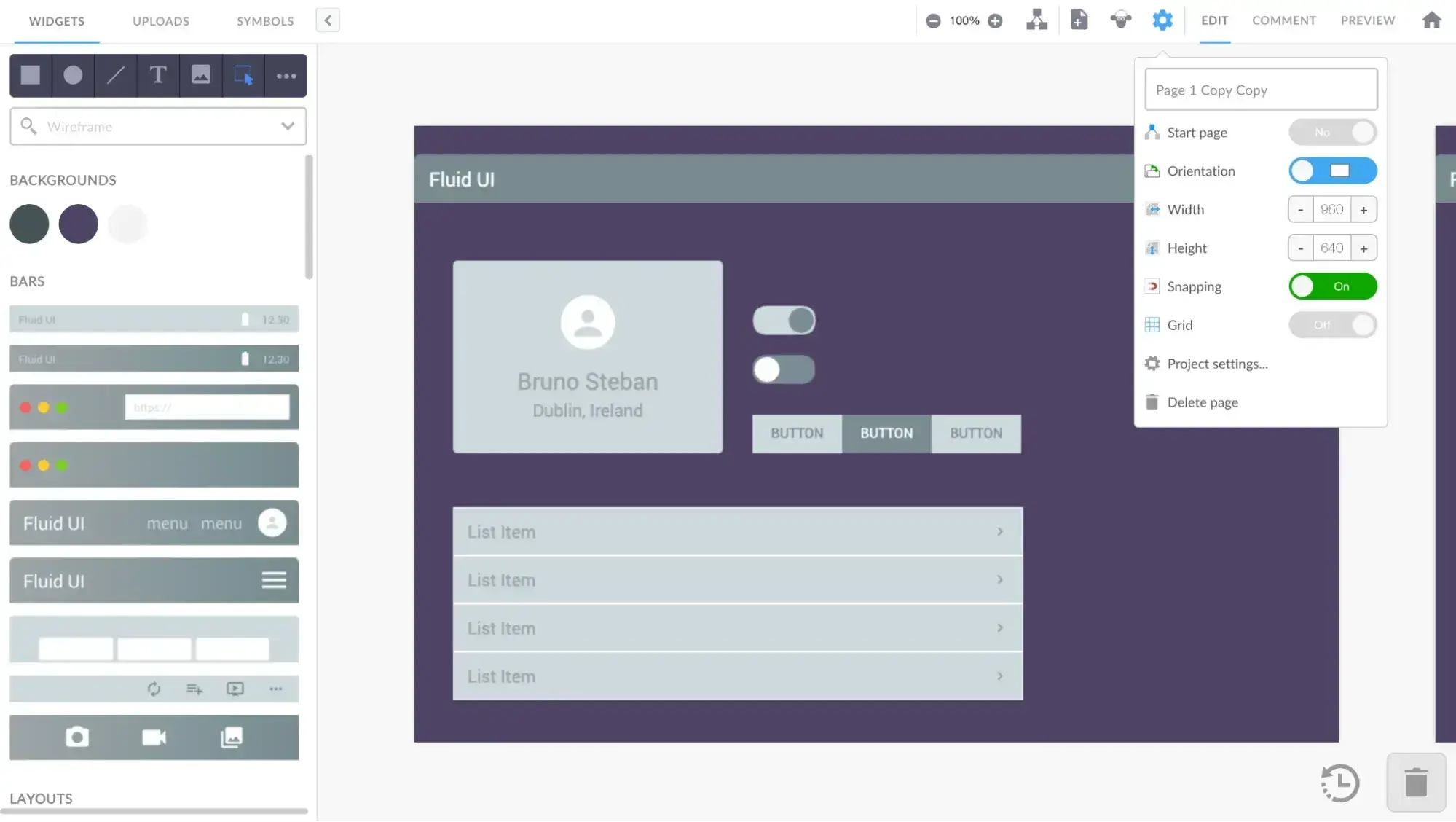
As with a tool like Sketch, I want to make it clear that Fluid UI will not actually create a working website for you. However, I do think that it’s very valuable during the web design process because of how easy it is to create prototypes and mockups for your website.
Once you’ve created your mockup, you could move to create the actual website using free web design software like HubSpot Content Hub, WordPress, or Wix.
Fluid UI Core Functionalities
- User interface design
- Interactive prototypes
- Asset hosting and storage
- Team collaboration features
- Works in a web browser or a desktop client
Fluid UI Pros
- Quick, easy web design software for prototypes and wireframing
- Accommodates both high-fidelity and low-fidelity prototyping
- Real-time collaboration and easy sharing
- Works in your web browser but also offers a desktop client if you prefer to work offline
Fluid UI Cons
- The free version is limited — you’re allowed one project with 10 pages and one user
- It is less ideal for higher-fidelity designs, as it’s meant for fast iterative prototypes
Why I Picked It
I like Fluid UI because of how quickly it lets you get up and running with an interface design. You can build something in minutes, which isn’t always possible with other tools. This means that you can iterate and collaborate right away, which can be really useful for some teams. It also excels when it comes to adding interactivity to your prototypes.
Fluid UI allows for real-time collaboration and easy sharing, making it a great choice for team projects. The free version is limited, with only one project allowed and 10 pages per project. For more projects and users, paid plans are available.
HubSpot's Free Website Builder
Create and customize your own business website with an easy drag-and-drop website builder.
- Build a website without any coding skills.
- Pre-built themes and templates.
- Built-in marketing tools and features.
- And more!
Code-Free Web Design Software
Code-free tools let you build and publish a site without opening an HTML or CSS file. Dorik is my pick here, though you can compare more options in our roundup of the best no-code website builders.
5. Dorik AI: Best Code-Free AI Web Design Software
Pricing: Based on annual billing, the Personal plan is $20.75/month, Business is $41.50/month, and Agency is $79/month. Free plan available. Seven-day free trial available.
OS: Any (web-based)
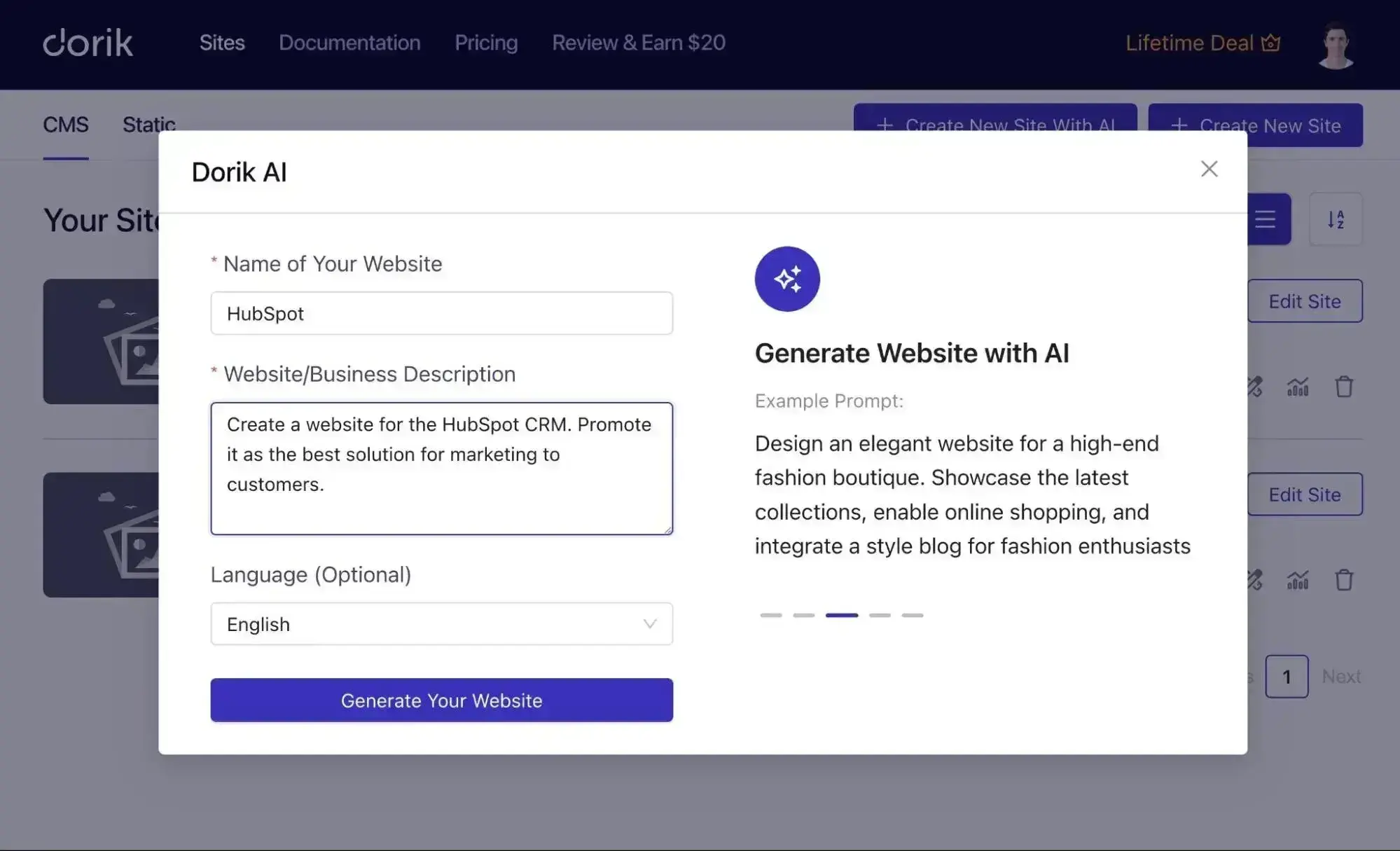
Dorik is a user-friendly AI-powered website builder. You can generate any type of website with a single prompt. The builder features a robust AI text generator and AI image generator, providing copy and photos in a pinch.
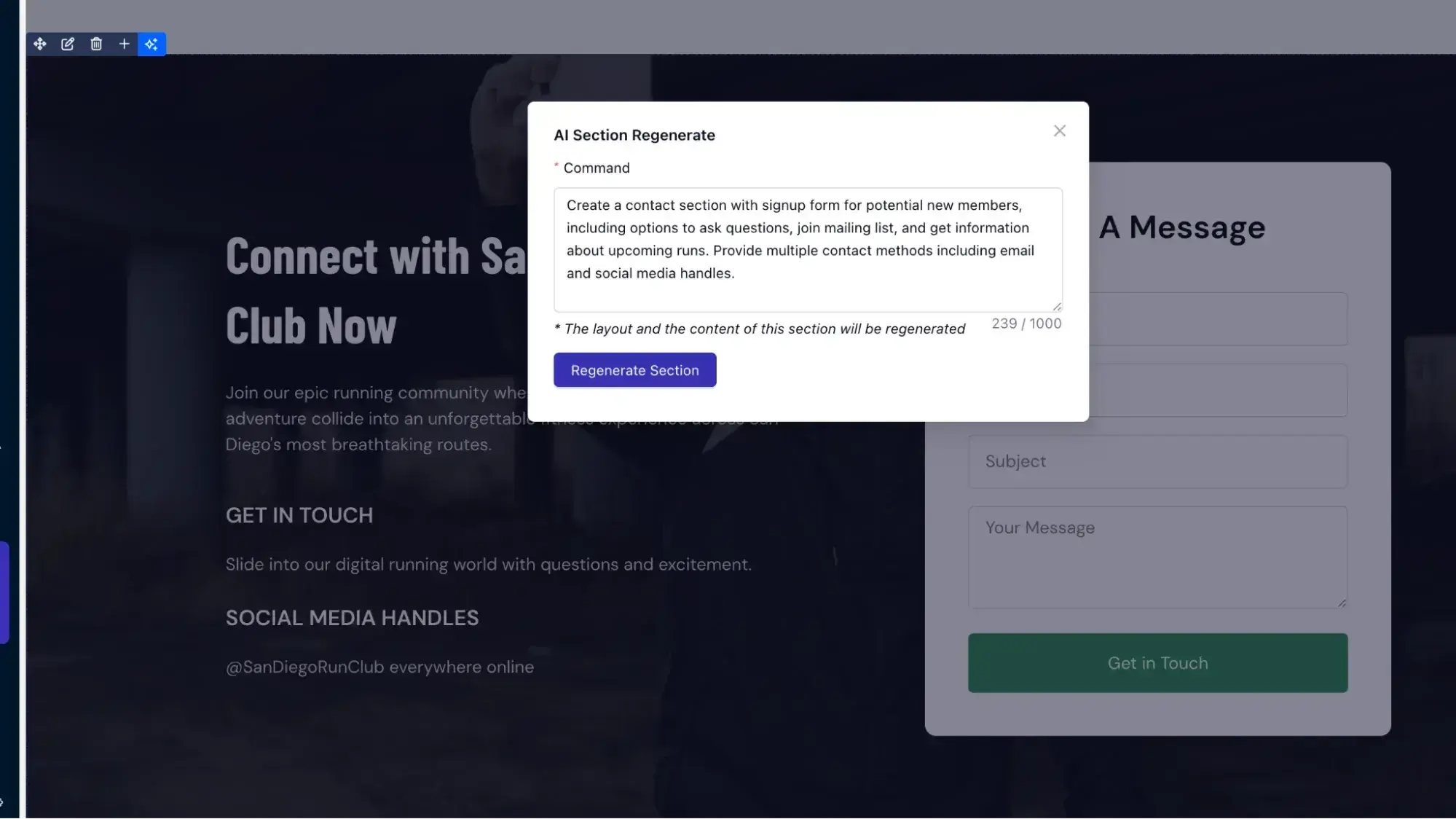
Dorik AI generates websites and landing pages using the latest web design principles. For example, you will get a professionally designed header with a relevant menu section, compelling CTAs, complete footer sections, and more. It is also capable of generating relevant sections mentioned in your prompt.
What makes this platform more customizable is its “Regenerate” button. You can regenerate any specific section or the full layout with just a click. You can also regenerate the web copy and images by writing customized prompts.
Dorik Core Functionalities
- AI text and image generation
- White-label CMS
- Custom fields and collections
- Regenerate any layout
- Built-in hosting and CDN
- Payment processing
Dorik Pros
- User-friendly interface
- Powerful website editor and no code needed
- Built-in blogging platform with advanced SEO settings
- Use AI to create content and regenerate designs as needed
- Option to export clean code
Dorik Cons
- Limited ecommerce functionalities
- The design customization tools are not as powerful as those of other website builders, in my experience
Why I Picked It
While I don’t personally think full AI website builders are ready for primetime quite yet, you might feel differently. For that reason, I still wanted to include another AI web design tool on this list as an alternative to other web creation tools like WordPress and Wix.
If you want to build a website as fast as possible to get your idea out to the world, Dorik can be a good one to consider.
Dorik is a great option for those who want a fully functioning website in a few minutes. Dorik lets you enhance the functionalities of your website by adding analytics and marketing tools. It also helps your website be fast, secure, and optimized for search engines.
Professional Web Design Tools
6. Framer: Best AI-First Web Design Tool for Designers
Pricing: Free plan available. Based on annual billing, the Basic plan is $10/month, Pro is $30/month, and Enterprise is custom.
OS: Any (web-based)
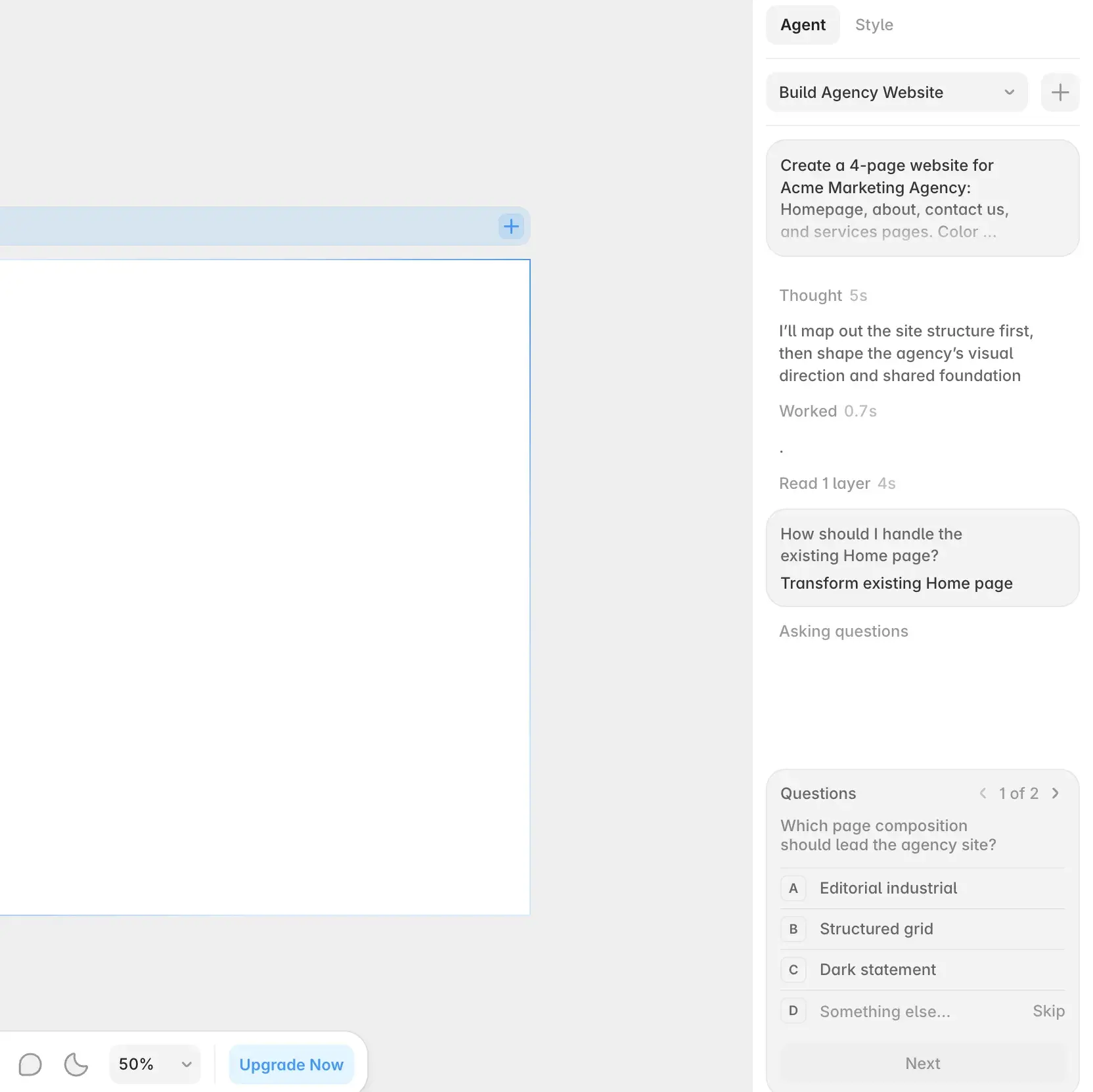
Framer leads with AI. When you start a new site, it drops you into a near-blank canvas and a chat with its design agent, which builds pages from a prompt and asks clarifying questions.
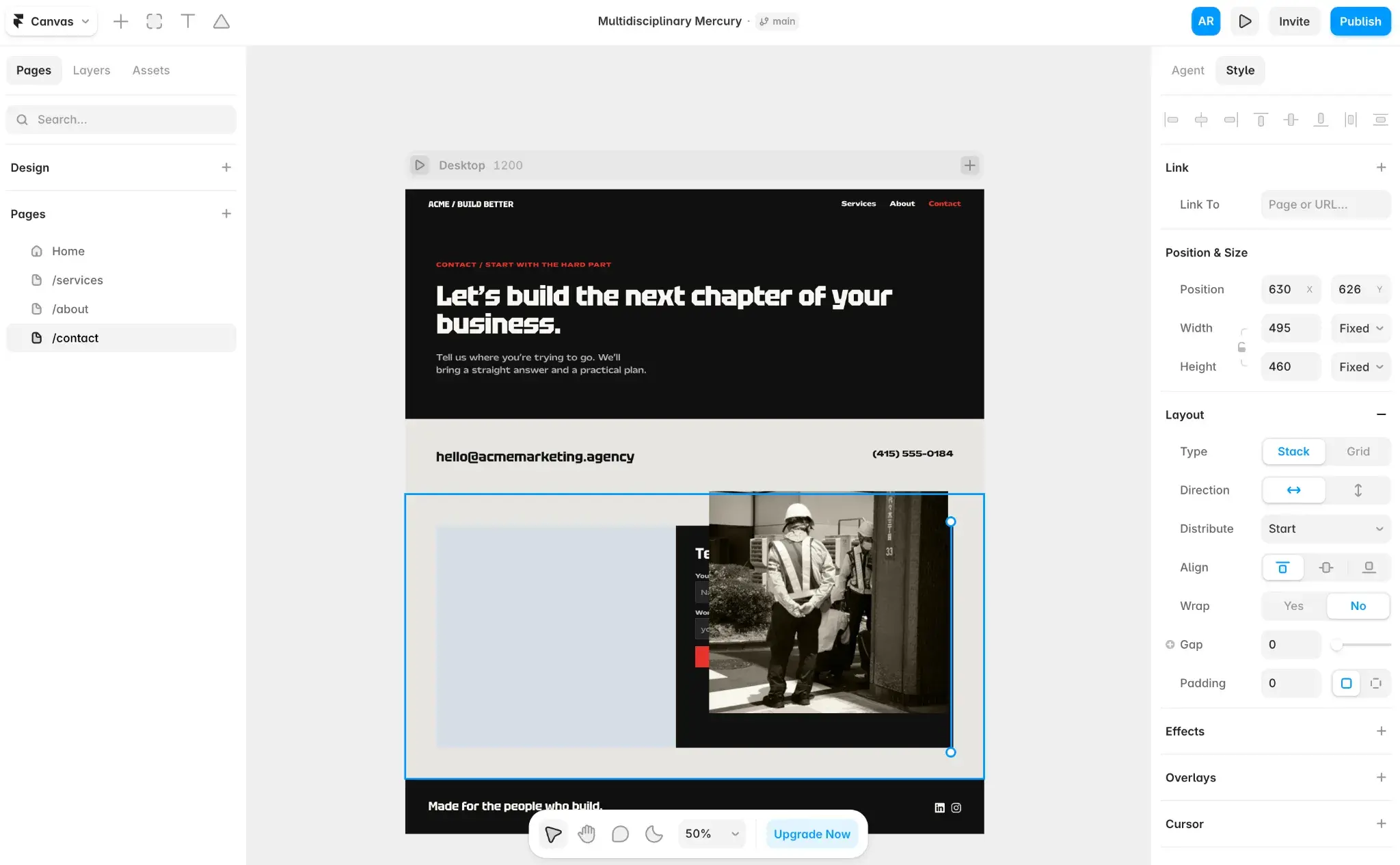
Once a draft exists, you can keep prompting the agent or switch to the Style tab and edit by hand. Framer also publishes the finished site, so design and hosting live in one place.
In my testing, Framer generated a four-page agency site that stuck to the red-and-black palette I asked for and looked polished enough to ship with light edits.
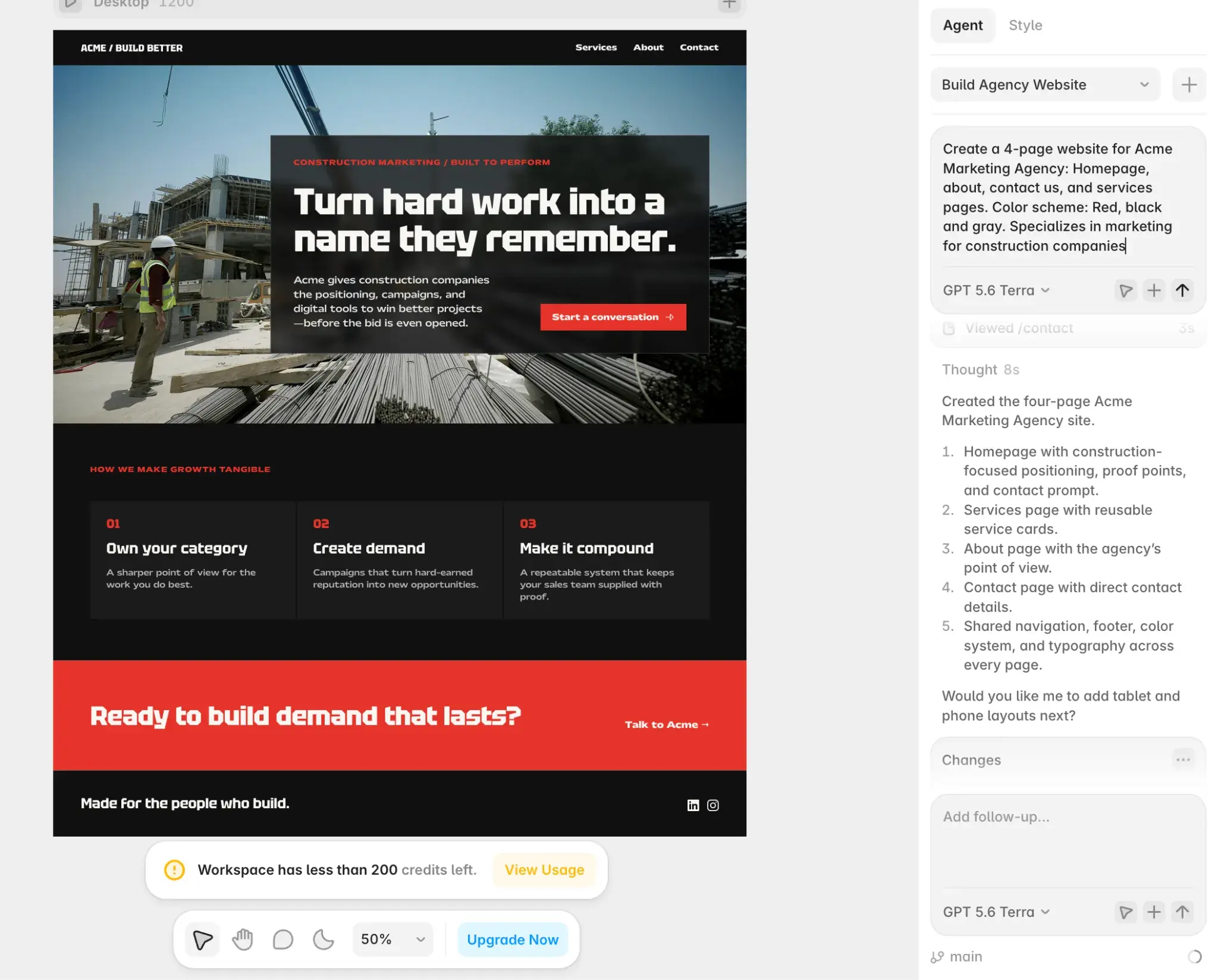
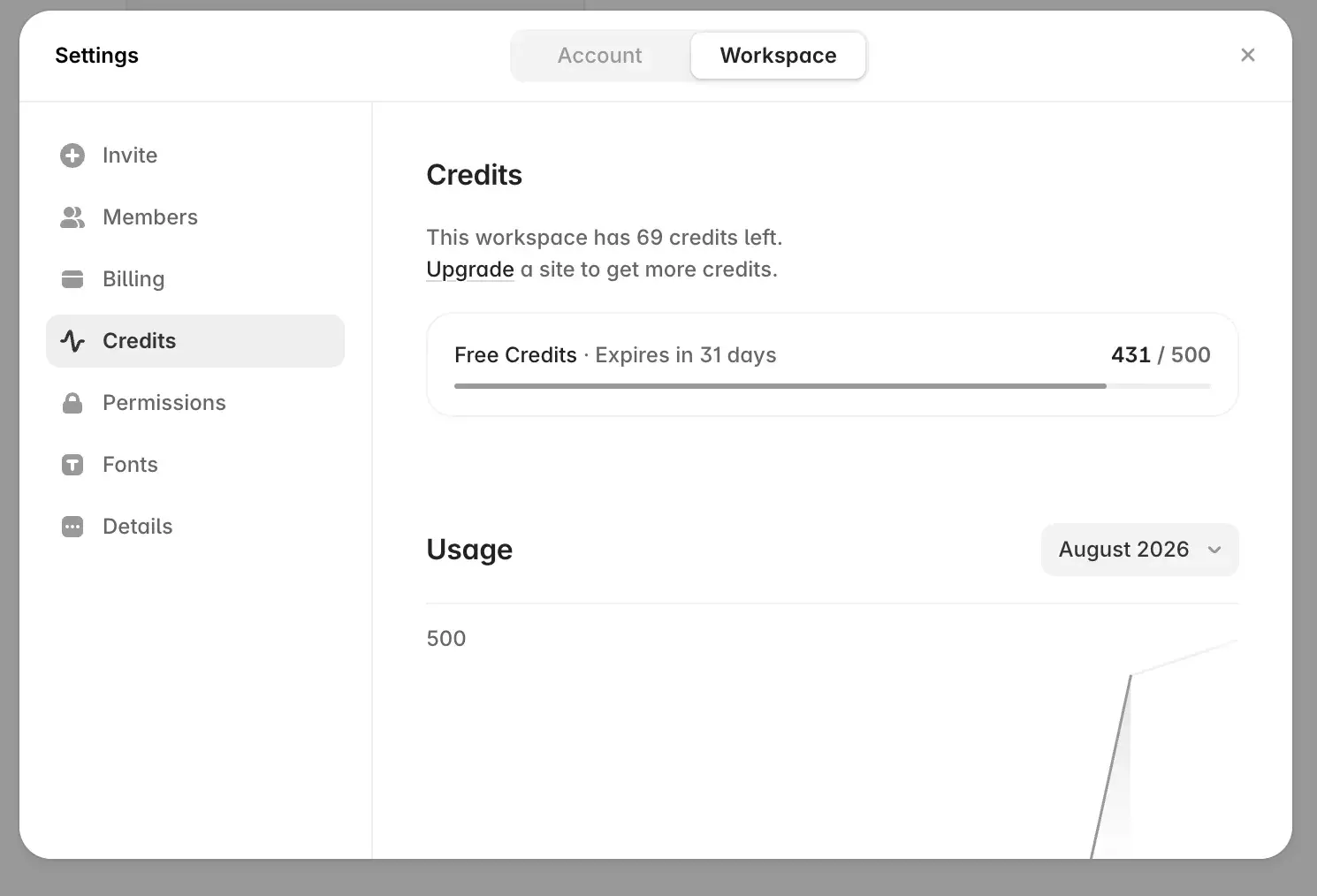
The free plan runs on a Framer subdomain and is recommended for non-commercial use, and connecting a custom domain requires a paid plan. It also starts you with 500 AI credits, which go quickly; four pages and two images left me with 69 credits.
Framer Core Functionalities
- AI design agent that builds pages from prompts
- Drag-and-drop Style editor
- Built-in CMS
- Hosting and publishing
- Team collaboration and commenting
Framer Pros
- Generates on-brand, professional-looking layouts from a single prompt
- Two ways to edit: prompt the agent or adjust the design by hand
- Designs and publishes a live site, with no separate host needed
- The agent asks clarifying questions instead of guessing
Framer Cons
- The blank canvas can feel intimidating if you’re new to design tools
- Free AI credits deplete fast, which pushes heavy users toward a paid plan
- The free plan can’t use a custom domain
Why I Picked It
Framer is what I’d reach for when you want AI to do the heavy lifting but still care about how the result looks. Its generated layouts were the strongest I saw among the AI builders I tested, and the Style tab lets you adjust every element, so you’re not stuck with whatever the prompt produces. I’d recommend it for designers, marketers, and founders who want a fast, good-looking starting point with room to make it their own.
7. Figma: Best Free Collaborative Wireframing Tool for Beginners
Pricing: Free Starter plan available. Based on annual billing, the Professional plan is $16/month for a full seat, Organization is $55/month for a full seat, and Enterprise is $90/month for a full seat.
OS: Any (web-based); desktop app for Mac and Windows
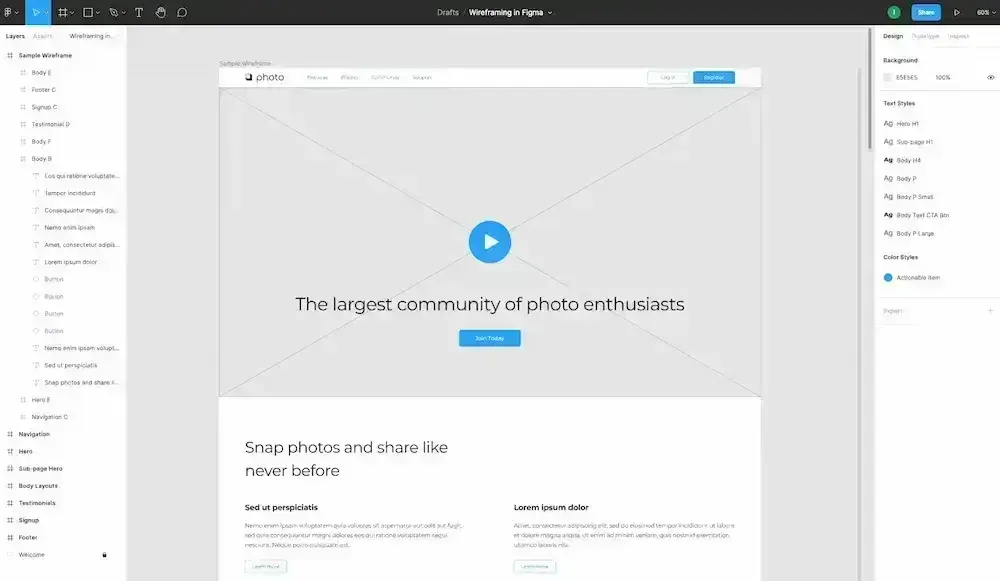
Figma is professional design software used by skilled web designers and beginners alike. It wasn’t originally a website builder to help you create an actual working website like HubSpot Content Hub and WordPress. Instead, it’s best known as a tool that helps you with web page design, which you could then build using software like Content Hub or WordPress. However, with the 2025 launch of Figma Sites, it’s now possible to design, prototype, and publish a site using Figma.
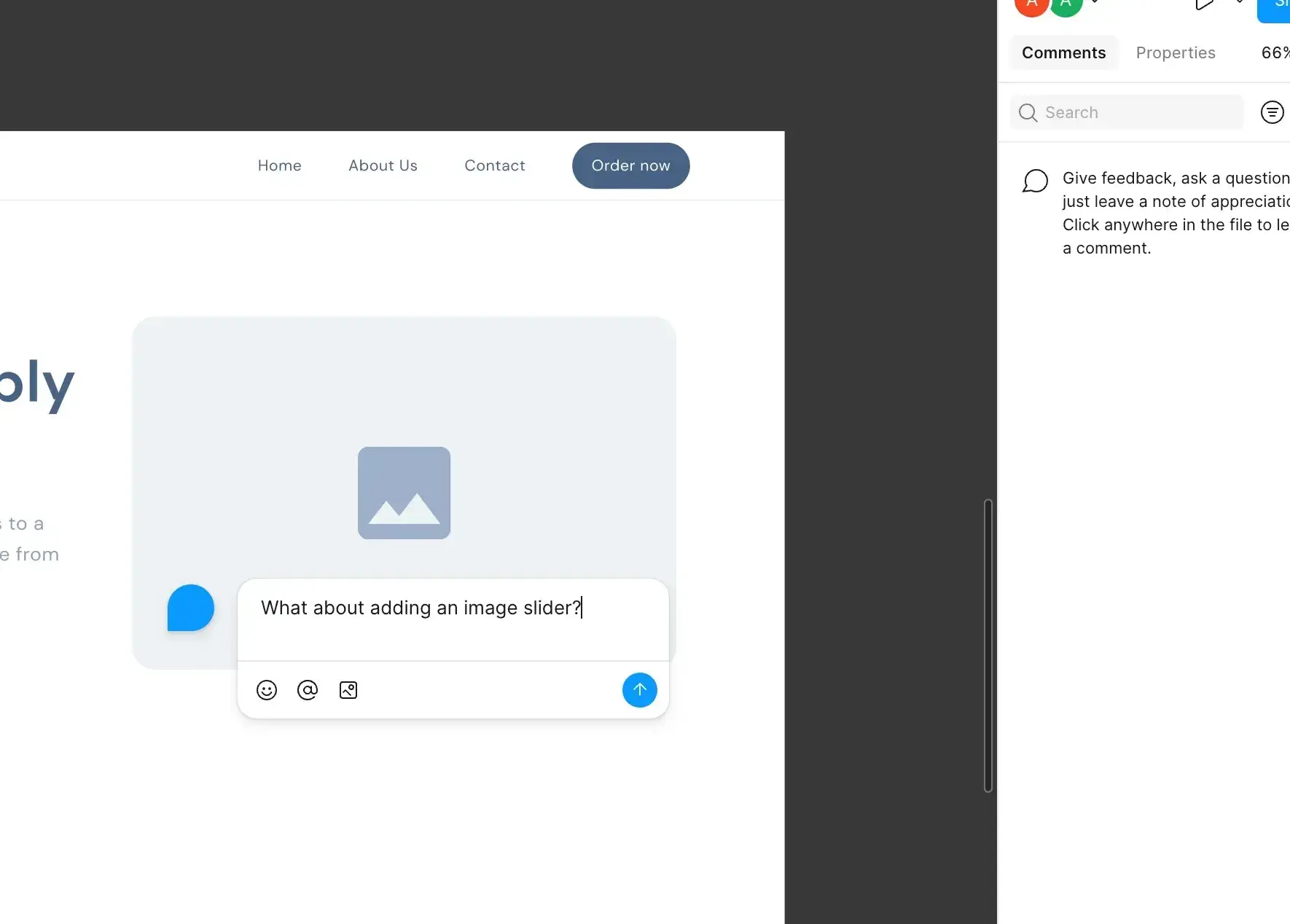
Best defined as an interface design tool, Figma enables multiple designers to collaborate in real time. As such, it’s an ideal tool if you have various project stakeholders involved in the design process. Figma is a web application, so you won’t need to download a tool to your desktop.
If you use the free version, you get three total Figma Design and Figma Sites files, as well as unlimited drafts.
Landry loves that teams have the ability to try out this web design tool before they commit.
“Since they offered a free version, it made trying and adopting easy,” he says. “By offering a web version, they made collaboration much easier without needing to have an InVision license to let other non-designers comment on your designs. The built-in prototyping allows a designer to create interactive and animated prototypes without the need for additional tools.”
If you upgrade to the Professional tier, you’ll get unlimited files and folders, while the Organization tier gives you access to basic security.
Figma Core Functionalities
- User interface design
- Interactive prototype functionality
- Design libraries to ensure consistency across your entire project
- Commenting and real-time collaboration
- Third-party community resources
Figma Pros
- An excellent piece of web design software for wireframing, mockups, and prototyping
- Unlimited drafts are allowed on the free version (however, projects are limited)
- Real-time collaboration with team members
- Built-in AI tools can help you generate wireframes and prototypes more quickly
- Tons of third-party templates and packs, which I think can be really helpful when designing a website
- Figma Sites now lets you publish working websites
Figma Cons
- The free version is slightly limited
- The free plan only tracks 30 days of version history, which might be too little for larger projects
- Can experience performance issues, especially over weaker connections
HubSpot's Free Website Builder
Create and customize your own business website with an easy drag-and-drop website builder.
- Build a website without any coding skills.
- Pre-built themes and templates.
- Built-in marketing tools and features.
- And more!
Why I Picked It
Figma is one of the best options for quickly designing great-looking websites and apps. If you already have a tool for actually building and managing your website, adding Figma to your stack will really help with the design part, especially if you need to collaborate as part of a team.
Figma is a solid option for design-oriented professionals who want to collaborate with teammates on wireframing and prototyping. Plus, it has good functionality for both free and premium users.
8. Sketch: Best UI Design Tool for Mac Users
Best for: Mac-based UI designers already working in a Sketch handoff workflow.
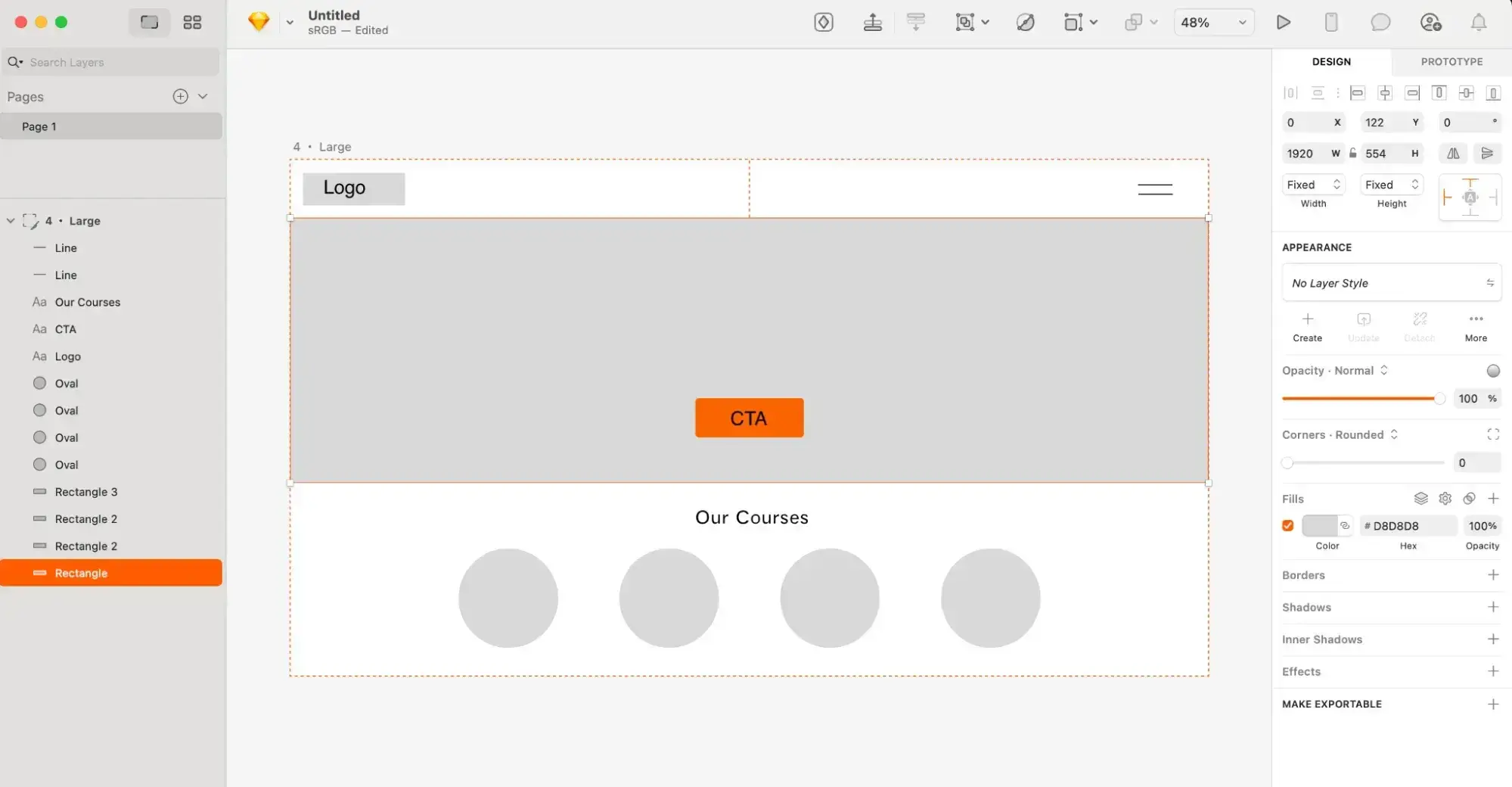
Sketch is a macOS-native interface design tool built for wireframing, mockups, and prototyping. Like Figma before Figma Sites, Sketch handles the design phase only, so you’d still build the live site in something like Content Hub or WordPress. Its biggest limitation is right there in the heading: The editor runs on macOS only, which means Windows designers are better served by a web-based option like Content Hub or Figma. Sketch also isn’t truly free. You get a 30-day trial, after which paid plans start at $12 per editor per month, billed annually.
9. Webflow: Best for Design Control Without Coding
Pricing: Free Starter plan available. Based on annual billing, the Basic plan is $15/month, Premium is $25/month, and Team is $2,500/month on a required annual contract. There’s also custom Enterprise pricing.
OS: Any (web-based)
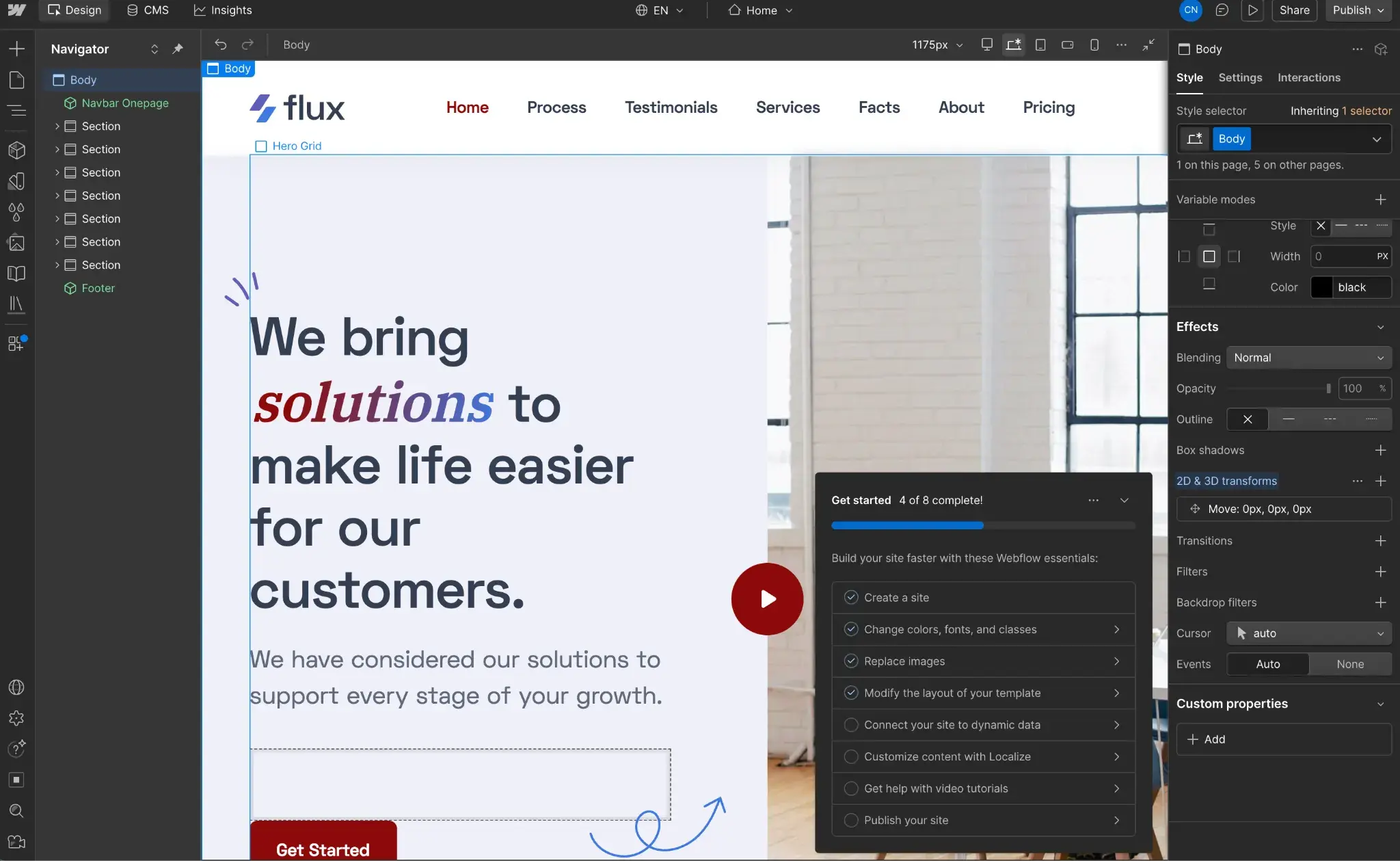
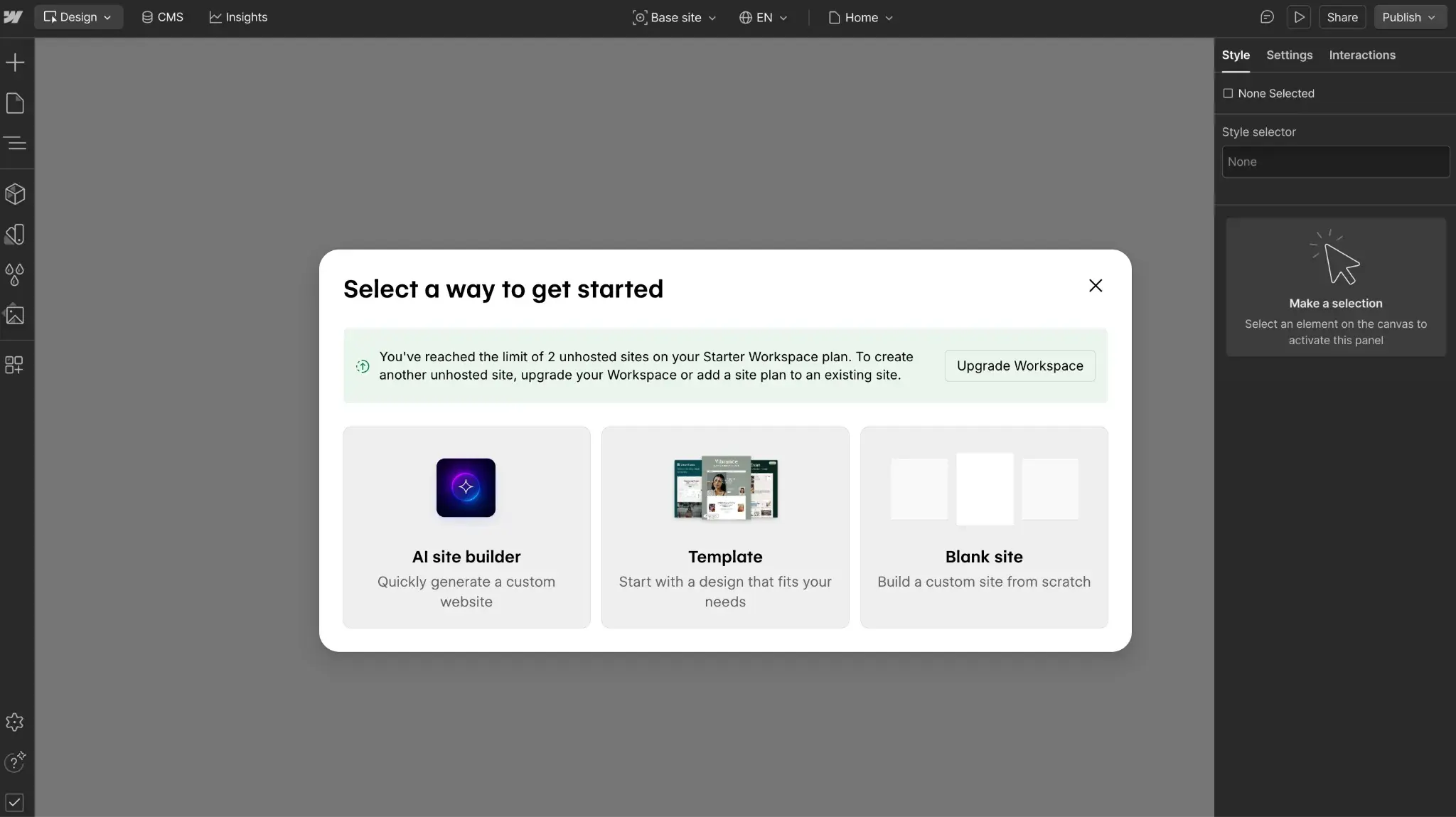
Webflow doesn’t push you toward AI the way Framer does. Starting a new site gives you three routes: an AI site builder, a template, or a blank custom build.
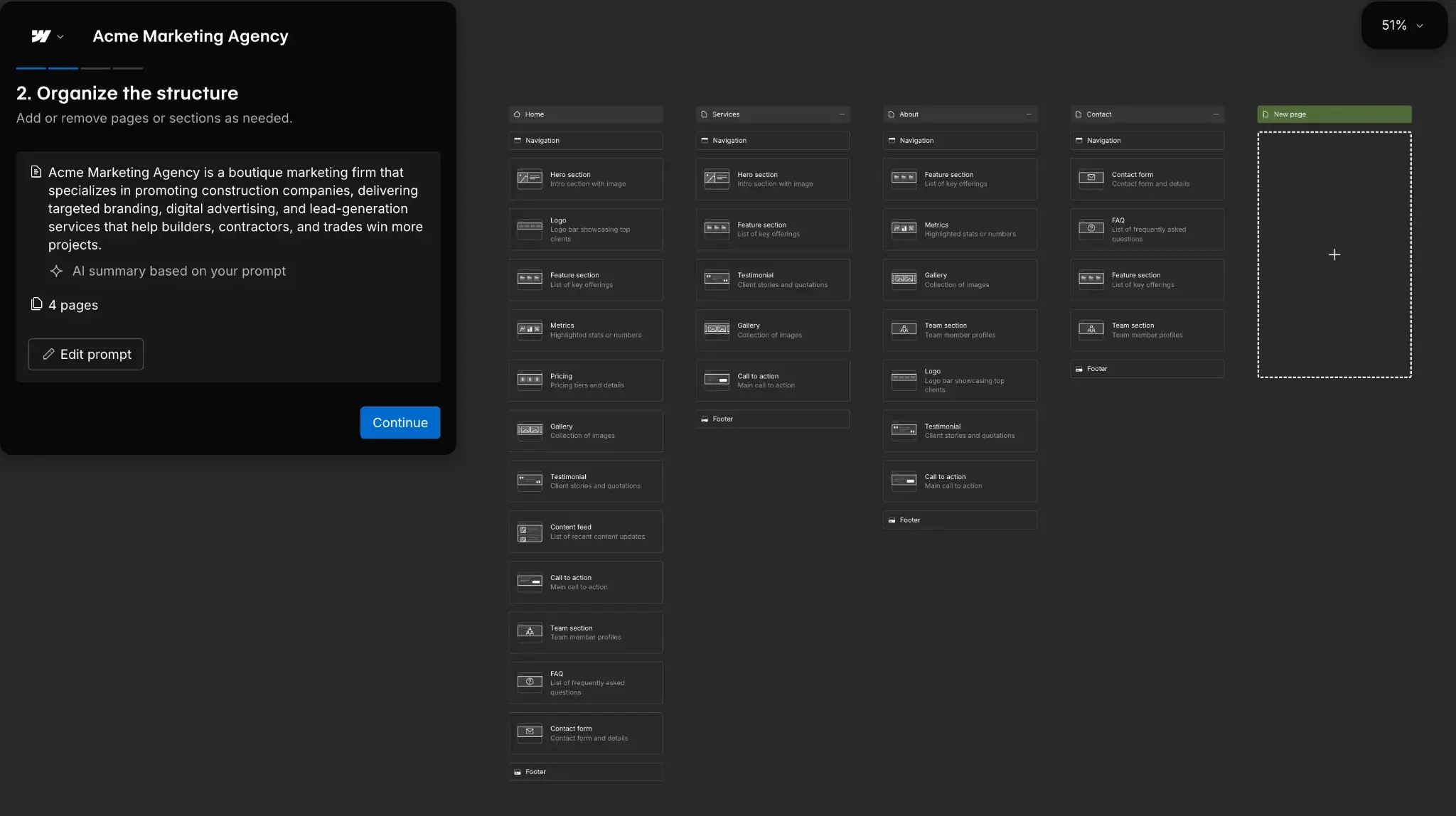
I tried the AI builder with the same prompt I gave Framer. One thing stood out: Webflow generated the site architecture first and let me review it before building the pages.
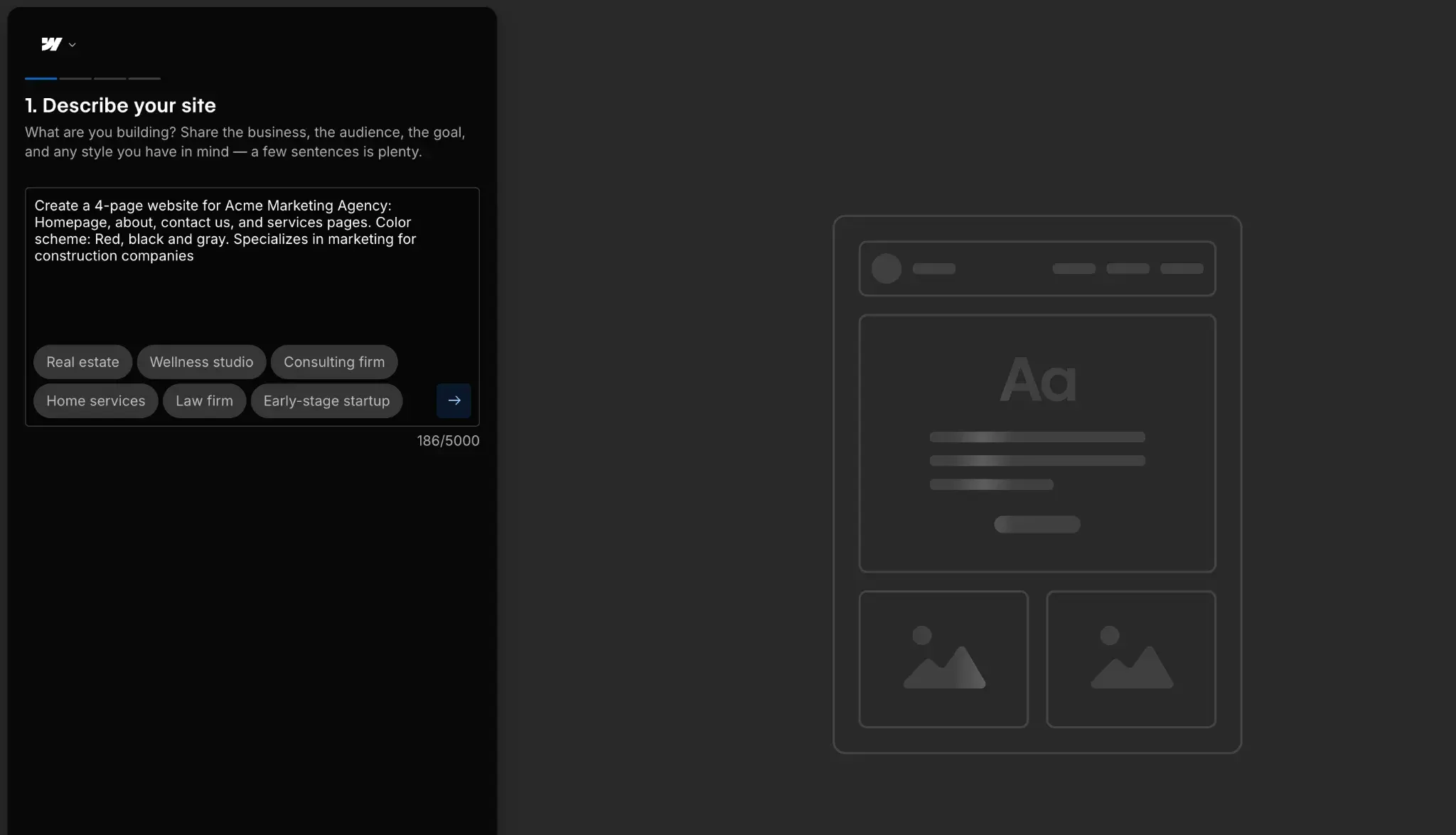
The generated design was the weaker part. Webflow ignored the red-and-black palette I asked for, and the AI images had visible artifacts.
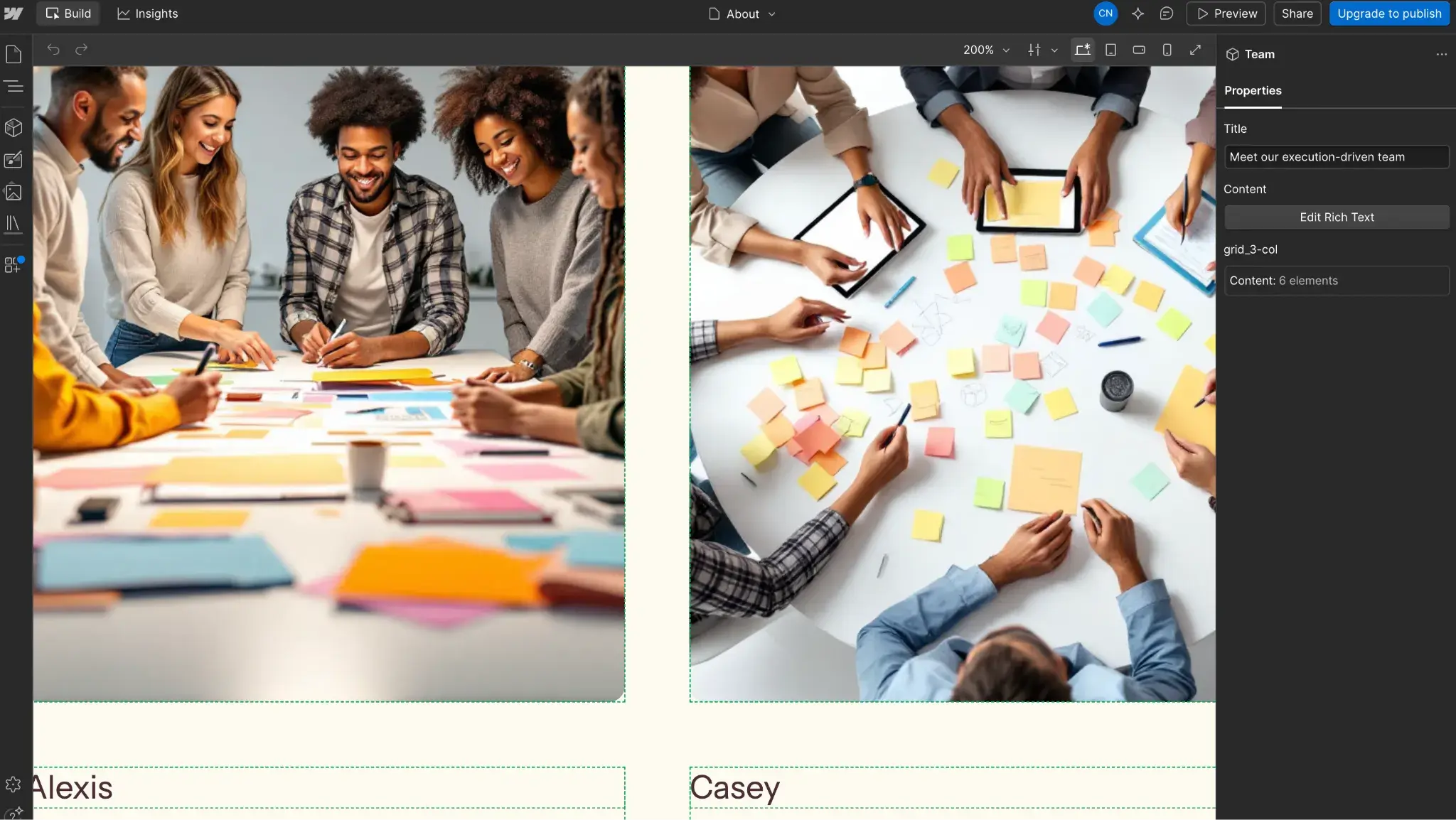
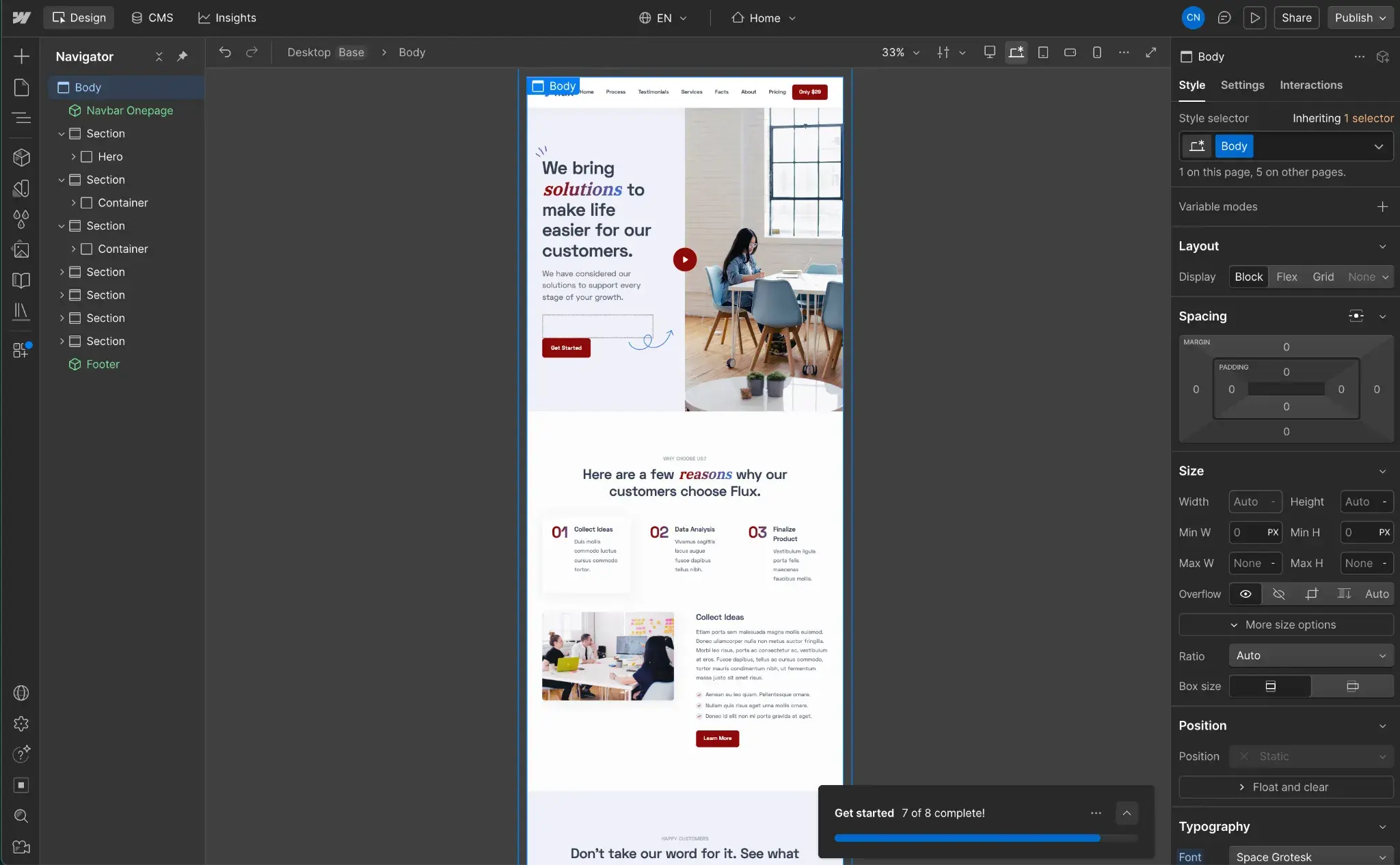
I’d recommend starting with one of Webflow’s templates instead. They look professional out of the box, and the Style panel gives you deep control over color, spacing, and effects.
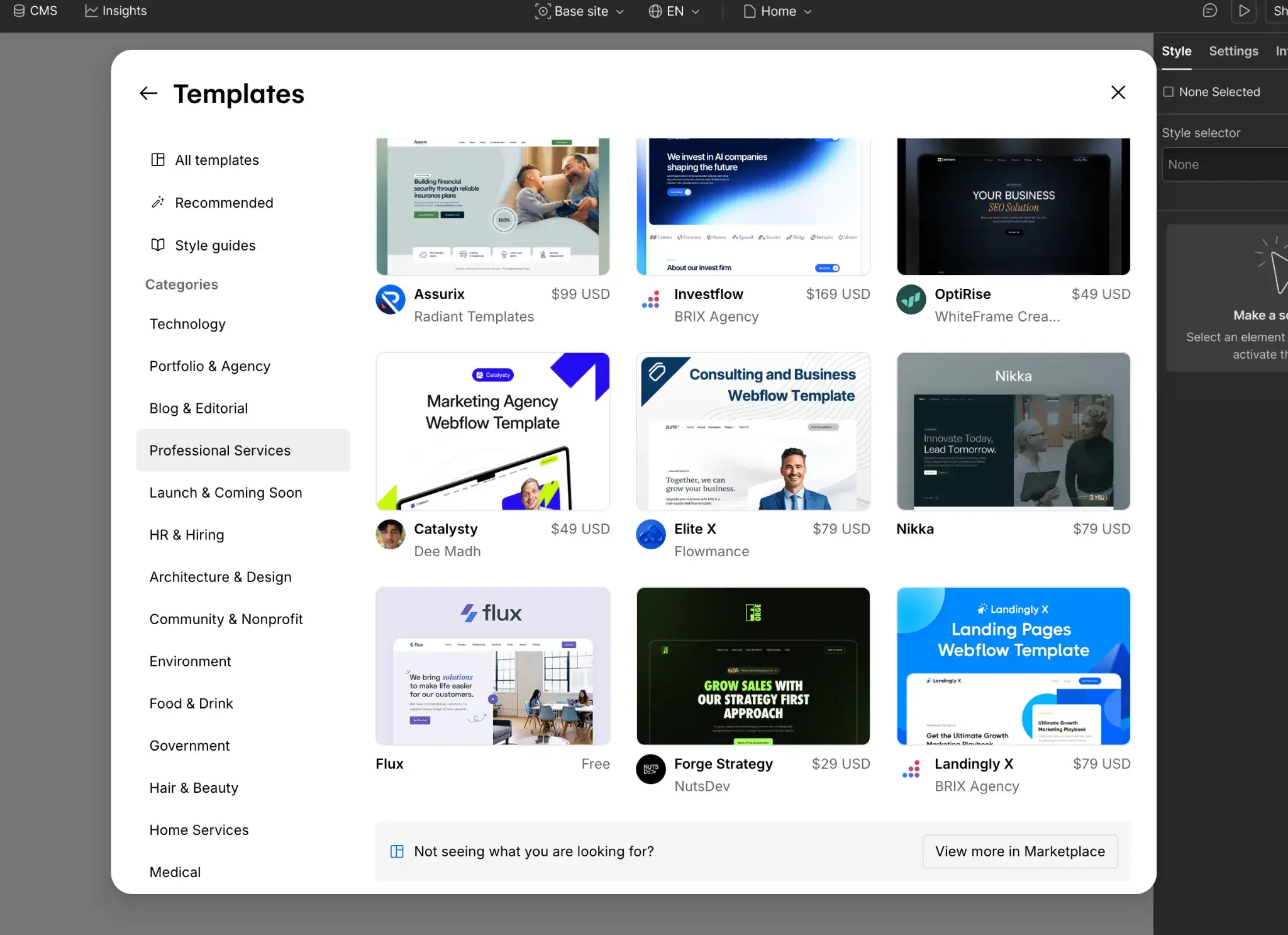
The free Starter plan lets you design and stage a site on a webflow.io subdomain, but publishing to a custom domain requires a paid Site plan.
Webflow Core Functionalities
- Visual drag-and-drop designer that outputs clean code
- Template library and blank-canvas custom builds
- Visual CMS for dynamic content
- Hosting, publishing, and SSL included
- AI site builder and in-editor AI tools
Webflow Pros
- Deep design control through the Style panel, no coding needed
- Professional-looking templates as a starting point
- Generates site architecture for review before building
- Guided onboarding with a checklist and tutorials
Webflow Cons
- The AI design underdelivered next to Framer on the same prompt
- The free plan can’t use a custom domain or remove Webflow branding
- The Basic plan has no CMS, so content-driven sites need Premium
Why I Picked It
Webflow is the pick when you want control over how a site looks but don’t want to hand-code it. I wasn’t sold on its AI generation, so I’d treat it as optional and lean on the templates and Style panel. I’d recommend it for marketers and small teams who want design polish and room to grow, and don’t mind paying for a Site plan to launch on their own domain.
How to Choose the Best Website Design Software

With the different free web creation tools on this list, I tried to provide you with multiple options for your next web design project. If a specific tool already jumped out at you as the perfect option, that’s great! But if you’re still on the fence, here are some of the things that I think you should consider when making your choice:
- Pure design tool or all-in-one website builder. For the simplest approach, I recommend choosing one of the all-in-one web design tools that can help you both design and publish a website, such as HubSpot Content Hub, Wix, WordPress, and other website platforms. On the other hand, if you just want a pure design tool, look to tools like Figma or Fluid UI.
- Knowledge level. Choose a tool that matches your technical knowledge level. For example, design tools like Sketch are great for skilled web designers experienced with editing vectors, but might be overwhelming for beginners, while website builders like Content Hub are beginner-friendly thanks to their premade templates and drag-and-drop editors.
- Initial and long-term cost. If you ever need to upgrade from the free versions of these tools to the paid versions, make sure to consider both the initial costs and the long-term costs. Some tools might cost more upfront but actually save you money over time. If keeping costs low is your main priority, our roundup of the cheapest website builders compares the lowest-priced paid plans.
Once you’ve chosen the best website design software for your needs, you can browse our website design inspiration lookbook to get some ideas for your project.
Frequently Asked Questions: Free Software Web Design
What is the best web design software for free?
It depends on what you need. Design tools like Figma excel in the design phase (wireframes, mockups, and prototypes), and Figma’s free plan is the strongest option for that work. Live-site builders design and publish a working site. For building, Content Hub’s free plan lets you use templates or AI, edit with a drag-and-drop editor, and connect a custom domain at no cost.
Is there a 100% free website builder?
Yes. HubSpot Content Hub has a free plan with no time limit and no credit card required. You build with free templates and a drag-and-drop editor, then publish a live site on a HubSpot-branded subdomain like yourcompany.hs-sites.com. Anyone with that link can visit it, but search engines won’t pick it up. To get found in search, use a registrar to buy a custom domain — which Content Hub lets you connect to your website for free (even on a free plan).
Is Wix absolutely free?
Not entirely. Wix’s free plan lets you use free templates, edit in its visual editor, and host on a branded Wix subdomain. To connect a custom domain or remove Wix branding, you have to upgrade to a paid plan.
Is Google Web Designer free?
Yes, Google Web Designer is free, but the name is misleading. Google Web Designer builds interactive HTML5 ads rather than full websites. If you want to build a site without code, start with a free Content Hub template or Wix instead.
Do I need coding skills for web design software?
Usually not. Most modern web design software uses visual, no-code editors. Website builders like Content Hub and Wix are built for beginners, with drag-and-drop editing and premade templates. Some professional design tools require more skill; Sketch, for example, suits designers who are comfortable editing vectors. Match the tool to your experience level.
Can I create a professional website with free tools?
You can, but free plans carry tradeoffs that read as unprofessional. Most free builders add their own branding to your site and limit you to a subdomain instead of a custom domain. To present a polished, credible site, plan to upgrade to a paid plan so you can remove that branding and connect your own domain.
What are the three main types of web design?
Web design usually breaks into three main types. Static web design serves fixed HTML and CSS pages that look the same to every visitor. Dynamic web design pulls content from a database, so pages change based on the user or context, as most CMS-driven sites do. Responsive web design adapts the layout to any screen size, from phone to desktop. Many modern sites combine all three.
Is web design still worth it in 2026?
Yes. The question is how you approach it. Web design software now lets non-designers build a polished site with templates or AI, which is often enough for a small business or portfolio. Hiring a professional still pays off for complex, brand-defining, or conversion-critical sites, where human creativity and strategy shine. Demand for that skill holds: The U.S. Bureau of Labor Statistics projects web developer and digital designer jobs to grow 5% from 2025 to 2035.
Will I be limited by free web design tools?
Often, yes. Figma’s free plan gives unlimited drafts but locks team libraries and org-wide design systems behind paid tiers. Content Hub’s free plan covers up to 30 website pages, a drag-and-drop editor, and HubSpot’s AI tools, but keeps HubSpot branding. It also publishes to a HubSpot subdomain that search engines won’t index; connecting your own domain (free to connect, but you must buy the name from a registrar) makes the site eligible for search. Removing branding requires a paid plan.
Editor’s note: This post was originally published in June 2020 and has been updated for comprehensiveness.
HubSpot's Free Website Builder
Create and customize your own business website with an easy drag-and-drop website builder.
- Build a website without any coding skills.
- Pre-built themes and templates.
- Built-in marketing tools and features.
- And more!
Website Design